service GMC SIERRA 1995 Owners Manual
[x] Cancel search | Manufacturer: GMC, Model Year: 1995, Model line: SIERRA, Model: GMC SIERRA 1995Pages: 488, PDF Size: 26.01 MB
Page 7 of 488
Table of Contents
Introduction - How to Use this Manual
This section tells you how to use your manual and includes safety
and vehicle damage warnings and symbols.
Section 1 - Seats and Restraint Systems
This section tells you how to use your seats and safety belts
properly.
It also explains the air ba, 0 s -y stem.
Section 2 - Features & Controls
This section explains how to start and operate your vehicle.
Section 3 - Comfort Controls & Audio Systems
This section tells you how to adjust the ventilation and comfort
controls and how to operate your audio system.
Section 4 - Your Driving and the Road
Here you’ll find helpful information and tips about the road and
how to drive under different conditions.
Section 5 - Problems on the Road
This section tells you what to do if you have a problem while
driving, such
as a flat tire or engine overheating. etc.
Section 6 - Service & Appearance Care
Here the manual tells you how to keep your vehicle running
properly and looking good.
Section 7 - Maintenance Schedule
This section tells you when to perform vehicle maintenance and
what fluids and lubricants to use.
Section 8 - Customer Assistance Information
L get service publications. It also gives you information on
This
section tells you how to contact
GM for assistance and how to
“Reporting Safety Defects” on page
8-4.
Index
Here’s an alphabetical listing of almost every subject in this
manual. You can use
it to quickly find something you want to read.
i
ProCarManuals.com
Page 8 of 488
Introduction
1995 GMC Truck Sierra Owner’s Manual
Welcome
This manual was prepared to acquaint you with the operation and
maintenance of your
1995 GMC Truck Sierra and to provide important
safety information. There is also a GMC Truck Warranty and Owner
Assistance Information booklet. In some vehicles, there can be information
manuals from other manufacturers like body builders or special equipment
companies. We urge you to review all these publications carefully. This will
help
you enjoy safe and trouble-free operation of your vehicle.
When it comes to service, keep
in mind that your GMC Truck dealer knows
your vehicle best and is interested
in your complete satisfxtion. Your dealer
invites you to return for all of your service needs both during and after the
warranty period.
Remember, if you have
a concern and need help handling it to your
satisfaction, see the procedure
in the GMC Truck Warranty and Owner
Assistance Information booklet.
Thanks for choosing a GMC Truck product. We value you
as a member of
the GMC Truck family. We want
to assure you of our continuing interest in
your pleasure and satisfaction with your vehicle.
GMC Truck Division
General Motors Corporation Pontiac, Michigan
@Copyright
1994 General Motors Corporation, GMC Truck Division.
All Rights Reserved
Second Edition
11 ..
Printed in U.S.A.
ProCarManuals.com
Page 9 of 488
Important Notes to Owners and Drivers
About This Manual
Please keep this manual in your vehicle so it will be there if you ever need it
when you’re on the road.
If you sell the vehicle, please leave this manual in
it
so the new owner can use it.
This manual includes the latest information at the time it was printed. We
reserve the right to make changes in the product after that time without
further notice.
For vehicles first sold in Canada, substitute the name
“General Motors
of Canada Limited” for GMC Truck Division whenever it
appears in this manual.
WE SUPPORT
VOLUNTARY TECHNICIAN
CERTIFICATION THROUGH
National Institute
for
SERVICE ~
AUTOMOTIVE
EXCELLENCE
For Canadian Owners Who Prefer a French Language
Manual:
Aux pr-opr-i&taires canacliem: Vous pouvez vous procurer un exemplaire de
ce guide en franqais chez votre concessionaire
ou au DGN Marketing
Services Ltd.,
1500 Bonhill Rd., Mississauga, Ontario L5T 1C7.
General Motors, GM and the GM Emblem, GMC, and Sierra are registered
trademarks
of General Motors Corporation.
111 ...
ProCarManuals.com
Page 38 of 488
impact more evenly over the occ.upant’s upper body, stopping the occupant
more gradually. But air bags would not help you
in many types of collisions,
including rollovers and rear and side impacts, primarily because an
occupant’s motion
is not toward the air bag. Air bags should never be
regarded
as anything more than a supplement to safety belts, and then only
in moderate to severe frontal or near-frontal collisions.
What will you see after an air bag inflates?
After the air bag inflates, it quickly deflates. This occurs so quickly that
some people may not even realize the air bag inflated. Some components of
the air bag module
in the steering wheel hub will be hot for a short time, but
the part of the bag that comes into contact with you will not be hot to the
touch. There will be some smoke
and dust coming from vents in the deflated
air bag. Air bag inflation
will not prevent the driver from seeing or from
being able to steer the vehicle, nor
will it stop people from leaving the
vehicle.
A CAUTION:
When an air bag inflates, there is dust in the air. This dust could
cause breathing problems for people with
a history of asthma or
other breathing trouble. To avoid this, everyone in the vehicle
should get out as soon as it
is safe to do so. If you have breathing
problems but can’t get out of the vehicle after an air bag\
inflates,
then get fresh air
by opening a window or door.
e
e
0
The air bag is designed to inflate only once. After it inflates, you’ll
need some new parts for your air bag system.
If you don’t get them, the
air
bag system won’t be there to help protect you in another crash. A
new system
will include the air bag module and possibly other parts.
The service manual for your vehicle covers the need to replace other
parts.
Your vehicle is equipped with a diagnostic module, which records
information about the air bag system. The module records information
about the readiness of the system, when
the sensors are activated and
driver’s safety belt usage at deployment.
Let only qualified technicians work on your air bag system. Improper
service can mean that your air bag system won’t work properly. See
your dealer for service.
1-22
ProCarManuals.com
Page 39 of 488

NOTICE:
If you damage the cover for the driver’s air bag, it may not work\
properly. You may have to replace the air bag module.
Do not
open or break the air bag cover.
Servicing Your Air Bag-Equipped Vehicle
The air bag affects how your vehicle should be serviced. There are parts of
the air bag system in several places around your vehicle. You don’t want the
system to inflate while someone is working on your vehicle. Your
GM
dealer and the 1995 GM Service Manual have information about servicing
your vehicle and the air bag system. To purchase
a service manual, see
”Service Publications”
in the Index. The air bag system does not need
regular maintenance.
A CAUTION:
For up to 2 minutes after the ignition key is turned off and the
battery is disconnected, an air bag can still inflate during
improper service.
You can be injured if you are close to an air
bag when it inflates.
Avoid wires wrapped with yellow tape, or
yellow connectors. They are probably part of the air bag system.
Be sure to follow proper service procedures, and make sure the
person performing work for you
is qualified to do so.
Adding Equipment to Your Air Bag-Equipped Vehicle
Q: If I add a push bumper or a bicycle rack to the front of my vehicle,
will it keep the air bag from working properly?
A: As long as the push bumper or bicycle rack is attached to your vehicle
so that the vehicle‘s basic structure isn’t changed. it‘s not likely to keep
the air bags from working properly
in a crash.
Q: What if I add a wow plow? Will it keep the air bag from working
properly?
A: We’ve designed our air bag systems to work properly under a wide
range
of conditions. including snow plowing with vehicles equipped
with the optional Snow Plow Prep Package
(RPO VYU). But don’t
change or defeat the snow plow’s “tripping mechanism.”
If you do, it
can damage your snow plow and your vehicle, and it may cause an air
bag inflation.
1-23
ProCarManuals.com
Page 69 of 488
Leaving Your Vehicle
It' you are leaving the vehicle. take your keys. open your door and set the
locks from inside. Then get out
and close the door.
Keyless Entry System
If your vehicle has this option. you can lock and unlock your doors from up to
30 feet (9 m) away usins the key chain transmitter supplied with your vehicle.
Your Keyless
Entry System operates on ;I radio frequency subject to Federal
Communications Commission (FCC)
Rules.
This device complies with Part IS of the FCC Rules. Operation is subject to
the following two conditions: ( I ) This device may not cause harmful
interference. and
(2) This device must accept any interterence received,
including interference that may
C~LIS~ undesired operation.
Should interference to
this system occur. try this:
0 Check to determine if battery replacement is necessary. See the
instructions
on battery replacement.
Check the distance. You nay be too far from your vehicle. This product
has
a maximum range.
0 Check the location. Other vehicles or objects may be blocking the signal
0 See your GM dealer or a qualified technician for service.
Changes or modifications to this system by other than an authorized service
facility could void authorization
to use this equipment.
Operation
To unlock the driver's door. press the UNLOCK button. If you press this
button again within five seconds, all the doors will unlock.
Press the
LOCK button to lock all the doors.
The illuminated entry feature activates the interior dome lamps
for 40
seconds or until the ignition switch is turned on.
Matching Transmitter(s) To Your Vehicle
Each key chain transmitter is coded to prevent another transmitter from
unlocking your vehicle.
If a transmitter is lost or stolen. a replacement can
be purchased through your dealer. Remember to bring any remaining
transmitters with you when
you go to your dealer. When the dealer matches
the replacement transmitter
to your vehicle, the remaining transmitters must
also be matched. Once the new transmitte.r is coded, the
lost transmitter will
not unlock your vehicle.
2-7
ProCarManuals.com
Page 73 of 488
ITICE:
If your key seems stuck in LOCK and you can’t turn it, be sure
it is all the
way in. If it is, then turn the steering wheel left and
right while you turn the key hard. But turn the key only with
your hand. Using
a tool to force it could break the key or the
ignition switch.
If none of this works, then your vehicle needs
service.
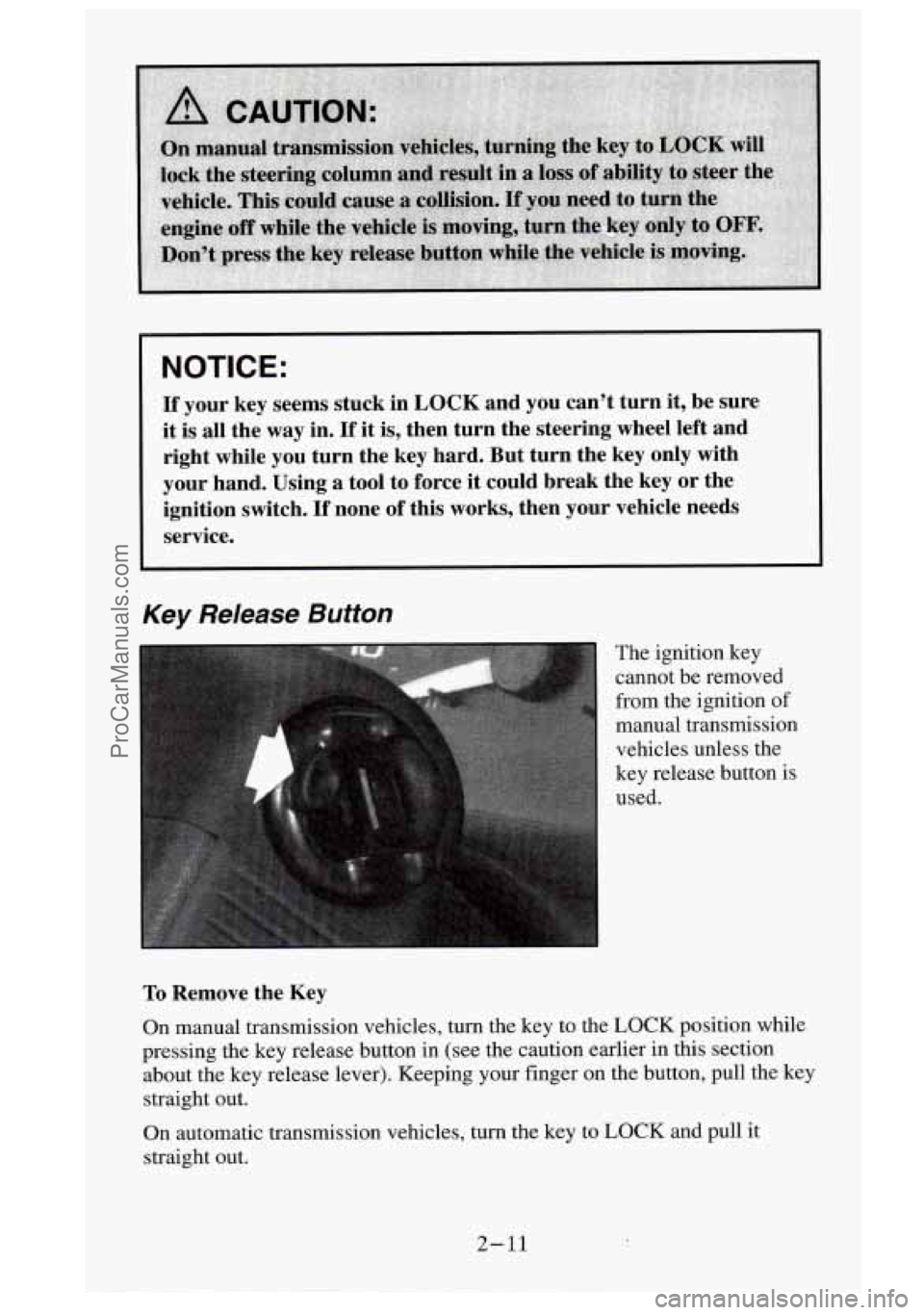
Key Release Button
The ignition key cannot be removed
from the ignition
of
manual transmission
vehicles unless the
key release button is
used.
To Remove the Key
On manual transmission vehicles, turn the key to the LOCK position while
pressing the key release button in (see the caution earlier i\
n this section about the key release lever). Keeping your finger on the butt\
on, pull the key straight out.
On automatic transmission vehicles,
turn the key to LOCK and pull it
straight cwt.
2-11
ProCarManuals.com
Page 77 of 488
NOTICE:
Don't try to shift to PARK (P) if your vehicle is moving. If you
do, you could damage the transmission. Shift to
PARK (P) only
when your vehicle is stopped.
2. MmLwl ~I-~~CZ.SI~~~.YS~~CZ: Move your shift lever to NEUTRAL (N) and
hold the clutch pedal
to the floor while starting the engine. Your vehicle
won't start
if the clutch pedal is not all the wlay down - that's a safety
feature.
Turn your ignition key to
RUN.
Observe the GLOW PLUGS light. (This light may not come on if the
engine is hot.)
NOTICE:
If the GLOW PLUGS light stays on, it means that your vehicle
could have one
of several problems, so you should have it
serviced right away.
3. As soon as the GLOW PLUGS light goes off. IMMEDIATELY turn the
ignition key
to START. When the engine starts. let go of the key. (The
longer you wait to start after the light goes
off, the harder it will be to
start the engine.)
NOTICE:
Holding your key in START for longer than 15 seconds at a time
will cause your battery to
be drained much sooner. And the
excessive heat can damage your starter motor.
4. If the engine does not start after IS seconds of cranking. turn the
ignition key to OFF. Wait one minute
for the starter to cool. then try the
same steps again.
If you're trying to start your engine after you've run out of fuel. follocv the
steps
in "Running Out of Fuel" (see "Diesel Fuel Requirements and Fuel
System"
in the Index).
When
YOLI~ engine is cold. let it run for a few minutes before you move your
vehicle. This lets oil pressure build
up. Your engine will sound louder when
it's cold.
2- 15
ProCarManuals.com
Page 79 of 488
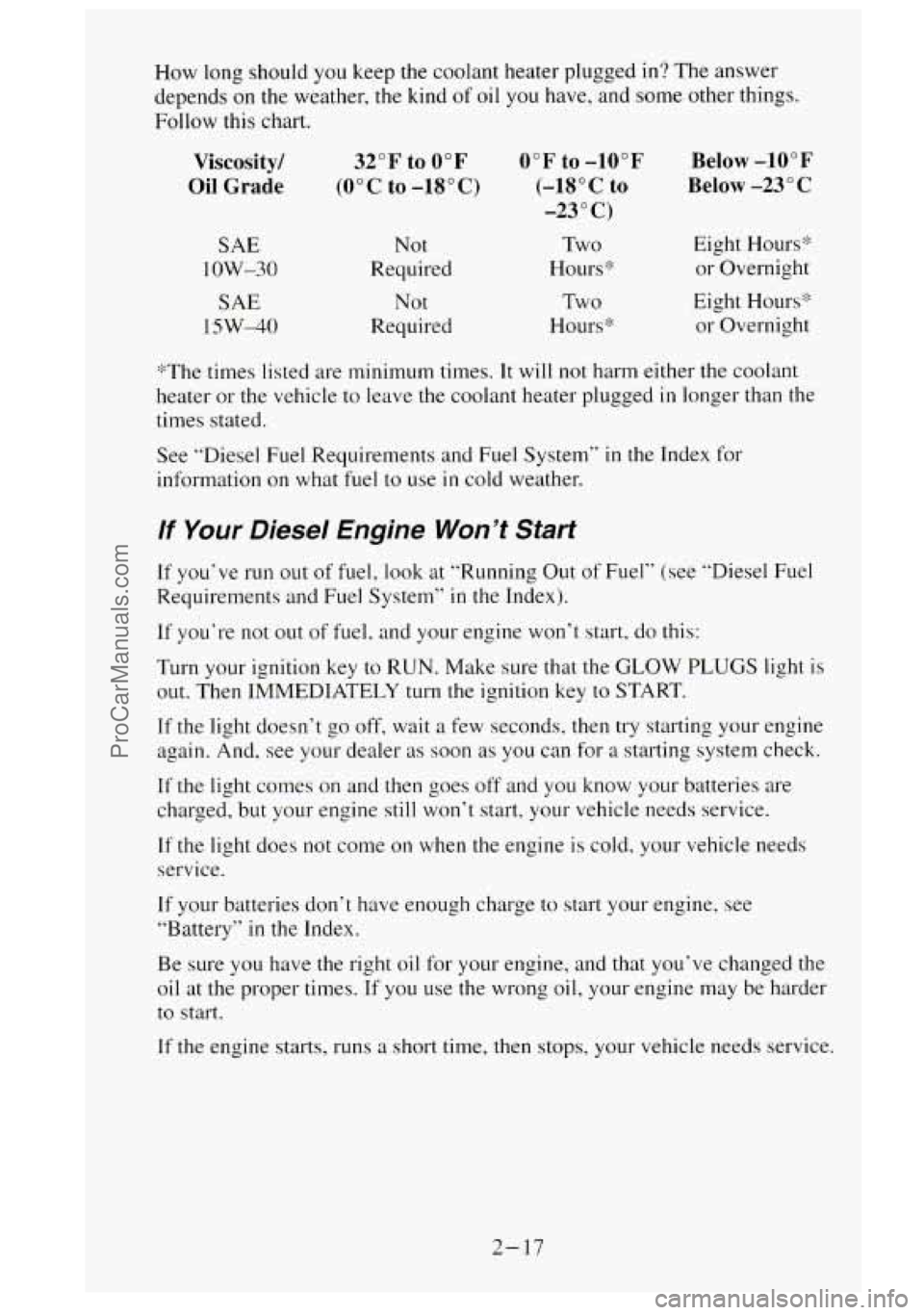
How long should you keep the coolant heater plugged in? The answer
depends on the weather,
the kind of oil you have, and some other things.
Follow this chart.
Viscosity/
Oil Grade
SAE
1 OW-30
SAE
15W-40
32°F to 0°F
(0°C to -18°C)
Not
Required
Not
Required
0°F to -10°F
(-18OC
to
-23 O C)
Two
Hours:!:
Two
Hours‘%
Below -10°F
Below -23”
C
Eight Hours’>
or Overnight
Eight Hours* or Overnight
’%The times listed are minimum times.
It will not harm either the coolant
heater or the vehicle to leave
the coolant heater plugged in longer than the
times stated.
See “Diesel Fuel Requirements and Fuel System’’
in the Index for
information
on what fuel to use in cold weather.
If Your Diesel Engine Won’t Start
If you‘ve run out of fuel, look at “Running Out of Fuel” (see “Diesel Fuel
Requirements and Fuel System”
in the Index).
If you‘re not out of fuel, and your engine won’t start, do this:
Turn your ignition key to RUN. Make sure that the GLOW PLUGS light is
out. Then IMMEDIATELY turn the ignition key to START.
If the light doesn’t go off, wait a few seconds, then try starting your engine
again. And, see your dealer as soon as
you can for a starting system check.
If the light comes on and then goes off and you know your batteries are
charged, but your engine still won’t start, your vehicle needs service.
If the light does not come on when the engine is cold, your vehicle needs
service.
If your batteries don‘t have enough charge to start your engine, see
“Battery”
in the Index.
Be sure you have the right oil for your engine, and that you’ve changed the
oil at the proper times. If you use the wrong
oil, your engine may be harder
to start.
If the engine starts, runs a short time, then stops, your vehicle needs service.
2- 17
ProCarManuals.com
Page 134 of 488
You will see this light flash for a few seconds when you turn your ignition
to
RUN or START. Then the light should go out. This means the system is
ready.
If the air bag readiness light doesn’t come on when you start your vehicle,
or stays on, or comes on when you are driving, your air bag system may not
work properly. Have your vehicle serviced right away.
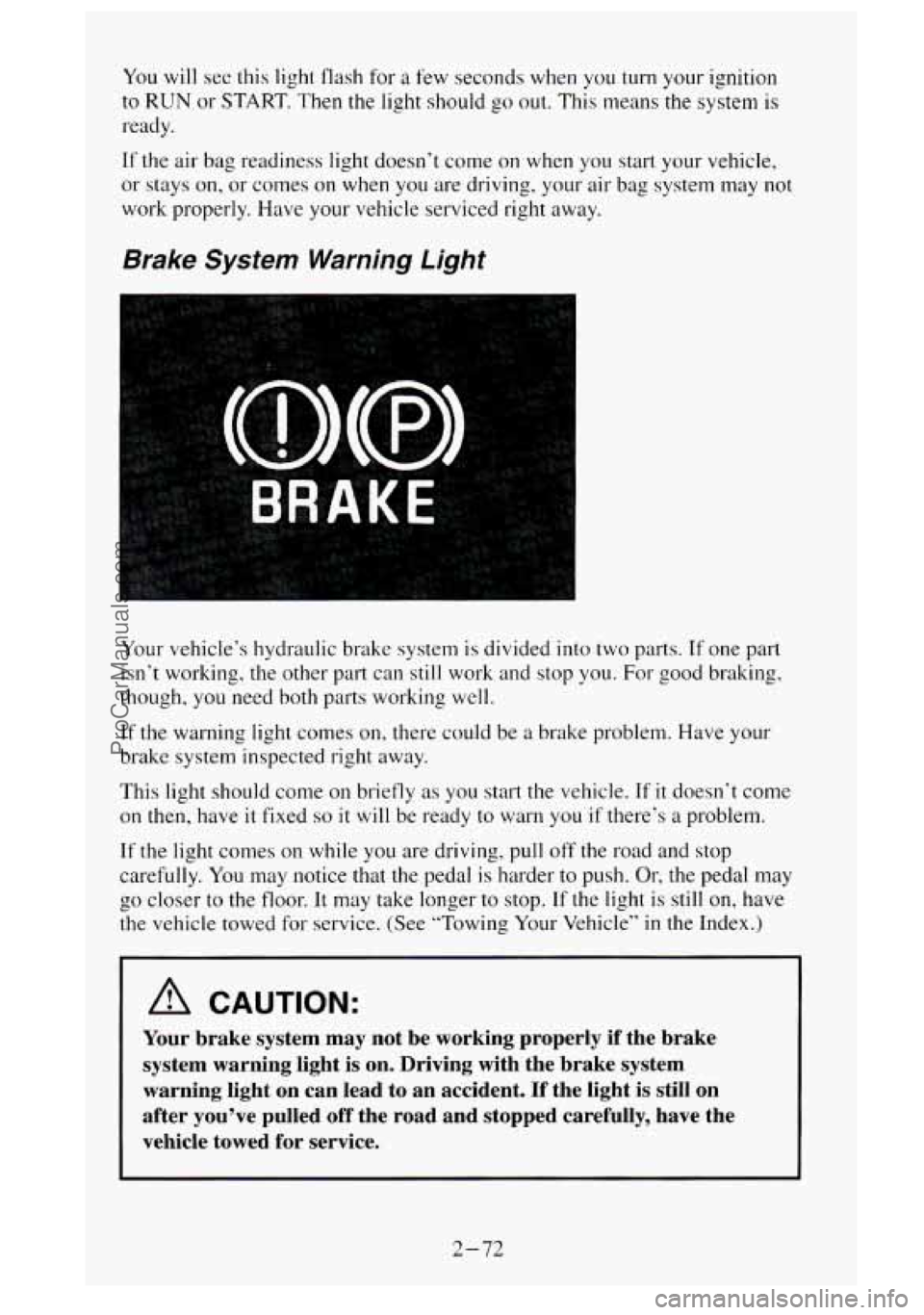
Brake System Warning Light
Your vehicle‘s hydraulic brake system is divided into two parts. If one part
isn’t working, the other part can still work and stop you.
For good braking,
though, you need both parts working well.
If the warning light comes on, there could be a brake problem. Have your
brake system inspected right away.
This light should come
on briefly as you start the vehicle. If it doesn‘t come
on
then, have it fixed so it will be ready to warn you if there’s a problem.
If the light comes on while you are driving, pull off the road and stop
carefully. You may notice that the pedal is harder to push.
Or, the pedal may
the vehicle towed for service. (See “Towing
Your Vehicle’’ in the Index.)
b 00 closer to the floor. It may take longer to stop. If the light is still on, have
A CAUTION:
Your brake system may not be working properly if the brake
system warning light is on. Driving with the brake system
warning light on can lead to an accident. If the light is st\
ill on
after you’ve pulled off the road and stopped carefully, have\
the
vehicle towed for service.
2-72
ProCarManuals.com