tow GMC SIERRA 1996 User Guide
[x] Cancel search | Manufacturer: GMC, Model Year: 1996, Model line: SIERRA, Model: GMC SIERRA 1996Pages: 404, PDF Size: 21.57 MB
Page 76 of 404
PARK (P): This locks your rear wheels. It’s the best
position
to use when you start your engine because your
vehicle can’t move
easily.
It is dangerous to get out of your vehicle if the
shift lever is not fully in PARK
(P) with the
parking brake firmly set. Your vehicle can roll.
Don’t leave
your vehicle when the engine is
running unless you have to.
If you have left the
engine running, the vehicle can move suddenly.
You or others could be injured. To be sure your
vehicle won’t move, even when you’re on fairly
level ground,
always set your parking brake and
move the shift lever to
PARK (P).
I
CAUTION: (Continued)
-
if’ you have four-wheel drive, your vehicle
will be free to roll -- even if your shift lever
is in PARK
(P) -- if your transfer case is in
NEUTRAL (N). So, be sure the transfer case is
in a drive gear, two-wheel high
(2H) or four-wheel
high
(4H) or four-wheel low (4L) -- not in
NEUTRAL
(N). See “Shifting Into PARK (P)” in
the Index. If you’re pulling
a trailer, see “Towing a
Trailer” in the Index.
2-14
ProCarManuals.com
Page 77 of 404
REVERSE (R): Use this gear to back up.
NOTICE:
Shifting to REVERSE (R) while your vehicle is
moving forward could damage your transmission.
Shift to
REVERSE (R) only after your vehicle
is stopped.
I rock your vehicle back and forth to get out of snow.
ice or sand without damaging your transmission, see
“Stuck:
In Sand. Mud, Ice or Snow” in the Index.
NEUTRAL (N): In this position, your engine doesn’t
connect with the wheels.
To restart when you’re
already moving, use
NEUTRAL (N) only. Also, use
NEUTRAL (N) when your vehicle is being towed.
I Shifting out of PARK (P) or NEUTRAL (N) while
your engine
is “racing” (running at high speed) is
dangerous. Unless your
foot is firmly on the
brake pedal, your vehicle could move very
rapidly. You could lose control and hit people
or
objects. Don’t shift out of PARK (P) or
NEUTRAL (N) while your engine is racing.
I NOTICE:
Damage to your transmission caused by shifting
out
of PARK (P) or NEUTRAL (N) with the
engine racing isn’t covered by your warranty.
2-15
ProCarManuals.com
Page 78 of 404
AUTOMATIC OVERDRIVE (0): This position is
for normal driving. If you need more power for passing,
and you’re:
0 Going less than about 35 mph (56 km/h), push your
accelerator pedal about halfway down.
accelerator all the way down.
0 Going about 35 mph (56 kdhj or more, push the
You’ll shift down to the next gear and have more power.
AUTOMATIC OVERDRIVE
(GO) can be used when
towing a trailer, carrying
a heavy load or driving on
steep hills. You may want to shift the transmission to
THIRD
(3) or, if necessary, a lower gear selection if the
transmission shifts
too often.
THIRD (3): This position is also used for normal
driving, however
it offers more power and lower fuel
economy than
AUTOMATIC OVERDRIVE (68).
SECOND (2): This position gives you more power but
lower fuel economy. You can use
SECOND (2) on hills.
It can help control your speed as you go down steep
mountain roads, but
then you would also want to use
your brakes off and on.
If you manually select SECOND (2), the transmission
will drive in second gear. You may use this feature for reducing torque to
the rear wheels when
you are
trying to start your vehicle
from a stop on slippery
road surfaces.
FIRST (1): This position gives you even more power
(but lower fuel economy) than
SECOND (2). You can
use it on very steep hills, or in deep snow or mud. If the
selector lever is put
in FIRST (1) while the vehicle is
moving forward, the transmission won’t shift into first
gear
until the vehicle is going slowly enough.
NOTICE:
If your rear wheels can’t rotate, don’t try to
drive. This might happen if you were stuck in
very deep sand or mud or were
up against a solid
object. You could damage your transmission.
Also, if you stop when going uphill, don’t hold
your vehicle there with only the accelerator pedal. This could overheat and damage the
transmission. Use your brakes
or shift into
PARK
(P) to hold your vehicle in position
on a hill.
2-16
ProCarManuals.com
Page 84 of 404
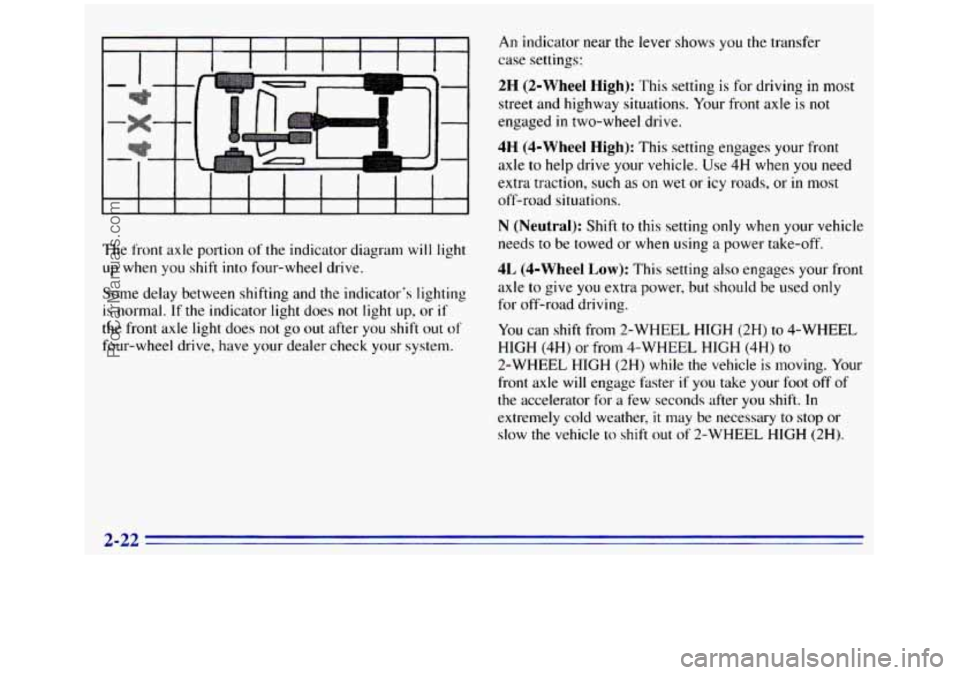
The front axle portion of the indicator diagram will light
up when
you shift into four-wheel drive.
Some delay between shifting and the indicator's lighting
is normal. If the indicator light does not light up, or if
the front axle light does not go out after you shift out of
four-wheel drive, have your dealer check your system.
An indicator near the lever shows you the transfer
case settings:
2H (2-Wheel High): This setting is for driving in most
street and highway situations. Your front axle is not
engaged
in two-wheel drive.
4H (4-Wheel High): This setting engages your front
axle to help drive your vehicle. Use 4H when
you need
extra traction, such as on wet
or icy roads, or in most
off-road situations.
N (Neutral): Shift to this setting only when your vehicle
needs
to be towed or when using a power take-off.
4L (4-Wheel Low): This setting also engages your front
axle
to give you extra power, but should be used only
for off-road driving.
You can shift from 2-WHEEL HIGH (2H) to 4-WHEEL
HIGH
(4H) or from 4-WHEEL HIGH (4H) to
2-WHEEL HIGH (2H) while the vehicle is moving. Your
front axle will engage hster if you take your foot
off of
the accelerator for a few seconds after
you shift. In
extremely cold weather,
it may be necessary to stop or
slow the vehicle
lo shift out of 2-WHEEL HIGH (2H).
2-22
ProCarManuals.com
Page 88 of 404
NOTICE:
Driving with the parking brake on can cause
your rear brakes to overheat.
You may have
to replace them, and you could also damage
other parts of your vehicle. Always check to be
sure your parking brake is fully released before
you drive.
If you are towing a trailer and are parking on any hill,
see “Towing a Trailer” in the Index. That section shows
what
to do first to keep the trailer from moving.
If you have a 3500 HD model, it is recommended that
the propshaft mounted parking brake be burnished as
part of the new vehicle break-in. The parking brake will
work best after it has been burnished following these
instructions.
Make
10 stops, using the parking brake foot pedal, from
20 mph (32 km/h) about 2 1/2 miles (4 km) apart. In
between stops, drive the vehicle at 20 mph (32 km/h).
Shifting Into PARK (P) (Automatic
Trawrission
Models Only)
It can be dangerous to get out of your vehicle if
the shift lever
is not fully in PARK (P) with the
parking brake firmly set. Your vehicle can
roll.
If you have left the engine running, the vehicle
can move suddenly. You or others could be
injured.
To be sure your vehicle won’t move,
even when you’re on fairly level ground, use
the steps that follow. If you have four-wheel
drive and your transfer case is in NEUTRAL
(N)?
your vehicle will be free to roll, even if your shift
lever
is in PARK (P). So, be sure the transfer case
is in
a drive gear -- not in NEUTRAL (N). If
you’re pulling a trailer, see “Towing a Trailer’’
in the Index.
2-26
ProCarManuals.com
Page 89 of 404
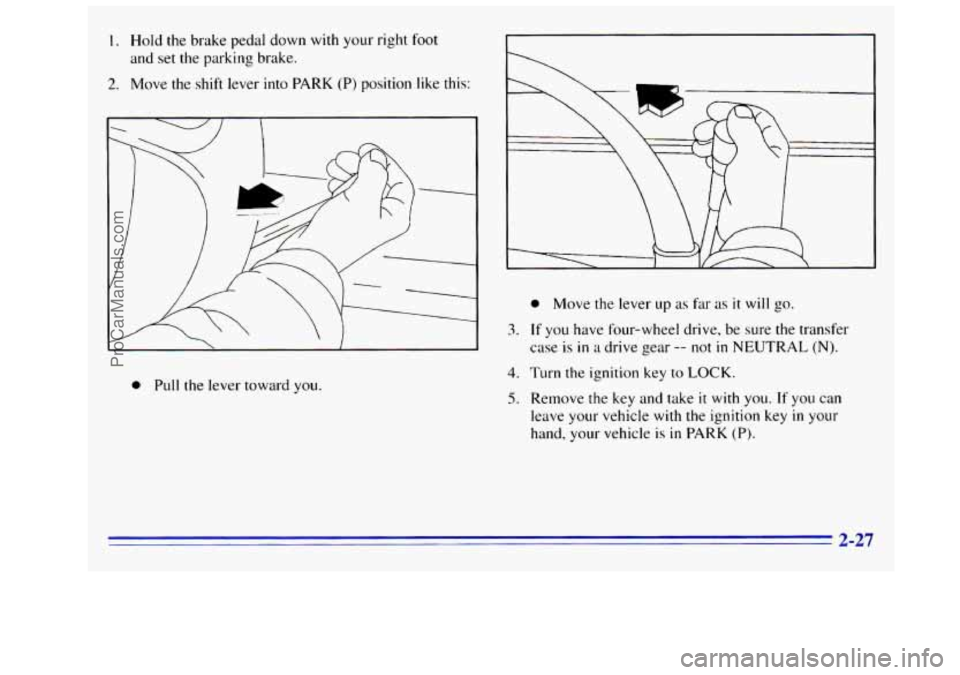
I. Hold the brake pedal down with your right foot
and set the parking brake.
2. Move the shift lever into PARK (P) position like this:
3.
0 Pull the lever toward you.
4.
5.
0 Move the lever up as fa- as it will go.
If you have four-wheel drive, be sure the transfer
case is
in a drive gear -- not in NEUTRAL (N).
Turn the ignition key to LOCK.
Remove the key and take it with you. If you can
leave your vehicle with
the ignition key in your
hand, your vehicle
is in PARK (P).
2-27
ProCarManuals.com
Page 90 of 404
Leaving Your Vehicle With the Engine
Running (Automatic Transmission
Models Only)
I A ‘CAUTION:
It can be dangerous to leave your vehicle with the
engine running. Your vehicle could move suddenly
if the shift lever is not fully in PARK
(P) with the
parking brake firmly set.
If you have four-wheel
drive with
a manual transfer case shift lever and
your transfer case is in NEUTRAL
(N), your
vehicle will be free to roll, even if your shift lever
is in PARK (P). So be sure the transfer case is in a
drive gear
-- not in NEUTRAL (N). And, if you
leave the vehicle with the engine running, it could
overheat and even catch fire. You or others could
be injured. Don’t leave your vehicle with the
engine running unless you have to.
If you have to leave your vehicle with the engine
running, be sure your vehicle
is in PARK (P) and the
parking brake is firmly set before you leave
it. After you
move the shift lever into PARK (P), hold the regular
brake pedal down. Then, see
if you can move the shift
lever away from PARK (P) without first pulling
it
toward you. If you can, it means that the shift lever
wasn’t fully locked into PARK (P).
Torque Lock (Automatic Transmission)
If you are parking on a hill and you don’t shift your
transmission into PARK
(P) properly, the weight of
the vehicle may put too much force on the parking
pawl
in the transmission. You may find it difficult to
pull the shift lever out
of PARK (P). This is called
“torque lock.”
To prevent torque lock, set the parking
brake and then shift into PARK (P) properly before you
leave the driver’s seat.
To find out how, see “Shifting
Into PARK (P)” in the Index.
When
you are ready to drive, move the shift lever out of
PARK (P) before you release the parking brake.
If torque lock does occur, you may need to have another
vehicle push yours a little uphill to take some of the
pressure from the transmission,
so you can puIl the shift
lever out
of PARK (P).
2-28
ProCarManuals.com
Page 91 of 404
Parking Your Vehicle (Manual
Transmission Models Only)
Before you get out of your vehicle, put your manual
transmission in REVERSE (R), turn
off the engine, and
firmly apply the parking brake.
If you have four-wheel drive, be sure your transfer case
is in
a drive gear. Your vehicle could roll if it isn’t.
If you are parking
on a hill, or if you are pulling a
trailer, see “Towing a Trailer” in the Index.
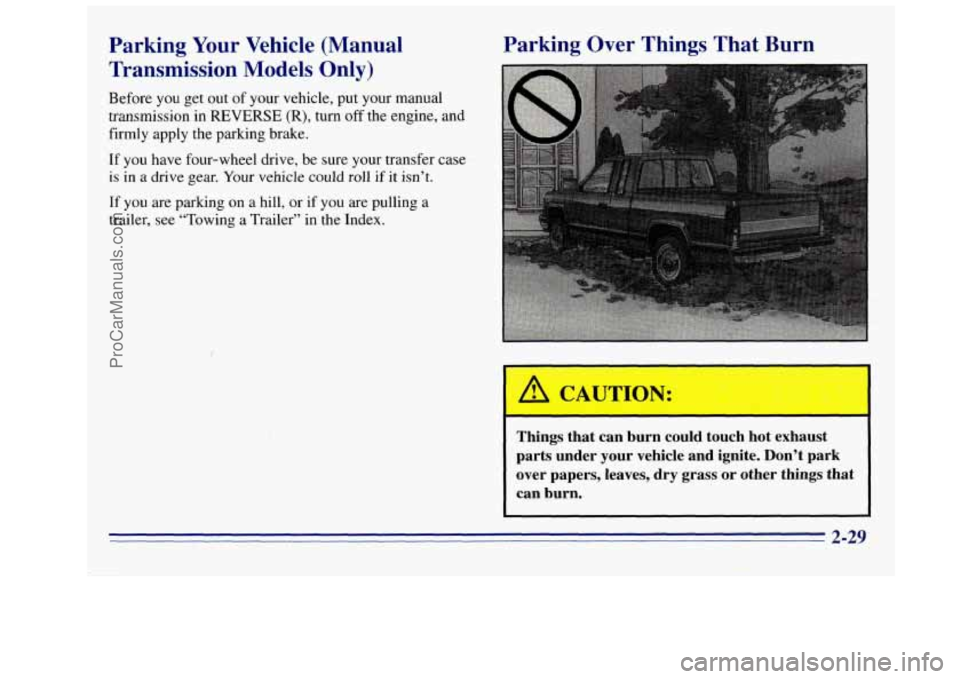
Parking Over Things That Burn
f
A CAUTION:
Things that can burn could touch hot exhaust
parts under your vehicle and ignite. Don’t park
over papers, leaves, dry grass or other things that
can burn.
2-29
ProCarManuals.com
Page 93 of 404
CAUTION:
.*. .
It can be dangerous to get out of your vehicle if
the shift lever is not fully in
PARK (P) with the
parking brake firmly set. Your vehicle can roll.
Don’t leave your vehicle when the engine
is
running unless you have to. If you’ve left the
engine running, the vehicle can move suddenly.
You or others could be injured.
To be sure your
vehicle won’t move, even when you’re on
fairly
level ground, always set your parking brake and
move the shift lever to PARK (P).
If you have four-wheel drive and your transfer case is
in NEUTRAL (N), your vehicle will be free to roll,
even
if your shift lever is in PARK (P). So, be sure the
transfer case is
in a drive gear -- not in NEUTRAL (N).
Always set your parking brake. Follow the proper steps
, See “Shifting Into to be sure your vehicle won’t move
PARK
(P)“ in the Index.
If you‘re pulling a trailer. see “Tow
the Index. ing
a Trailer“
in
Windows
Manual Windows
Turn the hand crank on each door to raise or lower
manual windows.
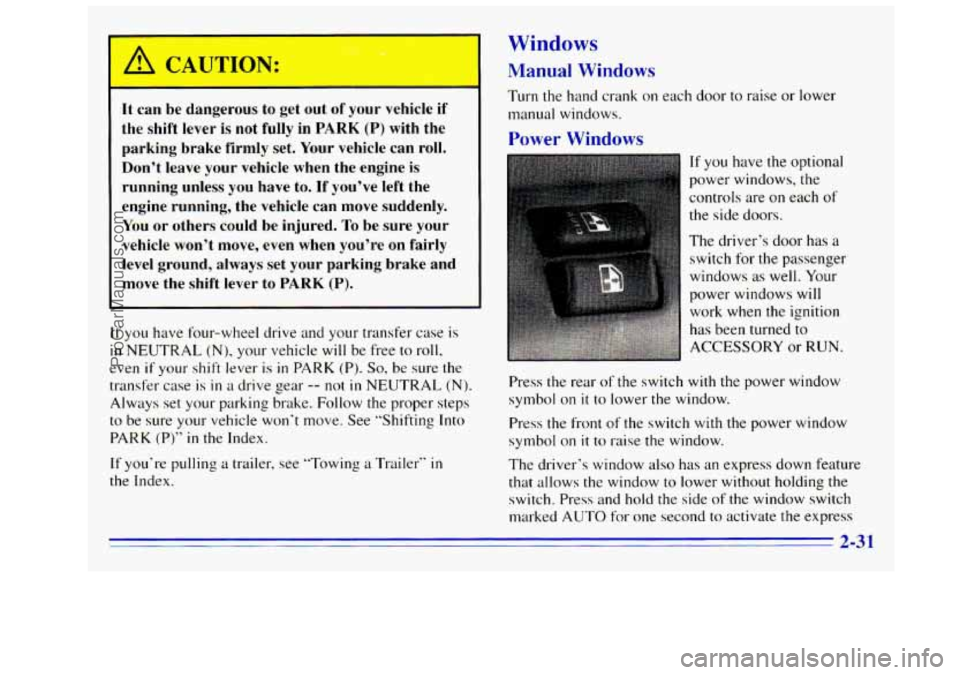
Power Windows
If you have the optional
power windows, the
controls are
on each of
the side doors.
The driver’s door has a
switch for the passenger
windows as well. Your
power windows will
work when the ignition
has been turned to
ACCESSORY or
RUN.
Press the rear of the switch with the power window
symbol on
it to lower the window.
Press the front of the switch with the power window
symbol on
it to raise the window.
The driver’s window also
has an express down feature
that allows the window to lower without holding the
switch. Press and hold the side
of the window switch
marked AUTO for one second to activate the express
2-3 1
ProCarManuals.com
Page 94 of 404
down mode. The express down mode can be canceled at
any time by pressing
the opposite side of the switch. To
open the window part way, lightly tap the switch
until
the window is at the desired position.
Lockout Switch (Crew Cab)
If you have a Crew Cab and power windows, the power
window switch has a
lockout feature. This feature
prevents the rear windows from operating
when the
front driver’s side switch is
in the lockout position. The
windows can still be operated using the driver’s window
switch. When the switch is moved out of the lockout
position, the rear power windows
will operate again.
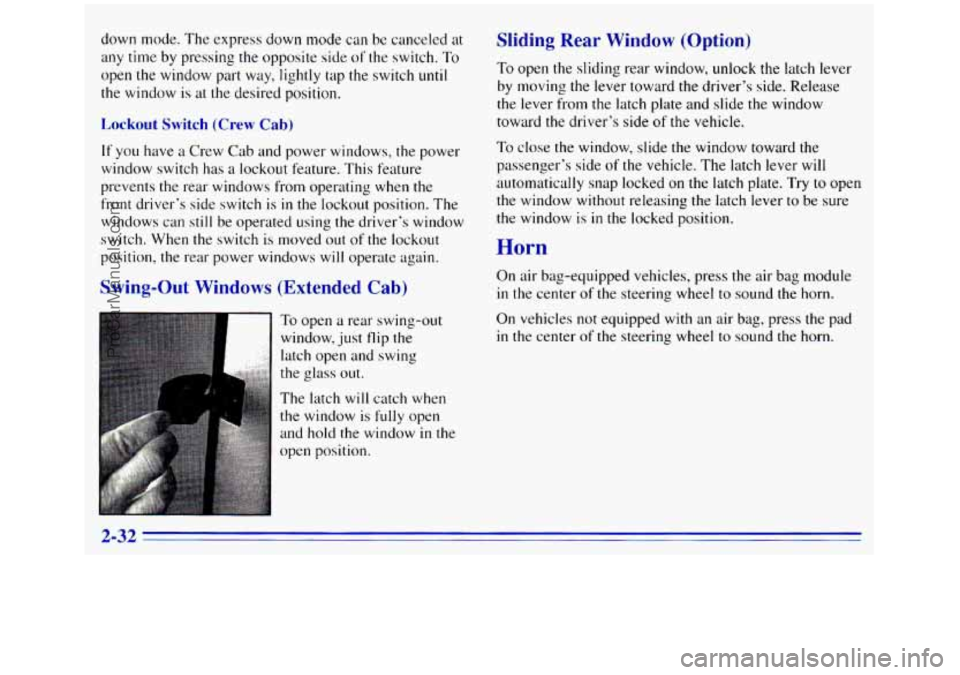
Swing-Out Windows (Extended Cab)
To open a rear swing-out
window, just flip the
latch open and swing
the glass out.
The latch
will catch when
the window is
fully open
and hold the window
in the
open position.
Sliding Rear Window (Option)
To open the sliding rear window, unlock the latch lever
by moving the lever toward the driver’s side. Release
the lever from the latch plate and slide
the window
toward the driver’s side
of the vehicle.
To close the window, slide the window toward the
passenger’s side
of the vehicle. The latch lever will
automatically snap locked on the latch plate. Try to open
the window without releasing the latch lever to be sure
the window is
in the locked position.
Horn
On air bag-equipped vehicles, press the air bag module
in the center of the steering wheel to sound the horn.
On vehicles not equipped with an air bag, press the pad
in the center of the steering wheel to sound the horn.
2-32
ProCarManuals.com