audio GMC SIERRA 1997 Owners Manual
[x] Cancel search | Manufacturer: GMC, Model Year: 1997, Model line: SIERRA, Model: GMC SIERRA 1997Pages: 436, PDF Size: 23.38 MB
Page 3 of 436
The 1997 GMC Sierra Owner’s Manual
1-1
2- 1
3- 1
4- 1
5-1
6-1
7- 1
8-1
9-1
Seats and Restraint Systems
This section tells you how to use your seats and safety belts properly. It also explains the “SIR’ system.
Features and Controls
This section explains how to start and operate your vehicle.
Comfort Controls and Audio Systems
This section tells you how to adjust the ventilation and comfort controls and how to operate your audio system.
Your Driving and the Road
Here you’ll find helpful information and tips about the road and how to drive under different conditions.
Problems on the Road
This section tells what to do if you have a problem while driving, such as a flat tire or overheated engine, etc.
Service and Appearance Care
Here the manual tells you how to keep your vehicle running properly and looking good.
Maintenance Schedule
This section tells you when to perform vehicle maintenance and what fluids and lubricants to use.
Customer Assistance Information
This section tells you how to contact GMC for assistance and how to get service and owner publications.
It also gives you information on “Reporting Safety Defects” on page
8- 10.
Index
Here’s an alphabetical listing of almost every subject in this manual. You can use it to quickly find
something you want to read.
ProCarManuals.com
Page 137 of 436
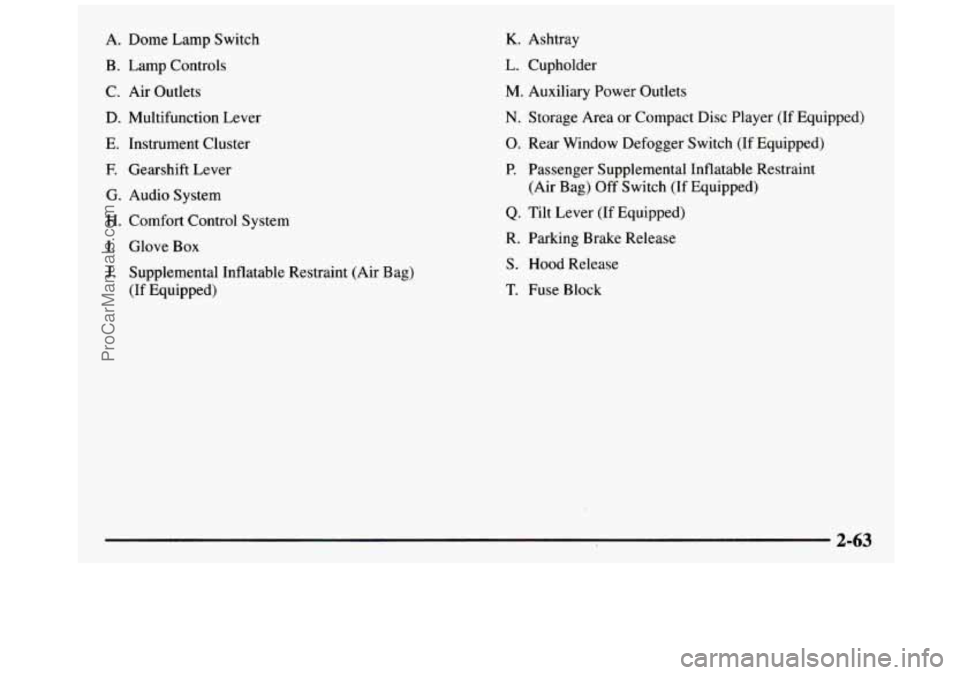
A. Dome Lamp Switch
B. Lamp Controls
C. Air Outlets
D. Multifunction Lever
E. Instrument Cluster
E Gearshift Lever
G. Audio System
H. Comfort Control System
I. Glove Box
J. Supplemental Inflatable Restraint (Air Bag)
(If Equipped)
K. Ashtray
L. Cupholder
M. Auxiliary Power Outlets
N. Storage Area or Compact Disc Player (If Equipped)
0. Rear Window Defogger Switch (If Equipped)
P. Passenger Supplemental Inflatable Restraint
Q. Tilt Lever (If Equipped)
R. Parking Brake Release
S. Hood Release
T. Fuse Block (Air Bag)
Off Switch (If Equipped)
2-63
--
ProCarManuals.com
Page 153 of 436
Section 3 Comfort Controls and Audio Systems
In this section, you’ll find out how to operate the comfort control and audio systems offered with your vehicle. Be
sure to read about the particular systems supplied with your vehicle.
3-2
3-4
3-4
3-5
3-6 3-6
3-7
3-7
3-8 3-8
3-9
3- 12 Comfort Controls
Air Conditioning
Heating
Ventilation System
Defogging and Defrosting
Rear Window Defogger
Audio Systems Setting the Clock
AM-FM Stereo Radio
Playing the Radio
AM-FM Stereo with Cassette Tape Player
AM-FM Stereo with Cassette Tape and
Automatic Tone Control
3- 15
3- 16
3-20
3-21
3-23 3-24
3-25
3-26
3-26 CD
Adapter Kit
AM-FM Stereo with Compact Disc Player and
Automatic Tone Control
Playing a Compact Disc in the Single Remote
Disc Player
Theft-Deterrent Feature
Understanding Radio Reception
Tips About Your Audio System Care
of Your Cassette Tape Player
Care of Your Compact Discs
Fixed Mast Antenna
3-1
ProCarManuals.com
Page 159 of 436
Do not attach a temporary vehicle license, tape or decals
across the defogger grid on the rear window.
I ~~
~~
Don’t use a razor blade or something else sharp
on the inside
of the rear window. If you do, you
could cut or damage the warming grid, and the
repairs wouldn’t be covered by your warranty.
Audio Systems
Your Deleo@ audio system has been designed to operate
easily and give years of listening pleasure. You will get
the most enjoyment out of it if you acquaint yourself
with it
first. Find out what your Delco system can do
and how to operate all its controls, to be sure you’re
getting the most out of the advanced engineering that
went into it.
Setting the Clock for Systems without
Automatic Tone Control
Press SET. Within five seconds, press and hold the
SEEK right arrow until the correct minute appears on
the display. Press and hold the SEEK left arrow until the
correct hour appears on the display.
Setting the Clock for Systems with
Automatic Tone Control
Press and hold HR until the correct hour appears on the
display. Press and hold
MIN until the correct minute
appears
on the display. To display the clock with the
ignition
off, press RECALL or HPUMIN and the time
will be displayed for a few seconds. There is
an initial
two-second delay before the clock goes into the
time-set mode.
I
3-7
ProCarManuals.com
Page 164 of 436
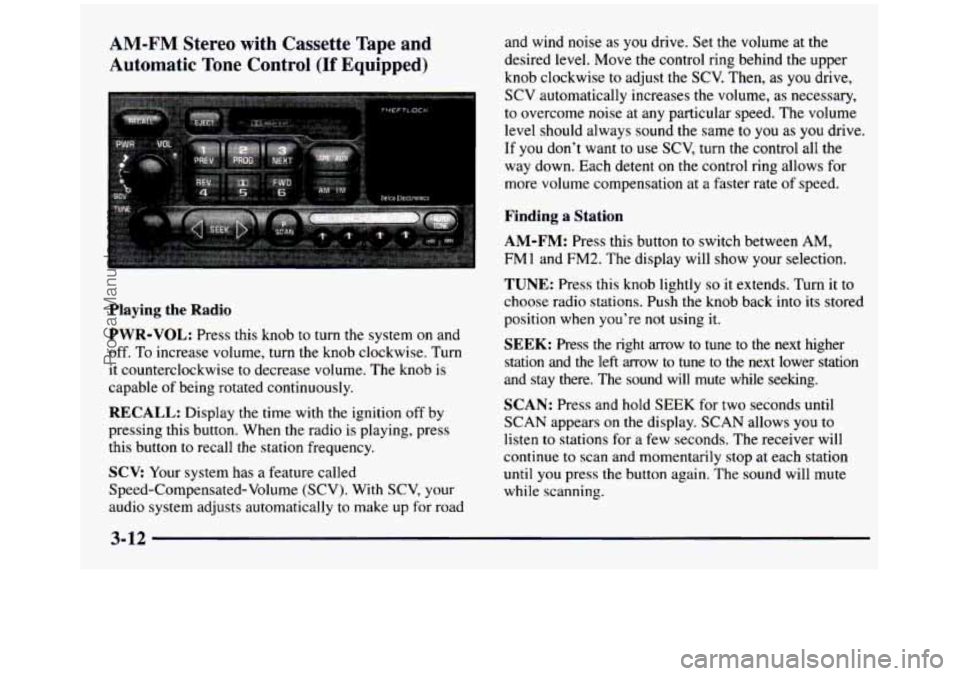
AM-FM Stereo with Cassette Tape and
Automatic Tone Control
(If Equipped)
Playing the Radio
PWR-VOL: Press this knob to turn the system on and
off. To increase volume, turn the knob clockwise. Turn
it counterclockwise
to decrease volume. The knob is
capable of being rotated continuously.
RECALL: Display the time with the ignition off by
pressing this button. When the radio is playing, press
this button
to recall the station frequency.
SCV: Your system has a feature called
Speed-Compensated-Volume (SCV). With
SCV, your
audio system adjusts automatically to make up for road and wind noise as
you drive.
Set the volume at the
desired level. Move the control ring behind
the upper
knob clockwise to adjust the
SCV. Then, as you drive,
SCV automatically increases the volume, as necessary,
to overcome noise at any particular speed. The volume
level should always sound the same
to you as you drive.
If
you don't want to use SCV, turn the control all the
way down. Each detent on the control ring allows for
more volume compensation at
a faster rate of speed.
Finding a Station
AM-FM: Press this button to switch between AM,
FM1 and FM2. The display will show your selection.
TUNE: Press this knob lightly so it extends. Turn it to
choose radio stations. Push the knob back into its stored
position when you're not using it.
SEEK: Press the right arrow to tune to the next higher
station and the left arrow
to tune to the next lower station
and stay there. The sound will mute while seeking.
SCAN: Press and hold SEEK for two seconds until
SCAN appears on
the display. SCAN allows you to
listen to stations for a few seconds. The receiver will
continue
to scan and momentarily stop at each station
until you press the button again. The sound will mute
while scanning.
3-12
ProCarManuals.com
Page 168 of 436
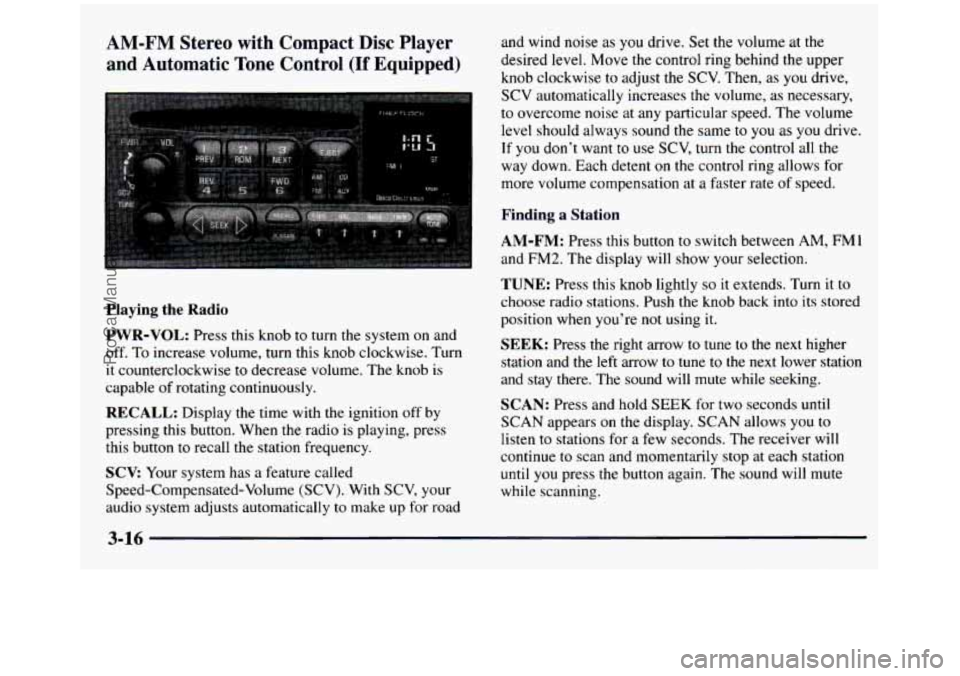
AM-FM Stereo with Compact Disc Player
and Automatic
Tone Control (If Equipped)
and wind noise as you drive. Set the volume at the
desired
level. Move the control ring behind the upper
knob clockwise
to adjust the SCV. Then, as you drive,
SCV automatically increases the volume, as necessary,
to overcome noise at any particular speed. The volume
level should always sound the same
to you as you drive.
If you don’t want to use SCV, turn the control all the
way down. Each detent on the control ring allows for
more volume compensation at a faster rate
of speed.
Finding a Station
Playing
the Radio
PWR-VOL:
Press this knob to turn the system on and
off. To increase volume, turn this knob clockwise. Turn
it counterclockwise
to decrease volume. The knob is
capable of rotating continuously.
RECALL: Display the time with the ignition off by
pressing this button. When the radio is playing, press
this button to recall the station frequency.
SCV Your system has a feature called
Speed-Compensated-Volume (SCV). With SCV, your
audio system adjusts automatically
to make up for road
AM-FM: Press this button to switch between AM, FMI
and FM2. The display will show your selection.
TUNE: Press this knob lightly so it extends. Turn it to
choose radio stations. Push the knob back into its stored
position when you’re not using it.
SEEK: Press the right arrow to tune to the next higher
station and the left arrow
to tune to the next lower station
and stay there. The sound will mute while seeking.
SCAN: Press and hold SEEK for two seconds until
SCAN appears on the display.
SCAN allows you to
listen to stations for a few seconds. The receiver will
continue to scan and momentarily stop at each station
until
you press the button again. The sound will mute
while scanning.
3-16
ProCarManuals.com
Page 176 of 436
Tips About Your Audio System
Hearing damage from loud noise is almost undetectable
until it is too late. Your hearing can adapt to higher
volumes of sound. Sound that seems normal can be loud
and harmful
to your hearing. Take precautions by
adjusting the volume control on your radio
to a safe
sound level before your hearing adapts to it.
To help avoid hearing loss
or damage:
Adjust the volume control to the lowest setting.
Increase volume slowly until you hear comfortably
and clearly.
NOTICE:
Before you add any sound equipment to your
vehicle
-- like a tape player, CB radio, mobile
telephone or two-way radio
-- be sure you can
add what you want.
If you can, it’s very
important to
do it properly. Added sound
equipment may interfere with the operation of
your vehicle’s engine, Delco radio or other
systems, and even damage them. Your vehicle’s
systems
may interfere with the operation of
sound equipment that has been added
improperly.
So, before adding sound equipment, check with
your dealer and be sure to check Federal rules
covering mobile radio and telephone units.
3-24
ProCarManuals.com
Page 315 of 436
Battery
Every new vehicle has a Delco Freedom@ battery. You
never have to add water to one
of these. When it’s time
for a new battery, we recommend a Delco Freedom
battery. Get one that
has the replacement number shown
on the original battery’s label.
Vehicle Storage
If you’re not going to drive your vehicle for 25 days or more,
take
off the black, negative (-) cable from the battery.
This will help keep your battery from running down.
A CA“T1ON:
Bulb Replacement
Before you replace any bulbs, be sure that all the lamps
are off and the engine isn’t running. See “Replacement
Bulbs”
in the Index for the proper types of bulbs to use.
Halogen Bulbs
Batteries have acid that can burn you and gas
that can explode. You can be badly hurt if you
aren’t careful. See
“Jump Starting” in the Index
for tips on working around
a battery without
getting hurt.
Contact your dealer to learn how to prepare your vehicle
for longer storage periods.
Also, for your audio system, see “Theft-Deterrent
Feature”
in the Index.
-N:
Halogen bulbs have pressurized gas inside and
can burst if you drop or scratch the bulb.
You or
others could be injured. Be sure to read and
follow the instructions on the bulb package.
ProCarManuals.com
Page 399 of 436
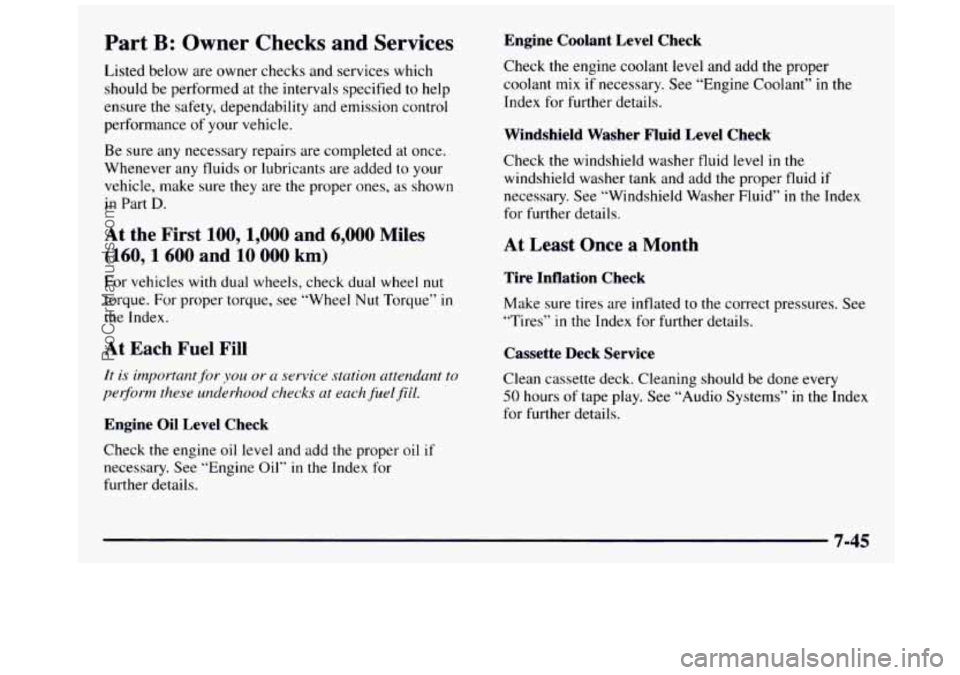
Part B: Owner Checks and Services
Listed below are owner checks and services which
should be performed at the intervals specified
to help
ensure the safety, dependability and emission control
performance
of your vehicle.
Be sure any necessary repairs are completed at once.
Whenever any fluids or lubricants are added
to your
vehicle, make sure they are the proper ones,
as shown
in Part
D.
At the First 100, 1,000 and 6,000 Miles
(160,1600 and 10 000 km)
For vehicles with dual wheels, check dual wheel nut
torque. For proper torque, see “Wheel Nut Torque” in
the Index.
At Each Fuel Fill
It is important for you or ~1 service station attendant to
per$orm these underhood
checks ut eachjbtelfiE1.
Engine Oil Level Check Engine Coolant Level Check
Check the
engine coolant level and add the proper
coolant mix if necessary. See “Engine Coolant’’ in the
Index for further details.
Windshield Washer Fluid Level Check
Check the windshield washer fluid level in the
windshield washer tank and add
the proper fluid if
necessary. See “Windshield Washer Fluid”
in the Index
for further details.
At Least Once a Month
Tire Inflation Check
Make sure tires are inflated to the correct pressures. See
“Tires”
in the Index for further details.
Cassette Deck Service
Clean cassette deck. Cleaning should be done every
50 hours of tape play. See “Audio Systems” in the Index
for further details.
Check
the engine oil level and add the proper oil if
necessary. See “Engine Oil” in the Index for
further details.
7-45
ProCarManuals.com
Page 423 of 436
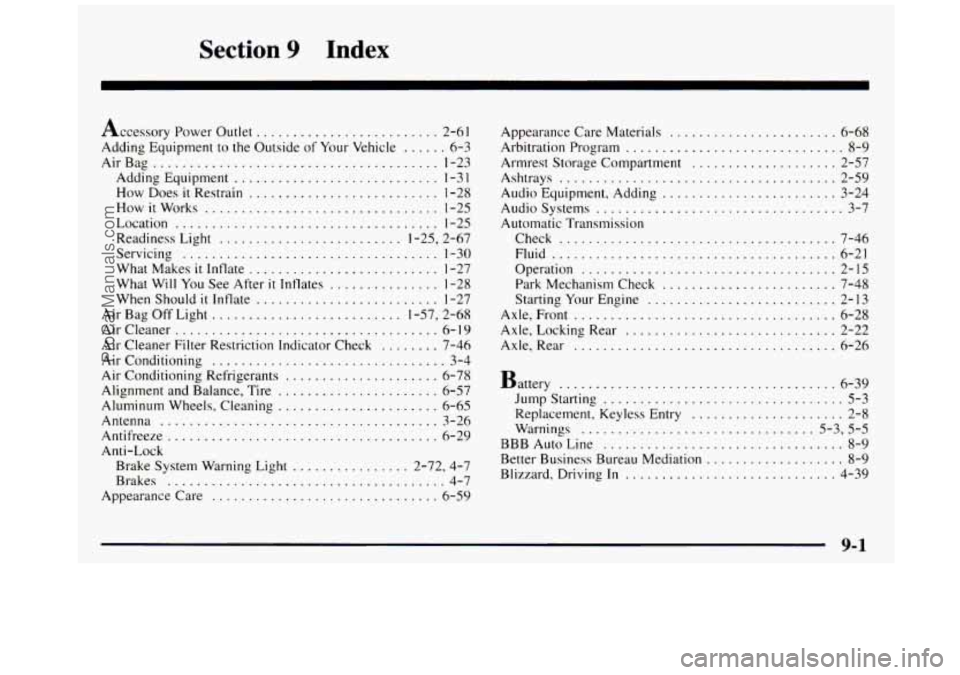
Section 9 Index
Accessory Power Outlet ......................... 2-6 I
Adding Equipment to the Outside of Your Vehicle ...... 6-3
AirBag ....................................... 1-23
Adding Equipment ............................ 1-3 1
How Does it Restrain .......................... 1-28
How
it Works ................................ 1-25
Location
.................................... 1-25
Readiness Light
......................... 1-25. 2-67
Servicing
................................... 1-30
What Makes it Inflate .......................... 1-27
What Will You See After
it Inflates ............... 1-28
When Should
it Inflate ......................... 1-27
Air Bag Off Light
.......................... 1-57, 2-68
Aircleaner
.................................... 6-10
Air Cleaner Filter Restriction Indicator Check ........ 7-46
Air Conditioning
................................ 3-4
Air Conditioning Refrigerants ..................... 6-78
Alignment and Balance. Tire
...................... 6-57
Aluminum Wheels. Cleaning
...................... 6-65
Antenna
...................................... 3-26
Antifreeze
..................................... 6-29
Anti-Lock Brake System Warning Light
................ 2-72. 4.7
Brakes
...................................... 4-7
Appearance Care
............................... 6-59 Appearance Care
Materials
....................... 6-68
Arbitration Program .............................. 8-9
Armrest Storage Compartment
.................... 2-57
Ashtrays
...................................... 2-59
Audio Equipment. Adding
........................ 3-24
Audio Systems
.................................. 3-7
Automatic Transmission
Check
...................................... 7-46
Fluid
....................................... 6-21
Operation
................................... 2-15
Park Mechanism Check
........................ 7-48
Starting Your Engine
.......................... 2-13
Axle.
Front .................................... 6-28
Axle. Locking Rear
............................. 2-22
Axle. Rear
.................................... 6-26
Battery ...................................... 6-39
Jump Starting ................................. 5-3
Replacement. Keyless Entry
..................... 2-8
Warnings
................................ 5.3. 5.5
BBB Auto Line ................................. 8-9
Better Business Bureau Mediation ................... 8-9
Blizzard. Driving In ............................. 4-39
9-1
ProCarManuals.com