brakes GMC SIERRA 1997 Owners Manual
[x] Cancel search | Manufacturer: GMC, Model Year: 1997, Model line: SIERRA, Model: GMC SIERRA 1997Pages: 436, PDF Size: 23.38 MB
Page 7 of 436
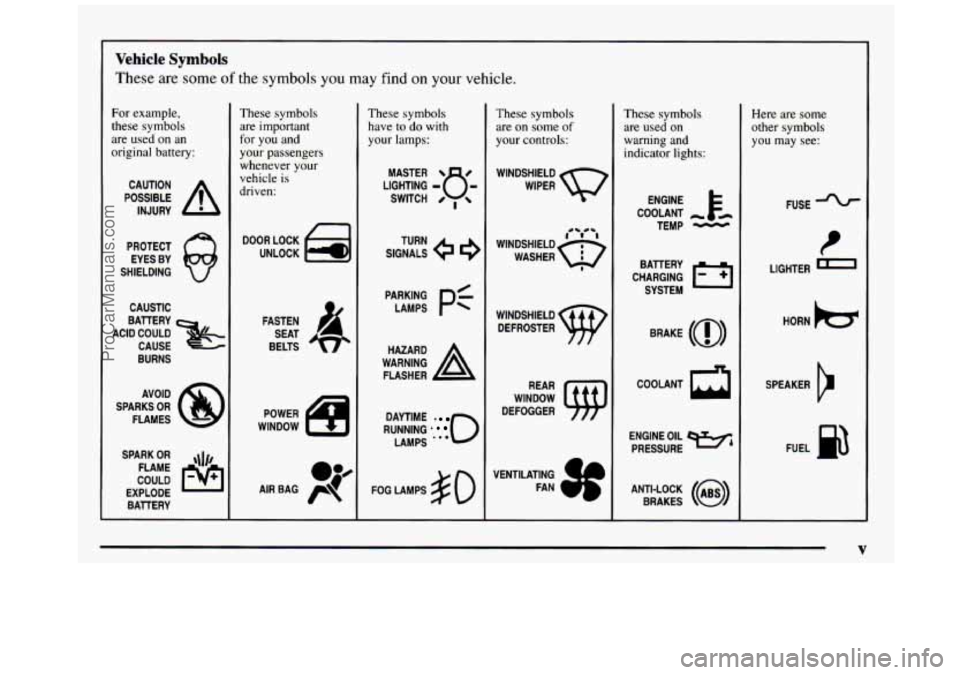
Vehicle Symbols
These are some of the symbols you may find on your vehicle.
For example,
these symbols
are used on an
original battery:
POSSIBLE A
CAUTION
INJURY
PROTECT EYES BY
SHIELDING
Q
CAUSTIC
ACID COULD BAllERY
CAUSE
BURNS
SPARK
OR qJ/,
COULD FLAME
EXPLODE BAllERY
These symbols
are important
for you and
your passengers
whenever your
vehicle is
driven:
DOOR LOCK
UNLOCK
FASTEN SEAT
BELTS
POWER
WINDOW
These symbols have to
do with
your lamps:
SIGNALS e
TURN
WARNING
A
HAZARD
FLASHER
RUNNING
* 0
DAYTIME -
LAMPS **'
FOG LAMPS $0
These symbols
are on
some of
your controls:
WINDSHIELD
WIPER
WINDSHIELD DEFROSTER
WINDOW
DEFOGGER
VENTILATING FAN
c
These symbols
are used on
warning and
indicator lights:
COOLANT -
TEMP -
CHARGING I-1
BAllERY
SYSTEM
BRAKE
(a)
COOLANT a
ENGINE OIL e,
PRESSURE
ANTI-LOCK
(@)
BRAKES
Here are some
other symbols you may see:
FUSE
LIGHTER
e
HORN )cr
SPEAKER
b
FUEL la
V
ProCarManuals.com
Page 92 of 436
AUTOMATIC OVERDRIVE (@): This position is for
normal driving. If you need more power for passing, and
you’re:
Going less than about 35 mph (56 km/h), push your
Going about 35 mph (56 km/h) or more, push the
accelerator
pedal about halfway down.
accelerator all
the way down.
You’ll shift down to the next gear and have more power.
AUTOMATIC OVERDRIVE
(a) can be used when
towing
a trailer, carrying a heavy load, driving on steep
hills or for off-road driving.
You may want to shift the
transmission to THIRD
(3) or, if necessary, a lower gear
selection if the transmission shifts too often.
THIRD (3): This position is also used for normal
driving, however it offers more power and lower
fuel
economy than AUTOMATIC OVERDRIVE (a).
SECOND (2): This position gives you more power but
lower fuel economy.
You can use SECOND (2) on hills.
It can help control your speed as you go down steep
mountain roads, but then you would also want
to use
your brakes
off and on.
If you manually select SECOND (2)’ the transmission will
drive in
second gear. You may use this feature for reducing torque to the rear wheels when you are trying
to start your
vehicle from a stop on slippery road surfaces.
FIRST (1): This position gives you even more power
(but lower fuel economy) than
SECOND (2). You can
use it on very steep hills, or in deep snow or mud. If the
selector lever is
put in FIRST (1) while the vehicle is
moving forward,
the transmission won’t shift into first
gear until the vehicle
is going slowly enough.
NOTICE:
~ ~~
If your rear wheels can’t rotate, don’t try to
drive. This might happen if you were stuck in
very deep sand or mud or were up against
a solid
object. You could damage your transmission.
Also, if you stop when going uphill, don’t hold
your vehicle there with only the accelerator
pedal. This could overheat and damage the
transmission. Use your brakes or shift into
PARK (P) to hold your vehicle in position
on a hill.
2-18
ProCarManuals.com
Page 101 of 436
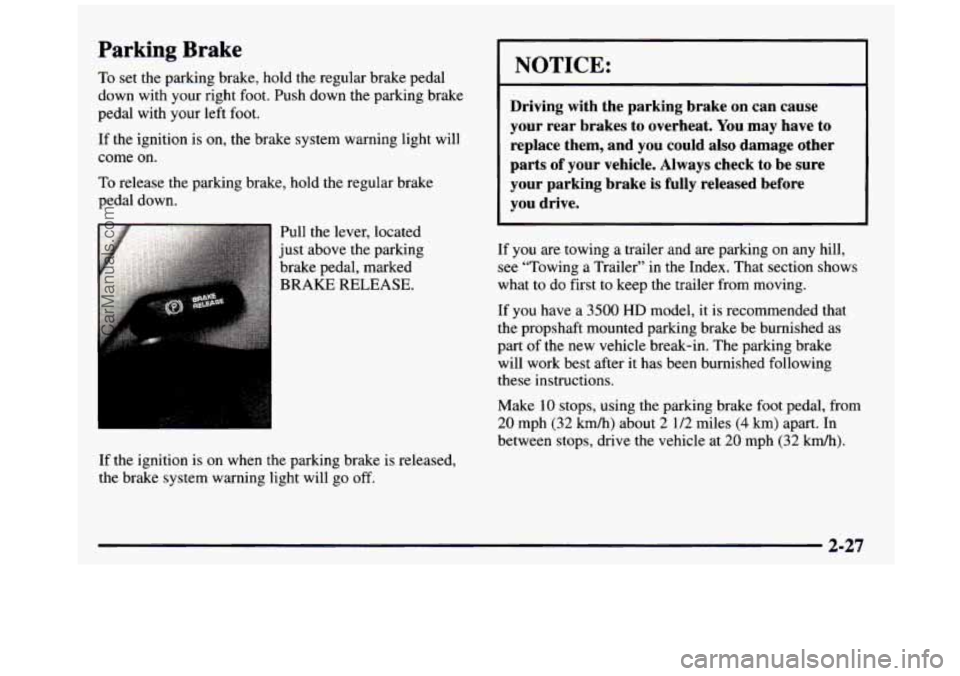
Parking Brake
To set the parking brake, hold the regular brake pedal
down with your right foot. Push down the parking brake
pedal with your left foot.
If the ignition is on, the brake system warning light will
come on.
To release the parking brake, hold the regular brake
pedal down.
If the ignition is on when the parking brake is released,
the brake system warning light will go
off.
I NOTICE:
I
Driving with the parking brake on can cause
your rear brakes to overheat. You may have to replace them, and you could also damage other
parts
of your vehicle. Always check to be sure
your parking brake is fully released before
you drive.
If you are towing a trailer and are parking on any hill,
see “Towing
a Trailer’’ in the Index. That section shows
what to do first to keep the trailer from moving.
If you have
a 3500 HD model, it is recommended that
the propshaft mounted parking brake be burnished as
part of the new vehicle break-in. The parking brake
will work best after
it has been burnished following
these instructions.
Make
10 stops, using the parking brake foot pedal, from
20 mph (32 kmh) about 2 112 miles (4 km) apart. In
between stops, drive the vehicle at
20 mph (32 kmk).
2-27
ProCarManuals.com
Page 104 of 436
If you have to leave your vehicle with the engine
running, be sure your vehicle is in PARK (P) and the
parking brake is firmly set before you leave
it. After you
move the shift lever into PARK (P), hold the regular
brake pedal down. Then,
see if you can move the shift
lever away from PARK (P) without first pulling it
toward
you. If you can, it means that the shift lever
wasn’t fully locked into PARK
(P).
Torque Lock (Automatic Transmission)
If you are parking on a hill and you don’t shift your
transmission into PARK (P) properly, the weight of the
vehicle may put
too much force on the parking pawl in
the transmission. You may find
it difficult to pull the
shift lever out of PARK (P). This is called “torque lock.”
To prevent torque lock, set the parking brake and then
shift into PARK (P) properly before you leave the
driver’s seat.
To find out how, see “Shifting Into
PARK (P)” in the Index.
When you are ready
to drive, move the shift lever out of
PARK (P)
before you release the parking brake.
If torque lock does occur, you may need to have another
vehicle push yours a little uphill
to take some of the
pressure from the parking pawl in the transmission,
so
you can pull the shift lever out of PARK (P).
Shifting Out of PARK (P)
(Automatic Transmission)
Your vehicle has a brake-transmission shift interlock
system. You have
to fully apply your regular brakes
before you can shift from PARK (P) when the ignition
is in RUN. See “Automatic Transmission” in the Index.
If you cannot shift out of PARK (P), ease pressure on
the shift lever and push the shift lever all the way up
into PARK (P) as you maintain brake application. Then,
move the shift lever to any gear you want.
If you ever hold the brake pedal down but still can’t
shift out
of PARK (P), try this:
1. Turn the key to OFF,
2. Apply and hold the brake until the end of Step 4.
3. Shift to NEUTRAL (N).
4. Start the vehicle and shift to the drive gear you want.
5. Have the brake-transmission shift interlock system
fixed as soon as you can.
2-30
ProCarManuals.com
Page 114 of 436
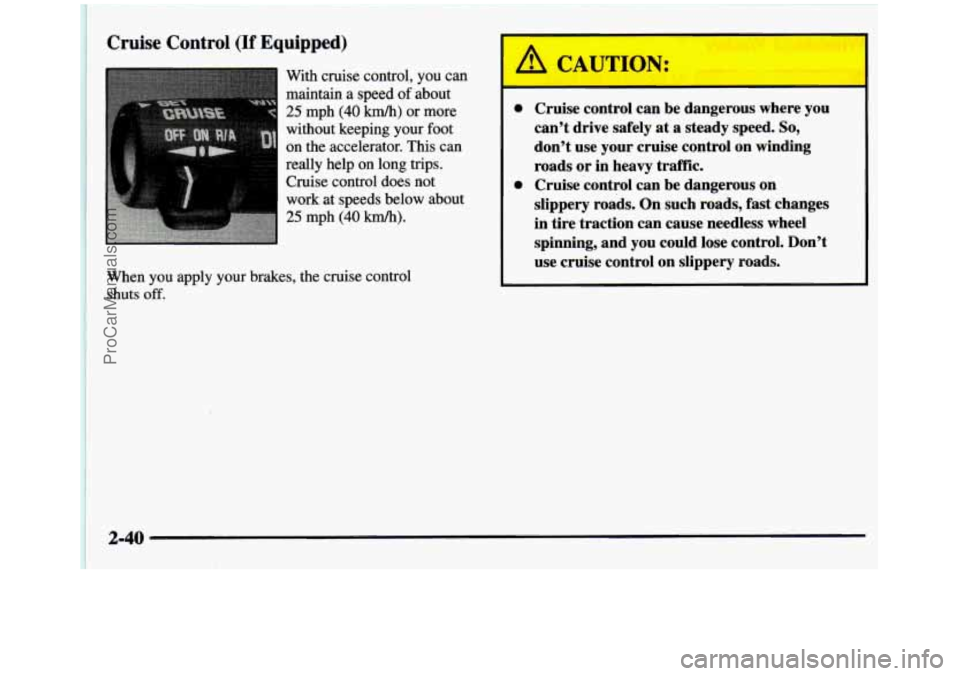
Cruise Control (If Equipped)
With cruise control, you can
maintain a speed of about
25 mph (40 km/h) or more
without keeping your foot
on the accelerator. This can
really help on
long trips.
Cruise control does
not
work at speeds below about
25 mph (40 km/h).
When you apply your brakes, the cruise control
shuts
off.
0 Cruise control can be dangerous where you
can't drive safely at a steady speed.
So,
don't use your cruise control on winding
roads or in heavy traffk.
slippery roads. On such roads,
fast changes
in tire traction can cause needless wheel
spinning, and you could lose control. Don't
use cruise control on slippery roads.
0 Cruise control can be dangerous on
2-40
ProCarManuals.com
Page 146 of 436
Anti-Lock Brake System Warning Light
ANTI -
LOCK
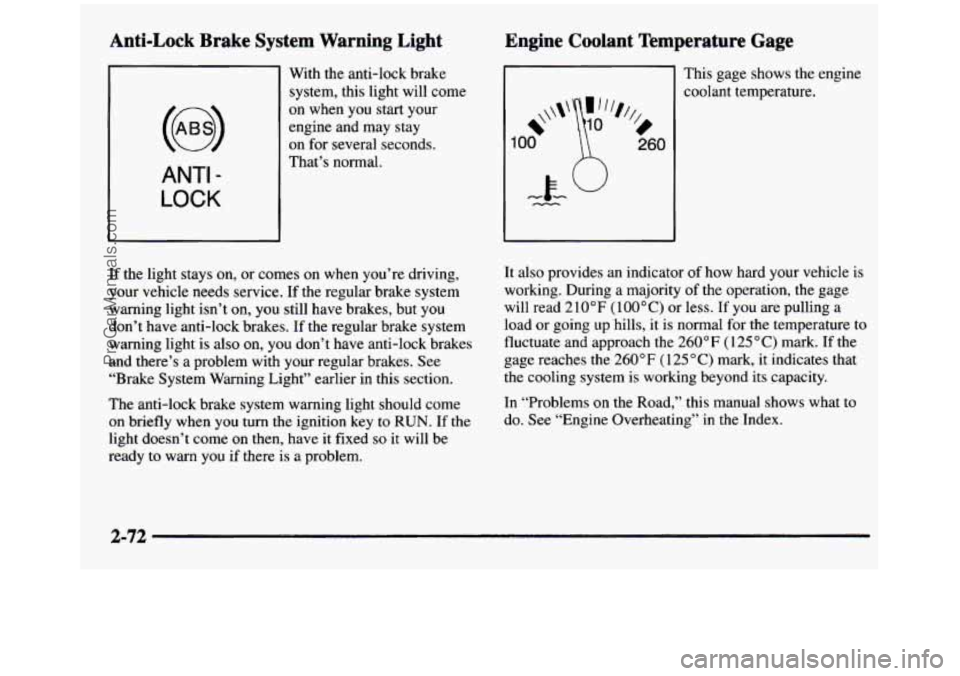
With the anti-lock brake
system, this light will come
on when you start your
engine and may stay
on for several seconds.
That’s normal.
If the light stays on, or comes
on when you’re driving,
your vehicle needs service. If
the regular brake system
warning light isn’t on, you still have brakes, but you
don’t have anti-lock brakes. If the regular brake system
warning light is
also on, you don’t have anti-lock brakes
and there’s a problem with your regular brakes. See
“Brake System Warning Light” earlier in this section.
The anti-lock brake system warning light should come
on briefly when you
turn the ignition key to RUN. If the
light doesn’t come on then, have it fixed
so it will be
ready to warn you
if there is a problem.
Engine Coolant Temperature Gage
Ill This gage shows the engine
1
*\\I‘
00
%,
0
260
coolant temperature.
It also provides an indicator
of how hard your vehicle is
working. During a majority of the operation, the gage
will read 210°F
(lOO°C) or less. If you are pulling a
load or going up hills, it is normal for
the temperature to
fluctuate and approach the
260°F (125°C) mark. If the
gage reaches the 260°F ( 125 “C) mark, it indicates that
the cooling system is working beyond its capacity.
In “Problems on the Road,” this manual shows what to
do. See “Engine Overheating” in the Index.
2-72
ProCarManuals.com
Page 184 of 436
Control of a Vehicle Braking
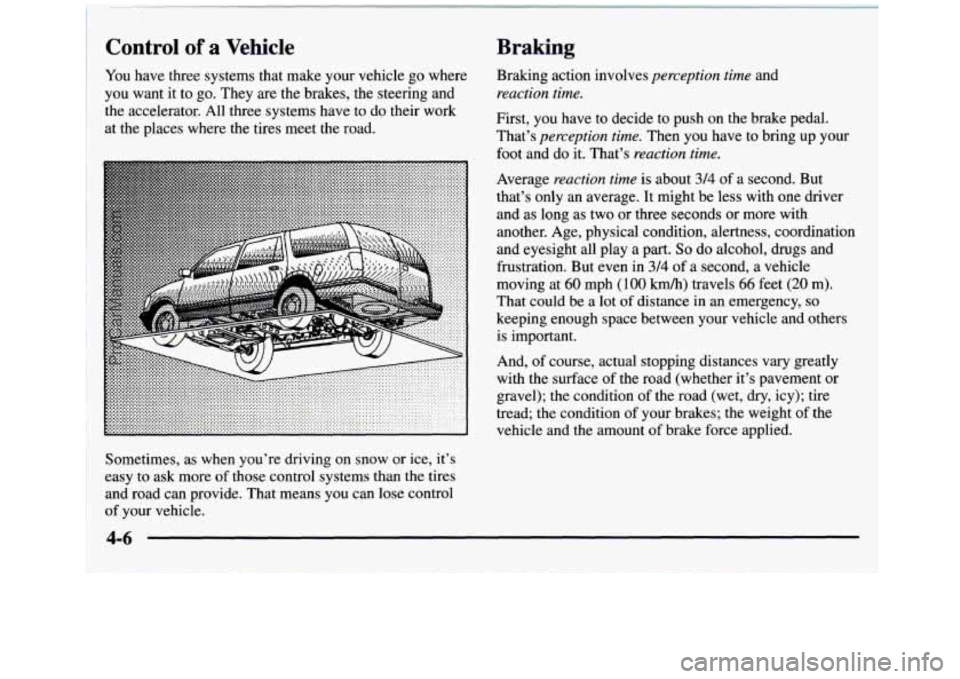
You have three systems that make your vehicle go where
you want it
to go. They are the brakes, the steering and
the accelerator. All three systems have to do their work
at the places where the tires meet the road. Braking action involves
perception
time and
reaction time.
First, you have to decide to push on the brake pedal.
That’s
perception time. Then you have to bring up your
foot and do it. That’s
reaction time.
Average reaction time is about 314 of a second. But
that’s only an average. It might be less with one driver
and as long as two or three seconds or more with
another. Age, physical condition, alertness, coordination
and eyesight all play a
part. So do alcohol, drugs and
frustration. But even in
3/4 of a second, a vehicle
moving at
60 mph (100 km/h) travels 66 feet (20 m).
That could be a lot
of distance in an emergency, so
keeping enough space between your vehicle and others
is important.
And, of course, actual stopping distances vary greatly
with the surface of the road (whether it’s pavement or
gravel); the condition
of the road (wet, dry, icy); tire
tread; the condition of your brakes; the weight of the
vehicle and the amount
of brake force applied.
Sometimes, as when you’re driving on snow or ice, it’s
easy to ask more
of those control systems than the tires
and road can provide. That means you can lose control
of your vehicle.
4-6
ProCarManuals.com
Page 185 of 436
Avoid needless heavy braking. Some people drive
in spurts -- heavy acceleration followed by heavy
braking
-- rather than keeping pace with traffic. This
is a mistake. Your brakes may not have time to cool
between hard stops. Your brakes will wear out much
faster if
you do a lot of heavy braking. If you keep pace
with the traffic and allow realistic following distances,
you will eliminate a lot of unnecessary braking. That
means better braking and longer brake life.
If your engine ever stops while you’re driving, brake
normally but don’t pump your brakes. If you
do, the
pedal may get harder to push down.
If your engine
stops, you will still have some power brake assist.
But
you will use it when you brake. Once the power assist is
used up, it may take longer to stop and the brake pedal
will be harder to push.
Anti-Lock Brakes (ABS)
Your vehicle has anti-lock brakes (ABS). ABS is an
advanced electronic braking
system that will help
prevent a braking skid.
When you start your engine and begin to drive away,
your anti-lock brake system will check itself. You may
hear a momentary motor or clicking noise while this test
is going on. This is normal.
ANTI -
LOCK
If there’s a problem with the
anti-lock brake system, this
warning light will stay on.
See “Anti-Lock Brake
System Warning Light”
in the Index.
4-7
ProCarManuals.com
Page 186 of 436
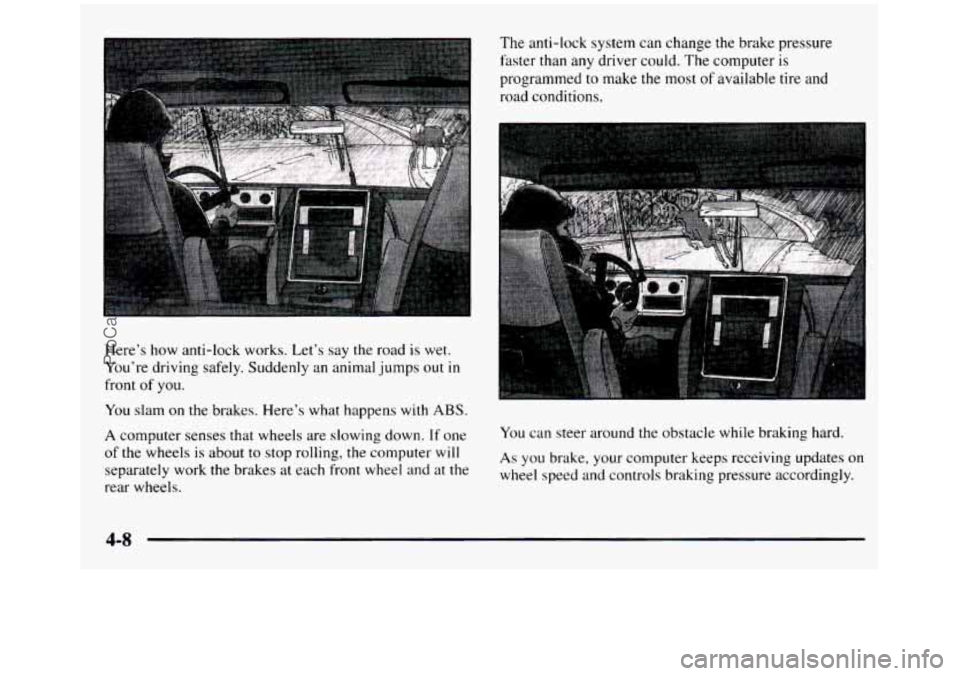
Here’s how anti-lock works. Let’s say the road is wet.
You’re driving safely. Suddenly an animal jumps out
in
front of you.
You slam on the brakes. Here’s what happens with ABS.
A computer senses that wheels are slowing down. If one
of the wheels is about
to stop rolling, the computer will
separately work the brakes at each front wheel
and at the
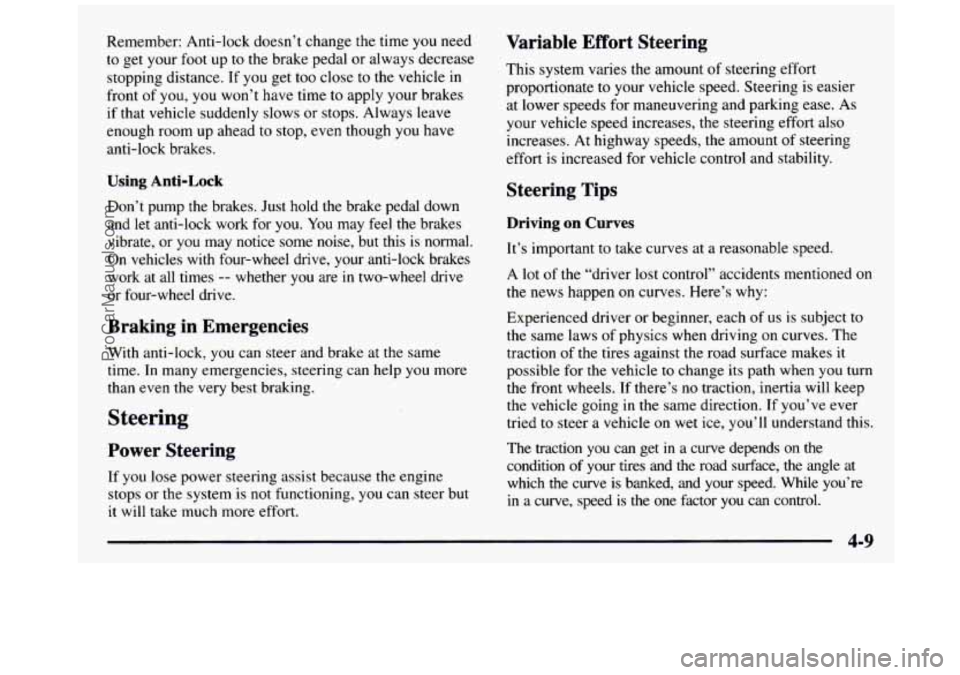
rear wheels. The anti-lock system can change the brake pressure
faster than any driver could. The computer is
programmed to make the most
of available tire and
road conditions.
You can steer around the obstacle while braking hard.
As you brake, your computer keeps receiving updates on
wheel speed and controls braking pressure accordingly.
4-8
ProCarManuals.com
Page 187 of 436
Remember: Anti-lock doesn’t change the time you need
to get your foot up to the brake pedal or always decrease
stopping distance. If you get too close to the vehicle in
front of you, you won’t have time to apply your brakes
if that vehicle suddenly slows or stops. Always leave
enough room up ahead
to stop, even though you have
anti-lock brakes.
Using Anti-Lock
Don’t pump the brakes. Just hold the brake pedal down
and let anti-lock work for you. You may feel the brakes
vibrate, or you may notice some noise, but this is normal.
On vehicles
with four-wheel drive, your anti-lock brakes
work at all times
-- whether you are in two-wheel drive
or four-wheel drive.
Braking in Emergencies
With anti-lock, you can steer and brake at the same
time. In many emergencies, steering can help you more
than even the very best braking.
Steering
Power Steering
If you lose power steering assist because the engine
stops or the system is not functioning, you can steer but
it will take much more effort.
Variable Effort Steering
This system varies the amount of steering effort
proportionate
to your vehicle speed. Steering is easier
at lower speeds for maneuvering and parking ease. As
your vehicle speed increases, the steering effort also
increases.
At highway speeds, the amount of steering
effort is increased for vehicle control and stability.
Steering Tips
Driving on Curves
It’s important to take curves at a reasonable speed.
A lot of the “driver lost control” accidents mentioned on
the news happen on curves. Here’s
why:
Experienced driver or beginner, each of us is subject to
the same laws of physics when driving on curves. The
traction of the tires against the road surface makes
it
possible for the vehicle to change its path when you turn
the front wheels. If there’s no traction, inertia will keep
the vehicle going in the same direction.
If you’ve ever
tried to steer a vehicle on wet ice, you’ll understand this.
The traction you can get
in a curve depends on the
condition of your tires and the road surface, the angle
at
which the curve is banked, and your speed. While you’re
in a curve, speed is the one factor you can control.
ProCarManuals.com