instrument panel GMC SIERRA 1998 User Guide
[x] Cancel search | Manufacturer: GMC, Model Year: 1998, Model line: SIERRA, Model: GMC SIERRA 1998Pages: 452, PDF Size: 23.65 MB
Page 119 of 452
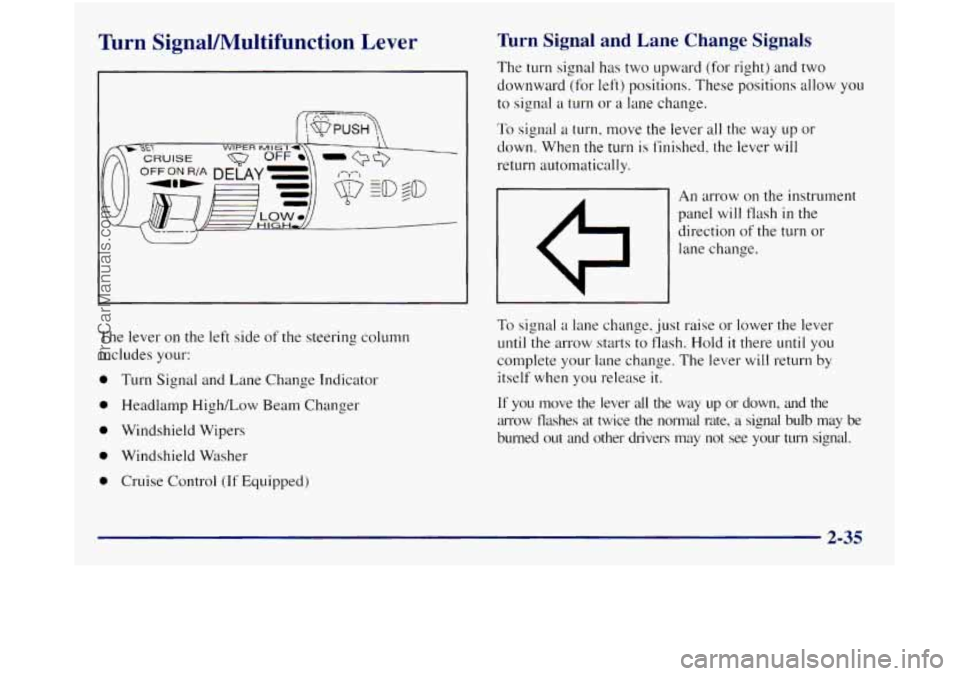
Turn SignaVIWultifunction Lever Turn Signal and Lane Change Signals
The turn signal has two upward (for right) and two
downward (for left) positions. These positions allow you
to signal
a turn or a lane change.
To signal a turn, move the lever all the way up or
down. When
the turn is finished, the lever will
return automatically.
An arrow on the instrument
panel will flash
in the
direction
of the turn or
lane change.
The lever on the left side
of the steering column
includes your:
0 Turn Signal and Lane Change Indicator
0 Headlamp High/Low Beam Changer
0 Windshield Wipers
0 Windshield Washer
0 Cruise Control (If Equipped)
To signal a lane change, just raise or lower the lever
until the arrow starts to flash. Hold it there
until you
complete your lane change. The lever will return by
itself when you release it.
If you move the lever all the way up or down, and the
arrow flashes at twice the normal rate,
a signal bulb may be
burned out and other drivers may not see your
turn signal.
2-35
ProCarManuals.com
Page 120 of 452
If a bulb is burned out, replace it to help avoid an
accident. If the arrows don’t go on at all when you
signal
a turn, check for burned-out bulbs and a blown
fuse (see “Fuses and Circuit Breakers”
in the Index).
Headlamp HighLow-Beam Changer
To change the headlamps from low to high beam or high
to low beam, pull the multifunction lever all the way
toward
you. Then release it.
When the high beams are
on, this light
on the
instrument panel also will
be on.
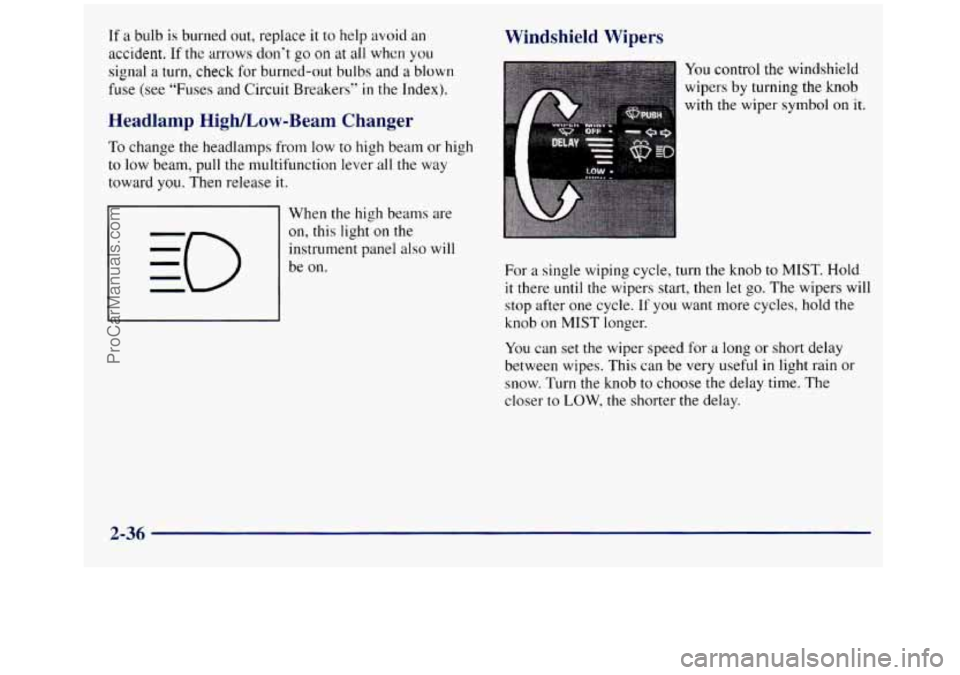
Windshield Wipers
You control the windshield
wipers
by turning the knob
with the wiper
symbol on it.
For a single wiping cycle, turn the knob to MIST. Hold
it there until the wipers start, then let
go. The wipers will
stop after one cycle.
If you want more cycles, hold the
knob on MIST longer.
You can set
the wiper speed for a long or short delay
between wipes. This can be very useful
in light rain or
snow. Turn the knob to choose the delay time. The
closer to
LOW, the shorter the delay.
2-36
ProCarManuals.com
Page 125 of 452
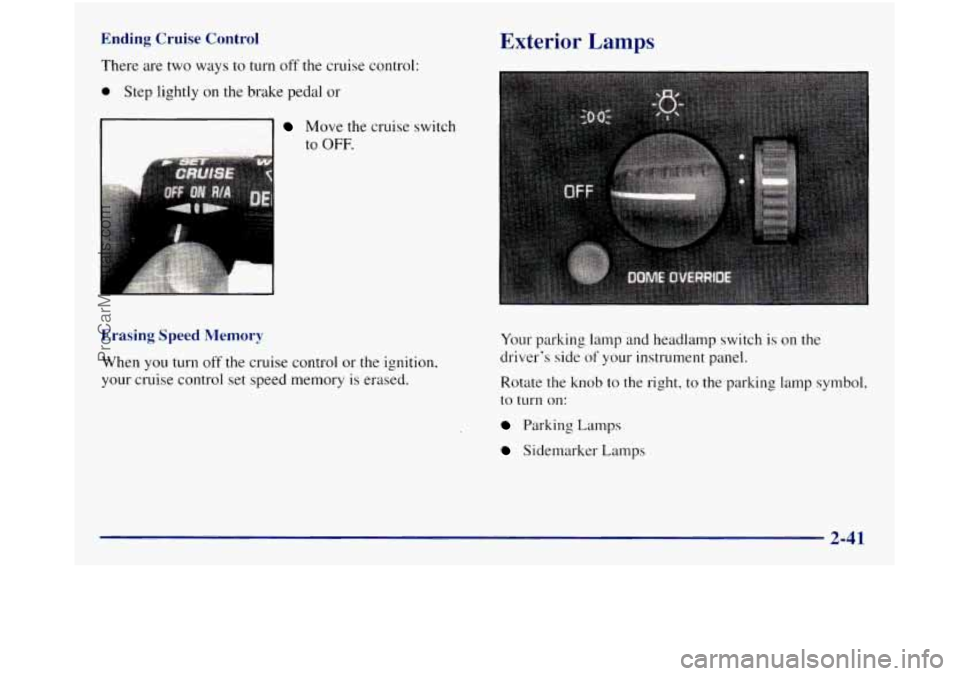
Ending Cruise Control
There are two ways to turn off the cruise control:
0 Step lightly on the brake pedal or
Move the cruise switch
to
OFF.
Erasing Speed Memory
When you turn off the cruise control or the ignition,
your cruise control set speed memory is erased.
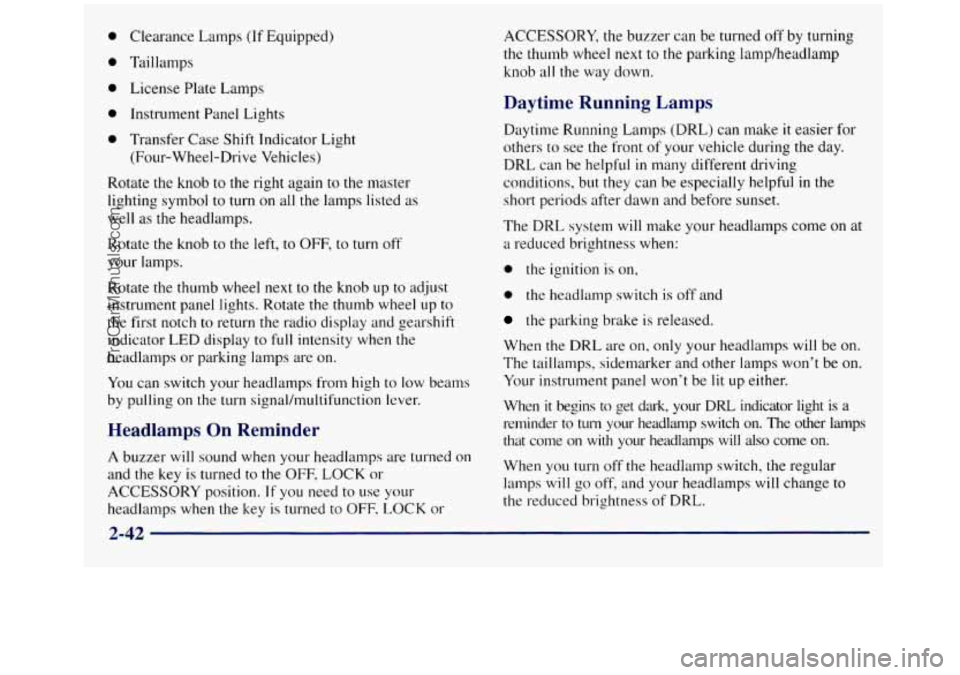
Exterior Lamps
Your parking lamp and headlamp switch is on the
driver's side
of your instrument panel.
Rotate the knob to the right, to the parking lamp symbol.
to
turn on:
Parking Lamps
Sidemarker Lamps
2-41
ProCarManuals.com
Page 126 of 452
Clearance Lamps (If Equipped)
Taillamps License Plate Lamps
Instrument Panel Lights
Transfer Case Shift Indicator Light (Four-Wheel-Drive Vehicles)
Rotate the knob to the right again to the master
lighting symbol
to turn on all the lamps listed as
well as the headlamps.
Rotate the knob to the left,
to OFF, to turn off
your lamps.
Rotate the thumb wheel next to
the knob up to adjust
instrument panel lights. Rotate the thumb wheel
up to
the first notch to return the radio display and gearshift
indicator
LED display to full intensity when the
headlamps or parking lamps are on.
You can switch your headlamps from high
to low beams
by pulling on the turn signal/multifunction lever.
Headlamps On Reminder
A buzzer will sound when your headlamps are turned on
and the key
is turned to the OFF, LOCK or
ACCESSORY position.
If you need to use your
headlamps when the key is turned to OFF-
LOCK or ACCESSORY, the
buzzer can be turned off by turning
the thumb wheel next
to the parking lamp/headlamp
knob all the way down.
Daytime Running Lamps
Daytime Running Lamps (DRL) can make it easier for
others to see the front of your vehicle during the day.
DRL can be helpful
in many different driving
conditions, but they can be especially helpful
in the
short periods after dawn and before sunset.
The DRL system
will make your headlamps come on at
a reduced brightness when:
0 the ignition is on,
0 the headlamp switch is off and
the parking brake is released.
When the DRL are on, only your headlamps will be on.
The taillamps, sidemarker and other lamps won’t
be on.
Your instrument panel won’t be lit
up either.
When it begins to get dark, your DRL indicator light is a
reminder to turn your headlamp switch on. The other lamps
that come
on with your headlanips will also come on.
When you
turn off the headlamp switch, the regular
lamps will
go off, and your headlamps will change to
the reduced brightness of DRL.
2-42
ProCarManuals.com
Page 127 of 452
To idle your vehicle with the DRL off, set the parking
brake. The DRL will stay
off until you release the
parking brake.
As with any vehicle, you should turn on the regular
headlamp system when you need it.
Fog Lamps (If Equipped)
If you have fog lamps, use them for better vision in
foggy or misty conditions.
Your parking lamps and/or
low-beam headlamps must be on for your fog lamps
to work.
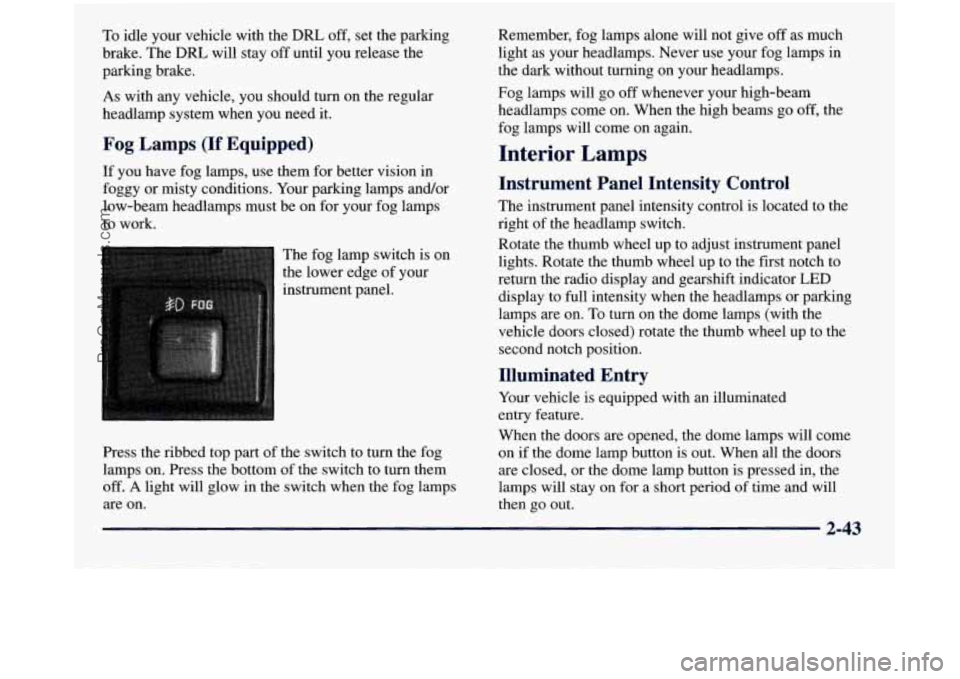
The fog lamp switch is on
the lower edge of your
instrument panel.
Press the ribbed top part of the switch to turn the fog
lamps on. Press
the bottom of the switch to turn them
off.
A light will glow in the switch when the fog lamps
are on. Remember,
fog lamps alone will not give off as much
light as your headlamps. Never use your fog lamps in
the dark without turning on your headlamps.
Fog lamps will go off whenever your high-beam
headlamps come on. When the high beams go
off, the
fog lamps will come on again.
Interior Lamps
Instrument Panel Intensity Control
The instrument panel intensity control is located to the
right of the headlamp switch.
Rotate the thumb wheel up to adjust instrument panel
lights. Rotate the thumb wheel up to the first notch to
return the radio display and gearshift indicator LED
display to full intensity when the headlamps or parking
lamps are on. To turn on the dome lamps (with the
vehicle doors closed) rotate the thumb wheel up to the second notch position.
Illuminated Entry
Your vehicle is equipped with an illuminated
entry feature.
When the doors are opened, the dome lamps will come
on if the dome lamp button is out. When all the doors
are closed, or the dome lamp button is pressed in, the
lamps will stay on for
a short period of time and will
then go out.
2-43
ProCarManuals.com
Page 135 of 452
A convex mirror can make things (like other
vehicles) look farther away than they really are.
If you cut too sharply into the right lane, you
could hit a vehicle
on your right. Check your
inside mirror or glance over your shoulder before
changing lanes.
Storage Compartments
Your vehicle has a variety of storage compartments
designed to store small items.
Your vehicle includes a number of storage
compartments for storage
of often-used items.
Some vehicles have storage areas
in the instrument panel.
Use these spaces for items such as gloves or small books. Some
models have
a storage pocket on each of the
front doors.
Some vehicles have a storage area behind the seat.
Glove Box
To open your glove box, move the button toward the
passenger’s side and pull the door open.
Center Overhead Console (If Equipped)
Your vehicle may have an overhead console. It has
storage compartments inside it.
Installing a Garage Door Opener
If you have a garage door opener, the front overhead
compartment can be used to conveniently store
the opener.
1. To install the garage door opener, first open the
compartment door by pressing the release
button forward.
2-51
ProCarManuals.com
Page 138 of 452
Instrument Panel Cupholder
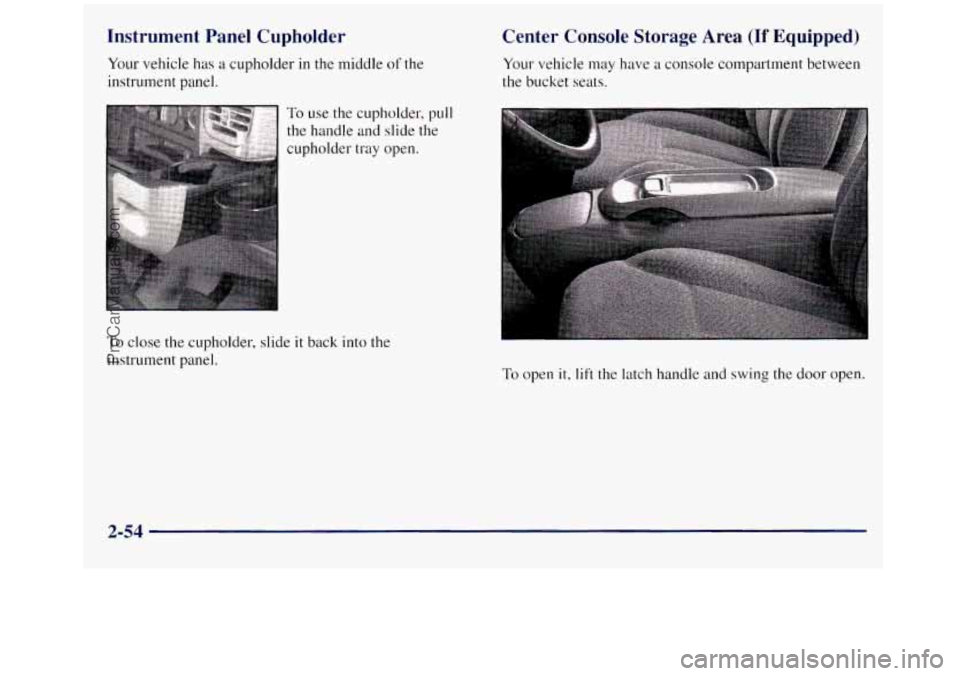
Your vehicle has a cupholder in the middle of the
instrument Danel.
Center Console Storage Area (If Equipped)
Your vehicle may have a console compartment between
the bucket seats.
, i ... .. . . .. : To use the cupholder, pull
the handle and slide the
cupholder tray open.
To close the cupholder, slide it back into the
instrument panel.
To open it, lift the latch handle and swing the door open.
2-54
ProCarManuals.com
Page 142 of 452
Ashtrays and Cigarette L - ;er
l Front Ashtray
The front ashtray is located at the bottom of the
instrument panel. Pull
on the notch in the ashtray door
to open it.
NOTICE:
If you store paper or other things that burn in
your ashtrays, they could be set on fire by
cigarettes or other smoking materials. That could
cause
a fire and possibly damage your vehicle. Do
not store papers and other things that burn in
your ashtrays.
To remove the front ashtray, press the retainer spring
and pivot the ashtray toward you.
To replace the ashtray,
place the bottom part
of the ashtray on the pivot bar at
the bottom
of its mounting on the instrument panel.
Then rotate the ashtray
back to its original position.
Rear Ashtray (If Equipped)
To use a rear ashtray, if you have them, pull at the top of
the ashtray door to flip the door open.
To remove a rear ashtray, press down on the inside tabs
and open the door fully.
NOTICE:
If you store paper or other things that burn in
your ashtrays, they could be set on fire
by
cigarettes or other smoking materials. That could
cause
a fire and possibly damage your vehicle. Do
not store papers and other things that burn in
your ashtrays.
To use the cigarette lighter, push it in all the way, and let
go. When it's ready, it will pop back by itself.
2-58 !
I
ProCarManuals.com
Page 144 of 452
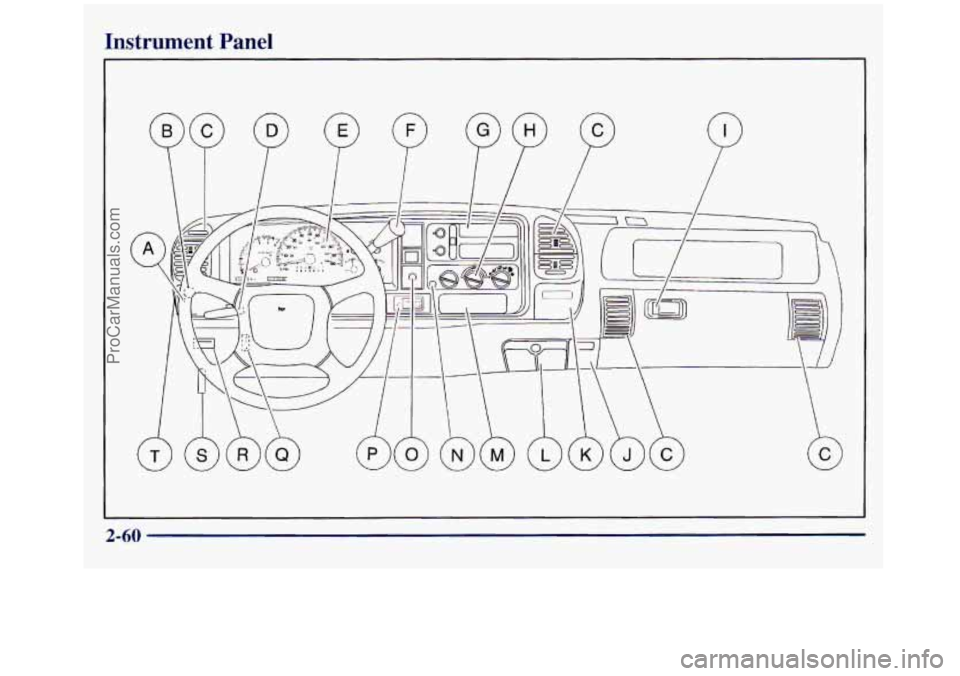
Instrument Panel
P
2-60
ProCarManuals.com
Page 146 of 452
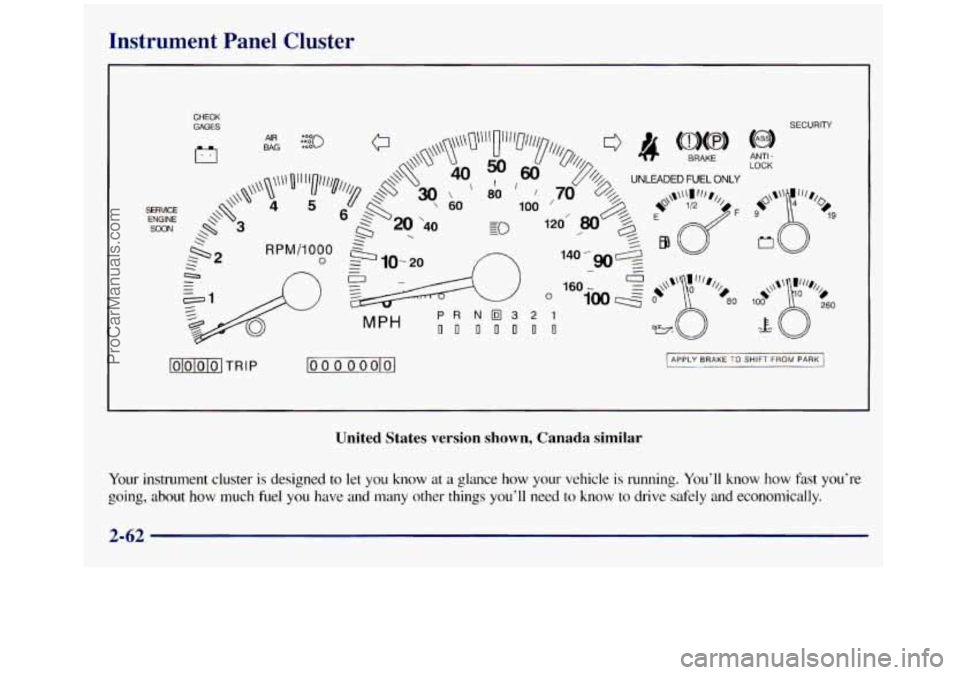
Instrument Panel Cluster
CHECK
GAGES SECURITY
MPH
lolololo1 TRIP loo 0 0 oolol
LOCK ANTI -
I APPLY BRAKE TO SHIFT FROM PARK I
United States version shown, Canada similar
Your instrument cluster is designed to let you know at a glance how your vehicle is running. You'll know how fast you're
going, about
how much fuel you have and many other things you'll need to know to drive safely and economically.
2-62
ProCarManuals.com