wheel GMC SIERRA 2003 User Guide
[x] Cancel search | Manufacturer: GMC, Model Year: 2003, Model line: SIERRA, Model: GMC SIERRA 2003Pages: 408, PDF Size: 2.58 MB
Page 101 of 408
Shifting Into Park (P)
{CAUTION:
It can be dangerous to get out of your vehicle
if the shift lever is not fully in PARK (P) with
the parking brakefirmly set. Your vehicle can
roll. If you have left the engine running, the
vehicle can move suddenly. You or others
could be injured. To be sure your vehicle won’t
move, even when you’re on fairly level ground,
use the steps that follow. With four-wheel
drive, if your transfer case is in NEUTRAL,
your vehicle will be free to roll, even if your
shift lever is in PARK (P). So, be sure the
transfer case is in a drive gear—not in
NEUTRAL. If you’re pulling a trailer, see
“Towing a Trailer”in the Index.1. Hold the brake pedal down with your right foot and
set the parking brake.
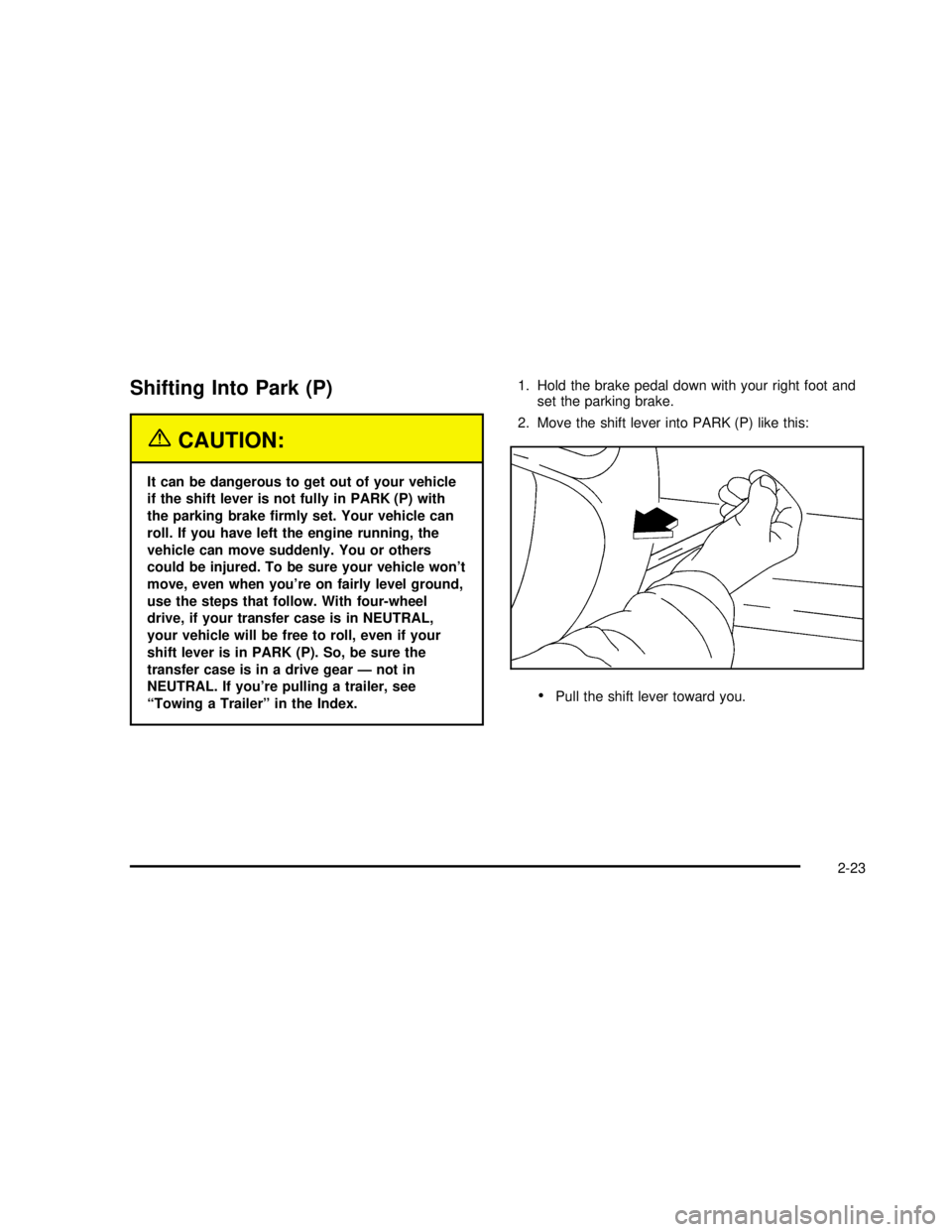
2. Move the shift lever into PARK (P) like this:
Pull the shift lever toward you.
2-23
2003 - Sierra Denali
Page 112 of 408

OnStar®Personal Calling
With OnStar®Personal Calling, you have a safer way to
stay connected while driving. It’s a hands-free wireless
phone that’s integrated into your vehicle. You can place
calls nationwide using voice-activated dialing with no
contracts, no roaming charges and no access fees.
Tond out more about OnStar
®Personal Calling, refer
to the OnStar®owner’s guide in your vehicle’s glove
box, or call OnStar®at 1−888−4−ONSTAR
(1−888−466−7827).
OnStar®Virtual Advisor
With OnStar®Virtual Advisor you can listen to your
favorite news, entertainment and information topics,
such as traffic and weather reports, stock quotes
and sports scores. You listen to your e-mail through
your vehicle’s speakers, and reply with your hands on
the wheel and your eyes on the road.
A completed Subscription Service Agreement is required
prior to delivery of OnStar
®services and prepaid
calling minutes are also required for OnStar®Personal
Calling and OnStar®Virtual Advisor use. Terms and
conditions of the Subscription Service Agreement can be
found at www.onstar.com.
OnStar®Steering Wheel Controls
g
: If your vehicle is
equipped with the steering
wheel control buttons
you can use them
to interact with the OnStar
®
system.
See the OnStar
®manual provided with your vehicle for
more information.
2-34
2003 - Sierra Denali
Page 121 of 408

Instrument Panel Overview...............................3-2
Hazard Warning Flashers................................3-4
Other Warning Devices...................................3-4
Horn .............................................................3-5
Tilt Wheel.....................................................3-5
Turn Signal/Multifunction Lever.........................3-5
Exterior Lamps.............................................3-11
Interior Lamps..............................................3-15
Accessory Power Outlets...............................3-16
Ashtrays and Cigarette Lighter........................3-17
Climate Controls............................................3-18
Dual Automatic Climate Control System...........3-18
Warning Lights, Gages and Indicators.............3-24
Instrument Panel Cluster................................3-25
Speedometer and Odometer...........................3-26
Tachometer.................................................3-26
Safety Belt Reminder Light.............................3-27
Air Bag Readiness Light................................3-27
Air Bag Off Light..........................................3-28
Passenger Air Bag Status Indicator.................3-31
Battery Warning Light....................................3-33
Voltmeter Gage............................................3-33
Brake System Warning Light..........................3-34
Anti-Lock Brake System Warning Light.............3-35
Engine Coolant Temperature Gage..................3-36Transmission Temperature Gage.....................3-36
Malfunction Indicator Lamp.............................3-37
Oil Pressure Gage........................................3-40
Cruise Control Light......................................3-40
Tow/Haul Mode Light....................................3-41
Fuel Gage...................................................3-41
Low Fuel Warning Light.................................3-41
Driver Information Center (DIC).......................3-42
DIC Operation and Displays...........................3-42
DIC Warnings and Messages.........................3-51
Audio System(s).............................................3-56
Setting the Time...........................................3-57
Radio with Cassette and CD..........................3-57
Navigation/Radio System...............................3-70
Rear Seat Audio (RSA).................................3-71
CD Changer................................................3-73
Theft-Deterrent Feature..................................3-75
Audio Steering Wheel Controls.......................3-76
Understanding Radio Reception......................3-76
Care of Your Cassette Tape Player.................3-77
Care of Your CDs.........................................3-78
Care of Your CD Player................................3-78
Fixed Mast Antenna......................................3-78
XM™ Satellite Radio Antenna System
(United States Only)..................................3-78
Section 3 Instrument Panel
3-1
2003 - Sierra Denali
Page 123 of 408

The main components of your instrument panel are the
following:
A. Dome Lamp Override Button
B. Exterior Lamp Control
C. Air Outlets
D. Storage Compartment
E. Multifunction Lever
F. Instrument Panel Cluster
G. Shift Lever
H. Tow/Haul Selector Switch (If Equipped)
I. Audio System
J. Comfort Control SystemK. Instrument Panel Fuse Block
L. Hood Release
M. Audio Steering Wheel Controls (If Equipped)
N. Center Instrument Panel Fuse Block
O. Tilt Lever
P. Parking Brake Release
Q. Compact Disc Changer (If Equipped)
R. Ashtray
S. Accessory Power Outlet
T. Air Bag Off Switch and 4–Wheel Steer Button
U. Glovebox
3-3
2003 - Sierra Denali
Page 125 of 408
Horn
To sound the horn, press the center pad on the
steering wheel.
Tilt Wheel
If your vehicle is equipped with a tilt wheel, it will allow
you to adjust the steering wheel before you drive.
You can raise it to the highest level to give your legs
more room when you exit and enter your vehicle.
The tilt steering wheel
lever is located on the
lower left side of the
column.
To tilt the wheel, hold the steering wheel and pull the
lever. Then move the steering wheel to a comfortable
position and release the lever to lock the wheel in place.
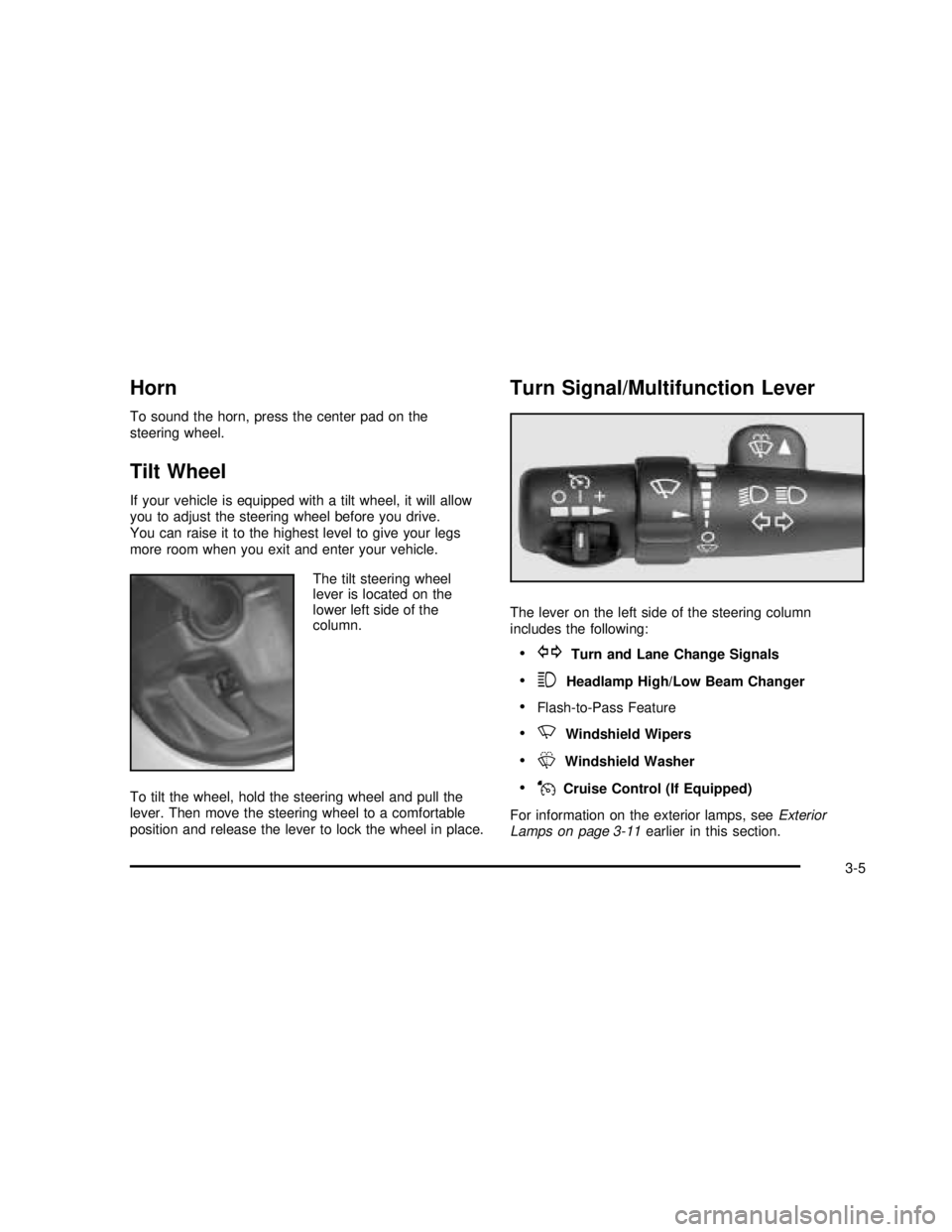
Turn Signal/Multifunction Lever
The lever on the left side of the steering column
includes the following:
•GTurn and Lane Change Signals
•3Headlamp High/Low Beam Changer
•Flash-to-Pass Feature
•NWindshield Wipers
•LWindshield Washer
•JCruise Control (If Equipped)
For information on the exterior lamps, seeExterior
Lamps on page 3-11earlier in this section.
3-5
2003 - Sierra Denali
Page 128 of 408
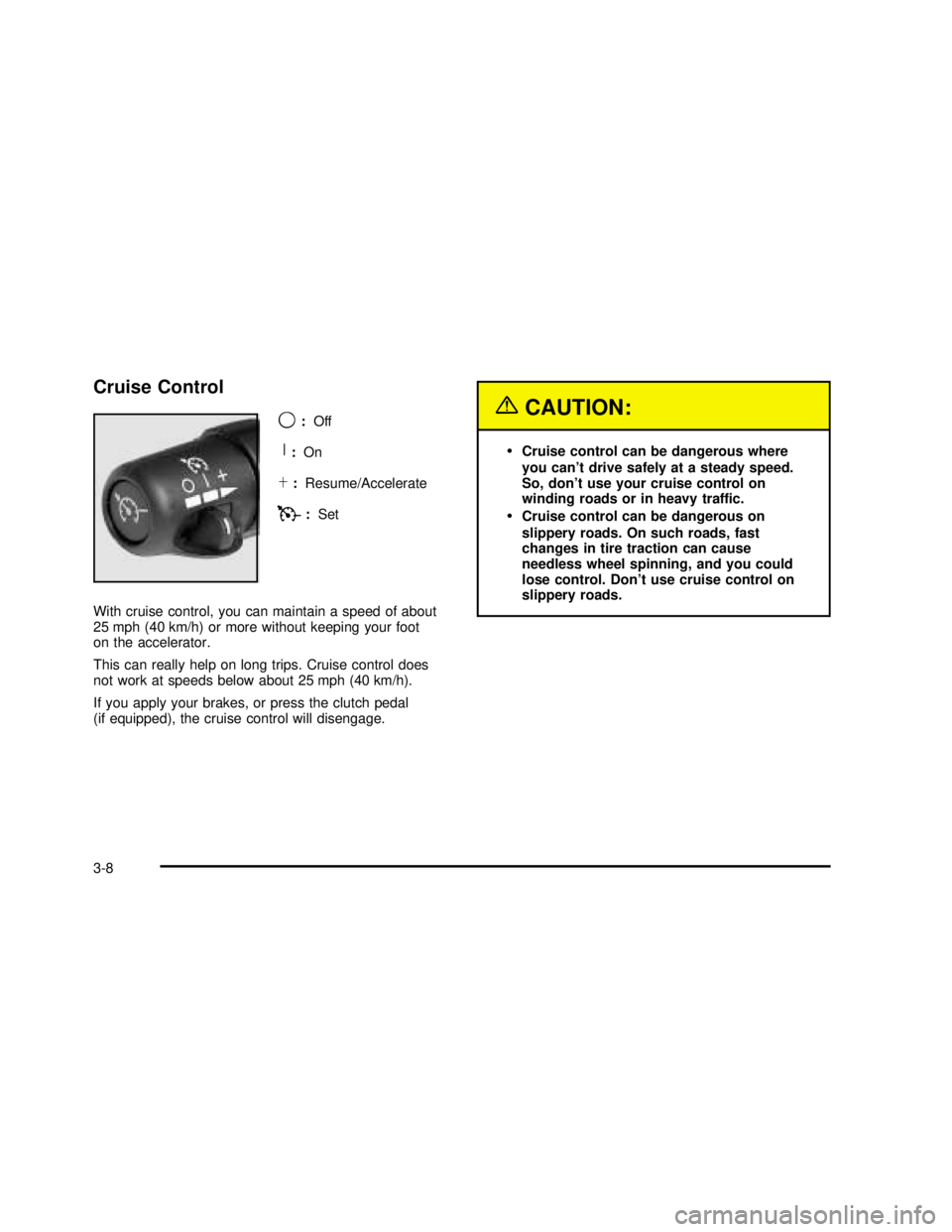
Cruise Control
9
:Off
R:On
S:Resume/Accelerate
T:Set
With cruise control, you can maintain a speed of about
25 mph (40 km/h) or more without keeping your foot
on the accelerator.
This can really help on long trips. Cruise control does
not work at speeds below about 25 mph (40 km/h).
If you apply your brakes, or press the clutch pedal
(if equipped), the cruise control will disengage.
{CAUTION:
•Cruise control can be dangerous where
you can’t drive safely at a steady speed.
So, don’t use your cruise control on
winding roads or in heavy traffic.
•Cruise control can be dangerous on
slippery roads. On such roads, fast
changes in tire traction can cause
needless wheel spinning, and you could
lose control. Don’t use cruise control on
slippery roads.
3-8
2003 - Sierra Denali
Page 135 of 408
Interior Lamps
Instrument Panel Brightness Control
P
:This feature controls the brightness of the
instrument panel lights.
The thumbwheel for this feature is located next to the
exterior lamp control.
Turn the thumbwheel up to adjust the instrument panel
lights and return the radio display to full brightness
when the headlamps or parking lamps are on. To turn
on the dome lamps, with the vehicle doors closed,
turn the thumbwheel all the way up.
Exit Lighting
With exit lighting, the interior lamps will come on when
you remove the key from the ignition. The lamps will not
come on if the dome override button is pressed in.
Entry Lighting
Your vehicle is equipped with an illuminated entry
feature.
When a door is opened, the dome lamps and puddle
lamps will come on if the dome override button is in the
out position. If the dome override button is pressed
in, the lamps will not come on.
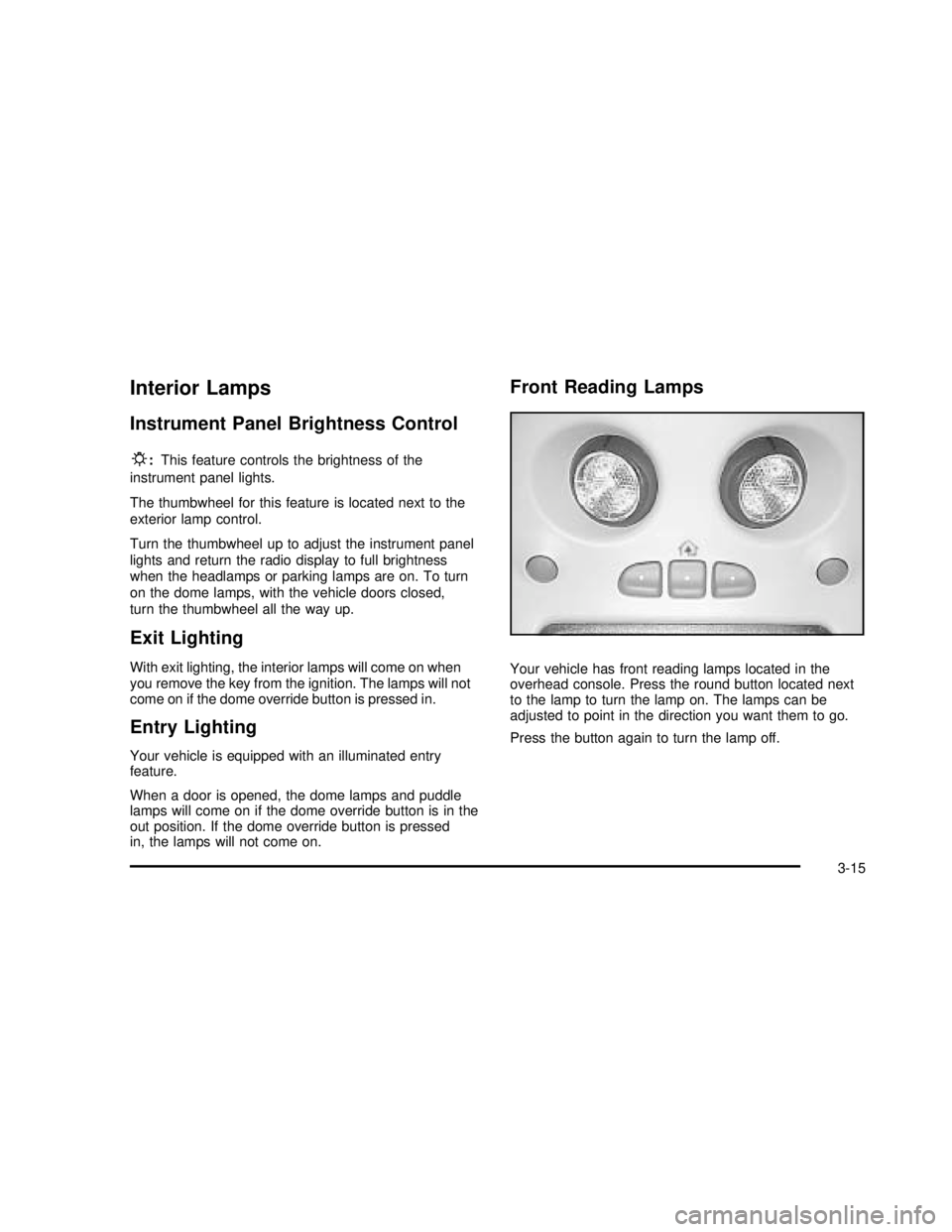
Front Reading Lamps
Your vehicle has front reading lamps located in the
overhead console. Press the round button located next
to the lamp to turn the lamp on. The lamps can be
adjusted to point in the direction you want them to go.
Press the button again to turn the lamp off.
3-15
2003 - Sierra Denali
Page 136 of 408

Dome Lamps
The dome lamps will come on when you open a door
and the dome override button is in the out position.
You can also turn the dome lamps on by turning
the thumbwheel, located next to the exterior lamps
control, all the way up. In this position, the dome lamps
will remain on whether the doors are opened or
closed.
E:You can use the dome override button, located
below the exterior lamps control, to set the dome lamps
to come on automatically when the doors are opened,
or to remain off. To turn the lamps off, press the button
to the in position. With the button in this position, the
dome lamps will remain off when the doors are open.
To return the lamps to automatic operation, press
the button again and return the button to the out
position. With the button in this position, the dome lamps
will come on when you open a door.
Battery Run-Down Protection
This feature shuts off the dome, reading, glove box, and
underhood lamps if they are left on for more than
10 minutes when the ignition is turned off. The cargo
lamp will shut off after 20 minutes. This will keep
your battery from running down.
Accessory Power Outlets
With accessory power outlets you can plug in auxiliary
electrical equipment such as a cellular telephone or
other devices designed to operate with vehicle electrical
systems.
Your vehicle is equipped with several accessory power
outlets. The front outlet is located next to thefloor
console. Lift up on the door to access the outlet.
The second outlet is located in the center console. Press
the button on the side of the console door to access
the outlet. SeeCenter Console Storage Area on
page 2-39for more information.
There is also one accessory power outlet located on the
rear of the center console. Lift up on the doors to
access the outlets.
3-16
2003 - Sierra Denali
Page 143 of 408
Rear Window Defogger
If your vehicle has this feature, the lines you see on the
rear window warm the glass. The rear window
defogger uses a warming grid to remove fog from the
rear window.
<(Rear):Press this button to turn the rear window
defogger on or off. An indicator light in the button
will come on to let you know that the rear window
defogger is activated.
The rear window defogger will turn off about 10 minutes
after the button is pressed. If you need additional
warming time, press the button again.
If your vehicle is equipped with heated mirrors this
button will activate them.
Notice:Don’t use a razor blade or something else
sharp on the inside of the rear window. If you
do, you could cut or damage the defogger and the
repairs would not be covered by your warranty.
Do not attach a temporary vehicle license, tape, a
decal or anything similar to the defogger grid.
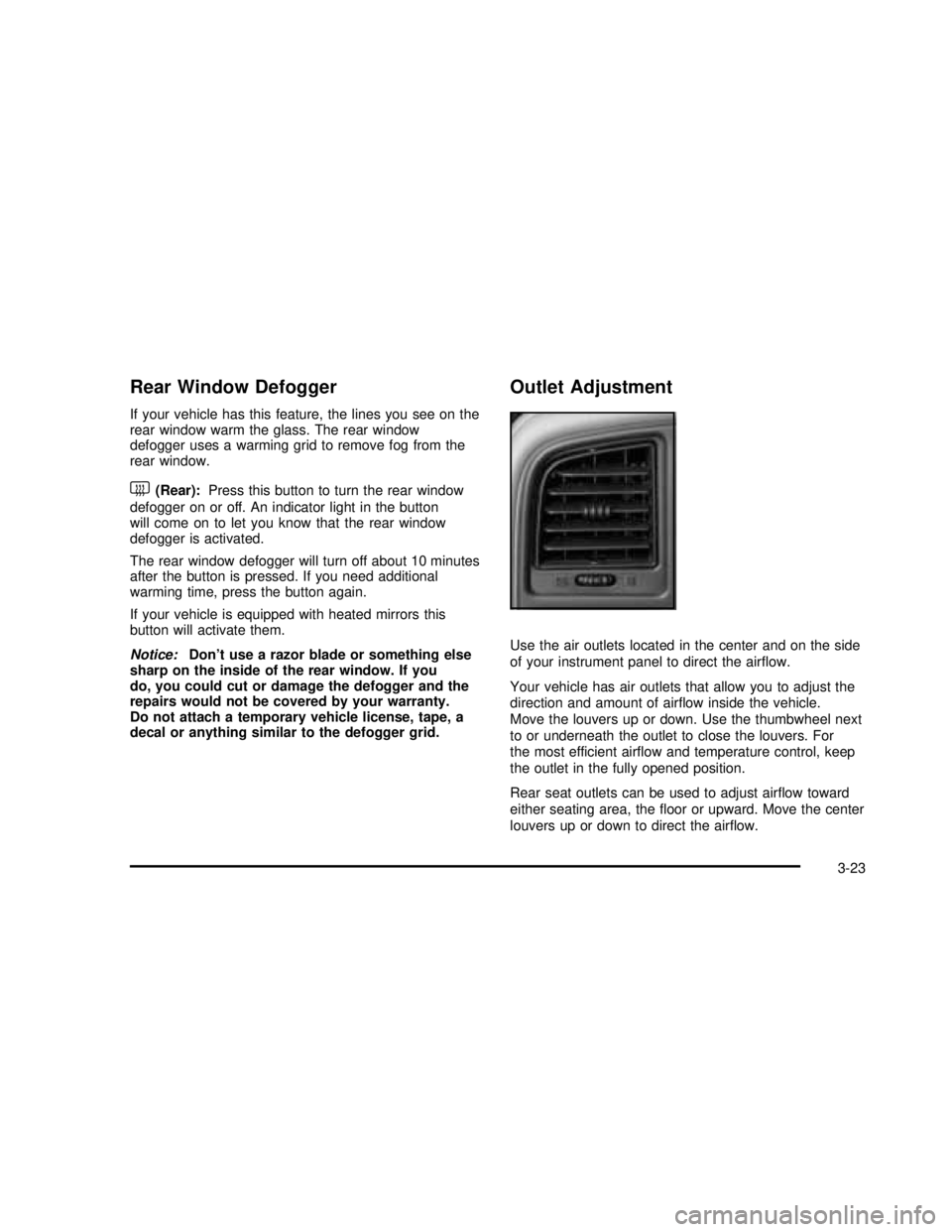
Outlet Adjustment
Use the air outlets located in the center and on the side
of your instrument panel to direct the airflow.
Your vehicle has air outlets that allow you to adjust the
direction and amount of airflow inside the vehicle.
Move the louvers up or down. Use the thumbwheel next
to or underneath the outlet to close the louvers. For
the most efficient airflow and temperature control, keep
the outlet in the fully opened position.
Rear seat outlets can be used to adjust airflow toward
either seating area, thefloor or upward. Move the center
louvers up or down to direct the airflow.
3-23
2003 - Sierra Denali
Page 162 of 408
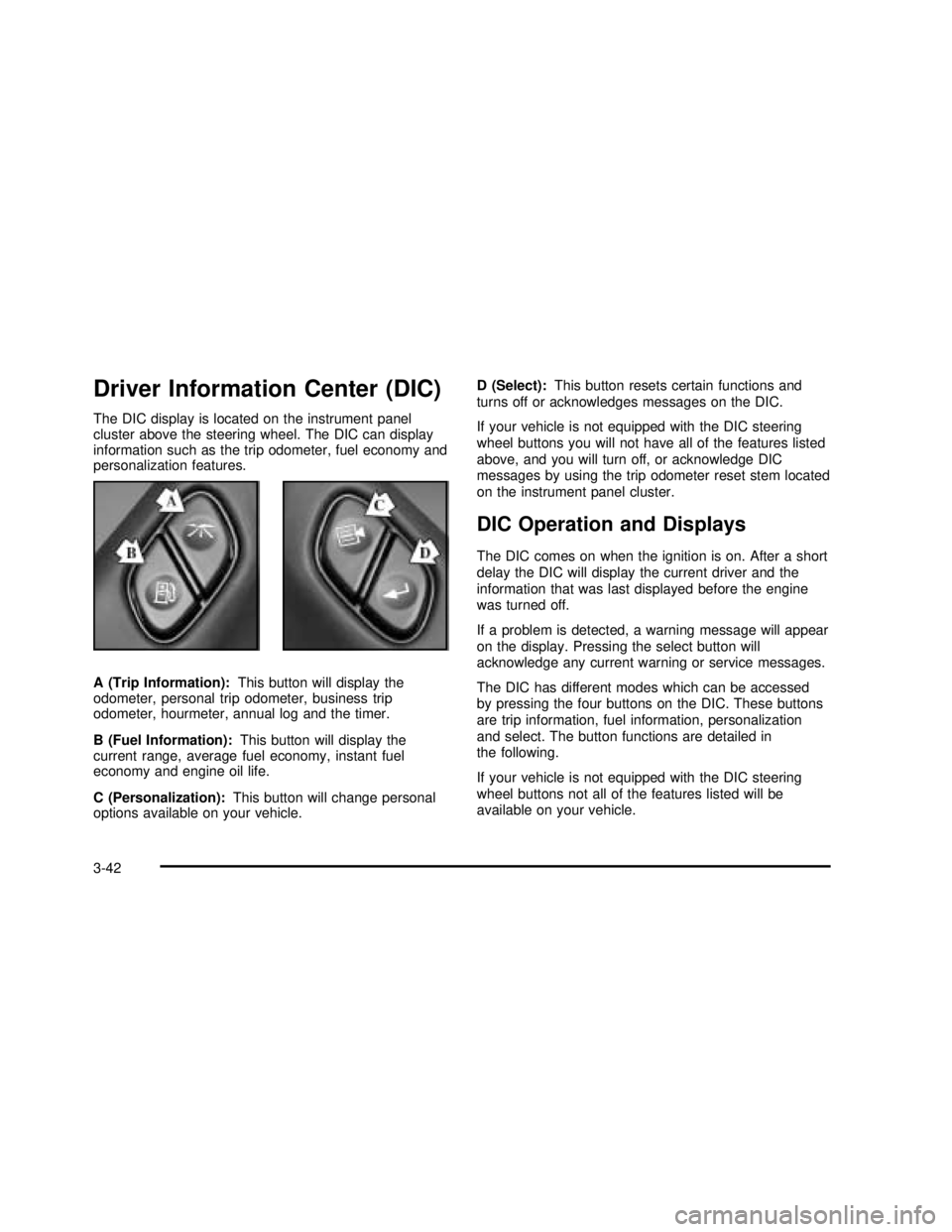
Driver Information Center (DIC)
The DIC display is located on the instrument panel
cluster above the steering wheel. The DIC can display
information such as the trip odometer, fuel economy and
personalization features.
A (Trip Information):This button will display the
odometer, personal trip odometer, business trip
odometer, hourmeter, annual log and the timer.
B (Fuel Information):This button will display the
current range, average fuel economy, instant fuel
economy and engine oil life.
C (Personalization):This button will change personal
options available on your vehicle.D (Select):This button resets certain functions and
turns off or acknowledges messages on the DIC.
If your vehicle is not equipped with the DIC steering
wheel buttons you will not have all of the features listed
above, and you will turn off, or acknowledge DIC
messages by using the trip odometer reset stem located
on the instrument panel cluster.
DIC Operation and Displays
The DIC comes on when the ignition is on. After a short
delay the DIC will display the current driver and the
information that was last displayed before the engine
was turned off.
If a problem is detected, a warning message will appear
on the display. Pressing the select button will
acknowledge any current warning or service messages.
The DIC has different modes which can be accessed
by pressing the four buttons on the DIC. These buttons
are trip information, fuel information, personalization
and select. The button functions are detailed in
the following.
If your vehicle is not equipped with the DIC steering
wheel buttons not all of the features listed will be
available on your vehicle.
3-42
2003 - Sierra Denali