reset GMC SIERRA 2003 Owner's Guide
[x] Cancel search | Manufacturer: GMC, Model Year: 2003, Model line: SIERRA, Model: GMC SIERRA 2003Pages: 408, PDF Size: 2.58 MB
Page 276 of 408

As in the chart shown previously, SAE 5W-30 is the
only viscosity grade recommended for your vehicle.
You should look for and use only oils which have the
API Starburst symbol and which are also identified
as SAE 5W-30. If you cannotfind such SAE 5W-30 oils,
you can use an SAE 10W-30 oil which has the API
Starburst symbol, if it’s going to be 0°F(−18°C)
or above. Do not use other viscosity grade oils, such as
SAE 10W-40 or SAE 20W-50 under any conditions.
Notice:Use only engine oil with the American
Petroleum Institute Certified For Gasoline Engines
starburst symbol. Failure to use the recommended
oil can result in engine damage not covered by
your warranty.
GM Goodwrench
®oil meets all the requirements for
your vehicle.
If you are in an area of extreme cold, where the
temperature falls below−20°F(−29°C),itis
recommended that you use either an SAE 5W-30
synthetic oil or an SAE 0W-30 oil. Both will provide
easier cold starting and better protection for your engine
at extremely low temperatures.
Engine Oil Additives
Don’t add anything to your oil. The recommended oils
with the starburst symbol are all you will need for
good performance and engine protection.
When to Change Engine Oil (GM Oil
Life System)
Your vehicle has a computer system that lets you know
when to change the engine oil andfilter. This is
based on engine revolutions and engine temperature,
and not on mileage. Based on driving conditions,
the mileage at which an oil change will be indicated can
vary considerably. For the oil life system to work
properly, you must reset the system every time the oil is
changed.
When the system has calculated that oil life has been
diminished, it will indicate that an oil change is
necessary. A CHANGE ENGINE OIL SOON message
will come on. Change your oil as soon as possible within
the next two times you stop for fuel. It is possible that,
if you are driving under the best conditions, the oil
life system may not indicate that an oil change is
necessary for over a year. However, your engine oil and
filter must be changed at least once a year and at
this time the system must be reset. Your dealer has
GM-trained service people who will perform this
work using genuine GM parts and reset the system. It is
also important to check your oil regularly and keep it
at the proper level.
If the system is ever reset accidentally, you must
change your oil at 3,000 miles (5 000 km) since your
last oil change. Remember to reset the oil life system
whenever the oil is changed.
5-16
2003 - Sierra Denali
Page 277 of 408

How to Reset the CHANGE ENGINE OIL
Message
The GM Oil Life System calculates when to change
your engine oil andfilter based on vehicle use. Anytime
your oil is changed, reset the system so it can
calculate when the next oil change is required. If a
situation occurs where you can change your oil prior to
a CHANGE ENGINE OIL message being turned on,
reset the system.
To reset the CHANGE ENGINE OIL message, see“GM
Oil Life System”underDIC Operation and Displays
on page 3-42for vehicles equipped with the DIC, or do
the following:
1. Turn the ignition key to RUN with the engine off.
2. Fully press and release the accelerator pedal three
times withinfive seconds.
If the OIL LIFE RESET messageflashes for 10 seconds,
the system is reset. If the system will not reset, try the
procedure again. If the system still does not reset,
see your dealer for service.
What to Do with Used Oil
Used engine oil contains certain elements that may be
unhealthy for your skin and could even cause cancer.
Don’t let used oil stay on your skin for very long. Clean
your skin and nails with soap and water, or a good
hand cleaner. Wash or properly dispose of clothing or
rags containing used engine oil. See the manufacturer’s
warnings about the use and disposal of oil products.
Used oil can be a threat to the environment. If you
change your own oil, be sure to drain all the oil from the
filter before disposal. Never dispose of oil by putting it
in the trash, pouring it on the ground, into sewers, or into
streams or bodies of water. Instead, recycle it by
taking it to a place that collects used oil. If you have a
problem properly disposing of your used oil, ask
your dealer, a service station or a local recycling center
for help.
5-17
2003 - Sierra Denali
Page 278 of 408
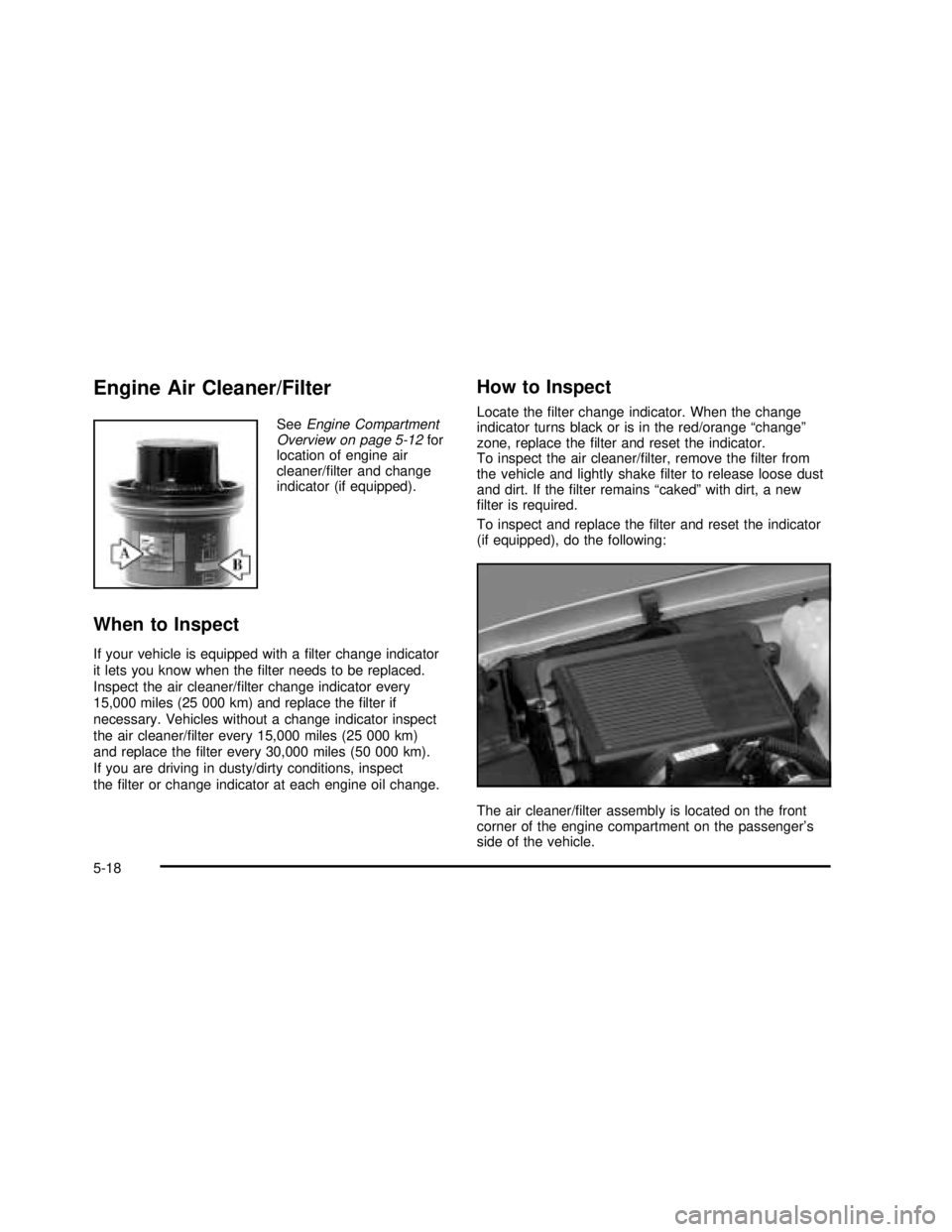
Engine Air Cleaner/Filter
SeeEngine Compartment
Overview on page 5-12for
location of engine air
cleaner/filter and change
indicator (if equipped).
When to Inspect
If your vehicle is equipped with afilter change indicator
it lets you know when thefilter needs to be replaced.
Inspect the air cleaner/filter change indicator every
15,000 miles (25 000 km) and replace thefilter if
necessary. Vehicles without a change indicator inspect
the air cleaner/filter every 15,000 miles (25 000 km)
and replace thefilter every 30,000 miles (50 000 km).
If you are driving in dusty/dirty conditions, inspect
thefilter or change indicator at each engine oil change.
How to Inspect
Locate thefilter change indicator. When the change
indicator turns black or is in the red/orange“change”
zone, replace thefilter and reset the indicator.
To inspect the air cleaner/filter, remove thefilter from
the vehicle and lightly shakefilter to release loose dust
and dirt. If thefilter remains“caked”with dirt, a new
filter is required.
To inspect and replace thefilter and reset the indicator
(if equipped), do the following:
The air cleaner/filter assembly is located on the front
corner of the engine compartment on the passenger’s
side of the vehicle.
5-18
2003 - Sierra Denali
Page 286 of 408
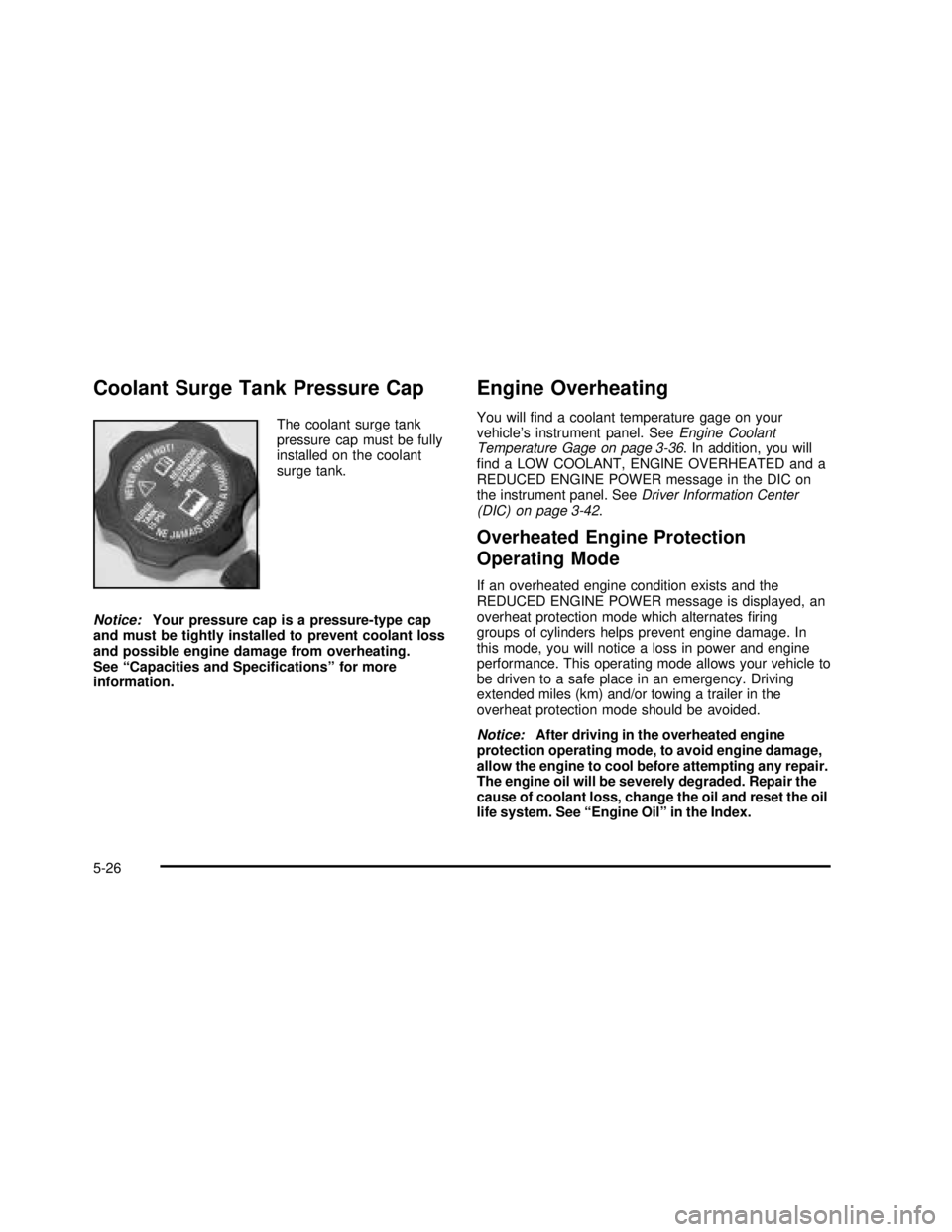
Coolant Surge Tank Pressure Cap
The coolant surge tank
pressure cap must be fully
installed on the coolant
surge tank.
Notice:Your pressure cap is a pressure-type cap
and must be tightly installed to prevent coolant loss
and possible engine damage from overheating.
See“Capacities and Specifications”for more
information.
Engine Overheating
You willfind a coolant temperature gage on your
vehicle’s instrument panel. SeeEngine Coolant
Temperature Gage on page 3-36. In addition, you will
find a LOW COOLANT, ENGINE OVERHEATED and a
REDUCED ENGINE POWER message in the DIC on
the instrument panel. SeeDriver Information Center
(DIC) on page 3-42.
Overheated Engine Protection
Operating Mode
If an overheated engine condition exists and the
REDUCED ENGINE POWER message is displayed, an
overheat protection mode which alternatesfiring
groups of cylinders helps prevent engine damage. In
this mode, you will notice a loss in power and engine
performance. This operating mode allows your vehicle to
be driven to a safe place in an emergency. Driving
extended miles (km) and/or towing a trailer in the
overheat protection mode should be avoided.
Notice:After driving in the overheated engine
protection operating mode, to avoid engine damage,
allow the engine to cool before attempting any repair.
The engine oil will be severely degraded. Repair the
cause of coolant loss, change the oil and reset the oil
life system. See“Engine Oil”in the Index.
5-26
2003 - Sierra Denali
Page 322 of 408

Temperature–A, B, C
The temperature grades are A (the highest), B, and C,
representing the tire’s resistance to the generation
of heat and its ability to dissipate heat when tested
under controlled conditions on a specified indoor
laboratory test wheel. Sustained high temperature can
cause the material of the tire to degenerate and
reduce tire life, and excessive temperature can lead to
sudden tire failure. The grade C corresponds to a
level of performance which all passenger car tires must
meet under the Federal Motor Vehicle Safety Standard
No. 109. Grades B and A represent higher levels of
performance on the laboratory test wheel than the
minimum required by law.
Warning: The temperature grade for this tire is
established for a tire that is properly inflated and not
overloaded. Excessive speed, underinflation, or
excessive loading, either separately or in combination,
can cause heat buildup and possible tire failure.
Wheel Alignment and Tire Balance
The wheels on your vehicle were aligned and balanced
carefully at the factory to give you the longest tire life
and best overall performance.Scheduled wheel alignment and wheel balancing are
not needed. However, if you notice unusual tire wear or
your vehicle pulling one way or the other, the alignment
may need to be reset. If you notice your vehicle
vibrating when driving on a smooth road, your wheels
may need to be rebalanced.
Wheel Replacement
Replace any wheel that is bent, cracked, or badly rusted
or corroded. If wheel nuts keep coming loose, the
wheel, wheel bolts and wheel nuts should be replaced.
If the wheel leaks air, replace it (except some
aluminum wheels, which can sometimes be repaired).
See your dealer if any of these conditions exist.
Your dealer will know the kind of wheel you need.
Each new wheel should have the same load-carrying
capacity, diameter, width, offset and be mounted
the same way as the one it replaces.
If you need to replace any of your wheels, wheel bolts
or wheel nuts, replace them only with new GM
original equipment parts. This way, you will be sure to
have the right wheel, wheel bolts and wheel nuts
for your vehicle.
5-62
2003 - Sierra Denali
Page 365 of 408

Scheduled Maintenance
The services shown in this schedule up to 100,000 miles
(166 000 km) should be repeated after 100,000 miles
(166 000 km) at the same intervals for the life of
this vehicle. The services shown at 150,000 miles
(240 000 km) and 200,000 miles (332 000 km) should
be repeated at the same intervals after 150,000 miles
(240 000 km) and 200,000 miles (332 000 km) for the life
of this vehicle.
SeePart B: Owner Checks and Services on page 6-10
andPart C: Periodic Maintenance Inspections on
page 6-14.
Footnotes
†The U.S. Environmental Protection Agency or the
California Air Resources Board has determined that the
failure to perform this maintenance item will not nullify
the emission warranty or limit recall liability prior to
the completion of the vehicle ’s useful life. We, however,
urge that all recommended maintenance services be
performed at the indicated intervals and the
maintenance be recorded.
+A good time to check your brakes is during tire
rotation. See Brake System Inspection on page 6-15.
Engine Oil and Chassis Lubrication
Scheduled Maintenance
Change engine oil and filter as indicated by the GM
Oil Life System (or every 12 months, whichever
occurs first). Reset the system.
Your vehicle has a computer system that lets you know
when to change the engine oil andfilter. This is
based on engine revolutions and engine temperature,
and not on mileage. Based on driving conditions,
the mileage at which an oil change will be indicated can
vary considerably. For the oil life system to work
properly, you must reset the system every time the oil is
changed.
When the system has calculated that oil life has been
diminished, it will indicate that an oil change is
necessary. A CHANGE ENGINE OIL message will
come on. Change your oil as soon as possible within
the next two times you stop for fuel. It is possible that,
if you are driving under the best conditions, the oil
life system may not indicate that an oil change is
necessary for over a year. However, your engine oil and
filter must be changed at least once a year and at
this time the system must be reset. Your dealer has
GM-trained service people who will perform this
work using genuine GM parts and reset the system.
It is also important to check your oil regularly and keep
it at the proper level.
6-5
2003 - Sierra Denali
Page 366 of 408

If the system is ever reset accidentally, you must
change your oil at 3,000 miles (5 000 km) since your
last oil change. Remember to reset the oil life system
whenever the oil is changed. SeeEngine Oil on
page 5-13for information on resetting the system.
An Emission Control Service.
Lubricate chassis components with each engine oil
and filter change.
Lubricate the front suspension, ball joints, steering
linkage, transmission shift linkage, transfer case shift
linkage and parking brake cable guides. Ball joints
should not be lubricated unless their temperature is 10°F
(-12°C) or higher or they could be damaged.
See the mileage intervals following for additional
services that may be performed with an engine oil
change and chassis lubrication. After the services are
performed, record the date, odometer reading and
who performed the service on the maintenance record
pages in Part E of this schedule.
7,500 Miles (12 500 km)
❑Check rear/front axlefluid level and addfluid as
needed. Check constant velocity joints and axle seals
for leaking.
❑Rotate tires. SeeTire Inspection and Rotation on
page 5-58for proper rotation pattern and additional
information.(See footnote +.)
15,000 Miles (25 000 km)
❑Inspect engine air cleanerfilter change indicator.
If necessary, replace thefilter. If vehicle is driven
in dusty/dirty conditions, inspectfilter change
indicator at every engine oil change. SeeEngine Air
Cleaner/Filter on page 5-18for more information.
An Emission Control Service. (See footnote†.)
❑Check rear/front axlefluid level and addfluid as
needed. Check constant velocity joints and axle seals
for leaking.
❑Rotate tires. SeeTire Inspection and Rotation on
page 5-58for proper rotation pattern and additional
information.(See footnote +.)
22,500 Miles (37 500 km)
❑Check rear/front axlefluid level and addfluid as
needed. Check constant velocity joints and axle seals
for leaking.
❑Rotate tires. SeeTire Inspection and Rotation on
page 5-58for proper rotation pattern and additional
information.(See footnote +.)
30,000 Miles (50 000 km)
❑Inspect engine air cleanerfilter change indicator.
If necessary, replace thefilter. If vehicle is driven
in dusty/dirty conditions, inspectfilter change
indicator at every engine oil change. SeeEngine Air
Cleaner/Filter on page 5-18for more information.
An Emission Control Service. (See footnote†.)
6-6
2003 - Sierra Denali
Page 400 of 408

O
Odometer......................................................3-26
Off-Road Recovery..........................................4-15
Oil
Engine.......................................................5-13
Pressure Gage............................................3-40
OIL LIFE RESET............................................3-52
OIL PRESSURE LOW .....................................3-52
Older Children, Restraints................................1-29
Online Owner Center........................................ 7-3
OnStar
®Personal Calling.................................2-34
OnStar®Services............................................2-33
OnStar®Steering Wheel Controls......................2-34
OnStar®System.............................................2-33
OnStar®Virtual Advisor....................................2-34
Operating Your All-Wheel-Drive Vehicle Off
Paved Roads..............................................4-18
Other Warning Devices...................................... 3-4
Outlet Adjustment............................................3-23
Outside
Automatic Dimming Mirror.............................2-32
Convex Mirror
.............................................2-32
Curb View Assist Mirrors
..............................2-32
Heated Mirrors
............................................2-32
Power Foldaway Mirrors
...............................2-31
Power Mirrors
.............................................2-31
Overheated Engine Protection Operating Mode
.....5-26
Owners, Canadian
............................................... ii
Owner’s Information
........................................7-10
P
Park (P)
Shifting Out of............................................2-25
Parking
Brake........................................................2-22
Over Things That Burn.................................2-26
Parking Brake and Automatic Transmission
Park (P) Mechanism Check...........................6-13
Parking on Hills..............................................4-60
Park(P)
Shifting Into................................................2-23
Part A - Scheduled Maintenance Services............ 6-4
Part B - Owner Checks and Services................6-10
Part C - Periodic Maintenance Inspections..........6-14
Part D - Recommended Fluids and Lubricants....6-15
PartE-Maintenance Record...........................6-17
Passenger Air Bag Indicator.............................2-30
Passenger Air Bag Status Indicator...................3-31
PASSENGER DOOR AJAR..............................3-56
Passenger Sensing System..............................1-66
Passing.................................................4-15, 4-58
Passlock
®......................................................2-15
Payload.........................................................4-49
Personalization Button.....................................3-46
Pickup Conversion to Chassis Cab
....................4-52
Plan Ahead When Possible
................................ 7-7
Playing a Cassette Tape
..................................3-65
Playing a Compact Disc
...................................3-68
Playing the Radio
...........................................3-58
10
2003 - Sierra Denali
Page 402 of 408

Removing the Spare Tire and Tools
...................5-66
Replacement Bulbs
.........................................5-55
Replacing Brake System Parts
..........................5-39
Replacing Restraint System Parts After a Crash
.....1-72
Reporting Safety Defects
Canadian Government
................................... 7-9
General Motors
............................................. 7-9
United States Government
.............................. 7-8
Reprogramming a Single HomeLink
®Button
.......2-38
Resetting Defaults
...........................................2-38
Restraint System Check
...................................6-10
Checking Your Restraint Systems
...................1-71
Replacing Restraint System Parts After a
Crash
.....................................................1-72
Restraint Systems
Checking
....................................................1-71
Replacing Parts
...........................................1-72
Resynchronization
............................................. 2-6
Retained Accessory Power (RAP)
......................2-16
RFA# BATTERY LOW
.....................................3-56
Right Front Passenger Position, Safety Belts
......1-21
Right Front Passenger Position Top
Strap Anchor
...............................................1-40
Roadside
Assistance Program
....................................... 7-5
Rocking Your Vehicle To Get It Out
...................4-45
Running Your Engine While You Are Parked
.......2-27
S
Safety Belt
Reminder Light............................................3-27
Safety Belts
Care of ......................................................5-84
Center Passenger Position............................1-21
Driver Position............................................1-12
How to Wear Safety Belts Properly................1-12
Questions and Answers About Safety Belts.....1-11
Rear Safety Belt Comfort Guides for Children
and Small Adults......................................1-26
Rear Seat Passengers
.................................1-23
Right Front Passenger Position
......................1-21
Safety Belt Extender
....................................1-28
Safety Belt Use During Pregnancy
.................1-20
Safety Belts Are for Everyone
......................... 1-7
Safety Chains
.................................................4-57
Safety Warnings and Symbols
.............................. iii
Scanning the Terrain
.......................................4-21
Scheduled Maintenance
..................................... 6-5
Seat
Head Restraints
............................................ 1-5
Seats
Heated Seats
............................................... 1-3
Memory
.....................................................2-41
Power Lumbar
.............................................. 1-3
Power Seats
................................................. 1-2
12
2003 - Sierra Denali
Page 403 of 408

Seats (cont.)
Rear Seat Operation...................................... 1-6
Reclining Seatbacks...................................... 1-4
Secondary Latch System.................................5-78
Securing a Child Restraint
Center Rear Seat Position............................1-47
Designed for the LATCH System...................1-45
Rear Outside Seat Position...........................1-45
Right Front Seat Position..............................1-49
Select Button.................................................3-51
Service........................................................... 5-3
Adding Equipment to the Outside of Your
Vehicle..................................................... 5-4
Doing Your Own Work................................... 5-3
Engine Soon Light.......................................3-37
Publications Ordering Information..................... 7-9
SERVICE 4 WHEEL STEER.............................3-55
SERVICE 4WD ...............................................3-54
SERVICE AIR SUSPENSION...........................3-54
SERVICE AIRBAG ..........................................3-53
SERVICE BRAKE BOOSTER...........................3-53
SERVICE BRAKE SYSTEM.............................3-53
Service Bulletins.............................................7-10
Service Manuals............................................... 7-9
Setting Preset PTYs (RDS Only).......................3-62
Setting Preset Stations....................................3-59
Setting the Time.............................................3-57
Setting the Tone (Bass/Treble)..........................3-60Sheet Metal Damage.......................................5-87
Shifting Into Park (P).......................................2-23
Shifting Out of Park (P)...................................2-25
Skidding........................................................4-17
Some Other Rainy Weather Tips.......................4-34
Spare Tire.....................................................5-82
Spare Tire Check............................................6-11
Specifications, Capacities.................................5-99
Speedometer..................................................3-26
Stalling on an Incline.......................................4-28
Starter Switch Check.......................................6-12
Starting Your Engine.......................................2-17
Steering........................................................4-10
Steering and Suspension Inspection..................6-14
Steering in Emergencies
..................................4-11
Steering Tips
..................................................4-10
Steering Wheel Controls, Audio
.........................3-76
Storage Areas
Center Console Storage Area
........................2-39
Cupholder(s)
...............................................2-39
Glove Box
..................................................2-39
Storing a Flat or Spare Tire, Jack
and Tools
...................................................5-75
Stuck in Sand, Mud, Ice or Snow
......................4-44
Sun Visors
.....................................................2-13
Supplemental Brake Assist System
...................... 4-8
Swing-Out Windows
........................................2-12
13
2003 - Sierra Denali