four wheel drive GMC SIERRA 2005 Owner's Manual
[x] Cancel search | Manufacturer: GMC, Model Year: 2005, Model line: SIERRA, Model: GMC SIERRA 2005Pages: 574, PDF Size: 2.95 MB
Page 1 of 574
Seats and Restraint Systems........................... 1-1
Front Seats
............................................... 1-3
Rear Seats
............................................... 1-9
Safety Belts
.............................................1-11
Child Restraints
.......................................1-33
Airbag System
.........................................1-66
Restraint System Check
............................1-82
Features and Controls..................................... 2-1
Keys
........................................................ 2-3
Doors and Locks
....................................... 2-8
Windows
.................................................2-16
Theft-Deterrent Systems
............................2-19
Starting and Operating Your Vehicle
...........2-21
Mirrors
....................................................2-55
OnStar
®System
......................................2-64
HomeLink®Transmitter
.............................2-66
Storage Areas
.........................................2-70
Sunroof
..................................................2-73
Vehicle Personalization
.............................2-74
Instrument Panel............................................. 3-1
Instrument Panel Overview
.......................... 3-4
Climate Controls
......................................3-21
Warning Lights, Gages, and Indicators
........3-31
Driver Information Center (DIC)
..................3-50
Audio System(s)
.......................................3-69Driving Your Vehicle....................................... 4-1
Your Driving, the Road, and Your Vehicle
........ 4-2
Towing
...................................................4-62
Service and Appearance Care.......................... 5-1
Service
..................................................... 5-4
Fuel
......................................................... 5-6
Checking Things Under the Hood
...............5-12
Rear Axle
...............................................5-58
Four-Wheel Drive
.....................................5-58
Front Axle
...............................................5-60
Noise Control System
...............................5-61
Bulb Replacement
....................................5-62
Windshield Wiper Blade Replacement
.........5-72
Tires
......................................................5-72
Appearance Care
...................................5-112
Vehicle Identication
...............................5-120
Electrical System
....................................5-121
Capacities and Specications
...................5-130
Maintenance Schedule..................................... 6-1
Maintenance Schedule
................................ 6-2
Customer Assistance and Information.............. 7-1
Customer Assistance and Information
........... 7-2
Reporting Safety Defects
...........................7-10
Index................................................................ 1
2005 GMC Sierra Owner ManualM
Page 76 of 574
The airbag system is designed to work properly under a
wide range of conditions, including off-road usage.
Observe safe driving speeds, especially on rough
terrain. As always, wear your safety belt. SeeOff-Road
Driving with Your Four-Wheel-Drive Vehicle on
page 4-20for more tips on off-road driving.
Single Stage vs. Dual Stage Airbags
Depending on the weight of your vehicle you will have
either “Single Stage Airbags” or “Dual Stage Airbags”.
Vehicles that have a passenger sensing system
also have dual stage airbags. If the rearview mirror in
your vehicle has a passenger airbag status indicator
printed on it, your vehicle has the passenger sensing
system and therefore, it has dual stage airbags. If
the rearview mirror in your vehicle does not have a
passenger airbag status indicator printed on it, then your
vehicle does not have the passenger sensing system
and it has single stage airbags. SeePassenger
Airbag Status Indicator on page 3-36orPassenger
Sensing System on page 1-76.
Dual Stage Airbags
If your vehicle has frontal airbags with dual stage
deployment, the amount of restraint will adjust according
to crash severity. Your vehicle is equipped with electronic
frontal sensors which help the sensing system distinguish
between a moderate and a more severe frontal impact.
For moderate frontal impacts, these airbags inate at a
level less than full deployment. For more severe frontal
impacts, full deployment occurs. If the front of your
vehicle goes straight into a wall that does not move or
deform, the threshold level for the reduced deployment is
about 10 to 16 mph (16 to 25 km/h), and the threshold
level for a full deployment is about 20 to 25 mph
(32 to 40 km/h). (The threshold level can vary, however,
with specic vehicle design, so that it can be somewhat
above or below this range.)
Vehicle’s with dual stage airbags are also equipped with
special sensors which enable the sensing system to
monitor the position of both the driver and passenger
front seats. The seat position sensor provides
information which is used to determine if the airbags
should deploy at a reduced level or at full deployment.
1-70
Page 91 of 574

Keys...............................................................2-3
Remote Keyless Entry System.........................2-4
Remote Keyless Entry System Operation...........2-5
Doors and Locks.............................................2-8
Door Locks....................................................2-8
Power Door Locks..........................................2-9
Delayed Locking...........................................2-10
Programmable Automatic Door Locks..............2-10
Rear Door Security Locks (Crew Cab).............2-13
Lockout Protection........................................2-13
Rear Doors..................................................2-14
Tailgate.......................................................2-15
Windows........................................................2-16
Manual Windows..........................................2-16
Power Windows............................................2-17
Swing-Out Windows......................................2-18
Sliding Rear Window.....................................2-18
Sun Visors...................................................2-18
Theft-Deterrent Systems..................................2-19
Content Theft-Deterrent.................................2-19
Passlock
®....................................................2-21
Starting and Operating Your Vehicle................2-21
New Vehicle Break-In....................................2-21
Ignition Positions..........................................2-22
Retained Accessory Power (RAP)...................2-23Starting Your Engine.....................................2-23
Engine Coolant Heater..................................2-25
Automatic Transmission Operation...................2-26
Tow/Haul Mode............................................2-29
Manual Transmission Operation......................2-32
Four-Wheel Drive..........................................2-37
Parking Brake..............................................2-48
Shifting Into Park (P)
(Automatic Transmission)............................2-49
Shifting Out of Park (P)
(Automatic Transmission)............................2-51
Parking Your Vehicle
(Manual Transmission)...............................2-52
Parking Over Things That Burn.......................2-52
Engine Exhaust............................................2-53
Running Your Engine While You Are Parked.......2-54
Mirrors...........................................................2-55
Manual Rearview Mirror.................................2-55
Automatic Dimming Rearview Mirror
with OnStar
®, Compass and
Temperature Display..................................2-55
Automatic Dimming Rearview Mirror with
Compass and Temperature Display..............2-58
Outside Manual Mirrors..................................2-60
Outside Camper-Type Mirrors.........................2-61
Outside West Coast-Type Mirrors....................2-61
Section 2 Features and Controls
2-1
Page 117 of 574
{CAUTION:
If you have four-wheel drive, your vehicle will
be free to roll — even if your shift lever is in
PARK (P) — if your transfer case is in
NEUTRAL. So, be sure the transfer case is in a
drive gear, two-wheel high (2H) or four-wheel
high (4H) or four-wheel low (4L) — not in
NEUTRAL. SeeShifting Into Park (P)
(Automatic Transmission) on page 2-49.
REVERSE (R):Use this gear to back up. If your vehicle
is equipped with the Allison Transmission
®, the R
may blink on the PRNDL if the shift inhibitor is active.
Notice:Shifting to REVERSE (R) while your vehicle
is moving forward could damage the transmission.
The repairs would not be covered by your warranty.
Shift to REVERSE (R) only after your vehicle is
stopped.
To rock your vehicle back and forth to get out of snow,
ice or sand without damaging your transmission,
seeIf You Are Stuck: In Sand, Mud, Ice or Snow on
page 4-48.NEUTRAL (N):In this position, your engine does not
connect with the wheels. To restart when you are
already moving, use NEUTRAL (N) only. Also, use
NEUTRAL (N) when your vehicle is being towed.
{CAUTION:
Shifting into a drive gear while your engine is
running at high speed is dangerous. Unless
your foot is rmly on the brake pedal, your
vehicle could move very rapidly. You could
lose control and hit people or objects. Do not
shift into a drive gear while your engine is
running at high speed.
Notice:Shifting out of PARK (P) or NEUTRAL (N)
with the engine running at high speed may damage
the transmission. The repairs would not be
covered by your warranty. Be sure the engine is not
running at high speed when shifting your vehicle.
2-27
Page 127 of 574
While you accelerate, it is normal for the light to go on
and off if you quickly change the position of the
accelerator.
If your vehicle has four-wheel drive and is equipped with
a manual transmission, disregard the SHIFT light when
the transfer case is in 4-Wheel Low.
Ignore the SHIFT light when you downshift.
Four-Wheel Drive
If your vehicle has four-wheel drive, you can send your
engine’s driving power to all four wheels for extra traction.
To get the most satisfaction out of four-wheel drive, you
must be familiar with its operation. Read the part that
follows before using four-wheel drive. See the
appropriate text for the transfer case in your vehicle.
Notice:Driving on clean, dry pavement in
four-wheel drive for an extended period of time may
cause premature wear on your vehicle’s powertrain.
Do not drive on clean, dry pavement in four-wheel
drive on pavement for extended periods of time.
Front Axle Locking Feature
The front axle locks and unlocks automatically when
you shift the transfer case. Some delay for the axle to
lock or unlock is normal.
Manual Transfer Case
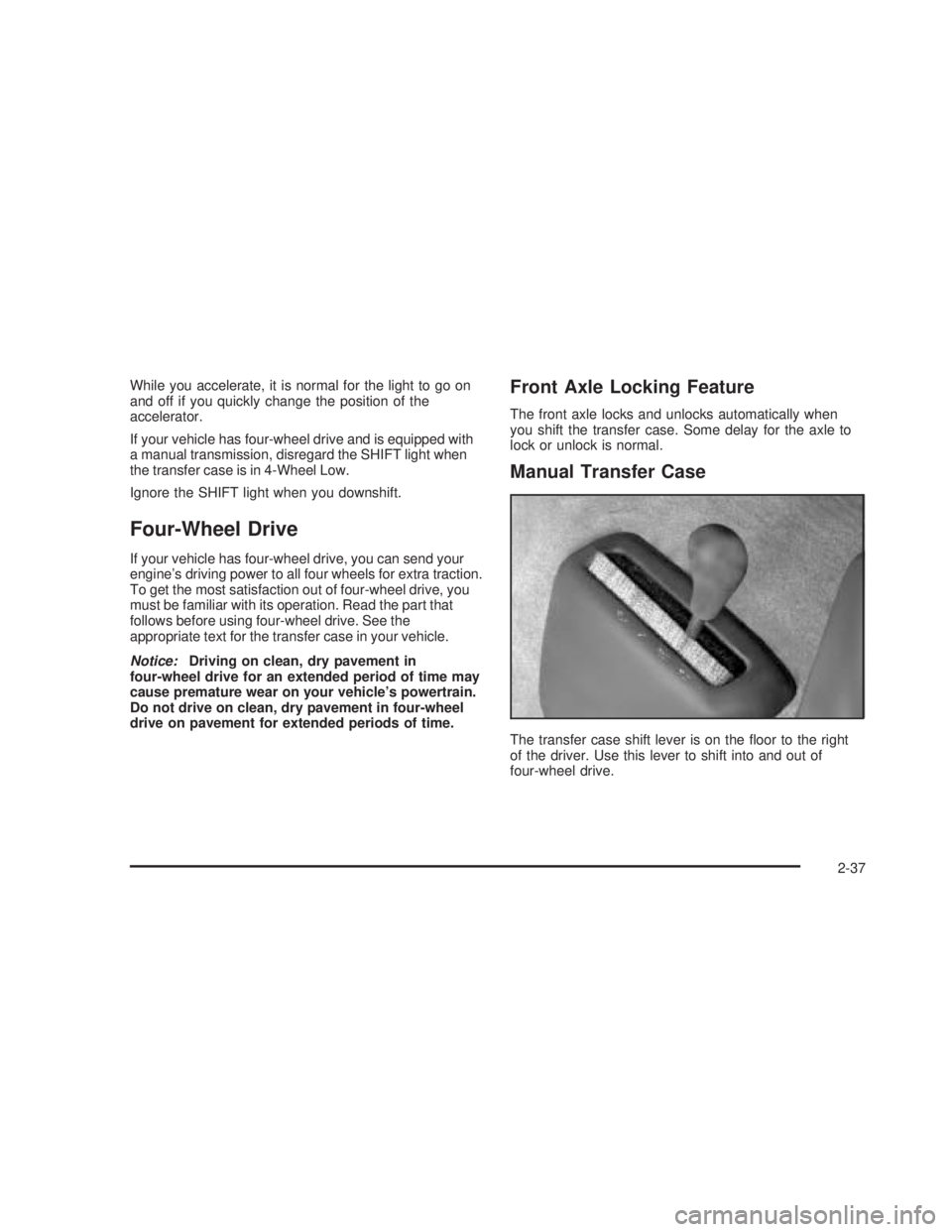
The transfer case shift lever is on the oor to the right
of the driver. Use this lever to shift into and out of
four-wheel drive.
2-37
Page 128 of 574
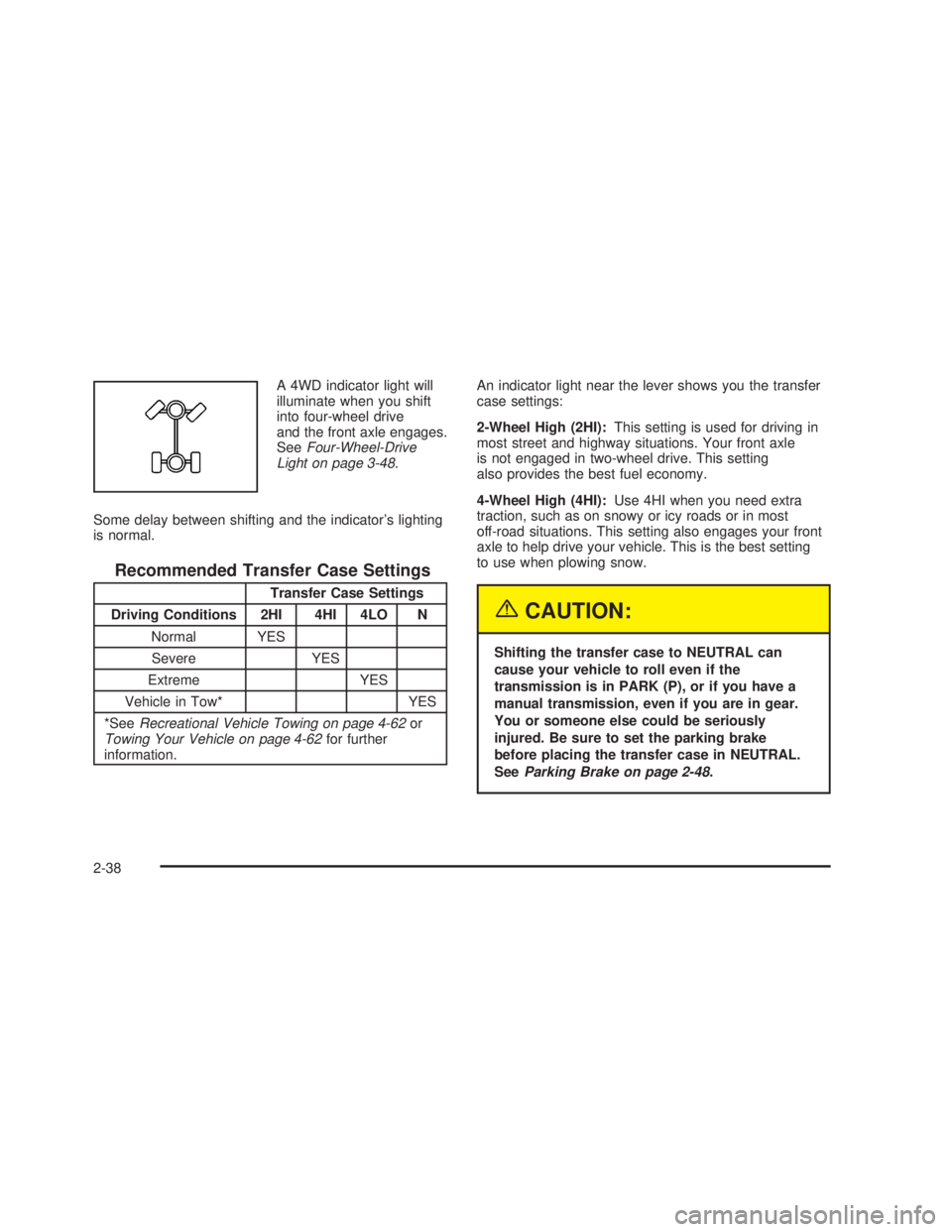
A 4WD indicator light will
illuminate when you shift
into four-wheel drive
and the front axle engages.
SeeFour-Wheel-Drive
Light on page 3-48.
Some delay between shifting and the indicator’s lighting
is normal.
Recommended Transfer Case Settings
Transfer Case Settings
Driving Conditions 2HI 4HI 4LO N
Normal YES
Severe YES
Extreme YES
Vehicle in Tow* YES
*SeeRecreational Vehicle Towing on page 4-62or
Towing Your Vehicle on page 4-62for further
information.An indicator light near the lever shows you the transfer
case settings:
2-Wheel High (2HI):This setting is used for driving in
most street and highway situations. Your front axle
is not engaged in two-wheel drive. This setting
also provides the best fuel economy.
4-Wheel High (4HI):Use 4HI when you need extra
traction, such as on snowy or icy roads or in most
off-road situations. This setting also engages your front
axle to help drive your vehicle. This is the best setting
to use when plowing snow.
{CAUTION:
Shifting the transfer case to NEUTRAL can
cause your vehicle to roll even if the
transmission is in PARK (P), or if you have a
manual transmission, even if you are in gear.
You or someone else could be seriously
injured. Be sure to set the parking brake
before placing the transfer case in NEUTRAL.
SeeParking Brake on page 2-48.
2-38
Page 129 of 574
NEUTRAL (N):Shift to this setting only when your
vehicle needs to be towed. SeeRecreational Vehicle
Towing on page 4-62orTowing Your Vehicle on
page 4-62.
4-Wheel Low (4LO):This setting also engages your
front axle and delivers extra torque. You may never
need 4LO. It sends maximum power to all four wheels.
You might choose 4LO if you are driving off-road in
deep sand, deep mud, deep snow and climbing
or descending steep hills. When operating in 4LO, the
gear ratio is extra deep when compared to 4HI. The
transmission gear shift feel will be exaggerated.
You can shift from 2-Wheel High (2HI) to
4-Wheel High (4HI) or from 4-Wheel High (4HI) to
2-Wheel High (2HI) while the vehicle is moving. Your
front axle will engage faster if you take your foot off of the
accelerator for a couple of seconds after you shift. In
extremely cold weather, it may be necessary to stop or
slow the vehicle to shift into 4-Wheel High (4HI).
When Using the Manual Transfer Case
All shifts should be made using quick motions. Slow
shifts may make it harder to shift.
You may notice that it is harder to shift when the
vehicle is cold. When the vehicle warms up the
shifting will return to normal.
While in 4-Wheel High (4HI) or 4-Wheel Low (4LO)
you may experience reduced fuel economy.
Avoid driving in 4-Wheel Drive on clean, dry
pavement. It may cause your tires to wear faster,
and make your transfer case harder to shift and run
noisier.
Shifting from 2HI to 4HI
Shifts between 2HI and 4HI can be made at any
vehicle speed.
It is easiest to shift the transfer case when
maintaining a constant speed or a slight
acceleration. If possible, avoid shifting while slowing
down, as it will may make it harder to shift.
Shift your transfer case lever in one continuous
motion into either the 4HI or 2HI position.
In extremely cold weather, it may be necessary to
slow or stop the vehicle to shift into 4HI until your
vehicle has warmed up.
While in 4HI, your vehicle can be driven at any
posted legal speed limit.
2-39
Page 130 of 574
Shifting In or Out of 4LO
Notice:Shifting the transfer case into 4LO while
moving at speeds faster than 3 mph (5 km/h)
may cause premature wear to the transfer case, and
may cause the gears to grind. To avoid causing
premature wear, and grinding the gears, do not shift
the transfer case into 4LO while the vehicle is
moving faster than 3 mph (5 km/h).
Shifts into 4LO can be made with the vehicle at a stop,
or while slowly rolling about 1 to 3 mph (2 to 5 km/h).
Shift the automatic transmission into NEUTRAL (N),
or with a manual transmission, press the clutch
pedal, or shift into NEUTRAL.
Shift the transfer case shift lever in one continuous
motion into the 4LO position.
When in 4LO do not drive faster than 45 mph.
This will reduce wear and extend the life of
your transfer case.
Shifting In or Out of NEUTRAL
1. With the vehicle running and the engine at an idle
set the parking brake.
2. Place the transmission into NEUTRAL (N).
Shift the transfer case in one continuous motion into or
out of the NEUTRAL (N) position.
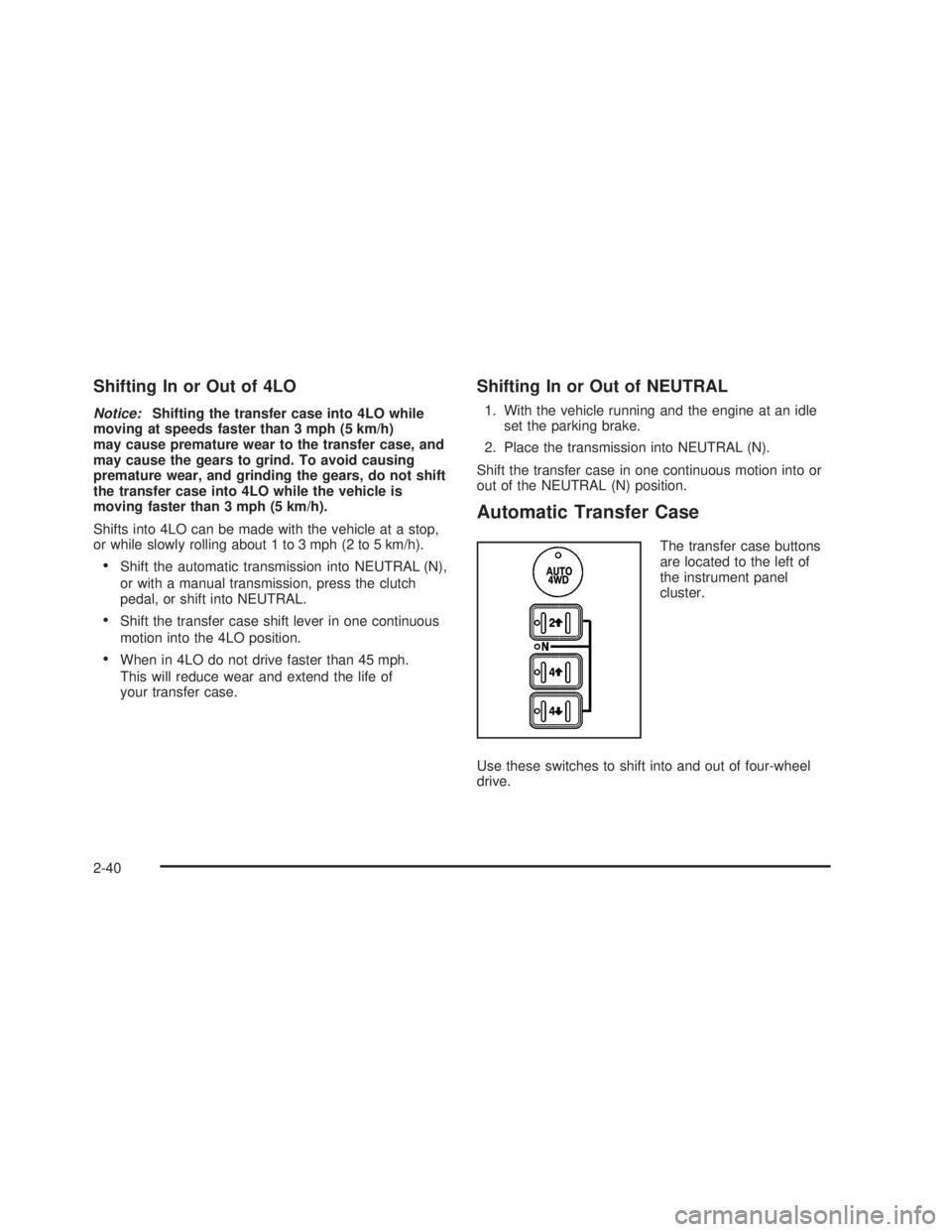
Automatic Transfer Case
The transfer case buttons
are located to the left of
the instrument panel
cluster.
Use these switches to shift into and out of four-wheel
drive.
2-40
Page 131 of 574
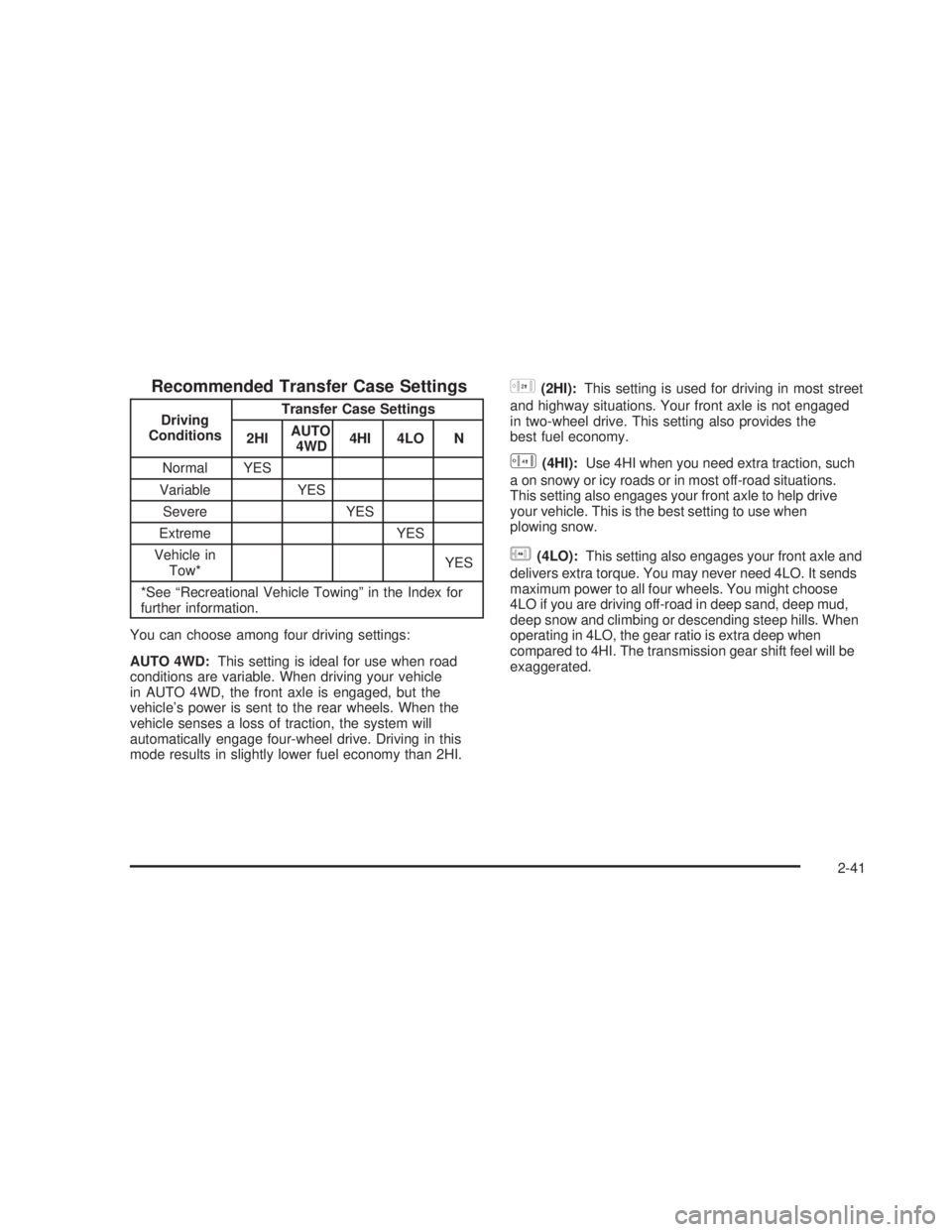
Recommended Transfer Case Settings
Driving
ConditionsTransfer Case Settings
2HIAUTO
4WD4HI 4LO N
Normal YES
Variable YES
Severe YES
Extreme YES
Vehicle in
Tow*YES
*See “Recreational Vehicle Towing” in the Index for
further information.
You can choose among four driving settings:
AUTO 4WD:This setting is ideal for use when road
conditions are variable. When driving your vehicle
in AUTO 4WD, the front axle is engaged, but the
vehicle’s power is sent to the rear wheels. When the
vehicle senses a loss of traction, the system will
automatically engage four-wheel drive. Driving in this
mode results in slightly lower fuel economy than 2HI.
h(2HI):This setting is used for driving in most street
and highway situations. Your front axle is not engaged
in two-wheel drive. This setting also provides the
best fuel economy.
G(4HI):Use 4HI when you need extra traction, such
a on snowy or icy roads or in most off-road situations.
This setting also engages your front axle to help drive
your vehicle. This is the best setting to use when
plowing snow.
g(4LO):This setting also engages your front axle and
delivers extra torque. You may never need 4LO. It sends
maximum power to all four wheels. You might choose
4LO if you are driving off-road in deep sand, deep mud,
deep snow and climbing or descending steep hills. When
operating in 4LO, the gear ratio is extra deep when
compared to 4HI. The transmission gear shift feel will be
exaggerated.
2-41
Page 134 of 574
5. Shift the transmission to REVERSE (R) for one
second, then shift the transmission to DRIVE (D)
for one second, or FIRST (1) for vehicles equipped
with a manual transmission.
6. Turn the ignition to LOCK.
Shifting Out of NEUTRAL
To shift out of NEUTRAL:
1. Shift the transmission to NEUTRAL (N) and turn the
ignition to RUN with the engine off.
2. Press the button for the desired transfer case shift
position (2HI, 4HI, AUTO 4WD or 4LO).
3. After the transfer case has shifted out of NEUTRAL
the red light will go out.
Excessively shifting the transfer case into or out of the
different modes may cause the transfer case to
enter the shift protection mode. This will protect the
transfer case from possible damage and will only allow
the transfer case to respond to one shift per
10 seconds. The transfer case may stay in this mode for
up to three minutes.
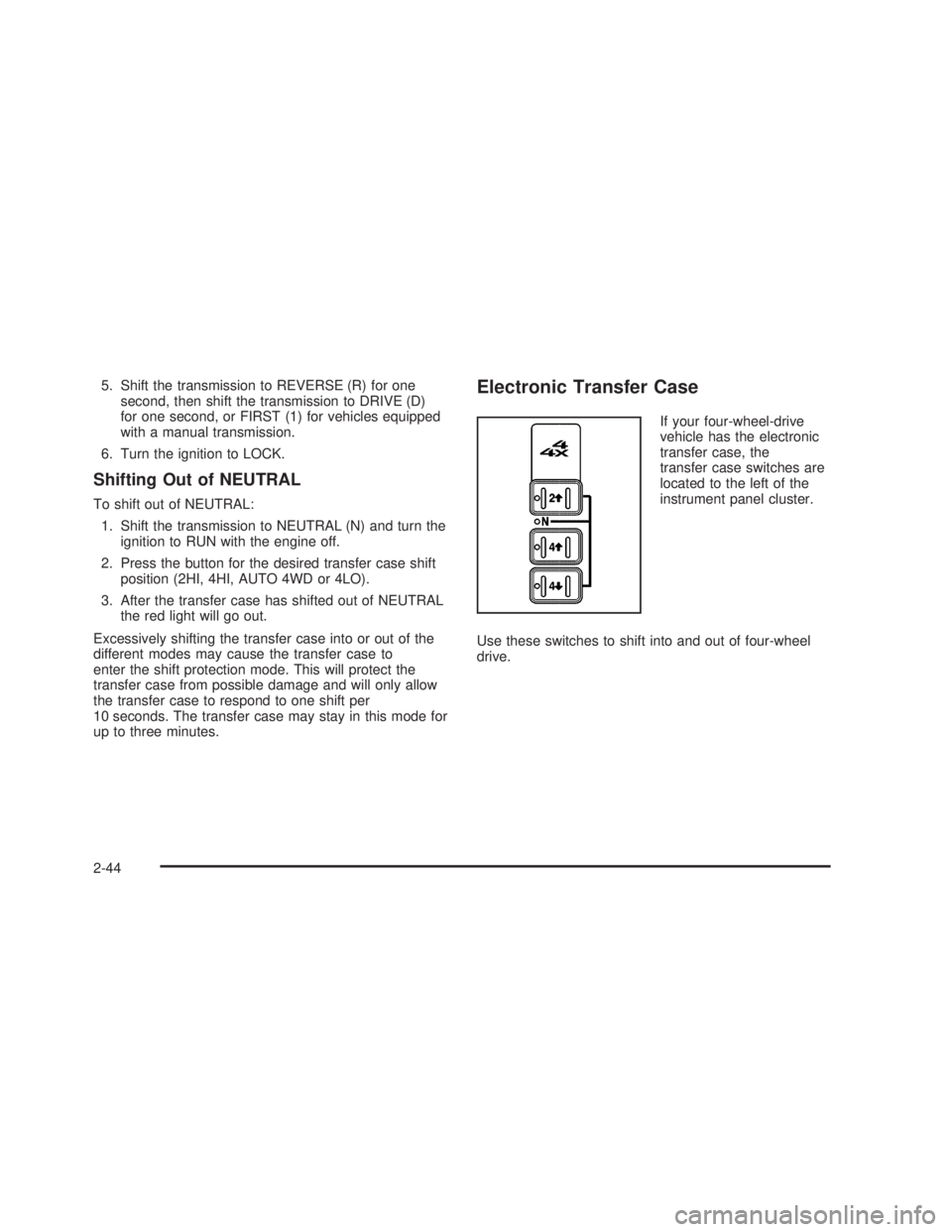
Electronic Transfer Case
If your four-wheel-drive
vehicle has the electronic
transfer case, the
transfer case switches are
located to the left of the
instrument panel cluster.
Use these switches to shift into and out of four-wheel
drive.
2-44