display GMC SIERRA 2006 User Guide
[x] Cancel search | Manufacturer: GMC, Model Year: 2006, Model line: SIERRA, Model: GMC SIERRA 2006Pages: 600, PDF Size: 3.49 MB
Page 159 of 600
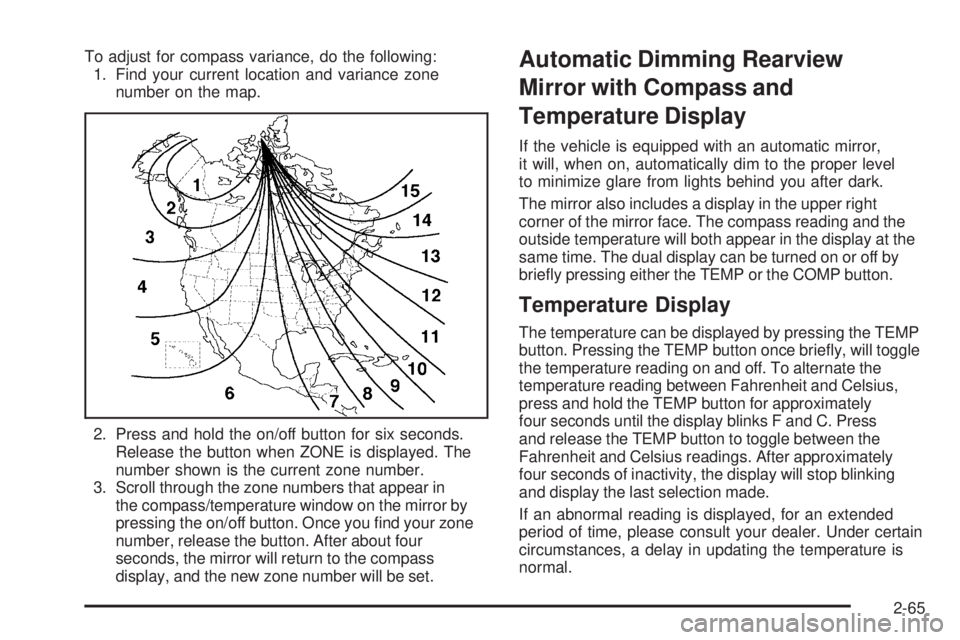
To adjust for compass variance, do the following:
1. Find your current location and variance zone
number on the map.
2. Press and hold the on/off button for six seconds.
Release the button when ZONE is displayed. The
number shown is the current zone number.
3. Scroll through the zone numbers that appear in
the compass/temperature window on the mirror by
pressing the on/off button. Once you nd your zone
number, release the button. After about four
seconds, the mirror will return to the compass
display, and the new zone number will be set.Automatic Dimming Rearview
Mirror with Compass and
Temperature Display
If the vehicle is equipped with an automatic mirror,
it will, when on, automatically dim to the proper level
to minimize glare from lights behind you after dark.
The mirror also includes a display in the upper right
corner of the mirror face. The compass reading and the
outside temperature will both appear in the display at the
same time. The dual display can be turned on or off by
briey pressing either the TEMP or the COMP button.
Temperature Display
The temperature can be displayed by pressing the TEMP
button. Pressing the TEMP button once briey, will toggle
the temperature reading on and off. To alternate the
temperature reading between Fahrenheit and Celsius,
press and hold the TEMP button for approximately
four seconds until the display blinks F and C. Press
and release the TEMP button to toggle between the
Fahrenheit and Celsius readings. After approximately
four seconds of inactivity, the display will stop blinking
and display the last selection made.
If an abnormal reading is displayed, for an extended
period of time, please consult your dealer. Under certain
circumstances, a delay in updating the temperature is
normal.
2-65
Page 160 of 600
Automatic Dimming Mirror Operation
The time period you need to press and hold the TEMP
button to turn the automatic dimming feature on or off is
approximately eight seconds. The indicator light to the left
of the TEMP button will still turn on or off to show you
when the automatic dimming feature is activated. Once
the mirror is turned off, it will remain off until it is turned
back on, or until the vehicle is restarted.
Compass Operation
Press the COMP button once briey to turn the compass
on or off.
When the ignition and the compass feature are on, the
compass will show two character boxes for approximately
two seconds. After two seconds, the mirror will display
the compass heading.
Compass Calibration
The compass may need calibration if one of the
following occurs:
If CAL is displayed while driving in the vehicle.
After approximately ve seconds, the display does
not show a compass heading (N for North, for
example), there may be a strong magnetic eld
interfering with the compass. Such interference may
be caused by a magnetic antenna mount, magnetic
note pad holder or a similar magnetic item.
The compass does not display the correct heading
and the compass zone variance is set correctly.
In order to calibrate, CAL must be displayed in the
mirror compass windows. If CAL is not displayed, push
in the COMP button for approximately eight seconds
or until CAL is displayed.
The compass can be calibrated by driving the vehicle in
circles at 5 mph (8 km/h) or less until the display reads a
direction.
2-66
Page 161 of 600
Compass Variance
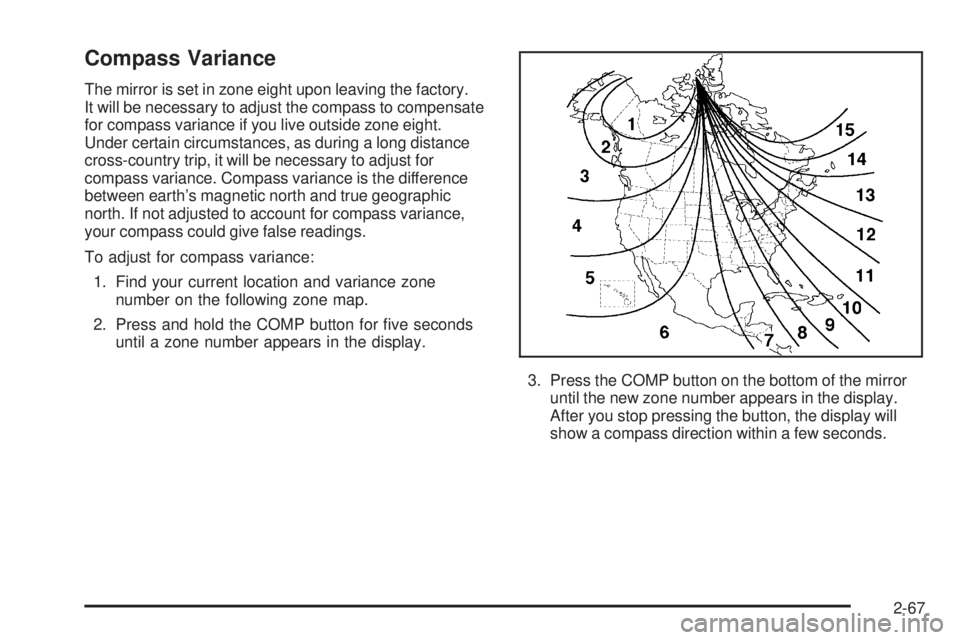
The mirror is set in zone eight upon leaving the factory.
It will be necessary to adjust the compass to compensate
for compass variance if you live outside zone eight.
Under certain circumstances, as during a long distance
cross-country trip, it will be necessary to adjust for
compass variance. Compass variance is the difference
between earth’s magnetic north and true geographic
north. If not adjusted to account for compass variance,
your compass could give false readings.
To adjust for compass variance:
1. Find your current location and variance zone
number on the following zone map.
2. Press and hold the COMP button for ve seconds
until a zone number appears in the display.
3. Press the COMP button on the bottom of the mirror
until the new zone number appears in the display.
After you stop pressing the button, the display will
show a compass direction within a few seconds.
2-67
Page 162 of 600
Passenger Airbag Indicator
The mirror may be equipped with a passenger airbag
indicator on the mirror glass, just above the buttons.
If the vehicle has this feature the mirror will display the
word ON, or an airbag symbol in Canada, when the
passenger airbag is enabled. For more information see
Passenger Sensing System on page 1-81
Cleaning the Mirror
When cleaning the mirror, use a paper towel or similar
material dampened with glass cleaner. Do not spray
glass cleaner directly on the mirror as that may cause
the liquid cleaner to enter the mirror housing.
Outside Manual Mirrors
Adjust your outside mirrors so you can just see the side of
your vehicle and have a clear view of objects behind you.
The mirrors can be folded in to enter narrow areas.
The use of hood-mounted air deectors and add-on
convex mirror attachments may adversely affect mirror
performance.
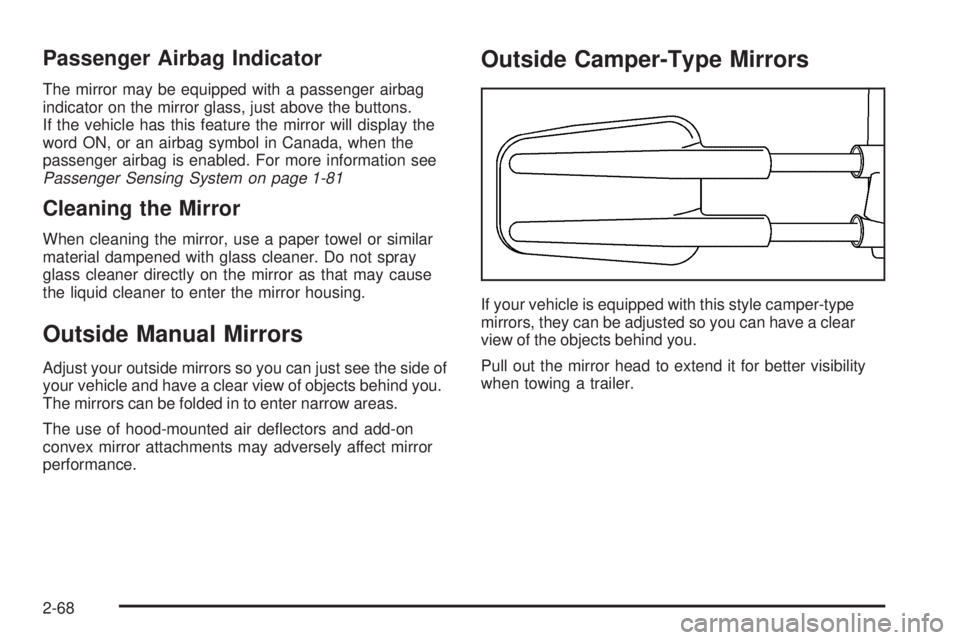
Outside Camper-Type Mirrors
If your vehicle is equipped with this style camper-type
mirrors, they can be adjusted so you can have a clear
view of the objects behind you.
Pull out the mirror head to extend it for better visibility
when towing a trailer.
2-68
Page 180 of 600
Highbeam On Light.......................................3-49
Four-Wheel-Drive Light..................................3-50
Tow/Haul Mode Light....................................3-50
Cargo Lamp Light.........................................3-50
Fuel Gage...................................................3-51
Low Fuel Warning Light.................................3-51
Driver Information Center (DIC).......................3-52
DIC Operation and Displays...........................3-53
DIC Warnings and Messages.........................3-55
DIC Vehicle Customization.............................3-64
Audio System(s).............................................3-70
Setting the Time for Radios without
Radio Data Systems (RDS)........................3-71
Setting the Time for Radios with
Radio Data Systems (RDS)........................3-71
AM-FM Radio...............................................3-72Radio with CD..............................................3-75
Radio with Cassette and CD..........................3-85
Radio with Six-Disc CD................................3-100
Rear Seat Entertainment System...................3-115
Rear Seat Audio (RSA)................................3-127
Theft-Deterrent Feature................................3-129
Audio Steering Wheel Controls......................3-129
Radio Reception.........................................3-130
Care of the Cassette Tape Player.................3-131
Care of Your CDs and DVDs........................3-132
Care of the CD and DVD Player...................3-132
Fixed Mast Antenna....................................3-132
XM™ Satellite Radio Antenna System............3-133
Chime Level Adjustment...............................3-133
Section 3 Instrument Panel
3-2
Page 196 of 600
Auxiliary Roof Mounted Lamp
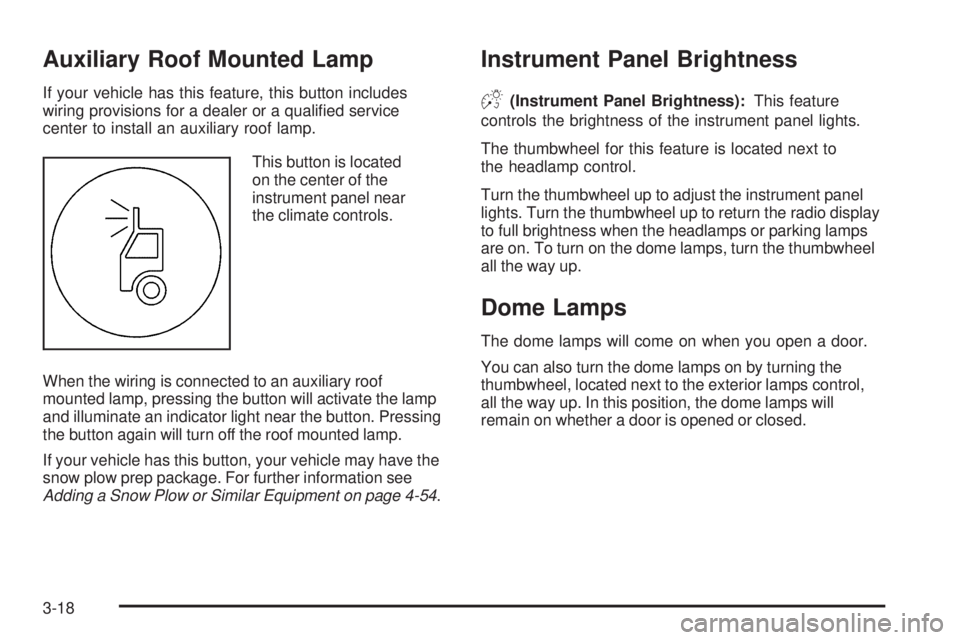
If your vehicle has this feature, this button includes
wiring provisions for a dealer or a qualied service
center to install an auxiliary roof lamp.
This button is located
on the center of the
instrument panel near
the climate controls.
When the wiring is connected to an auxiliary roof
mounted lamp, pressing the button will activate the lamp
and illuminate an indicator light near the button. Pressing
the button again will turn off the roof mounted lamp.
If your vehicle has this button, your vehicle may have the
snow plow prep package. For further information see
Adding a Snow Plow or Similar Equipment on page 4-54.
Instrument Panel Brightness
D(Instrument Panel Brightness):This feature
controls the brightness of the instrument panel lights.
The thumbwheel for this feature is located next to
the headlamp control.
Turn the thumbwheel up to adjust the instrument panel
lights. Turn the thumbwheel up to return the radio display
to full brightness when the headlamps or parking lamps
are on. To turn on the dome lamps, turn the thumbwheel
all the way up.
Dome Lamps
The dome lamps will come on when you open a door.
You can also turn the dome lamps on by turning the
thumbwheel, located next to the exterior lamps control,
all the way up. In this position, the dome lamps will
remain on whether a door is opened or closed.
3-18
Page 203 of 600
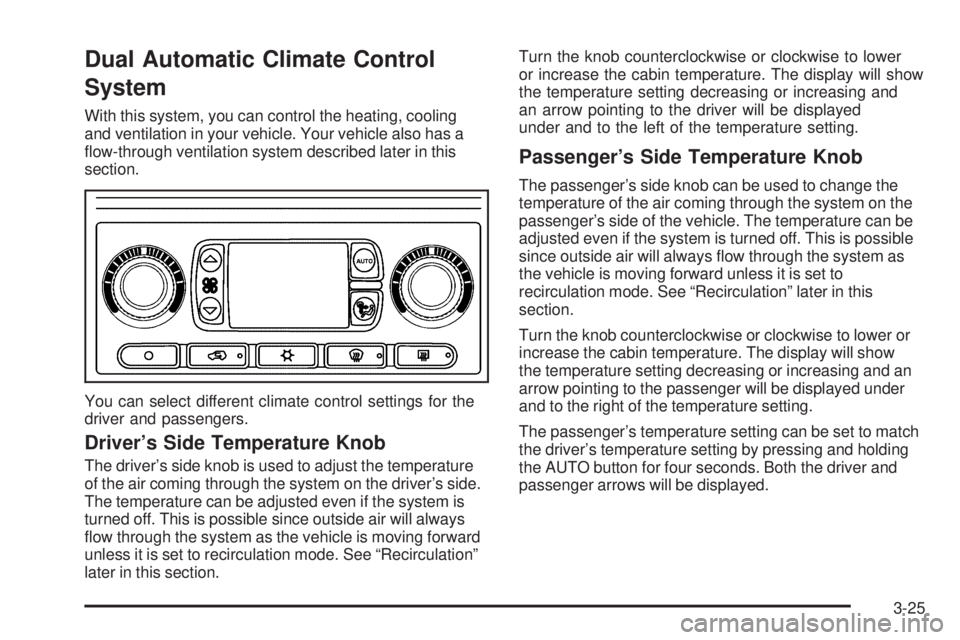
Dual Automatic Climate Control
System
With this system, you can control the heating, cooling
and ventilation in your vehicle. Your vehicle also has a
ow-through ventilation system described later in this
section.
You can select different climate control settings for the
driver and passengers.
Driver’s Side Temperature Knob
The driver’s side knob is used to adjust the temperature
of the air coming through the system on the driver’s side.
The temperature can be adjusted even if the system is
turned off. This is possible since outside air will always
ow through the system as the vehicle is moving forward
unless it is set to recirculation mode. See “Recirculation”
later in this section.Turn the knob counterclockwise or clockwise to lower
or increase the cabin temperature. The display will show
the temperature setting decreasing or increasing and
an arrow pointing to the driver will be displayed
under and to the left of the temperature setting.
Passenger’s Side Temperature Knob
The passenger’s side knob can be used to change the
temperature of the air coming through the system on the
passenger’s side of the vehicle. The temperature can be
adjusted even if the system is turned off. This is possible
since outside air will always ow through the system as
the vehicle is moving forward unless it is set to
recirculation mode. See “Recirculation” later in this
section.
Turn the knob counterclockwise or clockwise to lower or
increase the cabin temperature. The display will show
the temperature setting decreasing or increasing and an
arrow pointing to the passenger will be displayed under
and to the right of the temperature setting.
The passenger’s temperature setting can be set to match
the driver’s temperature setting by pressing and holding
the AUTO button for four seconds. Both the driver and
passenger arrows will be displayed.
3-25
Page 204 of 600
Automatic Operation
AUTO (Automatic):When automatic operation is
active the system will control the inside temperature,
the air delivery, and the fan speed.
Use the steps below to place the entire system in
automatic mode:
1. Press the AUTO button.
When AUTO is selected, the display will change to
show the current driver’s set temperature, delivery
mode and fan speed. Press the AUTO button again
within ve seconds to display the passenger’s set
temperature.
If the driver and passenger’s temperature settings
are not the same, the opposite side temperature
setting will be displayed for an additional
ve seconds. To make the passenger’s
temperature the same as the driver’s press and
hold the AUTO button for about four seconds.
When AUTO is selected, the air conditioning
operation and air inlet will be automatically
controlled. The air conditioning compressor will
run when the outside temperature is over about
40°F (4°C). The air inlet will normally be set to
outside air. If it’s hot outside, the air inlet may
automatically switch to recirculate inside air to help
quickly cool down your vehicle. The light on the
button will illuminate in recirculation.2. Set the driver’s and passenger’s temperature.
To nd your comfort setting, start with a 74°F (23°C)
temperature setting and allow about 20 minutes
for the system to regulate. Turn the driver’s or
passenger’s side temperature knob to adjust the
temperature setting as necessary. If you choose the
temperature setting of 60°F (15°C) the system will
remain at the maximum cooling setting. If you choose
the temperature setting of 90°F (32°C) the system
will remain at the maximum heat setting. Choosing
either maximum setting will not cause the vehicle to
heat or cool any faster.
Be careful not to cover the sensor located on the
top of the instrument panel near the windshield.
This sensor regulates air temperature based on
sun load, and also turns on your headlamps.
To avoid blowing cold air in cold weather, the
system will delay turning on the fan until warm air is
available. The length of delay depends on the engine
coolant temperature. Pressing the fan switch will
override this delay and change the fan to a selected
speed.
3-26
Page 205 of 600
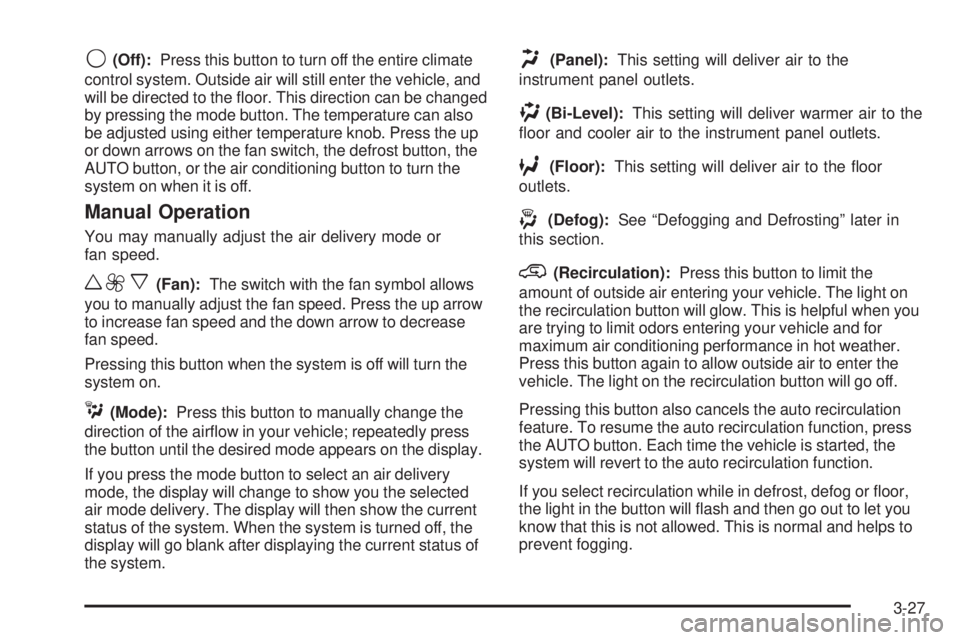
9(Off):Press this button to turn off the entire climate
control system. Outside air will still enter the vehicle, and
will be directed to the oor. This direction can be changed
by pressing the mode button. The temperature can also
be adjusted using either temperature knob. Press the up
or down arrows on the fan switch, the defrost button, the
AUTO button, or the air conditioning button to turn the
system on when it is off.
Manual Operation
You may manually adjust the air delivery mode or
fan speed.
w9x(Fan):The switch with the fan symbol allows
you to manually adjust the fan speed. Press the up arrow
to increase fan speed and the down arrow to decrease
fan speed.
Pressing this button when the system is off will turn the
system on.
C(Mode):Press this button to manually change the
direction of the airow in your vehicle; repeatedly press
the button until the desired mode appears on the display.
If you press the mode button to select an air delivery
mode, the display will change to show you the selected
air mode delivery. The display will then show the current
status of the system. When the system is turned off, the
display will go blank after displaying the current status of
the system.
H(Panel):This setting will deliver air to the
instrument panel outlets.
)(Bi-Level):This setting will deliver warmer air to the
oor and cooler air to the instrument panel outlets.
6(Floor):This setting will deliver air to the oor
outlets.
-(Defog):See “Defogging and Defrosting” later in
this section.
@(Recirculation):Press this button to limit the
amount of outside air entering your vehicle. The light on
the recirculation button will glow. This is helpful when you
are trying to limit odors entering your vehicle and for
maximum air conditioning performance in hot weather.
Press this button again to allow outside air to enter the
vehicle. The light on the recirculation button will go off.
Pressing this button also cancels the auto recirculation
feature. To resume the auto recirculation function, press
the AUTO button. Each time the vehicle is started, the
system will revert to the auto recirculation function.
If you select recirculation while in defrost, defog or oor,
the light in the button will ash and then go out to let you
know that this is not allowed. This is normal and helps to
prevent fogging.
3-27
Page 206 of 600
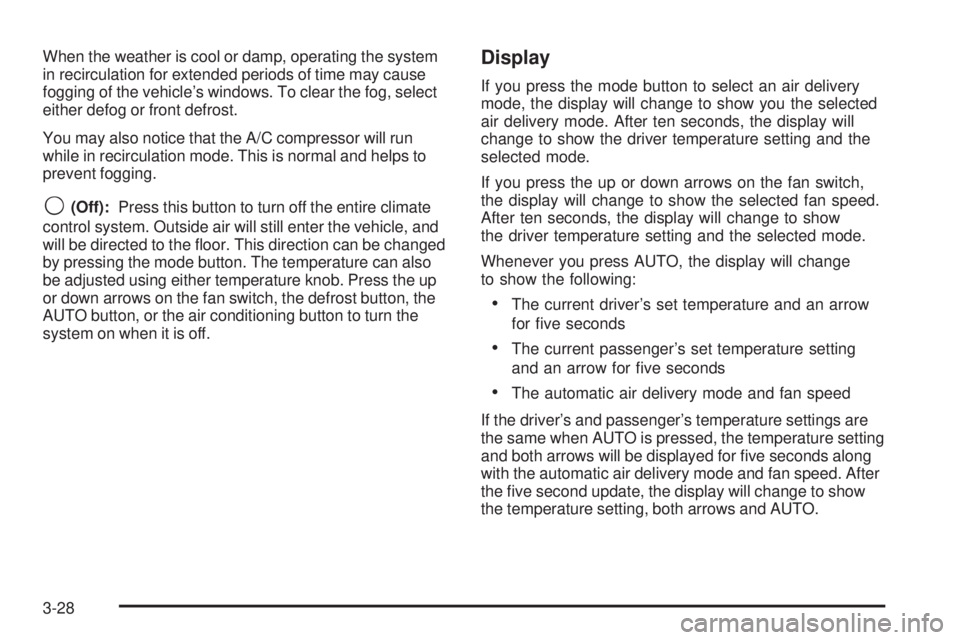
When the weather is cool or damp, operating the system
in recirculation for extended periods of time may cause
fogging of the vehicle’s windows. To clear the fog, select
either defog or front defrost.
You may also notice that the A/C compressor will run
while in recirculation mode. This is normal and helps to
prevent fogging.
9(Off):Press this button to turn off the entire climate
control system. Outside air will still enter the vehicle, and
will be directed to the oor. This direction can be changed
by pressing the mode button. The temperature can also
be adjusted using either temperature knob. Press the up
or down arrows on the fan switch, the defrost button, the
AUTO button, or the air conditioning button to turn the
system on when it is off.
Display
If you press the mode button to select an air delivery
mode, the display will change to show you the selected
air delivery mode. After ten seconds, the display will
change to show the driver temperature setting and the
selected mode.
If you press the up or down arrows on the fan switch,
the display will change to show the selected fan speed.
After ten seconds, the display will change to show
the driver temperature setting and the selected mode.
Whenever you press AUTO, the display will change
to show the following:
The current driver’s set temperature and an arrow
for ve seconds
The current passenger’s set temperature setting
and an arrow for ve seconds
The automatic air delivery mode and fan speed
If the driver’s and passenger’s temperature settings are
the same when AUTO is pressed, the temperature setting
and both arrows will be displayed for ve seconds along
with the automatic air delivery mode and fan speed. After
the ve second update, the display will change to show
the temperature setting, both arrows and AUTO.
3-28