airbag GMC SIERRA 2006 Workshop Manual
[x] Cancel search | Manufacturer: GMC, Model Year: 2006, Model line: SIERRA, Model: GMC SIERRA 2006Pages: 600, PDF Size: 3.49 MB
Page 234 of 600
BATTERY NOT CHARGING
On some vehicles, if the battery is not charging during
operation, this message will appear on the DIC. Driving
with this problem could drain your battery. Have the
electrical system checked by your GM dealer as soon
as possible. Pressing any of the four DIC buttons will
acknowledge the message and clear it from the DIC
display. If your vehicle does not have the four DIC
buttons, pressing the trip odometer reset stem will
acknowledge the message and clear it from the DIC
display. SeeBattery Warning Light on page 3-40and
Voltmeter Gage on page 3-40.
BUCKLE PASSENGER
If your vehicle has the passenger sensing system,
this message reminds you to buckle the passenger’s
seat belt. SeePassenger Sensing System on page 1-81.
This message will display and a chime will sound when
the ignition is on, the driver’s seat belt is buckled, the
passenger’s seat belt is unbuckled with the passenger
airbag enabled, and the vehicle is in motion. You should
have the passenger buckle their seat belt.
This reminder will be repeated if the ignition is on,
the vehicle is in motion, the driver is buckled and the
passenger is still unbuckled, and the passenger airbag is
enabled. If the passenger’s seat belt is already buckled,
this message and chime will not come on.Pressing any of the four DIC buttons will acknowledge
the message and clear it from the DIC display. If
your vehicle does not have the four DIC buttons,
pressing the trip odometer reset stem will acknowledge
the message and clear it from the DIC display.
BUCKLE SEATBELT
If your vehicle has the passenger sensing system,
this message reminds you to buckle the driver’s seat
belt. SeePassenger Sensing System on page 1-81.
This message will display and a chime will sound when
the ignition is on, the driver’s seat belt is unbuckled, and
the vehicle is in motion. You should buckle your seat belt.
If the driver remains unbuckled when the ignition is
on and the vehicle is in motion, the reminder will be
repeated. If the driver’s seat belt is already buckled,
this message and chime will not come on.
This message is an additional reminder to the Safety
Belt Reminder Light in the instrument panel cluster.
SeeSafety Belt Reminder Light on page 3-34for more
information.
Pressing any of the four DIC buttons will acknowledge the
message and clear it from the DIC display. If your vehicle
does not have the four DIC buttons, pressing the trip
odometer reset stem will acknowledge the message and
clear it from the DIC display.
3-56
Page 239 of 600
SERVICE 4WD (Four-Wheel-Drive)
If a problem occurs with the four-wheel-drive system,
this message will appear on the DIC. If this message
appears, stop as soon as possible and turn off the
vehicle. Restart the vehicle and check for the message
on the DIC display. If the message is still displayed
or appears again when you begin driving, the
four-wheel-drive system needs service. See your
GM dealer.
SERVICE AIRBAG
If there is a problem with the airbag system, this message
will be displayed on the DIC. Have your GM dealer
inspect the system for problems. SeeAirbag Readiness
Light on page 3-35andAirbag System on page 1-70for
more information. Pressing any of the four DIC buttons
will acknowledge the message and clear it from the
DIC display. If your vehicle does not have the four DIC
buttons, pressing the trip odometer reset stem will
acknowledge the message and clear it from the
DIC display.
SERVICE BRAKE BOOSTER
{CAUTION:
Your brake system may not be working
properly if the SERVICE BRAKE BOOSTER
message is displayed.
If the brake system warning light is also on,
you should have the vehicle towed for service.
SeeBrake System Warning Light on page 3-41.
If the brake system warning light is not on, you
still have brakes, but the supplemental brake
assist system on vehicles with rear disc brakes
may not operate properly. In the event of a
vacuum loss, you may not have vacuum power
assist for braking. The brake pedal will be
harder to push and it will take longer to stop.
If you continue to drive with this message
displayed it can lead to a crash. Have the
brake system serviced as soon as possible.
If your vehicle has vacuum assist power brakes, this
message will be displayed on the DIC when there is a
problem with the Supplemental Brake Assist system.
3-61
Page 417 of 600
Doing Your Own Service Work
{CAUTION:
You can be injured and your vehicle could be
damaged if you try to do service work on a
vehicle without knowing enough about it.
Be sure you have sufficient knowledge,
experience, the proper replacement parts,
and tools before you attempt any vehicle
maintenance task.
Be sure to use the proper nuts, bolts,
and other fasteners. English and metric
fasteners can be easily confused. If you use
the wrong fasteners, parts can later break
or fall off. You could be hurt.
If you want to do some of your own service work, you will
want to use the proper service manual. It tells you much
more about how to service your vehicle than this manual
can. To order the proper service manual, seeService
Publications Ordering Information on page 7-15.Your vehicle has an airbag system. Before attempting
to do your own service work, seeServicing Your
Airbag-Equipped Vehicle on page 1-86.
You should keep a record with all parts receipts and list
the mileage and the date of any service work you
perform. SeeMaintenance Record on page 6-20.
Adding Equipment to the Outside of
Your Vehicle
Things you might add to the outside of your vehicle can
affect the airow around it. This may cause wind noise
and affect windshield washer performance. Check with
your dealer before adding equipment to the outside of
your vehicle.
Fuel
If your vehicle has a diesel engine, see “Diesel Fuel
Requirements and Fuel System” in the DURAMAX®
Diesel Supplement.
For vehicles with gasoline engines, please read this.
5-5
Page 535 of 600
Electrical System
Add-On Electrical Equipment
Notice:Don’t add anything electrical to your vehicle
unless you check with your dealer rst. Some
electrical equipment can damage your vehicle and
the damage wouldn’t be covered by your warranty.
Some add-on electrical equipment can keep other
components from working as they should.
Your vehicle has an airbag system. Before attempting to
add anything electrical to your vehicle, seeServicing
Your Airbag-Equipped Vehicle on page 1-86.
Windshield Wiper Fuses
The windshield wiper motor is protected by an internal
circuit breaker and a fuse. If the motor overheats due to
heavy snow, etc., the wiper will stop until the motor
cools. If the overload is caused by some electrical
problem and not snow, etc., be sure to get it xed.
Power Windows and Other
Power Options
Circuit breakers protect the power windows and other
power accessories. When the current load is too heavy,
the circuit breaker opens and closes, protecting the
circuit until the problem is xed or goes away.
Fuses and Circuit Breakers
The wiring circuits in your vehicle are protected from
short circuits by a combination of fuses, circuit breakers
and fusible thermal links. This greatly reduces the
chance of res caused by electrical problems.
Look at the silver-colored band inside the fuse. If the
band is broken or melted, replace the fuse. Be sure you
replace a bad fuse with a new one of the identical
size and rating.
If you ever have a problem on the road and don’t have
a spare fuse, you can borrow one that has the same
amperage. Just pick some feature of your vehicle
that you can get along without – like the radio or
cigarette lighter – and use its fuse, if it is the correct
amperage. Replace it as soon as you can.
5-123
Page 542 of 600

Fuses Usage
LR PARKLeft Rear Parking and
Sidemarker Lamps
PARK LP Parking Lamps Relay
STRTR Starter Relay
INTPARK Interior Lamps
STOP LP Stoplamps
TBC BATTTruck Body Controller Battery
Feed
SEO B2 Off-Road Lamps
4WS Not Used
AUX PWRAuxiliary Power Outlet —
Console
PCM 1 Powertrain Control Module
ETC/ECMElectronic Throttle Control,
Electronic Brake
Controller-Gasoline Engine,
Fan Clutch-Diesel Engines
IGN EInstrument Panel Cluster,
Air Conditioning Relay,
Turn Signal/Hazard Switch,
Starter RelayFuses Usage
RTD Ride Control
TRL B/U Backup Lamps Trailer Wiring
F/PMP Fuel Pump (Relay)
B/U LPBack-up Lamps, Automatic
Transmission Shift Lock
Control System
RR DEFOG Rear Window Defogger
HDLP-HI Headlamp High Beam Relay
PRIME Not Used
AIRBAGSupplemental Inatable
Restraint System
FRT PARKFront Parking Lamps,
Sidemarker Lamps
DRLDaytime Running Lamps
(Relay)
SEO IGN Rear Defog Relay
TBC IGN1 Truck Body Controller Ignition
HI HDLP-LT High Beam Headlamp-Left
LH HID Not Used
5-130
Page 557 of 600
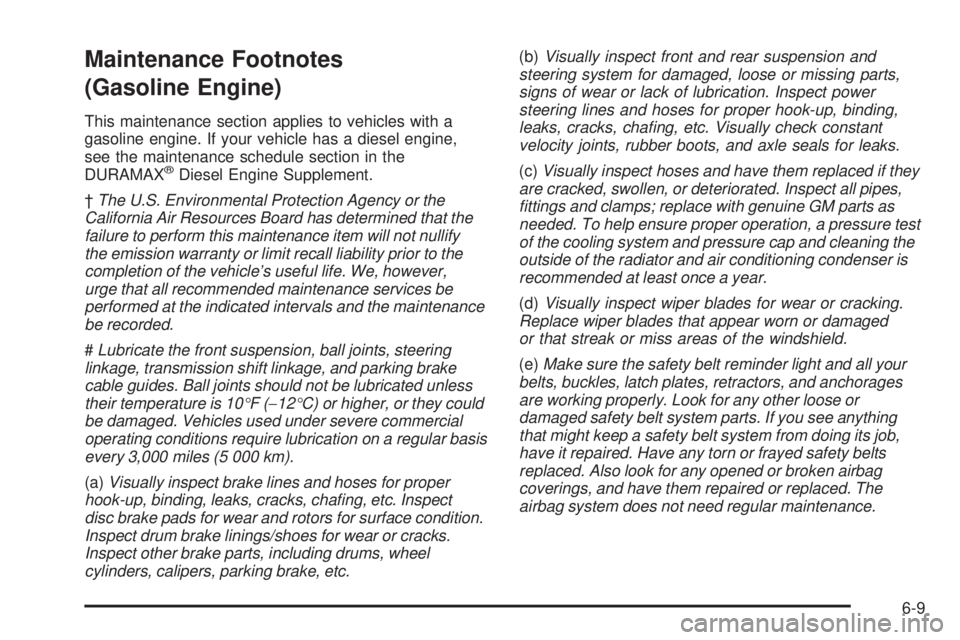
Maintenance Footnotes
(Gasoline Engine)
This maintenance section applies to vehicles with a
gasoline engine. If your vehicle has a diesel engine,
see the maintenance schedule section in the
DURAMAX
®Diesel Engine Supplement.
†The U.S. Environmental Protection Agency or the
California Air Resources Board has determined that the
failure to perform this maintenance item will not nullify
the emission warranty or limit recall liability prior to the
completion of the vehicle’s useful life. We, however,
urge that all recommended maintenance services be
performed at the indicated intervals and the maintenance
be recorded.
#Lubricate the front suspension, ball joints, steering
linkage, transmission shift linkage, and parking brake
cable guides. Ball joints should not be lubricated unless
their temperature is 10°F (−12°C) or higher, or they could
be damaged. Vehicles used under severe commercial
operating conditions require lubrication on a regular basis
every 3,000 miles (5 000 km).
(a)Visually inspect brake lines and hoses for proper
hook-up, binding, leaks, cracks, chang, etc. Inspect
disc brake pads for wear and rotors for surface condition.
Inspect drum brake linings/shoes for wear or cracks.
Inspect other brake parts, including drums, wheel
cylinders, calipers, parking brake, etc.(b)Visually inspect front and rear suspension and
steering system for damaged, loose or missing parts,
signs of wear or lack of lubrication. Inspect power
steering lines and hoses for proper hook-up, binding,
leaks, cracks, chang, etc. Visually check constant
velocity joints, rubber boots, and axle seals for leaks.
(c)Visually inspect hoses and have them replaced if they
are cracked, swollen, or deteriorated. Inspect all pipes,
ttings and clamps; replace with genuine GM parts as
needed. To help ensure proper operation, a pressure test
of the cooling system and pressure cap and cleaning the
outside of the radiator and air conditioning condenser is
recommended at least once a year.
(d)Visually inspect wiper blades for wear or cracking.
Replace wiper blades that appear worn or damaged
or that streak or miss areas of the windshield.
(e)Make sure the safety belt reminder light and all your
belts, buckles, latch plates, retractors, and anchorages
are working properly. Look for any other loose or
damaged safety belt system parts. If you see anything
that might keep a safety belt system from doing its job,
have it repaired. Have any torn or frayed safety belts
replaced. Also look for any opened or broken airbag
coverings, and have them repaired or replaced. The
airbag system does not need regular maintenance.
6-9
Page 579 of 600
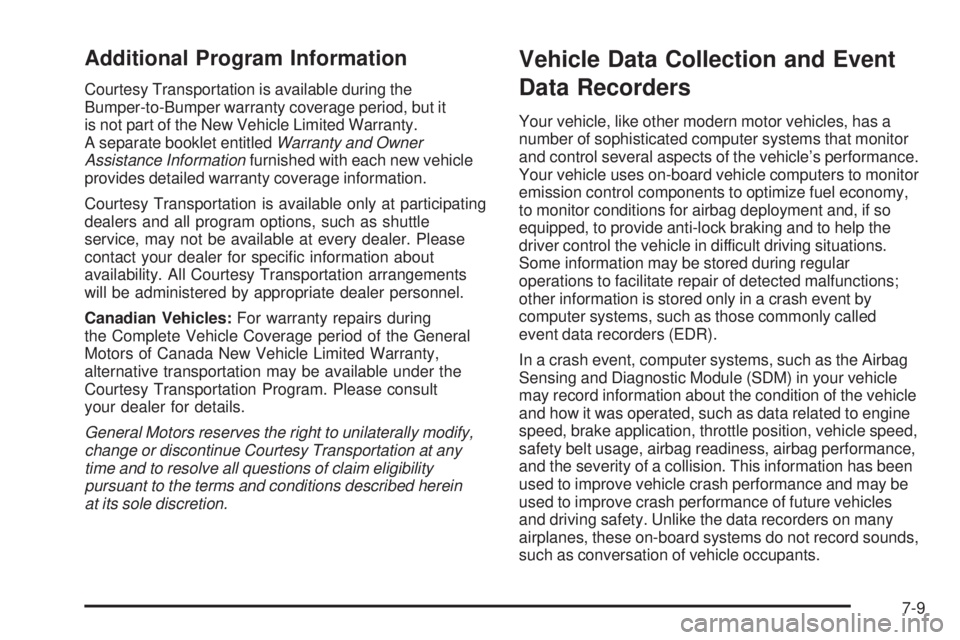
Additional Program Information
Courtesy Transportation is available during the
Bumper-to-Bumper warranty coverage period, but it
is not part of the New Vehicle Limited Warranty.
A separate booklet entitledWarranty and Owner
Assistance Informationfurnished with each new vehicle
provides detailed warranty coverage information.
Courtesy Transportation is available only at participating
dealers and all program options, such as shuttle
service, may not be available at every dealer. Please
contact your dealer for specic information about
availability. All Courtesy Transportation arrangements
will be administered by appropriate dealer personnel.
Canadian Vehicles:For warranty repairs during
the Complete Vehicle Coverage period of the General
Motors of Canada New Vehicle Limited Warranty,
alternative transportation may be available under the
Courtesy Transportation Program. Please consult
your dealer for details.
General Motors reserves the right to unilaterally modify,
change or discontinue Courtesy Transportation at any
time and to resolve all questions of claim eligibility
pursuant to the terms and conditions described herein
at its sole discretion.
Vehicle Data Collection and Event
Data Recorders
Your vehicle, like other modern motor vehicles, has a
number of sophisticated computer systems that monitor
and control several aspects of the vehicle’s performance.
Your vehicle uses on-board vehicle computers to monitor
emission control components to optimize fuel economy,
to monitor conditions for airbag deployment and, if so
equipped, to provide anti-lock braking and to help the
driver control the vehicle in difficult driving situations.
Some information may be stored during regular
operations to facilitate repair of detected malfunctions;
other information is stored only in a crash event by
computer systems, such as those commonly called
event data recorders (EDR).
In a crash event, computer systems, such as the Airbag
Sensing and Diagnostic Module (SDM) in your vehicle
may record information about the condition of the vehicle
and how it was operated, such as data related to engine
speed, brake application, throttle position, vehicle speed,
safety belt usage, airbag readiness, airbag performance,
and the severity of a collision. This information has been
used to improve vehicle crash performance and may be
used to improve crash performance of future vehicles
and driving safety. Unlike the data recorders on many
airplanes, these on-board systems do not record sounds,
such as conversation of vehicle occupants.
7-9
Page 587 of 600
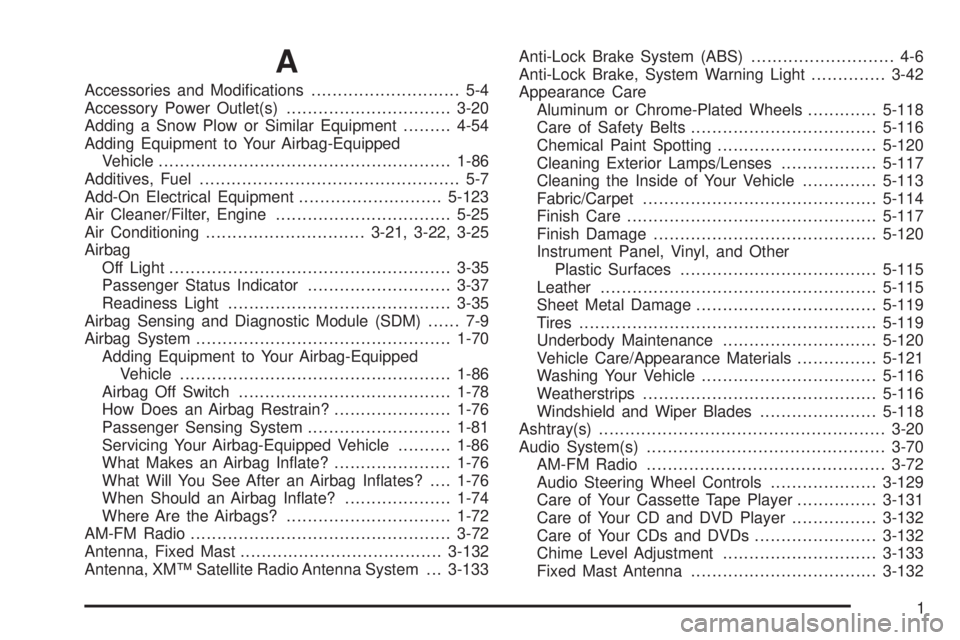
A
Accessories and Modications............................ 5-4
Accessory Power Outlet(s)...............................3-20
Adding a Snow Plow or Similar Equipment.........4-54
Adding Equipment to Your Airbag-Equipped
Vehicle.......................................................1-86
Additives, Fuel................................................. 5-7
Add-On Electrical Equipment...........................5-123
Air Cleaner/Filter, Engine.................................5-25
Air Conditioning..............................3-21, 3-22, 3-25
Airbag
Off Light.....................................................3-35
Passenger Status Indicator...........................3-37
Readiness Light..........................................3-35
Airbag Sensing and Diagnostic Module (SDM)...... 7-9
Airbag System................................................1-70
Adding Equipment to Your Airbag-Equipped
Vehicle...................................................1-86
Airbag Off Switch........................................1-78
How Does an Airbag Restrain?......................1-76
Passenger Sensing System...........................1-81
Servicing Your Airbag-Equipped Vehicle..........1-86
What Makes an Airbag Inate?......................1-76
What Will You See After an Airbag Inates?....1-76
When Should an Airbag Inate?....................1-74
Where Are the Airbags?...............................1-72
AM-FM Radio.................................................3-72
Antenna, Fixed Mast......................................3-132
Antenna, XM™ Satellite Radio Antenna System . . . 3-133Anti-Lock Brake System (ABS)........................... 4-6
Anti-Lock Brake, System Warning Light..............3-42
Appearance Care
Aluminum or Chrome-Plated Wheels.............5-118
Care of Safety Belts...................................5-116
Chemical Paint Spotting..............................5-120
Cleaning Exterior Lamps/Lenses..................5-117
Cleaning the Inside of Your Vehicle..............5-113
Fabric/Carpet............................................5-114
Finish Care...............................................5-117
Finish Damage..........................................5-120
Instrument Panel, Vinyl, and Other
Plastic Surfaces.....................................5-115
Leather....................................................5-115
Sheet Metal Damage..................................5-119
Tires........................................................5-119
Underbody Maintenance.............................5-120
Vehicle Care/Appearance Materials...............5-121
Washing Your Vehicle.................................5-116
Weatherstrips............................................5-116
Windshield and Wiper Blades......................5-118
Ashtray(s)......................................................3-20
Audio System(s).............................................3-70
AM-FM Radio.............................................3-72
Audio Steering Wheel Controls....................3-129
Care of Your Cassette Tape Player...............3-131
Care of Your CD and DVD Player................3-132
Care of Your CDs and DVDs.......................3-132
Chime Level Adjustment.............................3-133
Fixed Mast Antenna...................................3-132
1
Page 593 of 600
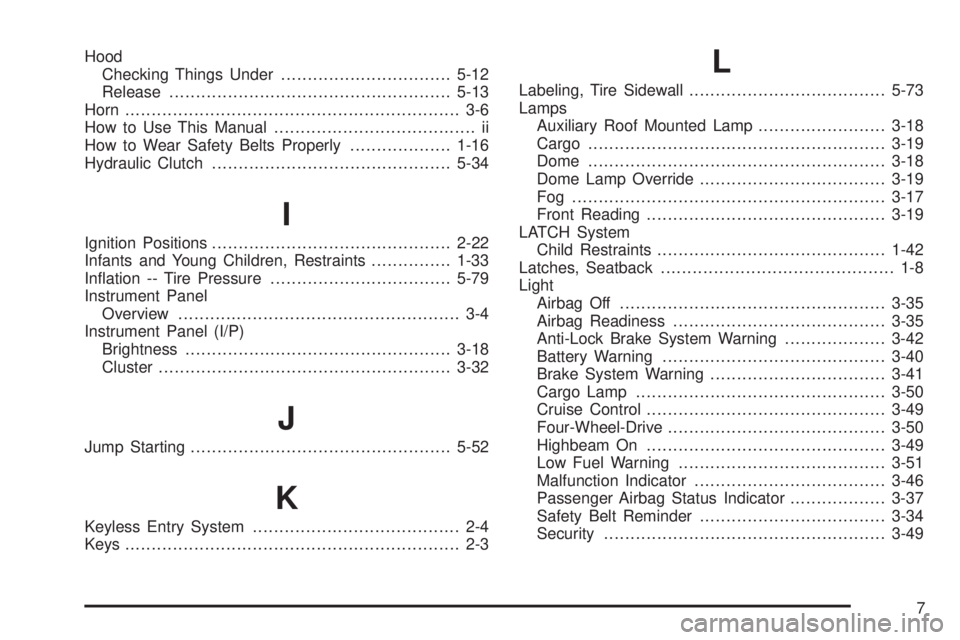
Hood
Checking Things Under................................5-12
Release.....................................................5-13
Horn............................................................... 3-6
How to Use This Manual...................................... ii
How to Wear Safety Belts Properly...................1-16
Hydraulic Clutch.............................................5-34
I
Ignition Positions.............................................2-22
Infants and Young Children, Restraints...............1-33
Ination -- Tire Pressure..................................5-79
Instrument Panel
Overview..................................................... 3-4
Instrument Panel (I/P)
Brightness..................................................3-18
Cluster.......................................................3-32
J
Jump Starting.................................................5-52
K
Keyless Entry System....................................... 2-4
Keys............................................................... 2-3
L
Labeling, Tire Sidewall.....................................5-73
Lamps
Auxiliary Roof Mounted Lamp........................3-18
Cargo........................................................3-19
Dome........................................................3-18
Dome Lamp Override...................................3-19
Fog ...........................................................3-17
Front Reading.............................................3-19
LATCH System
Child Restraints...........................................1-42
Latches, Seatback............................................ 1-8
Light
Airbag Off..................................................3-35
Airbag Readiness........................................3-35
Anti-Lock Brake System Warning...................3-42
Battery Warning..........................................3-40
Brake System Warning.................................3-41
Cargo Lamp...............................................3-50
Cruise Control.............................................3-49
Four-Wheel-Drive.........................................3-50
Highbeam On.............................................3-49
Low Fuel Warning.......................................3-51
Malfunction Indicator....................................3-46
Passenger Airbag Status Indicator..................3-37
Safety Belt Reminder...................................3-34
Security.....................................................3-49
7
Page 596 of 600
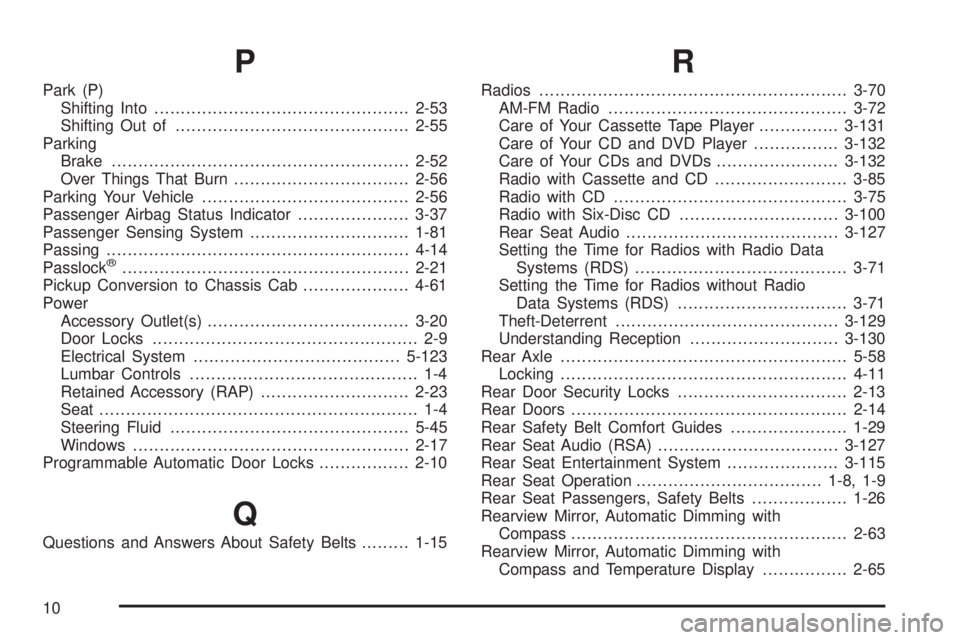
P
Park (P)
Shifting Into................................................2-53
Shifting Out of............................................2-55
Parking
Brake........................................................2-52
Over Things That Burn.................................2-56
Parking Your Vehicle.......................................2-56
Passenger Airbag Status Indicator.....................3-37
Passenger Sensing System..............................1-81
Passing.........................................................4-14
Passlock
®......................................................2-21
Pickup Conversion to Chassis Cab....................4-61
Power
Accessory Outlet(s)......................................3-20
Door Locks.................................................. 2-9
Electrical System.......................................5-123
Lumbar Controls........................................... 1-4
Retained Accessory (RAP)............................2-23
Seat............................................................ 1-4
Steering Fluid.............................................5-45
Windows....................................................2-17
Programmable Automatic Door Locks.................2-10
Q
Questions and Answers About Safety Belts.........1-15
R
Radios..........................................................3-70
AM-FM Radio.............................................3-72
Care of Your Cassette Tape Player...............3-131
Care of Your CD and DVD Player................3-132
Care of Your CDs and DVDs.......................3-132
Radio with Cassette and CD.........................3-85
Radio with CD............................................3-75
Radio with Six-Disc CD..............................3-100
Rear Seat Audio........................................3-127
Setting the Time for Radios with Radio Data
Systems (RDS)........................................3-71
Setting the Time for Radios without Radio
Data Systems (RDS)................................3-71
Theft-Deterrent..........................................3-129
Understanding Reception............................3-130
Rear Axle......................................................5-58
Locking......................................................4-11
Rear Door Security Locks................................2-13
Rear Doors....................................................2-14
Rear Safety Belt Comfort Guides......................1-29
Rear Seat Audio (RSA)..................................3-127
Rear Seat Entertainment System.....................3-115
Rear Seat Operation...................................1-8, 1-9
Rear Seat Passengers, Safety Belts..................1-26
Rearview Mirror, Automatic Dimming with
Compass....................................................2-63
Rearview Mirror, Automatic Dimming with
Compass and Temperature Display................2-65
10