automatic transmission GMC SIERRA 2007 User Guide
[x] Cancel search | Manufacturer: GMC, Model Year: 2007, Model line: SIERRA, Model: GMC SIERRA 2007Pages: 680, PDF Size: 3.42 MB
Page 165 of 680
Torque Lock
If you are parking on a hill and you do not shift
your transmission into PARK (P) properly,
the weight of the vehicle may put too much force
on the parking pawl in the transmission. You
may nd it difficult to pull the shift lever out
of PARK (P). This is called torque lock. To prevent
torque lock, set the parking brake and then shift
into PARK (P) properly before you leave the
driver’s seat. To nd out how, seeShifting Into
Park (P) on page 163.
When you are ready to drive, move the shift
lever out of PARK (P) before you release the
parking brake.
If torque lock does occur, you may need to have
another vehicle push yours a little uphill to
take some of the pressure from the parking pawl
in the transmission, then you will be able to
pull the shift lever out of PARK (P).
Shifting Out of Park (P)
Your vehicle has an automatic transmission shift
lock control system which locks the shift lever
in PARK (P) when the ignition is in the LOCK. You
have to fully apply your regular brakes before
you can shift from PARK (P) when the ignition is
in RUN. SeeAutomatic Transmission Operation on
page 138.
If you cannot shift out of PARK (P), ease pressure
on the shift lever and push the shift lever all the
way up into PARK (P) as you maintain brake
application. Move the shift lever into another gear.
165
Page 207 of 680
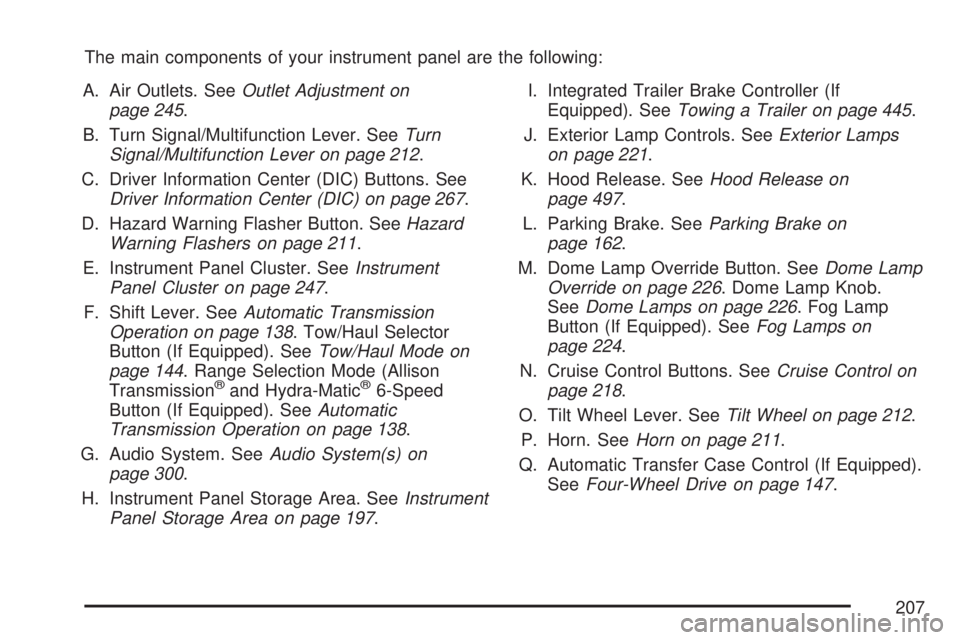
The main components of your instrument panel are the following:
A. Air Outlets. SeeOutlet Adjustment on
page 245.
B. Turn Signal/Multifunction Lever. SeeTurn
Signal/Multifunction Lever on page 212.
C. Driver Information Center (DIC) Buttons. See
Driver Information Center (DIC) on page 267.
D. Hazard Warning Flasher Button. SeeHazard
Warning Flashers on page 211.
E. Instrument Panel Cluster. SeeInstrument
Panel Cluster on page 247.
F. Shift Lever. SeeAutomatic Transmission
Operation on page 138. Tow/Haul Selector
Button (If Equipped). SeeTow/Haul Mode on
page 144. Range Selection Mode (Allison
Transmission
®and Hydra-Matic®6-Speed
Button (If Equipped). SeeAutomatic
Transmission Operation on page 138.
G. Audio System. SeeAudio System(s) on
page 300.
H. Instrument Panel Storage Area. SeeInstrument
Panel Storage Area on page 197.I. Integrated Trailer Brake Controller (If
Equipped). SeeTowing a Trailer on page 445.
J. Exterior Lamp Controls. SeeExterior Lamps
on page 221.
K. Hood Release. SeeHood Release on
page 497.
L. Parking Brake. SeeParking Brake on
page 162.
M. Dome Lamp Override Button. SeeDome Lamp
Override on page 226. Dome Lamp Knob.
SeeDome Lamps on page 226. Fog Lamp
Button (If Equipped). SeeFog Lamps on
page 224.
N. Cruise Control Buttons. SeeCruise Control on
page 218.
O. Tilt Wheel Lever. SeeTilt Wheel on page 212.
P. Horn. SeeHorn on page 211.
Q. Automatic Transfer Case Control (If Equipped).
SeeFour-Wheel Drive on page 147.
207
Page 210 of 680
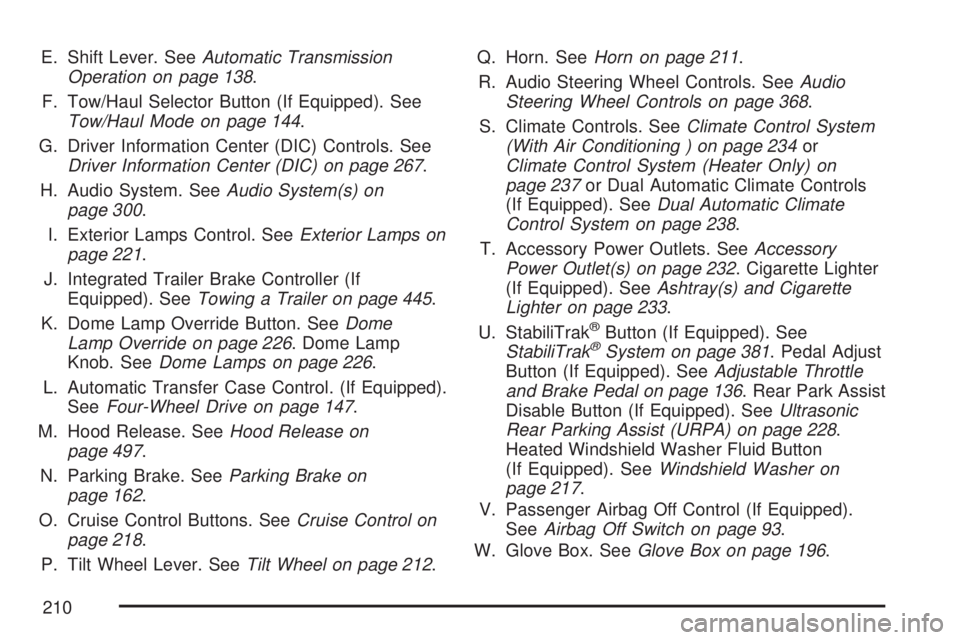
E. Shift Lever. SeeAutomatic Transmission
Operation on page 138.
F. Tow/Haul Selector Button (If Equipped). See
Tow/Haul Mode on page 144.
G. Driver Information Center (DIC) Controls. See
Driver Information Center (DIC) on page 267.
H. Audio System. SeeAudio System(s) on
page 300.
I. Exterior Lamps Control. SeeExterior Lamps on
page 221.
J. Integrated Trailer Brake Controller (If
Equipped). SeeTowing a Trailer on page 445.
K. Dome Lamp Override Button. SeeDome
Lamp Override on page 226. Dome Lamp
Knob. SeeDome Lamps on page 226.
L. Automatic Transfer Case Control. (If Equipped).
SeeFour-Wheel Drive on page 147.
M. Hood Release. SeeHood Release on
page 497.
N. Parking Brake. SeeParking Brake on
page 162.
O. Cruise Control Buttons. SeeCruise Control on
page 218.
P. Tilt Wheel Lever. SeeTilt Wheel on page 212.Q. Horn. SeeHorn on page 211.
R. Audio Steering Wheel Controls. SeeAudio
Steering Wheel Controls on page 368.
S. Climate Controls. SeeClimate Control System
(With Air Conditioning ) on page 234or
Climate Control System (Heater Only) on
page 237or Dual Automatic Climate Controls
(If Equipped). SeeDual Automatic Climate
Control System on page 238.
T. Accessory Power Outlets. SeeAccessory
Power Outlet(s) on page 232. Cigarette Lighter
(If Equipped). SeeAshtray(s) and Cigarette
Lighter on page 233.
U. StabiliTrak
®Button (If Equipped). See
StabiliTrak®System on page 381. Pedal Adjust
Button (If Equipped). SeeAdjustable Throttle
and Brake Pedal on page 136. Rear Park Assist
Disable Button (If Equipped). SeeUltrasonic
Rear Parking Assist (URPA) on page 228.
Heated Windshield Washer Fluid Button
(If Equipped). SeeWindshield Washer on
page 217.
V. Passenger Airbag Off Control (If Equipped).
SeeAirbag Off Switch on page 93.
W. Glove Box. SeeGlove Box on page 196.
210
Page 218 of 680
Cruise Control
{CAUTION:
Cruise control can be dangerous where
you cannot drive safely at a steady speed.
So, do not use your cruise control on
winding roads or in heavy traffic.
Cruise control can be dangerous on
slippery roads. On such roads, fast
changes in tire traction can cause
excessive wheel slip, and you could lose
control. Do not use cruise control on
slippery roads.
With cruise control, you can maintain a speed of
about 25 mph (40 km/h) or more without
keeping your foot on the accelerator. This can
really help on long trips. Cruise control does not
work at speeds below about 25 mph (40 km/h).
When you apply your brakes, cruise control
is turned off.If your vehicle has an Allison
®automatic
transmission, see “Grade Braking and Cruise
Grade Braking (Allison Transmission
®) under
Tow/Haul Mode on page 144for an explanation of
how cruise control interacts with the range selection
mode, tow/haul and grade braking systems.
If your vehicle has the StabiliTrak
®™ system and
begins to limit wheel spin while you are using
cruise control, the cruise control will automatically
disengage. SeeStabiliTrak
®System on
page 381. When road conditions allow you to
safely use it again, you may turn the cruise
control back on.
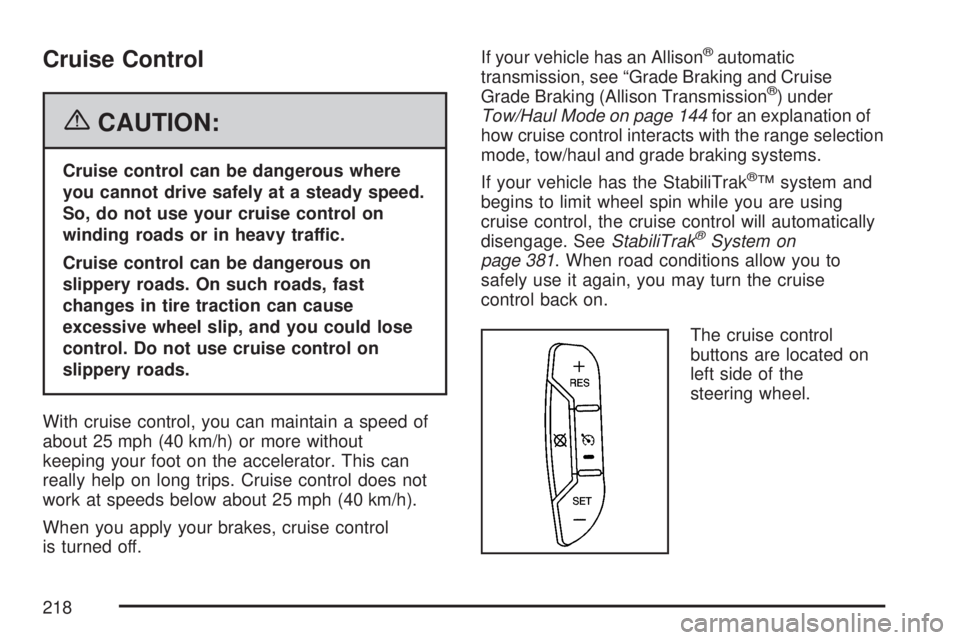
The cruise control
buttons are located on
left side of the
steering wheel.
218
Page 271 of 680
Average Economy
Press the trip/fuel button until AVG ECONOMY
displays. This display shows the approximate
average miles per gallon (mpg) or liters per
100 kilometers (L/100 km). This number is
calculated based on the number of mpg (L/100 km)
recorded since the last time this menu item was
reset. To reset AVG ECONOMY, press and
hold the set/reset button.
Fuel Used
Press the trip/fuel button until FUEL USED
displays. This display shows the number of
gallons (gal) or liters (L) of fuel used since the last
reset of this menu item. To reset the fuel used
information, press and hold the set/reset button
while FUEL USED is displayed.
Timer
Press the trip/fuel button until TIMER displays.
This display can be used as a timer.To start the timer, press the set/reset button while
TIMER is displayed. The display will show the
amount of time that has passed since the timer was
last reset, not including time the ignition is off. Time
will continue to be counted as long as the ignition is
on, even if another display is being shown on the
DIC. The timer will record up to 99 hours,
59 minutes and 59 seconds (99:59:59) after which
the display will return to zero.
To stop the timer, press the set/reset button briey
while TIMER is displayed.
To reset the timer to zero, press and hold the
set/reset button while TIMER is displayed.
Transmission Temperature
Press the trip/fuel button until TRANS TEMP
displays. This display shows the temperature of
the automatic transmission uid in either degrees
Fahrenheit (°F) or degrees Celsius (°C).
271
Page 276 of 680
Trip Odometer
Press the trip odometer reset stem until TRIP
displays. This display shows the current distance
traveled in either miles (mi) or kilometers (km)
since the last reset for the trip odometer.
The trip odometer can be reset to zero by pressing
and holding the trip odometer reset stem while
the trip odometer is displayed.
The trip odometer has a feature called the
retro-active reset. This can be used to set the trip
odometer to the number of miles (kilometers)
driven since the ignition was last turned on. This
can be used if the trip odometer is not reset at the
beginning of the trip.
To use the retro-active reset feature, press and
hold the trip odometer reset stem for at least
four seconds. The trip odometer will display the
number of miles (mi) or kilometers (km) driven
since the ignition was last turned on and the
vehicle was moving. Once the vehicle begins
moving, the trip odometer will accumulate mileage.
For example, if the vehicle was driven 5 miles
(8 km) before it is started again, and then
the retro-active reset feature is activated, thedisplay will show 5 miles (8 km). As the vehicle
begins moving, the display will then increase
to 5.1 miles (8.2 km), 5.2 miles (8.4 km), etc.
If the retro-active reset feature is activated after
the vehicle is started, but before it begins moving,
the display will show the number of miles (mi)
or kilometers (km) that were driven during the last
ignition cycle.
Transmission Temperature
Press the trip odometer reset stem until TRANS
TEMP displays. This display shows the
temperature of the automatic transmission uid in
either degrees Fahrenheit (°F) or degrees
Celsius (°C).
Trailer Gain and Output
On vehicles with the Integrated Trailer Brake
Control (ITBC) system, the trailer brake display
appears in the DIC. Press the trip odometer reset
stem until TRAILER GAIN and OUTPUT display.
TRAILER GAIN shows the trailer gain setting. This
setting can be adjusted from 0.0 to 10.0 with
either a trailer connected or disconnected.
276
Page 384 of 680
Traction Control Operation
The traction control system is part of the
StabiliTrak®system. Traction control limits wheel
spin by reducing engine power to the wheels
(engine speed management) and by applying
brakes to each individual wheel (brake-traction
control) as necessary.
The traction control system is enabled
automatically when you start your vehicle. It will
activate and the StabiliTrak
®light will ash if
it senses that any of the wheels are spinning or
beginning to lose traction while driving. If you turn
off traction control, only the brake-traction
control portion of traction control will work. The
engine speed management will be disabled. In this
mode, engine power is not reduced automatically
and the driven wheels can spin more freely.
This can cause the brake-traction control to
activate constantly.Notice:If you allow the wheel(s) of one axle
to spin excessively while the StabiliTrak
®, ABS
and brake warning lights and the SERVICE
STABILITRAK message are displayed,
you could damage the transfer case. The
repairs would not be covered by your warranty.
Reduce engine power and do not spin the
wheel(s) excessively while these lights and this
message are displayed.
The traction control system may activate on dry or
rough roads or under conditions such as heavy
acceleration while turning or abrupt
upshifts/downshifts of the transmission. When this
happens, you may notice a reduction in
acceleration, or may hear a noise or vibration.
This is normal.
If your vehicle is in cruise control when the system
activates, the StabiliTrak
®light will ash and the
cruise control will automatically disengage.
When road conditions allow you to use cruise
again, you may re-engage the cruise control. See
Cruise Control on page 218.
StabiliTrak
®may also turn off automatically if it
determines that a problem exists with the system. If
the problem does not clear itself after restarting the
vehicle, you should see your dealer for service.
384
Page 478 of 680
Maintenance When Trailer Towing
Your vehicle will need service more often when
you’re pulling a trailer. SeeScheduled
Maintenance (Gasoline Engine) on page 623for
more information. Things that are especially
important in trailer operation are automatic
transmission uid (don’t overll), engine oil, axle
lubricant, belt, cooling system and brake system.
Each of these is covered in this manual, and
the Index will help you nd them quickly. If you’re
trailering, it’s a good idea to review these
sections before you start your trip.
Check periodically to see that all hitch nuts and
bolts are tight.
Trailer Wiring Harness
Your vehicle is equipped with one of the following
wiring harnesses for towing a trailer or hauling
a slide-in camper.
Basic Trailer Wiring
All regular, extended cab and crew cab pickups
have a seven-wire trailer towing harness.
For vehicles not equipped with heavy duty
trailering, the harness is clipped to the vehicle’s
frame behind the spare tire mount. The harness
requires the installation of a trailer connector,
which is available through your dealer.
If you need to tow a light-duty trailer with a
standard four-way round pin connector, you can
also get an adapter from your dealer.
478
Page 483 of 680
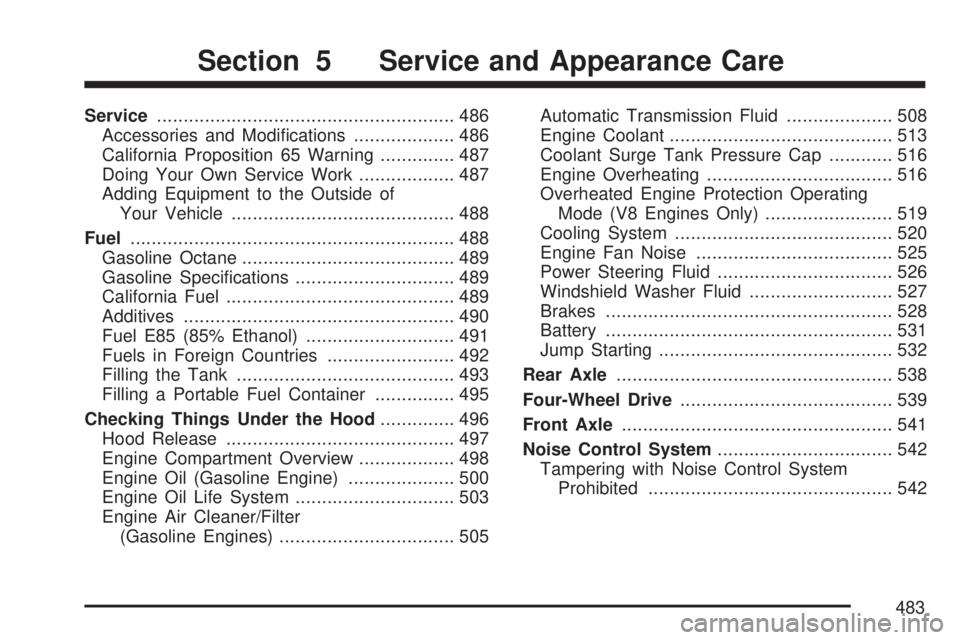
Service........................................................ 486
Accessories and Modications................... 486
California Proposition 65 Warning.............. 487
Doing Your Own Service Work.................. 487
Adding Equipment to the Outside of
Your Vehicle.......................................... 488
Fuel............................................................. 488
Gasoline Octane........................................ 489
Gasoline Specications.............................. 489
California Fuel........................................... 489
Additives................................................... 490
Fuel E85 (85% Ethanol)............................ 491
Fuels in Foreign Countries........................ 492
Filling the Tank......................................... 493
Filling a Portable Fuel Container............... 495
Checking Things Under the Hood.............. 496
Hood Release........................................... 497
Engine Compartment Overview.................. 498
Engine Oil (Gasoline Engine).................... 500
Engine Oil Life System.............................. 503
Engine Air Cleaner/Filter
(Gasoline Engines)................................. 505Automatic Transmission Fluid.................... 508
Engine Coolant.......................................... 513
Coolant Surge Tank Pressure Cap............ 516
Engine Overheating................................... 516
Overheated Engine Protection Operating
Mode (V8 Engines Only)........................ 519
Cooling System......................................... 520
Engine Fan Noise..................................... 525
Power Steering Fluid................................. 526
Windshield Washer Fluid........................... 527
Brakes...................................................... 528
Battery...................................................... 531
Jump Starting............................................ 532
Rear Axle.................................................... 538
Four-Wheel Drive........................................ 539
Front Axle................................................... 541
Noise Control System................................. 542
Tampering with Noise Control System
Prohibited.............................................. 542
Section 5 Service and Appearance Care
483
Page 499 of 680
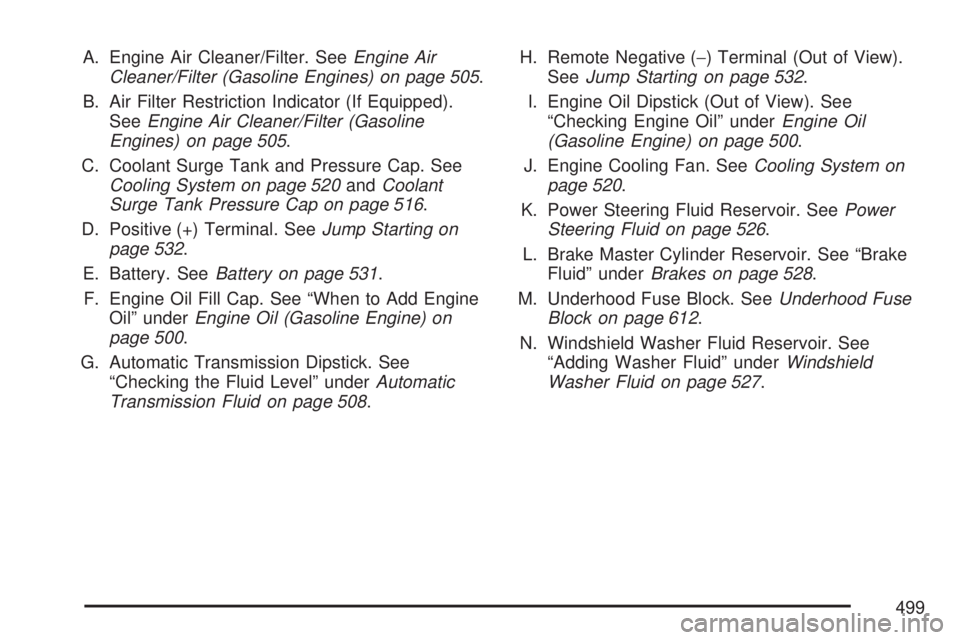
A. Engine Air Cleaner/Filter. SeeEngine Air
Cleaner/Filter (Gasoline Engines) on page 505.
B. Air Filter Restriction Indicator (If Equipped).
SeeEngine Air Cleaner/Filter (Gasoline
Engines) on page 505.
C. Coolant Surge Tank and Pressure Cap. See
Cooling System on page 520andCoolant
Surge Tank Pressure Cap on page 516.
D. Positive (+) Terminal. SeeJump Starting on
page 532.
E. Battery. SeeBattery on page 531.
F. Engine Oil Fill Cap. See “When to Add Engine
Oil” underEngine Oil (Gasoline Engine) on
page 500.
G. Automatic Transmission Dipstick. See
“Checking the Fluid Level” underAutomatic
Transmission Fluid on page 508.H. Remote Negative (−) Terminal (Out of View).
SeeJump Starting on page 532.
I. Engine Oil Dipstick (Out of View). See
“Checking Engine Oil” underEngine Oil
(Gasoline Engine) on page 500.
J. Engine Cooling Fan. SeeCooling System on
page 520.
K. Power Steering Fluid Reservoir. SeePower
Steering Fluid on page 526.
L. Brake Master Cylinder Reservoir. See “Brake
Fluid” underBrakes on page 528.
M. Underhood Fuse Block. SeeUnderhood Fuse
Block on page 612.
N. Windshield Washer Fluid Reservoir. See
“Adding Washer Fluid” underWindshield
Washer Fluid on page 527.
499