glove box GMC SIERRA 2007 User Guide
[x] Cancel search | Manufacturer: GMC, Model Year: 2007, Model line: SIERRA, Model: GMC SIERRA 2007Pages: 680, PDF Size: 3.42 MB
Page 250 of 680
Airbag Readiness Light
There is an airbag readiness light on the instrument
panel cluster, which shows the airbag symbol. The
system checks the airbag’s electrical system for
malfunctions. The light tells you if there is an
electrical problem. The system check includes the
airbag sensors, the airbag modules, the wiring and
the crash sensing and diagnostic module and, if
equipped, the passenger sensing system. For more
information on the airbag system, seeAirbag
System on page 83.
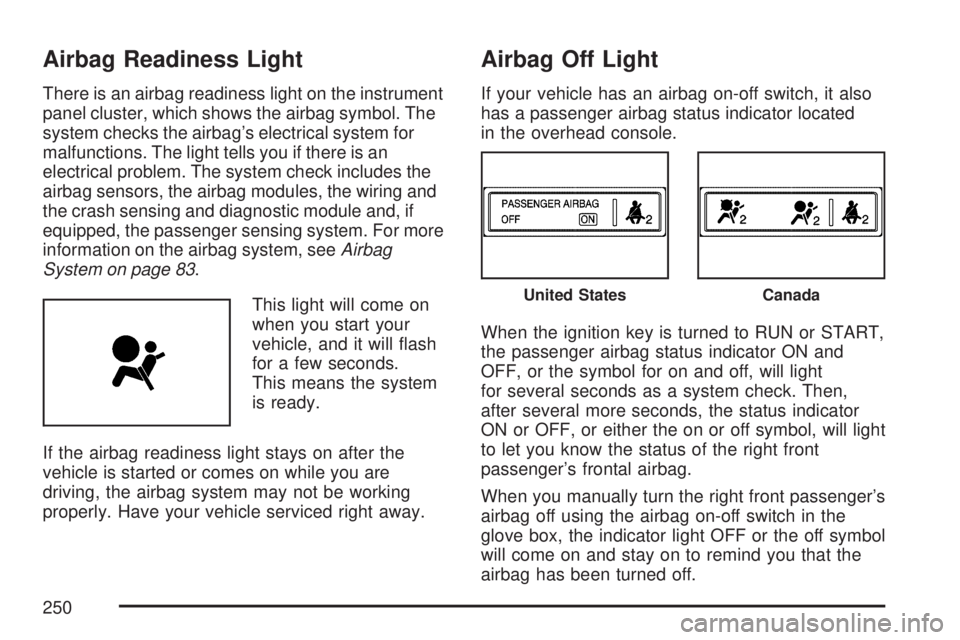
This light will come on
when you start your
vehicle, and it will ash
for a few seconds.
This means the system
is ready.
If the airbag readiness light stays on after the
vehicle is started or comes on while you are
driving, the airbag system may not be working
properly. Have your vehicle serviced right away.
Airbag Off Light
If your vehicle has an airbag on-off switch, it also
has a passenger airbag status indicator located
in the overhead console.
When the ignition key is turned to RUN or START,
the passenger airbag status indicator ON and
OFF, or the symbol for on and off, will light
for several seconds as a system check. Then,
after several more seconds, the status indicator
ON or OFF, or either the on or off symbol, will light
to let you know the status of the right front
passenger’s frontal airbag.
When you manually turn the right front passenger’s
airbag off using the airbag on-off switch in the
glove box, the indicator light OFF or the off symbol
will come on and stay on to remind you that the
airbag has been turned off.
United StatesCanada
250
Page 436 of 680
Q:What is total vehicle reserve capacity?
A:This is the difference between your GVWR and
the weight of your truck with full fuel and
passengers. It is the amount of weight you can
add to your vehicle before reaching your
GVWR. Keep in mind that reserve capacity
numbers are intended as a guide when
selecting the amount of equipment or cargo
your truck can carry. If you are unsure of your
vehicle’s front, rear, or total weight, go to a
weigh station and weigh your vehicle.
Your dealer can also help you with this.
The total vehicle reserve capacity for your
vehicle can be found in the lower right corner
of the Certication/Tire label as shown
previously.
See your dealer for additional advice and
information about using a snow plow on your
vehicle. Also, seeLoading Your Vehicle on
page 425.
Emergency Roof Lamp Provisions
Vehicles with the RPO VYU snow plow prep
package also have an emergency roof lamp
provision package, RPO TRW. Wiring for the
emergency roof lamp is provided above the
overhead console. SeeAuxiliary Roof Mounted
Lamp on page 225for switch location.
Truck-Camper Loading Information
A vehicle specic Truck-Camper Loading
information label is attached to the inside of your
vehicle’s glove box. This label will tell you if
your vehicle can carry a slide-in camper, how
much of a load your vehicle can carry, and how to
correctly spread out the load. Also, it will help
you match the right slide-in camper to your vehicle.
When you carry a slide-in camper, the total
cargo load of your vehicle is the weight of the
camper, plus the following:
Everything else added to the camper after it
left the factory
Everything in the camper
All the people inside
436
Page 437 of 680
The Cargo Weight Rating (CWR) is the maximum
weight of the load your vehicle can carry. It does not
include the weight of the people inside. But, you
can gure about 150 lbs (68 kg) for each seat.
The total cargo load must not be more than your
vehicle’s CWR.
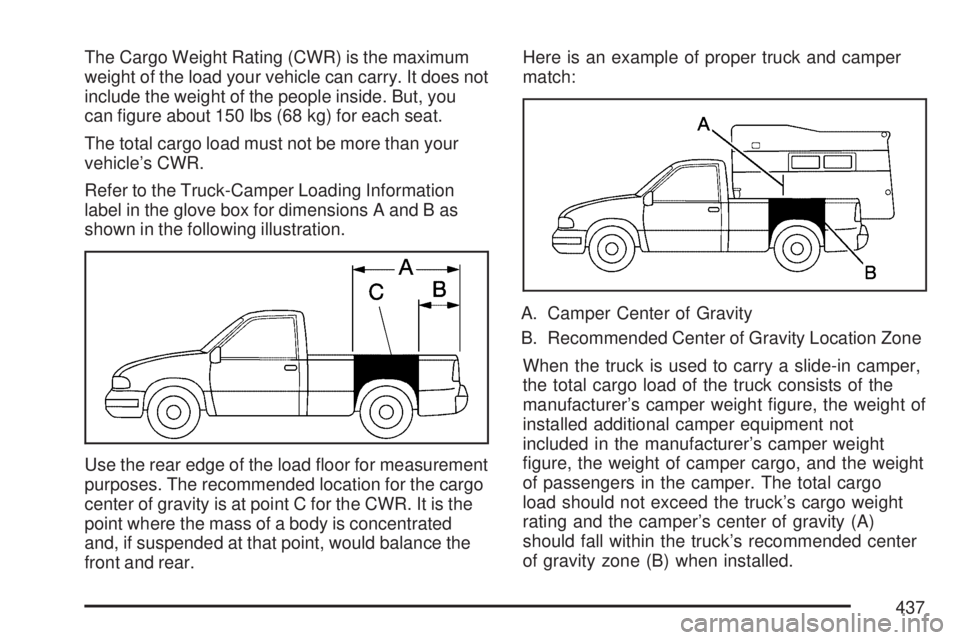
Refer to the Truck-Camper Loading Information
label in the glove box for dimensions A and B as
shown in the following illustration.
Use the rear edge of the load oor for measurement
purposes. The recommended location for the cargo
center of gravity is at point C for the CWR. It is the
point where the mass of a body is concentrated
and, if suspended at that point, would balance the
front and rear.Here is an example of proper truck and camper
match:
A. Camper Center of Gravity
B. Recommended Center of Gravity Location Zone
When the truck is used to carry a slide-in camper,
the total cargo load of the truck consists of the
manufacturer’s camper weight gure, the weight of
installed additional camper equipment not
included in the manufacturer’s camper weight
gure, the weight of camper cargo, and the weight
of passengers in the camper. The total cargo
load should not exceed the truck’s cargo weight
rating and the camper’s center of gravity (A)
should fall within the truck’s recommended center
of gravity zone (B) when installed.
437
Page 607 of 680
Vehicle Identication
Vehicle Identication Number (VIN)
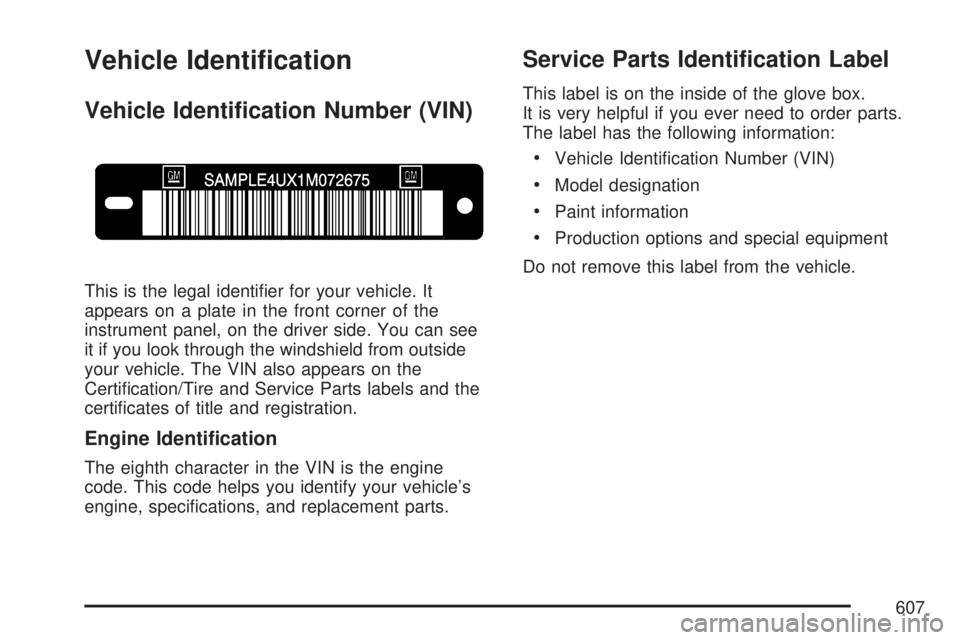
This is the legal identier for your vehicle. It
appears on a plate in the front corner of the
instrument panel, on the driver side. You can see
it if you look through the windshield from outside
your vehicle. The VIN also appears on the
Certication/Tire and Service Parts labels and the
certicates of title and registration.
Engine Identication
The eighth character in the VIN is the engine
code. This code helps you identify your vehicle’s
engine, specications, and replacement parts.
Service Parts Identication Label
This label is on the inside of the glove box.
It is very helpful if you ever need to order parts.
The label has the following information:
Vehicle Identication Number (VIN)
Model designation
Paint information
Production options and special equipment
Do not remove this label from the vehicle.
607
Page 671 of 680
Gage (cont.)
Tachometer.............................................. 248
Voltmeter Gage........................................ 255
Garage Door Opener................................... 185
Gasoline
Octane..................................................... 489
Specications........................................... 489
Glove Box................................................... 196
GM Mobility Reimbursement Program.......... 649
H
Hazard Warning Flashers............................ 211
Head Restraints............................................ 18
Headlamps.................................................. 544
Bulb Replacement.................................... 543
Daytime Running Lamps.......................... 222
Flash-to-Pass........................................... 214
Halogen Bulbs......................................... 544
High/Low Beam Changer......................... 214
On Reminder........................................... 222
Pickup Box Identication and Fender
Marker Lamps...................................... 546
Heated Seats................................................ 12
Heater................................................234, 237
Heater......................................................... 238Highbeam On Light..................................... 265
Highway Hypnosis....................................... 415
Hill and Mountain Roads............................. 416
Hood
Checking Things Under............................ 496
Release................................................... 497
Horn............................................................ 211
How to Use This Manual................................ 4
How to Wear Safety Belts Properly............... 27
I
Ignition Positions......................................... 133
Infants and Young Children, Restraints.......... 48
Ination - Tire Pressure............................... 559
Instrument Panel
Overview.........................................206, 209
Storage Area............................................ 197
Instrument Panel (I/P)
Brightness................................................ 225
Cluster..................................................... 247
J
Jump Starting.............................................. 532
671
Page 678 of 680
Spare Tire................................................... 596
Installing.................................................. 582
Removing................................................ 578
Storing..................................................... 592
Specications, Capacities............................ 616
Speedometer............................................... 248
StabiliTrak
®System..................................... 381
StabiliTrak®Indicator Light........................... 258
Starting Your Engine................................... 134
Steering...................................................... 385
Steering Wheel Controls, Audio................... 368
Steering Wheel, Tilt Wheel.......................... 212
Storage Areas............................................. 196
Cargo Management System..................... 199
Center Console Storage Area................... 197
Cupholder(s)............................................ 196
Glove Box................................................ 196
Instrument Panel Storage Area................. 197
Luggage Carrier....................................... 198
Rear Seat Armrest................................... 199
Stuck in Sand, Mud, Ice, or Snow............... 422
Sun Visors.................................................. 127
Sunroof....................................................... 200
System Identication, Universal Home
Remote System....................................... 184
T
Tachometer................................................. 248
Tailgate....................................................... 122
Taillamps
Turn Signal, Stoplamps and Back-up
Lamps.................................................. 546
Theft-Deterrent, Radio................................. 368
Theft-Deterrent Systems.............................. 127
Content Theft-Deterrent............................ 128
PASS-Key
®III+........................................ 129
PASS-Key®III+ Operation........................ 130
Tilt Wheel.................................................... 212
Time, Setting............................................... 301
Tire
Pressure Light.......................................... 259
Tires........................................................... 550
Aluminum or Chrome-Plated Wheels,
Cleaning............................................... 603
Buying New Tires..................................... 568
Chains..................................................... 574
Changing a Flat Tire................................ 576
Cleaning.................................................. 604
Different Size........................................... 570
Dual Tire Operation.................................. 560
678