tow GMC SIERRA 2007 Owner's Guide
[x] Cancel search | Manufacturer: GMC, Model Year: 2007, Model line: SIERRA, Model: GMC SIERRA 2007Pages: 680, PDF Size: 3.42 MB
Page 174 of 680
Automatic Dimming Mirror Operation
O
On/Off:Press this button to turn the automatic
dimming feature on or off. The indicator light to
the left of the button will turn on to indicate when
the feature is on. Once the mirror is turned off,
it will remain off until it is turned back on, or until
the vehicle is restarted.
Compass Operation
Press the compass/temperature button once
briey to turn the display on or off.
Compass Calibration
See “Compass Calibration” underAutomatic
Dimming Rearview Mirror with OnStar®, Compass
and Temperature Display on page 169for more
information.
Compass Variance
See “Compass Variance” underAutomatic
Dimming Rearview Mirror with OnStar®, Compass
and Temperature Display on page 169for more
information.
Cleaning the Mirror
Use a paper towel or similar material dampened
with glass cleaner. Do not spray glass cleaner
directly on the mirror as that may cause the liquid
cleaner to enter the mirror housing.
Outside Manual Mirrors
Adjust your outside mirrors so you can just see
the side of your vehicle and have a clear view of
objects behind you. The mirrors can be folded
in to enter narrow areas.
The use of hood-mounted air deectors and
add-on convex mirror attachments may adversely
affect mirror performance.
174
Page 175 of 680
Outside Trailer-Tow Mirrors
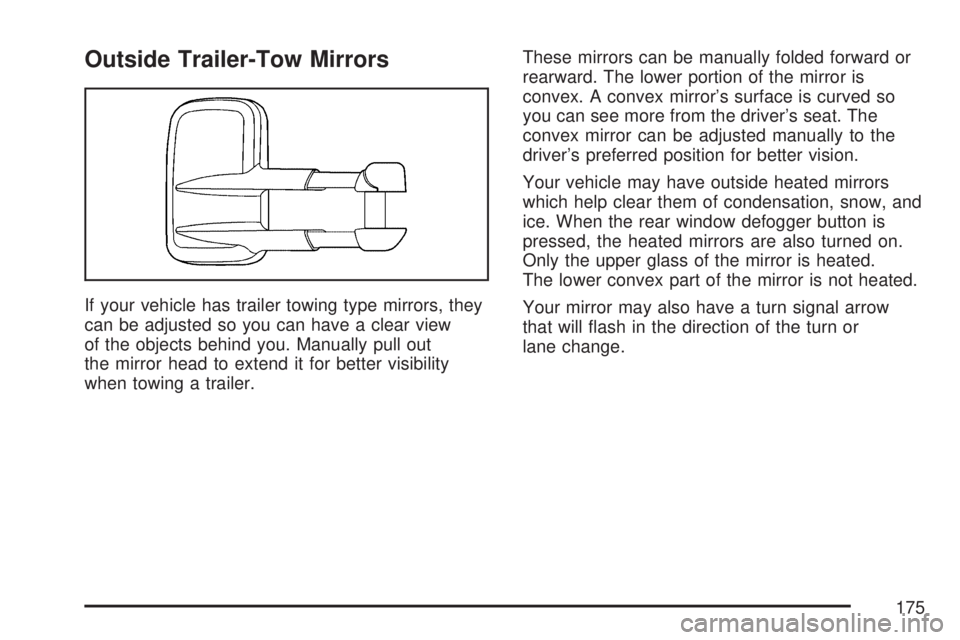
If your vehicle has trailer towing type mirrors, they
can be adjusted so you can have a clear view
of the objects behind you. Manually pull out
the mirror head to extend it for better visibility
when towing a trailer.These mirrors can be manually folded forward or
rearward. The lower portion of the mirror is
convex. A convex mirror’s surface is curved so
you can see more from the driver’s seat. The
convex mirror can be adjusted manually to the
driver’s preferred position for better vision.
Your vehicle may have outside heated mirrors
which help clear them of condensation, snow, and
ice. When the rear window defogger button is
pressed, the heated mirrors are also turned on.
Only the upper glass of the mirror is heated.
The lower convex part of the mirror is not heated.
Your mirror may also have a turn signal arrow
that will ash in the direction of the turn or
lane change.
175
Page 176 of 680
Outside Power Mirrors
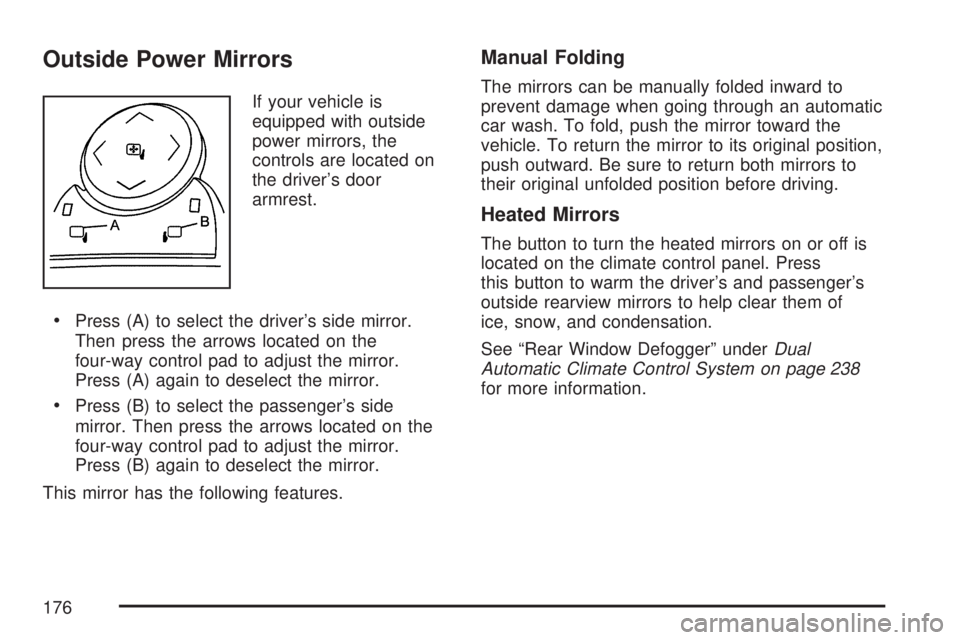
If your vehicle is
equipped with outside
power mirrors, the
controls are located on
the driver’s door
armrest.
Press (A) to select the driver’s side mirror.
Then press the arrows located on the
four-way control pad to adjust the mirror.
Press (A) again to deselect the mirror.
Press (B) to select the passenger’s side
mirror. Then press the arrows located on the
four-way control pad to adjust the mirror.
Press (B) again to deselect the mirror.
This mirror has the following features.
Manual Folding
The mirrors can be manually folded inward to
prevent damage when going through an automatic
car wash. To fold, push the mirror toward the
vehicle. To return the mirror to its original position,
push outward. Be sure to return both mirrors to
their original unfolded position before driving.
Heated Mirrors
The button to turn the heated mirrors on or off is
located on the climate control panel. Press
this button to warm the driver’s and passenger’s
outside rearview mirrors to help clear them of
ice, snow, and condensation.
See “Rear Window Defogger” underDual
Automatic Climate Control System on page 238
for more information.
176
Page 200 of 680
The rails are notched at each end which allows
the tie-downs to be removed and placed on
another rail. To remove, pull the locator pin out
and slide the tie-down to the end of the rail
and pull back.
To remove or install cargo tie-downs at the front of
the bed, slide the corner cap towards the center of
the bed to expose the rail notches. To remove the
corner cap, pull either edge away from the rail.
To remove the system, loosen the toggle bolts
on each rail until they can be removed from the
bed of the truck. To replace the system, place the
toggle bolts and rails into their original locations
and tighten them to a torque setting of
12.5 ft-lbs (17
Y).
If the system is removed to install a bed liner,
make sure there is no bed liner material in
the installation points.
Notice:If you tie down cargo using the
horizontal slots on the top of the pickup box,
you may damage the box. Using the horizontal
slots on the top of the pickup box for tie-down
locations may cause damage to the pickup box
and would not be covered by your warranty.
Only use the tie-down loops if you do not have
the cargo management system.
Sunroof
If your vehicle has a power sliding sunroof, the
ignition needs to be turned to RUN, or the
Retained Accessory Power (RAP) must be
activated to open or close the sunroof. When RAP
is active, the sunroof will work for 10 minutes
after the ignition is turned off, or until the driver’s
door is opened. SeeRetained Accessory
Power (RAP) on page 134for more information.
Extended Cab
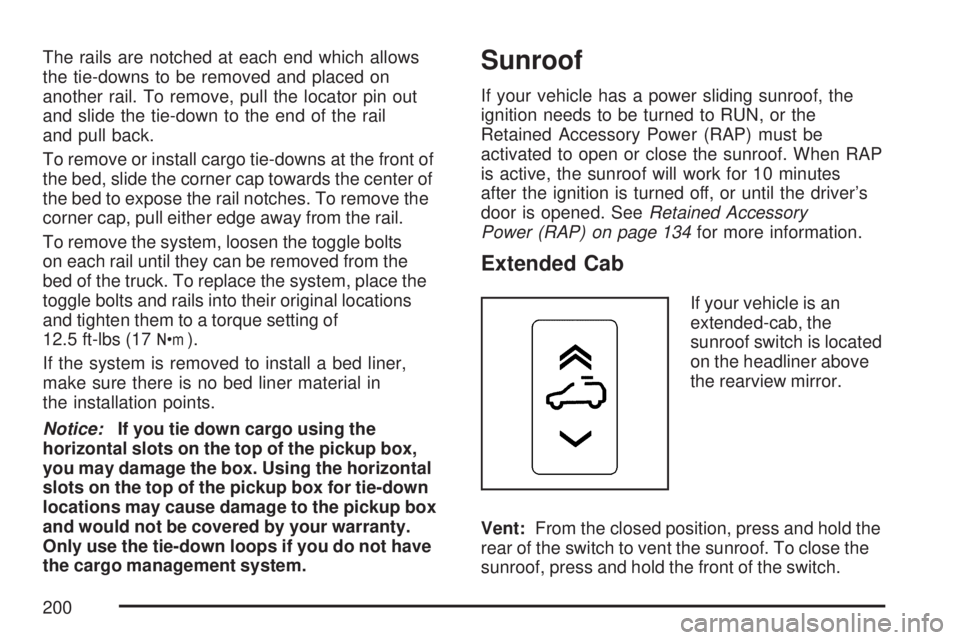
If your vehicle is an
extended-cab, the
sunroof switch is located
on the headliner above
the rearview mirror.
Vent:From the closed position, press and hold the
rear of the switch to vent the sunroof. To close the
sunroof, press and hold the front of the switch.
200
Page 204 of 680
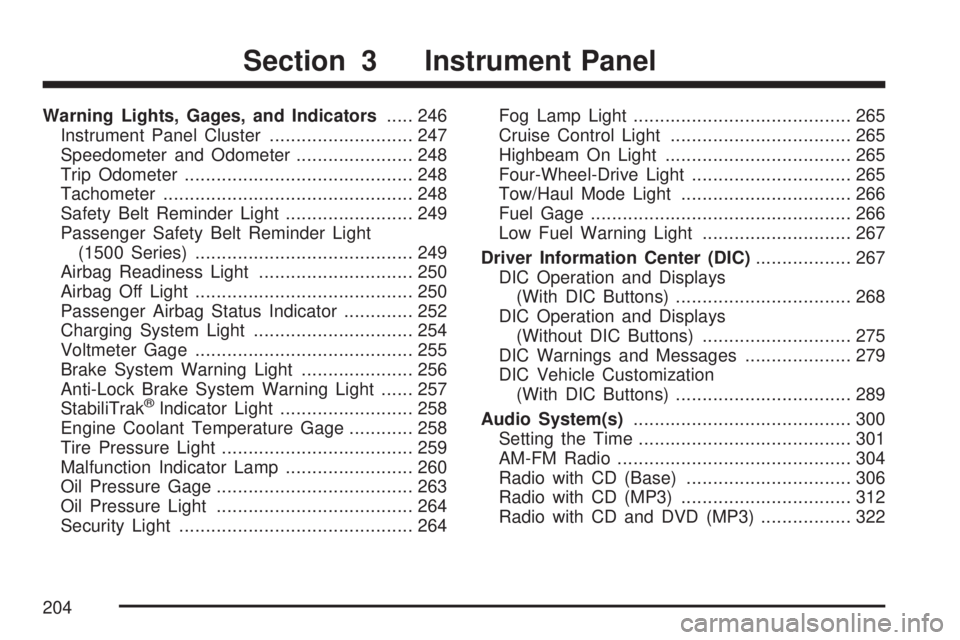
Warning Lights, Gages, and Indicators..... 246
Instrument Panel Cluster........................... 247
Speedometer and Odometer...................... 248
Trip Odometer........................................... 248
Tachometer............................................... 248
Safety Belt Reminder Light........................ 249
Passenger Safety Belt Reminder Light
(1500 Series)......................................... 249
Airbag Readiness Light............................. 250
Airbag Off Light......................................... 250
Passenger Airbag Status Indicator............. 252
Charging System Light.............................. 254
Voltmeter Gage......................................... 255
Brake System Warning Light..................... 256
Anti-Lock Brake System Warning Light...... 257
StabiliTrak
®Indicator Light......................... 258
Engine Coolant Temperature Gage............ 258
Tire Pressure Light.................................... 259
Malfunction Indicator Lamp........................ 260
Oil Pressure Gage..................................... 263
Oil Pressure Light..................................... 264
Security Light............................................ 264Fog Lamp Light......................................... 265
Cruise Control Light.................................. 265
Highbeam On Light................................... 265
Four-Wheel-Drive Light.............................. 265
Tow/Haul Mode Light................................ 266
Fuel Gage................................................. 266
Low Fuel Warning Light............................ 267
Driver Information Center (DIC).................. 267
DIC Operation and Displays
(With DIC Buttons)................................. 268
DIC Operation and Displays
(Without DIC Buttons)............................ 275
DIC Warnings and Messages.................... 279
DIC Vehicle Customization
(With DIC Buttons)................................. 289
Audio System(s)......................................... 300
Setting the Time........................................ 301
AM-FM Radio............................................ 304
Radio with CD (Base)............................... 306
Radio with CD (MP3)................................ 312
Radio with CD and DVD (MP3) ................. 322
Section 3 Instrument Panel
204
Page 207 of 680
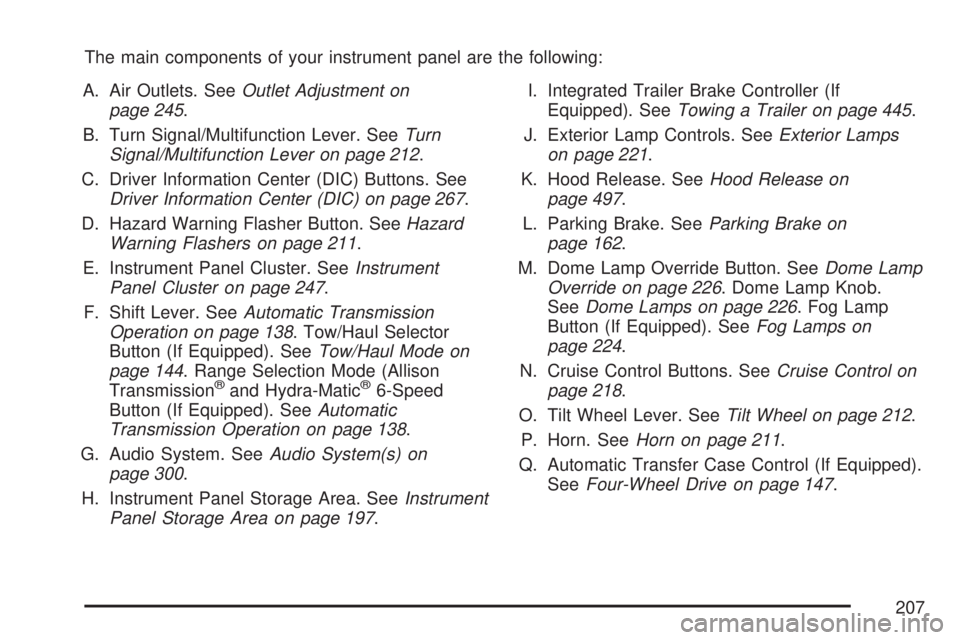
The main components of your instrument panel are the following:
A. Air Outlets. SeeOutlet Adjustment on
page 245.
B. Turn Signal/Multifunction Lever. SeeTurn
Signal/Multifunction Lever on page 212.
C. Driver Information Center (DIC) Buttons. See
Driver Information Center (DIC) on page 267.
D. Hazard Warning Flasher Button. SeeHazard
Warning Flashers on page 211.
E. Instrument Panel Cluster. SeeInstrument
Panel Cluster on page 247.
F. Shift Lever. SeeAutomatic Transmission
Operation on page 138. Tow/Haul Selector
Button (If Equipped). SeeTow/Haul Mode on
page 144. Range Selection Mode (Allison
Transmission
®and Hydra-Matic®6-Speed
Button (If Equipped). SeeAutomatic
Transmission Operation on page 138.
G. Audio System. SeeAudio System(s) on
page 300.
H. Instrument Panel Storage Area. SeeInstrument
Panel Storage Area on page 197.I. Integrated Trailer Brake Controller (If
Equipped). SeeTowing a Trailer on page 445.
J. Exterior Lamp Controls. SeeExterior Lamps
on page 221.
K. Hood Release. SeeHood Release on
page 497.
L. Parking Brake. SeeParking Brake on
page 162.
M. Dome Lamp Override Button. SeeDome Lamp
Override on page 226. Dome Lamp Knob.
SeeDome Lamps on page 226. Fog Lamp
Button (If Equipped). SeeFog Lamps on
page 224.
N. Cruise Control Buttons. SeeCruise Control on
page 218.
O. Tilt Wheel Lever. SeeTilt Wheel on page 212.
P. Horn. SeeHorn on page 211.
Q. Automatic Transfer Case Control (If Equipped).
SeeFour-Wheel Drive on page 147.
207
Page 210 of 680
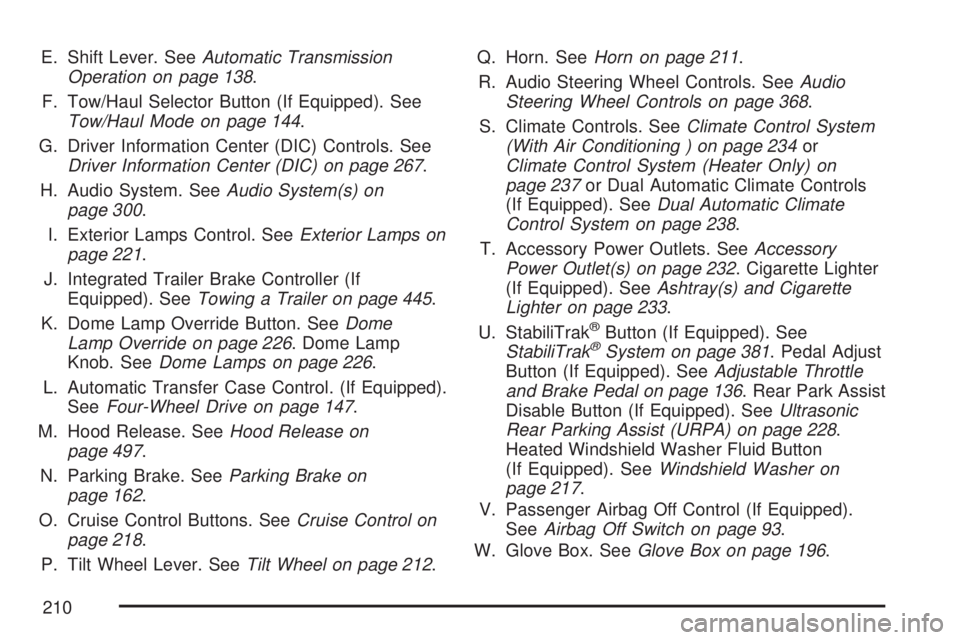
E. Shift Lever. SeeAutomatic Transmission
Operation on page 138.
F. Tow/Haul Selector Button (If Equipped). See
Tow/Haul Mode on page 144.
G. Driver Information Center (DIC) Controls. See
Driver Information Center (DIC) on page 267.
H. Audio System. SeeAudio System(s) on
page 300.
I. Exterior Lamps Control. SeeExterior Lamps on
page 221.
J. Integrated Trailer Brake Controller (If
Equipped). SeeTowing a Trailer on page 445.
K. Dome Lamp Override Button. SeeDome
Lamp Override on page 226. Dome Lamp
Knob. SeeDome Lamps on page 226.
L. Automatic Transfer Case Control. (If Equipped).
SeeFour-Wheel Drive on page 147.
M. Hood Release. SeeHood Release on
page 497.
N. Parking Brake. SeeParking Brake on
page 162.
O. Cruise Control Buttons. SeeCruise Control on
page 218.
P. Tilt Wheel Lever. SeeTilt Wheel on page 212.Q. Horn. SeeHorn on page 211.
R. Audio Steering Wheel Controls. SeeAudio
Steering Wheel Controls on page 368.
S. Climate Controls. SeeClimate Control System
(With Air Conditioning ) on page 234or
Climate Control System (Heater Only) on
page 237or Dual Automatic Climate Controls
(If Equipped). SeeDual Automatic Climate
Control System on page 238.
T. Accessory Power Outlets. SeeAccessory
Power Outlet(s) on page 232. Cigarette Lighter
(If Equipped). SeeAshtray(s) and Cigarette
Lighter on page 233.
U. StabiliTrak
®Button (If Equipped). See
StabiliTrak®System on page 381. Pedal Adjust
Button (If Equipped). SeeAdjustable Throttle
and Brake Pedal on page 136. Rear Park Assist
Disable Button (If Equipped). SeeUltrasonic
Rear Parking Assist (URPA) on page 228.
Heated Windshield Washer Fluid Button
(If Equipped). SeeWindshield Washer on
page 217.
V. Passenger Airbag Off Control (If Equipped).
SeeAirbag Off Switch on page 93.
W. Glove Box. SeeGlove Box on page 196.
210
Page 213 of 680
Turn and Lane-Change Signals
The turn signal has two upward (for right) and
two downward (for left) positions. These positions
allow you to signal a turn or a lane change.
To signal a turn, move the lever all the way up or
down. When the turn is nished, the lever will
return automatically.
To signal a lane change, raise or lower the lever for
less than one second until the arrow starts to ash.
This will cause the turn signals to automatically
ash three times. It will ash six times if tow-haul
mode is active. Holding the turn signal lever for
more than one second will cause the turn signals to
ash until you release the lever. The lever will
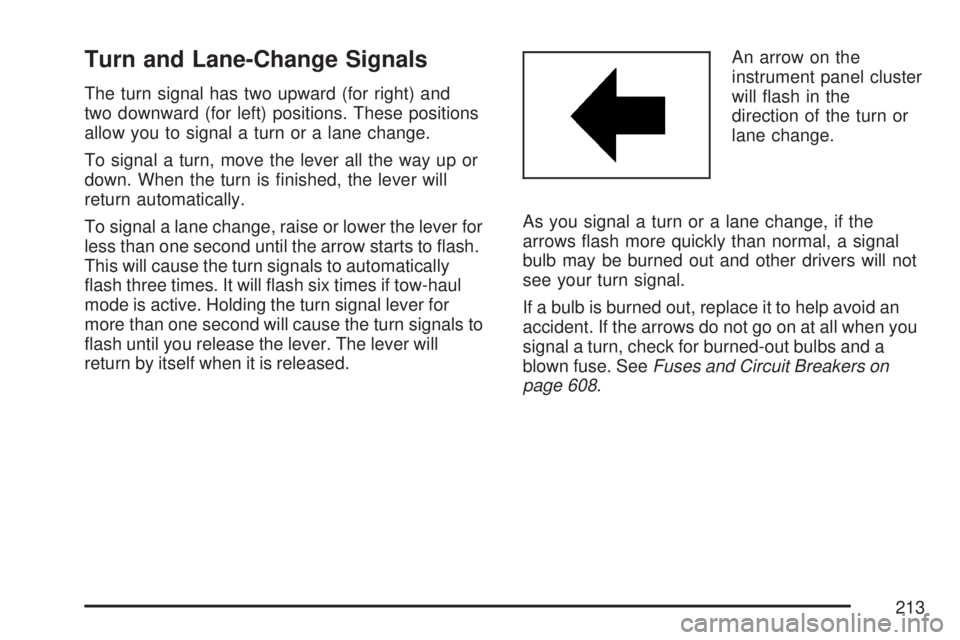
return by itself when it is released.An arrow on the
instrument panel cluster
will ash in the
direction of the turn or
lane change.
As you signal a turn or a lane change, if the
arrows ash more quickly than normal, a signal
bulb may be burned out and other drivers will not
see your turn signal.
If a bulb is burned out, replace it to help avoid an
accident. If the arrows do not go on at all when you
signal a turn, check for burned-out bulbs and a
blown fuse. SeeFuses and Circuit Breakers on
page 608.
213
Page 214 of 680
Turn Signal On Chime
If your turn signal is left on for more than 3/4 of a
mile (1.2 km), a chime will sound at each ash
of the turn signal and the message TURN SIGNAL
ON will also appear in the Driver Information
Control (DIC). To turn the chime and message off,
move the turn signal lever to the off position.
Headlamp High/Low-Beam Changer
53(Headlamp High/Low Beam Changer):To
change the headlamps from low to high beam, push
the lever toward the instrument panel. To return to
low-beam headlamps, pull the multifunction lever
toward you. Then release it.
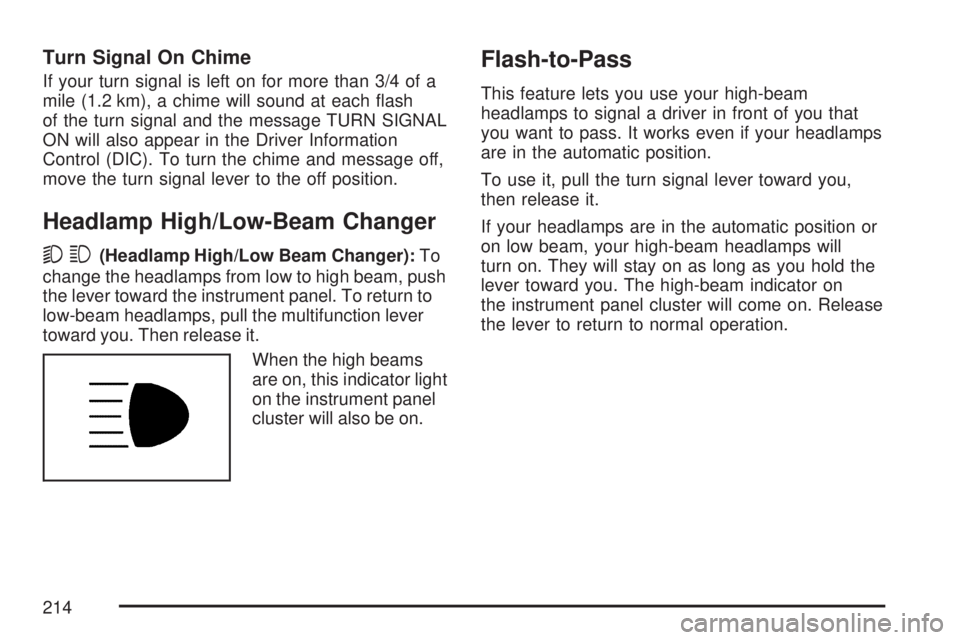
When the high beams
are on, this indicator light
on the instrument panel
cluster will also be on.
Flash-to-Pass
This feature lets you use your high-beam
headlamps to signal a driver in front of you that
you want to pass. It works even if your headlamps
are in the automatic position.
To use it, pull the turn signal lever toward you,
then release it.
If your headlamps are in the automatic position or
on low beam, your high-beam headlamps will
turn on. They will stay on as long as you hold the
lever toward you. The high-beam indicator on
the instrument panel cluster will come on. Release
the lever to return to normal operation.
214
Page 218 of 680
Cruise Control
{CAUTION:
Cruise control can be dangerous where
you cannot drive safely at a steady speed.
So, do not use your cruise control on
winding roads or in heavy traffic.
Cruise control can be dangerous on
slippery roads. On such roads, fast
changes in tire traction can cause
excessive wheel slip, and you could lose
control. Do not use cruise control on
slippery roads.
With cruise control, you can maintain a speed of
about 25 mph (40 km/h) or more without
keeping your foot on the accelerator. This can
really help on long trips. Cruise control does not
work at speeds below about 25 mph (40 km/h).
When you apply your brakes, cruise control
is turned off.If your vehicle has an Allison
®automatic
transmission, see “Grade Braking and Cruise
Grade Braking (Allison Transmission
®) under
Tow/Haul Mode on page 144for an explanation of
how cruise control interacts with the range selection
mode, tow/haul and grade braking systems.
If your vehicle has the StabiliTrak
®™ system and
begins to limit wheel spin while you are using
cruise control, the cruise control will automatically
disengage. SeeStabiliTrak
®System on
page 381. When road conditions allow you to
safely use it again, you may turn the cruise
control back on.
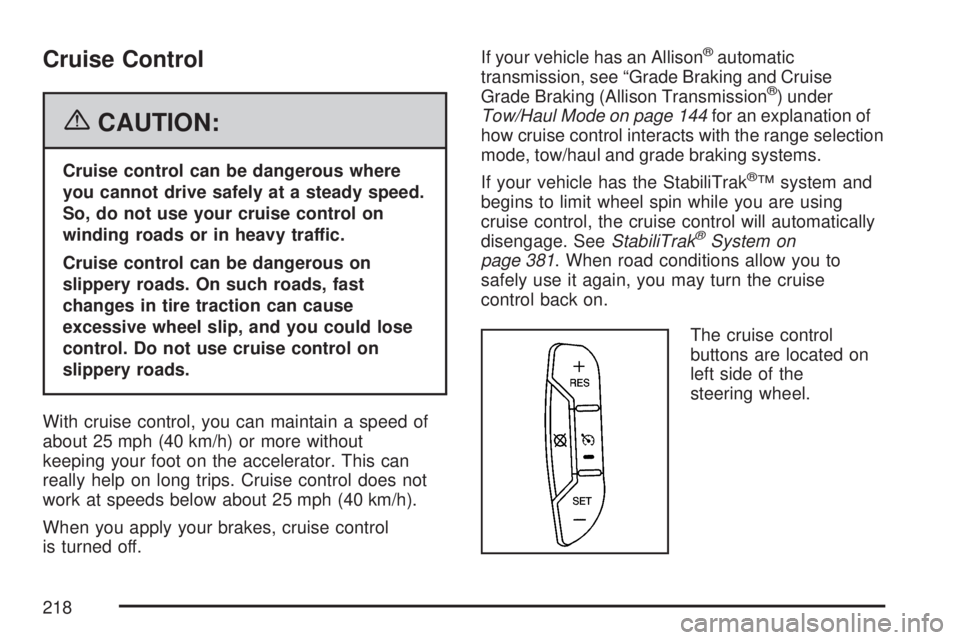
The cruise control
buttons are located on
left side of the
steering wheel.
218