instrument panel GMC SIERRA 2009 User Guide
[x] Cancel search | Manufacturer: GMC, Model Year: 2009, Model line: SIERRA, Model: GMC SIERRA 2009Pages: 596, PDF Size: 3.25 MB
Page 124 of 596
To control the fast idle:
To Enable the Fast idle, press and release the
Cruise Control On/Off button and ensure that
the LED is lit.
For the preset Fast Idle, press and release the
cruise set switch. This will set the preset fast
idle speed.
For the variable fast idle, press and hold the
accelerator at the desired RPM, then press
and release the cruise control cruise set switch
to set the desired idle speed.
When the fast idle is active the Driver Information
Center (DIC) will display “FAST IDLE ON.”
One of the following actions will turn off the fast idle:
Pressing the brake.
Selecting the Cancel button.
Releasing the Parking Brake.
The transmission shifter is moved out of P (Park) or
N (Neutral).
Selecting the cruise control on/off button when it
was previously on.
Adjustable Throttle and Brake Pedal
On vehicles with this feature, you can change the
position of the throttle and brake pedals.
No adjustment to the pedals can be made when the
vehicle is in R (Reverse) or while using the cruise control.
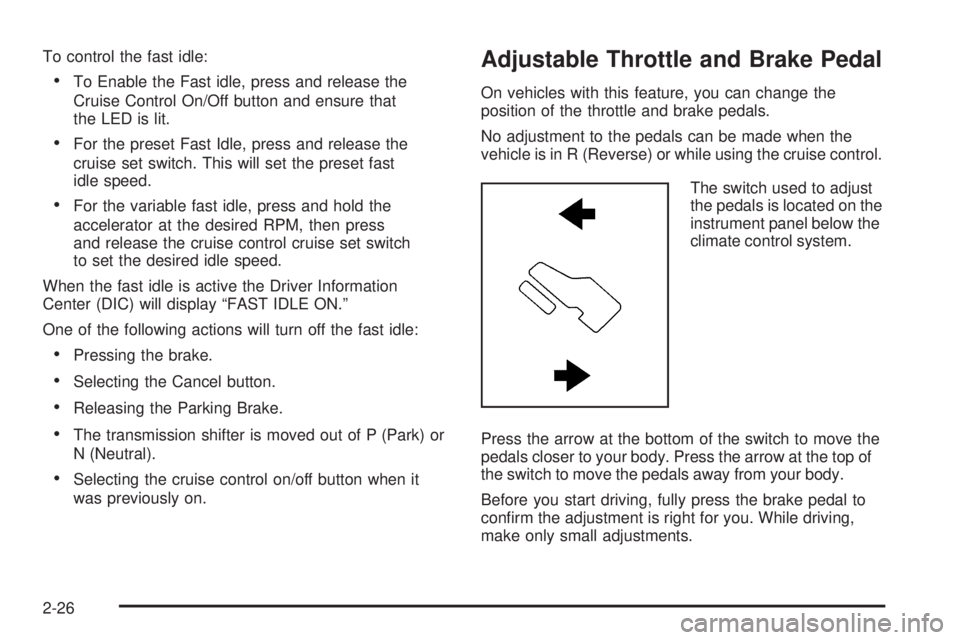
The switch used to adjust
the pedals is located on the
instrument panel below the
climate control system.
Press the arrow at the bottom of the switch to move the
pedals closer to your body. Press the arrow at the top of
the switch to move the pedals away from your body.
Before you start driving, fully press the brake pedal to
conrm the adjustment is right for you. While driving,
make only small adjustments.
2-26
Page 126 of 596
Active Fuel Management™
Vehicles with V8 engines may have Active Fuel
Management™. This system allows the engine to
operate on either all or half of its cylinders, depending
on the driving conditions.
When less power is required, such as cruising at a
constant vehicle speed, the system will operate in the half
cylinder mode, allowing the vehicle to achieve better fuel
economy. When greater power demands are required,
such as accelerating from a stop, passing, or merging
onto a freeway, the system will maintain full-cylinder
operation.
If your vehicle has an Active Fuel Management™
indicator, seeDIC Operation and Displays (With DIC
Buttons) on page 3-53orDIC Operation and Displays
(Without DIC Buttons) on page 3-59for more information
on using this display.
Automatic Transmission Operation
Vehicles with an automatic transmission have an
electronic shift position indicator within the instrument
panel cluster. This display comes on when the ignition
key is turned to the ON/RUN position.
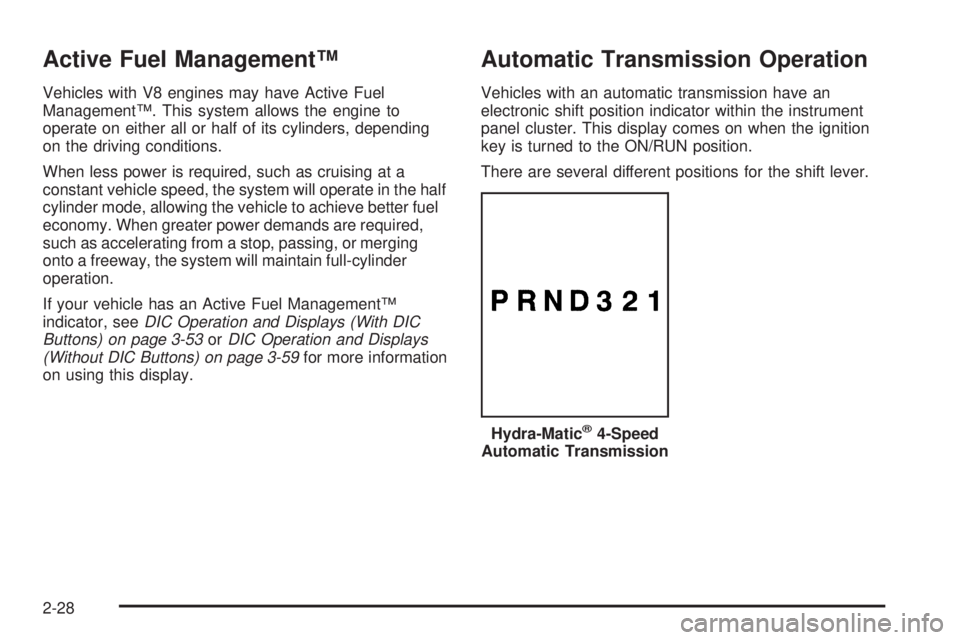
There are several different positions for the shift lever.
Hydra-Matic
®4-Speed
Automatic Transmission
2-28
Page 132 of 596
Tow/Haul ModeVehicles with an automatic transmission have a tow/
haul mode. The tow/haul mode adjusts the transmission
shift pattern to reduce shift cycling, providing increased
performance, vehicle control, and transmission cooling
when towing or hauling heavy loads.
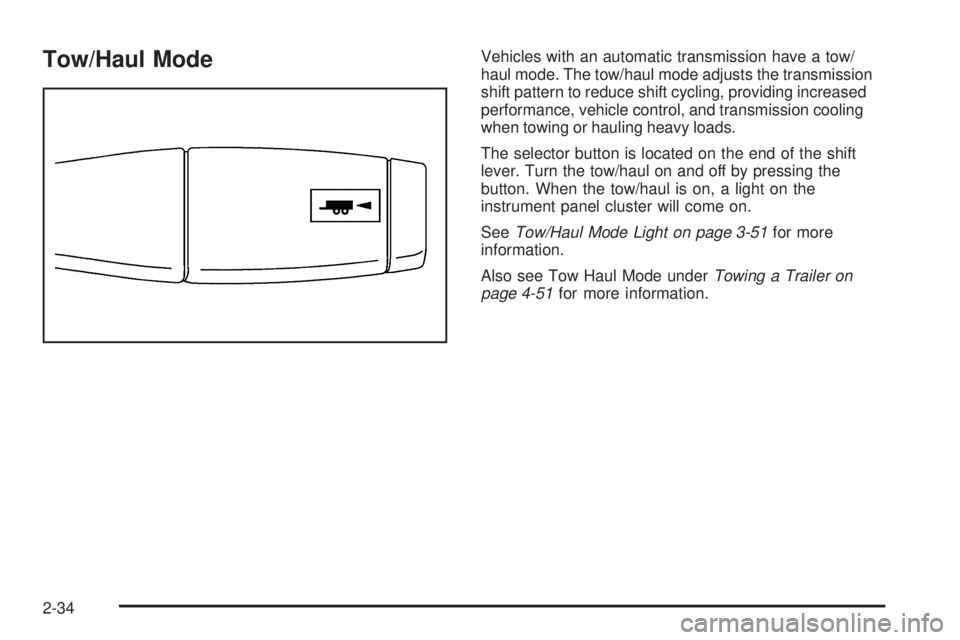
The selector button is located on the end of the shift
lever. Turn the tow/haul on and off by pressing the
button. When the tow/haul is on, a light on the
instrument panel cluster will come on.
SeeTow/Haul Mode Light on page 3-51for more
information.
Also see Tow Haul Mode underTowing a Trailer on
page 4-51for more information.
2-34
Page 133 of 596
Tow/Haul Mode (Allison Transmission®
or Hydra-Matic®6-Speed Automatic
Transmission)
Vehicles with an Allison or Hydra-Matic®6-speed
automatic transmission®have a tow/haul mode.
The tow/haul mode adjusts the transmission shift pattern
to reduce shift cycling, providing increased performance,
vehicle control, and transmission cooling when towing
or hauling heavy loads.
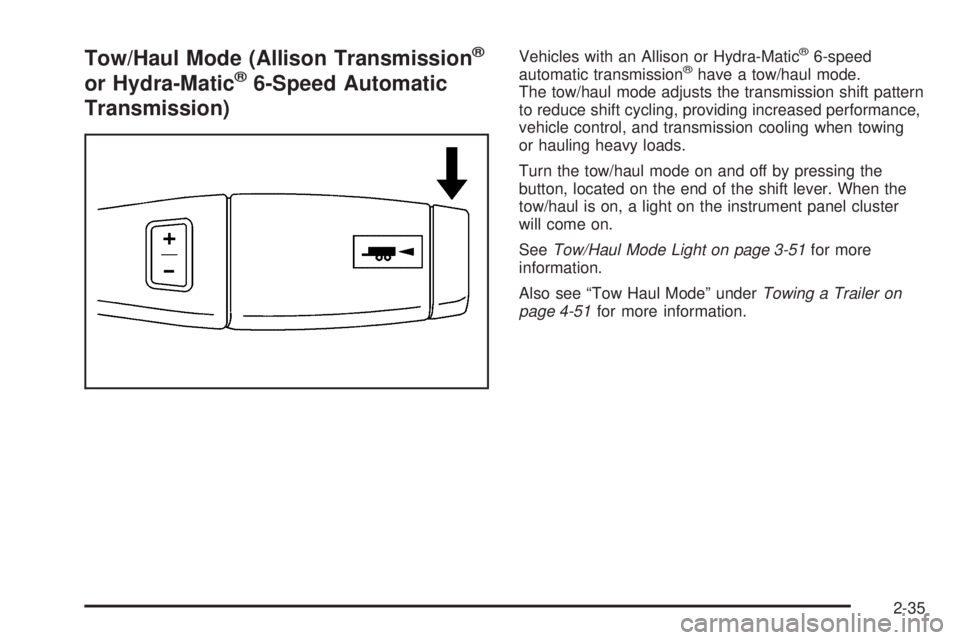
Turn the tow/haul mode on and off by pressing the
button, located on the end of the shift lever. When the
tow/haul is on, a light on the instrument panel cluster
will come on.
SeeTow/Haul Mode Light on page 3-51for more
information.
Also see “Tow Haul Mode” underTowing a Trailer on
page 4-51for more information.
2-35
Page 179 of 596
Storage Areas
Glove Box
Lift up on the glove box lever to open it.
Cupholders
Vehicles with cupholders, have them located on and
behind the center console and in the rear seat armrest.
Pull the loop down on the rear seat armrest to access
the cupholders.
Pull downward on the lid to access the cupholders
behind the center console.
Instrument Panel Storage
Vehicles that have an instrument panel storage area,
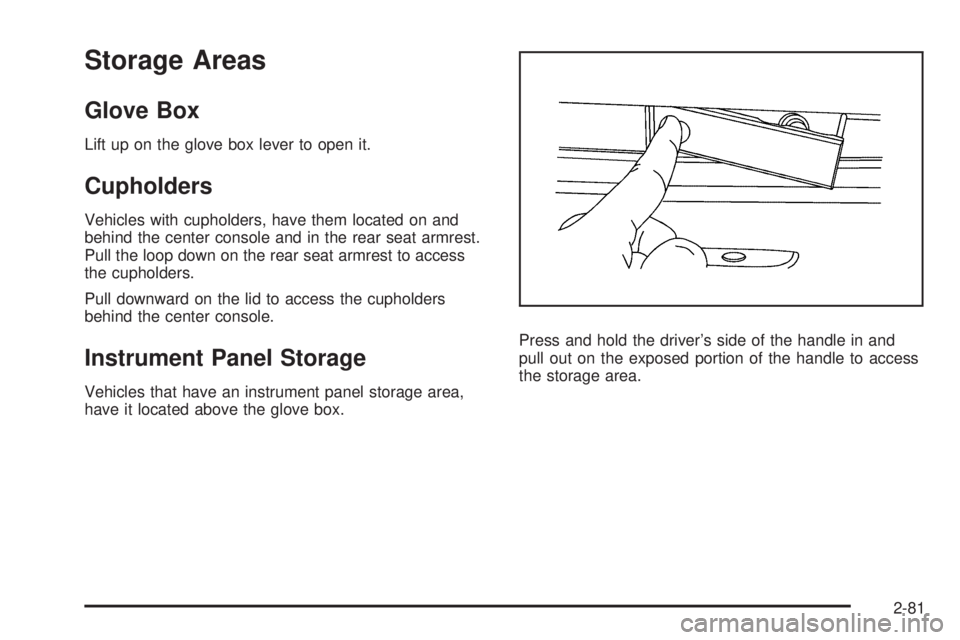
have it located above the glove box.Press and hold the driver’s side of the handle in and
pull out on the exposed portion of the handle to access
the storage area.
2-81
Page 185 of 596
Instrument Panel Overview...............................3-4
Instrument Panel Overview (Base/Uplevel
version).....................................................3-4
Instrument Panel Overview
(Premium version).......................................3-6
Hazard Warning Flashers................................3-8
Horn .............................................................3-8
Tilt Wheel.....................................................3-8
Turn Signal/Multifunction Lever.........................3-9
Turn and Lane-Change Signals........................3-9
Headlamp High/Low-Beam Changer.................3-10
Flash-to-Pass...............................................3-10
Windshield Wipers........................................3-10
Rainsense™ II Wipers...................................3-11
Windshield Washer.......................................3-12
Cruise Control..............................................3-13
Exterior Lamps.............................................3-16
Headlamps on Reminder................................3-17
Daytime Running Lamps (DRL).......................3-17
Automatic Headlamp System..........................3-18
Puddle Lamps..............................................3-19
Fog Lamps ..................................................3-19
Auxiliary Roof Mounted Lamp.........................3-19
Instrument Panel Brightness...........................3-20
Dome Lamps ...............................................3-20
Dome Lamp Override....................................3-20
Entry Lighting...............................................3-20Exit Lighting.................................................3-20
Reading Lamps............................................3-21
Cargo Lamp.................................................3-21
Electric Power Management...........................3-21
Battery Run-Down Protection..........................3-22
Accessory Power Outlet(s).............................3-22
Ashtray(s) and Cigarette Lighter......................3-23
Climate Controls............................................3-24
Climate Control System
(With Heater Only)....................................
.3-24
Climate Control System
(With Air Conditioning)...............................3-25
Dual Automatic Climate Control System...........3-27
Outlet Adjustment.........................................3-33
Warning Lights, Gages, and Indicators............3-33
Instrument Panel Cluster................................3-34
Speedometer and Odometer...........................3-35
Trip Odometer..............................................3-35
Tachometer.................................................3-35
Safety Belt Reminders...................................3-36
Airbag Readiness Light..................................3-37
Airbag Off Light............................................3-38
Passenger Airbag Status Indicator...................3-40
Charging System Light..................................3-41
Voltmeter Gage............................................3-41
Brake System Warning Light..........................3-42
Section 3 Instrument Panel
3-1
Page 186 of 596
Antilock Brake System (ABS)
Warning Light...........................................3-43
StabiliTrak
®Indicator Light.............................3-44
Engine Coolant Temperature Gage..................3-44
Tire Pressure Light.......................................3-45
Malfunction Indicator Lamp.............................3-45
Oil Pressure Gage........................................3-48
Oil Pressure Light.........................................3-49
Security Light...............................................3-50
Fog Lamp Light............................................3-50
Cruise Control Light......................................3-50
Highbeam On Light.......................................3-50
Four-Wheel-Drive Light..................................3-51
Tow/Haul Mode Light....................................3-51
Fuel Gage...................................................3-51
Low Fuel Warning Light.................................3-52
Driver Information Center (DIC).......................3-53
DIC Operation and Displays (With DIC
Buttons)...................................................3-53
DIC Operation and Displays (Without DIC
Buttons)...................................................3-59
DIC Compass..............................................3-63
DIC Warnings and Messages.........................3-66
DIC Vehicle Customization
(With DIC Buttons)....................................3-76Audio System(s).............................................3-85
Setting the Clock..........................................3-86
Radio(s)......................................................3-88
Using an MP3 (Radio with CD or
Six-Disc CD Player).................................3-108
Using an MP3 (Radio with CD and
DVD Player)...........................................3-113
XM Radio Messages...................................3-118
Navigation/Radio System..............................3-119
Bluetooth
®.................................................3-119
Rear Seat Entertainment (RSE) System.........3-129
Rear Seat Audio (RSA)................................3-139
Theft-Deterrent Feature................................3-140
Audio Steering Wheel Controls......................3-141
Radio Reception.........................................3-141
Fixed Mast Antenna....................................3-142
XM™ Satellite Radio Antenna System..............3-142
Section 3 Instrument Panel
3-2
Page 188 of 596
Instrument Panel Overview
Instrument Panel Overview (Base/Uplevel version)
3-4
Page 189 of 596
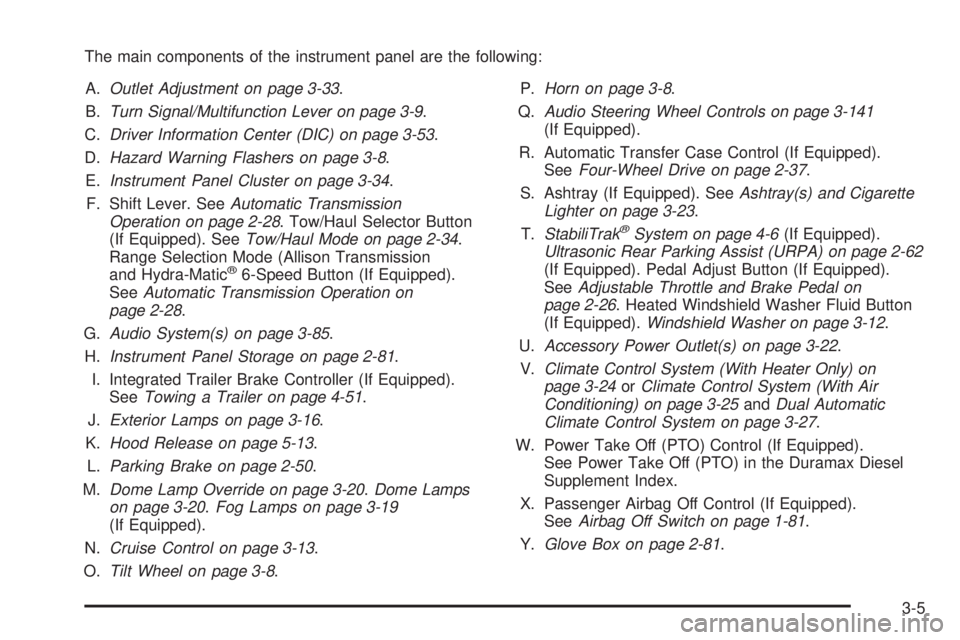
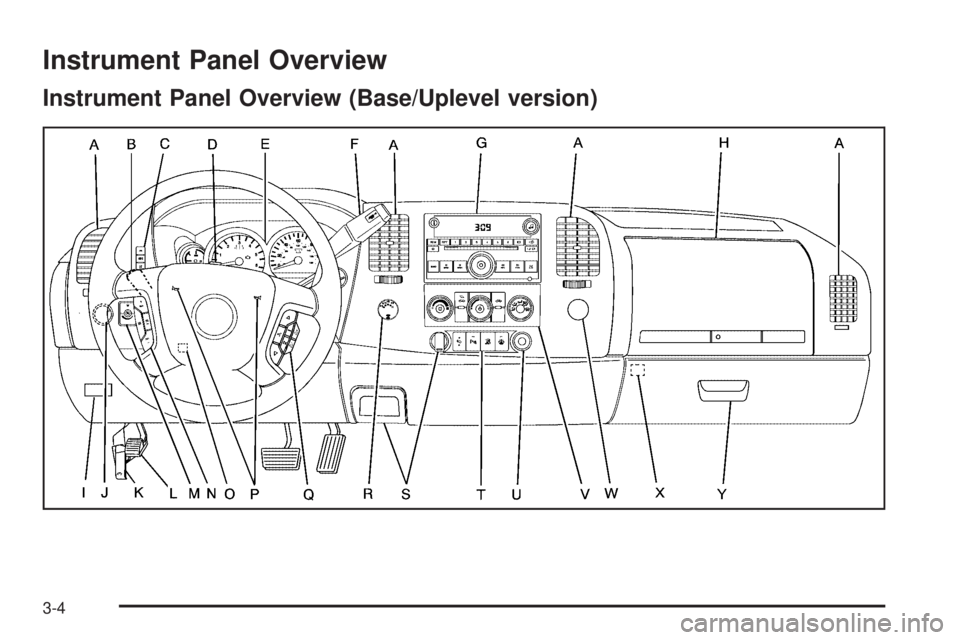
The main components of the instrument panel are the following:
A.Outlet Adjustment on page 3-33.
B.Turn Signal/Multifunction Lever on page 3-9.
C.Driver Information Center (DIC) on page 3-53.
D.Hazard Warning Flashers on page 3-8.
E.Instrument Panel Cluster on page 3-34.
F. Shift Lever. SeeAutomatic Transmission
Operation on page 2-28. Tow/Haul Selector Button
(If Equipped). SeeTow/Haul Mode on page 2-34.
Range Selection Mode (Allison Transmission
and Hydra-Matic
®6-Speed Button (If Equipped).
SeeAutomatic Transmission Operation on
page 2-28.
G.Audio System(s) on page 3-85.
H.Instrument Panel Storage on page 2-81.
I. Integrated Trailer Brake Controller (If Equipped).
SeeTowing a Trailer on page 4-51.
J.Exterior Lamps on page 3-16.
K.Hood Release on page 5-13.
L.Parking Brake on page 2-50.
M.Dome Lamp Override on page 3-20.Dome Lamps
on page 3-20.Fog Lamps on page 3-19
(If Equipped).
N.Cruise Control on page 3-13.
O.Tilt Wheel on page 3-8.P.Horn on page 3-8.
Q.Audio Steering Wheel Controls on page 3-141
(If Equipped).
R. Automatic Transfer Case Control (If Equipped).
SeeFour-Wheel Drive on page 2-37.
S. Ashtray (If Equipped). SeeAshtray(s) and Cigarette
Lighter on page 3-23.
T.StabiliTrak
®System on page 4-6(If Equipped).
Ultrasonic Rear Parking Assist (URPA) on page 2-62
(If Equipped). Pedal Adjust Button (If Equipped).
SeeAdjustable Throttle and Brake Pedal on
page 2-26. Heated Windshield Washer Fluid Button
(If Equipped).Windshield Washer on page 3-12.
U.Accessory Power Outlet(s) on page 3-22.
V.Climate Control System (With Heater Only) on
page 3-24orClimate Control System (With Air
Conditioning) on page 3-25andDual Automatic
Climate Control System on page 3-27.
W. Power Take Off (PTO) Control (If Equipped).
See Power Take Off (PTO) in the Duramax Diesel
Supplement Index.
X. Passenger Airbag Off Control (If Equipped).
SeeAirbag Off Switch on page 1-81.
Y.Glove Box on page 2-81.
3-5
Page 190 of 596
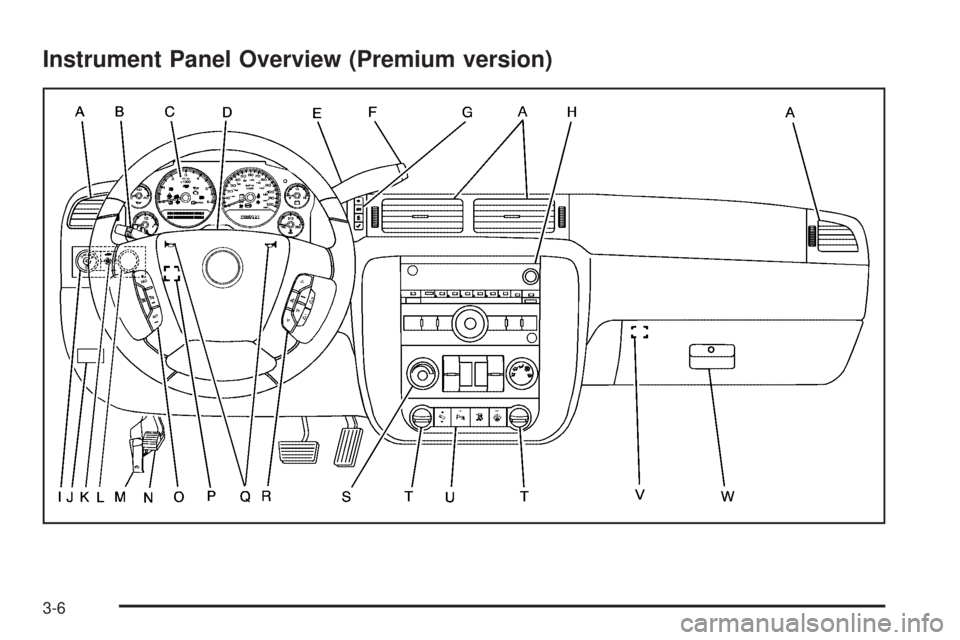
Instrument Panel Overview (Premium version)
3-6