traction control GMC SIERRA 2011 User Guide
[x] Cancel search | Manufacturer: GMC, Model Year: 2011, Model line: SIERRA, Model: GMC SIERRA 2011Pages: 594, PDF Size: 6.55 MB
Page 306 of 594
Black plate (12,1)GMC Sierra Owner Manual - 2011
9-12 Driving and Operating
Driving on Hills
Off-road driving often takes you up,
down, or across a hill. Driving safely
on hills requires good judgment
and an understanding of what the
vehicle can and cannot do. There
are some hills that simply cannot be
driven, no matter how well built the
vehicle.
{WARNING
Many hills are simply too steep
for any vehicle. If you drive up
them, you will stall. If you drive
down them, you cannot control
your speed. If you drive across
them, you will roll over. You could
be seriously injured or killed.
If you have any doubt about the
steepness, do not drive the hill.
Approaching a Hill
When you approach a hill, decide
if it is too steep to climb, descend,
or cross. Steepness can be hard
to judge. On a very small hill, for
example, there may be a smooth,
constant incline with only a small
change in elevation where you can
easily see all the way to the top.
On a large hill, the incline may get
steeper as you near the top, but
you might not see this because the
crest of the hill is hidden by bushes,
grass, or shrubs.
Consider this as you approach a hill:
.Is there a constant incline,
or does the hill get sharply
steeper in places?
.Is there good traction on the
hillside, or will the surface cause
tire slipping?
.Is there a straight path up
or down the hill so you will
not have to make turning
maneuvers?
.Are there obstructions on the hill
that can block your path, such
as boulders, trees, logs, or ruts?
.What is beyond the hill? Is
there a cliff, an embankment, a
drop-off, a fence? Get out and
walk the hill if you do not know.
It is the smart way to find out.
.Is the hill simply too rough?
Steep hills often have ruts,
gullies, troughs, and exposed
rocks because they are more
susceptible to the effects of
erosion.
Page 311 of 594
Black plate (17,1)GMC Sierra Owner Manual - 2011
Driving and Operating 9-17
Stalling on an Incline
{WARNING
Getting out on the downhill (low)
side of a vehicle stopped across
an incline is dangerous. If the
vehicle rolls over, you could be
crushed or killed. Always get out
on the uphill (high) side of the
vehicle and stay well clear of the
rollover path.
If the vehicle stalls when crossing
an incline, be sure you, and
any passengers, get out on the
uphill side, even if the door there
is harder to open. If you get out on
the downhill side and the vehicle
starts to roll over, you will be right
in its path.
If you have to walk down the slope,
stay out of the path the vehicle will
take if it does roll over.
Driving in Mud, Sand, Snow,
or Ice
When you drive in mud, snow,
or sand, the wheels do not get
good traction. Acceleration is not
as quick, turning is more difficult,
and braking distances are longer.
It is best to use a low gear when
in mud —the deeper the mud, the
lower the gear. In really deep mud,
keep the vehicle moving so it does
not get stuck.
When driving on sand, wheel
traction changes. On loosely packed
sand, such as on beaches or sand
dunes, the tires will tend to sink into
the sand. This affects steering,
accelerating, and braking. Drive at
a reduced speed and avoid sharp
turns or abrupt maneuvers. Hard packed snow and ice offer
the worst tire traction. On these
surfaces, it is very easy to lose
control. On wet ice, for example,
the traction is so poor that you
will have difficulty accelerating.
And, if the vehicle does get moving,
poor steering and difficult braking
can cause it to slide out of control.
{WARNING
Driving on frozen lakes, ponds,
or rivers can be dangerous.
Underwater springs, currents
under the ice, or sudden thaws
can weaken the ice. Your vehicle
could fall through the ice and
you and your passengers could
drown. Drive your vehicle on safe
surfaces only.
Page 313 of 594
Black plate (19,1)GMC Sierra Owner Manual - 2011
Driving and Operating 9-19
Driving on Wet Roads
Rain and wet roads can reduce
vehicle traction and affect your
ability to stop and accelerate.
Always drive slower in these types
of driving conditions and avoid
driving through large puddles and
deep‐standing or flowing water.
{WARNING
Wet brakes can cause crashes.
They might not work as well in
a quick stop and could cause
pulling to one side. You could
lose control of the vehicle.(Continued)
WARNING (Continued)
After driving through a large
puddle of water or a car/vehicle
wash, lightly apply the brake
pedal until the brakes work
normally.
Flowing or rushing water creates
strong forces. Driving through
flowing water could cause the
vehicle to be carried away. If this
happens, you and other vehicle
occupants could drown. Do not
ignore police warnings and be
very cautious about trying to
drive through flowing water.
Hydroplaning
Hydroplaning is dangerous. Water
can build up under the vehicle's
tires so they actually ride on the
water. This can happen if the road
is wet enough and you are going
fast enough. When the vehicle is
hydroplaning, it has little or no
contact with the road.
There is no hard and fast rule about
hydroplaning. The best advice is to
slow down when the road is wet.
Page 315 of 594
Black plate (21,1)GMC Sierra Owner Manual - 2011
Driving and Operating 9-21
{WARNING
Coasting downhill in N (Neutral)
or with the ignition off is
dangerous. The brakes will
have to do all the work of slowing
down and they could get so hot
that they would not work well.
You would then have poor braking
or even none going down a hill.
You could crash. Always have the
engine running and the vehicle in
gear when going downhill.
.Stay in your own lane. Do not
swing wide or cut across the
center of the road. Drive at
speeds that let you stay in
your own lane.
.Top of hills: Be alert—
something could be in your
lane (stalled car, accident).
.Pay attention to special road
signs (falling rocks area, winding
roads, long grades, passing or
no-passing zones) and take
appropriate action.
Winter Driving
Driving on Snow or Ice
Drive carefully when there is snow
or ice between the tires and the
road, creating less traction or grip.
Wet ice can occur at about 0°C
(32°F) when freezing rain begins to
fall, resulting in even less traction.
Avoid driving on wet ice or in
freezing rain until roads can be
treated with salt or sand.
Drive with caution, whatever the
condition. Accelerate gently so
traction is not lost. Accelerating too
quickly causes the wheels to spin
and makes the surface under the
tires slick, so there is even less
traction. Try not to break the fragile traction.
If you accelerate too fast, the drive
wheels will spin and polish the
surface under the tires even more.
The
Antilock Brake System (ABS)
on page 9‑68 improves vehicle
stability during hard stops on
slippery roads, but apply the brakes
sooner than when on dry pavement.
Allow greater following distance on
any slippery road and watch for
slippery spots. Icy patches can
occur on otherwise clear roads in
shaded areas. The surface of a
curve or an overpass can remain
icy when the surrounding roads
are clear. Avoid sudden steering
maneuvers and braking while
on ice.
Turn off cruise control on slippery
surfaces.
Page 318 of 594
Black plate (24,1)GMC Sierra Owner Manual - 2011
9-24 Driving and Operating
Rocking Your Vehicle to Get
It Out
Turn the steering wheel left and
right to clear the area around the
front wheels. For four-wheel-drive
vehicles, shift into Four‐Wheel
High. For vehicles with StabiliTrak
®,
turn the traction control part of the
system off. Shift back and forth
between R (Reverse) and a forward
gear, spinning the wheels as little as
possible. To prevent transmission
wear, wait until the wheels stop
spinning before shifting gears.
Release the accelerator pedal
while shifting, and press lightly
on the accelerator pedal when
the transmission is in gear. Slowly
spinning the wheels in the forward
and reverse directions causes a
rocking motion that could free the vehicle. If that does not get the
vehicle out after a few tries, it might
need to be towed out. Recovery
hooks can be used, if the vehicle
has them. If the vehicle does need
to be towed out, see
Towing the
Vehicle on page 10‑103.
Recovery Hooks
{WARNING
These hooks, when used, are
under a lot of force. Always pull
the vehicle straight out. Never pull
on the hooks at a sideways angle.
The hooks could break off and
you or others could be injured
from the chain or cable
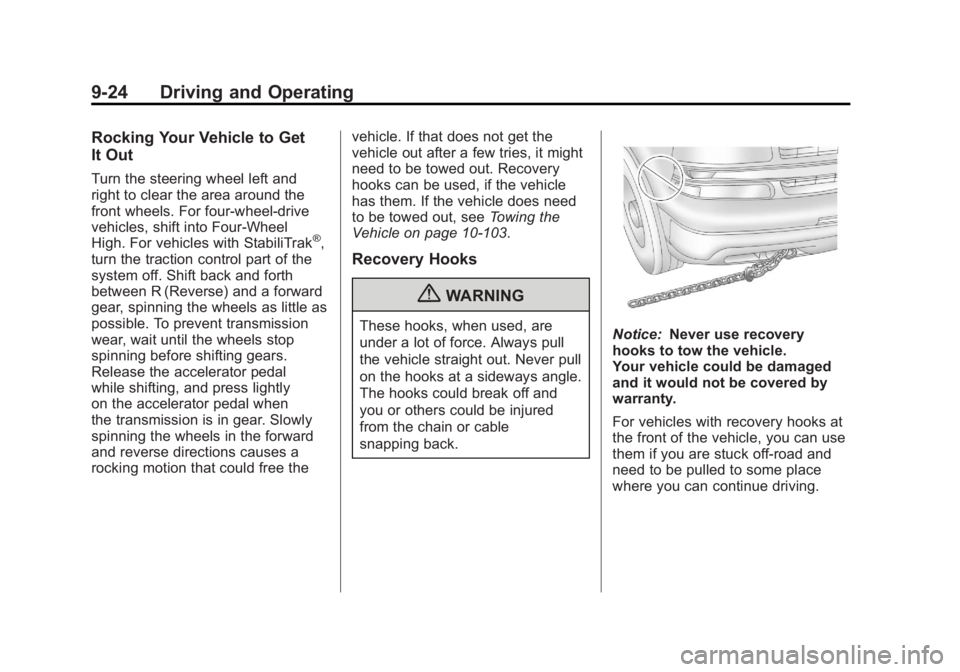
snapping back.Notice: Never use recovery
hooks to tow the vehicle.
Your vehicle could be damaged
and it would not be covered by
warranty.
For vehicles with recovery hooks at
the front of the vehicle, you can use
them if you are stuck off-road and
need to be pulled to some place
where you can continue driving.
Page 345 of 594
Black plate (51,1)GMC Sierra Owner Manual - 2011
Driving and Operating 9-51
Low Traction Mode
If your vehicle has the Allison
Transmission, or the Hydra-Matic
6-Speed Automatic Transmission,
it has a Low Traction Mode that
can assist in vehicle acceleration
when road conditions are slippery,
such as with ice or snow. While
the vehicle is at a stop, select the
second gear range using Range
Selection Mode. This will limit
torque to the wheels after it detects
wheel slip, preventing the tires from
spinning.
Tow/Haul Mode
Vehicles with an automatic
transmission have a Tow/Haul
Mode. The Tow/Haul Mode adjusts
the transmission shift pattern to
reduce shift cycling, providing
increased performance, vehicle
control, and transmission cooling
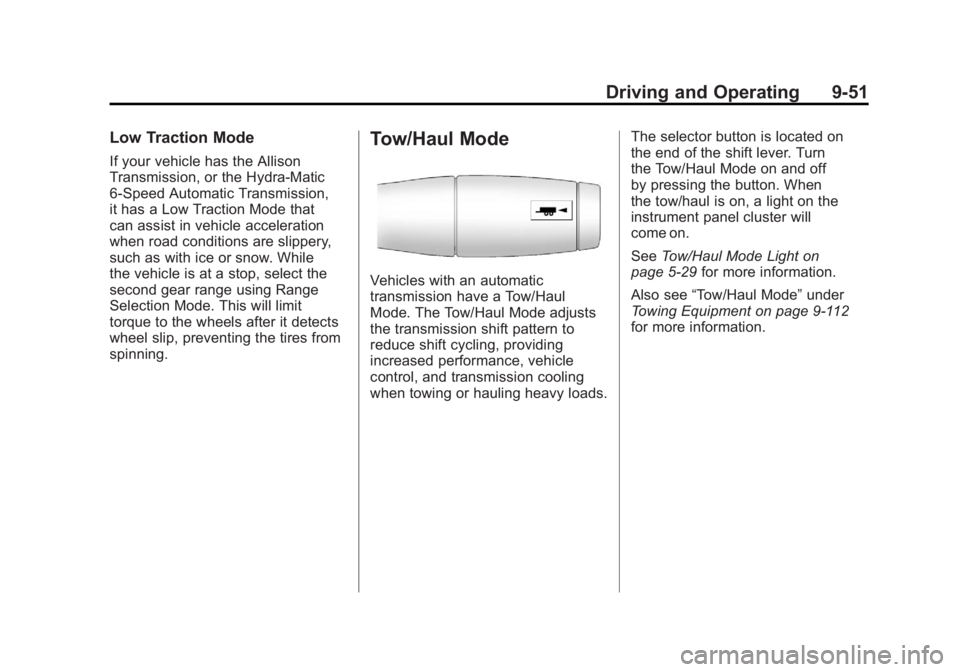
when towing or hauling heavy loads.The selector button is located on
the end of the shift lever. Turn
the Tow/Haul Mode on and off
by pressing the button. When
the tow/haul is on, a light on the
instrument panel cluster will
come on.
See
Tow/Haul Mode Light on
page 5‑29 for more information.
Also see “Tow/Haul Mode” under
Towing Equipment on page 9‑112
for more information.
Page 348 of 594
Black plate (54,1)GMC Sierra Owner Manual - 2011
9-54 Driving and Operating
Drive Systems
Four-Wheel Drive
If the vehicle has Four-Wheel
Drive, you can send the engine's
driving power to all four wheels
for extra traction. To get the most
satisfaction out of Four-Wheel
Drive, you must be familiar with its
operation. Read the following before
using Four-Wheel Drive. See the
appropriate text for the transfer
case in the vehicle.
Notice:Driving on clean, dry
pavement in Four-Wheel Drive
High or Four-Wheel Drive Low for
an extended period of time may
cause premature wear on the
vehicle's powertrain. Do not
drive on clean, dry pavement
in Four-Wheel Drive High or
Four-Wheel Drive Low for
extended periods of time. While driving on clean dry pavement
and during tight turns, you may
experience vibration in the steering
system.
If the vehicle has StabiliTrak®,
shifting into Four-Wheel Drive
Low will turn Traction Control and
StabiliTrak off. See StabiliTrak
®
System on page 9‑70.
Front Axle
The front axle engages and
disengages automatically when you
shift the transfer case. Some delay
for the axle to engage or disengage
is normal.
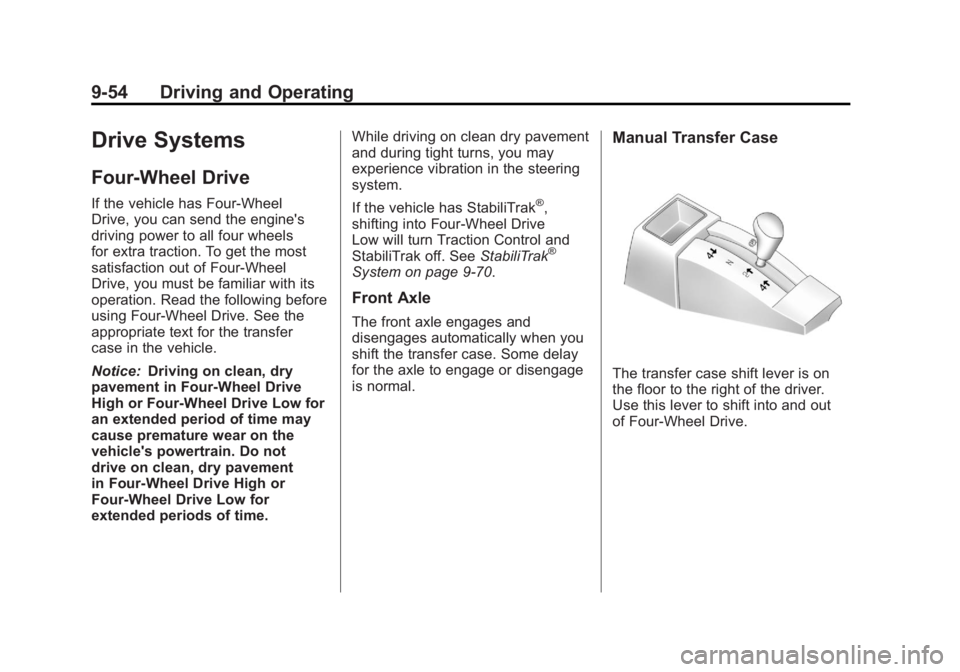
Manual Transfer Case
The transfer case shift lever is on
the floor to the right of the driver.
Use this lever to shift into and out
of Four-Wheel Drive.
Page 350 of 594
Black plate (56,1)GMC Sierra Owner Manual - 2011
9-56 Driving and Operating
If the vehicle has StabiliTrak®,
shifting into Four-Wheel Drive
Low will turn Traction Control and
StabiliTrak off. See StabiliTrak
®
System on page 9‑70.
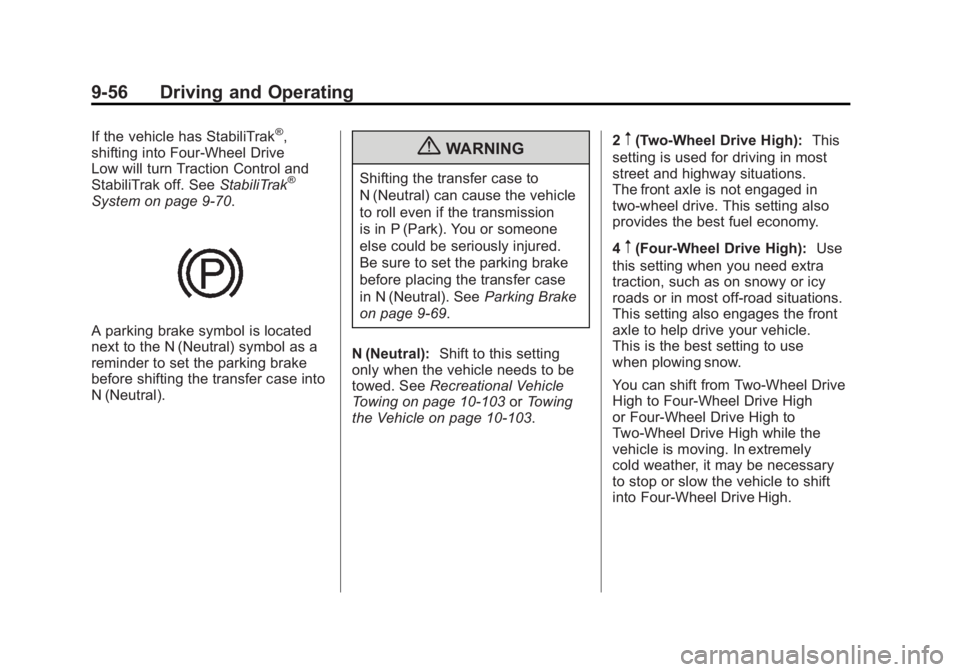
A parking brake symbol is located
next to the N (Neutral) symbol as a
reminder to set the parking brake
before shifting the transfer case into
N (Neutral).
{WARNING
Shifting the transfer case to
N (Neutral) can cause the vehicle
to roll even if the transmission
is in P (Park). You or someone
else could be seriously injured.
Be sure to set the parking brake
before placing the transfer case
in N (Neutral). SeeParking Brake
on page 9‑69.
N (Neutral): Shift to this setting
only when the vehicle needs to be
towed. See Recreational Vehicle
Towing on page 10‑103 orTowing
the Vehicle on page 10‑103. 2
m(Two-Wheel Drive High):
This
setting is used for driving in most
street and highway situations.
The front axle is not engaged in
two-wheel drive. This setting also
provides the best fuel economy.
4
m(Four-Wheel Drive High): Use
this setting when you need extra
traction, such as on snowy or icy
roads or in most off-road situations.
This setting also engages the front
axle to help drive your vehicle.
This is the best setting to use
when plowing snow.
You can shift from Two-Wheel Drive
High to Four-Wheel Drive High
or Four-Wheel Drive High to
Two-Wheel Drive High while the
vehicle is moving. In extremely
cold weather, it may be necessary
to stop or slow the vehicle to shift
into Four-Wheel Drive High.
Page 354 of 594
Black plate (60,1)GMC Sierra Owner Manual - 2011
9-60 Driving and Operating
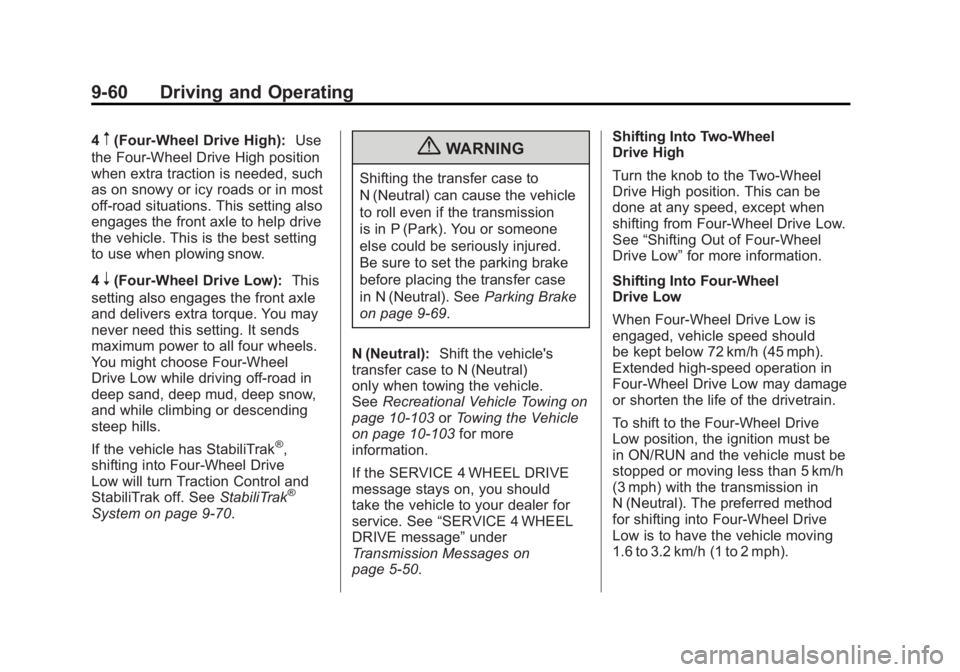
4m(Four-Wheel Drive High):Use
the Four-Wheel Drive High position
when extra traction is needed, such
as on snowy or icy roads or in most
off-road situations. This setting also
engages the front axle to help drive
the vehicle. This is the best setting
to use when plowing snow.
4
n(Four-Wheel Drive Low): This
setting also engages the front axle
and delivers extra torque. You may
never need this setting. It sends
maximum power to all four wheels.
You might choose Four-Wheel
Drive Low while driving off-road in
deep sand, deep mud, deep snow,
and while climbing or descending
steep hills.
If the vehicle has StabiliTrak
®,
shifting into Four-Wheel Drive
Low will turn Traction Control and
StabiliTrak off. See StabiliTrak
®
System on page 9‑70.
{WARNING
Shifting the transfer case to
N (Neutral) can cause the vehicle
to roll even if the transmission
is in P (Park). You or someone
else could be seriously injured.
Be sure to set the parking brake
before placing the transfer case
in N (Neutral). SeeParking Brake
on page 9‑69.
N (Neutral): Shift the vehicle's
transfer case to N (Neutral)
only when towing the vehicle.
See Recreational Vehicle Towing on
page 10‑103 orTowing the Vehicle
on page 10‑103 for more
information.
If the SERVICE 4 WHEEL DRIVE
message stays on, you should
take the vehicle to your dealer for
service. See “SERVICE 4 WHEEL
DRIVE message” under
Transmission Messages on
page 5‑50. Shifting Into Two-Wheel
Drive High
Turn the knob to the Two-Wheel
Drive High position. This can be
done at any speed, except when
shifting from Four-Wheel Drive Low.
See
“Shifting Out of Four-Wheel
Drive Low” for more information.
Shifting Into Four-Wheel
Drive Low
When Four-Wheel Drive Low is
engaged, vehicle speed should
be kept below 72 km/h (45 mph).
Extended high-speed operation in
Four-Wheel Drive Low may damage
or shorten the life of the drivetrain.
To shift to the Four-Wheel Drive
Low position, the ignition must be
in ON/RUN and the vehicle must be
stopped or moving less than 5 km/h
(3 mph) with the transmission in
N (Neutral). The preferred method
for shifting into Four-Wheel Drive
Low is to have the vehicle moving
1.6 to 3.2 km/h (1 to 2 mph).
Page 358 of 594
Black plate (64,1)GMC Sierra Owner Manual - 2011
9-64 Driving and Operating
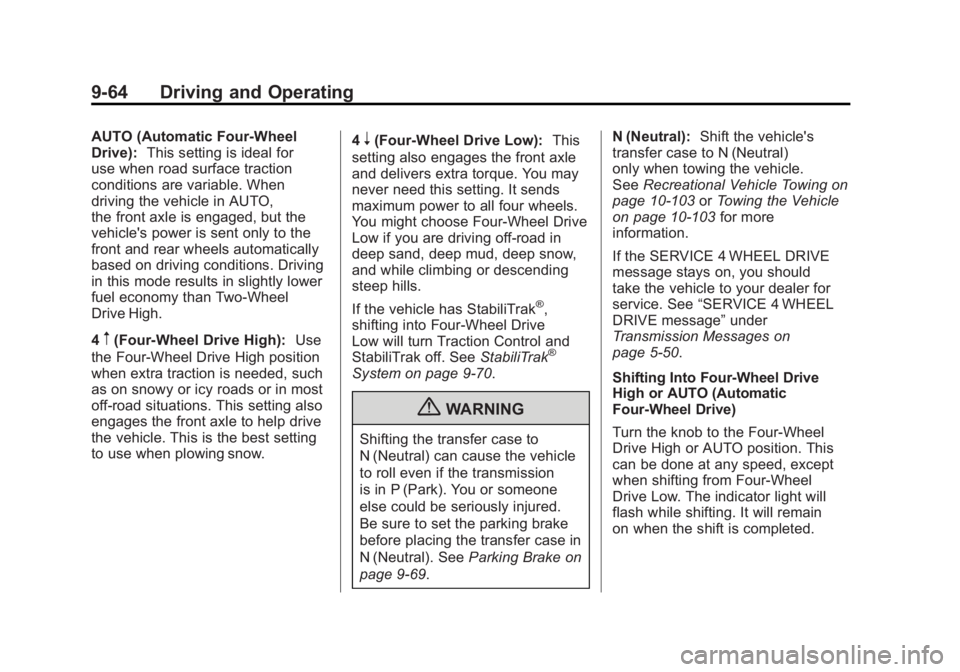
AUTO (Automatic Four-Wheel
Drive):This setting is ideal for
use when road surface traction
conditions are variable. When
driving the vehicle in AUTO,
the front axle is engaged, but the
vehicle's power is sent only to the
front and rear wheels automatically
based on driving conditions. Driving
in this mode results in slightly lower
fuel economy than Two-Wheel
Drive High.
4
m(Four-Wheel Drive High): Use
the Four-Wheel Drive High position
when extra traction is needed, such
as on snowy or icy roads or in most
off-road situations. This setting also
engages the front axle to help drive
the vehicle. This is the best setting
to use when plowing snow. 4
n(Four-Wheel Drive Low):
This
setting also engages the front axle
and delivers extra torque. You may
never need this setting. It sends
maximum power to all four wheels.
You might choose Four-Wheel Drive
Low if you are driving off-road in
deep sand, deep mud, deep snow,
and while climbing or descending
steep hills.
If the vehicle has StabiliTrak
®,
shifting into Four-Wheel Drive
Low will turn Traction Control and
StabiliTrak off. See StabiliTrak
®
System on page 9‑70.
{WARNING
Shifting the transfer case to
N (Neutral) can cause the vehicle
to roll even if the transmission
is in P (Park). You or someone
else could be seriously injured.
Be sure to set the parking brake
before placing the transfer case in
N (Neutral). SeeParking Brake on
page 9‑69. N (Neutral):
Shift the vehicle's
transfer case to N (Neutral)
only when towing the vehicle.
See Recreational Vehicle Towing on
page 10‑103 orTowing the Vehicle
on page 10‑103 for more
information.
If the SERVICE 4 WHEEL DRIVE
message stays on, you should
take the vehicle to your dealer for
service. See “SERVICE 4 WHEEL
DRIVE message” under
Transmission Messages on
page 5‑50.
Shifting Into Four-Wheel Drive
High or AUTO (Automatic
Four-Wheel Drive)
Turn the knob to the Four-Wheel
Drive High or AUTO position. This
can be done at any speed, except
when shifting from Four-Wheel
Drive Low. The indicator light will
flash while shifting. It will remain
on when the shift is completed.