parking brake GMC SIERRA 2011 Owner's Guide
[x] Cancel search | Manufacturer: GMC, Model Year: 2011, Model line: SIERRA, Model: GMC SIERRA 2011Pages: 594, PDF Size: 6.55 MB
Page 358 of 594
Black plate (64,1)GMC Sierra Owner Manual - 2011
9-64 Driving and Operating
AUTO (Automatic Four-Wheel
Drive):This setting is ideal for
use when road surface traction
conditions are variable. When
driving the vehicle in AUTO,
the front axle is engaged, but the
vehicle's power is sent only to the
front and rear wheels automatically
based on driving conditions. Driving
in this mode results in slightly lower
fuel economy than Two-Wheel
Drive High.
4
m(Four-Wheel Drive High): Use
the Four-Wheel Drive High position
when extra traction is needed, such
as on snowy or icy roads or in most
off-road situations. This setting also
engages the front axle to help drive
the vehicle. This is the best setting
to use when plowing snow. 4
n(Four-Wheel Drive Low):
This
setting also engages the front axle
and delivers extra torque. You may
never need this setting. It sends
maximum power to all four wheels.
You might choose Four-Wheel Drive
Low if you are driving off-road in
deep sand, deep mud, deep snow,
and while climbing or descending
steep hills.
If the vehicle has StabiliTrak
®,
shifting into Four-Wheel Drive
Low will turn Traction Control and
StabiliTrak off. See StabiliTrak
®
System on page 9‑70.
{WARNING
Shifting the transfer case to
N (Neutral) can cause the vehicle
to roll even if the transmission
is in P (Park). You or someone
else could be seriously injured.
Be sure to set the parking brake
before placing the transfer case in
N (Neutral). SeeParking Brake on
page 9‑69. N (Neutral):
Shift the vehicle's
transfer case to N (Neutral)
only when towing the vehicle.
See Recreational Vehicle Towing on
page 10‑103 orTowing the Vehicle
on page 10‑103 for more
information.
If the SERVICE 4 WHEEL DRIVE
message stays on, you should
take the vehicle to your dealer for
service. See “SERVICE 4 WHEEL
DRIVE message” under
Transmission Messages on
page 5‑50.
Shifting Into Four-Wheel Drive
High or AUTO (Automatic
Four-Wheel Drive)
Turn the knob to the Four-Wheel
Drive High or AUTO position. This
can be done at any speed, except
when shifting from Four-Wheel
Drive Low. The indicator light will
flash while shifting. It will remain
on when the shift is completed.
Page 360 of 594
Black plate (66,1)GMC Sierra Owner Manual - 2011
9-66 Driving and Operating
Shifting Out of Four-Wheel
Drive Low
To shift from Four-Wheel Drive
Low to Four-Wheel Drive High,
AUTO or Two-Wheel Drive High,
the vehicle must be stopped or
moving less than 5 km/h (3 mph)
with the transmission in N (Neutral)
and the ignition in ON/RUN.
The preferred method for shifting
out of Four-Wheel Drive Low
is to have the vehicle moving
1.6 to 3.2 km/h (1 to 2 mph). Turn
the knob to the Four-Wheel Drive
High, AUTO or Two-Wheel Drive
High position. You must wait for
the Four-Wheel Drive High, AUTO
or Two-Wheel Drive High indicator
light to stop flashing and remain
on before shifting the transmission
into gear.
Notice:Shifting the transmission
into gear before the requested
mode indicator light has stopped
flashing could damage the transfer case. To help avoid
damaging the vehicle, always
wait for the mode indicator lights
to stop flashing before shifting
the transmission into gear.
It is typical for the vehicle to
exhibit significant engagement
noise and bump when shifting
between Four-Wheel Drive Low
and Four-Wheel Drive High ranges
or from N (Neutral) with the engine
running.
If the knob is turned to the
Four-Wheel Drive High, AUTO,
or Two-Wheel Drive High switch
position when the vehicle is in gear
and/or moving, the Four-Wheel
Drive High, AUTO or Two-Wheel
Drive High indicator light will flash
for 30 seconds but will not complete
the shift unless the vehicle is
moving less than 5 km/h (3 mph)
and the transmission is in
N (Neutral).
Shifting into Neutral
To shift the transfer case to
N (Neutral) do the following:
1. Make sure the vehicle is parked
so that it will not roll.
2. Set the parking brake and apply the regular brake pedal.
See Parking Brake on page 9‑69
for more information.
3. Shifting the transfer case into N (Neutral) can be done with
or without the engine running.
Shifting without the engine
running should be done with
the ignition in ON/RUN.
4. Put the transmission in N (Neutral).
5. Shift the transfer case to Two-Wheel Drive High.
Page 361 of 594
Black plate (67,1)GMC Sierra Owner Manual - 2011
Driving and Operating 9-67
6. Turn the transfer case dialclockwise to N (Neutral) until
it stops and hold it there until
the N (Neutral) light starts
blinking. This will take at least
10 seconds. Then slowly release
the dial to the four low position.
The N (Neutral) light will come
on when the transfer case shift
to N (Neutral) is complete.
7. If the engine is running, make sure that the transfer case is
in N (Neutral) by shifting the
transmission to R (Reverse)
for one second, then shift the
transmission to D (Drive) for
one second.
8. Turn the ignition to ACC/ACCESSORY, which
will turn the engine off.
9. Place the transmission shift lever in P (Park). 10. Release the parking brake prior
to moving the vehicle.
11. Turn the ignition to LOCK/OFF.
Shifting Out of Neutral
To shift out of N (Neutral) do the
following:
1. Set the parking brake and apply the regular brake pedal.
2. Turn the ignition to ON/RUN with the engine off, and shift the
transmission to N (Neutral).
3. Turn the transfer case dial to Two-Wheel Drive High,
Four-Wheel Drive High,
or AUTO.
After the transfer case has
shifted out of N (Neutral), the
N (Neutral) light will go out. 4. Release the parking brake prior
to moving the vehicle.
Notice: Shifting the transmission
into gear before the requested
mode indicator light has stopped
flashing could damage the
transfer case. To help avoid
damaging the vehicle, always
wait for the mode indicator lights
to stop flashing before shifting
the transmission into gear.
5. Start the engine and shift the transmission to the desired
position.
Page 363 of 594
Black plate (69,1)GMC Sierra Owner Manual - 2011
Driving and Operating 9-69
Braking in Emergencies
ABS allows the driver to steer and
brake at the same time. In many
emergencies, steering can help
more than even the very best
braking.
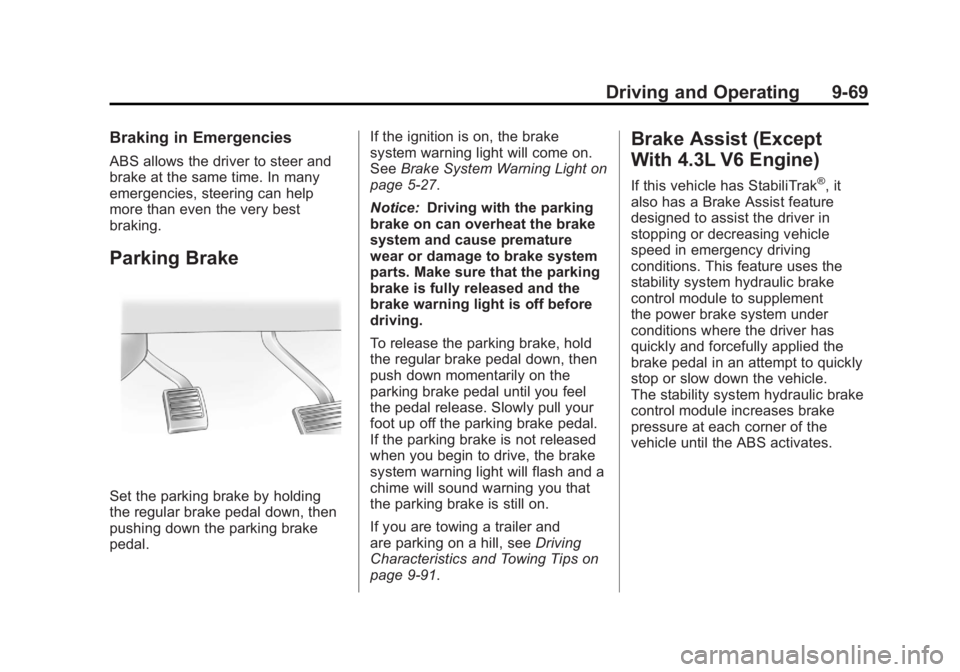
Parking Brake
Set the parking brake by holding
the regular brake pedal down, then
pushing down the parking brake
pedal.If the ignition is on, the brake
system warning light will come on.
See
Brake System Warning Light on
page 5‑27.
Notice: Driving with the parking
brake on can overheat the brake
system and cause premature
wear or damage to brake system
parts. Make sure that the parking
brake is fully released and the
brake warning light is off before
driving.
To release the parking brake, hold
the regular brake pedal down, then
push down momentarily on the
parking brake pedal until you feel
the pedal release. Slowly pull your
foot up off the parking brake pedal.
If the parking brake is not released
when you begin to drive, the brake
system warning light will flash and a
chime will sound warning you that
the parking brake is still on.
If you are towing a trailer and
are parking on a hill, see Driving
Characteristics and Towing Tips on
page 9‑91.
Brake Assist (Except
With 4.3L V6 Engine)
If this vehicle has StabiliTrak®, it
also has a Brake Assist feature
designed to assist the driver in
stopping or decreasing vehicle
speed in emergency driving
conditions. This feature uses the
stability system hydraulic brake
control module to supplement
the power brake system under
conditions where the driver has
quickly and forcefully applied the
brake pedal in an attempt to quickly
stop or slow down the vehicle.
The stability system hydraulic brake
control module increases brake
pressure at each corner of the
vehicle until the ABS activates.
Page 370 of 594
Black plate (76,1)GMC Sierra Owner Manual - 2011
9-76 Driving and Operating
Ending Cruise Control
There are three ways to end cruise
control:
.To disengage cruise control;
step lightly on the brake pedal.
.Press[on the steering wheel.
.To turn off the cruise control,
press
Ion the steering wheel.
Erasing Speed Memory
The cruise control set speed is
erased from memory by pressing
the
Ibutton or if the ignition is
turned off.
Object Detection
Systems
Ultrasonic Parking Assist
For vehicles with the Ultrasonic
Rear Parking Assist (URPA) system,
it operates at speeds less than
8 km/h (5 mph), and assists the
driver with parking and avoiding
objects while in R (Reverse).
The sensors on the rear bumper
are used to detect the distance to
an object up to 2.5 m (8 ft) behind
the vehicle, and at least 25.4 cm
(10 in) off the ground.
{WARNING
The Ultrasonic Rear Parking
Assist (URPA) system does not
replace driver vision. It cannot
detect:
.Objects that are below the
bumper, underneath the
vehicle, or too close or far
from the vehicle.
.Children, pedestrians,
bicyclists, or pets.
If you do not use proper care
before and while backing, vehicle
damage, injury, or death could
occur. Even with URPA, always
check behind the vehicle before
backing up. While backing, be
sure to look for objects and check
the vehicle's mirrors.
Page 388 of 594
Black plate (94,1)GMC Sierra Owner Manual - 2011
9-94 Driving and Operating
To avoid this, let the engine
run while parked, preferably on
level ground, with the automatic
transmission in P (Park) for a few
minutes before turning the engine
off. If the overheat warning comes
on, seeEngine Overheating on
page 10‑25.
Parking on Hills
{WARNING
Parking the vehicle on a hill
with the trailer attached can be
dangerous. If something goes
wrong, the rig could start to move.
People can be injured, and both
the vehicle and the trailer can be
damaged. When possible, always
park the rig on a flat surface. If parking the rig on a hill:
1. Press the brake pedal, but
do not shift into P (Park) yet.
Turn the wheels into the curb if
facing downhill or into traffic if
facing uphill.
2. Have someone place chocks under the trailer wheels.
3. When the wheel chocks are in place, release the regular brakes
until the chocks absorb the load.
4. Reapply the brake pedal. Then apply the parking brake and shift
into P (Park).
5. If the vehicle is four-wheel-drive, be sure the transfer case is in a
drive gear and not in N (Neutral).
6. Release the brake pedal.
{WARNING
It can be dangerous to get out of
the vehicle if the shift lever is not
fully in P (Park) with the parking
brake firmly set. The vehicle
can roll.
If the engine has been left
running, the vehicle can move
suddenly. You or others could be
injured. To be sure the vehicle will
not move, even when on fairly
level ground, use the steps that
follow.
Always put the shift lever fully in
P (Park) with the parking brake
firmly set.
If the transfer case on a
four-wheel-drive vehicle is in
N (Neutral), the vehicle will be
free to roll, even if the shift lever
is in P (Park). Be sure the transfer
case is in a drive gear —not in
N (Neutral).
Page 389 of 594
Black plate (95,1)GMC Sierra Owner Manual - 2011
Driving and Operating 9-95
Leaving After Parking on a Hill
1. Apply and hold the brake pedal.
2. Start the engine.
3. Shift into a gear.
4. Release the parking brake.
5. Let up on the brake pedal.
6. Drive slowly until the trailer isclear of the chocks.
7. Stop and have someone pick up
and store the chocks.
Maintenance when Trailer
Towing
The vehicle needs service more
often when pulling a trailer. See this
manual's Maintenance Schedule
or Index for more information.
Things that are especially important
in trailer operation are automatic
transmission fluid, engine oil, axle
lubricant, belts, cooling system,
and brake system. It is a good
idea to inspect these before
and during the trip.
Check periodically to see that all
hitch nuts and bolts are tight.
Trailer Towing
If the vehicle has a diesel engine,
see the Duramax diesel supplement
for more information.
If the vehicle is a hybrid, see
the hybrid supplement for more
information.
Do not tow a trailer during break‐in.
See New Vehicle Break-In on
page 9‑34 for more information.
{WARNING
The driver can lose control when
pulling a trailer if the correct
equipment is not used or the
vehicle is not driven properly.
For example, if the trailer is too
heavy, the brakes may not work
well or even at all. The driver and
passengers could be seriously
injured. The vehicle may also be
damaged; the resulting repairs
would not be covered by the
(Continued)
WARNING (Continued)
vehicle warranty. Pull a trailer
only if all the steps in this section
have been followed. Ask your
dealer for advice and information
about towing a trailer with the
vehicle.
Notice: Pulling a trailer
improperly can damage the
vehicle and result in costly
repairs not covered by the
vehicle warranty. To pull a trailer
correctly, follow the advice in
this section and see your dealer
for important information about
towing a trailer with the vehicle.
To identify the trailering capacity of
the vehicle, read the information in
“Weight of the Trailer” later in this
section.
Page 411 of 594
Black plate (117,1)GMC Sierra Owner Manual - 2011
Driving and Operating 9-117
If the vehicle is equipped with an
Integrated Trailer Brake Control
(ITBC) System, the blunt cuts
exist, but are not connected further
in the harness. If an aftermarket
trailer brake controller is installed,
the ITBC must be disconnected.
Do not power both ITBC and
aftermarket controllers to control
the trailer brakes at the same time.
Tow/Haul Mode
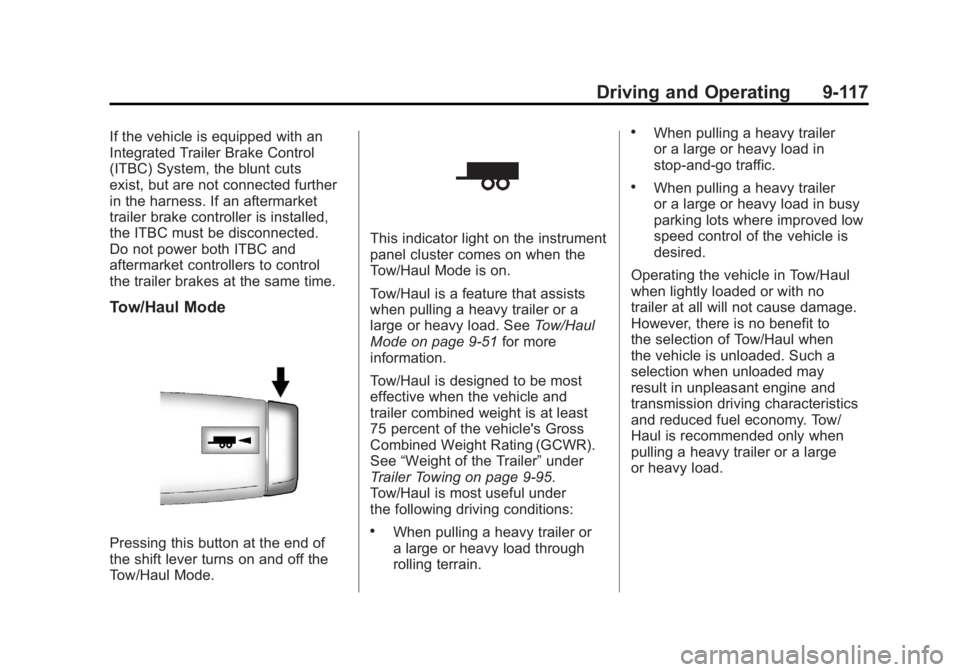
Pressing this button at the end of
the shift lever turns on and off the
Tow/Haul Mode.
This indicator light on the instrument
panel cluster comes on when the
Tow/Haul Mode is on.
Tow/Haul is a feature that assists
when pulling a heavy trailer or a
large or heavy load. SeeTow/Haul
Mode on page 9‑51 for more
information.
Tow/Haul is designed to be most
effective when the vehicle and
trailer combined weight is at least
75 percent of the vehicle's Gross
Combined Weight Rating (GCWR).
See “Weight of the Trailer” under
Trailer Towing on page 9‑95.
Tow/Haul is most useful under
the following driving conditions:
.When pulling a heavy trailer or
a large or heavy load through
rolling terrain.
.When pulling a heavy trailer
or a large or heavy load in
stop-and-go traffic.
.When pulling a heavy trailer
or a large or heavy load in busy
parking lots where improved low
speed control of the vehicle is
desired.
Operating the vehicle in Tow/Haul
when lightly loaded or with no
trailer at all will not cause damage.
However, there is no benefit to
the selection of Tow/Haul when
the vehicle is unloaded. Such a
selection when unloaded may
result in unpleasant engine and
transmission driving characteristics
and reduced fuel economy. Tow/
Haul is recommended only when
pulling a heavy trailer or a large
or heavy load.
Page 438 of 594
Black plate (14,1)GMC Sierra Owner Manual - 2011
10-14 Vehicle Care
A cold fluid check can be made
after the vehicle has been sitting
for eight hours or more with the
engine off, but this is used only
as a reference. Let the engine
run at idle for five minutes if outside
temperatures are 10°C (50°F)
or more. If it is colder than 10°C
(50°F), the engine may have to idle
longer. Should the fluid level be low
during this cold check, the fluid must
be checked when hot before adding
fluid. Checking the fluid hot will give
you a more accurate reading of the
fluid level.Checking the Fluid Level
Prepare the vehicle as follows:
1. Park the vehicle on a level
place. Keep the engine running.
2. With the parking brake applied, place the shift lever in P (Park).
3. With your foot on the brake pedal, move the shift lever
through each gear range,
pausing for about three seconds
in each range. Then, position
the shift lever in P (Park).
4. Let the engine run at idle for three minutes or more. Then, without shutting off the
engine, follow these steps:
1. Locate the transmission dipstick
handle with this graphic which is
located at the rear of the engine
compartment, on the passenger
side of the vehicle.
See Engine Compartment
Overview on page 10‑6 for
more information on location.
2. Flip the handle up, then pull out the dipstick and wipe it with a
clean rag or paper towel.
3. Push it back in all the way, wait three seconds and then pull it
back out again.
Page 440 of 594
Black plate (16,1)GMC Sierra Owner Manual - 2011
10-16 Vehicle Care
Automatic
Transmission Fluid
(6-Speed Transmission)
When to Check and Change
Automatic Transmission Fluid
It is usually not necessary to
check the transmission fluid level.
The only reason for fluid loss is a
transmission leak or overheated
transmission. If a small leak is
suspected, then use the following
checking procedures to check the
fluid level. However, if there is a
large leak, then it may be necessary
to have the vehicle towed to a
dealer service department and have
it repaired before driving the vehicle
further.Notice:
Use of the incorrect
automatic transmission fluid
may damage the vehicle, and the
damages may not be covered by
the vehicle warranty. Always use
the automatic transmission fluid
listed in Recommended Fluids
and Lubricants on page 11‑8.
Change the fluid and filter
at the scheduled maintenance
intervals listed in Scheduled
Maintenance on page 11‑2.
Be sure to use the transmission
fluid listed in Recommended Fluids
and Lubricants on page 11‑8.
How to Check Automatic
Transmission Fluid
Notice: Too much or too
little fluid can damage the
transmission. Too much can
mean that some of the fluid could
come out and fall on hot engine
parts or exhaust system parts,
starting a fire. Too little fluid
could cause the transmission
to overheat. Be sure to get an
accurate reading if checking
the transmission fluid.
Before checking the fluid level,
prepare the vehicle as follows:
1. Start the engine and park the vehicle on a level surface.
Keep the engine running.
2. Apply the parking brake and place the shift lever in P (Park).