transmission GMC SIERRA 2011 Owner's Guide
[x] Cancel search | Manufacturer: GMC, Model Year: 2011, Model line: SIERRA, Model: GMC SIERRA 2011Pages: 594, PDF Size: 6.55 MB
Page 345 of 594
Black plate (51,1)GMC Sierra Owner Manual - 2011
Driving and Operating 9-51
Low Traction Mode
If your vehicle has the Allison
Transmission, or the Hydra-Matic
6-Speed Automatic Transmission,
it has a Low Traction Mode that
can assist in vehicle acceleration
when road conditions are slippery,
such as with ice or snow. While
the vehicle is at a stop, select the
second gear range using Range
Selection Mode. This will limit
torque to the wheels after it detects
wheel slip, preventing the tires from
spinning.
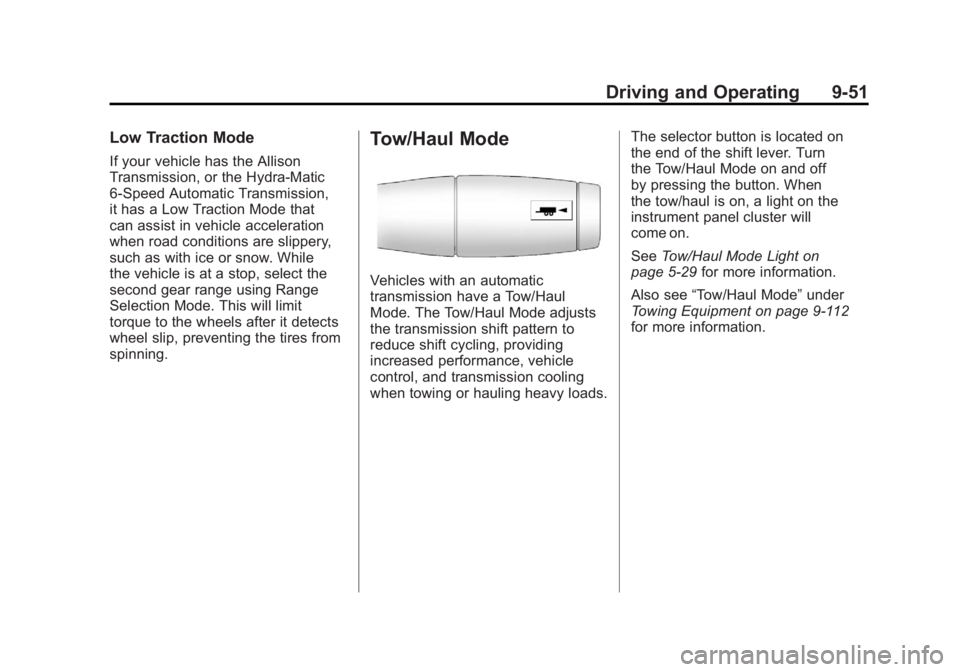
Tow/Haul Mode
Vehicles with an automatic
transmission have a Tow/Haul
Mode. The Tow/Haul Mode adjusts
the transmission shift pattern to
reduce shift cycling, providing
increased performance, vehicle
control, and transmission cooling
when towing or hauling heavy loads.The selector button is located on
the end of the shift lever. Turn
the Tow/Haul Mode on and off
by pressing the button. When
the tow/haul is on, a light on the
instrument panel cluster will
come on.
See
Tow/Haul Mode Light on
page 5‑29 for more information.
Also see “Tow/Haul Mode” under
Towing Equipment on page 9‑112
for more information.
Page 346 of 594
Black plate (52,1)GMC Sierra Owner Manual - 2011
9-52 Driving and Operating
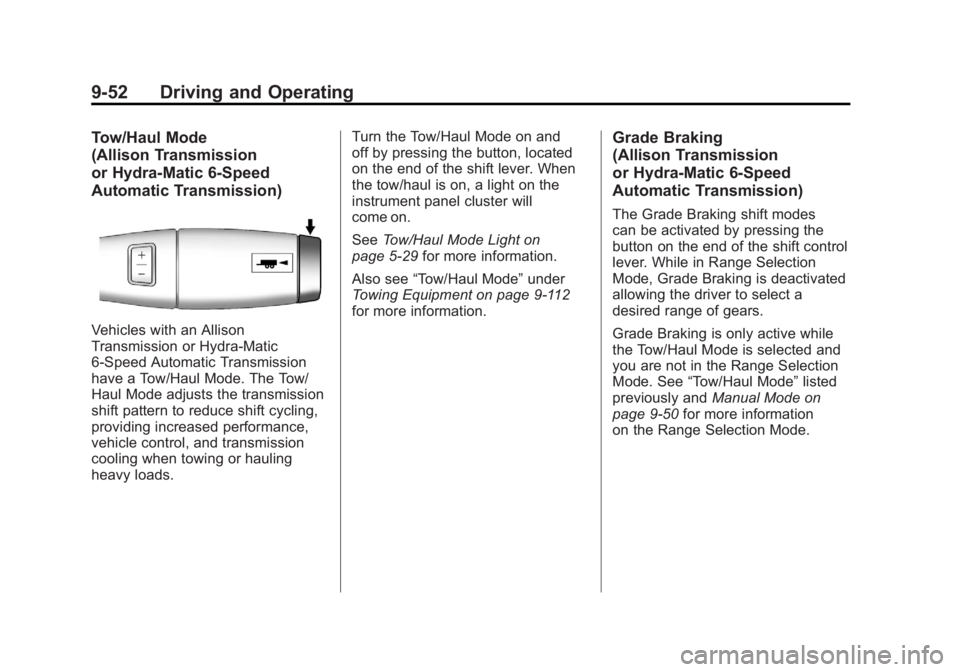
Tow/Haul Mode
(Allison Transmission
or Hydra-Matic 6-Speed
Automatic Transmission)
Vehicles with an Allison
Transmission or Hydra-Matic
6-Speed Automatic Transmission
have a Tow/Haul Mode. The Tow/
Haul Mode adjusts the transmission
shift pattern to reduce shift cycling,
providing increased performance,
vehicle control, and transmission
cooling when towing or hauling
heavy loads.Turn the Tow/Haul Mode on and
off by pressing the button, located
on the end of the shift lever. When
the tow/haul is on, a light on the
instrument panel cluster will
come on.
See
Tow/Haul Mode Light on
page 5‑29 for more information.
Also see “Tow/Haul Mode” under
Towing Equipment on page 9‑112
for more information.
Grade Braking
(Allison Transmission
or Hydra-Matic 6-Speed
Automatic Transmission)
The Grade Braking shift modes
can be activated by pressing the
button on the end of the shift control
lever. While in Range Selection
Mode, Grade Braking is deactivated
allowing the driver to select a
desired range of gears.
Grade Braking is only active while
the Tow/Haul Mode is selected and
you are not in the Range Selection
Mode. See “Tow/Haul Mode” listed
previously and Manual Mode on
page 9‑50 for more information
on the Range Selection Mode.
Page 347 of 594
Black plate (53,1)GMC Sierra Owner Manual - 2011
Driving and Operating 9-53
Grade Braking assists in
maintaining desired vehicle
speeds when driving on
downhill grades by automatically
implementing a shift schedule that
utilizes the engine and transmission
to slow the vehicle. This reduces
wear on the braking system and
increases control of the vehicle.
Grade Braking monitors vehicle
speed, acceleration, engine torque
and brake pedal usage. Using this
information, it detects when the
truck is on a downhill grade and
the driver desires to slow the
vehicle by pressing the brake.
This feature is active when
the exhaust brake is enabled
(if equipped).
Also seeTowing Equipment on
page 9‑112 for more information.Cruise Grade Braking
(Allison Transmission
or Hydra-Matic 6-Speed
Automatic Transmission)
Cruise Grade Braking assists
when driving on a downhill grade.
It maintains vehicle speed by
automatically implementing a shift
schedule that uses the engine
and the transmission to slow the
vehicle. Cruise Grade Braking
operates while Cruise Control is
engaged in Tow/Haul Mode to assist
in maintaining vehicle speed under
loaded vehicle conditions. It utilizes
vehicle acceleration and deviation
from desired speed to determine the correct gear for the operating
condition. If vehicle speed is above
the desired speed the transmission
will downshift to slow the vehicle.
If vehicle speed is near or below
desired speed the trans will upshift,
allowing vehicle speed to increase.
While in the Range Selection Mode,
Cruise Grade Braking is not
available.
This feature is active when
the exhaust brake is enabled
(if equipped).
See
“Range Selection Mode” under
Manual Mode on page 9‑50.
Page 350 of 594
Black plate (56,1)GMC Sierra Owner Manual - 2011
9-56 Driving and Operating
If the vehicle has StabiliTrak®,
shifting into Four-Wheel Drive
Low will turn Traction Control and
StabiliTrak off. See StabiliTrak
®
System on page 9‑70.
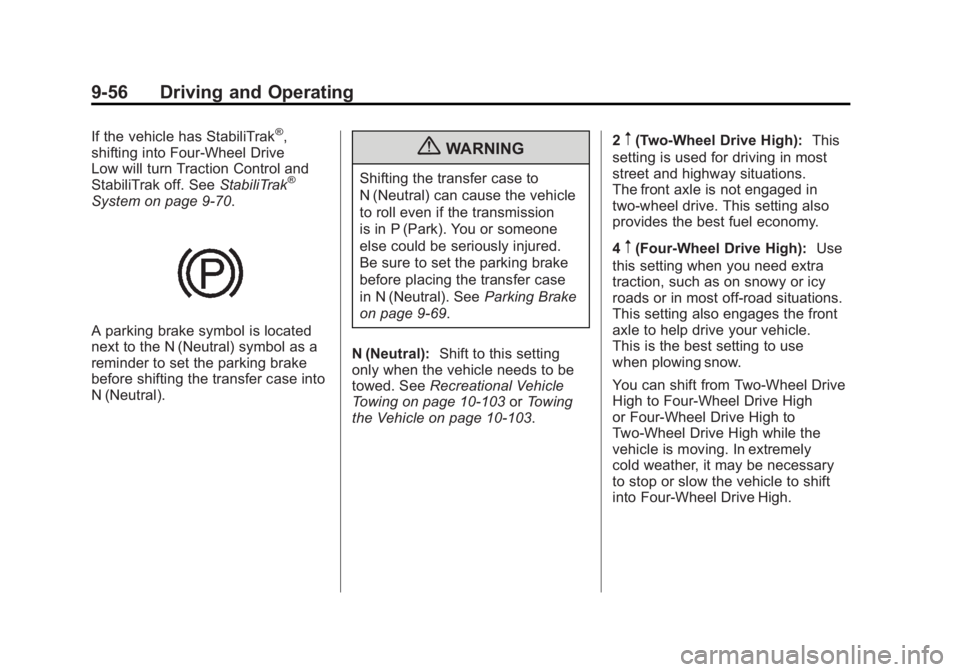
A parking brake symbol is located
next to the N (Neutral) symbol as a
reminder to set the parking brake
before shifting the transfer case into
N (Neutral).
{WARNING
Shifting the transfer case to
N (Neutral) can cause the vehicle
to roll even if the transmission
is in P (Park). You or someone
else could be seriously injured.
Be sure to set the parking brake
before placing the transfer case
in N (Neutral). SeeParking Brake
on page 9‑69.
N (Neutral): Shift to this setting
only when the vehicle needs to be
towed. See Recreational Vehicle
Towing on page 10‑103 orTowing
the Vehicle on page 10‑103. 2
m(Two-Wheel Drive High):
This
setting is used for driving in most
street and highway situations.
The front axle is not engaged in
two-wheel drive. This setting also
provides the best fuel economy.
4
m(Four-Wheel Drive High): Use
this setting when you need extra
traction, such as on snowy or icy
roads or in most off-road situations.
This setting also engages the front
axle to help drive your vehicle.
This is the best setting to use
when plowing snow.
You can shift from Two-Wheel Drive
High to Four-Wheel Drive High
or Four-Wheel Drive High to
Two-Wheel Drive High while the
vehicle is moving. In extremely
cold weather, it may be necessary
to stop or slow the vehicle to shift
into Four-Wheel Drive High.
Page 351 of 594
Black plate (57,1)GMC Sierra Owner Manual - 2011
Driving and Operating 9-57
When Using the Manual
Transfer Case
.Shifts into or out of Four-Wheel
Drive Low or N (Neutral) should
be made using quick motions to
avoid excessive gear grinding.
Shifting slowly may make it more
difficult to shift.
.You may notice that it is harder
to shift when the vehicle is cold.
After the vehicle warms up the
shifting will return to normal.
.While in Four-Wheel High or
Four-Wheel Drive Low you
may experience reduced fuel
economy.
.Avoid driving in Four-Wheel
Drive on clean, dry pavement.
It may cause your tires to wear
faster, make the transfer case
harder to shift, and run noisier.
.If the transfer case shifter is in
the N (Neutral) position and
you have difficulty reaching the
selected transfer case mode,
with the engine running, shift
the transmission momentarily
to D (Drive) and then back to
N (Neutral). This will realign the
gear teeth in the transfer case
and allow you to complete the
shift.
Shifting from Two-Wheel Drive
High to Four-Wheel Drive High
.Shifts between Two-Wheel Drive
High and Four-Wheel Drive High
can be made at any vehicle
speed.
.Shift the transfer case lever in
one continuous motion into
either the Four-Wheel Drive
High or Two-Wheel Drive
High position.
.Shifting from Two-Wheel Drive
High to Four-Wheel Drive High
while the vehicle is in motion
may require that moderate force
be applied to the shift lever for a
few seconds before Four-Wheel
Drive High can be engaged,
especially in cold weather.
.In extremely cold weather, it may
be necessary to slow or stop the
vehicle to shift into Four-Wheel
Drive High.
.While in Four-Wheel Drive High,
the vehicle can be driven at any
posted legal speed limit.
Page 352 of 594
Black plate (58,1)GMC Sierra Owner Manual - 2011
9-58 Driving and Operating
Shifting In or Out of Four-Wheel
Drive Low
Notice:Shifting the transfer
case into Four-Wheel-Drive Low
while moving at speeds faster
than 5 km/h (3 mph) may cause
premature wear to the transfer
case, and may cause the gears
to grind. To avoid causing
premature wear, and grinding the
gears, do not shift the transfer
case into Four-Wheel-Drive Low
while the vehicle is moving faster
than 5 km/h (3 mph).
.Shifting into Four-Wheel Drive
Low should be done, if possible,
with the vehicle at a slight roll,
5 km/h (3 mph) or less.
.Shift the transmission into
N (Neutral).
{WARNING
Shifting the transfer case to
N (Neutral) can cause the vehicle
to roll even if the transmission
is in P (Park). You or someone
else could be seriously injured.
Be sure to set the parking brake
before placing the transfer case in
N (Neutral). See Parking Brake on
page 9‑69.
.Shifting into Four-Wheel Drive
Low with the vehicle at a stop
may be more difficult. You may
be unable to complete the shift
to Four-Wheel Drive Low, and
the transfer case will end up in
N (Neutral). This is normal, and
is a function of the gear teeth
aligning in the transfer case.
When this happens, make
sure the engine is on, shift
the transmission momentarily
to D (Drive) and back to
N (Neutral), and then complete
the transfer case shift.
.Shift the transfer case shift lever
in one continuous motion into
the Four-Wheel Drive Low
position.
.When in Four-Wheel Drive
Low do not drive faster than
72 km/h (45 mph). This will
reduce wear and extend the
life of your transfer case.
Shifting In or Out of Neutral
1. With the vehicle running and the engine at an idle, set the parking
brake.
2. Place the transmission into N (Neutral).
Shift the transfer case in one
continuous motion into or out of the
N (Neutral) position.
Page 354 of 594
Black plate (60,1)GMC Sierra Owner Manual - 2011
9-60 Driving and Operating
4m(Four-Wheel Drive High):Use
the Four-Wheel Drive High position
when extra traction is needed, such
as on snowy or icy roads or in most
off-road situations. This setting also
engages the front axle to help drive
the vehicle. This is the best setting
to use when plowing snow.
4
n(Four-Wheel Drive Low): This
setting also engages the front axle
and delivers extra torque. You may
never need this setting. It sends
maximum power to all four wheels.
You might choose Four-Wheel
Drive Low while driving off-road in
deep sand, deep mud, deep snow,
and while climbing or descending
steep hills.
If the vehicle has StabiliTrak
®,
shifting into Four-Wheel Drive
Low will turn Traction Control and
StabiliTrak off. See StabiliTrak
®
System on page 9‑70.
{WARNING
Shifting the transfer case to
N (Neutral) can cause the vehicle
to roll even if the transmission
is in P (Park). You or someone
else could be seriously injured.
Be sure to set the parking brake
before placing the transfer case
in N (Neutral). SeeParking Brake
on page 9‑69.
N (Neutral): Shift the vehicle's
transfer case to N (Neutral)
only when towing the vehicle.
See Recreational Vehicle Towing on
page 10‑103 orTowing the Vehicle
on page 10‑103 for more
information.
If the SERVICE 4 WHEEL DRIVE
message stays on, you should
take the vehicle to your dealer for
service. See “SERVICE 4 WHEEL
DRIVE message” under
Transmission Messages on
page 5‑50. Shifting Into Two-Wheel
Drive High
Turn the knob to the Two-Wheel
Drive High position. This can be
done at any speed, except when
shifting from Four-Wheel Drive Low.
See
“Shifting Out of Four-Wheel
Drive Low” for more information.
Shifting Into Four-Wheel
Drive Low
When Four-Wheel Drive Low is
engaged, vehicle speed should
be kept below 72 km/h (45 mph).
Extended high-speed operation in
Four-Wheel Drive Low may damage
or shorten the life of the drivetrain.
To shift to the Four-Wheel Drive
Low position, the ignition must be
in ON/RUN and the vehicle must be
stopped or moving less than 5 km/h
(3 mph) with the transmission in
N (Neutral). The preferred method
for shifting into Four-Wheel Drive
Low is to have the vehicle moving
1.6 to 3.2 km/h (1 to 2 mph).
Page 355 of 594
Black plate (61,1)GMC Sierra Owner Manual - 2011
Driving and Operating 9-61
Turn the knob to the Four-Wheel
Drive Low position. You must
wait for the Four-Wheel Drive
Low indicator light to stop flashing
and remain on before shifting the
transmission in gear.
Notice:Shifting the transmission
into gear before the requested
mode indicator light has stopped
flashing could damage the
transfer case. To help avoid
damaging the vehicle, always
wait for the mode indicator lights
to stop flashing before shifting
the transmission into gear.
It is typical for the vehicle to exhibit
significant engagement noise
and bump when shifting between
Four-Wheel Drive Low and
Four-Wheel Drive High ranges
or from transfer case N (Neutral)
with the engine running.
If the knob is turned to the
Four-Wheel Drive Low position
when the vehicle is in gear and/or
moving, the Four-Wheel Drive
Low indicator light will flash for 30 seconds and not complete the
shift unless the vehicle is moving
less than 5 km/h (3 mph) and the
transmission is in N (Neutral).
After 30 seconds the transfer
case will shift to Four-Wheel
Drive High mode.
Shifting Out of Four-Wheel
Drive Low
To shift from Four-Wheel Drive
Low to Four-Wheel Drive High,
or Two-Wheel Drive High, the
vehicle must be stopped or moving
less than 5 km/h (3 mph) with
the transmission in N (Neutral)
and the ignition in ON/RUN.
The preferred method for shifting
out of Four-Wheel Drive Low
is to have the vehicle moving
1.6 to 3.2 km/h (1 to 2 mph).
Turn the knob to the Four-Wheel
Drive High or Two-Wheel Drive
High position. You must wait
for the Four-Wheel Drive High or
Two-Wheel Drive High indicator
light to stop flashing and remain
on before shifting the transmission
into gear.Notice:
Shifting the transmission
into gear before the requested
mode indicator light has stopped
flashing could damage the
transfer case. To help avoid
damaging the vehicle, always
wait for the mode indicator lights
to stop flashing before shifting
the transmission into gear.
It is typical for the vehicle to exhibit
significant engagement noise
and bump when shifting between
Four-Wheel Drive Low and
Four-Wheel Drive High ranges
or from transfer case N (Neutral)
with the engine running.
If the knob is turned to the
Four-Wheel Drive High,
or Two-Wheel Drive High switch
position when the vehicle is in gear
and/or moving, the Four-Wheel
Drive High, or Two-Wheel Drive
High indicator light will flash for
30 seconds but will not complete the
shift unless your vehicle is moving
less than 3 mph (5 km/h) and the
transmission is in N (Neutral).
Page 356 of 594
Black plate (62,1)GMC Sierra Owner Manual - 2011
9-62 Driving and Operating
Shifting into Neutral
To shift the transfer case to
N (Neutral) do the following:
1. Make sure the vehicle is parkedso that it will not roll.
2. Set the parking brake and press and hold the regular brake
pedal. See Parking Brake on
page 9‑69 for more information.
3. Start the vehicle or turn the ignition to ON/RUN.
4. Shift the transmission to N (Neutral).
5. Shift the transfer case to Two-Wheel Drive High.
6. Turn the transfer case dial clockwise to N (Neutral) until
it stops and hold it there until
the Neutral light starts blinking.
This will take at least 10 seconds. Then slowly release
the dial to the four low position.
The N (Neutral) light will come
on when the transfer case shift
to N (Neutral) is complete.
7. If the engine is running, verify that the transfer case is in
N (Neutral) by shifting the
transmission to R (Reverse)
for one second, then shift the
transmission to D (Drive) for
one second.
8. Turn the ignition to ACC/ACCESSORY, which
will turn the engine off.
9. Place the transmission shift lever in P (Park).
10. Release the parking brake prior to moving the vehicle.
11. Turn the ignition to LOCK/OFF. Shifting Out of Neutral
To shift the transfer case out of
N (Neutral) do the following:
1. Set the parking brake and apply
the regular brake pedal.
2. Turn the ignition to ON/RUN with the engine off, and shift
the transmission to N (Neutral).
3. Turn the transfer case dial to Two-Wheel Drive High.
After the transfer case has
shifted out of N (Neutral), the
N (Neutral) light will go out.
4. Release the parking brake prior to moving the vehicle.
Page 357 of 594
Black plate (63,1)GMC Sierra Owner Manual - 2011
Driving and Operating 9-63
Notice:Shifting the transmission
into gear before the requested
mode indicator light has stopped
flashing could damage the
transfer case. To help avoid
damaging the vehicle, always
wait for the mode indicator lights
to stop flashing before shifting
the transmission into gear.
5. Start the engine and shift the
transmission to the desired
position.
Excessively shifting the transfer
case into or out of the different
modes may cause the transfer case
to enter the shift protection mode.
This will protect the transfer case
from possible damage and will only
allow the transfer case to respond
to one shift per 10 seconds.
The transfer case may stay in this
mode for up to three minutes.Automatic Transfer Case
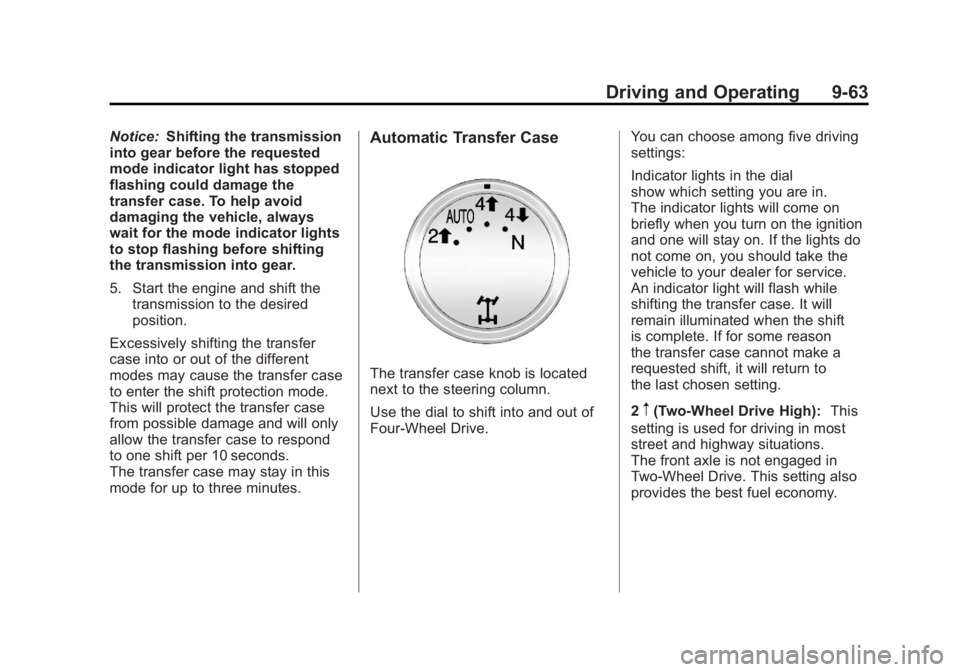
The transfer case knob is located
next to the steering column.
Use the dial to shift into and out of
Four-Wheel Drive. You can choose among five driving
settings:
Indicator lights in the dial
show which setting you are in.
The indicator lights will come on
briefly when you turn on the ignition
and one will stay on. If the lights do
not come on, you should take the
vehicle to your dealer for service.
An indicator light will flash while
shifting the transfer case. It will
remain illuminated when the shift
is complete. If for some reason
the transfer case cannot make a
requested shift, it will return to
the last chosen setting.
2
m(Two-Wheel Drive High):
This
setting is used for driving in most
street and highway situations.
The front axle is not engaged in
Two-Wheel Drive. This setting also
provides the best fuel economy.