lock GMC SIERRA 2011 Workshop Manual
[x] Cancel search | Manufacturer: GMC, Model Year: 2011, Model line: SIERRA, Model: GMC SIERRA 2011Pages: 594, PDF Size: 6.55 MB
Page 149 of 594
Black plate (1,1)GMC Sierra Owner Manual - 2011
Instruments and Controls 5-1
Instruments and
Controls
Controls
Steering Wheel Adjustment . . . 5-2
Steering Wheel Controls . . . . . . 5-3
Horn . . . . . . . . . . . . . . . . . . . . . . . . . . 5-5
Windshield Wiper/Washer . . . . . 5-5
Compass . . . . . . . . . . . . . . . . . . . . . 5-6
Clock . . . . . . . . . . . . . . . . . . . . . . . . . 5-8
Power Outlets . . . . . . . . . . . . . . . 5-10
Cigarette Lighter . . . . . . . . . . . . . 5-11
Ashtrays . . . . . . . . . . . . . . . . . . . . . 5-12
Warning Lights, Gauges, and
Indicators
Warning Lights, Gauges, andIndicators . . . . . . . . . . . . . . . . . . 5-12
Instrument Cluster . . . . . . . . . . . 5-13
Speedometer . . . . . . . . . . . . . . . . 5-14
Odometer . . . . . . . . . . . . . . . . . . . . 5-14
Trip Odometer . . . . . . . . . . . . . . . 5-14
Tachometer . . . . . . . . . . . . . . . . . . 5-15
Fuel Gauge . . . . . . . . . . . . . . . . . . 5-15 Engine Oil Pressure
Gauge . . . . . . . . . . . . . . . . . . . . . . 5-16
Engine Coolant Temperature Gauge . . . . . . . . . . . . . . . . . . . . . . 5-17
Voltmeter Gauge . . . . . . . . . . . . . 5-18
Safety Belt Reminders . . . . . . . 5-19
Airbag Readiness Light . . . . . . 5-20
Airbag On-Off Light . . . . . . . . . . 5-21
Passenger Airbag Status
Indicator . . . . . . . . . . . . . . . . . . . . 5-23
Charging System Light . . . . . . 5-24
Malfunction Indicator Lamp . . . . . . . . . . . . . 5-25
Brake System Warning Light . . . . . . . . . . . . . . . . . . . . . . . 5-27
Antilock Brake System (ABS) Warning Light . . . . . . . . . . . . . . 5-28
Four-Wheel-Drive Light . . . . . . 5-29
Tow/Haul Mode Light . . . . . . . . 5-29
StabiliTrak®Indicator Light . . . 5-30
Tire Pressure Light . . . . . . . . . . 5-30
Engine Oil Pressure Light . . . . 5-31
Low Fuel Warning Light . . . . . . 5-31
Security Light . . . . . . . . . . . . . . . . 5-32
High-Beam On Light . . . . . . . . . 5-32
Front Fog Lamp Light . . . . . . . . 5-32
Cruise Control Light . . . . . . . . . 5-32
Information Displays
Driver Information Center (DIC) . . . . . . . . . . . . . . . 5-33
Vehicle Messages
Vehicle Messages . . . . . . . . . . . 5-41
Battery Voltage and ChargingMessages . . . . . . . . . . . . . . . . . . 5-41
Brake System Messages . . . . 5-42
Door Ajar Messages . . . . . . . . . 5-43
Engine Cooling System Messages . . . . . . . . . . . . . . . . . . 5-44
Engine Oil Messages . . . . . . . . 5-45
Engine Power Messages . . . . 5-45
Fuel System Messages . . . . . . 5-46
Key and Lock Messages . . . . . 5-46
Lamp Messages . . . . . . . . . . . . . 5-46
Object Detection System Messages . . . . . . . . . . . . . . . . . . 5-46
Ride Control System Messages . . . . . . . . . . . . . . . . . . 5-47
Airbag System Messages . . . . 5-48
Anti-Theft Alarm System Messages . . . . . . . . . . . . . . . . . . 5-48
Starting the Vehicle Messages . . . . . . . . . . . . . . . . . . 5-48
Page 150 of 594
Black plate (2,1)GMC Sierra Owner Manual - 2011
5-2 Instruments and Controls
Tire Messages . . . . . . . . . . . . . . . 5-49
Transmission Messages . . . . . 5-50
Vehicle ReminderMessages . . . . . . . . . . . . . . . . . . 5-50
Washer Fluid Messages . . . . . 5-51
Vehicle Personalization
Vehicle Personalization
(with DIC Buttons) . . . . . . . . . . 5-52
Universal Remote System
Universal Remote System . . . 5-61
Universal Remote SystemProgramming . . . . . . . . . . . . . . . 5-61
Universal Remote System Operation . . . . . . . . . . . . . . . . . . 5-67
Controls
Steering Wheel
Adjustment
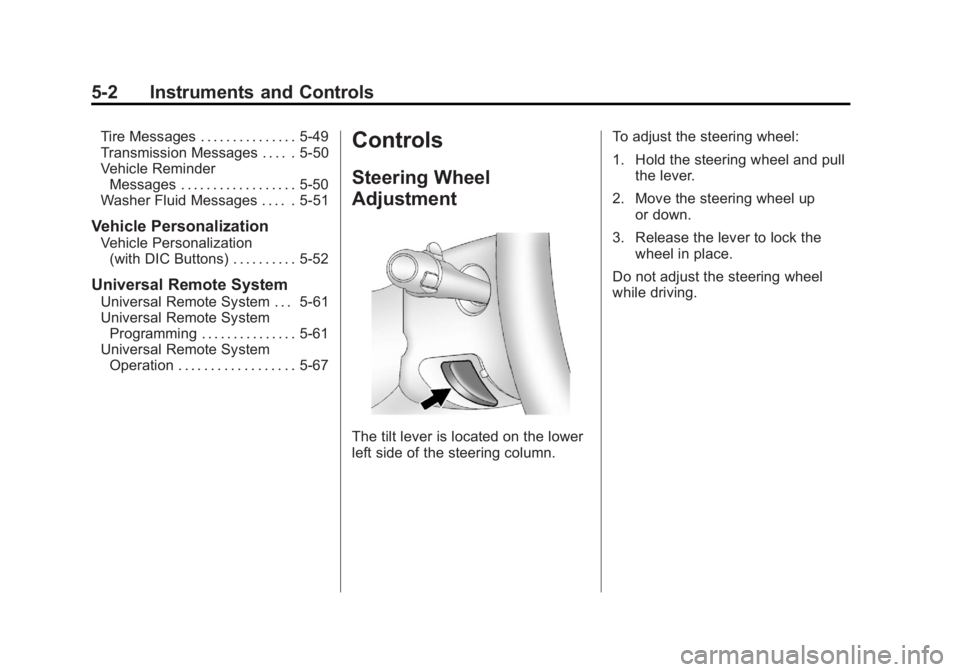
The tilt lever is located on the lower
left side of the steering column. To adjust the steering wheel:
1. Hold the steering wheel and pull
the lever.
2. Move the steering wheel up or down.
3. Release the lever to lock the wheel in place.
Do not adjust the steering wheel
while driving.
Page 154 of 594
Black plate (6,1)GMC Sierra Owner Manual - 2011
5-6 Instruments and Controls
Windshield Washer
{WARNING
In freezing weather, do not use
the washer until the windshield
is warmed. Otherwise the
washer fluid can form ice on the
windshield, blocking your vision.
L(Washer Fluid):Push the
paddle marked with the windshield
washer symbol at the top of the
multifunction lever, to spray washer
fluid on the windshield. The wipers
clear the window and then either
stop or return to the preset speed.
Compass
The vehicle may have a compass in
the Driver Information Center (DIC).
Compass Zone
The zone is set to zone eight upon
leaving the factory. Your dealer
will set the correct zone for your
location.
Under certain circumstances,
such as during a long-distance,
cross-country trip or moving to
a new state or province, it will
be necessary to compensate for
compass variance by resetting the
zone through the DIC if the zone
is not set correctly.
Compass variance is the difference
between the earth's magnetic north
and true geographic north. If the
compass is not set to the zone
where you live, the compass may
give false readings. The compass
must be set to the variance zone in
which the vehicle is traveling. To adjust for compass variance, use
the following procedure:
Compass Variance (Zone)
Procedure
1. Do not set the compass zone
when the vehicle is moving.
Only set it when the vehicle
is in P (Park).
Press the vehicle information
button until PRESS
VTO
CHANGE COMPASS ZONE
displays. Or, if the vehicle does
not have DIC buttons, press the
trip odometer reset stem until
CHANGE COMPASS ZONE
displays.
Page 156 of 594
Black plate (8,1)GMC Sierra Owner Manual - 2011
5-8 Instruments and Controls
To calibrate the compass, use the
following procedure:
Compass Calibration Procedure
1. Before calibrating the compass,make sure the compass zone
is set to the variance zone in
which the vehicle is located.
See “Compass Variance (Zone)
Procedure” earlier in this
section.
Do not operate any switches
such as window, sunroof,
climate controls, or seats during
the calibration procedure.
2. Press the vehicle information button until PRESS
VTO
CALIBRATE COMPASS
displays. Or, if the vehicle
does not have DIC buttons,
press the trip odometer
reset stem until CALIBRATE
COMPASS displays. 3. Press the set/reset button to
start the compass calibration.
Or, if the vehicle does not have
DIC buttons, press and hold
the trip odometer reset stem
for two seconds to start the
compass calibration.
4. The DIC will display CALIBRATING: DRIVE IN
CIRCLES. Drive the vehicle
in tight circles at less than
8 km/h (5 mph) to complete the
calibration. The DIC will display
CALIBRATION COMPLETE
for a few seconds when the
calibration is complete. The DIC
display will then return to the
previous menu.
Clock
AM-FM Radio and AM‐FM
Radio with CD Player
To set the clock:
1. Turn the ignition key to
ACC/ACCESSORY or ON/RUN,
then press the
Obutton to turn
the radio on.
2. Press the
Hbutton until the hour
numbers begin to flash, then
turn the
fknob to increase or
decrease the hour.
3. Press the
Hbutton until the
minute numbers begin to flash,
then turn the
fknob to increase
or decrease the minutes.
Page 157 of 594
Black plate (9,1)GMC Sierra Owner Manual - 2011
Instruments and Controls 5-9
4. Press theHbutton until the
12HR or 24HR time format
begins to flash, then turn the
f
knob to change the time format.
5. Press the
Hbutton again until
the clock display stops flashing
to set the currently displayed
time, or wait until the flashing
stops after five seconds and
the current time displayed
automatically sets.
MP3 Radios with a Single CD
or a Single CD and DVD Player
To adjust the time and date:
1. Turn the ignition key to ACC/ACCESSORY or ON/RUN,
then press the
Obutton to turn
the radio on.
2. Press the
Hbutton to display
HR, MIN, MM, DD, YYYY (hour,
minute, month, day, and year). 3. Press the softkey located under
any one of the tabs to change
that setting.
4. To increase the time or date, do one of the following:
.Press the softkey below the
selected tab.
.Press the¨SEEK button.
.Press the\FWD button.
.Turn thefknob clockwise.
5. To decrease the time or date, do one of the following:
.Press the©SEEK button.
.Press thesREV button.
.Turn thefknob
counterclockwise. To change the time default setting
from 12 hour to 24 hour or to change
the date default setting from month/
day/year to day/month/year:
1. Press the
Hbutton and then
the softkey located below the
forward arrow tab. 12H, 24H, the
date MM/DD (month and day),
and DD/MM (day and month)
displays.
2. Press the softkey located below the desired option.
3. Press the
Hbutton again to
apply the desired option, or let
the screen time out.
Page 158 of 594
Black plate (10,1)GMC Sierra Owner Manual - 2011
5-10 Instruments and Controls
MP3 Radio with a Six-Disc CD
Player
To set the time and date:
1. Turn the ignition key toACC/ACCESSORY or ON/RUN,
then press the
Obutton to turn
the radio on.
2. Press the MENU button and then the softkey under the
Htab
to display HR, MIN, MM, DD,
YYYY (hour, minute, month, day,
and year).
3. Press the softkey located under any one of the tabs to change
that setting.
4. To increase the time or date, do one of the following:
.Press the softkey below the
selected tab.
.Press the¨SEEK button.
.Press the\FWD button.
.Turn thefknob clockwise. 5. To decrease the time or date, do
one of the following:
.Press the©SEEK button.
.Press thesREV button.
.Turn thefknob
counterclockwise.
To change the time default setting
from 12 hour to 24 hour or to change
the date default setting from month/
day to day/month:
1. Press the MENU button and then the softkey under
the
Htab.
2. Press the softkey located below the forward arrow tab. 12H, 24H,
the date MM/DD (month and
day), and DD/MM (day and
month) displays.
3. Press the softkey located below the desired option.
4. Press the MENU button again to apply the desired option, or let
the screen time out.
Power Outlets
Accessory power outlets can
be used to plug in electrical
equipment, such as a cell phone,
MP3 player, etc.
The vehicle may have two
accessory power outlets located
below the climate control system,
or may have one accessory power
outlet and one cigarette lighter.
The cigarette lighter is designed
to fit only in the receptacle closest
to the driver.
There may be another accessory
power outlet in the rear cargo area.
If the vehicle has a floor console,
there is an accessory power outlet
inside the storage bin and one on
the rear of the floor console.
Remove the cover to access and
replace when not in use.
Page 159 of 594
Black plate (11,1)GMC Sierra Owner Manual - 2011
Instruments and Controls 5-11
The accessory power outlets are
powered, even when the ignition
is in LOCK/OFF. Continuing to use
power outlets while the ignition is in
LOCK/OFF may cause the vehicle's
battery to run down.
{WARNING
Power is always supplied to the
outlets. Do not leave electrical
equipment plugged in when the
vehicle is not in use because the
vehicle could catch fire and cause
injury or death.
Notice: Leaving electrical
equipment plugged in for an
extended period of time while
the vehicle is off will drain the
battery. Always unplug electrical
equipment when not in use and
do not plug in equipment that
exceeds the maximum 20 ampere
rating. Certain power accessory plugs
may not be compatible to the
accessory power outlet and could
overload vehicle or adapter fuses.
If a problem is experienced, see
your dealer.
When adding electrical equipment,
be sure to follow the proper
installation instructions included
with the equipment. See
Add-On
Electrical Equipment on page 9‑125.
Notice: Hanging heavy
equipment from the power
outlet can cause damage not
covered by the vehicle warranty.
The power outlets are designed
for accessory power plugs only,
such as cell phone charge cords.
Cigarette Lighter
To use the cigarette lighter, push it
in all the way, and let go. When it
is ready for use, the lighter pops
back out.
Notice: Holding a cigarette lighter
in while it is heating does not let
the lighter back away from the
heating element when it is hot.
Damage from overheating can
occur to the lighter or heating
element, or a fuse could be
blown. Do not hold a cigarette
lighter in while it is heating.
Page 176 of 594
Black plate (28,1)GMC Sierra Owner Manual - 2011
5-28 Instruments and Controls
This light can also come on due to
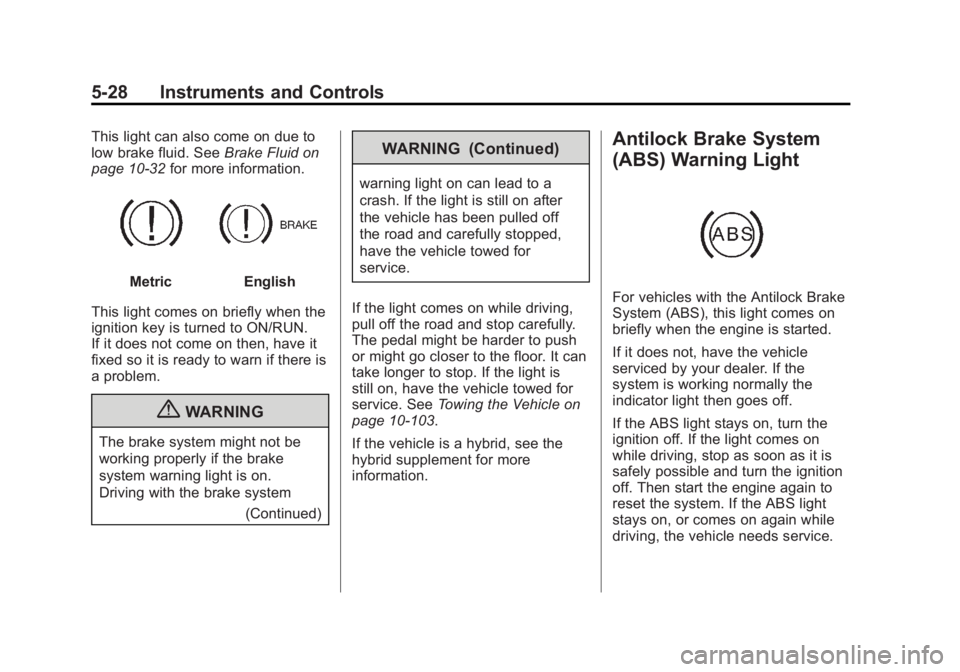
low brake fluid. SeeBrake Fluid on
page 10‑32 for more information.
MetricEnglish
This light comes on briefly when the
ignition key is turned to ON/RUN.
If it does not come on then, have it
fixed so it is ready to warn if there is
a problem.
{WARNING
The brake system might not be
working properly if the brake
system warning light is on.
Driving with the brake system (Continued)
WARNING (Continued)
warning light on can lead to a
crash. If the light is still on after
the vehicle has been pulled off
the road and carefully stopped,
have the vehicle towed for
service.
If the light comes on while driving,
pull off the road and stop carefully.
The pedal might be harder to push
or might go closer to the floor. It can
take longer to stop. If the light is
still on, have the vehicle towed for
service. See Towing the Vehicle on
page 10‑103.
If the vehicle is a hybrid, see the
hybrid supplement for more
information.
Antilock Brake System
(ABS) Warning Light
For vehicles with the Antilock Brake
System (ABS), this light comes on
briefly when the engine is started.
If it does not, have the vehicle
serviced by your dealer. If the
system is working normally the
indicator light then goes off.
If the ABS light stays on, turn the
ignition off. If the light comes on
while driving, stop as soon as it is
safely possible and turn the ignition
off. Then start the engine again to
reset the system. If the ABS light
stays on, or comes on again while
driving, the vehicle needs service.
Page 177 of 594
Black plate (29,1)GMC Sierra Owner Manual - 2011
Instruments and Controls 5-29
If the regular brake system warning
light is not on, the vehicle still has
brakes, but not antilock brakes.
If the regular brake system warning
light is also on, the vehicle does not
have antilock brakes and there is
a problem with the regular brakes.
SeeBrake System Warning Light on
page 5‑27.
For vehicles with a Driver
Information Center (DIC), see Brake
System Messages on page 5‑42 for
all brake related DIC messages.
For vehicles with a Hybrid, see
the Hybrid Supplement for more
information.Four-Wheel-Drive Light
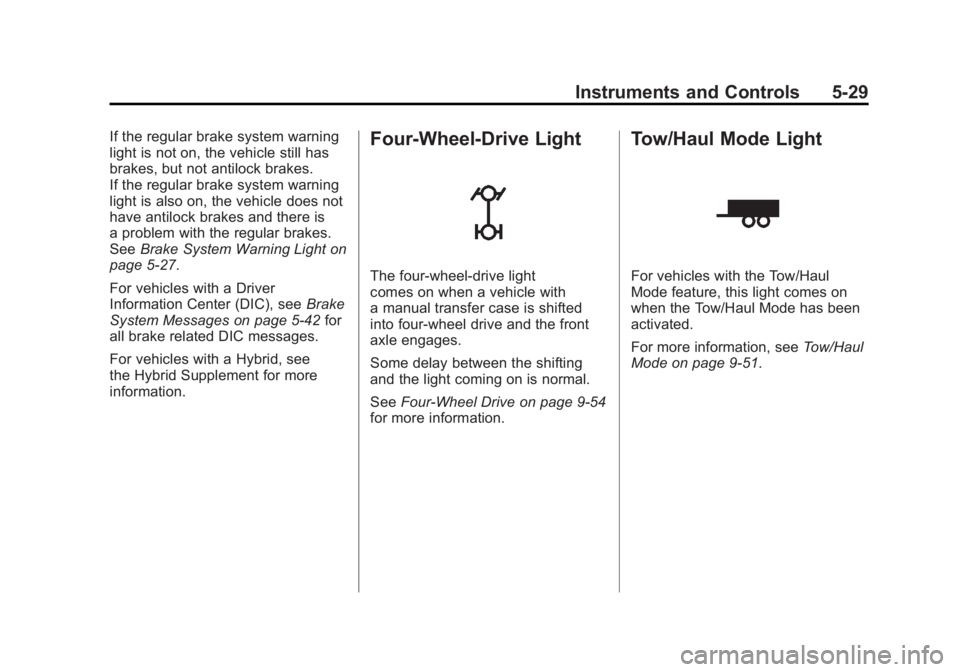
The four-wheel-drive light
comes on when a vehicle with
a manual transfer case is shifted
into four-wheel drive and the front
axle engages.
Some delay between the shifting
and the light coming on is normal.
See Four-Wheel Drive on page 9‑54
for more information.
Tow/Haul Mode Light
For vehicles with the Tow/Haul
Mode feature, this light comes on
when the Tow/Haul Mode has been
activated.
For more information, see Tow/Haul
Mode on page 9‑51.
Page 187 of 594
Black plate (39,1)GMC Sierra Owner Manual - 2011
Instruments and Controls 5-39
Language
This display allows you to select
the language in which the DIC
messages will appear. To select a
language:
1. Press the trip odometer resetstem until ODOMETER displays.
2. While in the ODOMETER display, press and hold the
trip odometer reset stem for
three seconds until the currently
set language displays.
3. Continue to press and hold the trip odometer reset stem to scroll
through all of the available
languages.
The available selections
are ENGLISH (default),
FRANCAIS (French),
ESPANOL (Spanish),
and NO CHANGE.
4. Once the desired language is displayed, release the trip
odometer reset stem to set the
choice. Engine Hours
To display the ENGINE HOURS,
place the ignition in LOCK/OFF or
ACC/ACCESSORY, then press and
hold the trip odometer reset stem
for four seconds while viewing the
ODOMETER. This display shows
the total number of hours the engine
has run.
Trip Odometer Reset
Stem Menu Items
(without DIC Buttons)
Language
This display allows you to select
the language in which the DIC
messages will appear. To select a
language:
1. Press the trip odometer reset
stem until ODOMETER displays.
2. While in the ODOMETER display, press and hold the
trip odometer reset stem for
three seconds until the currently
set language displays. 3. Continue to press and hold the
trip odometer reset stem to scroll
through all of the available
languages.
The available languages
are ENGLISH (default),
FRANCAIS (French),
ESPANOL (Spanish),
and NO CHANGE.
4. Once the desired language is displayed, release the trip
odometer reset stem to set the
choice.
Trip Odometer
Press the trip odometer reset stem
until TRIP displays. This display
shows the current distance
traveled in either kilometers (km)
or miles (mi) since the last reset
for the trip odometer.
The trip odometer can be reset to
zero by pressing and holding the trip
odometer reset stem while the trip
odometer is displayed.