ignition GMC SIERRA 2011 Repair Manual
[x] Cancel search | Manufacturer: GMC, Model Year: 2011, Model line: SIERRA, Model: GMC SIERRA 2011Pages: 594, PDF Size: 6.55 MB
Page 243 of 594
Black plate (17,1)GMC Sierra Owner Manual - 2011
Infotainment System 7-17
Ejecting a CD
(Six-Disc CD Player)
ZEJECT :Press and release
to eject the disc that is currently
playing. Remove the CD when
Remove Disc displays. If the disc is
not removed, after several seconds
the disc is automatically pulled back
into the player.
To eject all CDs, press and hold the
ZEJECT button for two seconds.
Playing a CD
If the ignition or radio is turned off
with a CD in the player, it stays in
the player. When the ignition or
radio is turned on, the CD starts
playing where it stopped, if it was
the last selected audio source.
The CD is controlled by the buttons
on the radio faceplate or by the RSA
unit. See Rear Seat Audio (RSA)
System on page 7‑48 for more
information. When a CD is inserted, the CD
symbol displays on the left side
of the radio display. As each new
track starts to play, the track number
displays.
The CD player can play the smaller
8 cm (3 in) single CDs with an
adapter ring. Full-size CDs and the
smaller CDs are loaded in the same
manner.
CD/AUX (CD/Auxiliary):
Press to
cycle between CD or Auxiliary when
listening to the radio. The CD icon
and a message showing the disc
and/or track number will display
when a CD is in the player. Press
again and the system automatically
searches for an auxiliary input
device; see Auxiliary Devices on
page 7‑34 for more information.
If a portable audio player is not
connected, “No Input Device Found”
displays.
4(Information): Press to display
additional text information related
to the current song. If information is
available, the song title information
displays on the top line of the
display and artist information
displays on the bottom line.
When information is not available,
“NO INFO” displays.
f(Tune):Turn to select tracks on
the CD that is currently playing.
©SEEK: Press to go to the start
of the current track if more than
10 seconds on the CD have played.
Press to go to the previous track if
less than 10 seconds on the CD
have played.
Press and hold, or press multiple
times, to continue moving backward
through the tracks on the CD.
¨SEEK: Press to go to the next
track.
Press and hold, or press multiple
times, to continue moving forward
through the tracks on the CD.
Page 250 of 594
Black plate (24,1)GMC Sierra Owner Manual - 2011
7-24 Infotainment System
Front seat passengers can listen
to the radio (AM, FM, or XM if
equipped) by pressing the BAND
button or the DVD/CD AUX button
to select CD slot, DVD slot, front
auxiliary input, USB port, or rear
auxiliary input (if available).
If a playback device is plugged
into the radio’s front auxiliary input
jack, USB port, or the rear auxiliary
jack, the front seat passengers
are able to listen to playback
from this source through the
vehicle speakers. See“Using the
Auxiliary Input Jack” inAuxiliary
Devices on page 7‑34, or “Audio/
Video (A/V) Jacks” underRear
Seat Entertainment (RSE) System
on page 7‑39 for more information.
In some vehicles, depending on
audio options, the rear speakers
can be muted when the RSA power
is turned on. See Rear Seat Audio
(RSA) System on page 7‑48 for
more information.Inserting a Disc
Insert a disc partway into either slot,
label side up. The player pulls it in
and the disc should begin playing.
(Loading a disc into the system,
depending on media type and
format, ranges from 5 to 20 seconds
for a CD, and up to 30 seconds for
a DVD to begin playing.)
Ejecting a Disc
ZCD (Eject): Press and
release to eject the disc that is
currently playing. The CD ejects
from the bottom slot. A beep
sounds and Ejecting Disc displays.
Once the disc is ejected, Remove
Disc displays. The disc can be
removed. If the disc is not removed,
after several seconds the disc
automatically pulls back into
the player.
ZDVD (Eject): Press and
release to eject the disc that is
currently playing in the top slot.
A beep sounds and Ejecting Disc
displays. If loading and reading of a disc
cannot be completed, due to
unknown format, etc., and the disc
fails to eject, press and hold for
more than five seconds to force
the disc to eject.
Playing a CD (in Either the
DVD or CD Slot)
If the ignition or radio is turned off
with a CD in the player, it stays in
the player. When the ignition or
radio is turned on, the CD starts
playing where it stopped, if it was
the last selected audio source.
The CD is controlled by the buttons
on the radio faceplate or by the RSA
unit. See
Rear Seat Audio (RSA)
System on page 7‑48 for more
information. The DVD/CD decks
(the upper slot is the DVD deck
and the lower slot is the CD deck)
of the radio are compatible with
most audio CDs, CD-Rs, CD-RWs,
and MP3s.
Page 257 of 594
Black plate (31,1)GMC Sierra Owner Manual - 2011
Infotainment System 7-31
O(Power):Press to turn the
radio on or off. Turn clockwise or
counterclockwise to increase or
decrease the volume. Press and
hold for more than two seconds to
turn off the entire radio and Rear
Seat Entertainment (RSE) system
and to start the Parental Control
feature. Parental Control prevents
the rear seat occupant from
operating the Rear Seat Audio
(RSA) system or remote control.
A lock symbol displays next to the
clock display. The Parental Control
feature remains on until the knob
is pressed and held for more than
two seconds again, or until the
driver turns the ignition off and
exits the vehicle.
f(Tune): Turn to select tracks on
a CD or DVD.
©SEEK: Press to return to the
start of the current track or chapter.
Press again to go to the previous
track or chapter. This button might
not work when the DVD is playing
the copyright information or the
previews.
¨SEEK: Press to go to the next
track or chapter. This button might
not work when the DVD is playing
the copyright information or the
previews.
sREV (Fast Reverse): Press
to quickly reverse the CD or DVD
at five times the normal speed.
To stop fast reversing, press again.
This button might not work when
the DVD is playing the copyright
information or the previews.
\FWD (Fast Forward): Press
to fast forward the CD or DVD at
five times the normal speed. To stop
fast forwarding, press again. This
button might not work when the
DVD is playing the copyright
information or the previews. Using Softkeys to Play a DVD-V
(Video)
Once a DVD-V is inserted, the
radio display menu shows several
tab options for playback. Press the
softkey located under any tab option
during DVD-V playback.
r/j(Play/Pause):
Press either
the Play or Pause tab displayed on
the radio, to toggle between pausing
or restarting playback of a DVD.
If the forward arrow is showing on
the display, the system is in pause
mode. If the Pause tab is showing
on the display, the system is in
playback mode. If the DVD screen
is off, press the play button to turn
the screen on.
Some DVDs begin playing after the
previews have finished, although
there could be a delay of up to
30 seconds. If the DVD does
not begin playing the movie
automatically, press the softkey
located under the play/pause
symbol tag displayed on the radio.
Page 266 of 594
Black plate (40,1)GMC Sierra Owner Manual - 2011
7-40 Infotainment System
Parental Control
The RSE system may have a
Parental Control feature, depending
on which radio the vehicle has.
To start Parental Control, press
and hold the radio power button for
more than two seconds to stop all
system features such as: radio,
video screen, Rear Seat Audio
(RSA), DVD, and/or CD. While
Parental Control is on, a padlock
icon displays.
The radio can be turned back on
with a single press of the power
button, but the RSE system will
remain under Parental Control.
To turn Parental Control off, press
and hold the radio power button for
more than two seconds. The RSE
returns from where it was previously
left and the padlock icon disappears
from the radio display.
Parental Control can also be turned
off by inserting or ejecting any disc,
pressing the play icon on the radio
DVD display menu, or changing an
ignition position.
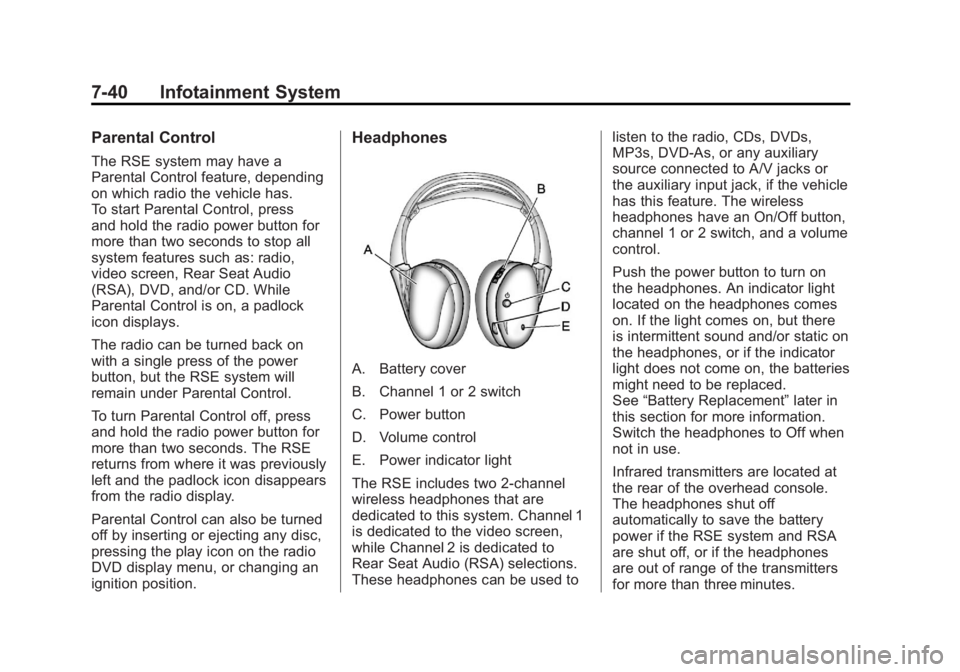
Headphones
A. Battery cover
B. Channel 1 or 2 switch
C. Power button
D. Volume control
E. Power indicator light
The RSE includes two 2-channel
wireless headphones that are
dedicated to this system. Channel 1
is dedicated to the video screen,
while Channel 2 is dedicated to
Rear Seat Audio (RSA) selections.
These headphones can be used tolisten to the radio, CDs, DVDs,
MP3s, DVD‐As, or any auxiliary
source connected to A/V jacks or
the auxiliary input jack, if the vehicle
has this feature. The wireless
headphones have an On/Off button,
channel 1 or 2 switch, and a volume
control.
Push the power button to turn on
the headphones. An indicator light
located on the headphones comes
on. If the light comes on, but there
is intermittent sound and/or static on
the headphones, or if the indicator
light does not come on, the batteries
might need to be replaced.
See
“Battery Replacement” later in
this section for more information.
Switch the headphones to Off when
not in use.
Infrared transmitters are located at
the rear of the overhead console.
The headphones shut off
automatically to save the battery
power if the RSE system and RSA
are shut off, or if the headphones
are out of range of the transmitters
for more than three minutes.
Page 272 of 594
Black plate (46,1)GMC Sierra Owner Manual - 2011
7-46 Infotainment System
}10 (Double Digit Entries):Press
this button to select chapter or
track numbers greater than nine.
Press this button before entering
the number.
Battery Replacement
To change the remote control
batteries, do the following:
1. Slide the rear cover back on the remote control.
2. Replace the two batteries in the compartment. Make sure they
are installed correctly using the
diagram on the inside of the
remote control.
3. Replace the battery cover.
If the remote control is to be stored
for a long period of time, remove the
batteries and keep them in a cool,
dry place.Tips and Troubleshooting Chart
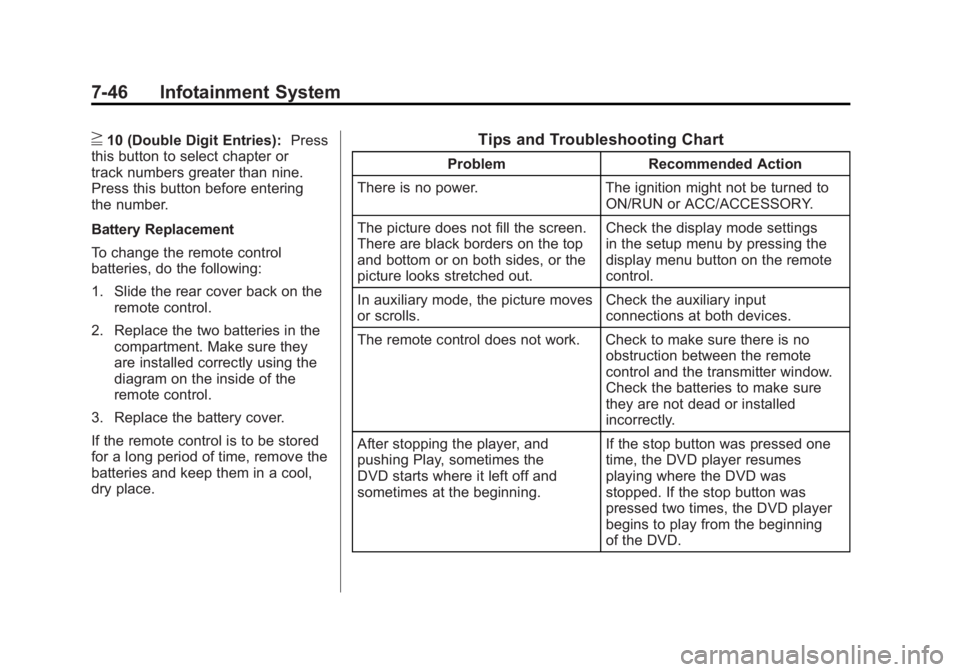
Problem Recommended Action
There is no power. The ignition might not be turned to
ON/RUN or ACC/ACCESSORY.
The picture does not fill the screen.
There are black borders on the top
and bottom or on both sides, or the
picture looks stretched out. Check the display mode settings
in the setup menu by pressing the
display menu button on the remote
control.
In auxiliary mode, the picture moves
or scrolls. Check the auxiliary input
connections at both devices.
The remote control does not work. Check to make sure there is no obstruction between the remote
control and the transmitter window.
Check the batteries to make sure
they are not dead or installed
incorrectly.
After stopping the player, and
pushing Play, sometimes the
DVD starts where it left off and
sometimes at the beginning. If the stop button was pressed one
time, the DVD player resumes
playing where the DVD was
stopped. If the stop button was
pressed two times, the DVD player
begins to play from the beginning
of the DVD.
Page 281 of 594
Black plate (55,1)GMC Sierra Owner Manual - 2011
Infotainment System 7-55
Three‐Way Calling
Three‐way calling must be
supported on the cell phone and
enabled by the wireless service
carrier.
1. While on a call, press
bg.
2. Say “Three‐way call.”
3. Use the dial or call command to dial the number of the third party
to be called.
4. Once the call is connected, press
bgto link all callers
together.
Ending a Call
Pressc xto end a call.
Muting a Call
During a call, all sounds from inside
the vehicle can be muted so that the
person on the other end of the call
cannot hear them.
.To mute a call, pressbg, and
then say “Mute call.”
.To cancel mute, pressbg, and
then say “Un‐mute call.”
Transferring a Call
Audio can be transferred between
the Bluetooth system and the cell
phone.
The cell phone must be paired
and connected with the Bluetooth
system before a call can be
transferred. The connection process
can take up to two minutes after the
ignition is turned to ON/RUN. Transferring Audio from the
Bluetooth System to a Cell Phone
During a call with the audio in the
vehicle:
1. Press
b
g.
2. Say “Transfer Call.”
Transferring Audio to the
Bluetooth System from a Cell
Phone
During a call with the audio on the
cell phone, press
b g. The audio
transfers to the vehicle. If the audio
does not transfer to the vehicle, use
the audio transfer feature on the
cell phone. See your cell phone
manufacturer's user guide for more
information.
Page 285 of 594
Black plate (3,1)GMC Sierra Owner Manual - 2011
Climate Controls 8-3
?(Recirculation):Press to
turn the recirculation mode on.
An indicator light comes on to
show that recirculation is on.
This mode recirculates and helps
to quickly cool the air inside the
vehicle. It can be used to help
prevent outside air and odors from
entering the vehicle.
The recirculation mode cannot
be used with floor, defog or
defrost modes. If recirculation
is selected with one of these
modes, the indicator light flashes
three times and then turns off.
While in recirculation mode the
windows may fog when the weather
is cold and damp. To clear the fog,
select either the defog or defrost
mode and increase the fan speed.
The recirculation mode can be
turned off by pressing the outside
air button, or by turning off the
ignition.#(Air Conditioning): Press to
turn the air conditioning system on
or off. An indicator light comes on to
show that the air conditioning is on.
The air conditioning can be selected
in any mode as long as the fan
switch is on.
The air conditioning system
removes moisture from the air,
so a small amount of water might
drip under the vehicle while idling or
after turning off the engine. This is
normal.
Rear Window Defogger
For vehicles with a rear window
defogger, a warming grid is used to
remove fog from the rear window.
<(Rear): Press to turn the
rear window defogger on or off.
An indicator light on the button
comes on to show that the rear
window defogger is on. The rear window defogger only
works when the ignition is in
ON/RUN. The rear window
defogger stays on for approximately
10 minutes after the button is
pressed, unless the ignition is
turned to ACC/ACCESSORY or
LOCK/OFF. The defogger can
also be turned off by turning off
the engine.
Notice:
Do not use anything
sharp on the inside of the rear
window. If you do, you could cut
or damage the warming grid, and
the repairs would not be covered
by the vehicle warranty. Do not
attach a temporary vehicle
license, tape, a decal, or anything
similar to the defogger grid.
Page 292 of 594
Black plate (10,1)GMC Sierra Owner Manual - 2011
8-10 Climate Controls
The recirculation mode can be
turned off by pressing the outside
air button, or by turning off the
ignition.
;(Outside Air):Press to turn the
outside air mode on. An indicator
light on the button comes on to
show that outside is on. When
selected, air from outside the
vehicle circulates throughout the
vehicle. The recirculation mode
cannot be used with the outside
air mode.
Rear Window Defogger
The rear window defogger uses a
warming grid to remove fog from the
rear window.
<(Rear Window Defogger):
For vehicles with this feature,
press to turn the defogger on or off.
It automatically turns off several
minutes after it has been activated. The defogger can also be turned off
by turning the engine off. Do not
drive the vehicle until all windows
are clear.
Notice:
Do not use a razor blade
or sharp object to clear the inside
rear window. Do not adhere
anything to the defogger grid
lines in the rear glass. These
actions may damage the rear
defogger. Repairs would not be
covered by your warranty.
Heated Mirror: For vehicles with
heated outside rearview mirrors, the
mirrors heat to help clear fog or frost
from the surface of the mirror when
the rear window defog button is
pressed. See Power Mirrors on
page 2‑16.
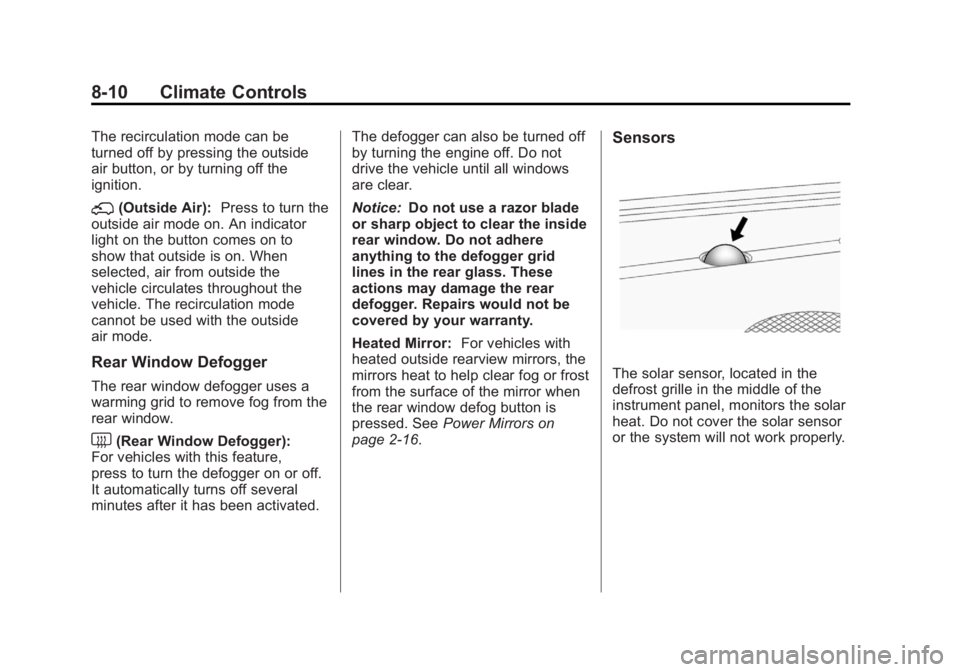
Sensors
The solar sensor, located in the
defrost grille in the middle of the
instrument panel, monitors the solar
heat. Do not cover the solar sensor
or the system will not work properly.
Page 295 of 594
Black plate (1,1)GMC Sierra Owner Manual - 2011
Driving and Operating 9-1
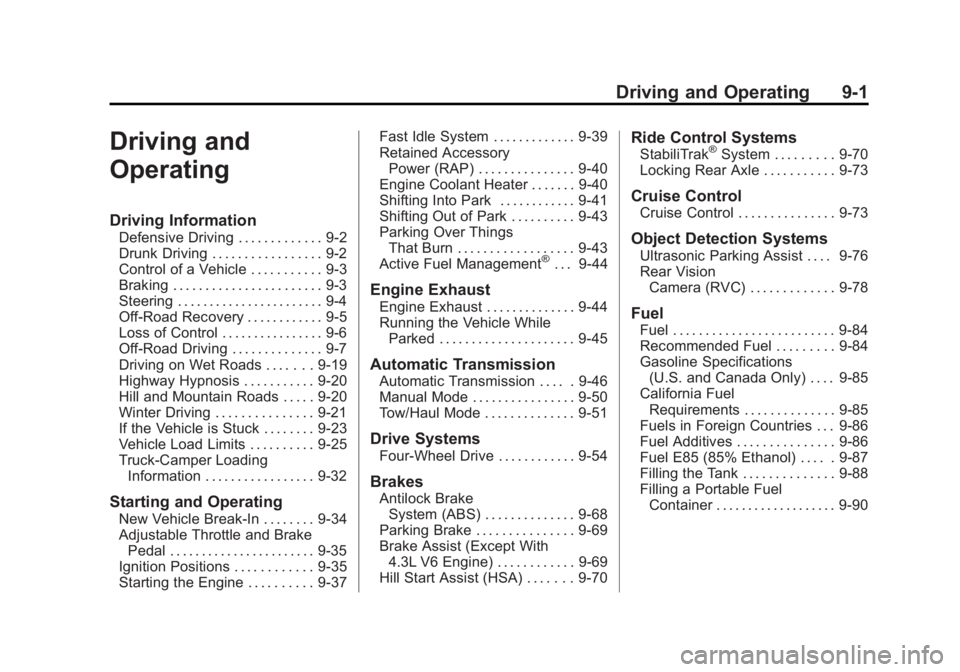
Driving and
Operating
Driving Information
Defensive Driving . . . . . . . . . . . . . 9-2
Drunk Driving . . . . . . . . . . . . . . . . . 9-2
Control of a Vehicle . . . . . . . . . . . 9-3
Braking . . . . . . . . . . . . . . . . . . . . . . . 9-3
Steering . . . . . . . . . . . . . . . . . . . . . . . 9-4
Off-Road Recovery . . . . . . . . . . . . 9-5
Loss of Control . . . . . . . . . . . . . . . . 9-6
Off-Road Driving . . . . . . . . . . . . . . 9-7
Driving on Wet Roads . . . . . . . 9-19
Highway Hypnosis . . . . . . . . . . . 9-20
Hill and Mountain Roads . . . . . 9-20
Winter Driving . . . . . . . . . . . . . . . 9-21
If the Vehicle is Stuck . . . . . . . . 9-23
Vehicle Load Limits . . . . . . . . . . 9-25
Truck-Camper LoadingInformation . . . . . . . . . . . . . . . . . 9-32
Starting and Operating
New Vehicle Break-In . . . . . . . . 9-34
Adjustable Throttle and BrakePedal . . . . . . . . . . . . . . . . . . . . . . . 9-35
Ignition Positions . . . . . . . . . . . . 9-35
Starting the Engine . . . . . . . . . . 9-37 Fast Idle System . . . . . . . . . . . . . 9-39
Retained Accessory
Power (RAP) . . . . . . . . . . . . . . . 9-40
Engine Coolant Heater . . . . . . . 9-40
Shifting Into Park . . . . . . . . . . . . 9-41
Shifting Out of Park . . . . . . . . . . 9-43
Parking Over Things That Burn . . . . . . . . . . . . . . . . . . 9-43
Active Fuel Management
®. . . 9-44
Engine Exhaust
Engine Exhaust . . . . . . . . . . . . . . 9-44
Running the Vehicle While Parked . . . . . . . . . . . . . . . . . . . . . 9-45
Automatic Transmission
Automatic Transmission . . . . . 9-46
Manual Mode . . . . . . . . . . . . . . . . 9-50
Tow/Haul Mode . . . . . . . . . . . . . . 9-51
Drive Systems
Four-Wheel Drive . . . . . . . . . . . . 9-54
Brakes
Antilock BrakeSystem (ABS) . . . . . . . . . . . . . . 9-68
Parking Brake . . . . . . . . . . . . . . . 9-69
Brake Assist (Except With 4.3L V6 Engine) . . . . . . . . . . . . 9-69
Hill Start Assist (HSA) . . . . . . . 9-70
Ride Control Systems
StabiliTrak®System . . . . . . . . . 9-70
Locking Rear Axle . . . . . . . . . . . 9-73
Cruise Control
Cruise Control . . . . . . . . . . . . . . . 9-73
Object Detection Systems
Ultrasonic Parking Assist . . . . 9-76
Rear Vision Camera (RVC) . . . . . . . . . . . . . 9-78
Fuel
Fuel . . . . . . . . . . . . . . . . . . . . . . . . . 9-84
Recommended Fuel . . . . . . . . . 9-84
Gasoline Specifications(U.S. and Canada Only) . . . . 9-85
California Fuel Requirements . . . . . . . . . . . . . . 9-85
Fuels in Foreign Countries . . . 9-86
Fuel Additives . . . . . . . . . . . . . . . 9-86
Fuel E85 (85% Ethanol) . . . . . 9-87
Filling the Tank . . . . . . . . . . . . . . 9-88
Filling a Portable Fuel Container . . . . . . . . . . . . . . . . . . . 9-90
Page 312 of 594
Black plate (18,1)GMC Sierra Owner Manual - 2011
9-18 Driving and Operating
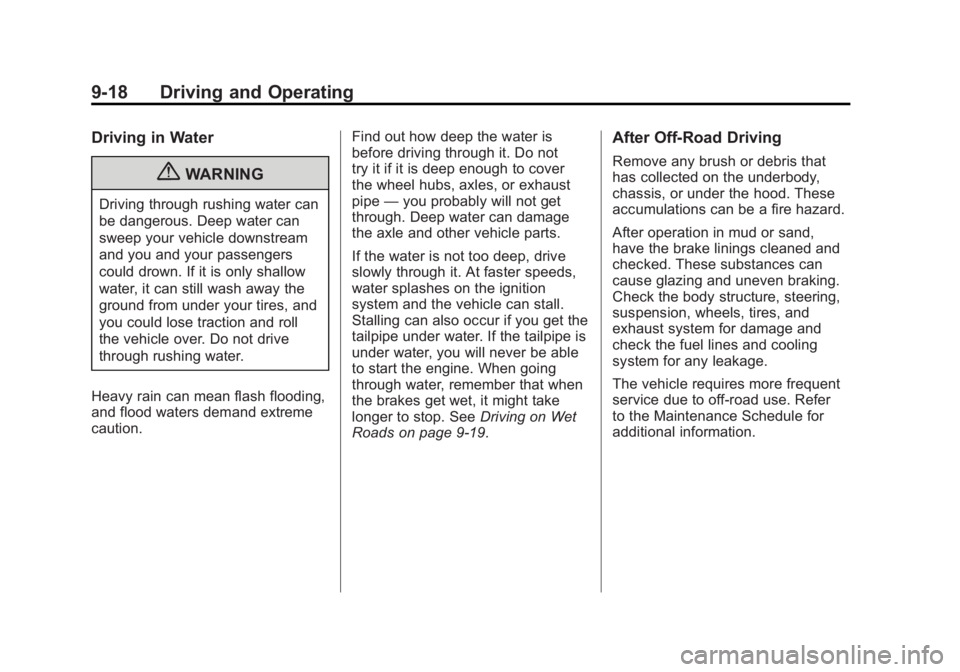
Driving in Water
{WARNING
Driving through rushing water can
be dangerous. Deep water can
sweep your vehicle downstream
and you and your passengers
could drown. If it is only shallow
water, it can still wash away the
ground from under your tires, and
you could lose traction and roll
the vehicle over. Do not drive
through rushing water.
Heavy rain can mean flash flooding,
and flood waters demand extreme
caution. Find out how deep the water is
before driving through it. Do not
try it if it is deep enough to cover
the wheel hubs, axles, or exhaust
pipe
—you probably will not get
through. Deep water can damage
the axle and other vehicle parts.
If the water is not too deep, drive
slowly through it. At faster speeds,
water splashes on the ignition
system and the vehicle can stall.
Stalling can also occur if you get the
tailpipe under water. If the tailpipe is
under water, you will never be able
to start the engine. When going
through water, remember that when
the brakes get wet, it might take
longer to stop. See Driving on Wet
Roads on page 9‑19.
After Off-Road Driving
Remove any brush or debris that
has collected on the underbody,
chassis, or under the hood. These
accumulations can be a fire hazard.
After operation in mud or sand,
have the brake linings cleaned and
checked. These substances can
cause glazing and uneven braking.
Check the body structure, steering,
suspension, wheels, tires, and
exhaust system for damage and
check the fuel lines and cooling
system for any leakage.
The vehicle requires more frequent
service due to off-road use. Refer
to the Maintenance Schedule for
additional information.