oil level GMC SIERRA 2011 Owner's Manual
[x] Cancel search | Manufacturer: GMC, Model Year: 2011, Model line: SIERRA, Model: GMC SIERRA 2011Pages: 594, PDF Size: 6.55 MB
Page 7 of 594
Black plate (1,1)GMC Sierra Owner Manual - 2011
In Brief 1-1
In Brief
Instrument Panel
Instrument Panel(Base/Uplevel Version) . . . . . . 1-2
Instrument Panel (Premium Version) . . . . . . . . . . . 1-6
Initial Drive Information
Initial Drive Information . . . . . . . . 1-8
Remote Keyless Entry (RKE)System . . . . . . . . . . . . . . . . . . . . . . 1-8
Remote Vehicle Start . . . . . . . . . 1-9
Door Locks . . . . . . . . . . . . . . . . . . . 1-9
Windows . . . . . . . . . . . . . . . . . . . . . 1-10
Seat Adjustment . . . . . . . . . . . . . 1-11
Memory Features . . . . . . . . . . . . 1-13
Heated Seats . . . . . . . . . . . . . . . . 1-15
Head Restraint Adjustment . . . . . . . . . . . . . . . . . 1-15 Safety Belts . . . . . . . . . . . . . . . . . . 1-15
Sensing System for
Passenger Airbag . . . . . . . . . . 1-16
Mirror Adjustment . . . . . . . . . . . . 1-16
Steering Wheel Adjustment . . . . . . . . . . . . . . . . . 1-17
Throttle and Brake Pedal Adjustment . . . . . . . . . . . . . . . . . 1-18
Interior Lighting . . . . . . . . . . . . . . 1-18
Exterior Lighting . . . . . . . . . . . . . 1-19
Windshield Wiper/Washer . . . . 1-20
Climate Controls . . . . . . . . . . . . . 1-20
Transmission . . . . . . . . . . . . . . . . 1-23
Four-Wheel Drive . . . . . . . . . . . . 1-24
Vehicle Features
Radio(s) . . . . . . . . . . . . . . . . . . . . . 1-26
Satellite Radio . . . . . . . . . . . . . . . 1-27
Portable Audio Devices . . . . . . 1-28
Bluetooth
®. . . . . . . . . . . . . . . . . . . 1-28
Steering Wheel Controls . . . . . 1-28 Cruise Control . . . . . . . . . . . . . . . 1-29
Navigation System . . . . . . . . . . . 1-30
Driver Information
Center (DIC) . . . . . . . . . . . . . . . 1-30
Rear Vision
Camera (RVC) . . . . . . . . . . . . . 1-31
Ultrasonic Parking Assist . . . . 1-31
Power Outlets . . . . . . . . . . . . . . . 1-32
Universal Remote System . . . 1-32
Sunroof . . . . . . . . . . . . . . . . . . . . . . 1-32
Performance and Maintenance
StabiliTrak®System . . . . . . . . . 1-33
Tire Pressure Monitor . . . . . . . . 1-34
Engine Oil Life System . . . . . . 1-34
Fuel E85 (85% Ethanol) . . . . . 1-35
Driving for Better Fuel Economy . . . . . . . . . . . . . . . . . . . 1-35
Roadside Assistance Program . . . . . . . . . . . . . . . . . . . . 1-36
OnStar
®. . . . . . . . . . . . . . . . . . . . . 1-36
Page 164 of 594
Black plate (16,1)GMC Sierra Owner Manual - 2011
5-16 Instruments and Controls
When the fuel tank is low the
FUEL LEVEL LOW message
appears. SeeFuel System
Messages on page 5‑46 for
more information.
Here are some situations owners
can experience with the fuel gauge.
None of these indicate a problem
with the fuel gauge.
.At the gas station, the fuel pump
shuts off before the gauge
reads full.
.It takes a little more or less fuel
to fill up than the fuel gauge
indicated. For example, the
gauge may have indicated the
tank was half full, but it actually
took a little more or less than
half the fuel tank's capacity to
fill it.
.The gauge goes back to empty
when the ignition is turned off. If the vehicle has a diesel engine,
see the Duramax diesel supplement
for more information.
If the vehicle is a hybrid, see
the hybrid supplement for more
information.
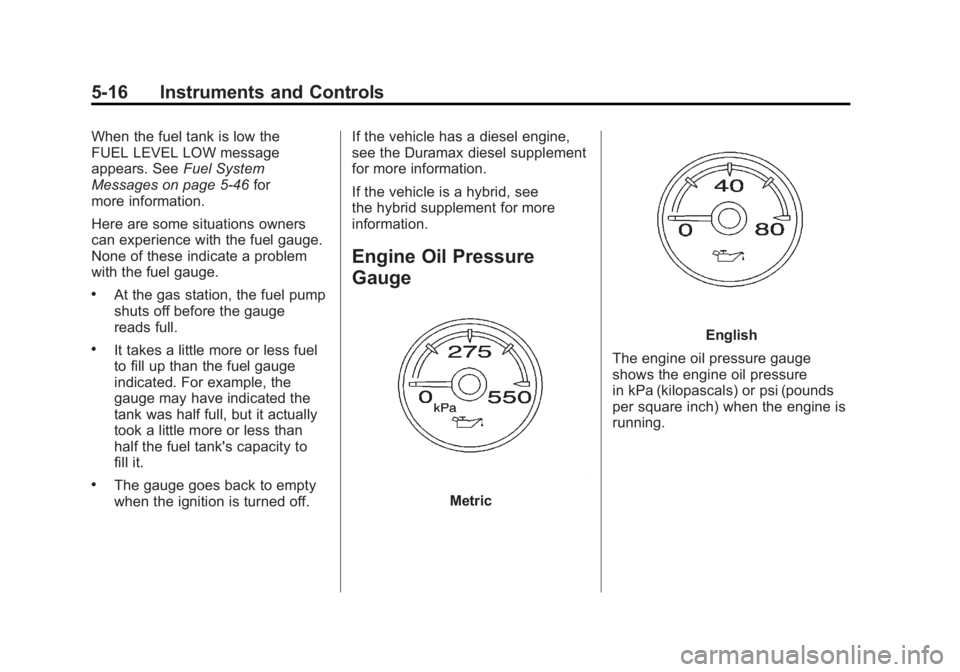
Engine Oil Pressure
Gauge
Metric
English
The engine oil pressure gauge
shows the engine oil pressure
in kPa (kilopascals) or psi (pounds
per square inch) when the engine is
running.
Page 165 of 594
Black plate (17,1)GMC Sierra Owner Manual - 2011
Instruments and Controls 5-17
Oil pressure can vary with engine
speed, outside temperature and
oil viscosity, but if readings are
outside the normal operating range,
the oil pressure light comes on.
SeeEngine Oil Pressure Light on
page 5‑31 for more information.
A reading outside the normal
operating range can be caused
by a dangerously low oil level or
some other problem causing low
oil pressure. Check the vehicle's
oil as soon as possible. See “OIL
PRESSURE LOW STOP ENGINE”
under Engine Oil Messages on
page 5‑45 andEngine Oil on
page 10‑7.{WARNING
Do not keep driving if the oil
pressure is low. The engine can
become so hot that it catches fire.
Someone could be burned. Check
the oil as soon as possible and
have the vehicle serviced.
Notice: Lack of proper engine
oil maintenance can damage the
engine. The repairs would not be
covered by the vehicle warranty.
Always follow the maintenance
schedule for changing engine oil.
If the vehicle has a diesel engine,
see the Duramax diesel supplement
for more information.
If the vehicle is a hybrid, see the
hybrid supplement for more
information.
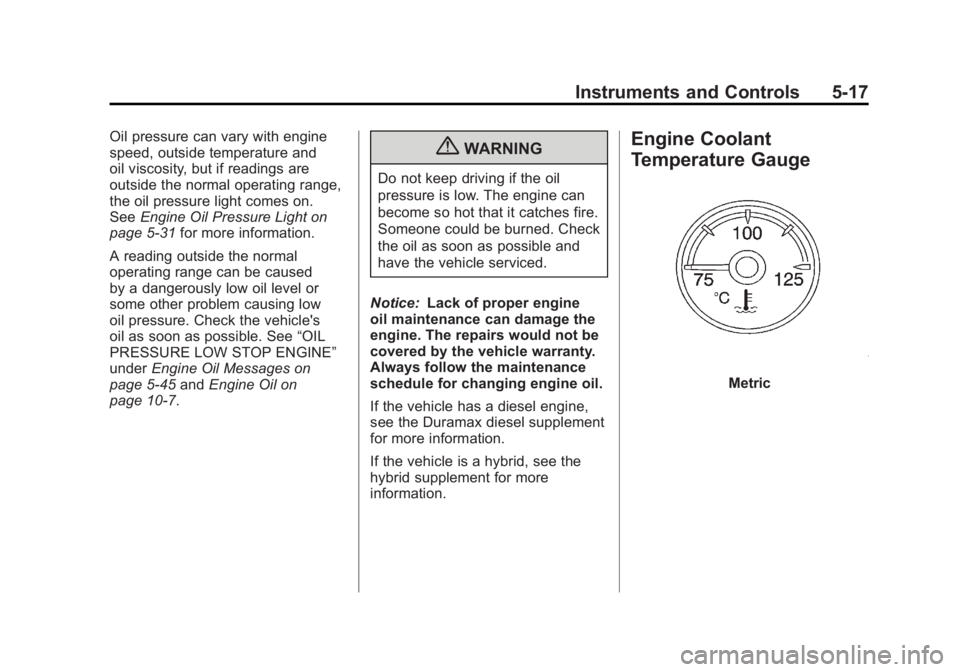
Engine Coolant
Temperature Gauge
Metric
Page 179 of 594
Black plate (31,1)GMC Sierra Owner Manual - 2011
Instruments and Controls 5-31
Engine Oil Pressure Light
{WARNING
Do not keep driving if the oil
pressure is low. The engine can
become so hot that it catches fire.
Someone could be burned. Check
the oil as soon as possible and
have the vehicle serviced.Notice:
Lack of proper engine oil
maintenance can damage the
engine. The repairs would not be
covered by the vehicle warranty.
Always follow the maintenance
schedule for changing engine oil.
This light comes on briefly while
starting the engine. If it does not,
have the vehicle serviced by your
dealer. If the system is working
normally the indicator light then
goes off.
If the light comes on and stays on, it
means that oil is not flowing through
the engine properly. The vehicle
could be low on oil and it might
have some other system problem.
If the vehicle is a hybrid, see the
hybrid supplement for more
information.
Low Fuel Warning Light
This light, under the fuel gauge,
comes on briefly while the engine is
being started.
This light and a chime comes on
when the fuel tank is low on fuel.
The Driver Information Center also
displays a “FUEL LEVEL LOW”
message. See Fuel System
Messages on page 5‑46 for more
information. When fuel is added this
light and message should go off. If it
does not, have the vehicle serviced
by your dealer.
Page 193 of 594
Black plate (45,1)GMC Sierra Owner Manual - 2011
Instruments and Controls 5-45
Engine Oil Messages
CHANGE ENGINE OIL SOON
This message displays when the
engine oil needs to be changed.
When you change the engine oil,
be sure to reset the CHANGE
ENGINE OIL SOON message.
SeeEngine Oil Life System on
page 10‑11 for information on how
to reset the message. See Engine
Oil on page 10‑7 andScheduled
Maintenance on page 11‑2 for
more information.
ENGINE OIL HOT IDLE
ENGINE
This message displays when the
engine oil becomes hotter than the
normal operating temperature. Stop
and allow the vehicle to idle until it
cools down. See Engine Coolant
Temperature Gauge on page 5‑17.
OIL PRESSURE LOW STOP
ENGINE
Notice: If you drive the vehicle
while the engine oil pressure
is low, severe engine damage
may occur. If a low oil pressure
warning appears on the Driver
Information Center (DIC), stop
the vehicle as soon as possible.
Do not drive the vehicle until the
cause of the low oil pressure is
corrected. See Engine Oil on
page 10‑7 for more information.
This message displays if low oil
pressure levels occur. Stop the
vehicle as soon as safely possible
and do not operate it until the cause
of the low oil pressure has been
corrected. Check the oil as soon
as possible and have the vehicle
serviced by your dealer. See Engine
Oil on page 10‑7.
Engine Power Messages
ENGINE POWER IS REDUCED
This message displays and a
chime may sound when the cooling
system temperature gets too hot
and the engine further enters the
engine coolant protection mode.
See Engine Overheating on
page 10‑25 for more information.
This message also displays when
the vehicle's engine power is
reduced. Reduced engine power
can affect the vehicle's ability
to accelerate. If this message
is on, but there is no reduction
in performance, proceed to your
destination. The performance may
be reduced the next time the vehicle
is driven. The vehicle may be driven
at a reduced speed while this
message is on, but acceleration and
speed may be reduced. Anytime
this message stays on, the vehicle
should be taken to your dealer for
service as soon as possible.
Page 332 of 594
Black plate (38,1)GMC Sierra Owner Manual - 2011
9-38 Driving and Operating
The vehicle has a
Computer-Controlled
Cranking System. This feature
assists in starting the engine
and protects components.
If the ignition key is turned
to the START position, and
then released when the engine
begins cranking, the engine
will continue cranking for a
few seconds or until the vehicle
starts. If the engine does not
start and the key is held in
START for many seconds,
cranking will be stopped after
15 seconds to prevent cranking
motor damage. To prevent
gear damage, this system also
prevents cranking if the engine
is already running. Engine
cranking can be stopped by
turning the ignition switch to
the ACC/ACCESSORY or
LOCK/OFF position.When the Low Fuel warning
lamp is on and the FUEL LEVEL
LOW message is displayed in
the Driver Information Center
(DIC), the Computer‐Controlled
Cranking System is disabled
to prevent possible vehicle
component damage. When
this happens, hold the ignition
switch in the START position
to continue engine cranking.
Notice: Cranking the engine for
long periods of time, by returning
the key to the START position
immediately after cranking has
ended, can overheat and damage
the cranking motor, and drain the
battery. Wait at least 15 seconds
between each try, to let the
cranking motor cool down. 2. If the engine does not start
after 5‐10 seconds, especially
in very cold weather (below
−18°C or 0°F), it could be
flooded with too much gasoline.
Try pushing the accelerator
pedal all the way to the floor
and holding it there as you
hold the key in START for up
to 15 seconds. Wait at least
15 seconds between each try, to
allow the cranking motor to cool
down. When the engine starts,
let go of the key and accelerator.
If the vehicle starts briefly but
then stops again, do the same
thing. This clears the extra
gasoline from the engine. Do not
race the engine immediately
after starting it. Operate the
engine and transmission gently
until the oil warms up and
lubricates all moving parts.
Page 431 of 594
Black plate (7,1)GMC Sierra Owner Manual - 2011
Vehicle Care 10-7
A.Engine Air Cleaner/Filter on
page 10‑19.
B. Coolant Surge Tank and Pressure Cap. See Cooling
System on page 10‑20.
C. Positive (+) Terminal. See Jump
Starting on page 10‑98.
D. Battery on page 10‑34.
E. Remote Negative (−) Terminal (Out of View). See Jump
Starting on page 10‑98.
F. Automatic Transmission Dipstick (Out of View).
See “Checking the Fluid Level”
under Automatic Transmission
Fluid (4-Speed Transmission)
on page 10‑13 orAutomatic
Transmission Fluid (6-Speed
Transmission) on page 10‑16.
G. Engine Oil Fill Cap. See “When
to Add Engine Oil” under
Engine Oil on page 10‑7. H. Engine Oil Dipstick (Out of
View). See “Checking Engine
Oil” under Engine Oil on
page 10‑7.
I. Engine Cooling Fan (Out of View). See Cooling System on
page 10‑20.
J. Power Steering Fluid Reservoir. See Power Steering Fluid on
page 10‑29.
K. Brake Master Cylinder Reservoir. See Brake Fluid on
page 10‑32.
L. Engine Compartment Fuse
Block on page 10‑50.
M. Windshield Washer Fluid Reservoir. See “Adding Washer
Fluid” under Washer Fluid on
page 10‑29.
If the vehicle has a diesel engine
and/or an Allison Transmission, see
the Duramax Diesel Supplement.Engine Oil
For diesel engine vehicles, see
“Engine Oil” in the Duramax Diesel
Supplement.
To ensure proper engine
performance and long life, careful
attention must be paid to engine
oil. Following these simple, but
important steps will help protect
your investment:
.Always use engine oil approved
to the proper specification and
of the proper viscosity grade.
See “Selecting the Right Engine
Oil” in this section.
.Check the engine oil level
regularly and maintain the
proper oil level. See “Checking
Engine Oil” and“When to Add
Engine Oil” in this section.
.Change the engine oil at the
appropriate time. See Engine
Oil Life System on page 10‑11.
.Always dispose of engine oil
properly. See “What to Do with
Used Oil” in this section.
Page 432 of 594
Black plate (8,1)GMC Sierra Owner Manual - 2011
10-8 Vehicle Care
Checking Engine Oil
It is a good idea to check the
engine oil level at each fuel fill.
In order to get an accurate reading,
the vehicle must be on level ground.
The engine oil dipstick handle
is a yellow loop. SeeEngine
Compartment Overview on
page 10‑6 for the location
of the engine oil dipstick.
Obtaining an accurate oil level
reading is essential:
1. If the engine has been running recently, turn off the engine and
allow several minutes for the oil
to drain back into the oil pan.
Checking the oil level too soon
after engine shutoff will not
provide an accurate oil level
reading.
2. Pull out the dipstick and clean it with a paper towel or cloth,
then push it back in all the way.
Remove it again, keeping the tip
down, and check the level.
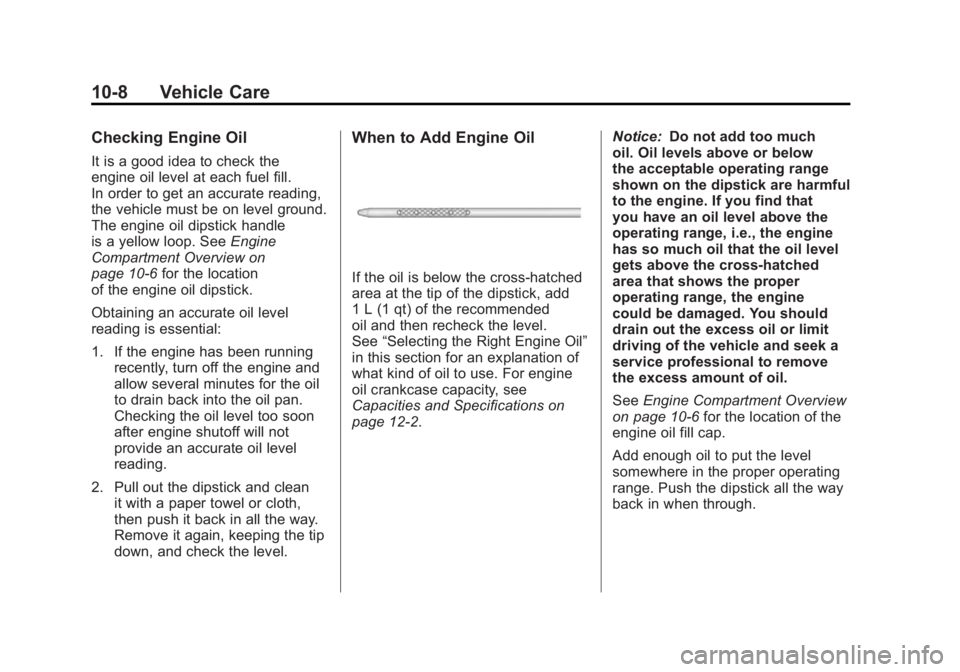
When to Add Engine Oil
If the oil is below the cross-hatched
area at the tip of the dipstick, add
1 L (1 qt) of the recommended
oil and then recheck the level.
See “Selecting the Right Engine Oil”
in this section for an explanation of
what kind of oil to use. For engine
oil crankcase capacity, see
Capacities and Specifications on
page 12‑2. Notice:
Do not add too much
oil. Oil levels above or below
the acceptable operating range
shown on the dipstick are harmful
to the engine. If you find that
you have an oil level above the
operating range, i.e., the engine
has so much oil that the oil level
gets above the cross-hatched
area that shows the proper
operating range, the engine
could be damaged. You should
drain out the excess oil or limit
driving of the vehicle and seek a
service professional to remove
the excess amount of oil.
See Engine Compartment Overview
on page 10‑6 for the location of the
engine oil fill cap.
Add enough oil to put the level
somewhere in the proper operating
range. Push the dipstick all the way
back in when through.
Page 433 of 594
Black plate (9,1)GMC Sierra Owner Manual - 2011
Vehicle Care 10-9
Selecting the Right Engine Oil
Selecting the right engine oil
depends on both the proper oil
specification and viscosity grade:
Specification
Use and ask for engine oils with
the dexos™certification mark.
Oils meeting the requirements
of the vehicle should have the
dexos certification mark on the
container. This certification mark
indicates that the oil has been
approved to the dexos specification.
This vehicle was filled at the factory
with dexos‐approved engine oil.
Notice: Use only engine oil
that is approved to the dexos
specification or an equivalent
engine oil of the appropriate
viscosity grade. Engine oils
approved to the dexos
specification will show the
dexos symbol on the container. Failure to use the recommended
engine oil or equivalent can
result in engine damage not
covered by the vehicle warranty.
If you are unsure whether the
oil is approved to the dexos
specification, ask your service
provider.
Use of Substitute Engine Oils if
dexos is unavailable: In the event
that dexos‐approved engine oil is
not available at an oil change or
for maintaining proper oil level,
you may use substitute engine oil
displaying the API Starburst symbol
and of SAE 5W-30 viscosity grade.
Page 436 of 594
Black plate (12,1)GMC Sierra Owner Manual - 2011
10-12 Vehicle Care
It is possible that, if driving under
the best conditions, the oil life
system might indicate that an oil
change is not necessary for up
to a year. The engine oil and filter
must be changed at least once
a year and, at this time, the
system must be reset. For vehicles
without the CHANGE ENGINE OIL
SOON message, an oil change
is needed when the OIL LIFE
REMAINING percentage is near
0%. Your dealer has trained service
people who will perform this work
and reset the system. It is also
important to check the oil regularly
over the course of an oil drain
interval and keep it at the proper
level.
If the system is ever reset
accidentally, the oil must be
changed at 5 000 km (3,000 miles)
since the last oil change.
Remember to reset the oil life
system whenever the oil is changed.How to Reset the Engine Oil
Life System
Reset the system whenever the
engine oil is changed so that the
system can calculate the next
engine oil change. Always reset the
engine oil life to 100% after every
oil change. It will not reset itself.
To reset the system on most
vehicles:
1. Display the OIL LIFEREMAINING on the DIC.
If the vehicle does not have
DIC buttons, the vehicle must
be in P (Park) to access this
display. See Driver Information
Center (DIC) on page 5‑33.
2. Press and hold the SET/RESET button on the DIC, or the
trip odometer reset stem
if the vehicle does not have
DIC buttons, for more than
five seconds. The oil life will
change to 100%. On all vehicles, the Engine Oil Life
System can be reset as follows:
1. Turn the ignition to ON/RUN with
the engine off.
2. Fully press the accelerator pedal slowly three times within
five seconds.
3. Display the OIL LIFE REMAINING on the DIC.
If the display shows 100%,
the system is reset. See Driver
Information Center (DIC) on
page 5‑33.
If the vehicle has a CHANGE
ENGINE OIL SOON message
and it comes back on when
the vehicle is started and/or the
OIL LIFE REMAINING is near 0%,
the engine oil life system has not
been reset. Repeat the procedure.