instrument panel GMC SIERRA 2013 Owner's Guide
[x] Cancel search | Manufacturer: GMC, Model Year: 2013, Model line: SIERRA, Model: GMC SIERRA 2013Pages: 534, PDF Size: 6.47 MB
Page 142 of 534
Black plate (12,1)GMC Sierra Owner Manual - 2013 - crc - 8/14/12
5-12 Instruments and Controls
For vehicles with a DURAMAX®
Diesel engine, see the DURAMAX®
Diesel Supplement for more
information.
For vehicles with a Hybrid, see the
Hybrid Supplement for more
information.
Speedometer
The speedometer shows the
vehicle's speed in either kilometers
per hour (km/h) or miles per
hour (mph).
Odometer
The odometer shows how far the
vehicle has been driven, in either
kilometers or miles.
Engine Hour Meter Display
The Driver Information Center (DIC)
can also display the number of
hours the engine has run. To display
the engine hours, turn the ignition
off, then press and hold the reset
button for at least four seconds. The
hour meter displays for up to
30 seconds, or until the ignition is
turned on. SeeDriver Information
Center (DIC) on page 5‑28 for more
information.
Trip Odometer
The trip odometer shows how far
the vehicle has been driven since
the trip odometer was last set
to zero.
Press the reset button, located on
the instrument panel cluster next to
the voltmeter, to toggle between the
trip odometer and the regular
odometer. Holding the reset button
for approximately one second while
the trip odometer is displayed will
reset it. To display the odometer reading
with the ignition off, press the reset
button.
See
Driver Information Center (DIC)
on page 5‑28 for more information.
Tachometer
The tachometer displays the engine
speed in revolutions per minute
(rpm). For a description of how
Grade Braking affects vehicle speed
while the Tow/Haul Mode is
activated, see Tow/Haul Mode on
page 9‑37 for more information.
If the vehicle is a hybrid, see the
hybrid supplement for more
information.
Page 153 of 534
Black plate (23,1)GMC Sierra Owner Manual - 2013 - crc - 8/14/12
Instruments and Controls 5-23
Emissions Inspection and
Maintenance Programs
Depending on where you live, your
vehicle may be required to
participate in an emission control
system inspection and maintenance
program. For the inspection, the
emission system test equipment will
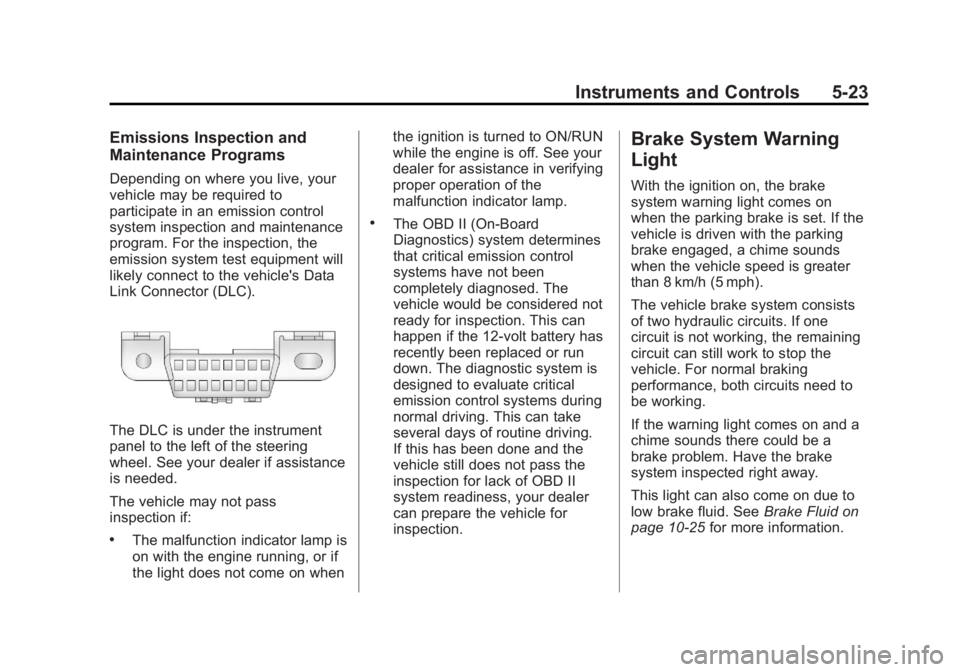
likely connect to the vehicle's Data
Link Connector (DLC).
The DLC is under the instrument
panel to the left of the steering
wheel. See your dealer if assistance
is needed.
The vehicle may not pass
inspection if:
.The malfunction indicator lamp is
on with the engine running, or if
the light does not come on whenthe ignition is turned to ON/RUN
while the engine is off. See your
dealer for assistance in verifying
proper operation of the
malfunction indicator lamp.
.The OBD II (On-Board
Diagnostics) system determines
that critical emission control
systems have not been
completely diagnosed. The
vehicle would be considered not
ready for inspection. This can
happen if the 12-volt battery has
recently been replaced or run
down. The diagnostic system is
designed to evaluate critical
emission control systems during
normal driving. This can take
several days of routine driving.
If this has been done and the
vehicle still does not pass the
inspection for lack of OBD II
system readiness, your dealer
can prepare the vehicle for
inspection.
Brake System Warning
Light
With the ignition on, the brake
system warning light comes on
when the parking brake is set. If the
vehicle is driven with the parking
brake engaged, a chime sounds
when the vehicle speed is greater
than 8 km/h (5 mph).
The vehicle brake system consists
of two hydraulic circuits. If one
circuit is not working, the remaining
circuit can still work to stop the
vehicle. For normal braking
performance, both circuits need to
be working.
If the warning light comes on and a
chime sounds there could be a
brake problem. Have the brake
system inspected right away.
This light can also come on due to
low brake fluid. See
Brake Fluid on
page 10‑25 for more information.
Page 158 of 534
Black plate (28,1)GMC Sierra Owner Manual - 2013 - crc - 8/14/12
5-28 Instruments and Controls
For information regarding this light
and the vehicle's security system,
seeVehicle Alarm System on
page 2‑10.
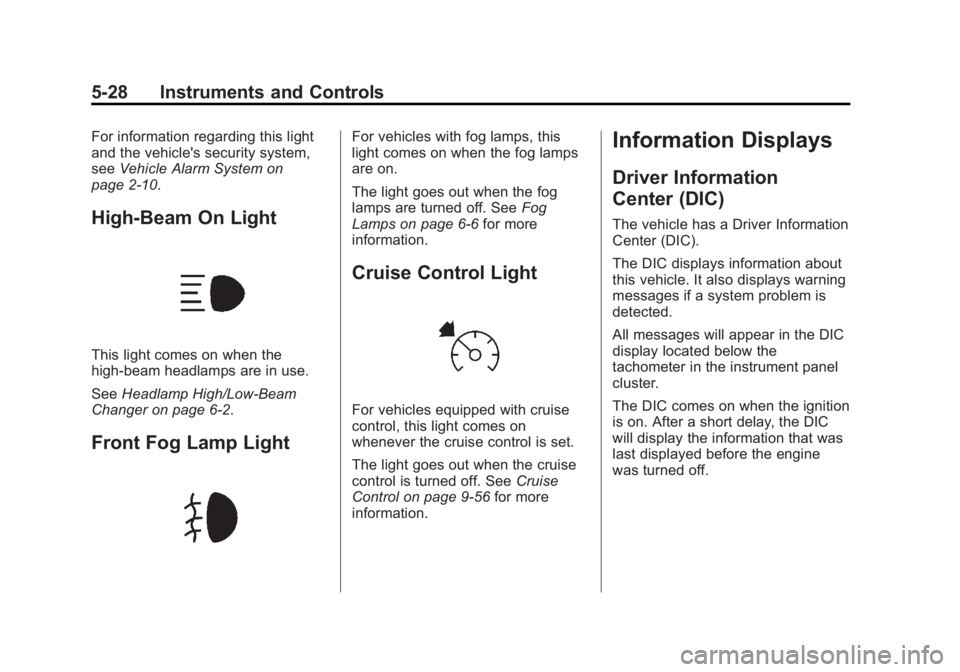
High-Beam On Light
This light comes on when the
high-beam headlamps are in use.
See Headlamp High/Low-Beam
Changer on page 6‑2.
Front Fog Lamp Light
For vehicles with fog lamps, this
light comes on when the fog lamps
are on.
The light goes out when the fog
lamps are turned off. See Fog
Lamps on page 6‑6 for more
information.
Cruise Control Light
For vehicles equipped with cruise
control, this light comes on
whenever the cruise control is set.
The light goes out when the cruise
control is turned off. See Cruise
Control on page 9‑56 for more
information.
Information Displays
Driver Information
Center (DIC)
The vehicle has a Driver Information
Center (DIC).
The DIC displays information about
this vehicle. It also displays warning
messages if a system problem is
detected.
All messages will appear in the DIC
display located below the
tachometer in the instrument panel
cluster.
The DIC comes on when the ignition
is on. After a short delay, the DIC
will display the information that was
last displayed before the engine
was turned off.
Page 159 of 534
Black plate (29,1)GMC Sierra Owner Manual - 2013 - crc - 8/14/12
Instruments and Controls 5-29
The DIC has different displays
which can be accessed by pressing
the DIC buttons located on the
instrument panel, next to the
steering wheel. If the vehicle does
not have DIC buttons, the trip
odometer reset stem can be used to
access some of the menu items.
The DIC displays trip, fuel, and
vehicle system information, and
warning messages if a system
problem is detected.
The DIC also allows some features
to be customized. SeeVehicle
Personalization (With DIC Buttons)
on page 5‑46 for more information.
If the vehicle has a diesel engine,
see the Duramax
®diesel
supplement for more information.
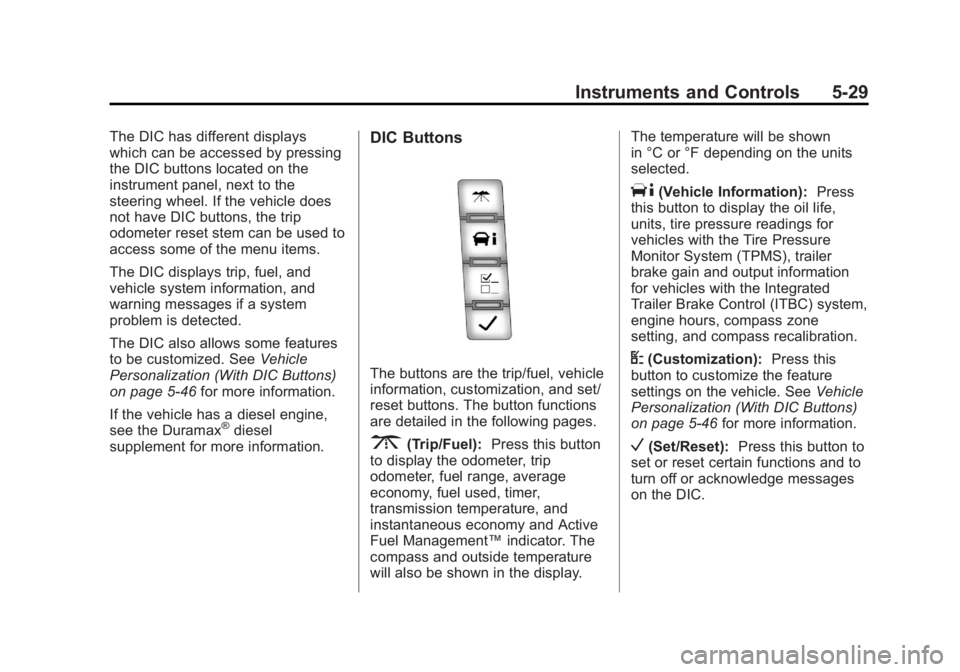
DIC Buttons
The buttons are the trip/fuel, vehicle
information, customization, and set/
reset buttons. The button functions
are detailed in the following pages.
3(Trip/Fuel): Press this button
to display the odometer, trip
odometer, fuel range, average
economy, fuel used, timer,
transmission temperature, and
instantaneous economy and Active
Fuel Management™ indicator. The
compass and outside temperature
will also be shown in the display. The temperature will be shown
in °C or °F depending on the units
selected.
T(Vehicle Information):
Press
this button to display the oil life,
units, tire pressure readings for
vehicles with the Tire Pressure
Monitor System (TPMS), trailer
brake gain and output information
for vehicles with the Integrated
Trailer Brake Control (ITBC) system,
engine hours, compass zone
setting, and compass recalibration.
U(Customization): Press this
button to customize the feature
settings on the vehicle. See Vehicle
Personalization (With DIC Buttons)
on page 5‑46 for more information.
V(Set/Reset):Press this button to
set or reset certain functions and to
turn off or acknowledge messages
on the DIC.
Page 167 of 534
Black plate (37,1)GMC Sierra Owner Manual - 2013 - crc - 8/14/12
Instruments and Controls 5-37
When the remaining oil life is low,
the CHANGE ENGINE OIL SOON
message will appear on the display.
See“CHANGE ENGINE OIL SOON”
under Engine Oil Messages on
page 5‑40. You should change the
oil as soon as you can. See Engine
Oil on page 10‑6. In addition to the
engine oil life system monitoring the
oil life, additional maintenance is
recommended in the Maintenance
Schedule in this manual. See
Maintenance Schedule on
page 11‑3 for more information.
Remember, you must reset the OIL
LIFE display after each oil change.
It will not reset itself. Also, be
careful not to reset the OIL LIFE
display accidentally at any time
other than when the oil has just
been changed. It cannot be reset
accurately until the next oil change.
To reset the engine oil life system,
see Engine Oil Life System on
page 10‑9.Vehicle Messages
Messages displayed on the DIC
indicate the status of the vehicle or
some action may be needed to
correct a condition. Multiple
messages may appear one after
another.
The messages that do not require
immediate action can be
acknowledged and cleared by
pressing
V(Set/Reset) or the trip
odometer reset stem.
The messages that require
immediate action cannot be cleared
until that action is performed.
All messages should be taken
seriously and clearing the message
does not correct the problem.
The following are the possible
messages and some information
about them.
If the vehicle has a diesel engine,
see the Duramax
®diesel
supplement for more information.
Battery Voltage and
Charging Messages
BATTERY LOW START
VEHICLE
When the vehicle’ s battery is
severely discharged, this message
will display and four chimes will
sound. Start the vehicle
immediately. If the vehicle is not
started and the battery continues to
discharge, the climate controls,
heated seats, and audio systems
will shut off and the vehicle may
require a jump start. These systems
will function again after the vehicle
is started.
SERVICE BATTERY
CHARGING SYSTEM
On some vehicles, this message
displays if there is a problem with
the battery charging system. Under
certain conditions, the charging
system light may also turn on in the
instrument panel cluster. See
Charging System Light on
page 5‑20. Driving with this problem
Page 171 of 534
Black plate (41,1)GMC Sierra Owner Manual - 2013 - crc - 8/14/12
Instruments and Controls 5-41
Fuel System Messages
FUEL LEVEL LOW
This message displays and a chime
may sound if the fuel level is low.
Refuel as soon as possible. See
Fuel Gauge on page 5‑13andFuel
on page 9‑65 for more information.
TIGHTEN GAS CAP
This message may display along
with the check engine light on the
instrument panel cluster if the
vehicle's fuel cap is not tightened
properly. SeeMalfunction Indicator
Lamp on page 5‑21. Reinstall the
fuel cap fully. See Filling the Tank
on page 9‑68. The diagnostic
system can determine if the fuel cap
has been left off or improperly
installed. A loose or missing fuel
cap allows fuel to evaporate into the
atmosphere. A few driving trips with
the cap properly installed should
turn this light and message off.
Key and Lock Messages
REPLACE BATTERY IN
REMOTE KEY
This message displays if a Remote
Keyless Entry (RKE) transmitter
battery is low. The battery needs to
be replaced in the transmitter. See
“Battery Replacement” under
Remote Keyless Entry (RKE)
System Operation on page 2‑2.
Lamp Messages
TURN SIGNAL ON
This message displays and a chime
sounds if a turn signal is left on for
1.2 km (0.75 mi). Move the turn
signal/multifunction lever to the off
position.
Object Detection System
Messages
PARK ASST BLOCKED SEE
OWNERS MANUAL
This message displays if there is
something interfering with the park
assist system. See Ultrasonic
Parking Assist on page 9‑59 for
more information.
PARK ASSIST OFF
After the vehicle has been started,
this message displays to remind the
driver that the URPA system has
been turned off. Press the set/reset
button or the trip odometer reset
stem to acknowledge this message
and clear it from the DIC display. To
turn the URPA system back on, see
Ultrasonic Parking Assist on
page 9‑59.
Page 187 of 534
Black plate (57,1)GMC Sierra Owner Manual - 2013 - crc - 8/14/12
Instruments and Controls 5-57
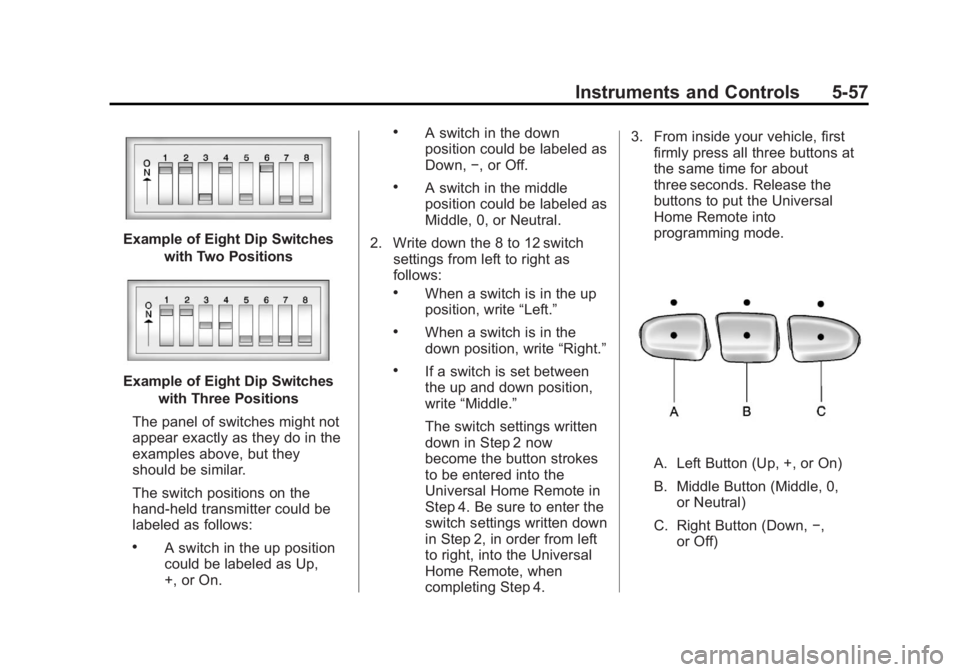
Example of Eight Dip Switcheswith Two Positions
Example of Eight Dip Switcheswith Three Positions
The panel of switches might not
appear exactly as they do in the
examples above, but they
should be similar.
The switch positions on the
hand-held transmitter could be
labeled as follows:
.A switch in the up position
could be labeled as Up,
+, or On.
.A switch in the down
position could be labeled as
Down, −, or Off.
.A switch in the middle
position could be labeled as
Middle, 0, or Neutral.
2. Write down the 8 to 12 switch settings from left to right as
follows:
.When a switch is in the up
position, write “Left.”
.When a switch is in the
down position, write “Right.”
.If a switch is set between
the up and down position,
write“Middle.”
The switch settings written
down in Step 2 now
become the button strokes
to be entered into the
Universal Home Remote in
Step 4. Be sure to enter the
switch settings written down
in Step 2, in order from left
to right, into the Universal
Home Remote, when
completing Step 4. 3. From inside your vehicle, first
firmly press all three buttons at
the same time for about
three seconds. Release the
buttons to put the Universal
Home Remote into
programming mode.
A. Left Button (Up, +, or On)
B. Middle Button (Middle, 0,
or Neutral)
C. Right Button (Down, −,
or Off)
Page 191 of 534
Black plate (1,1)GMC Sierra Owner Manual - 2013 - crc - 8/14/12
Lighting 6-1
Lighting
Exterior Lighting
Exterior Lamp Controls . . . . . . . . 6-1
Exterior Lamps OffReminder . . . . . . . . . . . . . . . . . . . . 6-2
Headlamp High/Low-Beam Changer . . . . . . . . . . . . . . . . . . . . . 6-2
Flash-to-Pass . . . . . . . . . . . . . . . . . 6-3
Daytime Running Lamps (DRL) . . . . . . . . . . . . . . . . 6-3
Automatic Headlamp System . . . . . . . . . . . . . . . . . . . . . . 6-3
Hazard Warning Flashers . . . . . 6-5
Turn and Lane-Change Signals . . . . . . . . . . . . . . . . . . . . . . 6-5
Fog Lamps . . . . . . . . . . . . . . . . . . . . 6-6
Auxiliary Roof-Mounted Lamp . . . . . . . . . 6-6
Interior Lighting
Instrument Panel IlluminationControl . . . . . . . . . . . . . . . . . . . . . . 6-7
Cargo Lamp . . . . . . . . . . . . . . . . . . 6-7
Dome Lamps . . . . . . . . . . . . . . . . . 6-7
Reading Lamps . . . . . . . . . . . . . . . 6-8
Lighting Features
Entry Lighting . . . . . . . . . . . . . . . . . 6-8
Exit Lighting . . . . . . . . . . . . . . . . . . . 6-8
Battery Load Management . . . . 6-9
Battery Power Protection . . . . . . 6-9
Exterior Lighting
Exterior Lamp Controls
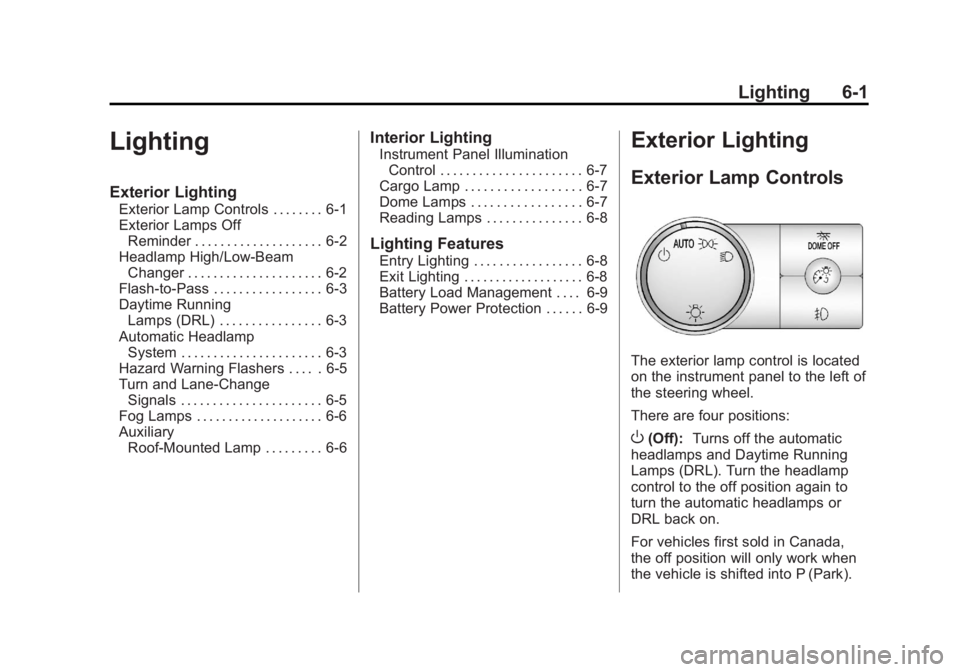
The exterior lamp control is located
on the instrument panel to the left of
the steering wheel.
There are four positions:
O(Off): Turns off the automatic
headlamps and Daytime Running
Lamps (DRL). Turn the headlamp
control to the off position again to
turn the automatic headlamps or
DRL back on.
For vehicles first sold in Canada,
the off position will only work when
the vehicle is shifted into P (Park).
Page 192 of 534
Black plate (2,1)GMC Sierra Owner Manual - 2013 - crc - 8/14/12
6-2 Lighting
AUTO (Automatic):Automatically
turns on the headlamps at normal
brightness, together with the
following:
.Parking Lamps
.Instrument Panel Lights
.Taillamps
.License Plate Lamps
.Roof Marker Lamps (If
Equipped)
When the vehicle is turned off and
the headlamps are in AUTO, the
headlamps may automatically
remain on for a set time. The time of
the delay can be changed using the
DIC. See Driver Information Center
(DIC) on page 5‑28.
;(Parking Lamps): Turns on the
parking lamps together with the
following:
.Instrument Panel Lights
.Taillamps
.License Plate Lamps
.Roof Marker Lamps (If
Equipped)
2(Headlamps): Turns on the
headlamps together with the
following:
.Parking Lamps
.Instrument Panel Lights
.Taillamps
.License Plate Lamps
.Roof Marker Lamps (If
Equipped)
When the headlamps are turned on
while the vehicle is on, the
headlamps turn off automatically
10 minutes after the ignition is
turned off. When the headlamps are
turned on while the vehicle is off,
the headlamps will stay on for
10 minutes before automatically
turning off to prevent the battery
from being drained. Turn the
headlamp control to off and then
back to the headlamp on position to
make the headlamps stay on for an
additional 10 minutes. Push the turn signal lever toward
the instrument panel to change the
headlamps from low beam to
high beam.
Exterior Lamps Off
Reminder
For vehicles with a radio, a reminder
chime sounds when the headlamps
or parking lamps are manually
turned on, the ignition is off, and a
door is open. To disable the chime,
turn the lamp off.
Headlamp High/
Low-Beam Changer
5 3
(Headlamp High/Low Beam
Changer): To change the
headlamps from low to high beam,
push the turn signal lever toward the
instrument panel. To return to
low-beam headlamps, pull the lever
toward you. Then release it.
Page 193 of 534
Black plate (3,1)GMC Sierra Owner Manual - 2013 - crc - 8/14/12
Lighting 6-3
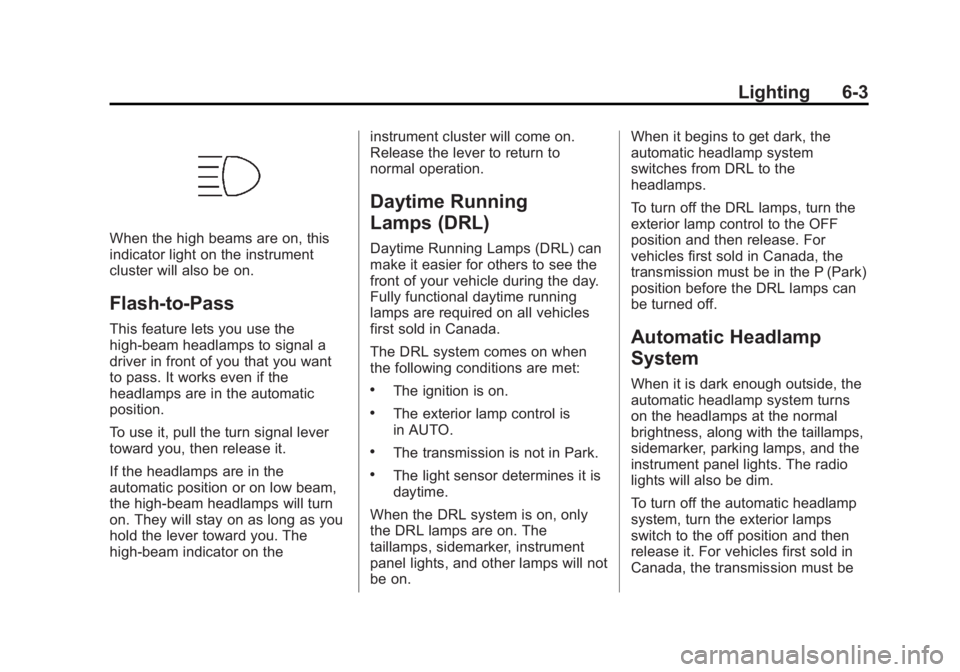
When the high beams are on, this
indicator light on the instrument
cluster will also be on.
Flash-to-Pass
This feature lets you use the
high-beam headlamps to signal a
driver in front of you that you want
to pass. It works even if the
headlamps are in the automatic
position.
To use it, pull the turn signal lever
toward you, then release it.
If the headlamps are in the
automatic position or on low beam,
the high-beam headlamps will turn
on. They will stay on as long as you
hold the lever toward you. The
high-beam indicator on theinstrument cluster will come on.
Release the lever to return to
normal operation.
Daytime Running
Lamps (DRL)
Daytime Running Lamps (DRL) can
make it easier for others to see the
front of your vehicle during the day.
Fully functional daytime running
lamps are required on all vehicles
first sold in Canada.
The DRL system comes on when
the following conditions are met:
.The ignition is on.
.The exterior lamp control is
in AUTO.
.The transmission is not in Park.
.The light sensor determines it is
daytime.
When the DRL system is on, only
the DRL lamps are on. The
taillamps, sidemarker, instrument
panel lights, and other lamps will not
be on. When it begins to get dark, the
automatic headlamp system
switches from DRL to the
headlamps.
To turn off the DRL lamps, turn the
exterior lamp control to the OFF
position and then release. For
vehicles first sold in Canada, the
transmission must be in the P (Park)
position before the DRL lamps can
be turned off.
Automatic Headlamp
System
When it is dark enough outside, the
automatic headlamp system turns
on the headlamps at the normal
brightness, along with the taillamps,
sidemarker, parking lamps, and the
instrument panel lights. The radio
lights will also be dim.
To turn off the automatic headlamp
system, turn the exterior lamps
switch to the off position and then
release it. For vehicles first sold in
Canada, the transmission must be