wheel GMC SIERRA 2015 Owner's Guide
[x] Cancel search | Manufacturer: GMC, Model Year: 2015, Model line: SIERRA, Model: GMC SIERRA 2015Pages: 439, PDF Size: 4.6 MB
Page 119 of 439
Black plate (10,1)GMC 2015i Sierra Denali Owner Manual (GMNA-Localizing-U.S./Canada/
Mexico-8431500) - 2015 - crc - 6/20/14
5-10 Instruments and Controls
Cluster Menu
There is an interactive display area
in the center of the instrument
cluster.
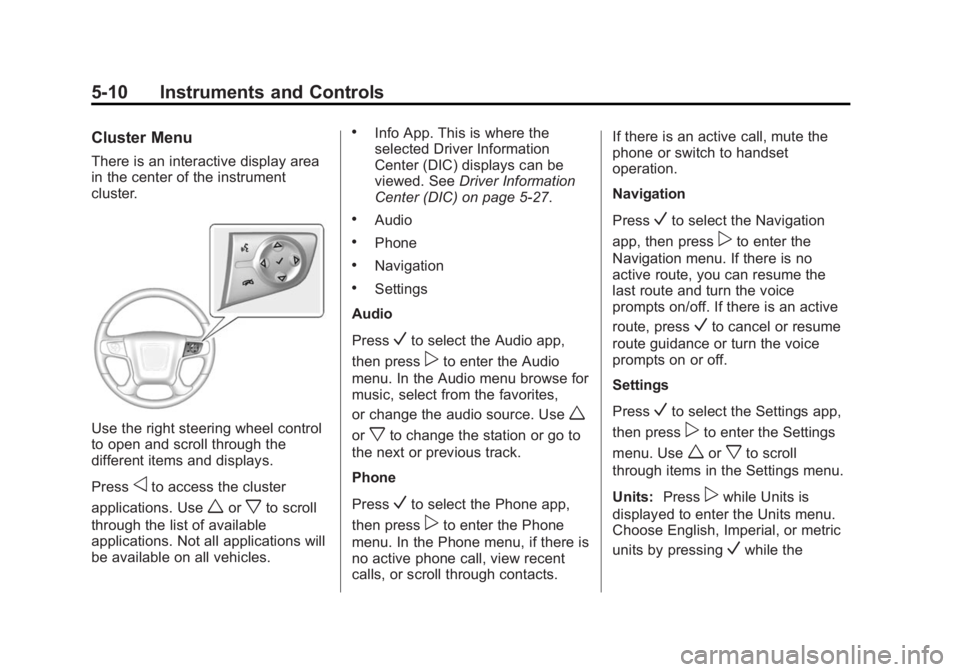
Use the right steering wheel control
to open and scroll through the
different items and displays.
Press
oto access the cluster
applications. Use
worxto scroll
through the list of available
applications. Not all applications will
be available on all vehicles.
.Info App. This is where the
selected Driver Information
Center (DIC) displays can be
viewed. See Driver Information
Center (DIC) on page 5-27.
.Audio
.Phone
.Navigation
.Settings
Audio
Press
Vto select the Audio app,
then press
pto enter the Audio
menu. In the Audio menu browse for
music, select from the favorites,
or change the audio source. Use
w
orxto change the station or go to
the next or previous track.
Phone
Press
Vto select the Phone app,
then press
pto enter the Phone
menu. In the Phone menu, if there is
no active phone call, view recent
calls, or scroll through contacts. If there is an active call, mute the
phone or switch to handset
operation.
Navigation
Press
Vto select the Navigation
app, then press
pto enter the
Navigation menu. If there is no
active route, you can resume the
last route and turn the voice
prompts on/off. If there is an active
route, press
Vto cancel or resume
route guidance or turn the voice
prompts on or off.
Settings
Press
Vto select the Settings app,
then press
pto enter the Settings
menu. Use
worxto scroll
through items in the Settings menu.
Units: Press
pwhile Units is
displayed to enter the Units menu.
Choose English, Imperial, or metric
units by pressing
Vwhile the
Page 129 of 439
Black plate (20,1)GMC 2015i Sierra Denali Owner Manual (GMNA-Localizing-U.S./Canada/
Mexico-8431500) - 2015 - crc - 6/20/14
5-20 Instruments and Controls
A few driving trips with the cap
properly installed should turn the
light off.
.Check that good quality fuel is
used. Poor fuel quality causes
the engine not to run as
efficiently as designed and may
cause stalling after start-up,
stalling when the vehicle is
changed into gear, misfiring,
hesitation on acceleration,
or stumbling on acceleration.
These conditions might go away
once the engine is warmed up.
If one or more of these conditions
occurs, change the fuel brand used.
It may require at least one full tank
of the proper fuel to turn the light off.
See Fuel on page 9-63.
If none of the above have made the
light turn off, your dealer can check
the vehicle. The dealer has the
proper test equipment and
diagnostic tools to fix any
mechanical or electrical problems
that might have developed.
Emissions Inspection and
Maintenance Programs
Depending on where you live, your
vehicle may be required to
participate in an emission control
system inspection and maintenance
program. For the inspection, the
emission system test equipment will
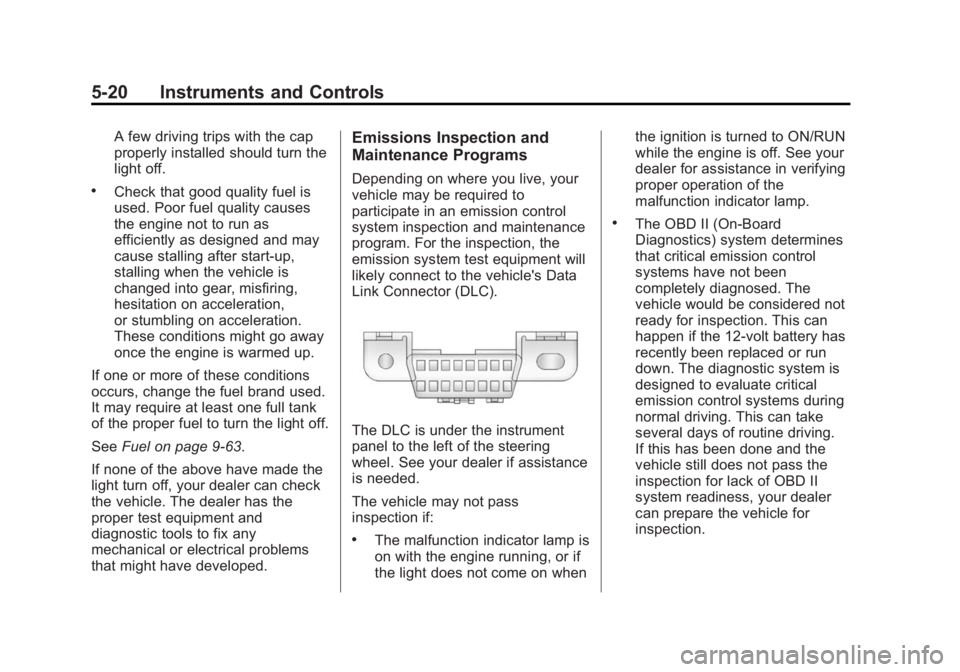
likely connect to the vehicle's Data
Link Connector (DLC).
The DLC is under the instrument
panel to the left of the steering
wheel. See your dealer if assistance
is needed.
The vehicle may not pass
inspection if:
.The malfunction indicator lamp is
on with the engine running, or if
the light does not come on when the ignition is turned to ON/RUN
while the engine is off. See your
dealer for assistance in verifying
proper operation of the
malfunction indicator lamp.
.The OBD II (On-Board
Diagnostics) system determines
that critical emission control
systems have not been
completely diagnosed. The
vehicle would be considered not
ready for inspection. This can
happen if the 12-volt battery has
recently been replaced or run
down. The diagnostic system is
designed to evaluate critical
emission control systems during
normal driving. This can take
several days of routine driving.
If this has been done and the
vehicle still does not pass the
inspection for lack of OBD II
system readiness, your dealer
can prepare the vehicle for
inspection.
Page 131 of 439
Black plate (22,1)GMC 2015i Sierra Denali Owner Manual (GMNA-Localizing-U.S./Canada/
Mexico-8431500) - 2015 - crc - 6/20/14
5-22 Instruments and Controls
vehicle needs service. A chime may
also sound when the light comes on
steady.
If the ABS light is the only light on,
the vehicle has regular brakes, but
the antilock brakes are not
functioning.
If both the ABS and the brake
system warning light are on, the
vehicle's antilock brakes are not
functioning and there is a problem
with the regular brakes. See your
dealer for service.
SeeBrake System Warning Light on
page 5-21 andBrake System
Messages on page 5-32.
Four-Wheel-Drive Light
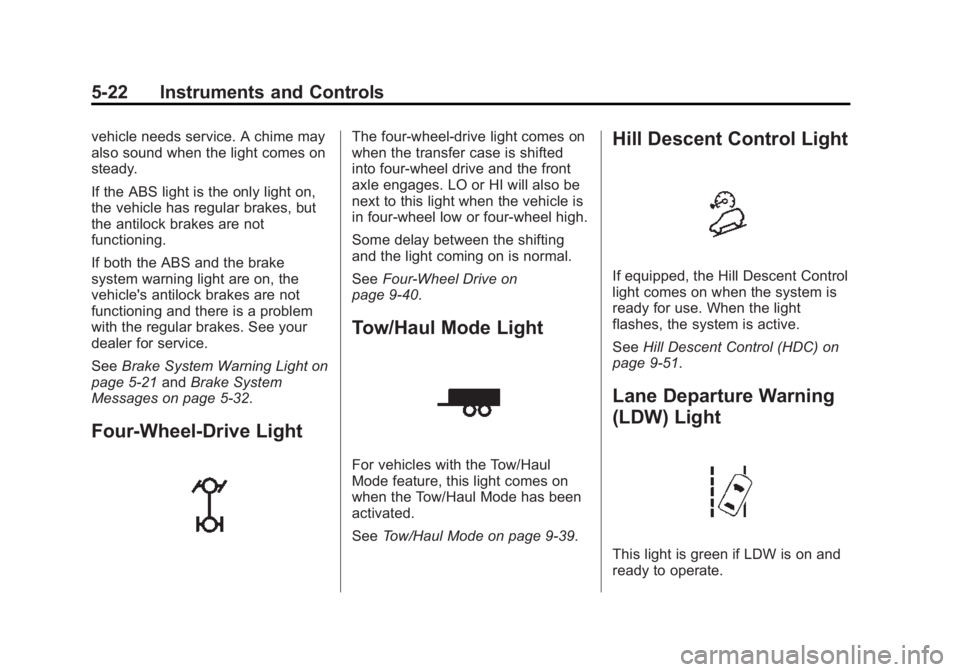
The four-wheel-drive light comes on
when the transfer case is shifted
into four-wheel drive and the front
axle engages. LO or HI will also be
next to this light when the vehicle is
in four-wheel low or four-wheel high.
Some delay between the shifting
and the light coming on is normal.
See Four-Wheel Drive on
page 9-40.
Tow/Haul Mode Light
For vehicles with the Tow/Haul
Mode feature, this light comes on
when the Tow/Haul Mode has been
activated.
See Tow/Haul Mode on page 9-39.
Hill Descent Control Light
If equipped, the Hill Descent Control
light comes on when the system is
ready for use. When the light
flashes, the system is active.
SeeHill Descent Control (HDC) on
page 9-51.
Lane Departure Warning
(LDW) Light
This light is green if LDW is on and
ready to operate.
Page 132 of 439
Black plate (23,1)GMC 2015i Sierra Denali Owner Manual (GMNA-Localizing-U.S./Canada/
Mexico-8431500) - 2015 - crc - 6/20/14
Instruments and Controls 5-23
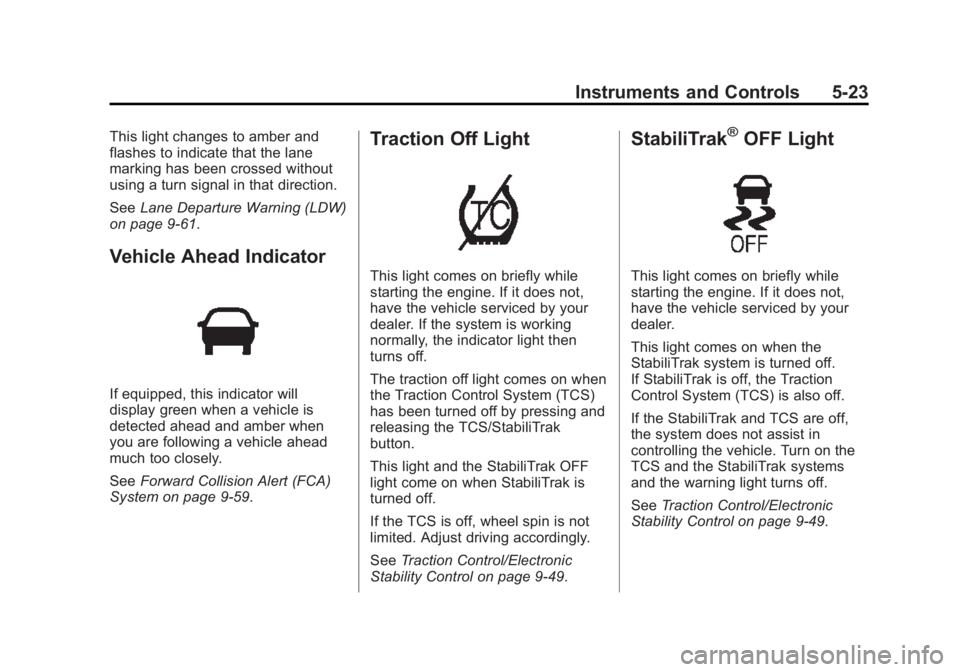
This light changes to amber and
flashes to indicate that the lane
marking has been crossed without
using a turn signal in that direction.
SeeLane Departure Warning (LDW)
on page 9-61.
Vehicle Ahead Indicator
If equipped, this indicator will
display green when a vehicle is
detected ahead and amber when
you are following a vehicle ahead
much too closely.
See Forward Collision Alert (FCA)
System on page 9-59.
Traction Off Light
This light comes on briefly while
starting the engine. If it does not,
have the vehicle serviced by your
dealer. If the system is working
normally, the indicator light then
turns off.
The traction off light comes on when
the Traction Control System (TCS)
has been turned off by pressing and
releasing the TCS/StabiliTrak
button.
This light and the StabiliTrak OFF
light come on when StabiliTrak is
turned off.
If the TCS is off, wheel spin is not
limited. Adjust driving accordingly.
See Traction Control/Electronic
Stability Control on page 9-49.
StabiliTrak®OFF Light
This light comes on briefly while
starting the engine. If it does not,
have the vehicle serviced by your
dealer.
This light comes on when the
StabiliTrak system is turned off.
If StabiliTrak is off, the Traction
Control System (TCS) is also off.
If the StabiliTrak and TCS are off,
the system does not assist in
controlling the vehicle. Turn on the
TCS and the StabiliTrak systems
and the warning light turns off.
See Traction Control/Electronic
Stability Control on page 9-49.
Page 136 of 439
Black plate (27,1)GMC 2015i Sierra Denali Owner Manual (GMNA-Localizing-U.S./Canada/
Mexico-8431500) - 2015 - crc - 6/20/14
Instruments and Controls 5-27
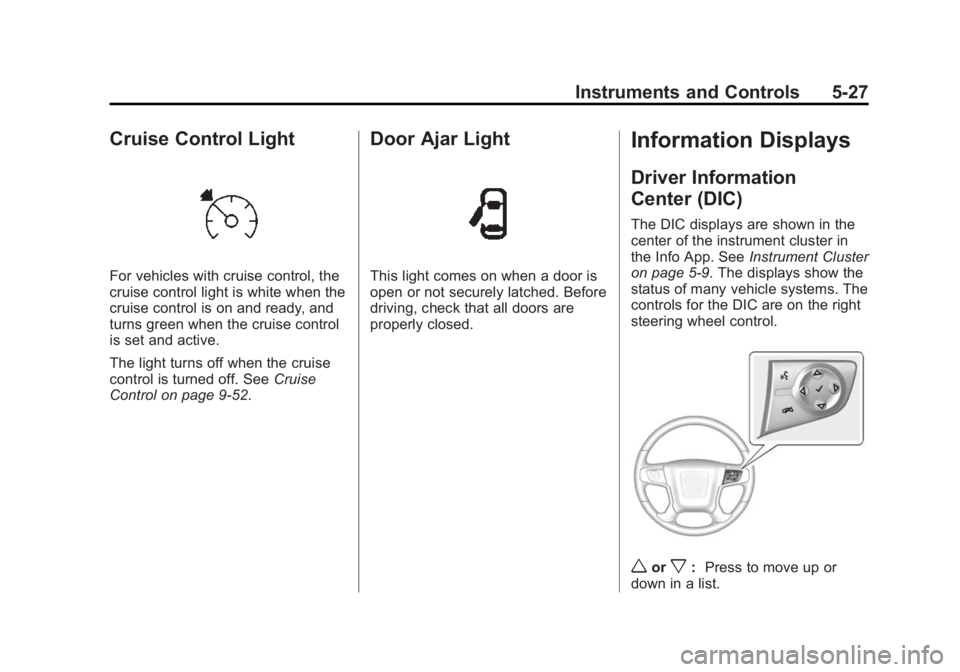
Cruise Control Light
For vehicles with cruise control, the
cruise control light is white when the
cruise control is on and ready, and
turns green when the cruise control
is set and active.
The light turns off when the cruise
control is turned off. SeeCruise
Control on page 9-52.
Door Ajar Light
This light comes on when a door is
open or not securely latched. Before
driving, check that all doors are
properly closed.
Information Displays
Driver Information
Center (DIC)
The DIC displays are shown in the
center of the instrument cluster in
the Info App. See Instrument Cluster
on page 5-9. The displays show the
status of many vehicle systems. The
controls for the DIC are on the right
steering wheel control.
worx: Press to move up or
down in a list.
Page 140 of 439
Black plate (31,1)GMC 2015i Sierra Denali Owner Manual (GMNA-Localizing-U.S./Canada/
Mexico-8431500) - 2015 - crc - 6/20/14
Instruments and Controls 5-31
Transmission Fluid Temperature
Gauge:Shows the temperature of
the automatic transmission fluid in
either degrees Celsius (°C) or
degrees Fahrenheit (°F).
Off Road: Displays vehicle pitch
and roll information, road wheel
angle, and four-wheel drive (4WD)
status.Vehicle Messages
Messages displayed on the DIC
indicate the status of the vehicle or
some action may be needed to
correct a condition. Multiple
messages may appear one after
another.
The messages that do not require
immediate action can be
acknowledged and cleared by
pressing
V.
The messages that require
immediate action cannot be cleared
until that action is performed.
All messages should be taken
seriously and clearing the message
does not correct the problem.
The following are the possible
messages and some information
about them.
If the vehicle has a diesel engine,
see the Duramax diesel
supplement.
Battery Voltage and
Charging Messages
BATTERY LOW START
VEHICLE
When the vehicle’ s battery is
severely discharged, this message
will display and four chimes will
sound. Start the vehicle
immediately. If the vehicle is not
started and the battery continues to
discharge, the climate controls,
heated seats, and audio systems
will shut off and the vehicle may
require a jump start. These systems
will function again after the vehicle
is started.
BATTERY SAVER ACTIVE
This message displays when the
battery voltage drops below
expected levels and features are
disabled. Turn off all unnecessary
accessory features.
Page 145 of 439
Black plate (36,1)GMC 2015i Sierra Denali Owner Manual (GMNA-Localizing-U.S./Canada/
Mexico-8431500) - 2015 - crc - 6/20/14
5-36 Instruments and Controls
when it is temporarily unavailable.
The LDW system does not need
service.
This message could be due to the
camera being blocked. Cleaning the
outside of the windshield behind the
rearview mirror may correct the
issue.
PARK ASSIST OFF
This message displays when the
Parking Assist system has been
turned off or when there is a
temporary condition causing the
system to be disabled.
SERVICE FRONT CAMERA
If this message remains on after
continued driving, the vehicle needs
service. Do not use the Lane
Departure Warning (LDW) and
Forward Collision Alert (FCA)
features. Take the vehicle to your
dealer.
SERVICE PARKING ASSIST
This message displays if there is a
problem with the Parking Assist
system. Do not use this system to
help you park. See your dealer for
service.
Ride Control System
Messages
SERVICE STABILITRAK
If this message displays, it means
there may be a problem with the
StabiliTrak system. If you see this
message, try to reset the system.
Stop; turn off the engine for at least
15 seconds; then start the engine
again. If this message still comes
on, it means there is a problem. You
should see your dealer for service.
The vehicle is safe to drive;
however, you do not have the
benefit of StabiliTrak, so reduce
your speed and drive accordingly.
SERVICE TRACTION
CONTROL
This message displays when there
is a problem with the Traction
Control System (TCS). When this
message displays, the system will
not limit wheel spin. Adjust your
driving accordingly. See your dealer
for service. SeeTraction Control/
Electronic Stability Control on
page 9-49.
STABILITRAK INITIALIZING
This message may come on if the
StabiliTrak system has not fully
initialized because of road
conditions or the incorrect tire size.
When the StabiliTrak system is fully
initialized, the message will turn off.
See Traction Control/Electronic
Stability Control on page 9-49. If this
message continues to be displayed
for multiple ignition cycles and on
different road surfaces, see your
dealer for service.
Page 146 of 439
Black plate (37,1)GMC 2015i Sierra Denali Owner Manual (GMNA-Localizing-U.S./Canada/
Mexico-8431500) - 2015 - crc - 6/20/14
Instruments and Controls 5-37
TRACTION CONTROL OFF
This message displays when the
traction control has been turned off.
SeeTraction Control/Electronic
Stability Control on page 9-49.
TRACTION CONTROL ON
This message displays when the
traction control is active. See
Traction Control/Electronic Stability
Control on page 9-49.
STABILITRAK OFF
This message displays when the
StabiliTrak system has been turned
off. Adjust your driving accordingly.
To limit wheel spin and realize the
full benefits of the stability
enhancement system, you should
normally leave StabiliTrak on. See
Traction Control/Electronic Stability
Control on page 9-49. STABILITRAK OFF may also
display when the stability control
has been automatically disabled.
The following conditions can cause
this message to appear:
.The system is overheating,
which could occur if StabiliTrak
activates continuously for an
extended period of time.
.The brake system warning light
is on. See
Brake System
Warning Light on page 5-21.
.The stability system takes longer
than usual to complete its
diagnostic checks due to driving
conditions.
.An engine or vehicle-related
problem has been detected and
the vehicle needs service. See
your dealer.
.The transfer case is in
Four-Wheel Drive Low.
The message turns off as soon as
the conditions that caused the
message to be displayed are no
longer present.
Airbag System Messages
SERVICE AIRBAG
This message displays if there is a
problem with the airbag system.
Take the vehicle to your dealer for
service.
Safety Belt Messages
SHIFTER LOCKED. BUCKLE
SEATBELT
This message displays if the vehicle
is equipped with the Safety Belt
Assurance System and the driver
and front outboard passenger,
if present, safety belts are not
buckled. The vehicle will not shift
out of P (Park). Buckle the safety
belt(s) to unlock the shift lever.
This system may not allow the
vehicle to shift out of P (Park) if an
object - such as a briefcase,
handbag, grocery bag, laptop,
or other electronic device - is on the
front outboard passenger seat.
Page 148 of 439

Black plate (39,1)GMC 2015i Sierra Denali Owner Manual (GMNA-Localizing-U.S./Canada/
Mexico-8431500) - 2015 - crc - 6/20/14
Instruments and Controls 5-39
If the warning comes on and stays
on, there may be a problem with the
TPMS. See your dealer.
TIRE LEARNING ACTIVE
If equipped with the Tire Pressure
Monitor System (TPMS), this
message displays when the system
is relearning the tire positions on
your vehicle. The tire positions must
be relearned after rotating the tires
or after replacing a tire or sensor.
SeeTire Inspection on page 10-65,
Tire Rotation on page 10-65, Tire
Pressure Monitor System on
page 10-61, and Tire Pressure on
page 10-59.
TIRE PRESSURE LOW ADD
AIR TO TIRE
If equipped with the Tire Pressure
Monitor System (TPMS), this
message displays when the
pressure in one or more of the
vehicle's tires is low. This message
also displays with a vehicle picture
to indicate the location of the low
tire. The low tire pressure warning
light will also come on. See Tire
Pressure Light on page 5-25. You
can receive more than one tire
pressure message at a time. If a tire
pressure message appears on the
DIC, stop as soon as you can. Have
the tire pressures checked and set
to those shown on the Tire and
Loading Information label. See Tires
on page 10-50, Vehicle Load Limits
on page 9-15, and Tire Pressure on
page 10-59. The DIC also shows
the tire pressure values. See Driver
Information Center (DIC) on
page 5-27.
Transmission Messages
4WD OFF
If equipped with four-wheel drive,
this message displays when the
four-wheel-drive system is
temporarily disabled due to an
overheated condition. The vehicle
will run in two-wheel drive when this
message is present. Once the
four-wheel-drive system cools down,
the message turns off and the
four-wheel-drive system returns to
normal operation.
4WD SHIFT IN PROGRESS
This message will display while the
four-wheel-drive system is shifting.
FOR 4WD LOW SHIFT TO
NEUTRAL
If a four-wheel drive shift into 4nis
requested, and the vehicle speed is
correct, but the transmission is not
in N (Neutral), this message will
display until the transmission is
shifted to N (Neutral).
Page 149 of 439
Black plate (40,1)GMC 2015i Sierra Denali Owner Manual (GMNA-Localizing-U.S./Canada/
Mexico-8431500) - 2015 - crc - 6/20/14
5-40 Instruments and Controls
FOR 4WD LOW SLOW TO XXX
If a four-wheel drive shift into 4nis
requested, but the vehicle speed is
too high, this message will display
until the correct vehicle speed is
reached.
GRADE BRAKING ACTIVE
This message displays when grade
braking has been activated while
driving on downhill grades. This
message will only appear the first
time the feature is activated in an
ignition cycle. See Tow/Haul Mode
on page 9-39, Automatic
Transmission on page 9-33, and
Cruise Control on page 9-52.
GRADE BRAKING OFF
This message displays when grade
braking has been disabled with the
Tow/Haul Mode button on the end of
the shift lever. See Tow/Haul Mode
on page 9-39, Automatic
Transmission on page 9-33, and
Cruise Control on page 9-52.
GRADE BRAKING ON
This message displays when grade
braking has been enabled with the
Tow/Haul Mode button on the end of
the shift lever. See Tow/Haul Mode
on page 9-39, Automatic
Transmission on page 9-33, and
Cruise Control on page 9-52.
SERVICE 4WD
If the vehicle has four-wheel drive,
this message may display if a
problem occurs with the
four-wheel-drive system. If this
message appears, stop as soon as
possible and turn off the vehicle.
Make sure the key is in the LOCK/
OFF position for at least
one minute, then restart the vehicle
and check for the message on the
DIC display. If the message is still
displayed or appears again when
you begin driving, the
four-wheel-drive system needs
service. See your dealer.
SHIFT DENIED
This message displays when the
shift lever is in M (Manual Mode)
and a transmission range has been
selected that is unavailable at the
current vehicle speed.
TO EXIT 4WD LOW SHIFT TO
NEUTRAL
If a four-wheel drive shift out of 4nis
requested, and the vehicle speed is
correct, but the transmission is not
in N (Neutral), this message will
display until the transmission is
shifted to N (Neutral).
TO EXIT 4WD LOW SLOW
TO XXX
If a four-wheel drive shift out of 4nis
requested, but the vehicle speed is
too high, this message will display
until the correct vehicle speed is
reached.