ECO mode GMC SIERRA 2015 Owner's Manual
[x] Cancel search | Manufacturer: GMC, Model Year: 2015, Model line: SIERRA, Model: GMC SIERRA 2015Pages: 439, PDF Size: 4.6 MB
Page 23 of 439
Black plate (16,1)GMC 2015i Sierra Denali Owner Manual (GMNA-Localizing-U.S./Canada/
Mexico-8431500) - 2015 - crc - 6/20/14
1-16 In Brief
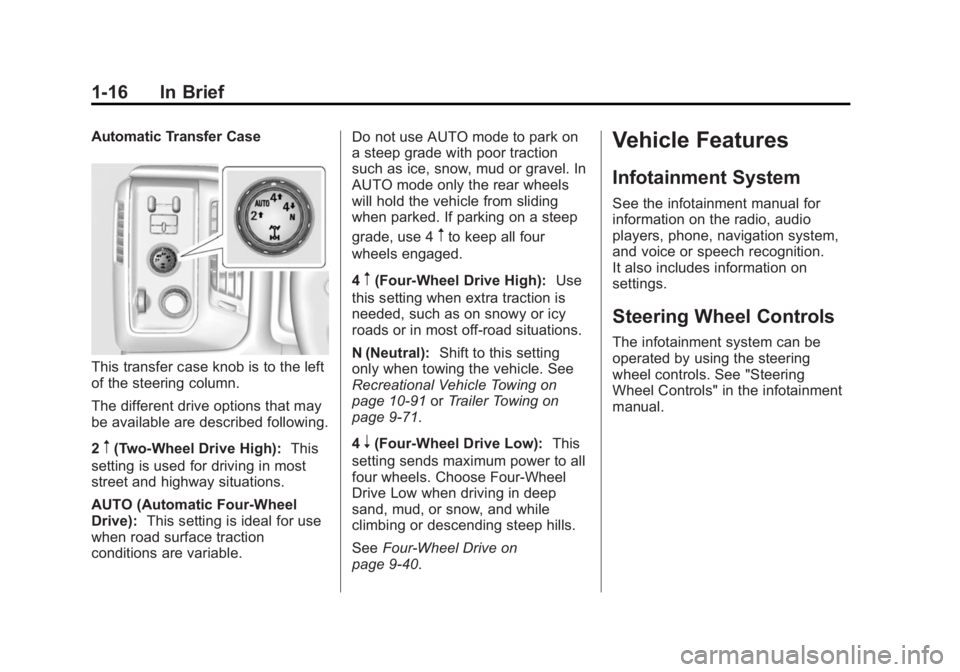
Automatic Transfer Case
This transfer case knob is to the left
of the steering column.
The different drive options that may
be available are described following.
2
m(Two-Wheel Drive High):This
setting is used for driving in most
street and highway situations.
AUTO (Automatic Four-Wheel
Drive): This setting is ideal for use
when road surface traction
conditions are variable. Do not use AUTO mode to park on
a steep grade with poor traction
such as ice, snow, mud or gravel. In
AUTO mode only the rear wheels
will hold the vehicle from sliding
when parked. If parking on a steep
grade, use 4
mto keep all four
wheels engaged.
4
m(Four-Wheel Drive High): Use
this setting when extra traction is
needed, such as on snowy or icy
roads or in most off-road situations.
N (Neutral): Shift to this setting
only when towing the vehicle. See
Recreational Vehicle Towing on
page 10-91 orTrailer Towing on
page 9-71.
4
n(Four-Wheel Drive Low): This
setting sends maximum power to all
four wheels. Choose Four-Wheel
Drive Low when driving in deep
sand, mud, or snow, and while
climbing or descending steep hills.
See Four-Wheel Drive on
page 9-40.
Vehicle Features
Infotainment System
See the infotainment manual for
information on the radio, audio
players, phone, navigation system,
and voice or speech recognition.
It also includes information on
settings.
Steering Wheel Controls
The infotainment system can be
operated by using the steering
wheel controls. See "Steering
Wheel Controls" in the infotainment
manual.
Page 34 of 439
Black plate (5,1)GMC 2015i Sierra Denali Owner Manual (GMNA-Localizing-U.S./Canada/
Mexico-8431500) - 2015 - CRC - 6/20/14
Keys, Doors, and Windows 2-5
whenQis pressed again within
three seconds. See Vehicle
Personalization on page 5-42.
Pressing
Qarms the alarm system.
See Vehicle Alarm System on
page 2-11.
If equipped with auto mirror folding,
pressing and holding
Qfor
one second will fold the mirrors. The
auto mirror folding feature will not
operate unless it is enabled. See
Vehicle Personalization on
page 5-42.
K(Unlock): Press once to unlock
only the driver door. If
Kis pressed
again within three seconds, all
remaining doors unlock. The interior
lamps may come on and stay on for
20 seconds or until the ignition is
turned on.
If enabled through the DIC, the turn
signal lamps flash twice to indicate
unlocking has occurred. See Vehicle
Personalization on page 5-42.
If enabled through the DIC, the exterior lamps may turn on. See
Vehicle Personalization on
page 5-42.
If equipped, memory seat positions
may be recalled when unlocking the
vehicle if enabled. See
Vehicle
Personalization on page 5-42 and
Memory Seats on page 3-5.
Pressing
Kon the RKE transmitter
disarms the alarm system. See
Vehicle Alarm System on page 2-11.
If equipped with auto mirror folding,
pressing and holding
Kfor
one second will unfold the mirrors.
The auto mirror folding feature will
not operate unless it is enabled.
See Vehicle Personalization on
page 5-42.
On some models, press, release
and then press and hold
Kto open
all of the windows. Pressing the
button again will stop the windows.
7(Vehicle Locator/Panic
Alarm): Press and release one
time to initiate vehicle locator. The
turn signal lamps flash and the horn
sounds three times.
Press and hold
7for at least
three seconds to sound the panic
alarm. The turn signal lamps flash
and the horn sounds repeatedly for
30 seconds. The alarm turns off
when the ignition is moved to ON/
RUN or
7is pressed again. The
ignition must be in LOCK/OFF for
the panic alarm to work.
Programming Transmitters to
the Vehicle
Only RKE transmitters programmed
to this vehicle will work. If a
transmitter is lost or stolen, a
replacement can be purchased and
programmed through your dealer.
Each vehicle can have up to
eight transmitters programmed to it.
See your dealer for transmitter
programming.
Page 38 of 439
Black plate (9,1)GMC 2015i Sierra Denali Owner Manual (GMNA-Localizing-U.S./Canada/
Mexico-8431500) - 2015 - CRC - 6/20/14
Keys, Doors, and Windows 2-9
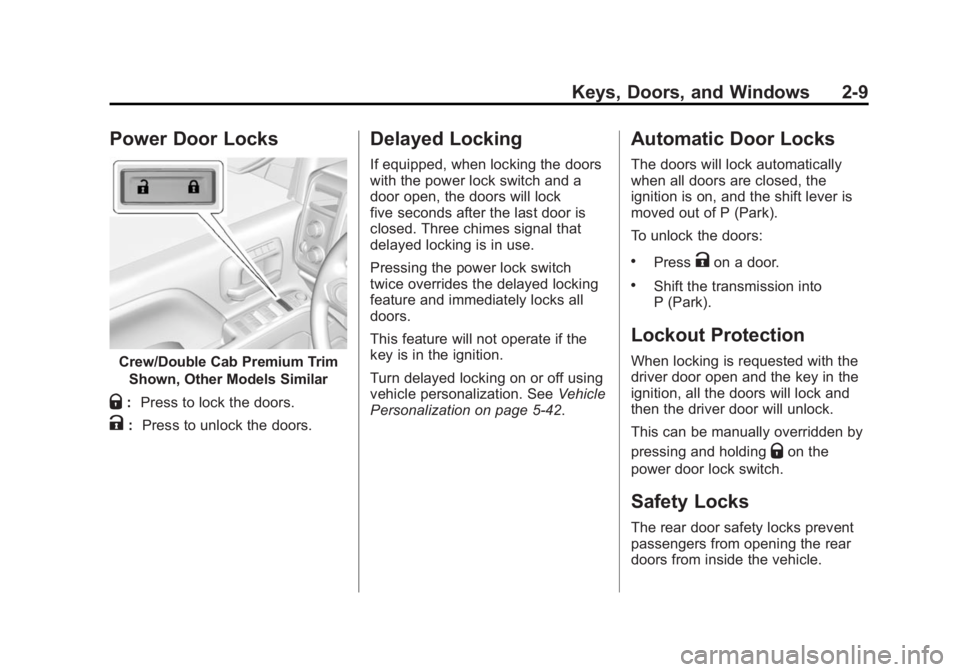
Power Door Locks
Crew/Double Cab Premium TrimShown, Other Models Similar
Q: Press to lock the doors.
K: Press to unlock the doors.
Delayed Locking
If equipped, when locking the doors
with the power lock switch and a
door open, the doors will lock
five seconds after the last door is
closed. Three chimes signal that
delayed locking is in use.
Pressing the power lock switch
twice overrides the delayed locking
feature and immediately locks all
doors.
This feature will not operate if the
key is in the ignition.
Turn delayed locking on or off using
vehicle personalization. See Vehicle
Personalization on page 5-42.
Automatic Door Locks
The doors will lock automatically
when all doors are closed, the
ignition is on, and the shift lever is
moved out of P (Park).
To unlock the doors:
.PressKon a door.
.Shift the transmission into
P (Park).
Lockout Protection
When locking is requested with the
driver door open and the key in the
ignition, all the doors will lock and
then the driver door will unlock.
This can be manually overridden by
pressing and holding
Qon the
power door lock switch.
Safety Locks
The rear door safety locks prevent
passengers from opening the rear
doors from inside the vehicle.
Page 45 of 439
Black plate (16,1)GMC 2015i Sierra Denali Owner Manual (GMNA-Localizing-U.S./Canada/
Mexico-8431500) - 2015 - CRC - 6/20/14
2-16 Keys, Doors, and Windows
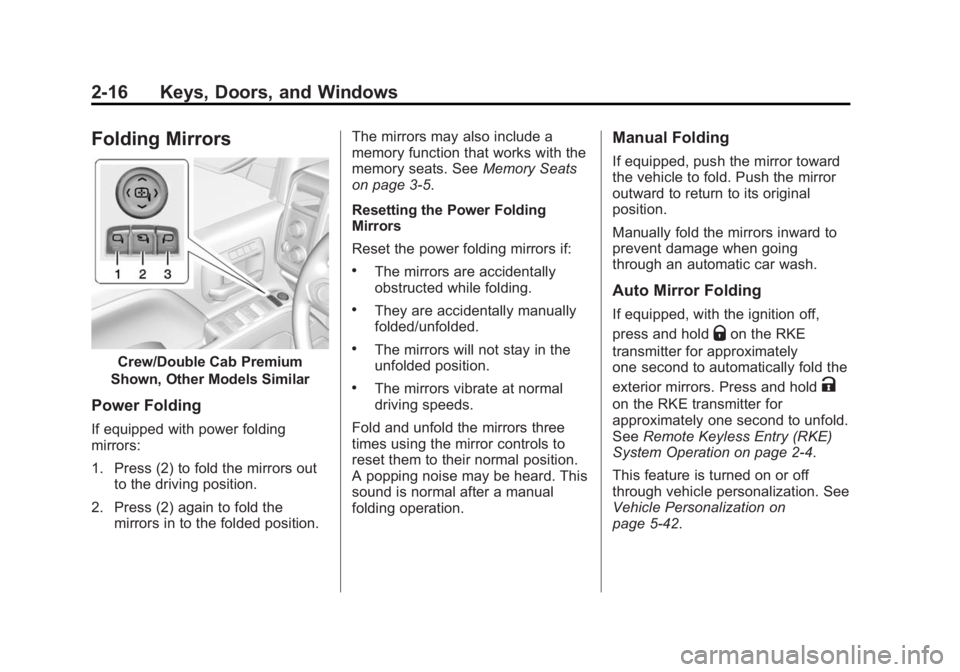
Folding Mirrors
Crew/Double Cab Premium
Shown, Other Models Similar
Power Folding
If equipped with power folding
mirrors:
1. Press (2) to fold the mirrors out to the driving position.
2. Press (2) again to fold the mirrors in to the folded position. The mirrors may also include a
memory function that works with the
memory seats. See
Memory Seats
on page 3-5.
Resetting the Power Folding
Mirrors
Reset the power folding mirrors if:
.The mirrors are accidentally
obstructed while folding.
.They are accidentally manually
folded/unfolded.
.The mirrors will not stay in the
unfolded position.
.The mirrors vibrate at normal
driving speeds.
Fold and unfold the mirrors three
times using the mirror controls to
reset them to their normal position.
A popping noise may be heard. This
sound is normal after a manual
folding operation.
Manual Folding
If equipped, push the mirror toward
the vehicle to fold. Push the mirror
outward to return to its original
position.
Manually fold the mirrors inward to
prevent damage when going
through an automatic car wash.
Auto Mirror Folding
If equipped, with the ignition off,
press and hold
Qon the RKE
transmitter for approximately
one second to automatically fold the
exterior mirrors. Press and hold
K
on the RKE transmitter for
approximately one second to unfold.
See Remote Keyless Entry (RKE)
System Operation on page 2-4.
This feature is turned on or off
through vehicle personalization. See
Vehicle Personalization on
page 5-42.
Page 49 of 439
Black plate (20,1)GMC 2015i Sierra Denali Owner Manual (GMNA-Localizing-U.S./Canada/
Mexico-8431500) - 2015 - CRC - 6/20/14
2-20 Keys, Doors, and Windows
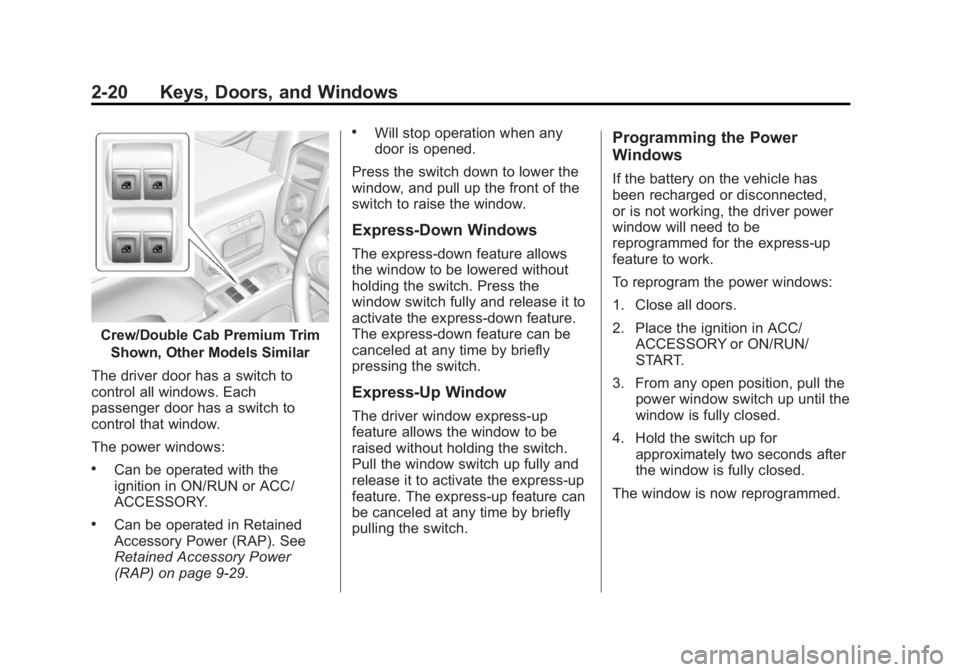
Crew/Double Cab Premium TrimShown, Other Models Similar
The driver door has a switch to
control all windows. Each
passenger door has a switch to
control that window.
The power windows:
.Can be operated with the
ignition in ON/RUN or ACC/
ACCESSORY.
.Can be operated in Retained
Accessory Power (RAP). See
Retained Accessory Power
(RAP) on page 9-29.
.Will stop operation when any
door is opened.
Press the switch down to lower the
window, and pull up the front of the
switch to raise the window.
Express-Down Windows
The express-down feature allows
the window to be lowered without
holding the switch. Press the
window switch fully and release it to
activate the express-down feature.
The express-down feature can be
canceled at any time by briefly
pressing the switch.
Express-Up Window
The driver window express-up
feature allows the window to be
raised without holding the switch.
Pull the window switch up fully and
release it to activate the express-up
feature. The express-up feature can
be canceled at any time by briefly
pulling the switch.
Programming the Power
Windows
If the battery on the vehicle has
been recharged or disconnected,
or is not working, the driver power
window will need to be
reprogrammed for the express-up
feature to work.
To reprogram the power windows:
1. Close all doors.
2. Place the ignition in ACC/ ACCESSORY or ON/RUN/
START.
3. From any open position, pull the power window switch up until the
window is fully closed.
4. Hold the switch up for approximately two seconds after
the window is fully closed.
The window is now reprogrammed.
Page 75 of 439
Black plate (22,1)GMC 2015i Sierra Denali Owner Manual (GMNA-Localizing-U.S./Canada/
Mexico-8431500) - 2015 - crc - 6/20/14
3-22 Seats and Restraints
capable. If the airbags are rollover
capable, both roof-rail airbags will
also inflate if the sensing system
predicts that the vehicle is about to
roll over on its side. The roof-rail
airbags are not designed to inflate in
rear impacts.
In any particular crash, no one can
say whether an airbag should have
inflated simply because of the
vehicle damage or repair costs.
What Makes an Airbag
Inflate?
In a deployment event, the sensing
system sends an electrical signal
triggering a release of gas from the
inflator. Gas from the inflator fills the
airbag causing the bag to break out
of the cover. The inflator, the airbag,
and related hardware are all part of
the airbag module.
For airbag locations, seeWhere Are
the Airbags? on page 3-18.
How Does an Airbag
Restrain?
In moderate to severe frontal or
near frontal collisions, even belted
occupants can contact the steering
wheel or the instrument panel. In
moderate to severe side collisions,
even belted occupants can contact
the inside of the vehicle.
Airbags supplement the protection
provided by safety belts by
distributing the force of the impact
more evenly over the
occupant's body.
Rollover capable roof-rail airbags
are designed to help contain the
head and chest of occupants in the
outboard seating positions in the
first and second rows. The rollover
capable roof-rail airbags are
designed to help reduce the risk of
full or partial ejection in rollover
events, although no system can
prevent all such ejections. But airbags would not help in many
types of collisions, primarily
because the occupant's motion is
not toward those airbags. See
When
Should an Airbag Inflate? on
page 3-20.
Airbags should never be regarded
as anything more than a supplement
to safety belts.
What Will You See after
an Airbag Inflates?
After the frontal airbags and
seat-mounted side impact airbags
inflate, they quickly deflate, so
quickly that some people may not
even realize an airbag inflated.
Roof-rail airbags may still be at least
partially inflated for some time after
they inflate. Some components of
the airbag module may be hot for
several minutes. For location of the
airbags, see Where Are the
Airbags? on page 3-18.
The parts of the airbag that come
into contact with you may be warm,
but not too hot to touch. There may
Page 124 of 439
Black plate (15,1)GMC 2015i Sierra Denali Owner Manual (GMNA-Localizing-U.S./Canada/
Mexico-8431500) - 2015 - crc - 6/20/14
Instruments and Controls 5-15
{Caution
Do not drive the vehicle while the
transmission fluid is overheating,
or the transmission can be
damaged. This could lead to
costly repairs that would not be
covered by the warranty.
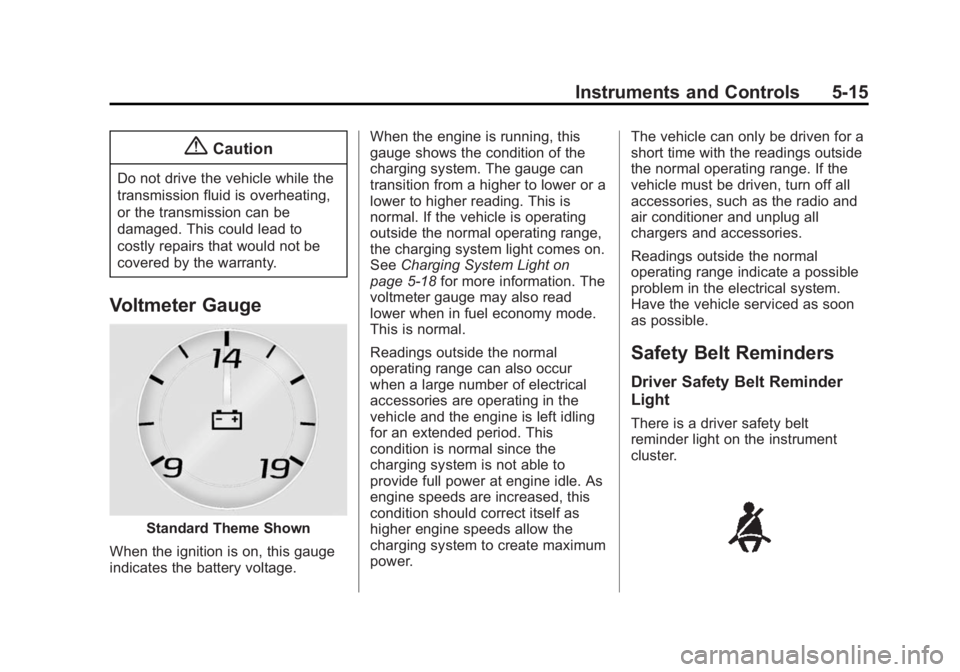
Voltmeter Gauge
Standard Theme Shown
When the ignition is on, this gauge
indicates the battery voltage. When the engine is running, this
gauge shows the condition of the
charging system. The gauge can
transition from a higher to lower or a
lower to higher reading. This is
normal. If the vehicle is operating
outside the normal operating range,
the charging system light comes on.
See
Charging System Light on
page 5-18 for more information. The
voltmeter gauge may also read
lower when in fuel economy mode.
This is normal.
Readings outside the normal
operating range can also occur
when a large number of electrical
accessories are operating in the
vehicle and the engine is left idling
for an extended period. This
condition is normal since the
charging system is not able to
provide full power at engine idle. As
engine speeds are increased, this
condition should correct itself as
higher engine speeds allow the
charging system to create maximum
power. The vehicle can only be driven for a
short time with the readings outside
the normal operating range. If the
vehicle must be driven, turn off all
accessories, such as the radio and
air conditioner and unplug all
chargers and accessories.
Readings outside the normal
operating range indicate a possible
problem in the electrical system.
Have the vehicle serviced as soon
as possible.
Safety Belt Reminders
Driver Safety Belt Reminder
Light
There is a driver safety belt
reminder light on the instrument
cluster.
Page 138 of 439
Black plate (29,1)GMC 2015i Sierra Denali Owner Manual (GMNA-Localizing-U.S./Canada/
Mexico-8431500) - 2015 - crc - 6/20/14
Instruments and Controls 5-29
Fuel Range and Instantaneous
Fuel Economy:Shows the
approximate distance the vehicle
can be driven without refueling.
LOW will be displayed when the
vehicle is low on fuel. The fuel
range estimate is based on an
average of the vehicle's fuel
economy over recent driving history
and the amount of fuel remaining in
the fuel tank. It also shows if the
Active Fuel Management is active
and in V4 mode, or inactive and in
V8 mode. See Active Fuel
Management
®on page 9-32.
The Instantaneous Fuel Economy
display shows the approximate
current fuel economy in either liters
per 100 kilometers (L/100 km) or
miles per gallon (mpg). This number
reflects only the approximate fuel
economy that the vehicle has right
now and changes frequently as
driving conditions change. Timer and Fuel Used:
This display
can be used as a timer. To start the
timer, press
Vwhile this display is
active. The display will show the
amount of time that has passed
since the timer was last reset. To
stop the timer, press
Vbriefly while
this display is active and the timer is
running.
This also shows the number of
liters (L) or gallons (gal) of fuel used
since the last reset of this
menu item.
Press and hold
Vwhile this display
is active to reset the timer and fuel
used. Each of these items can be
reset individually by pressing
p
while this display is active.
Oil Life: Shows an estimate of the
oil's remaining useful life.
If REMAINING OIL LIFE 99% is
displayed, that means 99% of the
current oil life remains. When the remaining oil life is low,
the CHANGE ENGINE OIL SOON
message will appear on the display.
See
Engine Oil Messages on
page 5-34. The oil should be
changed as soon as possible. See
Engine Oil on page 10-8. In addition
to the engine oil life system
monitoring the oil life, additional
maintenance is recommended in the
Maintenance Schedule. See
Maintenance Schedule on
page 11-3.
The Oil Life display must be reset
after each oil change. It will not
reset itself. Do not to reset the Oil
Life display at any time other than
when the oil has just been changed.
It cannot be reset accurately until
the next oil change. To reset the
engine oil life system, press and
hold
Vfor several seconds while
the Oil Life display is active. See
Engine Oil Life System on
page 10-11.
Page 139 of 439
Black plate (30,1)GMC 2015i Sierra Denali Owner Manual (GMNA-Localizing-U.S./Canada/
Mexico-8431500) - 2015 - crc - 6/20/14
5-30 Instruments and Controls
Tire Pressure:Shows the
approximate pressures of all four
tires. Tire pressure is displayed in
either kilopascal (kPa) or in pounds
per square inch (psi). If the pressure
is low, the value for that tire is
shown in amber. See Tire Pressure
Monitor System on page 10-61 and
Tire Pressure Monitor Operation on
page 10-62.
Best Fuel Economy: Displays
average fuel economy, the best fuel
economy over the selected
distance, and a bar graph showing
instantaneous fuel economy.
Press
pto change the selected
distance. Press and hold
Vwhile
this display is active to reset the
best fuel economy and average fuel
economy. This display can also be
reset by selecting reset in the menu.
Top Consumers: Shows a list of
the features that are currently
impacting the fuel economy, in order
from highest to lowest. If a feature is
turned off, it will be removed from
the list. Economy Trend:
Shows history of
the Average Fuel Economy from the
last 50 km (30 mi). Each bar
represents about 5 km (3 mi) of
driving. During driving the bars will
shift to always reflect the most
recent distance on the right side.
Press and hold
Vto clear the graph
or press
pto reset through
the menu.
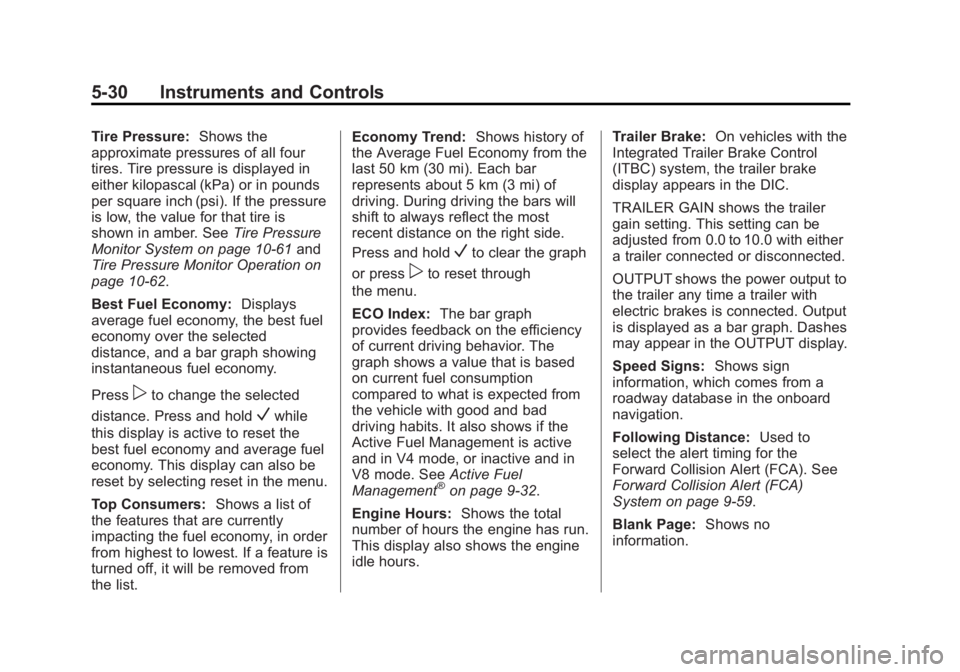
ECO Index: The bar graph
provides feedback on the efficiency
of current driving behavior. The
graph shows a value that is based
on current fuel consumption
compared to what is expected from
the vehicle with good and bad
driving habits. It also shows if the
Active Fuel Management is active
and in V4 mode, or inactive and in
V8 mode. See Active Fuel
Management
®on page 9-32.
Engine Hours: Shows the total
number of hours the engine has run.
This display also shows the engine
idle hours. Trailer Brake:
On vehicles with the
Integrated Trailer Brake Control
(ITBC) system, the trailer brake
display appears in the DIC.
TRAILER GAIN shows the trailer
gain setting. This setting can be
adjusted from 0.0 to 10.0 with either
a trailer connected or disconnected.
OUTPUT shows the power output to
the trailer any time a trailer with
electric brakes is connected. Output
is displayed as a bar graph. Dashes
may appear in the OUTPUT display.
Speed Signs: Shows sign
information, which comes from a
roadway database in the onboard
navigation.
Following Distance: Used to
select the alert timing for the
Forward Collision Alert (FCA). See
Forward Collision Alert (FCA)
System on page 9-59.
Blank Page: Shows no
information.
Page 142 of 439
Black plate (33,1)GMC 2015i Sierra Denali Owner Manual (GMNA-Localizing-U.S./Canada/
Mexico-8431500) - 2015 - crc - 6/20/14
Instruments and Controls 5-33
Door Ajar Messages
DOOR OPEN
This message displays and a chime
may sound if a door is not fully
closed. Stop and turn off the
vehicle, check the door for
obstructions, and close the door
again. Check to see if the message
still appears on the DIC.
HOOD OPEN
This message displays and a chime
may sound if the hood is not fully
closed. Stop and turn off the
vehicle, check the hood for
obstructions, and close the hood
again. Check to see if the message
still appears on the DIC.
Engine Cooling System
Messages
A/C OFF DUE TO HIGH
ENGINE TEMP
This message displays when the
engine coolant becomes hotter than
the normal operating temperature.
SeeEngine Coolant Temperature
Gauge on page 5-13. To avoid
added strain on a hot engine, the air
conditioning compressor
automatically turns off. When the
coolant temperature returns to
normal, the air conditioning
compressor turns back on. You can
continue to drive your vehicle.
If this message continues to appear,
have the system repaired by your
dealer as soon as possible to avoid
damage to the engine.
ENGINE OVERHEATING IDLE
ENGINE
This message displays when the
engine coolant temperature is too
hot. Stop and allow the vehicle to
idle until it cools down. See Engine
Coolant Temperature Gauge on
page 5-13.
When towing, use Tow/Haul mode
to prevent damage to the engine or
transmission. See Tow/Haul Mode
on page 9-39.
ENGINE OVERHEATED STOP
ENGINE
This message displays and a chime
may sound if the engine cooling
system reaches unsafe
temperatures for operation. Stop
and turn off the vehicle as soon as it
is safe to do so to avoid severe
damage. This message clears when
the engine has cooled to a safe
operating temperature.