airbag GMC SIERRA 2017 Owner's Guide
[x] Cancel search | Manufacturer: GMC, Model Year: 2017, Model line: SIERRA, Model: GMC SIERRA 2017Pages: 511, PDF Size: 5.21 MB
Page 117 of 511
GMC Sierra/Sierra Denali Owner Manual (GMNA-Localizing-U.S./Canada/
Mexico-9955992) - 2017 - crc - 4/18/17
116 Seats and Restraints
7. If the vehicle does not have arear seat and the child restraint
manufacturer recommends
using a top tether anchor,
attach the top tether to the top
tether anchor. Refer to the
instructions that came with the
child restraint and to Lower
Anchors and Tethers for
Children (LATCH System) 095.
8. Before placing a child in the child restraint, make sure it is
securely held in place. To
check, grasp the child restraint
at the safety belt path and
attempt to move it side to side
and back and forth. When the
child restraint is properly
installed, there should be no
more than 2.5 cm (1 in) of
movement.
To remove the child restraint,
unbuckle the vehicle safety belt and
let it return to the stowed position.
If the top tether is attached to a top
tether anchor, disconnect it.
If you turned the airbag off with the
switch (if equipped), turn on the
front outboard passenger airbag when you remove the child restraint
from the vehicle unless the person
who will be sitting there is a member
of a passenger airbag risk group.
See
Airbag On-Off Switch 079 for
more information, including
important safety information.
Heavy-Duty Crew Cab Only
This vehicle has airbags. A rear
seat is a safer place to secure a
forward-facing child restraint. See
Where to Put the Restraint 093.
Never put a rear-facing child seat in
the front. This is because the risk to
the rear-facing child is so great,
if the airbag deploys.
{Warning
A child in a rear-facing child
restraint can be seriously injured
or killed if the front outboard
passenger airbag inflates. This is
because the back of the
rear-facing child restraint would
be very close to the inflating (Continued)
Warning (Continued)
airbag. Always secure a
rear-facing child restraint in a
rear seat.
If a child restraint uses a top tether,
see Lower Anchors and Tethers for
Children (LATCH System) 095 for
top tether anchor locations.
Do not secure a child seat in a
position without a top tether anchor
if a national or local law requires
that the top tether be anchored, or if
the instructions that come with the
child restraint say that the top strap
must be anchored.
In Canada, the law requires that
forward-facing child restraints have
a top tether, and that the tether be
attached.
When using the lap-shoulder belt to
secure the child restraint in this
position, follow the instructions that
came with the child restraint and the
following instructions:
Page 124 of 511
GMC Sierra/Sierra Denali Owner Manual (GMNA-Localizing-U.S./Canada/
Mexico-9955992) - 2017 - crc - 4/18/17
Instruments and Controls 123
Instruments and
Controls
Controls
Steering Wheel Adjustment . . . 124
Steering Wheel Controls . . . . . . 125
Heated Steering Wheel . . . . . . . 125
Horn . . . . . . . . . . . . . . . . . . . . . . . . . . 125
Windshield Wiper/Washer . . . . 126
Compass . . . . . . . . . . . . . . . . . . . . . 126
Clock . . . . . . . . . . . . . . . . . . . . . . . . . 127
Power Outlets . . . . . . . . . . . . . . . . 128
Wireless Charging . . . . . . . . . . . . 130
Warning Lights, Gauges, and
Indicators
Warning Lights, Gauges, andIndicators . . . . . . . . . . . . . . . . . . . 131
Instrument Cluster . . . . . . . . . . . . 132
Speedometer . . . . . . . . . . . . . . . . . 136
Odometer . . . . . . . . . . . . . . . . . . . . . 136
Trip Odometer . . . . . . . . . . . . . . . . 136
Tachometer . . . . . . . . . . . . . . . . . . . 136
Fuel Gauge . . . . . . . . . . . . . . . . . . . 136
Engine Oil Pressure Gauge . . . . . . . . . . . . . . . . . . . . . . 137
Engine Coolant Temperature Gauge . . . . . . . . . . . . . . . . . . . . . . 138 Transmission Temperature
Gauge . . . . . . . . . . . . . . . . . . . . . . 139
Voltmeter Gauge . . . . . . . . . . . . . 139
Safety Belt Reminders . . . . . . . . 140
Airbag Readiness Light . . . . . . . 141
Airbag On-Off Light . . . . . . . . . . . 141
Passenger Airbag Status Indicator . . . . . . . . . . . . . . . . . . . . 143
Charging System Light . . . . . . . 143
Malfunction Indicator Lamp (Check Engine Light) . . . . . . . . 144
Brake System Warning Light . . . . . . . . . . . . . . . . . . . . . . . . 145
Antilock Brake System (ABS) Warning Light . . . . . . . . . . . . . . . 146
Four-Wheel-Drive Light . . . . . . . 147
Tow/Haul Mode Light . . . . . . . . . 147
Hill Descent Control Light . . . . 147
Lane Departure Warning (LDW) Light (2500/3500) . . . . 147
Lane Keep Assist (LKA) Light (1500 Series) . . . . . . . . . . . . . . . 148
Vehicle Ahead Indicator . . . . . . 148
Traction Off Light . . . . . . . . . . . . . 148
StabiliTrak OFF Light . . . . . . . . . 148
Traction Control System (TCS)/ StabiliTrak Light . . . . . . . . . . . . . 149
Engine Coolant Temperature Warning Light . . . . . . . . . . . . . . . 149
Tire Pressure Light . . . . . . . . . . . 150
Engine Oil Pressure Light . . . . 150 Low Fuel Warning Light . . . . . . 150
Security Light . . . . . . . . . . . . . . . . . 151
High-Beam On Light . . . . . . . . . . 151
Front Fog Lamp Light . . . . . . . . . 151
Lamps On Reminder . . . . . . . . . 151
Cruise Control Light . . . . . . . . . . 152
Door Ajar Light . . . . . . . . . . . . . . . 152
Information Displays
Driver Information Center (DIC)
(Base Level Cluster) . . . . . . . . 152
Driver Information Center (DIC) (Uplevel and Denali
Cluster) . . . . . . . . . . . . . . . . . . . . . 154
Vehicle Messages
Vehicle Messages . . . . . . . . . . . . 157
Battery Voltage and ChargingMessages . . . . . . . . . . . . . . . . . . . 157
Brake System Messages . . . . . 158
Compass Messages . . . . . . . . . . 158
Door Ajar Messages . . . . . . . . . . 158
Engine Cooling System Messages . . . . . . . . . . . . . . . . . . . 159
Engine Oil Messages . . . . . . . . . 159
Engine Power Messages . . . . . 160
Fuel System Messages . . . . . . . 160
Key and Lock Messages . . . . . 160
Lamp Messages . . . . . . . . . . . . . . 160
Object Detection System Messages . . . . . . . . . . . . . . . . . . . 161
Page 125 of 511
GMC Sierra/Sierra Denali Owner Manual (GMNA-Localizing-U.S./Canada/
Mexico-9955992) - 2017 - crc - 4/18/17
124 Instruments and Controls
Ride Control SystemMessages . . . . . . . . . . . . . . . . . . . 161
Airbag System Messages . . . . 162
Safety Belt Messages . . . . . . . . 163
Security Messages . . . . . . . . . . . 163
Steering System Messages . . . . . . . . . . . . . . . . . . . 163
Tire Messages . . . . . . . . . . . . . . . . 164
Transmission Messages . . . . . . 164
Vehicle Reminder Messages . . . . . . . . . . . . . . . . . . . 166
Vehicle Speed Messages . . . . . 167
Washer Fluid Messages . . . . . . 167
Vehicle Personalization
Vehicle Personalization . . . . . . . 167
Universal Remote System
Universal Remote System . . . . 174
Universal Remote System Programming . . . . . . . . . . . . . . . 174
Universal Remote System Operation . . . . . . . . . . . . . . . . . . . 176
Controls
Steering Wheel
Adjustment
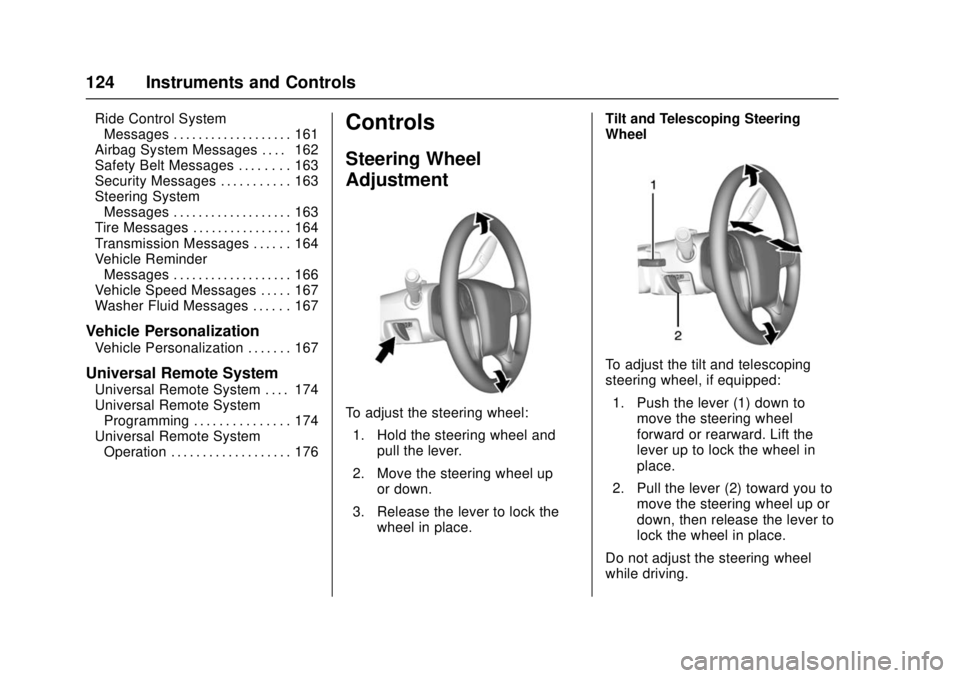
To adjust the steering wheel:
1. Hold the steering wheel and pull the lever.
2. Move the steering wheel up or down.
3. Release the lever to lock the wheel in place. Tilt and Telescoping Steering
Wheel
To adjust the tilt and telescoping
steering wheel, if equipped:
1. Push the lever (1) down to move the steering wheel
forward or rearward. Lift the
lever up to lock the wheel in
place.
2. Pull the lever (2) toward you to move the steering wheel up or
down, then release the lever to
lock the wheel in place.
Do not adjust the steering wheel
while driving.
Page 141 of 511
GMC Sierra/Sierra Denali Owner Manual (GMNA-Localizing-U.S./Canada/
Mexico-9955992) - 2017 - crc - 4/18/17
140 Instruments and Controls
When the engine is running, this
gauge shows the condition of the
charging system. The gauge can
transition from a higher to lower or a
lower to higher reading. This is
normal. If the vehicle is operating
outside the normal operating range,
the charging system light comes on.
SeeCharging System Light 0143
for more information. The voltmeter
gauge may also read lower when in
fuel economy mode. This is normal.
Readings outside the normal
operating range can also occur
when a large number of electrical
accessories are operating in the
vehicle and the engine is left idling
for an extended period. This
condition is normal since the
charging system is not able to
provide full power at engine idle. As
engine speeds are increased, this
condition should correct itself as
higher engine speeds allow the
charging system to create maximum
power.
The vehicle can only be driven for a
short time with the readings outside
the normal operating range. If the
vehicle must be driven, turn off all accessories, such as the radio and
air conditioner and unplug all
chargers and accessories.
Readings outside the normal
operating range indicate a possible
problem in the electrical system.
Have the vehicle serviced as soon
as possible.
Safety Belt Reminders
Driver Safety Belt Reminder
Light
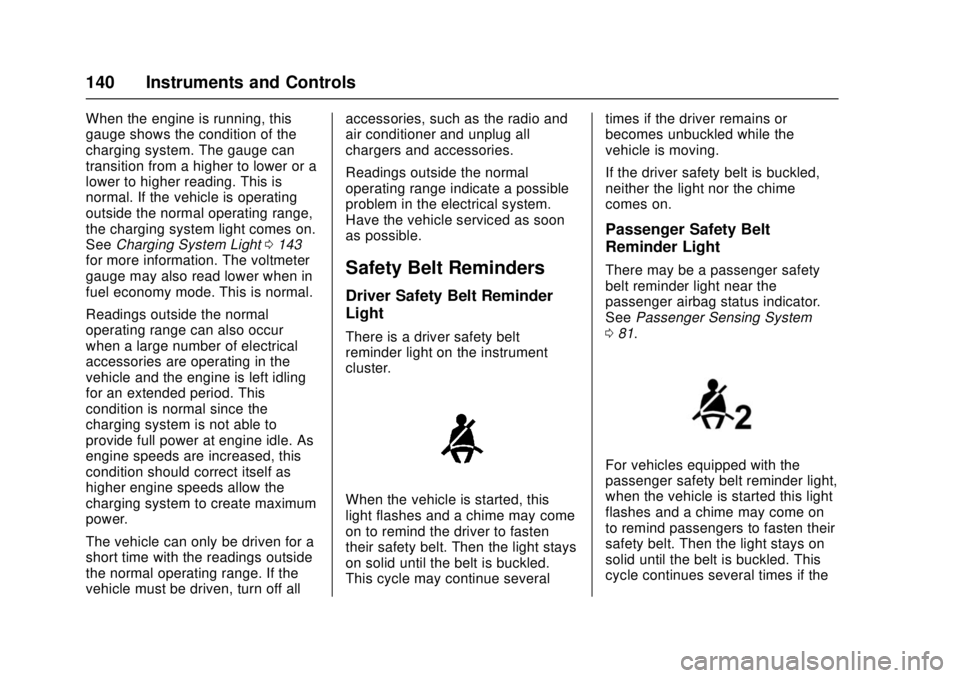
There is a driver safety belt
reminder light on the instrument
cluster.
When the vehicle is started, this
light flashes and a chime may come
on to remind the driver to fasten
their safety belt. Then the light stays
on solid until the belt is buckled.
This cycle may continue several
times if the driver remains or
becomes unbuckled while the
vehicle is moving.
If the driver safety belt is buckled,
neither the light nor the chime
comes on.
Passenger Safety Belt
Reminder Light
There may be a passenger safety
belt reminder light near the
passenger airbag status indicator.
See
Passenger Sensing System
0 81.
For vehicles equipped with the
passenger safety belt reminder light,
when the vehicle is started this light
flashes and a chime may come on
to remind passengers to fasten their
safety belt. Then the light stays on
solid until the belt is buckled. This
cycle continues several times if the
Page 142 of 511
GMC Sierra/Sierra Denali Owner Manual (GMNA-Localizing-U.S./Canada/
Mexico-9955992) - 2017 - crc - 4/18/17
Instruments and Controls 141
passenger remains or becomes
unbuckled while the vehicle is
moving.
If the passenger safety belt is
buckled, neither the chime nor the
light comes on.
The front passenger safety belt
reminder light and chime may turn
on if an object is put on the seat
such as a briefcase, handbag,
grocery bag, laptop, or other
electronic device. To turn off the
reminder light and/or chime, remove
the object from the seat or buckle
the safety belt.
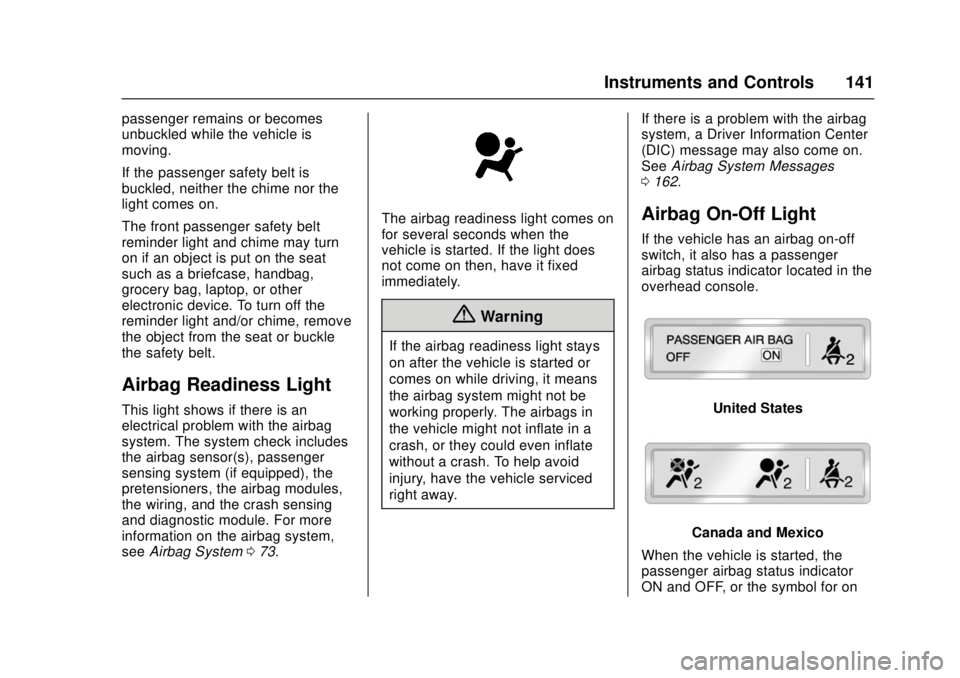
Airbag Readiness Light
This light shows if there is an
electrical problem with the airbag
system. The system check includes
the airbag sensor(s), passenger
sensing system (if equipped), the
pretensioners, the airbag modules,
the wiring, and the crash sensing
and diagnostic module. For more
information on the airbag system,
seeAirbag System 073.
The airbag readiness light comes on
for several seconds when the
vehicle is started. If the light does
not come on then, have it fixed
immediately.
{Warning
If the airbag readiness light stays
on after the vehicle is started or
comes on while driving, it means
the airbag system might not be
working properly. The airbags in
the vehicle might not inflate in a
crash, or they could even inflate
without a crash. To help avoid
injury, have the vehicle serviced
right away. If there is a problem with the airbag
system, a Driver Information Center
(DIC) message may also come on.
See
Airbag System Messages
0 162.
Airbag On-Off Light
If the vehicle has an airbag on-off
switch, it also has a passenger
airbag status indicator located in the
overhead console.
United States
Canada and Mexico
When the vehicle is started, the
passenger airbag status indicator
ON and OFF, or the symbol for on
Page 143 of 511
GMC Sierra/Sierra Denali Owner Manual (GMNA-Localizing-U.S./Canada/
Mexico-9955992) - 2017 - crc - 4/18/17
142 Instruments and Controls
and off, will light for several seconds
as a system check. Then, after
several more seconds, the status
indicator ON or OFF, or either the
on or off symbol, will light to let you
know the status of the front
outboard passenger frontal airbag.
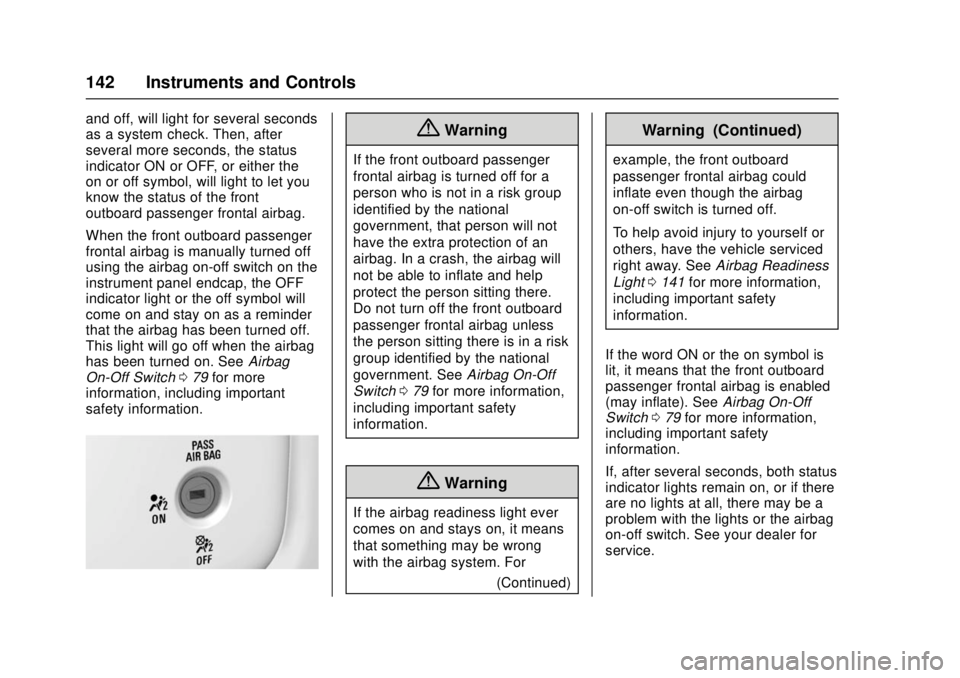
When the front outboard passenger
frontal airbag is manually turned off
using the airbag on-off switch on the
instrument panel endcap, the OFF
indicator light or the off symbol will
come on and stay on as a reminder
that the airbag has been turned off.
This light will go off when the airbag
has been turned on. SeeAirbag
On-Off Switch 079 for more
information, including important
safety information.{Warning
If the front outboard passenger
frontal airbag is turned off for a
person who is not in a risk group
identified by the national
government, that person will not
have the extra protection of an
airbag. In a crash, the airbag will
not be able to inflate and help
protect the person sitting there.
Do not turn off the front outboard
passenger frontal airbag unless
the person sitting there is in a risk
group identified by the national
government. See Airbag On-Off
Switch 079 for more information,
including important safety
information.
{Warning
If the airbag readiness light ever
comes on and stays on, it means
that something may be wrong
with the airbag system. For
(Continued)
Warning (Continued)
example, the front outboard
passenger frontal airbag could
inflate even though the airbag
on-off switch is turned off.
To help avoid injury to yourself or
others, have the vehicle serviced
right away. SeeAirbag Readiness
Light 0141 for more information,
including important safety
information.
If the word ON or the on symbol is
lit, it means that the front outboard
passenger frontal airbag is enabled
(may inflate). See Airbag On-Off
Switch 079 for more information,
including important safety
information.
If, after several seconds, both status
indicator lights remain on, or if there
are no lights at all, there may be a
problem with the lights or the airbag
on-off switch. See your dealer for
service.
Page 144 of 511
GMC Sierra/Sierra Denali Owner Manual (GMNA-Localizing-U.S./Canada/
Mexico-9955992) - 2017 - crc - 4/18/17
Instruments and Controls 143
Passenger Airbag Status
Indicator
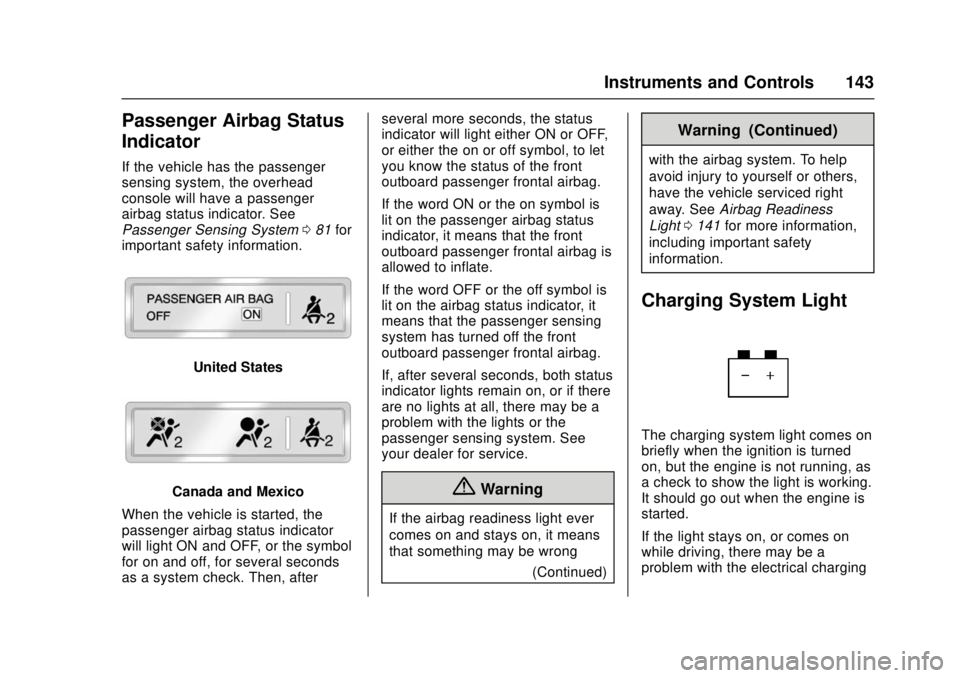
If the vehicle has the passenger
sensing system, the overhead
console will have a passenger
airbag status indicator. See
Passenger Sensing System081 for
important safety information.
United States
Canada and Mexico
When the vehicle is started, the
passenger airbag status indicator
will light ON and OFF, or the symbol
for on and off, for several seconds
as a system check. Then, after several more seconds, the status
indicator will light either ON or OFF,
or either the on or off symbol, to let
you know the status of the front
outboard passenger frontal airbag.
If the word ON or the on symbol is
lit on the passenger airbag status
indicator, it means that the front
outboard passenger frontal airbag is
allowed to inflate.
If the word OFF or the off symbol is
lit on the airbag status indicator, it
means that the passenger sensing
system has turned off the front
outboard passenger frontal airbag.
If, after several seconds, both status
indicator lights remain on, or if there
are no lights at all, there may be a
problem with the lights or the
passenger sensing system. See
your dealer for service.{Warning
If the airbag readiness light ever
comes on and stays on, it means
that something may be wrong
(Continued)
Warning (Continued)
with the airbag system. To help
avoid injury to yourself or others,
have the vehicle serviced right
away. SeeAirbag Readiness
Light 0141 for more information,
including important safety
information.
Charging System Light
The charging system light comes on
briefly when the ignition is turned
on, but the engine is not running, as
a check to show the light is working.
It should go out when the engine is
started.
If the light stays on, or comes on
while driving, there may be a
problem with the electrical charging
Page 163 of 511
GMC Sierra/Sierra Denali Owner Manual (GMNA-Localizing-U.S./Canada/
Mexico-9955992) - 2017 - crc - 4/18/17
162 Instruments and Controls
SERVICE TRACTION
CONTROL
This message displays when there
is a problem with the Traction
Control System (TCS). When this
message displays, the system will
not limit wheel spin. Adjust your
driving accordingly. See your dealer
for service. SeeTraction Control/
Electronic Stability Control 0299.
STABILITRAK INITIALIZING
This message may come on if the
StabiliTrak system has not fully
initialized because of road
conditions or the incorrect tire size.
When the StabiliTrak system is fully
initialized, the message will turn off.
See Traction Control/Electronic
Stability Control 0299. If this
message continues to be displayed
for multiple ignition cycles and on
different road surfaces, see your
dealer for service.
TRACTION CONTROL OFF
This message displays when the
traction control has been turned off.
See Traction Control/Electronic
Stability Control 0299.
TRACTION CONTROL ON
This message displays when the
traction control is active. See
Traction Control/Electronic Stability
Control 0299.
STABILITRAK OFF
This message displays when the
StabiliTrak system has been turned
off. Adjust your driving accordingly.
To limit wheel spin and realize the
full benefits of the stability
enhancement system, you should
normally leave StabiliTrak on. See
Traction Control/Electronic Stability
Control 0299.
STABILITRAK OFF may also
display when the stability control
has been automatically disabled.
The following conditions can cause
this message to appear:
. The system is overheating,
which could occur if StabiliTrak
activates continuously for an
extended period of time.
. The brake system warning light
is on. See Brake System
Warning Light 0145. .
The stability system takes longer
than usual to complete its
diagnostic checks due to driving
conditions.
. An engine or vehicle-related
problem has been detected and
the vehicle needs service. See
your dealer.
. The transfer case is in
Four-Wheel Drive Low.
The message turns off as soon as
the conditions that caused the
message to be displayed are no
longer present.
Airbag System Messages
SERVICE AIRBAG
This message displays if there is a
problem with the airbag system.
Take the vehicle to your dealer for
service.
Page 164 of 511
GMC Sierra/Sierra Denali Owner Manual (GMNA-Localizing-U.S./Canada/
Mexico-9955992) - 2017 - crc - 4/18/17
Instruments and Controls 163
Safety Belt Messages
SHIFTER LOCKED. BUCKLE
SEATBELT
This message displays if the vehicle
is equipped with the Safety Belt
Assurance System and the driver
and front outboard passenger,
if present, safety belts are not
buckled. The vehicle will not shift
out of P (Park). Buckle the safety
belt(s) to unlock the shift lever.
This system may not allow the
vehicle to shift out of P (Park) if an
object—such as a briefcase,
handbag, grocery bag, laptop,
or other electronic device —is on
the front outboard passenger seat.
If this happens, remove the object
from the seat or buckle the
safety belt.
If the driver or front outboard
passenger unbuckles their safety
belt while driving, the safety belt
reminder chime and light(s) will
come on. See Safety Belt
Reminders 0140.
SHIFTER UNLOCKED. BRAKE
TO SHIFT
This message displays when the
Safety Belt Assurance System times
out and allows the vehicle to be
shifted out of P (Park) after
30 seconds following brake apply.
See “Safety Belts” and“Child
Restraints” in the Index for
information about the importance of
proper restraint use.
This system may not function
properly if the airbag readiness light
is on. See Airbag Readiness Light
0 141.
Security Messages
SERVICE THEFT DETERRENT
SYSTEM
This message displays when there
is a problem with the theft-deterrent
system. The vehicle may or may not
restart, so you may want to take the
vehicle to your dealer before turning
off the engine. See Immobilizer
Operation 045.
Steering System
Messages
STEERING ASSIST IS
REDUCED DRIVE WITH CARE
This message may display if a
problem occurs with the electric
power steering system. If this
message appears, steering effort
may be slightly higher than normal.
The vehicle is still safe to drive. Use
caution while in reduced assist
mode. If this message is persistent
or appears repeatedly, take the
vehicle to your dealer for service.
See Steering 0255.
SERVICE POWER STEERING
(1500 Series)
This message displays when there
is a problem with electric power
steering. If this message displays
and a reduction in steering
performance or loss of power
steering assistance is noticed. See
your dealer. See Steering0255.
Page 275 of 511
GMC Sierra/Sierra Denali Owner Manual (GMNA-Localizing-U.S./Canada/
Mexico-9955992) - 2017 - crc - 4/18/17
274 Driving and Operating
Ignition Positions
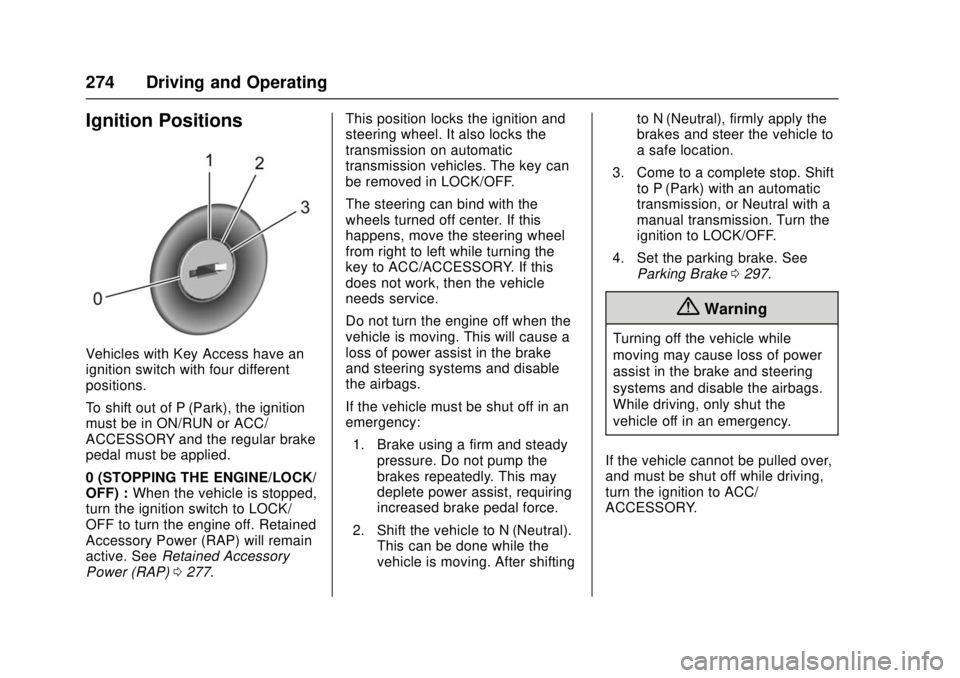
Vehicles with Key Access have an
ignition switch with four different
positions.
To shift out of P (Park), the ignition
must be in ON/RUN or ACC/
ACCESSORY and the regular brake
pedal must be applied.
0 (STOPPING THE ENGINE/LOCK/
OFF) :When the vehicle is stopped,
turn the ignition switch to LOCK/
OFF to turn the engine off. Retained
Accessory Power (RAP) will remain
active. See Retained Accessory
Power (RAP) 0277. This position locks the ignition and
steering wheel. It also locks the
transmission on automatic
transmission vehicles. The key can
be removed in LOCK/OFF.
The steering can bind with the
wheels turned off center. If this
happens, move the steering wheel
from right to left while turning the
key to ACC/ACCESSORY. If this
does not work, then the vehicle
needs service.
Do not turn the engine off when the
vehicle is moving. This will cause a
loss of power assist in the brake
and steering systems and disable
the airbags.
If the vehicle must be shut off in an
emergency:
1. Brake using a firm and steady pressure. Do not pump the
brakes repeatedly. This may
deplete power assist, requiring
increased brake pedal force.
2. Shift the vehicle to N (Neutral). This can be done while the
vehicle is moving. After shifting to N (Neutral), firmly apply the
brakes and steer the vehicle to
a safe location.
3. Come to a complete stop. Shift to P (Park) with an automatic
transmission, or Neutral with a
manual transmission. Turn the
ignition to LOCK/OFF.
4. Set the parking brake. See Parking Brake 0297.
{Warning
Turning off the vehicle while
moving may cause loss of power
assist in the brake and steering
systems and disable the airbags.
While driving, only shut the
vehicle off in an emergency.
If the vehicle cannot be pulled over,
and must be shut off while driving,
turn the ignition to ACC/
ACCESSORY.