instrument cluster GMC SIERRA 2017 Service Manual
[x] Cancel search | Manufacturer: GMC, Model Year: 2017, Model line: SIERRA, Model: GMC SIERRA 2017Pages: 511, PDF Size: 5.21 MB
Page 322 of 511
GMC Sierra/Sierra Denali Owner Manual (GMNA-Localizing-U.S./Canada/
Mexico-9955992) - 2017 - crc - 4/18/17
Driving and Operating 321
vehicle itself. Get acquainted with
the handling and braking of the rig
before setting out for the open road.
The structure, tires, and brakes of
the trailer must be rated to carry the
load. Inadequate trailer equipment
can cause the combination to
operate in an unexpected or unsafe
manner.
Before starting, check all trailer hitch
parts and attachments, safety
chains, electrical connectors, lamps,
tires, and mirrors. Get familiar with
the handling and braking of the rig.
If the trailer has electric brakes, start
the combination moving and then
apply the trailer brake controller by
hand to be sure the brakes work.
During the trip, check occasionally
to be sure that the load is secure
and the lamps and any trailer
brakes still work.
Following Distance
Stay at least twice as far behind the
vehicle ahead as you would when
driving the vehicle without a trailer.
This can help to avoid heavy
braking and sudden turns.
Passing
More passing distance is needed
when towing a trailer. The
combination will not accelerate as
quickly and is longer so it is
necessary to go much farther
beyond the passed vehicle before
returning to the lane.
Backing Up
Hold the bottom of the steering
wheel with one hand. To move the
trailer to the left, move that hand to
the left. To move the trailer to the
right, move your hand to the right.
Always back up slowly and,
if possible, have someone
guide you.
Making TurnsCaution
Making very sharp turns while
trailering could cause the trailer to
come in contact with the vehicle.
The vehicle could be damaged.
Avoid making very sharp turns
while trailering. When turning with a trailer, make
wider turns than normal. Do this so
the trailer will not strike soft
shoulders, curbs, road signs, trees,
or other objects. Avoid jerky or
sudden maneuvers. Signal well in
advance.
If the trailer turn signal bulbs burn
out, the arrows on the instrument
cluster will still flash for turns. It is
important to check occasionally to
be sure the trailer bulbs are still
working.
Driving on Grades
Reduce speed and shift to a lower
gear
before starting down a long or
steep downgrade. If the
transmission is not shifted down, the
brakes might get hot and no longer
work well.
Vehicles can tow in D (Drive). Shift
the transmission to a lower gear if
the transmission shifts too often
under heavy loads and/or hilly
conditions.
The Tow/Haul Mode may be used if
the transmission shifts too often.
See Tow/Haul Mode 0288.
Page 345 of 511
GMC Sierra/Sierra Denali Owner Manual (GMNA-Localizing-U.S./Canada/
Mexico-9955992) - 2017 - crc - 4/18/17
344 Driving and Operating
.White: Ground
. White/Green: Back-up Lamps
. Red/Green: Battery Feed
. Dark Blue: Trailer Brake
If the vehicle is equipped with the
heavy-duty trailering option, see
“Heavy-Duty Trailer Wiring Harness
Package” earlier in this section.
When the camper-wiring harness is
ordered without the heavy-duty
trailering package, a seven-wire
harness with a seven-pin connector
is at the rear of the vehicle and is
tied to the vehicle's frame.
Electric Brake Control Wiring
Provisions
These wiring provisions are
included with the vehicle as part of
the trailer wiring package. These
provisions are for an electric brake
controller.
The harness should be installed by
your dealer or a qualified service
center.
Tow/Haul Mode
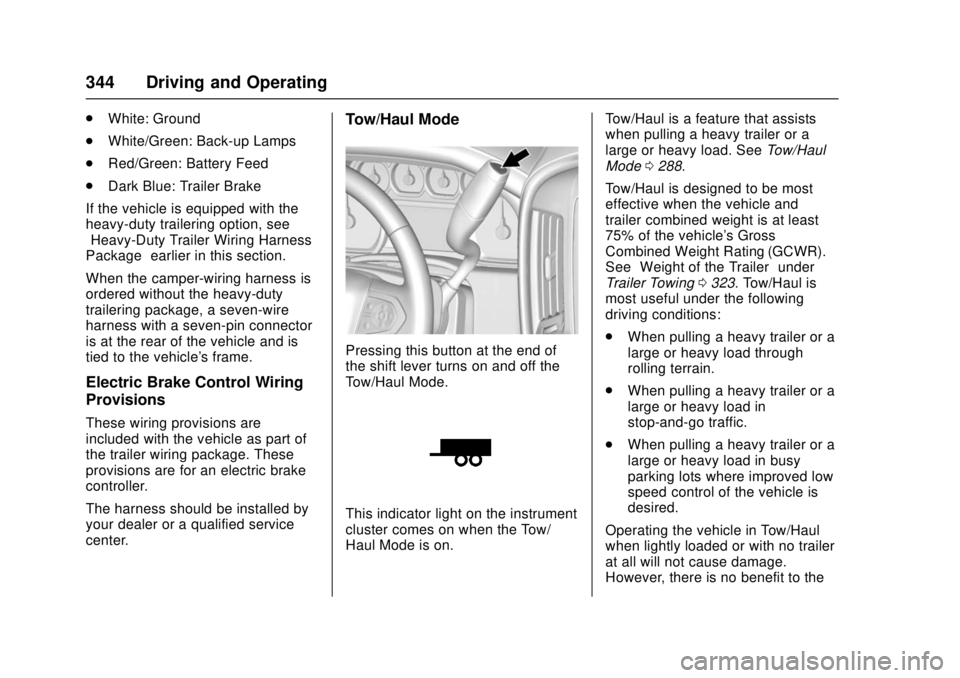
Pressing this button at the end of
the shift lever turns on and off the
Tow/Haul Mode.
This indicator light on the instrument
cluster comes on when the Tow/
Haul Mode is on. Tow/Haul is a feature that assists
when pulling a heavy trailer or a
large or heavy load. See
Tow/Haul
Mode 0288.
Tow/Haul is designed to be most
effective when the vehicle and
trailer combined weight is at least
75% of the vehicle's Gross
Combined Weight Rating (GCWR).
See “Weight of the Trailer” under
Trailer Towing 0323. Tow/Haul is
most useful under the following
driving conditions:
. When pulling a heavy trailer or a
large or heavy load through
rolling terrain.
. When pulling a heavy trailer or a
large or heavy load in
stop-and-go traffic.
. When pulling a heavy trailer or a
large or heavy load in busy
parking lots where improved low
speed control of the vehicle is
desired.
Operating the vehicle in Tow/Haul
when lightly loaded or with no trailer
at all will not cause damage.
However, there is no benefit to the
Page 350 of 511
GMC Sierra/Sierra Denali Owner Manual (GMNA-Localizing-U.S./Canada/
Mexico-9955992) - 2017 - crc - 4/18/17
Driving and Operating 349
A GM dealer may be able to
diagnose and repair problems with
the trailer. However, any diagnosis
and repair of the trailer is not
covered under the vehicle warranty.
Contact your trailer dealer for
assistance with trailer repairs and
trailer warranty information.
Trailer Sway
Control (TSC)
Vehicles with StabiliTrak have a
Trailer Sway Control (TSC) feature.
Trailer sway is unintended
side-to-side motion of a trailer while
being towed. If the vehicle is towing
a trailer and the TSC detects that
sway is increasing, the vehicle
brakes are selectively applied at
each wheel, to help reduce
excessive trailer sway. If the vehicle
is equipped with the Integrated
Trailer Brake Control (ITBC) system,
and the trailer has the electric
actuated brake system, StabiliTrak
may also apply the trailer brakes.
If TSC is enabled, the Traction
Control System (TCS)/StabiliTrak
warning light will flash on theinstrument cluster. Vehicle speed
must be reduced. If trailer sway
continues, StabiliTrak can reduce
engine torque to help slow the
vehicle. See
Traction Control/
Electronic Stability Control 0299.
{Warning
Even if the vehicle is equipped
with TSC, trailer sway could result
in loss of control and the vehicle
could crash. If excessive trailer
sway is detected, slow down to a
safe speed. Check the trailer and
vehicle to help correct possible
causes. These could include an
improperly or overloaded trailer,
unrestrained cargo, improper
trailer hitch configuration,
excessive vehicle-trailer speed,
or improperly inflated or incorrect
vehicle or trailer tires. See Towing
Equipment 0340 for trailer ratings
and hitch setup
recommendations. Adding non-dealer accessories can
affect the vehicle performance. See
Accessories and Modifications
0
357.
Page 377 of 511
GMC Sierra/Sierra Denali Owner Manual (GMNA-Localizing-U.S./Canada/
Mexico-9955992) - 2017 - crc - 4/18/17
376 Vehicle Care
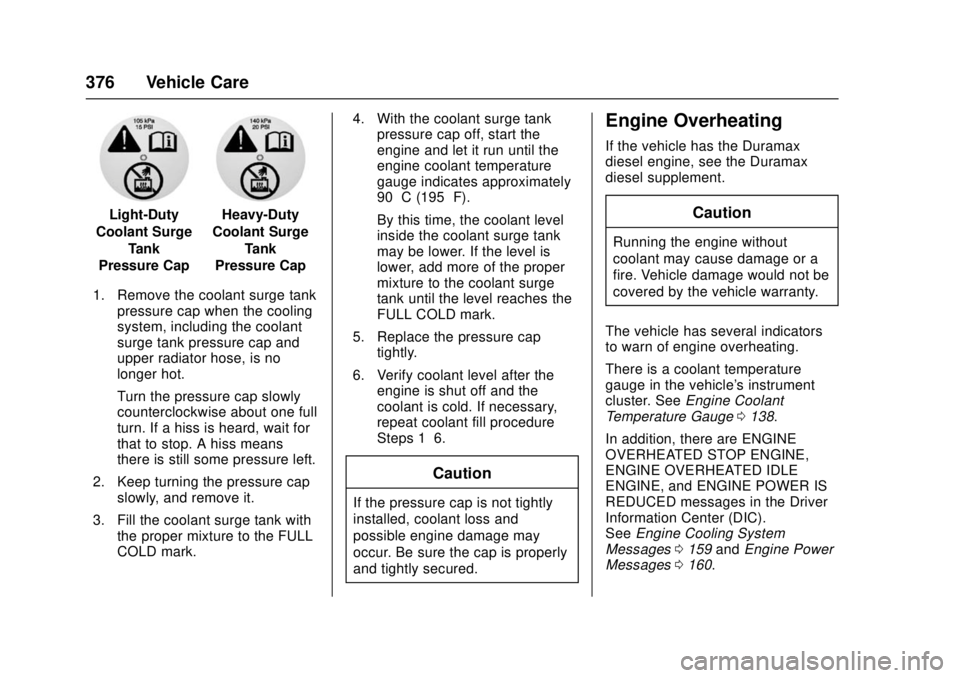
Light-Duty
Coolant Surge Tank
Pressure CapHeavy-Duty
Coolant Surge Tank
Pressure Cap
1. Remove the coolant surge tank pressure cap when the cooling
system, including the coolant
surge tank pressure cap and
upper radiator hose, is no
longer hot.
Turn the pressure cap slowly
counterclockwise about one full
turn. If a hiss is heard, wait for
that to stop. A hiss means
there is still some pressure left.
2. Keep turning the pressure cap slowly, and remove it.
3. Fill the coolant surge tank with the proper mixture to the FULL
COLD mark. 4. With the coolant surge tank
pressure cap off, start the
engine and let it run until the
engine coolant temperature
gauge indicates approximately
90 °C (195 °F).
By this time, the coolant level
inside the coolant surge tank
may be lower. If the level is
lower, add more of the proper
mixture to the coolant surge
tank until the level reaches the
FULL COLD mark.
5. Replace the pressure cap tightly.
6. Verify coolant level after the engine is shut off and the
coolant is cold. If necessary,
repeat coolant fill procedure
Steps 1–6.
Caution
If the pressure cap is not tightly
installed, coolant loss and
possible engine damage may
occur. Be sure the cap is properly
and tightly secured.
Engine Overheating
If the vehicle has the Duramax
diesel engine, see the Duramax
diesel supplement.
Caution
Running the engine without
coolant may cause damage or a
fire. Vehicle damage would not be
covered by the vehicle warranty.
The vehicle has several indicators
to warn of engine overheating.
There is a coolant temperature
gauge in the vehicle's instrument
cluster. See Engine Coolant
Temperature Gauge 0138.
In addition, there are ENGINE
OVERHEATED STOP ENGINE,
ENGINE OVERHEATED IDLE
ENGINE, and ENGINE POWER IS
REDUCED messages in the Driver
Information Center (DIC).
See Engine Cooling System
Messages 0159 andEngine Power
Messages 0160.
Page 401 of 511
GMC Sierra/Sierra Denali Owner Manual (GMNA-Localizing-U.S./Canada/
Mexico-9955992) - 2017 - crc - 4/18/17
400 Vehicle Care
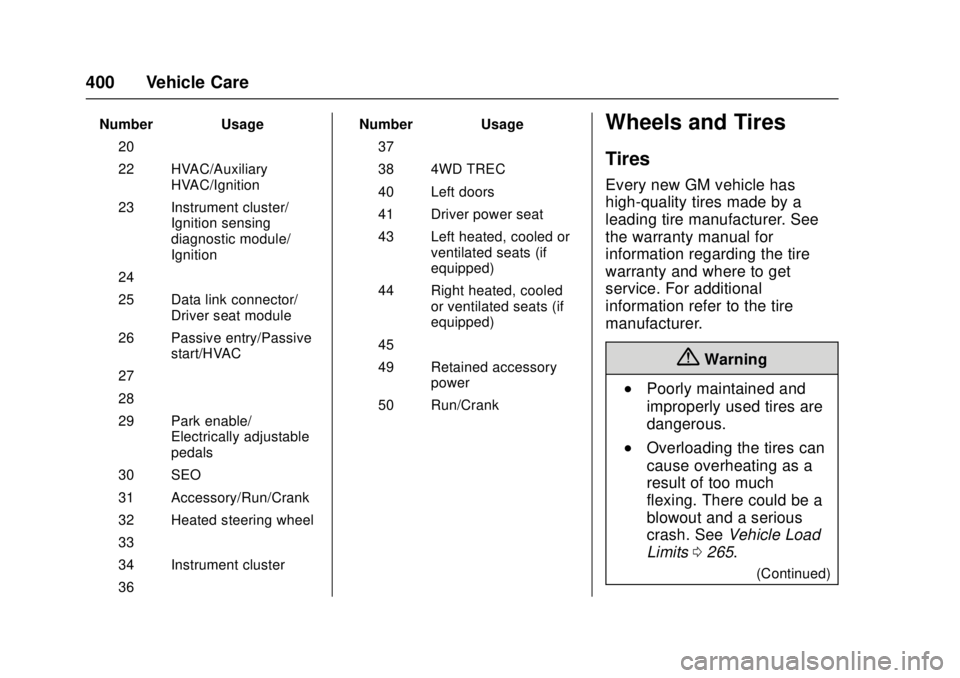
Number Usage20 –
22 HVAC/Auxiliary HVAC/Ignition
23 Instrument cluster/ Ignition sensing
diagnostic module/
Ignition
24 –
25 Data link connector/ Driver seat module
26 Passive entry/Passive start/HVAC
27 –
28 –
29 Park enable/ Electrically adjustable
pedals
30 SEO
31 Accessory/Run/Crank
32 Heated steering wheel
33 –
34 Instrument cluster
36 – Number Usage
37 –
38 4WD TREC
40 Left doors
41 Driver power seat
43 Left heated, cooled or ventilated seats (if
equipped)
44 Right heated, cooled or ventilated seats (if
equipped)
45 –
49 Retained accessory power
50 Run/CrankWheels and Tires
Tires
Every new GM vehicle has
high-quality tires made by a
leading tire manufacturer. See
the warranty manual for
information regarding the tire
warranty and where to get
service. For additional
information refer to the tire
manufacturer.
{Warning
.Poorly maintained and
improperly used tires are
dangerous.
.Overloading the tires can
cause overheating as a
result of too much
flexing. There could be a
blowout and a serious
crash. See Vehicle Load
Limits 0265.
(Continued)
Page 413 of 511
GMC Sierra/Sierra Denali Owner Manual (GMNA-Localizing-U.S./Canada/
Mexico-9955992) - 2017 - crc - 4/18/17
412 Vehicle Care
located on the instrument cluster.
If the warning light comes on, stop
as soon as possible and inflate the
tires to the recommended pressure
shown on the Tire and Loading
Information label. SeeVehicle Load
Limits 0265.
A message to check the pressure in
a specific tire displays in the Driver
Information Center (DIC). The low
tire pressure warning light and the
DIC warning message come on at
each ignition cycle until the tires are
inflated to the correct inflation
pressure. If the vehicle has DIC
buttons, tire pressure levels can be
viewed. For additional information
and details about the DIC operation
and displays, see Driver Information
Center (DIC) (Base Level Cluster)
0 152 orDriver Information Center
(DIC) (Uplevel and Denali Cluster)
0 154 andTire Messages 0164.
The low tire pressure warning light
may come on in cool weather when
the vehicle is first started, and then
turn off as the vehicle is driven. This
could be an early indicator that the air pressure is getting low and
needs to be inflated to the proper
pressure.
A Tire and Loading Information label
shows the size of the original
equipment tires and the correct
inflation pressure for the tires when
they are cold. See
Vehicle Load
Limits 0265, for an example of the
Tire and Loading Information label
and its location. Also see Tire
Pressure 0408.
The TPMS can warn about a low
tire pressure condition but it does
not replace normal tire
maintenance. See Tire Inspection
0 414, Tire Rotation 0415 andTires
0 400.
Caution
Tire sealant materials are not all
the same. A non-approved tire
sealant could damage the TPMS
sensors. TPMS sensor damage
caused by using an incorrect tire
sealant is not covered by the
vehicle warranty. Always use only
(Continued)
Caution (Continued)
the GM approved tire sealant
available through your dealer or
included in the vehicle.
TPMS Malfunction Light and
Message
The TPMS will not function properly
if one or more of the TPMS sensors
are missing or inoperable. When the
system detects a malfunction, the
low tire pressure warning light
flashes for about one minute and
then stays on for the remainder of
the ignition cycle. A DIC warning
message also displays. The
malfunction light and DIC warning
message come on at each ignition
cycle until the problem is corrected.
Some of the conditions that can
cause these to come on are:
.One of the road tires has been
replaced with the spare tire. The
spare tire does not have a
TPMS sensor. The malfunction
light and the DIC message
should go off after the road tire
Page 450 of 511
GMC Sierra/Sierra Denali Owner Manual (GMNA-Localizing-U.S./Canada/
Mexico-9955992) - 2017 - crc - 4/18/17
Vehicle Care 449
Caution
Lubrication of applicable steering/
suspension points should not be
done unless the temperature is
−12 °C (10 °F) or higher,
or damage could result.
For an eAssist vehicle, see the
Silverado/Sierra eAssist
supplement.
Body Component Lubrication
Lubricate all key lock cylinders,
hood hinges, liftgate hinges, and the
steel fuel door hinge unless the
components are plastic. Applying
silicone grease on weatherstrips
with a clean cloth will make them
last longer, seal better, and not stick
or squeak.
Underbody Maintenance
At least twice a year, spring and fall,
use plain water to flush any
corrosive materials from the
underbody. Take care to thoroughly
clean any areas where mud and
other debris can collect. If equipped with power assist steps, extend
them and then use a high pressure
wash to clean all joints and gaps.
Do not directly power wash the
transfer case and/or front/rear axle
output seals. High pressure water
can overcome the seals and
contaminate the fluid. Contaminated
fluid will decrease the life of the
transfer case and/or axles and
should be replaced.
Sheet Metal Damage
If the vehicle is damaged and
requires sheet metal repair or
replacement, make sure the body
repair shop applies anti-corrosion
material to parts repaired or
replaced to restore corrosion
protection.
Original manufacturer replacement
parts will provide the corrosion
protection while maintaining the
vehicle warranty.
Finish Damage
Quickly repair minor chips and
scratches with touch-up materials
available from your dealer to avoid
corrosion. Larger areas of finish
damage can be corrected in your
dealer's body and paint shop.
Chemical Paint Spotting
Airborne pollutants can fall upon
and attack painted vehicle surfaces
causing blotchy, ring-shaped
discolorations, and small, irregular
dark spots etched into the paint
surface. Refer to
“Finish Care”
previously in this section.
Interior Care
To prevent dirt particle abrasions,
regularly clean the vehicle's interior.
Immediately remove any soils.
Newspapers or dark garments can
transfer color to the vehicle’s
interior.
Use a soft bristle brush to remove
dust from knobs and crevices on the
instrument cluster. Using a mild
soap solution, immediately remove
hand lotions, sunscreen, and insect
repellent from all interior surfaces or
permanent damage may result.
Page 463 of 511
GMC Sierra/Sierra Denali Owner Manual (GMNA-Localizing-U.S./Canada/
Mexico-9955992) - 2017 - crc - 4/18/17
462 Service and Maintenance
.To avoid break-down or failure to
start the vehicle, maintain a
battery with full cranking power.
. Trained dealer technicians have
the diagnostic equipment to test
the battery and ensure that the
connections and cables are
corrosion-free.
Belts
. Belts may need replacing if they
squeak or show signs of
cracking or splitting.
. Trained dealer technicians have
access to tools and equipment
to inspect the belts and
recommend adjustment or
replacement when necessary.
Brakes
Brakes stop the vehicle and are
crucial to safe driving.
. Signs of brake wear may include
chirping, grinding, or squealing
noises, or difficulty stopping. .
Trained dealer technicians have
access to tools and equipment
to inspect the brakes and
recommend quality parts
engineered for the vehicle.
Fluids
Proper fluid levels and approved
fluids protect the vehicle’s systems
and components. See
Recommended Fluids and
Lubricants 0464 for GM approved
fluids.
. Engine oil and windshield
washer fluid levels should be
checked at every fuel fill.
. Instrument cluster lights may
come on to indicate that fluids
may be low and need to be
filled.
Hoses
Hoses transport fluids and should
be regularly inspected to ensure
that there are no cracks or leaks.
With a multi-point inspection, your
dealer can inspect the hoses and
advise if replacement is needed. Lamps
Properly working headlamps,
taillamps, and brake lamps are
important to see and be seen on
the road.
.
Signs that the headlamps need
attention include dimming, failure
to light, cracking, or damage.
The brake lamps need to be
checked periodically to ensure
that they light when braking.
. With a multi-point inspection,
your dealer can check the lamps
and note any concerns.
Shocks and Struts
Shocks and struts help aid in control
for a smoother ride.
. Signs of wear may include
steering wheel vibration, bounce/
sway while braking, longer
stopping distance, or uneven
tire wear.
. As part of the multi-point
inspection, trained dealer
technicians can visually inspect
the shocks and struts for signs
Page 501 of 511

GMC Sierra/Sierra Denali Owner Manual (GMNA-Localizing-U.S./Canada/
Mexico-9955992) - 2017 - crc - 4/18/17
500 Index
California (cont'd)Perchlorate Materials
Requirements . . . . . . . . . . . . . . . 357
California
Proposition
65 Warning . . . . . . . . . .357, 383, 435
Canadian Vehicle Owners . . . . . . . . 2
Capacities and Specifications . . . . . . . . . . . . . . . . . 470
Carbon Monoxide Engine Exhaust . . . . . . . . . . . . . . . 282
Tailgate . . . . . . . . . . . . . . . . . . . . . . . . . 41
Winter Driving . . . . . . . . . . . . . . . . 263
Cargo
Tie-Downs . . . . . . . . . . . . . . . . . . . . 121
Cargo Lamp . . . . . . . . . . . . . . . . . . . . 184
Caution, Danger, and Warning . . . . 3
CD Player . . . . . . . . . . . . . . . . . . . . . . 203
Center Console Storage . . . . . . . . 120
Center High-Mounted Stoplamp (CHMSL) and
Cargo Lamp . . . . . . . . . . . . . . . . . . . 391
Center Seat . . . . . . . . . . . . . . . . . . . . . 57
Chains, Tire . . . . . . . . . . . . . . . . . . . . 422
Charging
Wireless . . . . . . . . . . . . . . . . . . . . . . 130
Charging System Light . . . . . . . . . 143 Check
Engine Light (Malfunction
Indicator) . . . . . . . . . . . . . . . . . . . . 144
Ignition Transmission Lock . . . 388
Child Restraints Infants and Young Children . . . . . 89
Lower Anchors and Tethersfor Children . . . . . . . . . . . . . . . . . . . 95
Older Children . . . . . . . . . . . . . . . . . . 87
Securing . . . . . . . . . . . . . . . . . 106, 110
Systems . . . . . . . . . . . . . . . . . . . . . . . . 91
Cleaning Exterior Care . . . . . . . . . . . . . . . . . 444
Interior Care . . . . . . . . . . . . . . . . . . 449
Climate Control Systems . . . . . . . . . . . . . . . . . 243, 245
Air Conditioning . . . . . . . . . 243, 245
Dual Automatic . . . . . . . . . . . . . . . 246
Heating . . . . . . . . . . . . . . . . . . 243, 245
Clock . . . . . . . . . . . . . . . . . . . . . . . . . . . 127
Cluster, Instrument . . . . . . . . . . . . . 132
Collision Damage Repair . . . . . . . 481
Compartments Storage . . . . . . . . . . . . . . . . . . . . . . . .119
Compass . . . . . . . . . . . . . . . . . . . . . . . 126
Messages . . . . . . . . . . . . . . . . . . . . 158
Connections OnStar
®. . . . . . . . . . . . . . . . . . . . . . 491 Control . . . . . . . . . . . . . . . . . . . . . . . . . 301
Traction and Electronic
Stability . . . . . . . . . . . . . . . . . . . . . 299
Control Light Hill Descent . . . . . . . . . . . . . . . . . . 147
Control of a Vehicle . . . . . . . . . . . . . 254
Convex Mirrors . . . . . . . . . . . . . . . . . . 46
Coolant Engine . . . . . . . . . . . . . . . . . . . . . . . . 374
Engine Temperature Gauge . . 138
Engine TemperatureWarning Light . . . . . . . . . . . . . . . 149
Cooling . . . . . . . . . . . . . . .243, 245, 246
Cooling System . . . . . . . . . . . . . . . . . 372 Engine Messages . . . . . . . . . . . . 159
Courtesy Transportation
Program . . . . . . . . . . . . . . . . . . . . . . . 480
Cruise Control . . . . . . . . . . . . . . . . . . 302 Light . . . . . . . . . . . . . . . . . . . . . . . . . . 152
Cupholders . . . . . . . . . . . . . . . . . . . . . 119
Customer Assistance . . . . . . . . . . . 477 Offices . . . . . . . . . . . . . . . . . . . . . . . . 476
Text Telephone (TTY)Users . . . . . . . . . . . . . . . . . . . . . . . 477
Customer Information
Service PublicationsOrdering Information . . . . . . . . 483
Page 504 of 511

GMC Sierra/Sierra Denali Owner Manual (GMNA-Localizing-U.S./Canada/
Mexico-9955992) - 2017 - crc - 4/18/17
Index 503
General InformationService and Maintenance . . . . . 454
Towing . . . . . . . . . . . . . . . . . . . . . . . . 320
Vehicle Care . . . . . . . . . . . . . . . . . . 356
Glass Replacement . . . . . . . . . . . . . 389
Glove Box . . . . . . . . . . . . . . . . . . . . . . 119
GM Mobility Reimbursement Program . . . . . . . . . . . . . . . . . . . . . . . 478
H
Halogen Bulbs . . . . . . . . . . . . . . . . . . 389
Hazard Warning Flashers . . . . . . . 182
Head Restraints . . . . . . . . . . . . . . . . . 56
HeadlampsAiming . . . . . . . . . . . . . . . . . . . . . . . . 389
Automatic . . . . . . . . . . . . . . . . . . . . . 181
Bulb Replacement . . . . . . . . . . . . 389
Daytime RunningLamps (DRL) . . . . . . . . . . . . . . . . 181
Flash-to-Pass . . . . . . . . . . . . . . . . . 181
High Intensity Discharge (HID) Lighting . . . . . . . . . . . . . . . 390
High-Beam On Light . . . . . . . . . . 151
High/Low Beam Changer . . . . . 180
Lamps On Reminder . . . . . . . . . 151
Heated
Steering Wheel . . . . . . . . . . . . . . . 125
Heated and Ventilated Front Seats . . . . . . . . . . . . . . . . . . . . . . . . . . 62 Heated Mirrors . . . . . . . . . . . . . . . . . . . 48
Heater
Engine Coolant . . . . . . . . . . . . . . . 278
Heating . . . . . . . . . . . . . . .243, 245, 246
High Voltage Devices and Wiring . . . . . . . . . . . . . . . . . . . . . . . . . 392
High-Beam On Light . . . . . . . . . . . . 151
High-Speed Operation . . . . . . . . . . 410
Hill and Mountain Roads . . . . . . . . 262
Hill Descent Control (HDC) . . . . . 301
Hill Descent Control Light . . . . . . . 147
Hill Start Assist (HSA) . . . . . . . . . . 298
Home Page . . . . . . . . . . . . . . . . 194, 196
Hood . . . . . . . . . . . . . . . . . . . . . . . . . . . 358
Horn . . . . . . . . . . . . . . . . . . . . . . . . . . . . 125
How to Wear Safety Belts
Properly . . . . . . . . . . . . . . . . . . . . . . . . 66
HVAC . . . . . . . . . . . . . . . . .243, 245, 246
I
Idle System Fast . . . . . . . . . . . . . . . . . . . . . . . . . . 276
Ignition Positions . . . . . . . . . . . . . . . 274
Ignition Transmission Lock Check . . . . . . . . . . . . . . . . . . . . . . . . . 388
Immobilizer . . . . . . . . . . . . . . . . . . . . . . 45
Indicator
Vehicle Ahead . . . . . . . . . . . . . . . . 148 Infants and Young Children,
Restraints . . . . . . . . . . . . . . . . . . . . . . 89
Infotainment . . . . . . . . . . . . . . . . . . . . 188
Infotainment System . . . . . . . . . . . . 487
Instrument Cluster . . . . . . . . . . . . . . 132
Instrument Panel Storage Area . . . . . . . . . . . . . . . . . .119
Interior Rearview Mirrors . . . . . . . . . 50
Introduction . . . . . . . . . . . . . . . . . . . . . . . 2
J
Jack Auxiliary . . . . . . . . . . . . . . . . . . . . . . 214
Jump Starting - North America . . . . . . . . . . . . . . . . . . . . . . . 435
K
Key and Lock Messages . . . . . . . . 160
Keyless EntryRemote (RKE) System . . . . . . . . . 36
Keys . . . . . . . . . . . . . . . . . . . . . . . . . . . . . 33
L
Labeling, Tire Sidewall . . . . . . . . . . 402
Lamps Auxiliary RoofMounted Lamp . . . . . . . . . . . . . . 183
Cargo . . . . . . . . . . . . . . . . . . . . . . . . . 184
Daytime Running (DRL) . . . . . . 181
Dome . . . . . . . . . . . . . . . . . . . . . . . . . 185