driver GMC SIERRA 2017 Owner's Manual
[x] Cancel search | Manufacturer: GMC, Model Year: 2017, Model line: SIERRA, Model: GMC SIERRA 2017Pages: 511, PDF Size: 5.21 MB
Page 6 of 511
GMC Sierra/Sierra Denali Owner Manual (GMNA-Localizing-U.S./Canada/
Mexico-9955992) - 2017 - crc - 4/18/17
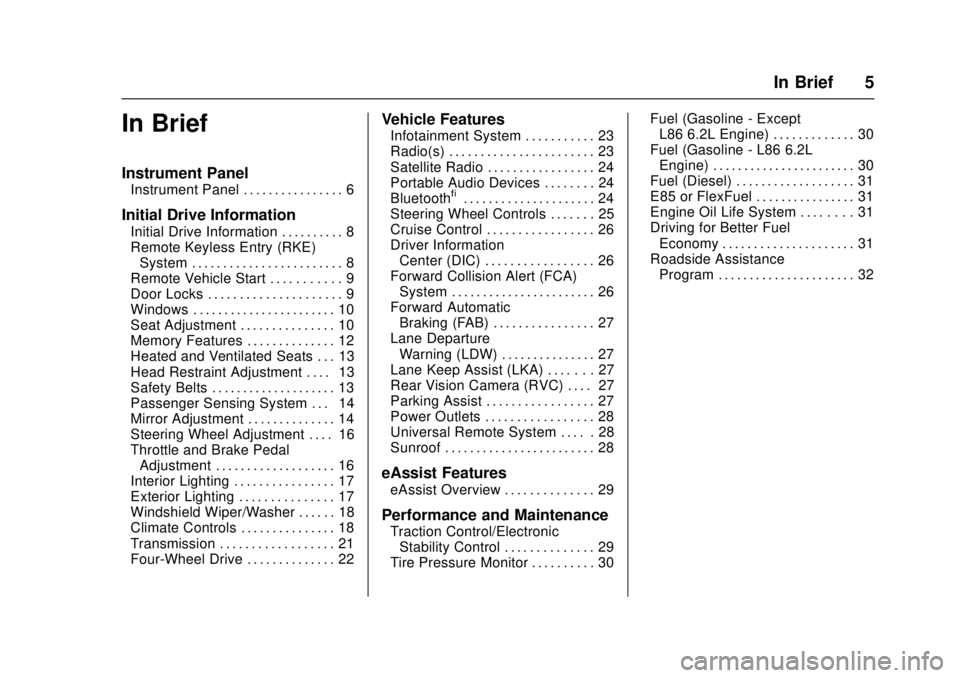
In Brief 5
In Brief
Instrument Panel
Instrument Panel . . . . . . . . . . . . . . . . 6
Initial Drive Information
Initial Drive Information . . . . . . . . . . 8
Remote Keyless Entry (RKE)System . . . . . . . . . . . . . . . . . . . . . . . . 8
Remote Vehicle Start . . . . . . . . . . . 9
Door Locks . . . . . . . . . . . . . . . . . . . . . 9
Windows . . . . . . . . . . . . . . . . . . . . . . . 10
Seat Adjustment . . . . . . . . . . . . . . . 10
Memory Features . . . . . . . . . . . . . . 12
Heated and Ventilated Seats . . . 13
Head Restraint Adjustment . . . . 13
Safety Belts . . . . . . . . . . . . . . . . . . . . 13
Passenger Sensing System . . . 14
Mirror Adjustment . . . . . . . . . . . . . . 14
Steering Wheel Adjustment . . . . 16
Throttle and Brake Pedal Adjustment . . . . . . . . . . . . . . . . . . . 16
Interior Lighting . . . . . . . . . . . . . . . . 17
Exterior Lighting . . . . . . . . . . . . . . . 17
Windshield Wiper/Washer . . . . . . 18
Climate Controls . . . . . . . . . . . . . . . 18
Transmission . . . . . . . . . . . . . . . . . . 21
Four-Wheel Drive . . . . . . . . . . . . . . 22
Vehicle Features
Infotainment System . . . . . . . . . . . 23
Radio(s) . . . . . . . . . . . . . . . . . . . . . . . 23
Satellite Radio . . . . . . . . . . . . . . . . . 24
Portable Audio Devices . . . . . . . . 24
Bluetooth
®. . . . . . . . . . . . . . . . . . . . . 24
Steering Wheel Controls . . . . . . . 25
Cruise Control . . . . . . . . . . . . . . . . . 26
Driver Information Center (DIC) . . . . . . . . . . . . . . . . . 26
Forward Collision Alert (FCA) System . . . . . . . . . . . . . . . . . . . . . . . 26
Forward Automatic Braking (FAB) . . . . . . . . . . . . . . . . 27
Lane Departure Warning (LDW) . . . . . . . . . . . . . . . 27
Lane Keep Assist (LKA) . . . . . . . 27
Rear Vision Camera (RVC) . . . . 27
Parking Assist . . . . . . . . . . . . . . . . . 27
Power Outlets . . . . . . . . . . . . . . . . . 28
Universal Remote System . . . . . 28
Sunroof . . . . . . . . . . . . . . . . . . . . . . . . 28
eAssist Features
eAssist Overview . . . . . . . . . . . . . . 29
Performance and Maintenance
Traction Control/Electronic Stability Control . . . . . . . . . . . . . . 29
Tire Pressure Monitor . . . . . . . . . . 30 Fuel (Gasoline - Except
L86 6.2L Engine) . . . . . . . . . . . . . 30
Fuel (Gasoline - L86 6.2L Engine) . . . . . . . . . . . . . . . . . . . . . . . 30
Fuel (Diesel) . . . . . . . . . . . . . . . . . . . 31
E85 or FlexFuel . . . . . . . . . . . . . . . . 31
Engine Oil Life System . . . . . . . . 31
Driving for Better Fuel
Economy . . . . . . . . . . . . . . . . . . . . . 31
Roadside Assistance Program . . . . . . . . . . . . . . . . . . . . . . 32
Page 9 of 511
GMC Sierra/Sierra Denali Owner Manual (GMNA-Localizing-U.S./Canada/
Mexico-9955992) - 2017 - crc - 4/18/17
8 In Brief
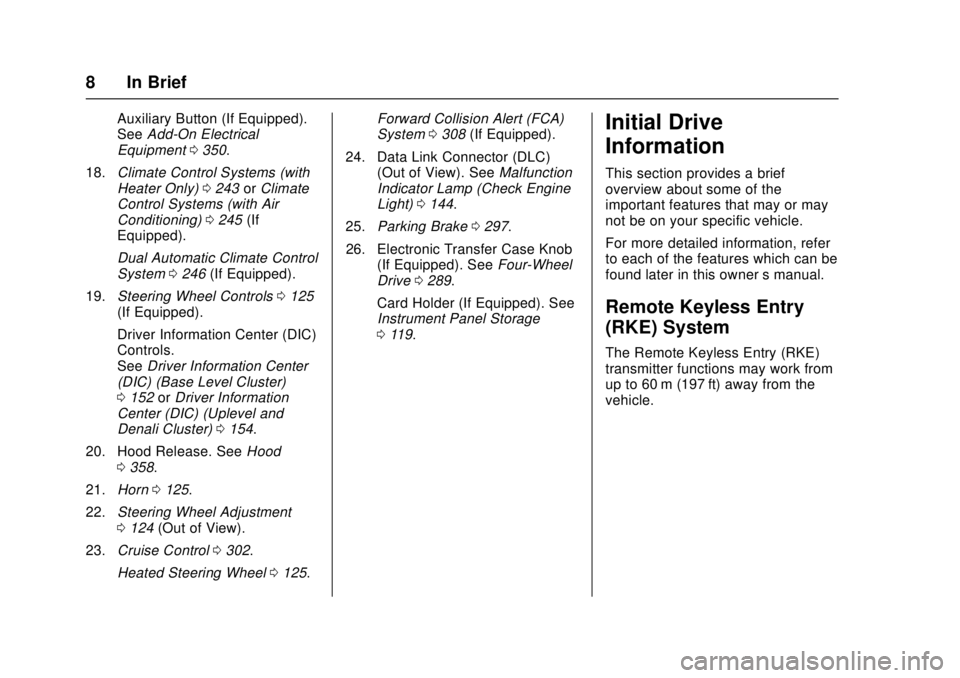
Auxiliary Button (If Equipped).
SeeAdd-On Electrical
Equipment 0350.
18. Climate Control Systems (with
Heater Only) 0243 orClimate
Control Systems (with Air
Conditioning) 0245 (If
Equipped).
Dual Automatic Climate Control
System 0246 (If Equipped).
19. Steering Wheel Controls 0125
(If Equipped).
Driver Information Center (DIC)
Controls.
See Driver Information Center
(DIC) (Base Level Cluster)
0 152 orDriver Information
Center (DIC) (Uplevel and
Denali Cluster) 0154.
20. Hood Release. See Hood
0 358.
21. Horn 0125.
22. Steering Wheel Adjustment
0124 (Out of View).
23. Cruise Control 0302.
Heated Steering Wheel 0125. Forward Collision Alert (FCA)
System
0308 (If Equipped).
24. Data Link Connector (DLC) (Out of View). See Malfunction
Indicator Lamp (Check Engine
Light) 0144.
25. Parking Brake 0297.
26. Electronic Transfer Case Knob (If Equipped). See Four-Wheel
Drive 0289.
Card Holder (If Equipped). See
Instrument Panel Storage
0 119.Initial Drive
Information
This section provides a brief
overview about some of the
important features that may or may
not be on your specific vehicle.
For more detailed information, refer
to each of the features which can be
found later in this owner ’s manual.
Remote Keyless Entry
(RKE) System
The Remote Keyless Entry (RKE)
transmitter functions may work from
up to 60 m (197 ft) away from the
vehicle.
Page 10 of 511
GMC Sierra/Sierra Denali Owner Manual (GMNA-Localizing-U.S./Canada/
Mexico-9955992) - 2017 - crc - 4/18/17
In Brief 9
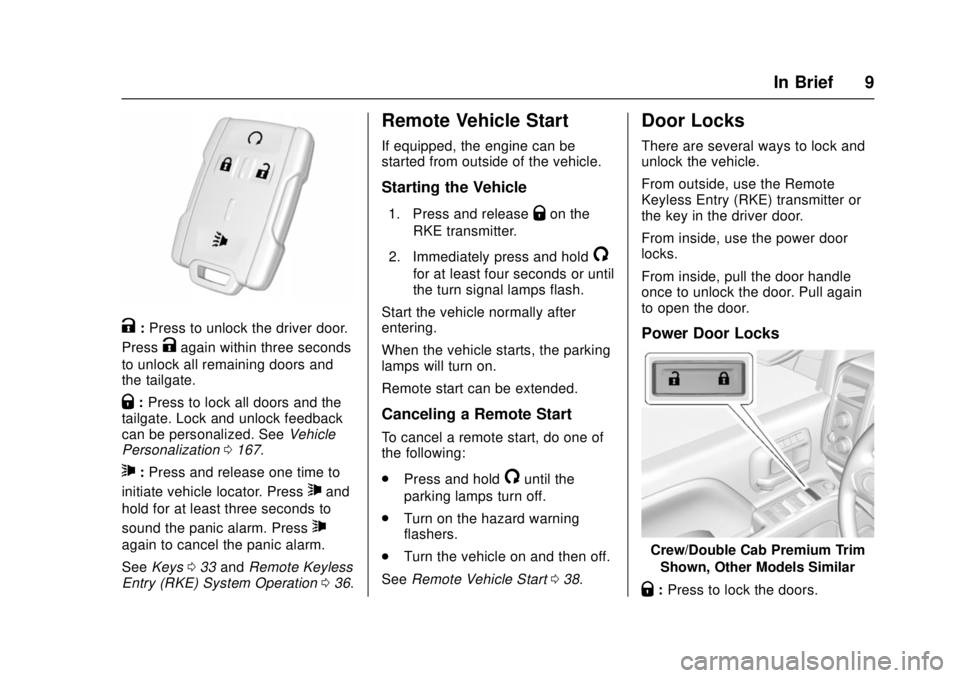
K:Press to unlock the driver door.
Press
Kagain within three seconds
to unlock all remaining doors and
the tailgate.
Q: Press to lock all doors and the
tailgate. Lock and unlock feedback
can be personalized. See Vehicle
Personalization 0167.
7:Press and release one time to
initiate vehicle locator. Press
7and
hold for at least three seconds to
sound the panic alarm. Press
7
again to cancel the panic alarm.
See Keys 033 and Remote Keyless
Entry (RKE) System Operation 036.
Remote Vehicle Start
If equipped, the engine can be
started from outside of the vehicle.
Starting the Vehicle
1. Press and releaseQon the
RKE transmitter.
2. Immediately press and hold
/
for at least four seconds or until
the turn signal lamps flash.
Start the vehicle normally after
entering.
When the vehicle starts, the parking
lamps will turn on.
Remote start can be extended.
Canceling a Remote Start
To cancel a remote start, do one of
the following:
. Press and hold
/until the
parking lamps turn off.
. Turn on the hazard warning
flashers.
. Turn the vehicle on and then off.
See Remote Vehicle Start 038.
Door Locks
There are several ways to lock and
unlock the vehicle.
From outside, use the Remote
Keyless Entry (RKE) transmitter or
the key in the driver door.
From inside, use the power door
locks.
From inside, pull the door handle
once to unlock the door. Pull again
to open the door.
Power Door Locks
Crew/Double Cab Premium Trim
Shown, Other Models Similar
Q:Press to lock the doors.
Page 11 of 511
GMC Sierra/Sierra Denali Owner Manual (GMNA-Localizing-U.S./Canada/
Mexico-9955992) - 2017 - crc - 4/18/17
10 In Brief
K:Press to unlock the doors.
See Door Locks 039 and Power
Door Locks 040.
Windows
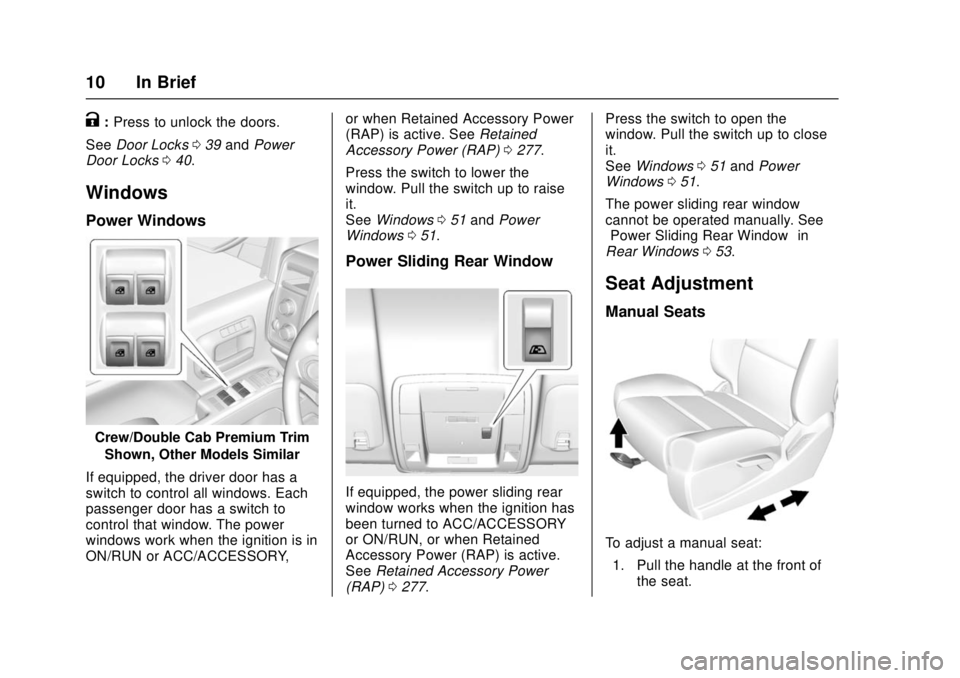
Power Windows
Crew/Double Cab Premium Trim
Shown, Other Models Similar
If equipped, the driver door has a
switch to control all windows. Each
passenger door has a switch to
control that window. The power
windows work when the ignition is in
ON/RUN or ACC/ACCESSORY, or when Retained Accessory Power
(RAP) is active. See
Retained
Accessory Power (RAP) 0277.
Press the switch to lower the
window. Pull the switch up to raise
it.
See Windows 051 and Power
Windows 051.
Power Sliding Rear Window
If equipped, the power sliding rear
window works when the ignition has
been turned to ACC/ACCESSORY
or ON/RUN, or when Retained
Accessory Power (RAP) is active.
See Retained Accessory Power
(RAP) 0277. Press the switch to open the
window. Pull the switch up to close
it.
See
Windows 051 and Power
Windows 051.
The power sliding rear window
cannot be operated manually. See
“Power Sliding Rear Window” in
Rear Windows 053.
Seat Adjustment
Manual Seats
To adjust a manual seat:
1. Pull the handle at the front of the seat.
Page 13 of 511
GMC Sierra/Sierra Denali Owner Manual (GMNA-Localizing-U.S./Canada/
Mexico-9955992) - 2017 - crc - 4/18/17
12 In Brief
SeeLumbar Adjustment 058.
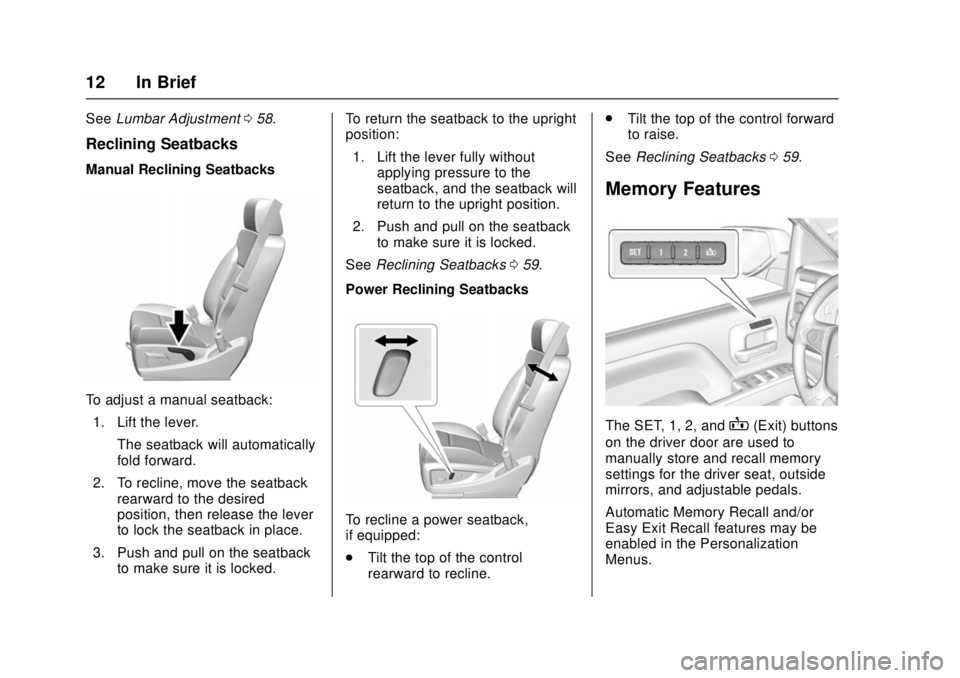
Reclining Seatbacks
Manual Reclining Seatbacks
To adjust a manual seatback:
1. Lift the lever. The seatback will automatically
fold forward.
2. To recline, move the seatback rearward to the desired
position, then release the lever
to lock the seatback in place.
3. Push and pull on the seatback to make sure it is locked. To return the seatback to the upright
position:
1. Lift the lever fully without applying pressure to the
seatback, and the seatback will
return to the upright position.
2. Push and pull on the seatback to make sure it is locked.
See Reclining Seatbacks 059.
Power Reclining Seatbacks
To recline a power seatback,
if equipped:
. Tilt the top of the control
rearward to recline. .
Tilt the top of the control forward
to raise.
See Reclining Seatbacks 059.
Memory Features
The SET, 1, 2, andB(Exit) buttons
on the driver door are used to
manually store and recall memory
settings for the driver seat, outside
mirrors, and adjustable pedals.
Automatic Memory Recall and/or
Easy Exit Recall features may be
enabled in the Personalization
Menus.
Page 14 of 511
GMC Sierra/Sierra Denali Owner Manual (GMNA-Localizing-U.S./Canada/
Mexico-9955992) - 2017 - crc - 4/18/17
In Brief 13
SeeMemory Seats 060 and
Vehicle Personalization 0167.
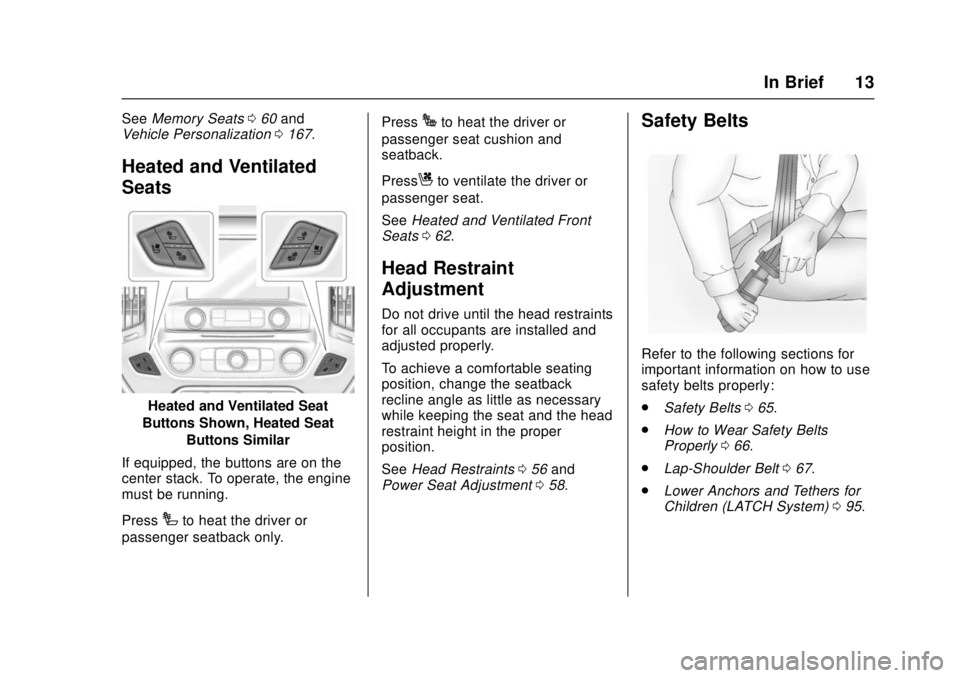
Heated and Ventilated
Seats
Heated and Ventilated Seat
Buttons Shown, Heated Seat Buttons Similar
If equipped, the buttons are on the
center stack. To operate, the engine
must be running.
Press
Ito heat the driver or
passenger seatback only. Press
Jto heat the driver or
passenger seat cushion and
seatback.
Press
Cto ventilate the driver or
passenger seat.
See Heated and Ventilated Front
Seats 062.
Head Restraint
Adjustment
Do not drive until the head restraints
for all occupants are installed and
adjusted properly.
To achieve a comfortable seating
position, change the seatback
recline angle as little as necessary
while keeping the seat and the head
restraint height in the proper
position.
See Head Restraints 056 and
Power Seat Adjustment 058.
Safety Belts
Refer to the following sections for
important information on how to use
safety belts properly:
.
Safety Belts 065.
. How to Wear Safety Belts
Properly 066.
. Lap-Shoulder Belt 067.
. Lower Anchors and Tethers for
Children (LATCH System) 095.
Page 15 of 511
GMC Sierra/Sierra Denali Owner Manual (GMNA-Localizing-U.S./Canada/
Mexico-9955992) - 2017 - crc - 4/18/17
14 In Brief
Passenger Sensing
System
The passenger sensing system,
if equipped, turns off the front
outboard passenger frontal airbag
under certain conditions. No other
airbag is affected by the passenger
sensing system.
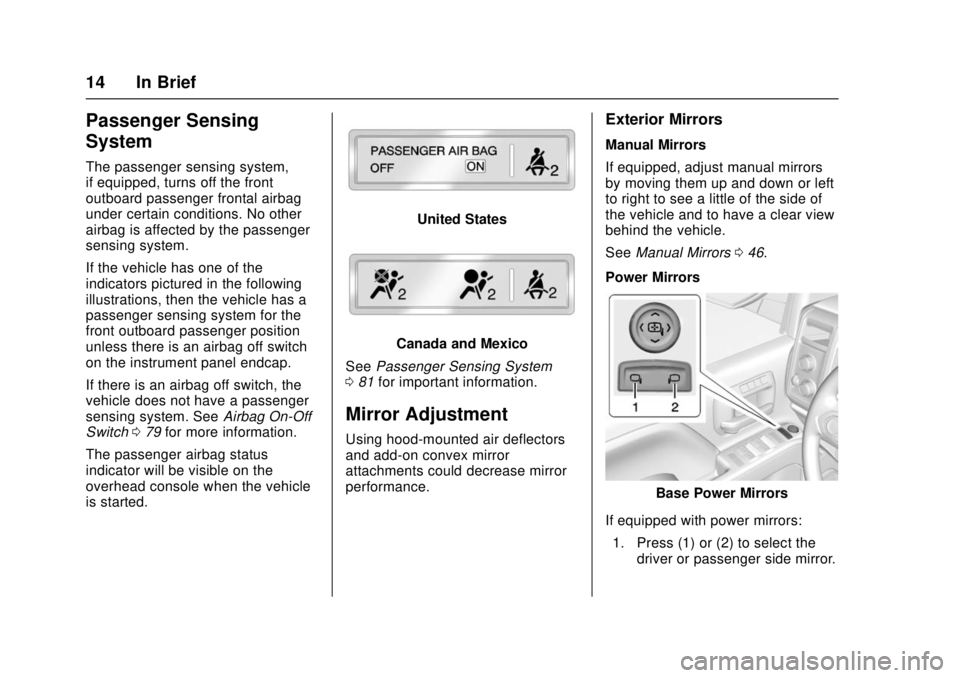
If the vehicle has one of the
indicators pictured in the following
illustrations, then the vehicle has a
passenger sensing system for the
front outboard passenger position
unless there is an airbag off switch
on the instrument panel endcap.
If there is an airbag off switch, the
vehicle does not have a passenger
sensing system. SeeAirbag On-Off
Switch 079 for more information.
The passenger airbag status
indicator will be visible on the
overhead console when the vehicle
is started.
United States
Canada and Mexico
See Passenger Sensing System
0 81 for important information.
Mirror Adjustment
Using hood-mounted air deflectors
and add-on convex mirror
attachments could decrease mirror
performance.
Exterior Mirrors
Manual Mirrors
If equipped, adjust manual mirrors
by moving them up and down or left
to right to see a little of the side of
the vehicle and to have a clear view
behind the vehicle.
See Manual Mirrors 046.
Power Mirrors
Base Power Mirrors
If equipped with power mirrors: 1. Press (1) or (2) to select the driver or passenger side mirror.
Page 16 of 511
GMC Sierra/Sierra Denali Owner Manual (GMNA-Localizing-U.S./Canada/
Mexico-9955992) - 2017 - crc - 4/18/17
In Brief 15
2. Press the arrows on the controlpad to move the mirror up,
down, right, or left.
3. Adjust each outside mirror so that a little of the vehicle and
the area behind it can be seen.
4. Keep the selector switch in the center position when not
adjusting either outside mirror.
Uplevel with Power Folding
Mirrors
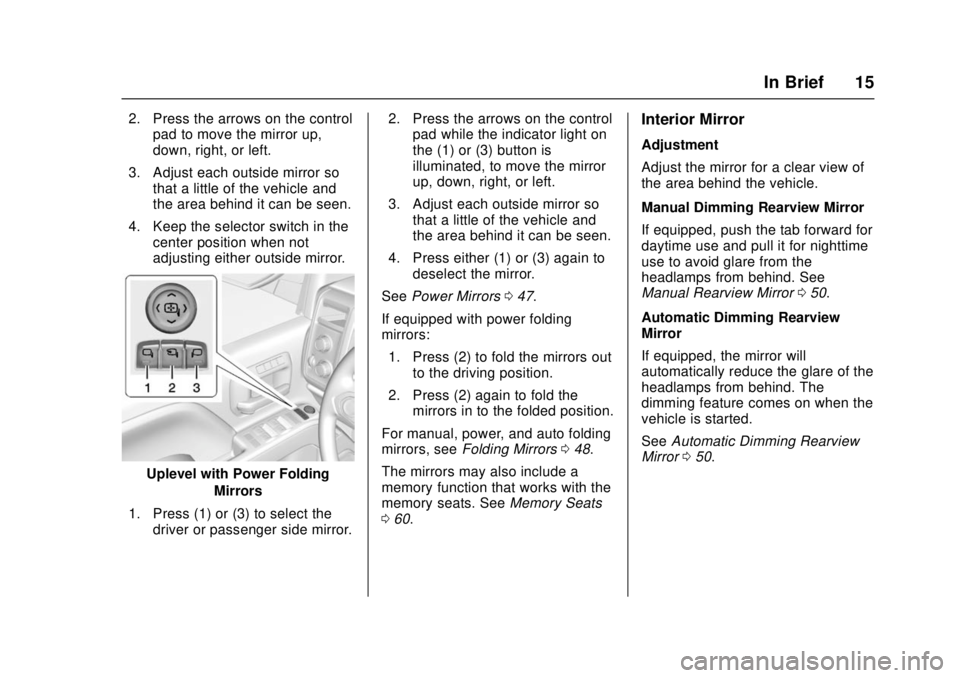
1. Press (1) or (3) to select the driver or passenger side mirror. 2. Press the arrows on the control
pad while the indicator light on
the (1) or (3) button is
illuminated, to move the mirror
up, down, right, or left.
3. Adjust each outside mirror so that a little of the vehicle and
the area behind it can be seen.
4. Press either (1) or (3) again to deselect the mirror.
See Power Mirrors 047.
If equipped with power folding
mirrors: 1. Press (2) to fold the mirrors out to the driving position.
2. Press (2) again to fold the mirrors in to the folded position.
For manual, power, and auto folding
mirrors, see Folding Mirrors 048.
The mirrors may also include a
memory function that works with the
memory seats. See Memory Seats
0 60.
Interior Mirror
Adjustment
Adjust the mirror for a clear view of
the area behind the vehicle.
Manual Dimming Rearview Mirror
If equipped, push the tab forward for
daytime use and pull it for nighttime
use to avoid glare from the
headlamps from behind. See
Manual Rearview Mirror 050.
Automatic Dimming Rearview
Mirror
If equipped, the mirror will
automatically reduce the glare of the
headlamps from behind. The
dimming feature comes on when the
vehicle is started.
See Automatic Dimming Rearview
Mirror 050.
Page 22 of 511
GMC Sierra/Sierra Denali Owner Manual (GMNA-Localizing-U.S./Canada/
Mexico-9955992) - 2017 - crc - 4/18/17
In Brief 21
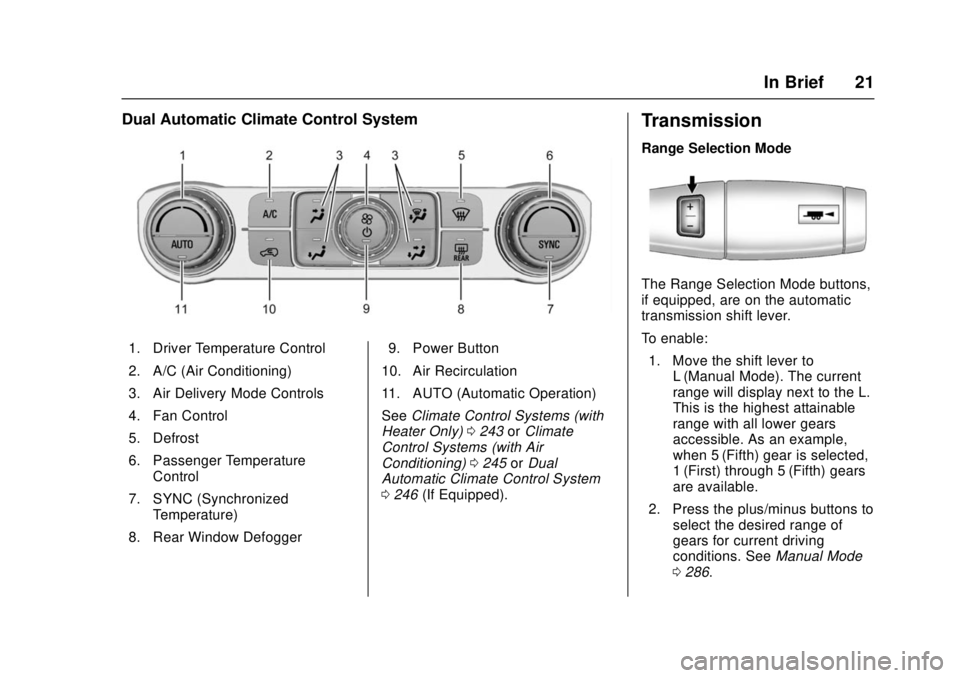
Dual Automatic Climate Control System
1. Driver Temperature Control
2. A/C (Air Conditioning)
3. Air Delivery Mode Controls
4. Fan Control
5. Defrost
6. Passenger TemperatureControl
7. SYNC (Synchronized Temperature)
8. Rear Window Defogger 9. Power Button
10. Air Recirculation
11. AUTO (Automatic Operation)
See Climate Control Systems (with
Heater Only) 0243 orClimate
Control Systems (with Air
Conditioning) 0245 orDual
Automatic Climate Control System
0 246 (If Equipped).
Transmission
Range Selection Mode
The Range Selection Mode buttons,
if equipped, are on the automatic
transmission shift lever.
To enable:
1. Move the shift lever to L (Manual Mode). The current
range will display next to the L.
This is the highest attainable
range with all lower gears
accessible. As an example,
when 5 (Fifth) gear is selected,
1 (First) through 5 (Fifth) gears
are available.
2. Press the plus/minus buttons to select the desired range of
gears for current driving
conditions. See Manual Mode
0 286.
Page 23 of 511
GMC Sierra/Sierra Denali Owner Manual (GMNA-Localizing-U.S./Canada/
Mexico-9955992) - 2017 - crc - 4/18/17
22 In Brief
While using Range Selection Mode,
cruise control and the Tow/Haul
Mode can be used.
Grade Braking is not available when
Range Selection Mode is active.
SeeTow/Haul Mode 0288.
Four-Wheel Drive
If the vehicle has Four-Wheel Drive,
the engine's driving power can be
sent to all four wheels for extra
traction.
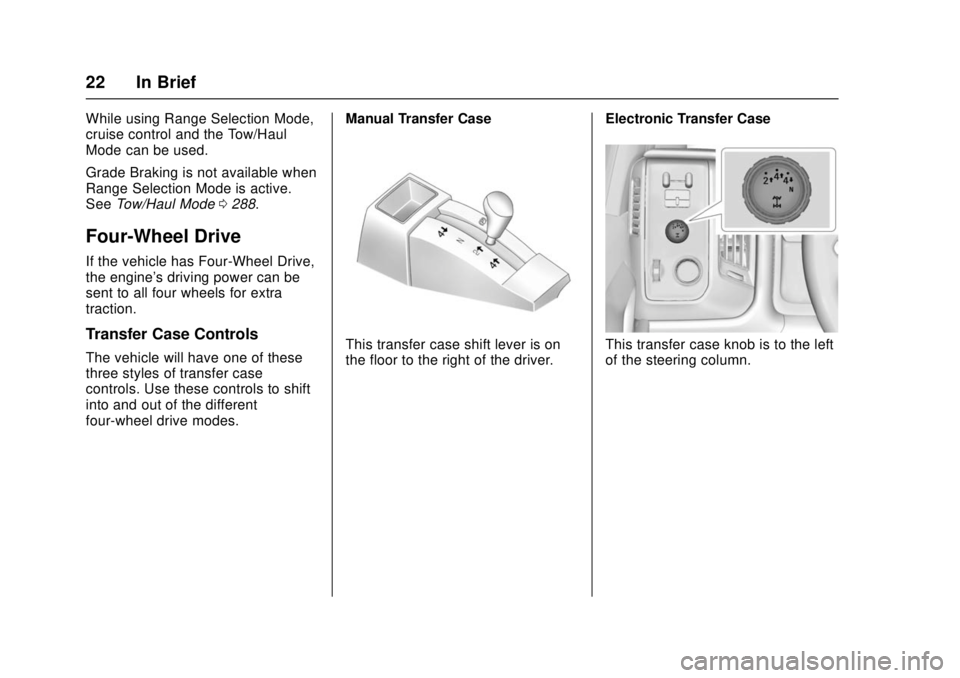
Transfer Case Controls
The vehicle will have one of these
three styles of transfer case
controls. Use these controls to shift
into and out of the different
four-wheel drive modes. Manual Transfer CaseThis transfer case shift lever is on
the floor to the right of the driver.
Electronic Transfer CaseThis transfer case knob is to the left
of the steering column.