reset GMC SIERRA 2020 User Guide
[x] Cancel search | Manufacturer: GMC, Model Year: 2020, Model line: SIERRA, Model: GMC SIERRA 2020Pages: 502, PDF Size: 8.04 MB
Page 152 of 502
GMC Sierra/Sierra Denali Owner Manual (GMNA-Localizing-U.S./Canada/
Mexico-13337776) - 2020 - CRC - 4/4/19
Instruments and Controls 151
economy that the vehicle has right
now, and will change as driving
conditions change.
Press the thumbwheel while this
display is active to reset the trip
odometer and the average fuel
economy.
Fuel Range :Shows the
approximate distance the vehicle
can be driven without refueling.
LOW will be displayed when the
vehicle is low on fuel. The fuel
range estimate is based on an
average of the vehicle's fuel
economy over recent driving history
and the amount of fuel remaining in
the fuel tank.
Timer : This display can be used as
a timer. To start the timer, press the
thumbwheel while this display is
active. The display will show the
amount of time that has passed
since the timer was last reset. To
stop the timer, press the
thumbwheel briefly while this display
is active and the timer is running.
Press the thumbwheel while this
display is active to reset the timer. Oil Life :
Shows an estimate of the
oil's remaining useful life.
If REMAINING OIL LIFE 99% is
displayed, that means 99% of the
current oil life remains.
When the remaining oil life is low,
the CHANGE ENGINE OIL SOON
message will appear on the display.
The oil should be changed as soon
as possible. See Engine Oil0339.
In addition to the engine oil life
system monitoring the oil life,
additional maintenance is
recommended. See Maintenance
Schedule 0442.
The Oil Life display must be reset
after each oil change. It will not
reset itself. Do not reset the Oil Life
display at any time other than when
the oil has just been changed.
It cannot be reset accurately until
the next oil change. To reset the
engine oil life system, press the
thumbwheel while the Oil Life
display is active. See Engine Oil
Life System 0341.
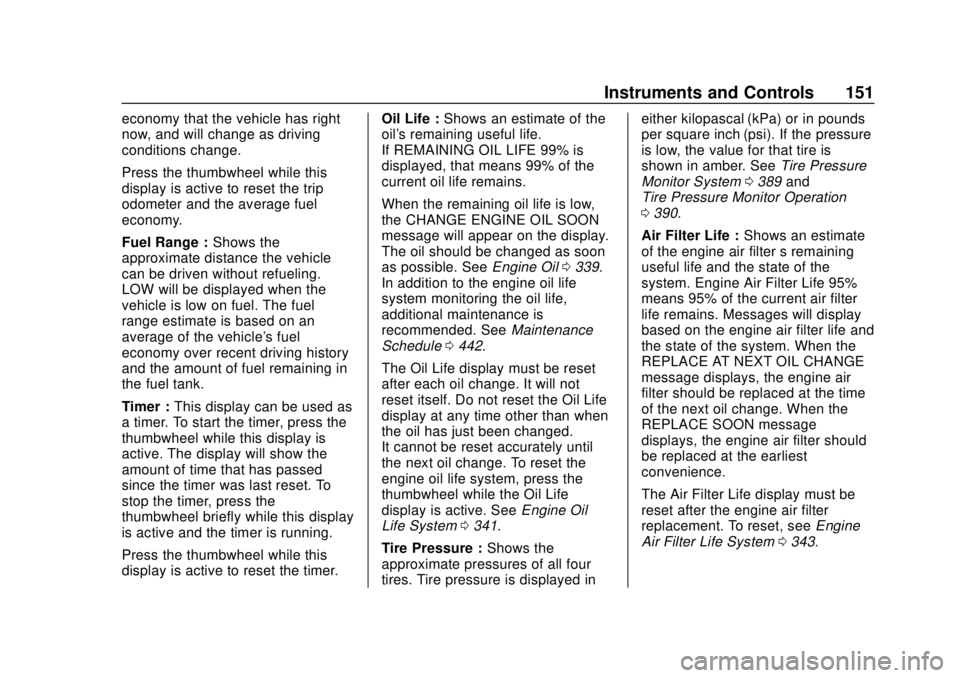
Tire Pressure : Shows the
approximate pressures of all four
tires. Tire pressure is displayed in either kilopascal (kPa) or in pounds
per square inch (psi). If the pressure
is low, the value for that tire is
shown in amber. See
Tire Pressure
Monitor System 0389 and
Tire Pressure Monitor Operation
0 390.
Air Filter Life : Shows an estimate
of the engine air filter ’s remaining
useful life and the state of the
system. Engine Air Filter Life 95%
means 95% of the current air filter
life remains. Messages will display
based on the engine air filter life and
the state of the system. When the
REPLACE AT NEXT OIL CHANGE
message displays, the engine air
filter should be replaced at the time
of the next oil change. When the
REPLACE SOON message
displays, the engine air filter should
be replaced at the earliest
convenience.
The Air Filter Life display must be
reset after the engine air filter
replacement. To reset, see Engine
Air Filter Life System 0343.
Page 153 of 502
GMC Sierra/Sierra Denali Owner Manual (GMNA-Localizing-U.S./Canada/
Mexico-13337776) - 2020 - CRC - 4/4/19
152 Instruments and Controls
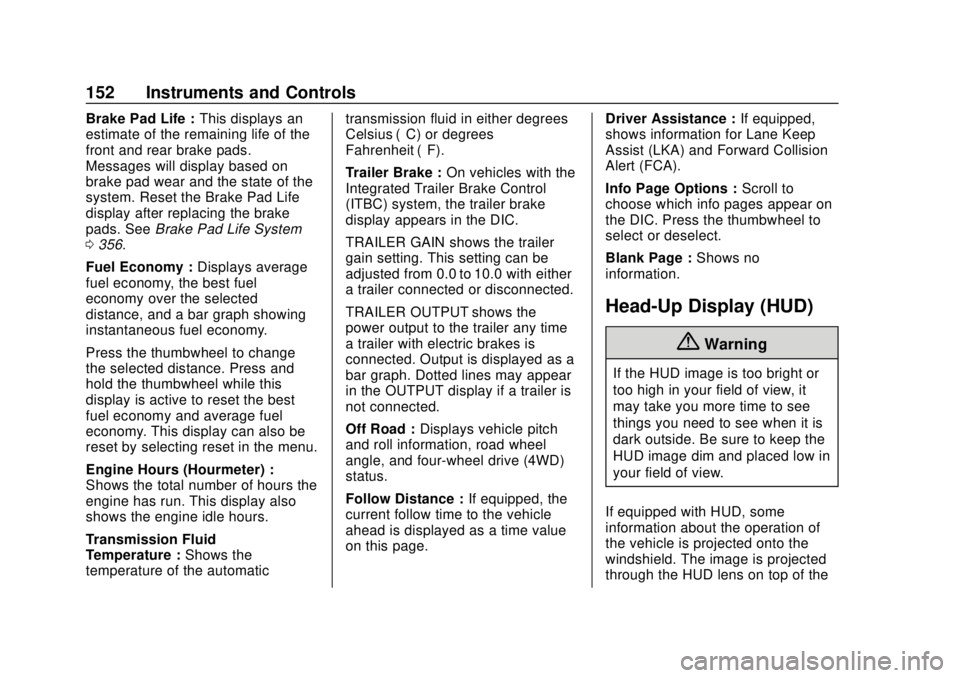
Brake Pad Life :This displays an
estimate of the remaining life of the
front and rear brake pads.
Messages will display based on
brake pad wear and the state of the
system. Reset the Brake Pad Life
display after replacing the brake
pads. See Brake Pad Life System
0 356.
Fuel Economy : Displays average
fuel economy, the best fuel
economy over the selected
distance, and a bar graph showing
instantaneous fuel economy.
Press the thumbwheel to change
the selected distance. Press and
hold the thumbwheel while this
display is active to reset the best
fuel economy and average fuel
economy. This display can also be
reset by selecting reset in the menu.
Engine Hours (Hourmeter) :
Shows the total number of hours the
engine has run. This display also
shows the engine idle hours.
Transmission Fluid
Temperature : Shows the
temperature of the automatic transmission fluid in either degrees
Celsius (°C) or degrees
Fahrenheit (°F).
Trailer Brake :
On vehicles with the
Integrated Trailer Brake Control
(ITBC) system, the trailer brake
display appears in the DIC.
TRAILER GAIN shows the trailer
gain setting. This setting can be
adjusted from 0.0 to 10.0 with either
a trailer connected or disconnected.
TRAILER OUTPUT shows the
power output to the trailer any time
a trailer with electric brakes is
connected. Output is displayed as a
bar graph. Dotted lines may appear
in the OUTPUT display if a trailer is
not connected.
Off Road : Displays vehicle pitch
and roll information, road wheel
angle, and four-wheel drive (4WD)
status.
Follow Distance : If equipped, the
current follow time to the vehicle
ahead is displayed as a time value
on this page. Driver Assistance :
If equipped,
shows information for Lane Keep
Assist (LKA) and Forward Collision
Alert (FCA).
Info Page Options : Scroll to
choose which info pages appear on
the DIC. Press the thumbwheel to
select or deselect.
Blank Page : Shows no
information.
Head-Up Display (HUD)
{Warning
If the HUD image is too bright or
too high in your field of view, it
may take you more time to see
things you need to see when it is
dark outside. Be sure to keep the
HUD image dim and placed low in
your field of view.
If equipped with HUD, some
information about the operation of
the vehicle is projected onto the
windshield. The image is projected
through the HUD lens on top of the
Page 221 of 502
GMC Sierra/Sierra Denali Owner Manual (GMNA-Localizing-U.S./Canada/
Mexico-13337776) - 2020 - CRC - 4/4/19
220 Driving and Operating
If the vehicle is left parked and
running with the RKE transmitter
inside the vehicle, it will continue to
run for up to an hour.
The vehicle could turn off sooner if it
is parked on a hill, due to lack of
available fuel.
The timer will reset if the vehicle is
taken out of P (Park) while it is
running.Engine Exhaust
{Warning
Engine exhaust contains carbon
monoxide (CO), which cannot be
seen or smelled. Exposure to CO
can cause unconsciousness and
even death.
Exhaust may enter the vehicle if:. The vehicle idles in areas
with poor ventilation
(parking garages, tunnels,
deep snow that may block
underbody airflow or tail
pipes).
. The exhaust smells or
sounds strange or different.
. The exhaust system leaks
due to corrosion or damage.
. The vehicle exhaust system
has been modified,
damaged, or improperly
repaired.
(Continued)
Warning (Continued)
.There are holes or openings
in the vehicle body from
damage or aftermarket
modifications that are not
completely sealed.
If unusual fumes are detected or
if it is suspected that exhaust is
coming into the vehicle: . Drive it only with the
windows completely down.
. Have the vehicle repaired
immediately.
Never park the vehicle with the
engine running in an enclosed
area such as a garage or a
building that has no fresh air
ventilation.
Running the Vehicle
While Parked
It is better not to park with the
engine running.
Page 317 of 502
GMC Sierra/Sierra Denali Owner Manual (GMNA-Localizing-U.S./Canada/
Mexico-13337776) - 2020 - CRC - 4/4/19
316 Driving and Operating
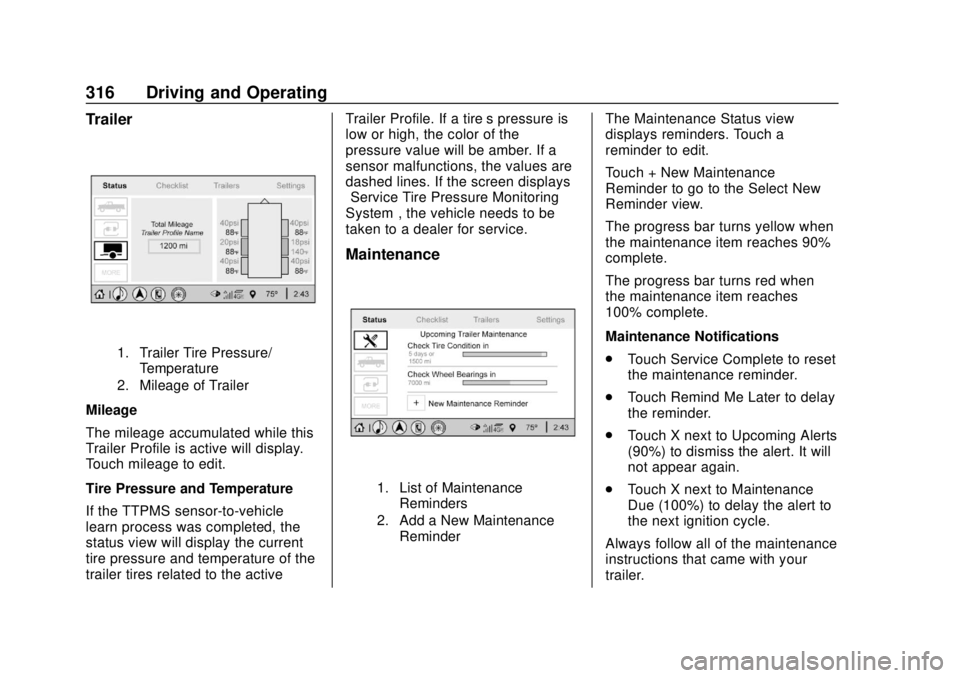
Trailer
1. Trailer Tire Pressure/Temperature
2. Mileage of Trailer
Mileage
The mileage accumulated while this
Trailer Profile is active will display.
Touch mileage to edit.
Tire Pressure and Temperature
If the TTPMS sensor-to-vehicle
learn process was completed, the
status view will display the current
tire pressure and temperature of the
trailer tires related to the active Trailer Profile. If a tire’
s pressure is
low or high, the color of the
pressure value will be amber. If a
sensor malfunctions, the values are
dashed lines. If the screen displays
“Service Tire Pressure Monitoring
System”, the vehicle needs to be
taken to a dealer for service.
Maintenance
1. List of Maintenance
Reminders
2. Add a New Maintenance Reminder
The Maintenance Status view
displays reminders. Touch a
reminder to edit.
Touch + New Maintenance
Reminder to go to the Select New
Reminder view.
The progress bar turns yellow when
the maintenance item reaches 90%
complete.
The progress bar turns red when
the maintenance item reaches
100% complete.
Maintenance Notifications
.Touch Service Complete to reset
the maintenance reminder.
. Touch Remind Me Later to delay
the reminder.
. Touch X next to Upcoming Alerts
(90%) to dismiss the alert. It will
not appear again.
. Touch X next to Maintenance
Due (100%) to delay the alert to
the next ignition cycle.
Always follow all of the maintenance
instructions that came with your
trailer.
Page 318 of 502
GMC Sierra/Sierra Denali Owner Manual (GMNA-Localizing-U.S./Canada/
Mexico-13337776) - 2020 - CRC - 4/4/19
Driving and Operating 317
Cameras
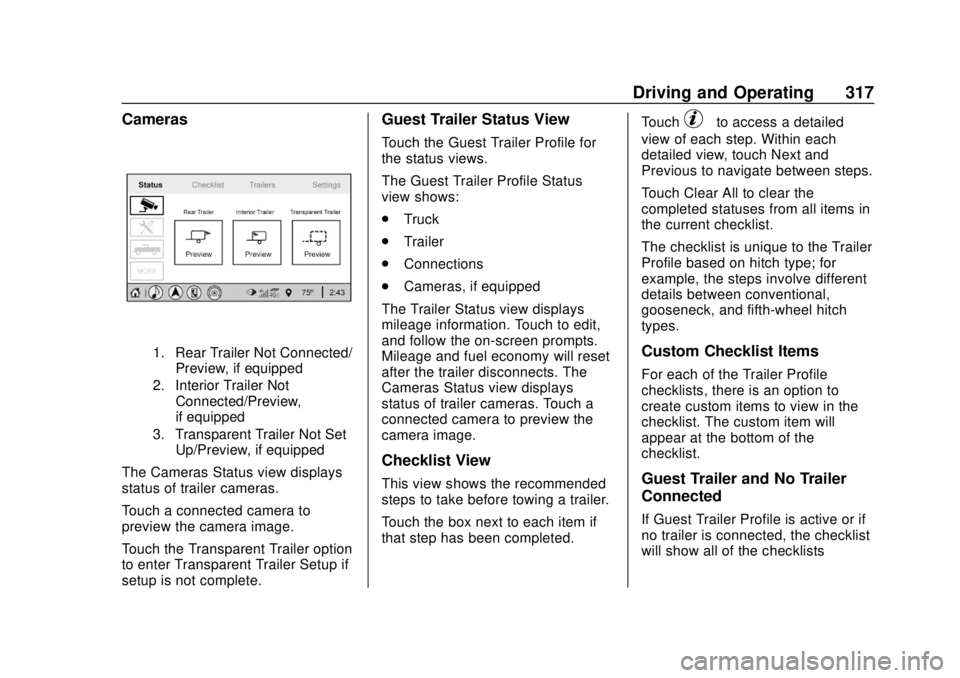
1. Rear Trailer Not Connected/Preview, if equipped
2. Interior Trailer Not Connected/Preview,
if equipped
3. Transparent Trailer Not Set Up/Preview, if equipped
The Cameras Status view displays
status of trailer cameras.
Touch a connected camera to
preview the camera image.
Touch the Transparent Trailer option
to enter Transparent Trailer Setup if
setup is not complete.
Guest Trailer Status View
Touch the Guest Trailer Profile for
the status views.
The Guest Trailer Profile Status
view shows:
.Truck
. Trailer
. Connections
. Cameras, if equipped
The Trailer Status view displays
mileage information. Touch to edit,
and follow the on-screen prompts.
Mileage and fuel economy will reset
after the trailer disconnects. The
Cameras Status view displays
status of trailer cameras. Touch a
connected camera to preview the
camera image.
Checklist View
This view shows the recommended
steps to take before towing a trailer.
Touch the box next to each item if
that step has been completed. Touch
pto access a detailed
view of each step. Within each
detailed view, touch Next and
Previous to navigate between steps.
Touch Clear All to clear the
completed statuses from all items in
the current checklist.
The checklist is unique to the Trailer
Profile based on hitch type; for
example, the steps involve different
details between conventional,
gooseneck, and fifth-wheel hitch
types.
Custom Checklist Items
For each of the Trailer Profile
checklists, there is an option to
create custom items to view in the
checklist. The custom item will
appear at the bottom of the
checklist.
Guest Trailer and No Trailer
Connected
If Guest Trailer Profile is active or if
no trailer is connected, the checklist
will show all of the checklists
Page 320 of 502
GMC Sierra/Sierra Denali Owner Manual (GMNA-Localizing-U.S./Canada/
Mexico-13337776) - 2020 - CRC - 4/4/19
Driving and Operating 319
.Average Fuel Economy
. Reverse Lights Alert
. Electric Brakes Alert
Touch Save to save the new value
to the Trailer Profile. Touching Back
will still save the previously entered
information.
Trailer Name
Touch to edit the Trailer Profile’s
name. Use at least one character
and no spaces. Touch Save.
Towing Assistance Setup
A trailer should be connected to
complete this portion of profile
setup.
Touch to set up the Transparent
Trailer feature for the Trailer Profile.
See "Transparent Trailer Setup"
under "Towing Assistance" for
details on the setup.
Tire Pressure Setup
Touch to set up the Trailer Tire
Pressure Monitoring System
(TTPMS) for the Trailer Profile. See
“Trailer Tire Pressure Setup” previously in this section for details
on the setup. Also, touch Tire
Pressure Setup if the trailer tires
were rotated or if the tire pressure
sensors in the tires were replaced
for this Trailer Profile. The vehicle
will need to relearn the tire sensors
and their locations.
If TTPMS had been set up
previously, the Select Number of
Sensors screen will appear after
touching Tire Pressure Setup. If the
number of sensors has changed,
select the number and touch Next.
If a new number of sensors is
selected, the Relearn Sensors
pop-up will appear. Touch Cancel to
go back or touch Relearn to
overwrite the current sensors and
begin the relearning process. See
“Trailer Tire Pressure Setup”
previously in this section.
If number of sensors has not
changed, touch Next and the Learn
sensors screen will appear.
On the Learn Sensors screen.
Touch Relearn to overwrite the
current sensors and begin therelearning process. See
“Trailer Tire
Pressure Setup” previously in this
section.
On the Learn Sensors screen, touch
Next to go to the Edit
Recommended Tire Pressure
screen.
On the Edit Recommended Tire
Pressure screen, touch a number on
the keypad to change the
Recommended Tire Pressure for the
trailer ’s tires. This will change the
number at which the vehicle
displays alerts related to trailer tire
pressure. Touch Done to return to
the Trailer Profile view.
Trailer Maintenance
Touch to view a list of maintenance
reminders for the Trailer Profile.
Touch a reminder to view, reset,
delete, or edit it.
Reset Reminder
Touch Maintenance Complete in the
reminder view to reset the reminder.
On the pop-up, touch Reset to reset
the time and mileage values for the
Page 321 of 502
GMC Sierra/Sierra Denali Owner Manual (GMNA-Localizing-U.S./Canada/
Mexico-13337776) - 2020 - CRC - 4/4/19
320 Driving and Operating
reminder. Touch Cancel to return to
the previous view and nothing will
change.
Edit Reminder
Touch to edit the mileage or time
settings for the reminder. Touch
Save to save the new settings to the
Trailer Profile.
Delete Reminder
Touch to delete the maintenance
reminder. On the pop-up, touch
Delete to delete the reminder or
touch Cancel to return to the
previous view and nothing will
change.
New Maintenance Reminder
Touch + New Maintenance
Reminder to set up a new reminder.
Suggested reminders that were
previously set will have checkmarks
next to them. Suggested reminders
that have not been set will have
empty boxes next to them. The
maximum number of reminders
is 50.Mileage
Touch to edit the Trailer Profile’s
mileage.
Effect on Maintenance Reminders
If the mileage is reset or changed,
and mileage has already
accumulated, any maintenance
reminders that have been set up will
be adjusted accordingly.
Average Fuel Economy
Touch to reset the average fuel
economy for the Trailer Profile.
Touch Reset to change, or touch
Cancel to go back to the
previous view.
Reverse Lights Alert
Turn on to receive failure messages
about the reverse lights. Turn off to
not receive failure messages about
the reverse lights, unless they are
later detected. This setting cannot
be edited when the Trailer Profile is
inactive or when the trailer is
disconnected.
Electric Brakes Alert
Turn on to receive failure messages
about the electric trailer brakes.
Turn off to not receive failure
messages about the electric trailer
brakes, unless they are later
detected. This setting cannot be
edited when the Trailer Profile is
inactive or when the trailer is
disconnected.
Delete Trailer
Touch to delete the Trailer Profile
and all of its settings.
On the pop-up, touch Delete to
delete the Trailer Profile. Touch
Cancel to dismiss the pop-up and
return to the previous view.
Settings View
Within the Trailering App, touch the
Settings tab to modify the following
settings:
.
Trailer Detection Alert
. Maintenance Alerts
. Theft Alert
. Tow/Haul Mode Reminder
Page 343 of 502
GMC Sierra/Sierra Denali Owner Manual (GMNA-Localizing-U.S./Canada/
Mexico-13337776) - 2020 - CRC - 4/10/19
342 Vehicle Care
include engine revolutions, engine
temperature, and miles driven.
Based on driving conditions, the
mileage at which an oil change is
indicated can vary considerably. For
the oil life system to work properly,
the system must be reset every time
the oil is changed.
On some vehicles, when the system
has calculated that oil life has been
diminished, a CHANGE ENGINE
OIL SOON message comes on to
indicate that an oil change is
necessary. Change the oil as soon
as possible within the next 1 000 km
(600 mi). It is possible that, if driving
under the best conditions, the oil life
system might indicate that an oil
change is not necessary for up to a
year. The engine oil and filter must
be changed at least once a year
and, at this time, the system must
be reset. For vehicles without the
CHANGE ENGINE OIL SOON
message, an oil change is needed
when the REMAINING OIL LIFE
percentage is near 0%. Your dealer
has trained service people who will
perform this work and reset the
system. It is also important to checkthe oil regularly over the course of
an oil drain interval and keep it at
the proper level.
If the system is ever reset
accidentally, the oil must be
changed at 5 000 km (3,000 mi)
since the last oil change.
Remember to reset the oil life
system whenever the oil is changed.
How to Reset the Engine Oil
Life System
Reset the system whenever the
engine oil is changed so that the
system can calculate the next
engine oil change. Always reset the
engine oil life to 100% after every oil
change. It will not reset itself. To
reset the engine oil life system:
1. Display the oil life percentage on the DIC. See Driver
Information Center (DIC) (Base
Level) 0148 or
Driver Information Center (DIC)
(Midlevel and Uplevel) 0149.
2. Press the thumbwheel on the steering wheel, or the trip
odometer reset stem if the
vehicle does not have DIC controls, for several seconds.
When the confirmation
message displays, select YES.
The oil life will change
to 100%.
The oil life system can also be reset
as follows:
1. Display the oil life percentage on the DIC. See Driver
Information Center (DIC) (Base
Level) 0148 or
Driver Information Center (DIC)
(Midlevel and Uplevel) 0149.
2. Fully press the accelerator pedal slowly three times within
five seconds.
3. If the display changes to 100%, the system is reset.
If the vehicle has a CHANGE
ENGINE OIL SOON message and it
comes back on when the vehicle is
started and/or the oil life percentage
is near 0%, the engine oil life
system has not been reset. Repeat
the procedure.
Page 344 of 502
GMC Sierra/Sierra Denali Owner Manual (GMNA-Localizing-U.S./Canada/
Mexico-13337776) - 2020 - CRC - 4/10/19
Vehicle Care 343
Automatic Transmission
Fluid
When to Check and Change
Automatic Transmission Fluid
It is usually not necessary to check
the transmission fluid level. The only
reason for fluid loss is a
transmission leak or overheated
transmission. This vehicle is not
equipped with a transmission fluid
level dipstick. There is a special
procedure for checking and
changing the transmission fluid in
these vehicles. Because this
procedure is difficult, this should be
done at the dealer. Contact the
dealer for additional information or
the procedure can be found in the
service manual. SeePublication
Ordering Information 0472.
Caution
Use of the incorrect automatic
transmission fluid may damage
the vehicle, and the damage may
(Continued)
Caution (Continued)
not be covered by the vehicle
warranty. Always use the correct
automatic transmission fluid. See
Recommended Fluids and
Lubricants0453.
Change the fluid and filter at the
scheduled maintenance intervals
listed in Maintenance Schedule
0 442. Be sure to use the
transmission fluid listed in
Recommended Fluids and
Lubricants 0453.
Engine Air Filter Life
System
If equipped, this feature provides
the engine air filter ’s remaining life
and best timing for a change. The
timing to change an engine air filter
depends on driving and
environmental conditions.
When to Change the Engine
Air Filter
When the Driver Information Center
(DIC) displays a message to replace
the engine air filter at the next oil
change, follow this timing.
When the DIC displays a message
to replace the engine air filter soon,
replace the engine air filter at the
earliest convenience.
The system must be reset after the
engine air filter is changed.
If the DIC displays a message to
check the engine air filter system,
see your dealer.
How to Reset the Engine Air
Filter Life System
To reset:
1. Place the vehicle in P (Park).
2. Display the Air Filter Life on the DIC. See Driver Information
Center (DIC) (Base Level)
0 148 or
Driver Information Center (DIC)
(Midlevel and Uplevel) 0149.
Page 345 of 502
GMC Sierra/Sierra Denali Owner Manual (GMNA-Localizing-U.S./Canada/
Mexico-13337776) - 2020 - CRC - 4/10/19
344 Vehicle Care
3. PressTon the steering wheel,
or press the trip odometer reset
stem if the vehicle does not
have DIC controls, to move to
the Reset/Disable display area.
Select Reset then press the
thumbwheel or press the reset
stem for several seconds.
4. Press the thumbwheel or the reset stem to confirm the reset.
Engine Air Cleaner/Filter
The engine air cleaner/filter is on
the driver side of the engine
compartment. See Engine
Compartment Overview 0332.
When to Inspect the Engine Air
Cleaner/Filter
If the vehicle is not equipped with
the engine air filter life system see
Maintenance Schedule 0442 for
intervals on inspecting and
replacing the engine air cleaner
filter.
How to Inspect/Replace the
Engine Air Cleaner/Filter
Do not start the engine or have the
engine running with the engine air
cleaner/filter housing open. Before
removing the engine air cleaner/
filter, make sure that the engine air
cleaner/filter housing and nearby
components are free of dirt and
debris. Do not clean the engine air
cleaner/filter or components with
water or compressed air.
To inspect or replace the engine air
cleaner/filter:
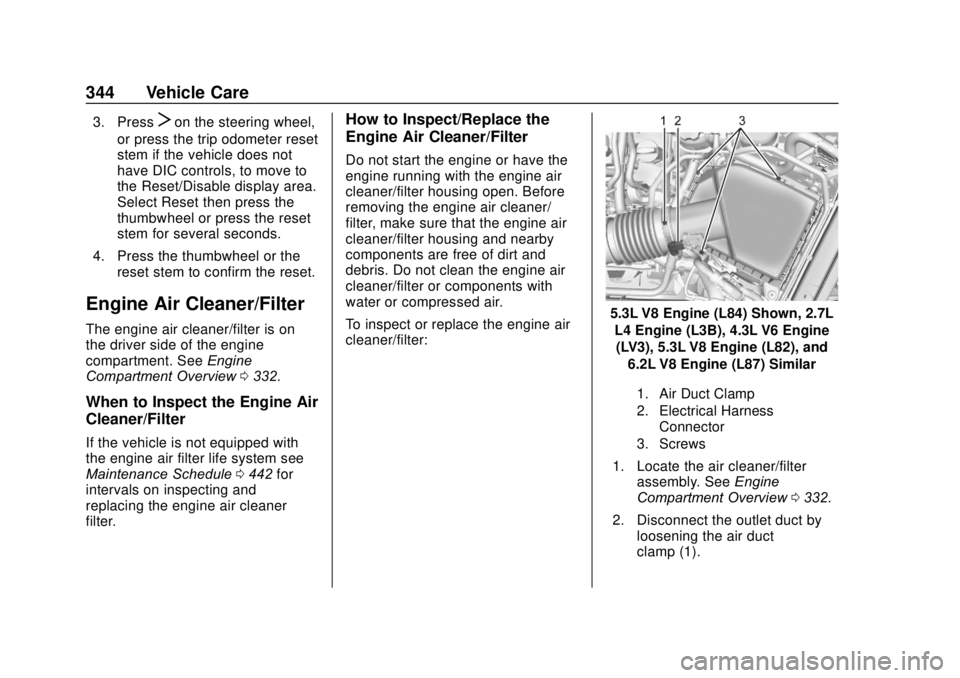
5.3L V8 Engine (L84) Shown, 2.7L
L4 Engine (L3B), 4.3L V6 Engine(LV3), 5.3L V8 Engine (L82), and
6.2L V8 Engine (L87) Similar
1. Air Duct Clamp
2. Electrical Harness Connector
3. Screws
1. Locate the air cleaner/filter assembly. See Engine
Compartment Overview 0332.
2. Disconnect the outlet duct by loosening the air duct
clamp (1).