climate control GMC SIERRA 2023 User Guide
[x] Cancel search | Manufacturer: GMC, Model Year: 2023, Model line: SIERRA, Model: GMC SIERRA 2023Pages: 430, PDF Size: 18.76 MB
Page 200 of 430
GMC Sierra/Sierra Denali 2500 HD/3500 HD Owner Manual (GMNA-
Localizing-U.S./Canada-16504257) - 2023 - CRC - 5/9/22
Climate Controls 199
The fan, air delivery mode, air conditioning,
driver and passenger temperatures, and Sync
settings can be controlled by touching
CLIMATE on the infotainment Home Page or
the climate button in the climate control
display application tray. A selection can then
be made on the front climate control page
displayed.
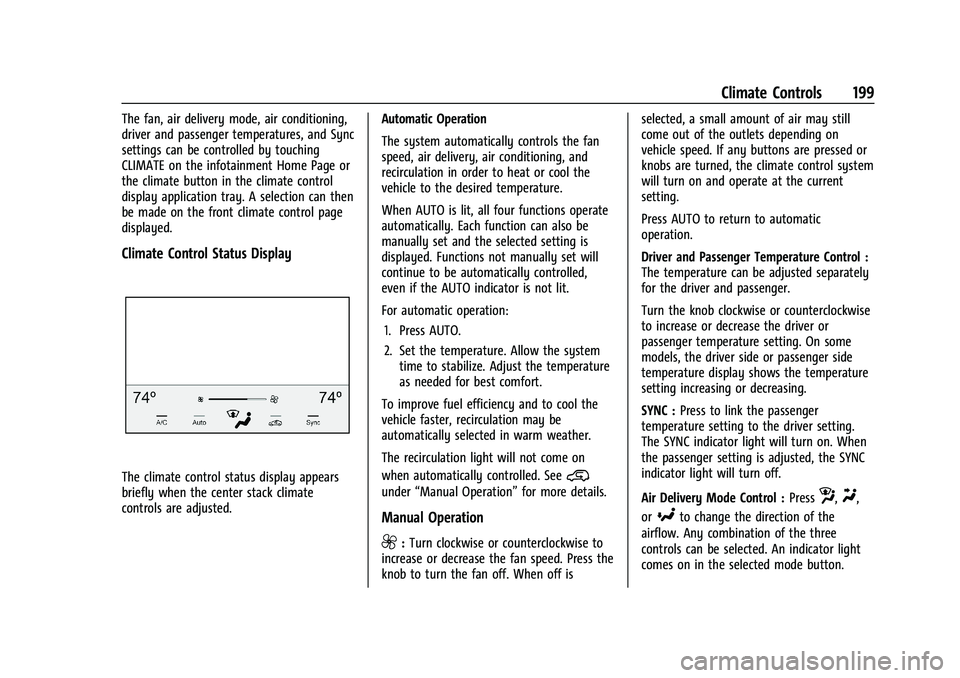
Climate Control Status Display
The climate control status display appears
briefly when the center stack climate
controls are adjusted.Automatic Operation
The system automatically controls the fan
speed, air delivery, air conditioning, and
recirculation in order to heat or cool the
vehicle to the desired temperature.
When AUTO is lit, all four functions operate
automatically. Each function can also be
manually set and the selected setting is
displayed. Functions not manually set will
continue to be automatically controlled,
even if the AUTO indicator is not lit.
For automatic operation:
1. Press AUTO.
2. Set the temperature. Allow the system time to stabilize. Adjust the temperature
as needed for best comfort.
To improve fuel efficiency and to cool the
vehicle faster, recirculation may be
automatically selected in warm weather.
The recirculation light will not come on
when automatically controlled. See@
under “Manual Operation” for more details.
Manual Operation
9:Turn clockwise or counterclockwise to
increase or decrease the fan speed. Press the
knob to turn the fan off. When off is selected, a small amount of air may still
come out of the outlets depending on
vehicle speed. If any buttons are pressed or
knobs are turned, the climate control system
will turn on and operate at the current
setting.
Press AUTO to return to automatic
operation.
Driver and Passenger Temperature Control :
The temperature can be adjusted separately
for the driver and passenger.
Turn the knob clockwise or counterclockwise
to increase or decrease the driver or
passenger temperature setting. On some
models, the driver side or passenger side
temperature display shows the temperature
setting increasing or decreasing.
SYNC :
Press to link the passenger
temperature setting to the driver setting.
The SYNC indicator light will turn on. When
the passenger setting is adjusted, the SYNC
indicator light will turn off.
Air Delivery Mode Control : Press
z,Y,
or
[to change the direction of the
airflow. Any combination of the three
controls can be selected. An indicator light
comes on in the selected mode button.
Page 201 of 430
GMC Sierra/Sierra Denali 2500 HD/3500 HD Owner Manual (GMNA-
Localizing-U.S./Canada-16504257) - 2023 - CRC - 5/9/22
200 Climate Controls
Changing the mode cancels the automatic
operation and the system goes into manual
mode. Press AUTO to return to automatic
operation.
To change the current mode, select one or
more of the following:
z:Air is directed to the windshield,
outboard a/c outlets, and side window
outlets.
Y: Air is directed to the a/c outlets.
[:Air is directed to the floor outlets,
with some air directed to the windshield,
outboard a/c outlets, and side window
outlets.
0MAX : Air is directed to the windshield
and the fan runs at a higher speed if not
already above a medium fan speed. This
mode overrides the previous mode selected
and clears fog or frost from the windshield
more quickly. When the control is pressed
again, the system returns to the previous
mode setting and fan speed.
For best results, clear all snow and ice from
the windshield before defrosting.
@: Press to turn on recirculation. An
indicator light comes on. Air is recirculated
to quickly cool the inside of the vehicle.
It can also be used to help reduce outside
air and odors that enter the vehicle.
Avoid using recirculation for long periods of
time in cold or damp conditions. Using
recirculation in cold or damp conditions can
result in window fogging.
A/C : Press to turn the air conditioning on
or off. An indicator light comes on to show
that the air conditioning is enabled. If the
fan is turned off, the air conditioner will not
run. The A/C light will stay on even if the
outside temperatures are below freezing.
Rear Window Defogger
1REAR : If equipped, press to turn the
rear window defogger on or off. An indicator
light on the button comes on to show that
the rear window defogger is on.
The rear window defogger only works when
the engine is running.The defogger can be
turned off by turning the vehicle off or to
accessory mode.
If equipped with heated outside mirrors,
press
fto turn them on or off. See Heated
Mirrors 039.
Caution
Using a razor blade or sharp object to
clear the inside rear window can damage
the rear window defogger. Repairs would
not be covered by the vehicle warranty.
Do not clear the inside rear window with
sharp objects.
Remote Start Climate Control Operation :
If equipped with remote start, the climate
control system may run when the vehicle is
started remotely. If equipped with heated or
ventilated seats or a heated steering wheel,
these features may come on during a
remote start. See Remote Vehicle Start 022,
Heated and Ventilated Front Seats 056, and
Heated Steering Wheel 0105.
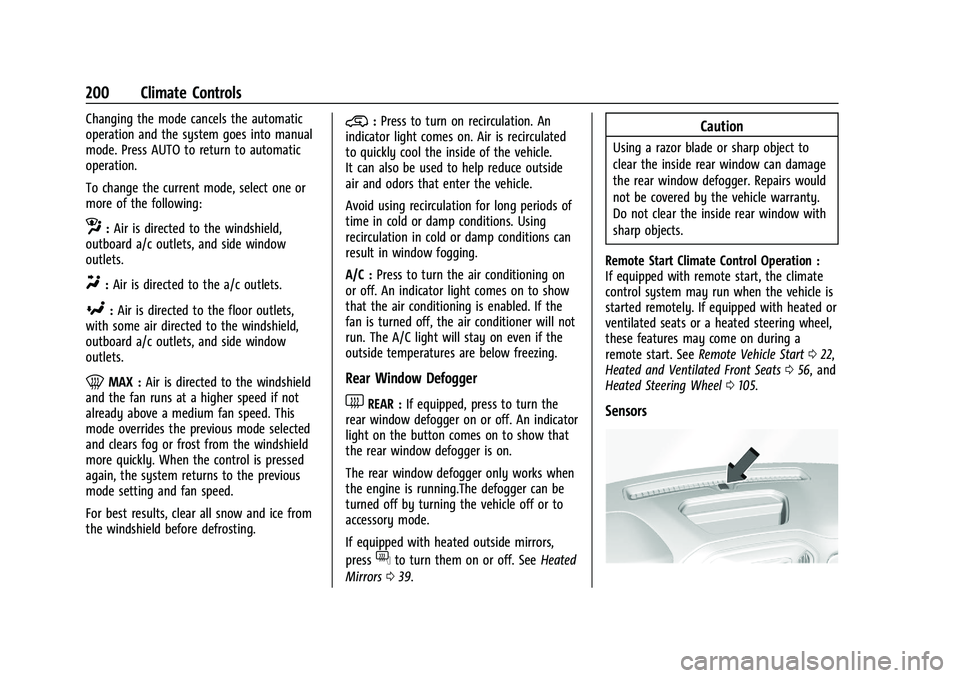
Sensors
Page 202 of 430
GMC Sierra/Sierra Denali 2500 HD/3500 HD Owner Manual (GMNA-
Localizing-U.S./Canada-16504257) - 2023 - CRC - 5/9/22
Climate Controls 201
The solar sensor, on top of the instrument
panel near the windshield, monitors the
solar heat.
The climate control system uses the sensor
information to adjust the temperature, fan
speed, recirculation, and air delivery mode
for best comfort.
Do not cover the sensor; otherwise the
automatic climate control system may not
work properly.
Afterblow Feature
If equipped, under certain conditions, the
fan may stay on or may turn on and off
several times after you turn off and lock the
vehicle. This is normal.
Air Vents
Use the sliding knobs on the center and side
air vents to change the direction of the
airflow.
Air vents blow warm air on the side
windows in cold weather. If Floor, Defog,
or Defrost modes are selected, a small
amount of air will come from the vents
close to the window.To close the front a/c vents, move the
sliding knobs to the full down position.
To close the rear a/c vents, move the sliding
knobs to the full inboard position.
Operation Tips
.Clear away any ice, snow, or leaves from
air inlets at the base of the windshield
that could block the flow of air into the
vehicle.
.Clear snow off the hood to improve
visibility and help decrease moisture
drawn into the vehicle.
.Keep the path under the front seats clear
of objects to help circulate the air inside
of the vehicle more effectively.
.Use of non-GM approved hood deflectors
can adversely affect the performance of
the system. Check with your dealer
before adding equipment to the outside
of the vehicle.
.Do not attach any devices to the air vent
slats. This will restrict airflow and may
cause damage to the air vents.
Maintenance
Passenger Compartment Air Filter
The filter reduces the dust, pollen, and other
airborne irritants from outside air that is
pulled into the vehicle.
The filter should be replaced as part of
routine scheduled maintenance. See
Maintenance Schedule
0385. To find out
what type of filter to use, see Maintenance
Replacement Parts 0390.
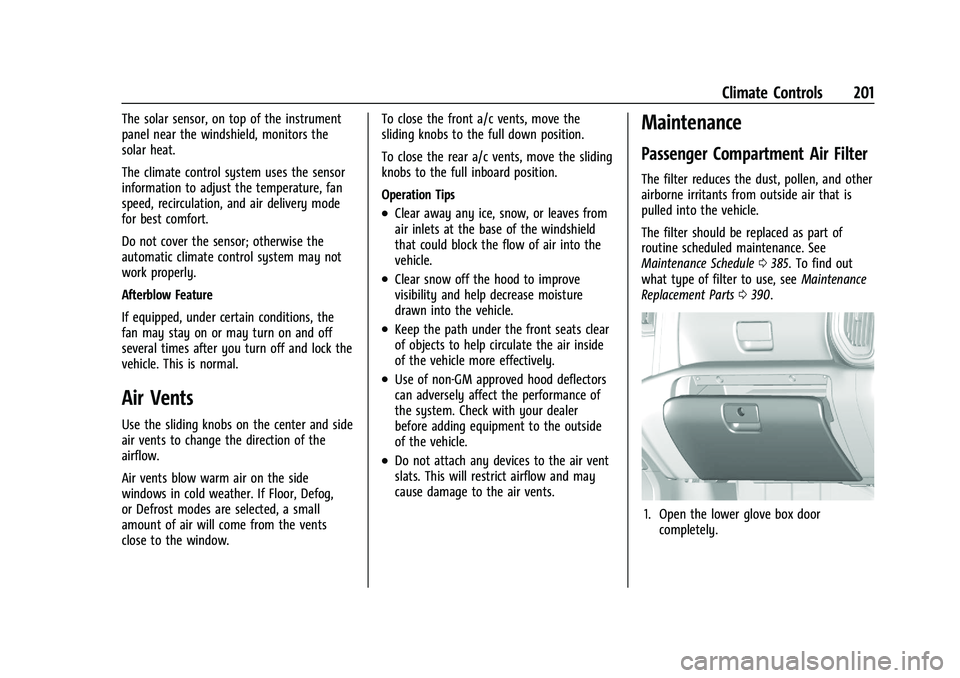
1. Open the lower glove box door
completely.
Page 203 of 430
GMC Sierra/Sierra Denali 2500 HD/3500 HD Owner Manual (GMNA-
Localizing-U.S./Canada-16504257) - 2023 - CRC - 5/9/22
202 Climate Controls
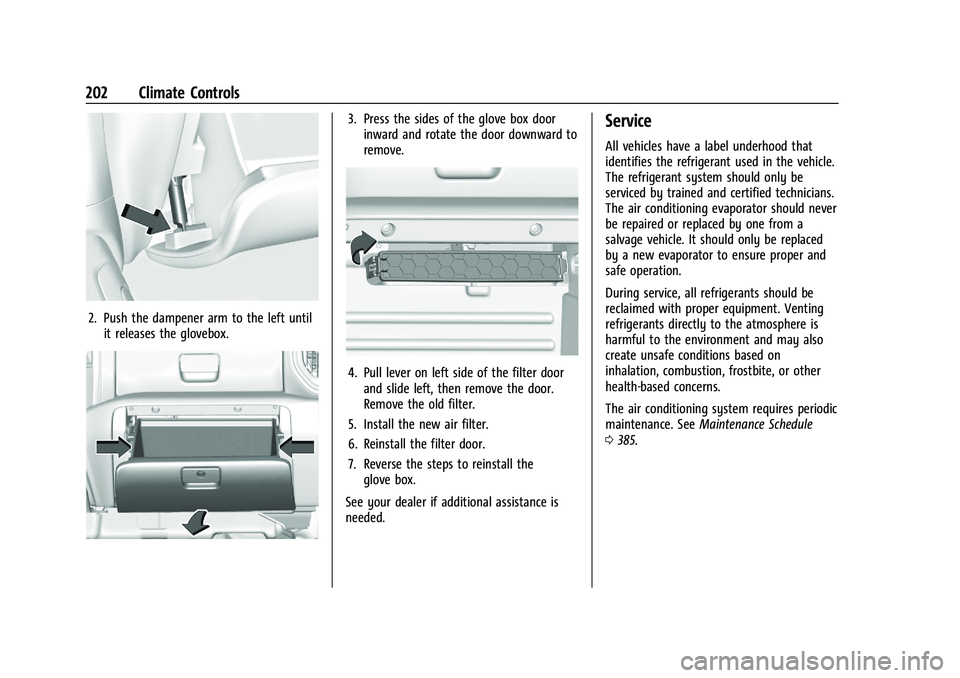
2. Push the dampener arm to the left untilit releases the glovebox.
3. Press the sides of the glove box doorinward and rotate the door downward to
remove.
4. Pull lever on left side of the filter doorand slide left, then remove the door.
Remove the old filter.
5. Install the new air filter.
6. Reinstall the filter door.
7. Reverse the steps to reinstall the glove box.
See your dealer if additional assistance is
needed.
Service
All vehicles have a label underhood that
identifies the refrigerant used in the vehicle.
The refrigerant system should only be
serviced by trained and certified technicians.
The air conditioning evaporator should never
be repaired or replaced by one from a
salvage vehicle. It should only be replaced
by a new evaporator to ensure proper and
safe operation.
During service, all refrigerants should be
reclaimed with proper equipment. Venting
refrigerants directly to the atmosphere is
harmful to the environment and may also
create unsafe conditions based on
inhalation, combustion, frostbite, or other
health-based concerns.
The air conditioning system requires periodic
maintenance. See Maintenance Schedule
0 385.
Page 205 of 430
GMC Sierra/Sierra Denali 2500 HD/3500 HD Owner Manual (GMNA-
Localizing-U.S./Canada-16504257) - 2023 - CRC - 5/9/22
204 Driving and Operating
Trailer Towing
General Towing Information . . . . . . . . . . 268
Driving Characteristics andTowing Tips . . . . . . . . . . . . . . . . . . . . . . . . . 268
Trailer Towing . . . . . . . . . . . . . . . . . . . . . . . . . 272
Towing Equipment . . . . . . . . . . . . . . . . . . . . 276
Trailer Sway Control (TSC) . . . . . . . . . . . . . 285
Trailering App . . . . . . . . . . . . . . . . . . . . . . . . . 287
Conversions and Add-Ons
Add-On Electrical Equipment . . . . . . . . . . . 297
Adding a Snow Plow or Similar Equipment . . . . . . . . . . . . . . . . . . . . . . . . . . 298
Pickup Conversion to Chassis Cab . . . . . 300
Driving Information
Driving for Better Fuel Economy
Driving habits can affect fuel mileage. Here
are some driving tips to get the best fuel
economy possible:
.Set the climate controls to the desired
temperature after the engine is started,
or turn them off when not required.
.Avoid fast starts and accelerate smoothly.
.Brake gradually and avoid abrupt stops.
.Avoid idling the engine for long periods
of time.
.When road and weather conditions are
appropriate, use cruise control.
.Always follow posted speed limits or
drive more slowly when conditions
require.
.Keep vehicle tires properly inflated.
.Combine several trips into a single trip.
.Replace the vehicle's tires with the same
TPC Spec number molded into the tire's
sidewall near the size.
.Follow recommended scheduled
maintenance.
Distracted Driving
Distraction comes in many forms and can
take your focus from the task of driving.
Exercise good judgment and do not let other
activities divert your attention away from
the road. Many local governments have
enacted laws regarding driver distraction.
Become familiar with the local laws in
your area.
To avoid distracted driving, keep your eyes
on the road, keep your hands on the
steering wheel, and focus your attention on
driving.
.Do not use a phone in demanding driving
situations. Use a hands-free method to
place or receive necessary phone calls.
.Watch the road. Do not read, take notes,
or look up information on phones or
other electronic devices.
.Designate a front seat passenger to
handle potential distractions.
.Become familiar with vehicle features
before driving, such as programming
favorite radio stations and adjusting
climate control and seat settings. Program
all trip information into any navigation
device prior to driving.
Page 214 of 430
GMC Sierra/Sierra Denali 2500 HD/3500 HD Owner Manual (GMNA-
Localizing-U.S./Canada-16504257) - 2023 - CRC - 5/9/22
Driving and Operating 213
For Slippery Road Driving:
.Accelerate gently. Accelerating too quickly
causes the wheels to spin and makes the
surface under the tires slick.
.Turn on Traction Control. SeeTraction
Control/Electronic Stability Control 0241.
.The Antilock Brake System (ABS) improves
vehicle stability during hard stops, but
the brakes should be applied sooner than
when on dry pavement. See Antilock
Brake System (ABS) 0238.
.Allow greater following distance and
watch for slippery spots. Icy patches can
occur on otherwise clear roads in shaded
areas. The surface of a curve or an
overpass can remain icy when the
surrounding roads are clear. Avoid sudden
steering maneuvers and braking while
on ice.
.Turn off cruise control.
Cold Weather Mode
In very low temperatures, a cold weather
message may display on the Driver
Information Center (DIC). The engine speed,
transmission shift patterns, and cabin fan
speed may operate differently to enable the vehicle to warm up quicker. You can
manually override the cabin fan speed in
cold weather mode.
Blizzard Conditions
Stop the vehicle in a safe place and signal
for help. Stay with the vehicle unless there
is help nearby. If possible, use Roadside
Assistance. See
Roadside Assistance Program
0 399. To get help and keep everyone in
the vehicle safe:
.Turn on the hazard warning flashers.
.Tie a red cloth to an outside mirror.
{Warning
Snow can trap engine exhaust under the
vehicle. This may cause exhaust gases to
get inside. Engine exhaust contains
carbon monoxide (CO), which cannot be
seen or smelled. It can cause
unconsciousness and even death.
If the vehicle is stuck in snow:
.Clear snow from the base of the
vehicle, especially any blocking the
exhaust pipe.
(Continued)
Warning (Continued)
.Open a window about 5 cm (2 in) on
the vehicle side that is away from the
wind, to bring in fresh air.
.Fully open the air outlets on or under
the instrument panel.
.Adjust the climate control system to
circulate the air inside the vehicle and
set the fan speed to the highest
setting. See“Climate Control Systems.”
For more information about CO, see
Engine Exhaust 0229.
To save fuel, run the engine for short
periods to warm the vehicle and then shut
the engine off and partially close the
window. Moving about to keep warm also
helps.
If it takes time for help to arrive, when
running the engine, push the accelerator
pedal slightly so the engine runs faster than
the idle speed. This keeps the battery
charged to restart the vehicle and to signal
for help with the headlamps. Do this as
little as possible, to save fuel.
Page 270 of 430
GMC Sierra/Sierra Denali 2500 HD/3500 HD Owner Manual (GMNA-
Localizing-U.S./Canada-16504257) - 2023 - CRC - 5/9/22
Driving and Operating 269
.Become familiar with, and follow all state
and local laws that apply to trailer
towing. These requirements vary from
state to state.
.State laws may require the use of
extended side view mirrors. If your
visibility is limited or restricted while
towing, install extended side view mirrors
on your vehicle, even if not required.
.Do not tow a trailer during the first
800 km (500 mi) of vehicle use to prevent
damage to the engine, axle, or other
parts.
.Perform the first oil change before heavy
towing.
.Do not drive over 800 km/h (50 mph) and
do not make starts at full throttle during
the first 800 km (500 mi) of trailer
towing.
.Tow in D (Drive). Tow/Haul Mode is
recommended for heavier trailers. See
Tow/Haul Mode0234. If the transmission
downshifts too often, a lower gear may
be selected using Manual Mode. See
Manual Mode 0232.
If equipped, the following driver assistance
features should be turned off when towing
a trailer:
.Park Assist
.Automatic Parking Assist (APA)
.Reverse Automatic Braking (RAB)
If equipped, the following driver assistance
features should be turned to alert or off
when towing a trailer, unless equipped with
Super Cruise:
.Automatic Emergency Braking (AEB)
.Front Pedestrian Braking (FPB)
If equipped with Lane Change Alert (LCA),
the LCA detection zones that extend back
from the side of the vehicle do not move
further back when a trailer is towed. Use
caution while changing lanes when towing a
trailer.
If equipped with Rear Cross Traffic Alert
(RCTA), use caution while backing up when
towing a trailer, as the RCTA detection zones
that extend out from the back of the vehicle
do not move further back when a trailer is
towed.
{Warning
To prevent serious injury or death from
carbon monoxide (CO), when towing a
trailer: (Continued)
Warning (Continued)
.Do not drive with the liftgate, trunk/
hatch, or rear-most window open.
.Fully open the air outlets on or under
the instrument panel.
.Adjust the climate control system to a
setting that brings in only outside air.
See“Climate Control Systems” in the
Index.
For more information about carbon
monoxide, see Engine Exhaust 0229.
Towing a trailer requires experience. The
combination of the vehicle and trailer is
longer and not as responsive as the vehicle
itself. Get used to the handling and braking
of the combination by driving on a level
road surface before driving on public roads.
The trailer structure, the tires, and the
brakes must all be rated to carry the
intended cargo. Inadequate trailer
equipment can cause the combination to
operate in an unexpected or unsafe manner.
Before driving, inspect all trailer hitch parts
and attachments, safety chains, electrical
connectors, lamps, tires, and mirrors. See
Towing Equipment 0276. If the trailer has
electric brakes, start the combination
Page 355 of 430
GMC Sierra/Sierra Denali 2500 HD/3500 HD Owner Manual (GMNA-
Localizing-U.S./Canada-16504257) - 2023 - CRC - 5/18/22
354 Vehicle Care
times as well on the government course
as a tire graded 100. The relative
performance of tires depends upon the
actual conditions of their use, however,
and may depart significantly from the
norm due to variations in driving habits,
service practices and differences in road
characteristics and climate.
Traction
The traction grades, from highest to
lowest, are AA, A, B, and C. Those
grades represent the tire's ability to
stop on wet pavement as measured
under controlled conditions on specified
government test surfaces of asphalt and
concrete. A tire marked C may have
poor traction performance. Warning:
The traction grade assigned to this tire
is based on straight-ahead braking
traction tests, and does not include
acceleration, cornering, hydroplaning,
or peak traction characteristics.Temperature
The temperature grades are A (the
highest), B, and C, representing the
tire's resistance to the generation of
heat and its ability to dissipate heat
when tested under controlled conditions
on a specified indoor laboratory test
wheel. Sustained high temperature can
cause the material of the tire to
degenerate and reduce tire life, and
excessive temperature can lead to
sudden tire failure. The grade C
corresponds to a level of performance
which all passenger car tires must meet
under the Federal Motor Safety
Standard No. 109. Grades B and A
represent higher levels of performance
on the laboratory test wheel than the
minimum required by law. Warning:
The temperature grade for this tire is
established for a tire that is properly
inflated and not overloaded. Excessive
speed, underinflation, or excessive
loading, either separately or in
combination, can cause heat buildup
and possible tire failure.Wheel Alignment and Tire
Balance
The tires and wheels were aligned and
balanced at the factory to provide the
longest tire life and best overall
performance. Adjustments to wheel
alignment and tire balancing are not
necessary on a regular basis. Consider an
alignment check if there is unusual tire wear
or the vehicle is significantly pulling to one
side or the other. Some slight pull to the
left or right, depending on the crown of the
road and/or other road surface variations
such as troughs or ruts, is normal. If the
vehicle is vibrating when driving on a
smooth road, the tires and wheels may
need to be rebalanced. See your dealer for
proper diagnosis.
Wheel Replacement
Replace any wheel that is bent, cracked,
or badly rusted or corroded. If wheel nuts
keep coming loose, the wheel, wheel bolts,
and wheel nuts should be replaced. If the
wheel leaks air, replace it. Some aluminum
wheels can be repaired. See your dealer if
any of these conditions exist.
Page 419 of 430
GMC Sierra/Sierra Denali 2500 HD/3500 HD Owner Manual (GMNA-
Localizing-U.S./Canada-16504257) - 2023 - CRC - 5/9/22
418 Index
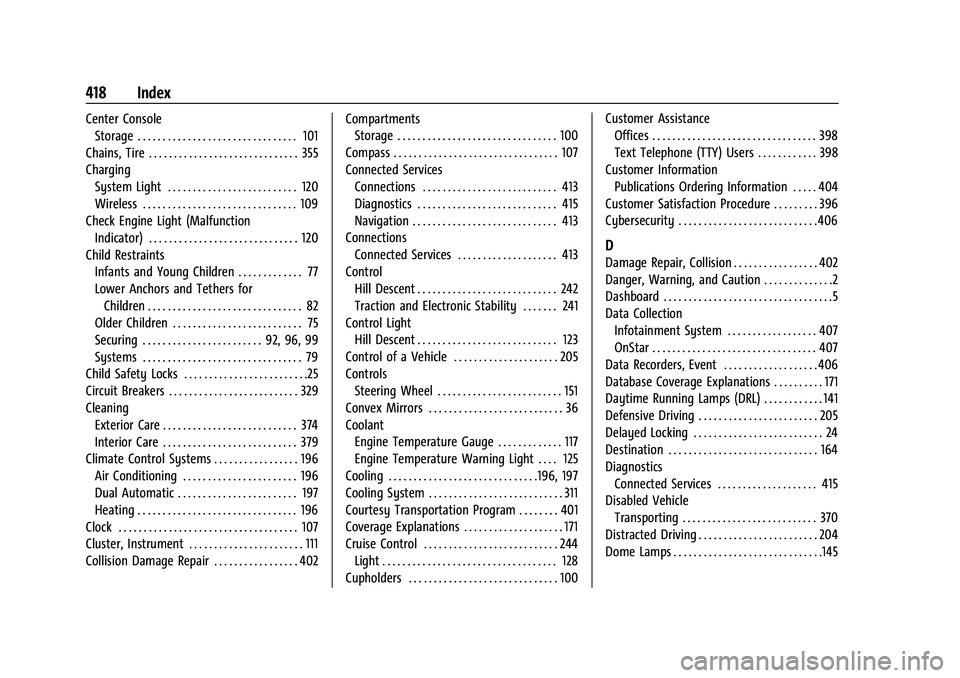
Center ConsoleStorage . . . . . . . . . . . . . . . . . . . . . . . . . . . . . . . . 101
Chains, Tire . . . . . . . . . . . . . . . . . . . . . . . . . . . . . . 355
Charging System Light . . . . . . . . . . . . . . . . . . . . . . . . . . 120
Wireless . . . . . . . . . . . . . . . . . . . . . . . . . . . . . . . 109
Check Engine Light (Malfunction
Indicator) . . . . . . . . . . . . . . . . . . . . . . . . . . . . . . 120
Child Restraints Infants and Young Children . . . . . . . . . . . . . 77
Lower Anchors and Tethers forChildren . . . . . . . . . . . . . . . . . . . . . . . . . . . . . . . 82
Older Children . . . . . . . . . . . . . . . . . . . . . . . . . . 75
Securing . . . . . . . . . . . . . . . . . . . . . . . . 92, 96, 99
Systems . . . . . . . . . . . . . . . . . . . . . . . . . . . . . . . . 79
Child Safety Locks . . . . . . . . . . . . . . . . . . . . . . . . .25
Circuit Breakers . . . . . . . . . . . . . . . . . . . . . . . . . . 329
Cleaning
Exterior Care . . . . . . . . . . . . . . . . . . . . . . . . . . . 374
Interior Care . . . . . . . . . . . . . . . . . . . . . . . . . . . 379
Climate Control Systems . . . . . . . . . . . . . . . . . 196
Air Conditioning . . . . . . . . . . . . . . . . . . . . . . . 196
Dual Automatic . . . . . . . . . . . . . . . . . . . . . . . . 197
Heating . . . . . . . . . . . . . . . . . . . . . . . . . . . . . . . . 196
Clock . . . . . . . . . . . . . . . . . . . . . . . . . . . . . . . . . . . . 107
Cluster, Instrument . . . . . . . . . . . . . . . . . . . . . . . 111
Collision Damage Repair . . . . . . . . . . . . . . . . . 402 Compartments
Storage . . . . . . . . . . . . . . . . . . . . . . . . . . . . . . . . 100
Compass . . . . . . . . . . . . . . . . . . . . . . . . . . . . . . . . . 107
Connected Services Connections . . . . . . . . . . . . . . . . . . . . . . . . . . . 413
Diagnostics . . . . . . . . . . . . . . . . . . . . . . . . . . . . 415
Navigation . . . . . . . . . . . . . . . . . . . . . . . . . . . . . 413
Connections Connected Services . . . . . . . . . . . . . . . . . . . . 413
Control Hill Descent . . . . . . . . . . . . . . . . . . . . . . . . . . . . 242
Traction and Electronic Stability . . . . . . . 241
Control Light Hill Descent . . . . . . . . . . . . . . . . . . . . . . . . . . . . 123
Control of a Vehicle . . . . . . . . . . . . . . . . . . . . . 205
Controls Steering Wheel . . . . . . . . . . . . . . . . . . . . . . . . . 151
Convex Mirrors . . . . . . . . . . . . . . . . . . . . . . . . . . . 36
Coolant Engine Temperature Gauge . . . . . . . . . . . . . 117
Engine Temperature Warning Light . . . . 125
Cooling . . . . . . . . . . . . . . . . . . . . . . . . . . . . . .196, 197
Cooling System . . . . . . . . . . . . . . . . . . . . . . . . . . . 311
Courtesy Transportation Program . . . . . . . . 401
Coverage Explanations . . . . . . . . . . . . . . . . . . . . 171
Cruise Control . . . . . . . . . . . . . . . . . . . . . . . . . . . 244 Light . . . . . . . . . . . . . . . . . . . . . . . . . . . . . . . . . . . 128
Cupholders . . . . . . . . . . . . . . . . . . . . . . . . . . . . . . 100 Customer Assistance
Offices . . . . . . . . . . . . . . . . . . . . . . . . . . . . . . . . . 398
Text Telephone (TTY) Users . . . . . . . . . . . . 398
Customer Information Publications Ordering Information . . . . . 404
Customer Satisfaction Procedure . . . . . . . . . 396
Cybersecurity . . . . . . . . . . . . . . . . . . . . . . . . . . . . 406
D
Damage Repair, Collision . . . . . . . . . . . . . . . . . 402
Danger, Warning, and Caution . . . . . . . . . . . . . .2
Dashboard . . . . . . . . . . . . . . . . . . . . . . . . . . . . . . . . . .5
Data Collection Infotainment System . . . . . . . . . . . . . . . . . . 407
OnStar . . . . . . . . . . . . . . . . . . . . . . . . . . . . . . . . . 407
Data Recorders, Event . . . . . . . . . . . . . . . . . . . 406
Database Coverage Explanations . . . . . . . . . . 171
Daytime Running Lamps (DRL) . . . . . . . . . . . . 141
Defensive Driving . . . . . . . . . . . . . . . . . . . . . . . . 205
Delayed Locking . . . . . . . . . . . . . . . . . . . . . . . . . . 24
Destination . . . . . . . . . . . . . . . . . . . . . . . . . . . . . . 164
Diagnostics Connected Services . . . . . . . . . . . . . . . . . . . . 415
Disabled Vehicle Transporting . . . . . . . . . . . . . . . . . . . . . . . . . . . 370
Distracted Driving . . . . . . . . . . . . . . . . . . . . . . . . 204
Dome Lamps . . . . . . . . . . . . . . . . . . . . . . . . . . . . . .145
Page 420 of 430
GMC Sierra/Sierra Denali 2500 HD/3500 HD Owner Manual (GMNA-
Localizing-U.S./Canada-16504257) - 2023 - CRC - 5/9/22
Index 419
DoorAjar Light . . . . . . . . . . . . . . . . . . . . . . . . . . . . . . 128
Delayed Locking . . . . . . . . . . . . . . . . . . . . . . . . 24
Locks . . . . . . . . . . . . . . . . . . . . . . . . . . . . . . . . . . . 23
Power Locks . . . . . . . . . . . . . . . . . . . . . . . . . . . . 24
Drive Belt Routing, Engine . . . . . . . . . . . . . . . 395
Drive Systems Four-Wheel Drive . . . . . . . . . . . . . . . . . . . . . . 321
Driver Assistance Systems . . . . . . . . . . . . . . . . . . . . 246
Information Center (DIC) . . . . . . . . . . . 128, 130
Mode Control . . . . . . . . . . . . . . . . . . . . . . . . . . 243
Mode Control Light . . . . . . . . . . . . . . . . . . . . 125
Teen . . . . . . . . . . . . . . . . . . . . . . . . . . . . . . . . . . . 186
Driving Assistance Systems . . . . . . . . . . . . . . . . . . . . 257
Better Fuel Economy . . . . . . . . . . . . . . . . . . . 204
Characteristics and Towing Tips . . . . . . . . 268
Defensive . . . . . . . . . . . . . . . . . . . . . . . . . . . . . . 205
Distracted . . . . . . . . . . . . . . . . . . . . . . . . . . . . . 204
Hill and Mountain Roads . . . . . . . . . . . . . . 212
If the Vehicle is Stuck . . . . . . . . . . . . . . . . . 214
Impaired . . . . . . . . . . . . . . . . . . . . . . . . . . . . . . . 205
Loss of Control . . . . . . . . . . . . . . . . . . . . . . . . 207
Off-Road . . . . . . . . . . . . . . . . . . . . . . . . . . . . . . . 208
Off-Road Recovery . . . . . . . . . . . . . . . . . . . . . 207
Vehicle Load Limits . . . . . . . . . . . . . . . . . . . . 215
Wet Roads . . . . . . . . . . . . . . . . . . . . . . . . . . . . . . 211 Driving (cont'd)
Winter . . . . . . . . . . . . . . . . . . . . . . . . . . . . . . . . . 212
Dual Automatic Climate Control System . . . . 197
E
E85 or FlexFuel . . . . . . . . . . . . . . . . . . . . . . . . . . 264
ElectricParking Brake . . . . . . . . . . . . . . . . . . . . . . . . . . 239
Parking Brake Light . . . . . . . . . . . . . . . . . . . . 122
Electrical Equipment, Add-On . . . . . . . . . . . . . . . . . . . . 297
System Overload . . . . . . . . . . . . . . . . . . . . . . 327
Electrical System Engine Compartment Fuse Block . . . . . . . 329
Fuses and Circuit Breakers . . . . . . . . . . . . . 329
Instrument Panel Fuse Block . . . . . . 333, 334
Electronic Stability Control (ESC) Off Light . . . . . . . . . . . . . . . . . . . . . . . . . . . . . . . . . . . . 125
Emergency OnStar . . . . . . . . . . . . . . . . . . . . . . . . . . . . . . . . . 409
Engine
Air Cleaner/Filter . . . . . . . . . . . . . . . . . . . . . . 310
Air Filter Life System . . . . . . . . . . . . . . . . . . 309
Check Light (Malfunction Indicator) . . . . 120
Compartment Overview . . . . . . . . . . . . . . . . 305
Coolant Temperature Gauge . . . . . . . . . . . . 117
Coolant Temperature Warning Light . . . 125 Engine (cont'd)
Cooling System . . . . . . . . . . . . . . . . . . . . . . . . . 311
Drive Belt Routing . . . . . . . . . . . . . . . . . . . . . 395
Exhaust . . . . . . . . . . . . . . . . . . . . . . . . . . . . . . . . 229
Fan . . . . . . . . . . . . . . . . . . . . . . . . . . . . . . . . . . . . 315
Heater . . . . . . . . . . . . . . . . . . . . . . . . . . . . . . . . . 226
Oil Life System . . . . . . . . . . . . . . . . . . . . . . . . 308
Oil Pressure Gauge . . . . . . . . . . . . . . . . . . . . . 116
Oil Pressure Light . . . . . . . . . . . . . . . . . . . . . . 126
Overheated Protection
Operating Mode . . . . . . . . . . . . . . . . . . . . . 315
Overheating . . . . . . . . . . . . . . . . . . . . . . . . . . . 313
Power Messages . . . . . . . . . . . . . . . . . . . . . . . 135
Running While Parked . . . . . . . . . . . . . . . . . 230
Starting . . . . . . . . . . . . . . . . . . . . . . . . . . . . . . . . 225
Entry Lighting . . . . . . . . . . . . . . . . . . . . . . . . . . . 146
Equipment, Towing . . . . . . . . . . . . . . . . . . . . . . 276
Event Data Recorders . . . . . . . . . . . . . . . . . . . . 406
Exit Lighting . . . . . . . . . . . . . . . . . . . . . . . . . . . . . 146
Extended Mirrors . . . . . . . . . . . . . . . . . . . . . . . . . .37
Extended Parking . . . . . . . . . . . . . . . . . . . . . . . . 229
Extender, Seat Belt . . . . . . . . . . . . . . . . . . . . . . . 64
Exterior
Cargo Lamps . . . . . . . . . . . . . . . . . . . . . . . . . . . 144
Lamp Controls . . . . . . . . . . . . . . . . . . . . . . . . . 139
Lamps Off Reminder . . . . . . . . . . . . . . . . . . . . 141
Lighting Battery Saver . . . . . . . . . . . . . . . . . 147