keyless GMC SIERRA 2023 Owner's Manual
[x] Cancel search | Manufacturer: GMC, Model Year: 2023, Model line: SIERRA, Model: GMC SIERRA 2023Pages: 430, PDF Size: 18.76 MB
Page 204 of 430
GMC Sierra/Sierra Denali 2500 HD/3500 HD Owner Manual (GMNA-
Localizing-U.S./Canada-16504257) - 2023 - CRC - 5/9/22
Driving and Operating 203
Driving and Operating
Driving Information
Driving for Better Fuel Economy . . . . . . 204
Distracted Driving . . . . . . . . . . . . . . . . . . . . . 204
Defensive Driving . . . . . . . . . . . . . . . . . . . . . 205
Impaired Driving . . . . . . . . . . . . . . . . . . . . . . 205
Control of a Vehicle . . . . . . . . . . . . . . . . . . . 205
Braking . . . . . . . . . . . . . . . . . . . . . . . . . . . . . . . . 205
Steering . . . . . . . . . . . . . . . . . . . . . . . . . . . . . . . 206
Off-Road Recovery . . . . . . . . . . . . . . . . . . . . . 207
Loss of Control . . . . . . . . . . . . . . . . . . . . . . . . 207
Off-Road Driving . . . . . . . . . . . . . . . . . . . . . . 208
Driving on Wet Roads . . . . . . . . . . . . . . . . . . 211
Hill and Mountain Roads . . . . . . . . . . . . . . 212
Winter Driving . . . . . . . . . . . . . . . . . . . . . . . . . 212
If the Vehicle Is Stuck . . . . . . . . . . . . . . . . . 214
Vehicle Load Limits . . . . . . . . . . . . . . . . . . . . 215
Truck-Camper Loading Information . . . . . 219
Starting and Operating
New Vehicle Break-In . . . . . . . . . . . . . . . . . . 221
Ignition Positions (Key Access) . . . . . . . . . 221
Ignition Positions (Keyless Access) . . . . . 223
Starting the Engine . . . . . . . . . . . . . . . . . . . . 225
Engine Heater . . . . . . . . . . . . . . . . . . . . . . . . . 226
Retained Accessory Power (RAP) . . . . . . . 227
Shifting Into Park . . . . . . . . . . . . . . . . . . . . . . 227
Shifting out of Park . . . . . . . . . . . . . . . . . . . 228Parking over Things That Burn . . . . . . . . 229
Extended Parking . . . . . . . . . . . . . . . . . . . . . . 229
Engine Exhaust
Engine Exhaust . . . . . . . . . . . . . . . . . . . . . . . . 229
Running the Vehicle While Parked . . . . . 230
Automatic Transmission
Automatic Transmission . . . . . . . . . . . . . . . 230
Manual Mode . . . . . . . . . . . . . . . . . . . . . . . . . 232
Tow/Haul Mode . . . . . . . . . . . . . . . . . . . . . . . 234
Drive Systems
Four-Wheel Drive . . . . . . . . . . . . . . . . . . . . . . 234
Brakes
Antilock Brake System (ABS) . . . . . . . . . . 238
Electric Parking Brake . . . . . . . . . . . . . . . . . 239
Brake Assist . . . . . . . . . . . . . . . . . . . . . . . . . . . 240
Hill Start Assist (HSA) . . . . . . . . . . . . . . . . . 240
Ride Control Systems
Traction Control/Electronic Stability
Control . . . . . . . . . . . . . . . . . . . . . . . . . . . . . . 241
Hill Descent Control (HDC) . . . . . . . . . . . . . 242
Driver Mode Control . . . . . . . . . . . . . . . . . . . 243
Locking Rear Axle . . . . . . . . . . . . . . . . . . . . . 244
Cruise Control
Cruise Control . . . . . . . . . . . . . . . . . . . . . . . . . 244
Driver Assistance Systems
Driver Assistance Systems . . . . . . . . . . . . . 246
Assistance Systems for Parking or Backing . . . . . . . . . . . . . . . . . . . . . . . . . . . . . . 248
Rear Vision Camera (RVC) . . . . . . . . . . . . . 248
Surround Vision System . . . . . . . . . . . . . . . 249
Park Assist . . . . . . . . . . . . . . . . . . . . . . . . . . . . 256
Rear Cross Traffic Alert (RCTA) System . . . . . . . . . . . . . . . . . . . . . . . . . . . . . . 257
Assistance Systems for Driving . . . . . . . . 257
Forward Collision Alert (FCA) System . . . . . . . . . . . . . . . . . . . . . . . . . . . . . . 257
Automatic Emergency Braking (AEB) . . . . . . . . . . . . . . . . . . . . . . . . 259
Side Blind Zone Alert (SBZA) . . . . . . . . . . 260
Lane Change Alert (LCA) . . . . . . . . . . . . . . . 261
Lane Departure Warning (LDW) . . . . . . . 262
Fuel
Top Tier Fuel . . . . . . . . . . . . . . . . . . . . . . . . . . 263
Recommended Fuel . . . . . . . . . . . . . . . . . . . . 263
Prohibited Fuels . . . . . . . . . . . . . . . . . . . . . . . 264
Fuels in Foreign Countries . . . . . . . . . . . . . 264
Fuel Additives . . . . . . . . . . . . . . . . . . . . . . . . . 264
E85 or FlexFuel . . . . . . . . . . . . . . . . . . . . . . . . 264
Filling the Tank (Pickup Models) . . . . . . . 265
Filling the Tank (Chassis Cab and Box Delete Models) . . . . . . . . . . . . . . . . . . . . . . 266
Filling a Portable Fuel Container . . . . . . 268
Page 224 of 430
GMC Sierra/Sierra Denali 2500 HD/3500 HD Owner Manual (GMNA-
Localizing-U.S./Canada-16504257) - 2023 - CRC - 5/9/22
Driving and Operating 223
Caution
Use the correct key, make sure it is all
the way in—or pushed all the way in
toward the steering column when turning
off the vehicle —and turn it only with
your hand.
1 (ACC/ACCESSORY) : This position allows
features such as the infotainment system to
operate while the vehicle is off. It also
unlocks the steering column, if equipped
with a locking steering column. Use this
position if the vehicle must be pushed or
towed. See Retained Accessory Power (RAP)
0 227.
From ON/RUN, push the key all the way in
toward the steering column, then turn the
key to ACC/ACCESSORY.
If the key is left in ACC/ACCESSORY with the
engine off, the battery could drain and the
vehicle may not start.
A warning chime will sound when the driver
door is opened and the key is in the
ignition.
2 (ON/RUN) : This position can be used to
operate the electrical accessories and to
display some instrument cluster warning
and indicator lights. This position can also be used for service and diagnostics, and to
verify the proper operation of the
malfunction indicator lamp as may be
required for emission inspection purposes.
The switch stays in this position when the
engine is running. The transmission is also
unlocked in this position.
If the key is left in ON/RUN with the engine
off, the battery could drain and the vehicle
may not start.
3 (START) :
This is the position that starts
the engine. When the engine starts, release
the key. The ignition returns to ON/RUN for
driving.
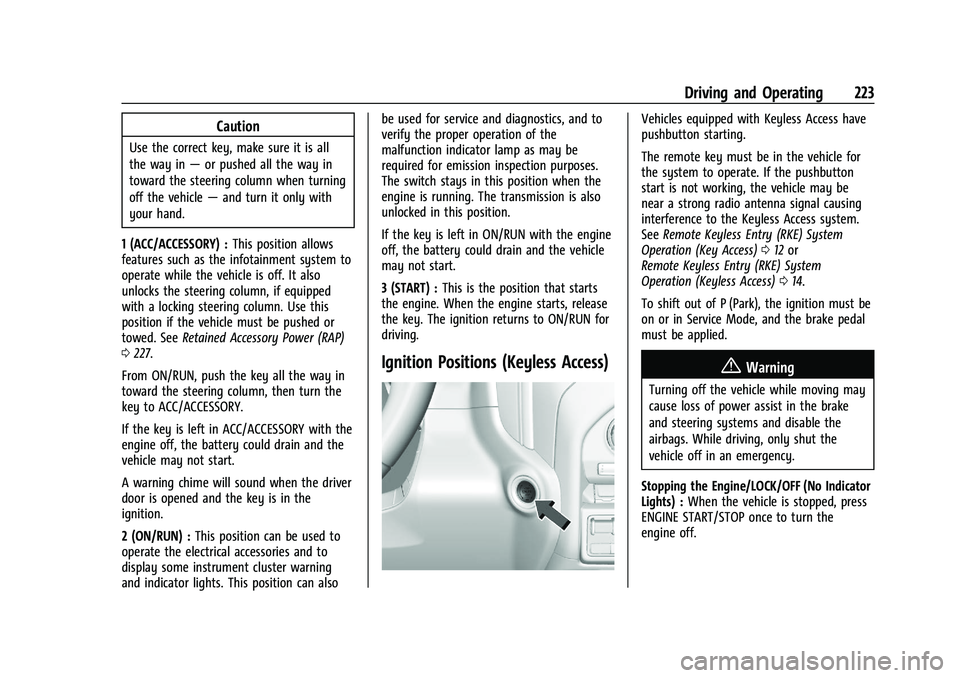
Ignition Positions (Keyless Access)
Vehicles equipped with Keyless Access have
pushbutton starting.
The remote key must be in the vehicle for
the system to operate. If the pushbutton
start is not working, the vehicle may be
near a strong radio antenna signal causing
interference to the Keyless Access system.
See Remote Keyless Entry (RKE) System
Operation (Key Access) 012 or
Remote Keyless Entry (RKE) System
Operation (Keyless Access) 014.
To shift out of P (Park), the ignition must be
on or in Service Mode, and the brake pedal
must be applied.
{Warning
Turning off the vehicle while moving may
cause loss of power assist in the brake
and steering systems and disable the
airbags. While driving, only shut the
vehicle off in an emergency.
Stopping the Engine/LOCK/OFF (No Indicator
Lights) : When the vehicle is stopped, press
ENGINE START/STOP once to turn the
engine off.
Page 226 of 430
GMC Sierra/Sierra Denali 2500 HD/3500 HD Owner Manual (GMNA-
Localizing-U.S./Canada-16504257) - 2023 - CRC - 5/9/22
Driving and Operating 225
ignition is on, but the vehicle will not
be able to be driven. The engine will not
start in Service Mode. Press the ENGINE
START/STOP button again to turn the
ignition off.
Starting the Engine
If the vehicle has a diesel engine, see the
Duramax diesel supplement.
Caution
If you add electrical parts or accessories,
you could change the way the engine
operates. Any resulting damage would
not be covered by the vehicle warranty.
SeeAdd-On Electrical Equipment 0297.
Move the shift lever to P (Park) or
N (Neutral). To restart the engine when the
vehicle is already moving, use
N (Neutral) only.
Caution
Do not try to shift to P (Park) if the
vehicle is moving. If you do, you could
damage the transmission. Shift to P (Park)
only when the vehicle is stopped.
Starting Procedure
1. For Key Access vehicles, turn the ignition key to Start. When the engine starts, let
go of the key. For Keyless Access
vehicles, the remote key must be in the
vehicle. Press ENGINE START/STOP with
the brake pedal applied. When the
engine begins cranking, let go of the
button.
The driver may observe a minor, and
temporary, brake pedal kickback when
starting the vehicle. This is normal.
The idle speed will go down as the
engine gets warm. Do not race the
engine immediately after starting it.
Operate the engine and transmission
gently to allow the oil to warm up and
lubricate all moving parts.
When the low fuel warning light is on
and the FUEL LEVEL LOW message is
displayed in the Driver Information
Center (DIC), hold the ignition switch in
the START position to continue engine
cranking.Caution
Cranking the engine for long periods of
time, by returning the ignition to the
START position immediately after
cranking has ended, can overheat and
damage the cranking motor, and drain
the battery. Wait at least 15 seconds
between each try, to let the cranking
motor cool down.
2. If the engine does not start after five to 10 seconds, especially in very cold
weather (below −18 °C or 0 °F), it could
be flooded with too much gasoline. Try
pushing the accelerator pedal all the way
to the floor and holding it there while
holding the key in START or ENGINE
START/STOP for up to a maximum of
15 seconds. Wait at least 15 seconds
between each try, to allow the cranking
motor to cool down. When the engine
starts, let go of the key or button and
accelerator. If the vehicle starts briefly
but then stops again, do the same thing.
This clears the extra gasoline from the
engine. Do not race the engine
immediately after starting it. Operate
Page 228 of 430
GMC Sierra/Sierra Denali 2500 HD/3500 HD Owner Manual (GMNA-
Localizing-U.S./Canada-16504257) - 2023 - CRC - 5/9/22
Driving and Operating 227
Warning (Continued)
.Before starting the vehicle, unplug the
cord, reattach the cover to the plug,
and securely fasten the cord. Keep the
cord away from any moving parts.
5. Before starting the engine, be sure to unplug and store the cord.
The length of time the heater should remain
plugged in depends on several factors. Ask a
dealer in the area where you will be parking
the vehicle for the best advice on this.
Retained Accessory Power (RAP)
When the vehicle is turned from on to off,
the following features (if equipped) will
continue to function for up to 10 minutes,
or until the driver door is opened. These
features will also work when the vehicle is
on or in accessory mode:
.Infotainment System
.Power Windows (during RAP this
functionality will be lost when any door
is opened)
.Sunroof (during RAP this functionality will
be lost when any door is opened)
.Auxiliary Power Outlet
.Audio System
.OnStar System
Shifting Into Park
{Warning
Parking on grades with poor traction such
as ice, snow, mud, or gravel may cause
the vehicle to unintentionally move and
could result in injury, death, and/or
vehicle damage. If equipped with
four-wheel drive, use AUTO or 4 (HI) to
provide additional traction. Be sure to
apply the parking brake. See Electric
Parking Brake 0239 and
Four-Wheel Drive 0234.
{Warning
It can be dangerous to get out of the
vehicle if the shift lever is not fully in
P (Park) with the parking brake firmly set.
The vehicle can roll. If you have left the
engine running, the vehicle can move
suddenly. You or others could be injured.
To be sure the vehicle will not move,
even when you are on fairly level ground,
(Continued)
Warning (Continued)
use the steps that follow. With
four-wheel drive, if the transfer case is in
N (Neutral), the vehicle will be free to
roll, even if the shift lever is in P (Park).
Be sure the transfer case is in a drive
gear. If towing a trailer, seeDriving
Characteristics and Towing Tips 0268.
1. Hold the brake pedal down, then set the parking brake. See Electric Parking Brake
0 239.
2. Move the shift lever into the P (Park) position by pulling the shift lever toward
you and moving it up as far as it will go.
3. Be sure the transfer case (if equipped) is in a drive gear –not in N (Neutral).
4. Turn the ignition off. For Key Access, push the ignition key in, towards the
steering column and then turn the
ignition off.
5. For Key Access, remove the key and take it with you. If you can leave the vehicle
with the ignition key in your hand, the
vehicle is in P (Park).
For Keyless Access, take the remote key
with you.
Page 238 of 430
GMC Sierra/Sierra Denali 2500 HD/3500 HD Owner Manual (GMNA-
Localizing-U.S./Canada-16504257) - 2023 - CRC - 5/9/22
Driving and Operating 237
With the vehicle moving less than
5 km/h (3 mph) and the transmission in
N (Neutral), attempt the shift again.
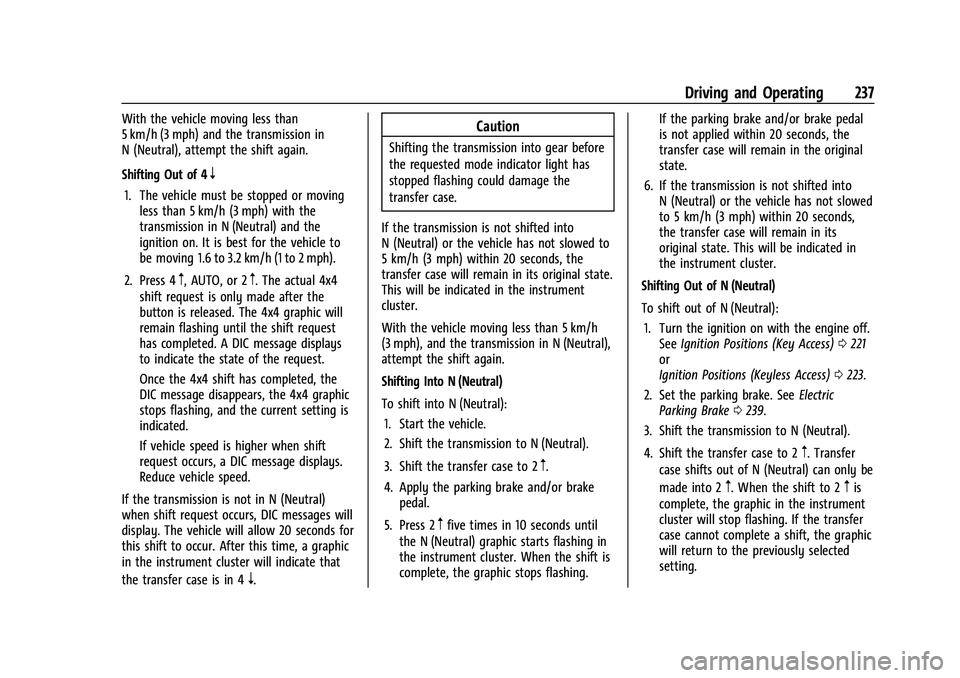
Shifting Out of 4
n
1. The vehicle must be stopped or movingless than 5 km/h (3 mph) with the
transmission in N (Neutral) and the
ignition on. It is best for the vehicle to
be moving 1.6 to 3.2 km/h (1 to 2 mph).
2. Press 4
m, AUTO, or 2m. The actual 4x4
shift request is only made after the
button is released. The 4x4 graphic will
remain flashing until the shift request
has completed. A DIC message displays
to indicate the state of the request.
Once the 4x4 shift has completed, the
DIC message disappears, the 4x4 graphic
stops flashing, and the current setting is
indicated.
If vehicle speed is higher when shift
request occurs, a DIC message displays.
Reduce vehicle speed.
If the transmission is not in N (Neutral)
when shift request occurs, DIC messages will
display. The vehicle will allow 20 seconds for
this shift to occur. After this time, a graphic
in the instrument cluster will indicate that
the transfer case is in 4
n.
Caution
Shifting the transmission into gear before
the requested mode indicator light has
stopped flashing could damage the
transfer case.
If the transmission is not shifted into
N (Neutral) or the vehicle has not slowed to
5 km/h (3 mph) within 20 seconds, the
transfer case will remain in its original state.
This will be indicated in the instrument
cluster.
With the vehicle moving less than 5 km/h
(3 mph), and the transmission in N (Neutral),
attempt the shift again.
Shifting Into N (Neutral)
To shift into N (Neutral): 1. Start the vehicle.
2. Shift the transmission to N (Neutral).
3. Shift the transfer case to 2
m.
4. Apply the parking brake and/or brake pedal.
5. Press 2
mfive times in 10 seconds until
the N (Neutral) graphic starts flashing in
the instrument cluster. When the shift is
complete, the graphic stops flashing. If the parking brake and/or brake pedal
is not applied within 20 seconds, the
transfer case will remain in the original
state.
6. If the transmission is not shifted into N (Neutral) or the vehicle has not slowed
to 5 km/h (3 mph) within 20 seconds,
the transfer case will remain in its
original state. This will be indicated in
the instrument cluster.
Shifting Out of N (Neutral)
To shift out of N (Neutral): 1. Turn the ignition on with the engine off. See Ignition Positions (Key Access) 0221
or
Ignition Positions (Keyless Access) 0223.
2. Set the parking brake. See Electric
Parking Brake 0239.
3. Shift the transmission to N (Neutral).
4. Shift the transfer case to 2
m. Transfer
case shifts out of N (Neutral) can only be
made into 2
m. When the shift to 2mis
complete, the graphic in the instrument
cluster will stop flashing. If the transfer
case cannot complete a shift, the graphic
will return to the previously selected
setting.
Page 374 of 430

GMC Sierra/Sierra Denali 2500 HD/3500 HD Owner Manual (GMNA-
Localizing-U.S./Canada-16504257) - 2023 - CRC - 5/18/22
Vehicle Care 373
5. With the engine running, release theparking brake and verify that the
transfer case is in N (Neutral) by shifting
the transmission to D (Drive) and then to
R (Reverse). There should be no
movement while shifting the
transmission.
6. Shift the transmission to D (Drive).
7. If equipped with an ignition key, turn the ignition to ACC/ACCESSORY.
If equipped with Keyless Access, turn the
engine off. Disregard the Shift to P (Park)
DIC message. See Ignition Positions (Key
Access) 0221 or
Ignition Positions (Keyless Access) 0223.
{Warning
To avoid death, serious injury,
or property damage, before dinghy
towing the vehicle, always disconnect and
secure the negative battery cable and
cover the negative battery post and cable
with a non-conductive material. If the
battery is left connected or the battery
cable contacts the post, the Electric
Parking Brake may activate during
towing, which could cause a crash. 8. Disconnect the negative (–) battery
cable. See “Negative Battery Cable
Disconnection” inBattery - North
America 0319.
9. Shift the transmission to P (Park).
Caution
If the steering column is locked, vehicle
damage may occur.
10. Move the steering wheel to make sure the steering column is unlocked.
11. If the vehicle has an ignition key, keep it in the towed vehicle in ACC/ACCESSORY
to prevent the steering column from
locking. If the vehicle is equipped with
Keyless Access, keep the RKE transmitter
outside of the vehicle and manually lock
the doors. Access the vehicle by using
the key in the door lock. See Door Locks
0 23.
Disconnecting the Towed Vehicle
Before disconnecting from the tow vehicle: 1. Park on a level surface. Secure the vehicle with wheel blocks.
2. Re-connect the negative (–) battery. See Battery - North America 0319. 3. Turn on the ignition with the engine off.
For vehicles with a key, turn the ignition
to ON/RUN with the engine off. If the
vehicle is equipped with Keyless Access,
with your foot off the brake pedal, press
and hold ENGINE START/STOP for
five seconds until the green light comes
on in the button. See Ignition Positions
(Key Access) 0221 or
Ignition Positions (Keyless Access) 0223.
4. Set the parking brake. See Electric
Parking Brake 0239.
5. Disconnect from the tow vehicle.
6. Shift the transmission to N (Neutral).
7. Shift the transfer case to 2
m(Two-Wheel
Drive High). When the shift to 2
m
(Two-Wheel Drive High) is complete, the
light in the instrument cluster will stop
flashing and stay lit. See
Four-Wheel-Drive Light 0123.
8. Start the engine. Check that the vehicle is in 2
m(Two-Wheel Drive High) by
starting the engine and shifting the
transmission to D (Drive) and then to
R (Reverse). There should be movement
of the vehicle while shifting.
9. Shift the transmission to P (Park) and turn off the ignition.
Page 422 of 430
GMC Sierra/Sierra Denali 2500 HD/3500 HD Owner Manual (GMNA-
Localizing-U.S./Canada-16504257) - 2023 - CRC - 5/9/22
Index 421
H
Halogen Bulbs . . . . . . . . . . . . . . . . . . . . . . . . . . . 325
Hazard Warning Flashers . . . . . . . . . . . . . . . . .142
HD Radio Technology . . . . . . . . . . . . . . . . . . . . 156
Head Restraints . . . . . . . . . . . . . . . . . . . . . . . . . . . 49
Head-Up Display (HUD) . . . . . . . . . . . . . . . . . . . 132
HeadlampsAiming . . . . . . . . . . . . . . . . . . . . . . . . . . . . . . . . 325
Automatic . . . . . . . . . . . . . . . . . . . . . . . . . . . . . . 141
Bulb Replacement . . . . . . . . . . . . . . . . . . . . . . 325
Daytime Running Lamps (DRL) . . . . . . . . . . 141
Flash-to-Pass . . . . . . . . . . . . . . . . . . . . . . . . . . . . 141
Headlamps, Front Turn Signal,Sidemarker, and Parking Lamps . . . . . . 325
High-Beam On Light . . . . . . . . . . . . . . . . . . . . 127
High/Low Beam Changer . . . . . . . . . . . . . . . 141
Lamps On Reminder . . . . . . . . . . . . . . . . . . . 128
Heated Mirrors . . . . . . . . . . . . . . . . . . . . . . . . . . . . . . . . . 39
Rear Seats . . . . . . . . . . . . . . . . . . . . . . . . . . . . . . 58
Steering Wheel . . . . . . . . . . . . . . . . . . . . . . . . 105
Ventilated Front Seats . . . . . . . . . . . . . . . . . . 56
Heater Engine . . . . . . . . . . . . . . . . . . . . . . . . . . . . . . . . . 226
Heating . . . . . . . . . . . . . . . . . . . . . . . . . . . . . .196, 197
High-Beam On Light . . . . . . . . . . . . . . . . . . . . . . 127 Hill
Descent Control (HDC) . . . . . . . . . . . . . . . . . 242
Descent Control Light . . . . . . . . . . . . . . . . . . 123
Hill and Mountain Roads . . . . . . . . . . . . . . . . . 212
Hill Start Assist (HSA) . . . . . . . . . . . . . . . . . . . . 240
Hood . . . . . . . . . . . . . . . . . . . . . . . . . . . . . . . . . . . . 303
Horn . . . . . . . . . . . . . . . . . . . . . . . . . . . . . . . . . . . . . 106
How to Wear Seat Belts Properly . . . . . . . . . 59
HVAC . . . . . . . . . . . . . . . . . . . . . . . . . . . . . . . .196, 197
I
If the System Needs Service . . . . . . . . . . . . . . 171
Ignition Positions . . . . . . . . . . . . . . . . . . . . 221, 223
Immobilizer . . . . . . . . . . . . . . . . . . . . . . . . . . . . . . . .35
Indicator Vehicle Ahead . . . . . . . . . . . . . . . . . . . . . . . . . 124
Indicators
Warning Lights and Gauges . . . . . . . . . . . . . 111
Infants and Young Children, Restraints . . . . .77
Information Publication Ordering . . . . . . . . . . . . . . . . . . . 404
Infotainment Using the System . . . . . . . . . . . . . . . . . . . . . . 152
Infotainment System . . . . . . . . . . . . . . . . . . . . 407
Inspection Multi-Point Vehicle . . . . . . . . . . . . . . . . . . . . 387
Instrument Cluster . . . . . . . . . . . . . . . . . . . . . . . . 111
Instrument Panel Overview . . . . . . . . . . . . . . . . .5 Interior Rearview Mirrors . . . . . . . . . . . . . . . . . 40
Introduction . . . . . . . . . . . . . . . . . . . . . . . . . . . 2, 148
J
Jack
Auxiliary . . . . . . . . . . . . . . . . . . . . . . . . . . . . . . . 159
Jump
Starting - North America . . . . . . . . . . . . . . . 367
K
Keyless EntryRemote (RKE) System Operation . . . . . 12, 14
Keys . . . . . . . . . . . . . . . . . . . . . . . . . . . . . . . . . . . . 8, 11
L
Labeling, Tire Sidewall . . . . . . . . . . . . . . . . . . . 338
Lamps Auxiliary Roof Mounted Lamp . . . . . . . . . 144
Daytime Running (DRL) . . . . . . . . . . . . . . . . . 141
Dome . . . . . . . . . . . . . . . . . . . . . . . . . . . . . . . . . . 145
Exterior Cargo . . . . . . . . . . . . . . . . . . . . . . . . . 144
Exterior Controls . . . . . . . . . . . . . . . . . . . . . . . 139
Exterior Lamps Off Reminder . . . . . . . . . . . 141
Exterior Lighting Battery Saver . . . . . . . . 147
Flash-to-Pass . . . . . . . . . . . . . . . . . . . . . . . . . . . . 141
Fog . . . . . . . . . . . . . . . . . . . . . . . . . . . . . . . . . . . . 143
High/Low Beam Changer . . . . . . . . . . . . . . . 141
License Plate . . . . . . . . . . . . . . . . . . . . . . . . . . . 327
Page 425 of 430
GMC Sierra/Sierra Denali 2500 HD/3500 HD Owner Manual (GMNA-
Localizing-U.S./Canada-16504257) - 2023 - CRC - 5/9/22
424 Index
PhoneApple CarPlay and Android Auto . . . . . . . . 181
Bluetooth . . . . . . . . . . . . . . . . . . . . . . . . . . 176, 177
Pickup Conversion to Chassis Cab . . . . . . . . 300
Port USB . . . . . . . . . . . . . . . . . . . . . . . . . . . . . . . . . . . . 158
Positioning
Vehicle . . . . . . . . . . . . . . . . . . . . . . . . . . . . . . . . 170
Power Assist Steps . . . . . . . . . . . . . . . . . . . . . . . . . . . . . 33
Door Locks . . . . . . . . . . . . . . . . . . . . . . . . . . . . . . 24
Mirrors . . . . . . . . . . . . . . . . . . . . . . . . . . . . . . . . . 38
Outlets . . . . . . . . . . . . . . . . . . . . . . . . . . . . . . . . 107
Protection, Battery . . . . . . . . . . . . . . . . . . . . . 147
Retained Accessory (RAP) . . . . . . . . . . . . . . 227
Seat Adjustment . . . . . . . . . . . . . . . . . . . . . . . . . 51
Steering Fluid . . . . . . . . . . . . . . . . . . . . . . . . . . 315
Windows . . . . . . . . . . . . . . . . . . . . . . . . . . . . . . . 44
Pregnancy, Using Seat Belts . . . . . . . . . . . . . . 64
Privacy Vehicle Data Recording . . . . . . . . . . . . . . . . 405
Problems with Route Guidance . . . . . . . . . . 170
Program Courtesy Transportation . . . . . . . . . . . . . . . 401
Prohibited Fuels . . . . . . . . . . . . . . . . . . . . . . . . . 264
Proposition 65 Warning
California . . . . . . . . . . . . . . . . . . . . . . . . . . . . . . . . . 1 Proposition 65 Warning, California . . . . . . . 367
Publication Ordering Information . . . . . . . . 404
R
Radiator . . . . . . . . . . . . . . . . . . . . . . . . . . . . . . . . . . 311
Radio
AM-FM Radio . . . . . . . . . . . . . . . . . . . . . . . . . . 154
Data System (RDS) . . . . . . . . . . . . . . . . . . . . . . 157
Frequency Statement . . . . . . . . . . . . . . . . . . 404
HD Radio Technology . . . . . . . . . . . . . . . . . . 156
Reception . . . . . . . . . . . . . . . . . . . . . . . . . . . . . . . 157
Satellite . . . . . . . . . . . . . . . . . . . . . . . . . . . . . . . . . 157
Reading Lamps . . . . . . . . . . . . . . . . . . . . . . . . . . 146
Rear Axle . . . . . . . . . . . . . . . . . . . . . . . . . . . . . . . . . . . 321
Camera Mirror . . . . . . . . . . . . . . . . . . . . . . . . . . 41
Cross Traffic Alert (RCTA) System . . . . . . 257
Heated Seats . . . . . . . . . . . . . . . . . . . . . . . . . . . 58
Locking Axle . . . . . . . . . . . . . . . . . . . . . . . . . . . 244
Seats . . . . . . . . . . . . . . . . . . . . . . . . . . . . . . . . . . . 57
Storage . . . . . . . . . . . . . . . . . . . . . . . . . . . . . . . . 101
Vision Camera (RVC) . . . . . . . . . . . . . . . . . . . 248
Windows . . . . . . . . . . . . . . . . . . . . . . . . . . . . . . . 46
Rearview Mirror Truck Bed Camera . . . . . . . . . . . . . . . . . . . . . . 43
Rearview Mirrors . . . . . . . . . . . . . . . . . . . . . . . . . .41
Automatic Dimming . . . . . . . . . . . . . . . . . . . . 41
Reclining Seatbacks . . . . . . . . . . . . . . . . . . . . . . . .52 Recognition
Voice . . . . . . . . . . . . . . . . . . . . . . . . . . . . . . . . . . . 171
Recommended Fuel . . . . . . . . . . . . . . . . . . . . . . . . . . . . . . . . . . . . 263
Recommended Fluids and Lubricants . . . . . 389
Records Maintenance . . . . . . . . . . . . . . . . . . . . . . . . . . . 391
Recreational Vehicle Towing . . . . . . . . . . . . . . 371
Reimbursement Program, GM Mobility . . . . . . . . . . . . . . . . . . . . . . . . . . . . . . . 399
Remote
Keyless Entry (RKE) System . . . . . . . . . . . . . . 12
Keyless Entry (RKE) SystemOperation . . . . . . . . . . . . . . . . . . . . . . . . . . 12, 14
Vehicle Start . . . . . . . . . . . . . . . . . . . . . . . . . . . . 22
Replacement
Glass . . . . . . . . . . . . . . . . . . . . . . . . . . . . . . . . . . 323
Replacement Parts Airbags . . . . . . . . . . . . . . . . . . . . . . . . . . . . . . . . . 75
Maintenance . . . . . . . . . . . . . . . . . . . . . . . . . . . 390
Replacing
Airbag System . . . . . . . . . . . . . . . . . . . . . . . . . . 75
LATCH System Parts After a Crash . . . . . . 92
Seat Belt System Parts after a Crash . . . . 65
Reporting Safety Defects
Canadian Government . . . . . . . . . . . . . . . . . 405
General Motors . . . . . . . . . . . . . . . . . . . . . . . . 405
U.S. Government . . . . . . . . . . . . . . . . . . . . . . . 404