stop start GMC SIERRA CLASSIC 2007 User Guide
[x] Cancel search | Manufacturer: GMC, Model Year: 2007, Model line: SIERRA CLASSIC, Model: GMC SIERRA CLASSIC 2007Pages: 674, PDF Size: 3.5 MB
Page 151 of 674
Also, use REVERSE (R), along with the parking
brake, when turning off your engine and parking
your vehicle.
Five-Speed (VORTEC™ 4.3L V6 and
4.8L V8 Engines)
Here is how to operate your transmission:
FIRST (1):Press the clutch pedal and shift into
FIRST (1). Then, slowly let up on the clutch pedal
as you press the accelerator pedal.
You can shift into FIRST (1) when you are going
less than 20 mph (32 km/h). If you have come to a
complete stop and it is hard to shift into FIRST (1),
put the shift lever into NEUTRAL and let up on
the clutch. Press the clutch pedal back down. Then
shift into FIRST (1).
Notice:If you try to shift down into FIRST (1)
at excessive vehicle speeds, clutch or
engine damage could occur. Do not shift into
FIRST (1) unless you are going less than
20 mph (32km/h).
SECOND (2):Press the clutch pedal as you let
up on the accelerator pedal and shift into
SECOND (2). Then, slowly let up on the clutch
pedal as you press the accelerator pedal.THIRD (3), FOURTH (4) and FIFTH (5):Shift into
THIRD (3), FOURTH (4) and FIFTH (5) the same
way you do for SECOND (2). Slowly let up on the
clutch pedal as you press the accelerator pedal.
To stop, let up on the accelerator pedal and press
the brake pedal. Just before the vehicle stops,
press the clutch pedal and the brake pedal, and
shift to NEUTRAL.
NEUTRAL:Use this position when you start or
idle your engine.
REVERSE (R):To back up, rst press down the
clutch pedal. Wait for the vehicle to stop moving
and then, shift into REVERSE (R). Let up on
the clutch pedal slowly while pressing the
accelerator pedal.
Notice:Shifting to REVERSE (R) while your
vehicle is moving forward could damage
the transmission. The repairs would not be
covered by your warranty. Shift to
REVERSE (R) only after your vehicle is
stopped.
Also, use REVERSE (R), along with the parking
brake, when turning off your engine and parking
your vehicle.
151
Page 167 of 674
Shifting from Four-Wheel Drive Low to
Four-Wheel Drive High or Two-Wheel
Drive High
To shift from Four-Wheel Drive Low to Four-Wheel
Drive High or Two-Wheel Drive High, your
vehicle must be stopped or moving less than
3 mph (5 km/h) with the transmission in
NEUTRAL (N) for an automatic transmission or
the clutch pedal pressed for a manual
transmission. The preferred method for shifting out
of Four-Wheel Drive Low is to have your vehicle
moving 3 mph (5 km/h).
Press and release the Two-Wheel Drive High or
Four-Wheel Drive High switch. You must wait
for the Two-Wheel Drive High or Four-Wheel Drive
High indicator light to stop ashing and stay on
before shifting the transmission into gear or
releasing the clutch pedal.
If the Four-Wheel Drive High switch is pressed
when your vehicle is in gear, the Four-Wheel Drive
High indicator light will ash for 30 seconds but
the vehicle will not complete the shift unless
it is moving slower than 3 mph (5 km/h) and the
transmission is in NEUTRAL (N).
Shifting into NEUTRAL
{CAUTION:
Shifting the transfer case to NEUTRAL
can cause your vehicle to roll even if the
transmission is in PARK (P). You or
someone else could be seriously injured.
Be sure to set the parking brake before
placing the transfer case in NEUTRAL.
SeeParking Brake on page 169.
To shift the transfer case to NEUTRAL, rst make
sure the vehicle is parked so that it will not roll:
1. Set the parking brake and apply the regular
brake pedal.
2. Start the vehicle or turn the ignition to RUN.
3. Press the foot brake pedal and put the
transmission in NEUTRAL (N).
4. Shift the transfer case to Two-Wheel
Drive High.
167
Page 205 of 674
Sunroof
The vehicle may have a power sliding sunroof.
To open or close the sunroof, the ignition must be
on or Retained Accessory Power (RAP) must
be active. SeeRetained Accessory Power (RAP)
on page 137for more information.
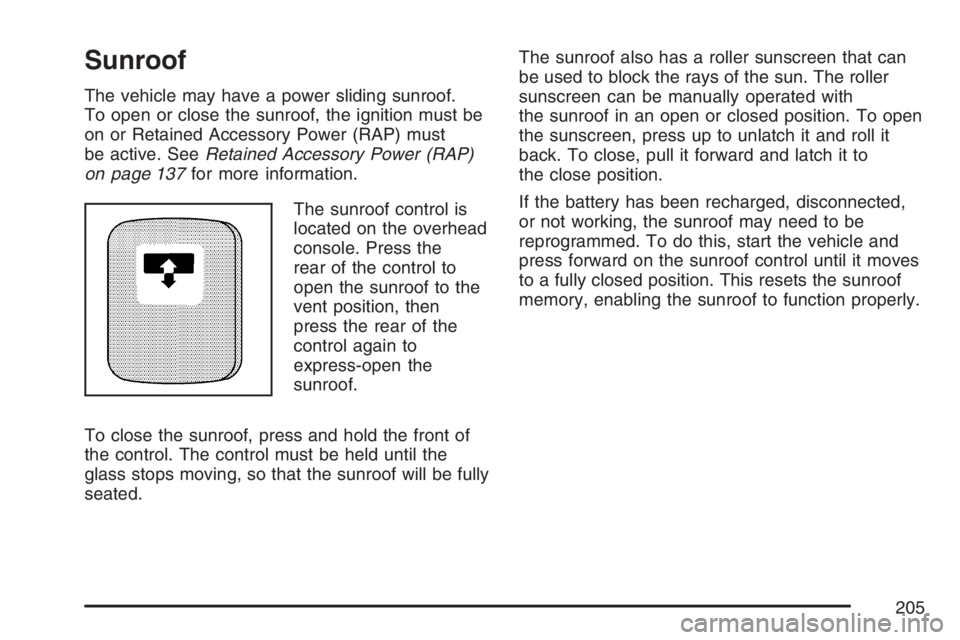
The sunroof control is
located on the overhead
console. Press the
rear of the control to
open the sunroof to the
vent position, then
press the rear of the
control again to
express-open the
sunroof.
To close the sunroof, press and hold the front of
the control. The control must be held until the
glass stops moving, so that the sunroof will be fully
seated.The sunroof also has a roller sunscreen that can
be used to block the rays of the sun. The roller
sunscreen can be manually operated with
the sunroof in an open or closed position. To open
the sunscreen, press up to unlatch it and roll it
back. To close, pull it forward and latch it to
the close position.
If the battery has been recharged, disconnected,
or not working, the sunroof may need to be
reprogrammed. To do this, start the vehicle and
press forward on the sunroof control until it moves
to a fully closed position. This resets the sunroof
memory, enabling the sunroof to function properly.
205
Page 216 of 674
Flash-to-Pass
This feature lets you use your high-beam
headlamps to signal a driver in front of you that
you want to pass. It works even if your headlamps
are in the automatic position.
To use it, pull the turn signal lever toward you,
then release it.
If your headlamps are in the automatic position or
on low beam, your high-beam headlamps will
turn on. They will stay on as long as you hold the
lever toward you. The high-beam indicator on
the instrument panel cluster will come on. Release
the lever to return to normal operation.
Windshield Wipers
Be sure to clear ice and snow from the wiper blades
before using them. If they are frozen to the
windshield, gently loosen or thaw them. Damaged
wiper blades may not clear the windshield well,
making it harder to see and drive safely. If the
blades do become damaged, install new blades or
blade inserts. For more information, seeWindshield
Wiper Blade Replacement on page 542.Heavy snow or ice can overload the wiper motor. A
circuit breaker will stop the motor until it cools down.
Clear away snow or ice to prevent an overload.
You control the windshield wipers by turning the
band with the wiper symbol on it.
8(Mist):For a single wiping cycle, turn the band
to mist. Hold it there until the wipers start. Then let
go. The wipers will stop after one wipe. If you want
more wipe cycles, hold the band on mist longer.
6(Delay):You can set the wiper speed for a long
or short delay between wiping cycles. This can
be very useful in light rain or snow. Turn the band
to choose the delay time. The closer to the top
of the lever, the shorter the delay.
6(Low Speed):For steady wiping at low
speed, turn the band away from you to the
rst solid band past the delay settings.
1(High Speed):For high-speed wiping, turn
the band further, to the second solid band past the
delay settings.
9(Off):To stop the wipers, move the band to off.
216
Page 255 of 674
This light should come on briey when you turn
the ignition key to RUN. If it does not come
on then, have it xed so it will be ready to warn
you if there is a problem.
If the light comes on while you are driving, pull off
the road and stop carefully. You may notice
that the pedal is harder to push or may go closer
to the oor. It may take longer to stop. If the
light is still on, have the vehicle towed for service.
SeeTowing Your Vehicle on page 423.
{CAUTION:
Your brake system may not be working
properly if the brake system warning light
is on. Driving with the brake system
warning light on can lead to an accident.
If the light is still on after you have pulled
off the road and stopped carefully, have
the vehicle towed for service.
Anti-Lock Brake System Warning
Light
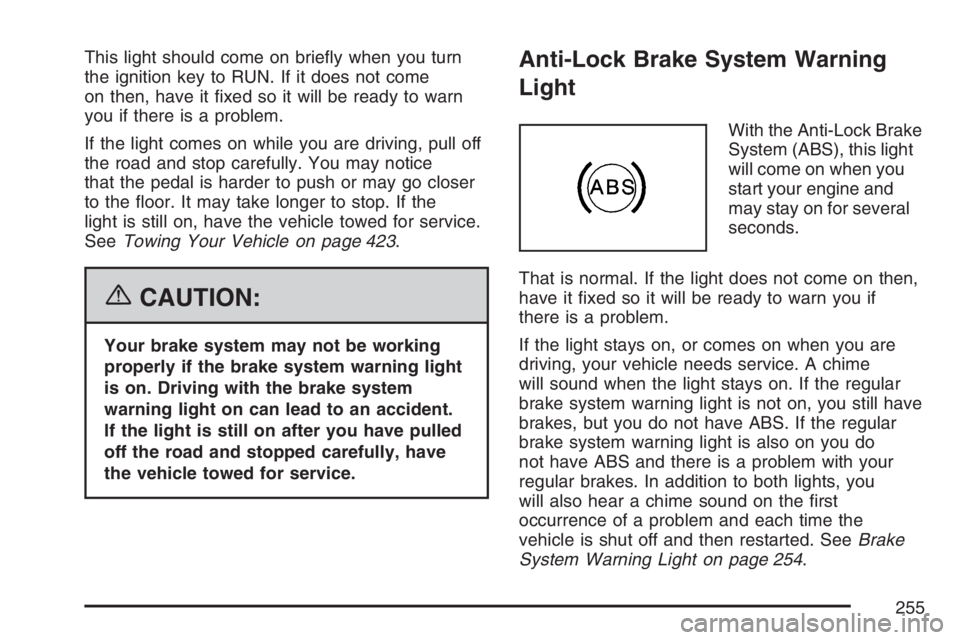
With the Anti-Lock Brake
System (ABS), this light
will come on when you
start your engine and
may stay on for several
seconds.
That is normal. If the light does not come on then,
have it xed so it will be ready to warn you if
there is a problem.
If the light stays on, or comes on when you are
driving, your vehicle needs service. A chime
will sound when the light stays on. If the regular
brake system warning light is not on, you still have
brakes, but you do not have ABS. If the regular
brake system warning light is also on you do
not have ABS and there is a problem with your
regular brakes. In addition to both lights, you
will also hear a chime sound on the rst
occurrence of a problem and each time the
vehicle is shut off and then restarted. SeeBrake
System Warning Light on page 254.
255
Page 260 of 674
If the Light is Flashing
The following may prevent more serious damage
to your vehicle:
Reducing vehicle speed
Avoiding hard accelerations
Avoiding steep uphill grades
If you are towing a trailer, reduce the amount
of cargo being hauled as soon as it is
possible
If the light stops ashing and remains on steady,
see “If the Light Is On Steady” following.
If the light continues to ash, when it is safe to do
so, stop the vehicle. Find a safe place to park
your vehicle. Turn the key off, wait at least
10 seconds and restart the engine. If the light
remains on steady, see “If the Light Is On Steady”
following. If the light is still ashing, follow the
previous steps, and see your dealer for service as
soon as possible.
If the Light Is On Steady
You may be able to correct the emission system
malfunction by considering the following:
Did you recently put fuel into your vehicle?
If so, reinstall the fuel cap, making sure to fully
install the cap. SeeFilling the Tank on page 474.
The diagnostic system can determine if the
fuel cap has been left off or improperly installed.
A loose or missing fuel cap will allow fuel to
evaporate into the atmosphere. A few driving trips
with the cap properly installed should turn the
light off.
Did you just drive through a deep puddle of water?
If so, your electrical system may be wet. The
condition will usually be corrected when the
electrical system dries out. A few driving trips
should turn the light off.
260
Page 267 of 674
Trip Information Button
3
(Trip Information):Press the trip
information button to scroll through the
ODOMETER, TRIP A, TRIP B, TIMER, ENGINE
HOURS, and SELECTED RANGE.
Odometer:Press the trip information button until
ODOMETER appears on the display. This
mode shows the total distance the vehicle has
been driven in either miles or kilometers. Pressing
the reset stem located on the instrument cluster
with the vehicle off will also display the odometer.
Trip A:Press the trip information button until
TRIP A appears on the display. This mode shows
the current distance traveled since the last
reset for TRIP A in either miles or kilometers.
Trip B:Press the trip information button
until TRIP B appears on the display. This mode
shows the current distance traveled since the last
reset for TRIP B in either miles or kilometers.
To reset TRIP A or TRIP B information, press and
hold the select button for one second while in
one of the trip modes. This will reset the
information for TRIP A or TRIP B.You can also reset TRIP A or TRIP B while they
are displayed by pressing the reset stem on
the cluster. If you press and hold the reset stem or
the select button for four seconds, the display
will show the distance traveled since the last
ignition cycle for TRIP A or TRIP B.
SeeTrip Odometer on page 246for more
information.
Timer:The DIC can be used as a timer. Press
the select button while TIMER is displayed to start
the timer. The display will show the amount of
time that has passed since the timer was
last reset, not including time the ignition is off.
Time will continue to be counted as long as
the ignition is on, even if another display is being
shown on the DIC. The timer will record up to
99 hours, 59 minutes and 59 seconds (99:59:59)
after which the display will roll back to zero.
To stop the counting of time, press the select
button briey while TIMER is displayed.
To reset the timer to zero, press and hold the
select button while TIMER is displayed.
267
Page 277 of 674
RIGHT REAR DOOR AJAR (Crew Cab)
If the passenger’s side rear door is not fully
closed, this message will appear on the display
and you will hear a chime. Stop and turn off
the vehicle, check the door for obstructions, and
close the door again. Check to see if the message
still appears on the DIC. Pressing any of the
four DIC buttons will acknowledge the message
and clear it from the DIC display. If your
vehicle does not have the four DIC buttons,
pressing the trip odometer reset stem will
acknowledge the message and clear it from the
DIC display.
SERVICE 4WD (Four-Wheel-Drive)
If a problem occurs with the four-wheel-drive
system, this message will appear on the DIC. If
this message appears, stop as soon as possible
and turn off the vehicle. Restart the vehicle
and check for the message on the DIC display. If
the message is still displayed or appears again
when you begin driving, the four-wheel-drive
system needs service. See your dealer.
SERVICE AIRBAG
If there is a problem with the airbag system, this
message will be displayed on the DIC. Have
your dealer inspect the system for problems. See
Airbag Readiness Light on page 247and
Airbag System on page 91for more information.
Pressing any of the four DIC buttons will
acknowledge the message and clear it from the
DIC display. If your vehicle does not have the four
DIC buttons, pressing the trip odometer reset
stem will acknowledge the message and clear it
from the DIC display.
277
Page 278 of 674
SERVICE BRAKE BOOSTER
{CAUTION:
Your brake system may not be working
properly if the SERVICE BRAKE
BOOSTER message is displayed.
If the brake system warning light is also
on, you should have the vehicle towed for
service. SeeBrake System Warning Light
on page 254.
If the brake system warning light is not
on, you still have brakes, but the
supplemental brake assist system on
vehicles with rear disc brakes may not
operate properly. In the event of a vacuum
loss, you may not have vacuum power
assist for braking. The brake pedal will be
harder to push and it will take longer to
stop. If you continue to drive with this
message displayed it can lead to a crash.
Have the brake system serviced as soon
as possible.If your vehicle has vacuum assist power brakes,
this message will be displayed on the DIC
when there is a problem with the Supplemental
Brake Assist system. If the message is displayed
immediately after starting the vehicle or the
message appears while driving, the Supplemental
Brake Assist system needs service. See your
dealer. SeeBrake System Warning Light on
page 254for additional information.
SERVICE BRAKE SYSTEM
If there is a problem with the brake system, this
message will be displayed on the DIC. If this
message appears, stop as soon as possible and
turn off the vehicle. Restart the vehicle and
check for the message on the DIC display. If the
message is still displayed or appears again
when you begin driving, the brake system needs
service. See your dealer.
278
Page 301 of 674
Radio Messages
CAL ERR (Calibration Error):The audio system
has been calibrated for your vehicle from the
factory. If CAL ERR appears on the display, it
means that the radio has not been congured
properly for the vehicle and must be returned to
your GM dealer for service.
LOCKED:This message is displayed when the
THEFTLOCK
®system has locked up. Take
the vehicle to your GM dealer for service.
If any error occurs repeatedly, or if an error cannot
be corrected, contact your GM dealer.
Radio Messages for XM™ Only
SeeXM Radio Messages on page 332later in this
section for further detail.
Playing a CD
Insert a CD part way into the slot, label side up.
The player will pull it in and the CD should
begin playing. If you want to insert a CD with the
ignition off, rst press the eject button or the
INFO knob.If the ignition or radio is turned off with the CD in
the player, it will stay in the player. When the
ignition or radio is turned on, the CD will
start playing where it stopped, if it was the last
selected audio source.
When a CD is inserted, the CD symbol will appear
on the display. As each new track starts to play,
the track number will appear on the display.
The CD player can play the smaller 3 inch (8 cm)
single CDs with an adapter ring. Full-size CDs
and the smaller CDs are loaded in the same
manner.
If playing a CD-R, the sound quality may be
reduced due to CD-R quality, the method of
recording, the quality of the music that has been
recorded, and the way the CD-R has been
handled. There may be an increase in skipping,
difficulty in nding tracks, and/or difficulty in loading
and ejecting. If these problems occur, check the
bottom surface of the CD. If the surface of the CD
is damaged, such as cracked, broken, or
scratched, the CD will not play properly. If the
surface of the CD is soiled, seeCare of Your CDs
and DVDs on page 352for more information.
If there is no apparent damage, try a known
good CD.
301