display GMC SIERRA CLASSIC 2007 Owner's Manual
[x] Cancel search | Manufacturer: GMC, Model Year: 2007, Model line: SIERRA CLASSIC, Model: GMC SIERRA CLASSIC 2007Pages: 674, PDF Size: 3.5 MB
Page 241 of 674
Sensors
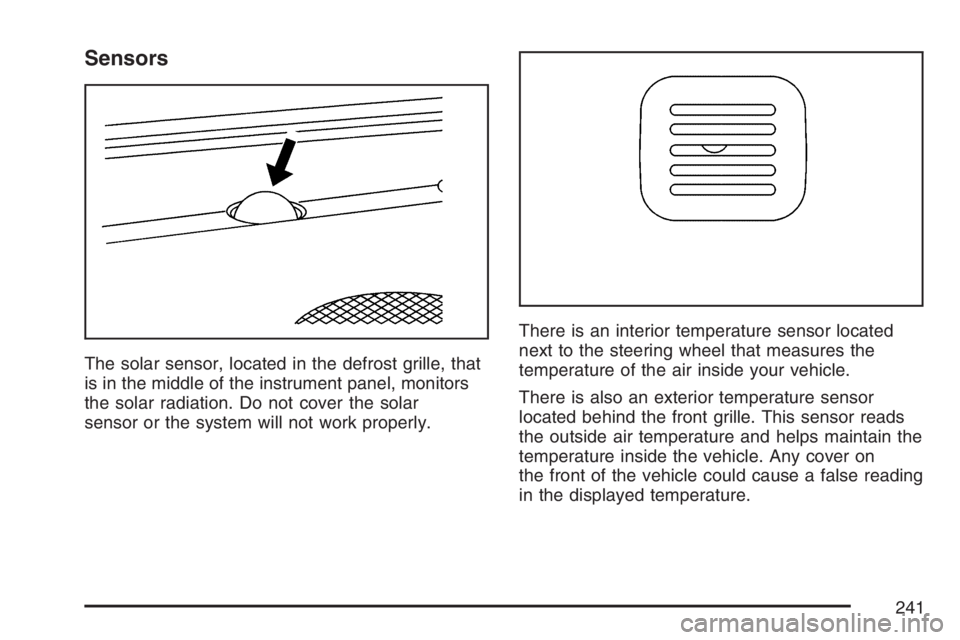
The solar sensor, located in the defrost grille, that
is in the middle of the instrument panel, monitors
the solar radiation. Do not cover the solar
sensor or the system will not work properly.There is an interior temperature sensor located
next to the steering wheel that measures the
temperature of the air inside your vehicle.
There is also an exterior temperature sensor
located behind the front grille. This sensor reads
the outside air temperature and helps maintain the
temperature inside the vehicle. Any cover on
the front of the vehicle could cause a false reading
in the displayed temperature.
241
Page 242 of 674
In order to prevent false temperature readings at
startup, the displayed temperature will not
change until the following occurs:
Vehicle speed is above 10 mph (16 kmh) for
5 minutes.
Vehicle speed is above 32 mph (51 kmh) for
2 and a half minutes.
The climate control system uses the information
from these sensors to maintain your comfort
setting by adjusting the outlet temperature, fan
speed, and the air delivery mode. The system may
also supply cooler air to the side of the vehicle
facing the sun. The recirculation mode will also be
used as needed to maintain cool outlet
temperatures.
Defogging and Defrosting
You can use either defog or front defrost to clear
fog or frost from your windshield. Use the
defog mode to clear the windows of fog or
moisture. Use the front defrost button to defrost
the front windshield.
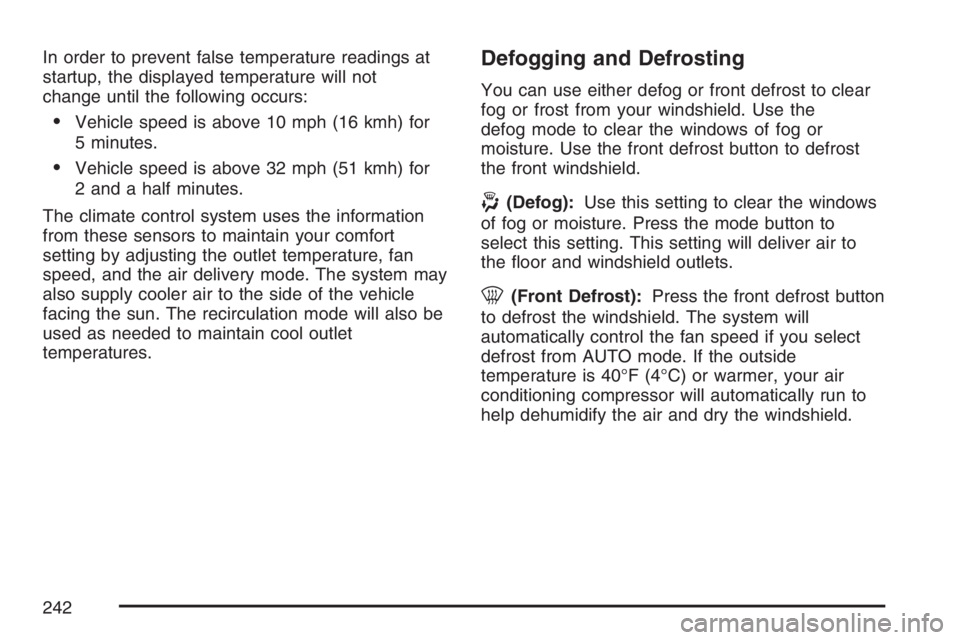
-(Defog):Use this setting to clear the windows
of fog or moisture. Press the mode button to
select this setting. This setting will deliver air to
the oor and windshield outlets.
0(Front Defrost):Press the front defrost button
to defrost the windshield. The system will
automatically control the fan speed if you select
defrost from AUTO mode. If the outside
temperature is 40°F (4°C) or warmer, your air
conditioning compressor will automatically run to
help dehumidify the air and dry the windshield.
242
Page 246 of 674
Speedometer and Odometer
Your speedometer lets you see your speed in both
miles per hour (mph) and kilometers per hour
(km/h). Your odometer shows how far your vehicle
has been driven, in either miles (used in the
United States) or kilometers (used in Canada).
Engine Hour Meter Display
The Driver Information Center (DIC) can also
display the number of hours the engine has run.
To display the hour meter, turn the ignition
off, press and hold the reset button for at least
four seconds. The hour meter will be displayed for
up to 30 seconds, or until the ignition is turned
on. SeeDIC Operation and Displays on page 266
for more information.
Trip Odometer
The trip odometer can tell you how far your
vehicle has been driven since you last set the trip
odometer to zero.
Press the reset button, located on the instrument
panel cluster next to the trip odometer display,
to toggle between the trip odometer and the
regular odometer. Holding the reset button for
approximately one second while the trip odometer
is displayed will reset it.
To display the odometer reading with the ignition
off, press the reset button.
SeeDIC Operation and Displays on page 266for
more information.
Tachometer
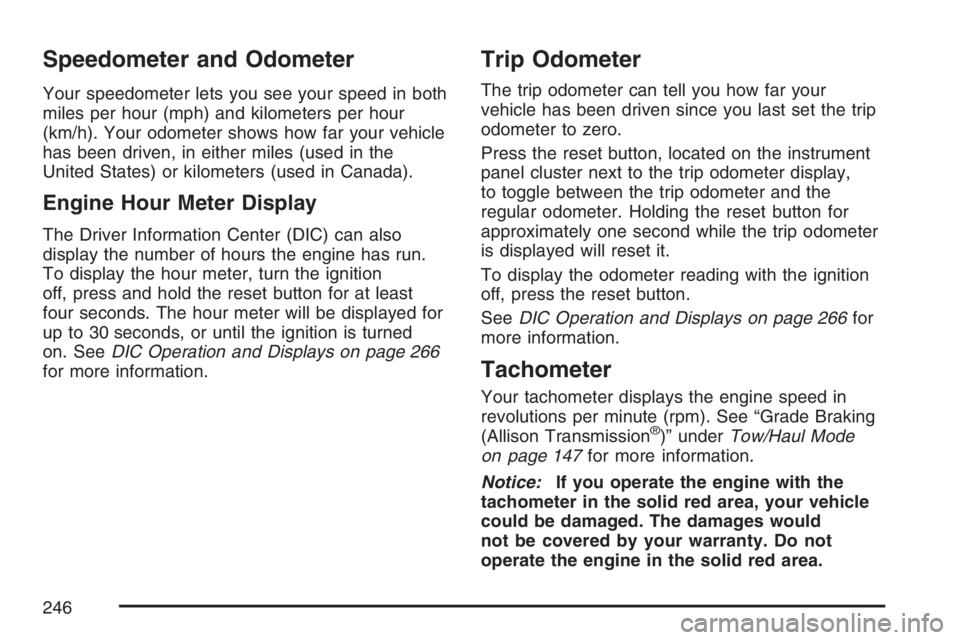
Your tachometer displays the engine speed in
revolutions per minute (rpm). See “Grade Braking
(Allison Transmission
®)” underTow/Haul Mode
on page 147for more information.
Notice:If you operate the engine with the
tachometer in the solid red area, your vehicle
could be damaged. The damages would
not be covered by your warranty. Do not
operate the engine in the solid red area.
246
Page 253 of 674
Battery Warning Light
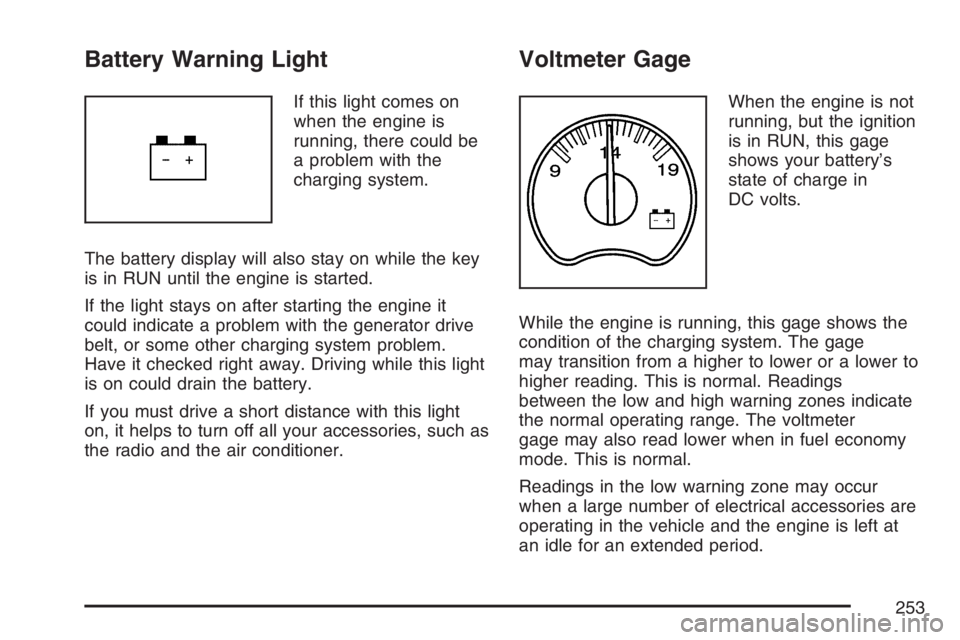
If this light comes on
when the engine is
running, there could be
a problem with the
charging system.
The battery display will also stay on while the key
is in RUN until the engine is started.
If the light stays on after starting the engine it
could indicate a problem with the generator drive
belt, or some other charging system problem.
Have it checked right away. Driving while this light
is on could drain the battery.
If you must drive a short distance with this light
on, it helps to turn off all your accessories, such as
the radio and the air conditioner.
Voltmeter Gage
When the engine is not
running, but the ignition
is in RUN, this gage
shows your battery’s
state of charge in
DC volts.
While the engine is running, this gage shows the
condition of the charging system. The gage
may transition from a higher to lower or a lower to
higher reading. This is normal. Readings
between the low and high warning zones indicate
the normal operating range. The voltmeter
gage may also read lower when in fuel economy
mode. This is normal.
Readings in the low warning zone may occur
when a large number of electrical accessories are
operating in the vehicle and the engine is left at
an idle for an extended period.
253
Page 257 of 674
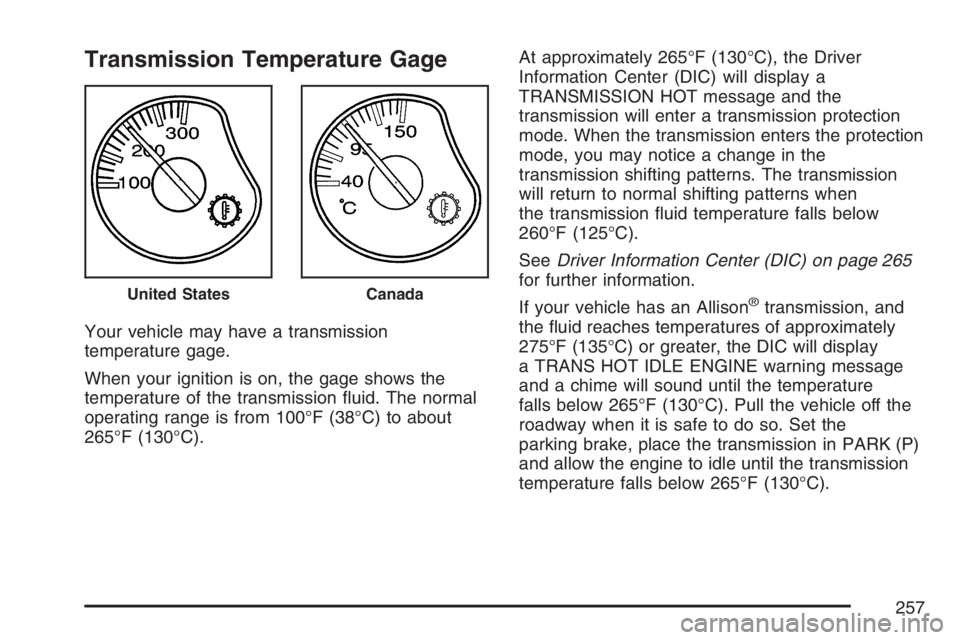
Transmission Temperature Gage
Your vehicle may have a transmission
temperature gage.
When your ignition is on, the gage shows the
temperature of the transmission uid. The normal
operating range is from 100°F (38°C) to about
265°F (130°C).At approximately 265°F (130°C), the Driver
Information Center (DIC) will display a
TRANSMISSION HOT message and the
transmission will enter a transmission protection
mode. When the transmission enters the protection
mode, you may notice a change in the
transmission shifting patterns. The transmission
will return to normal shifting patterns when
the transmission uid temperature falls below
260°F (125°C).
SeeDriver Information Center (DIC) on page 265
for further information.
If your vehicle has an Allison
®transmission, and
the uid reaches temperatures of approximately
275°F (135°C) or greater, the DIC will display
a TRANS HOT IDLE ENGINE warning message
and a chime will sound until the temperature
falls below 265°F (130°C). Pull the vehicle off the
roadway when it is safe to do so. Set the
parking brake, place the transmission in PARK (P)
and allow the engine to idle until the transmission
temperature falls below 265°F (130°C).United StatesCanada
257
Page 265 of 674
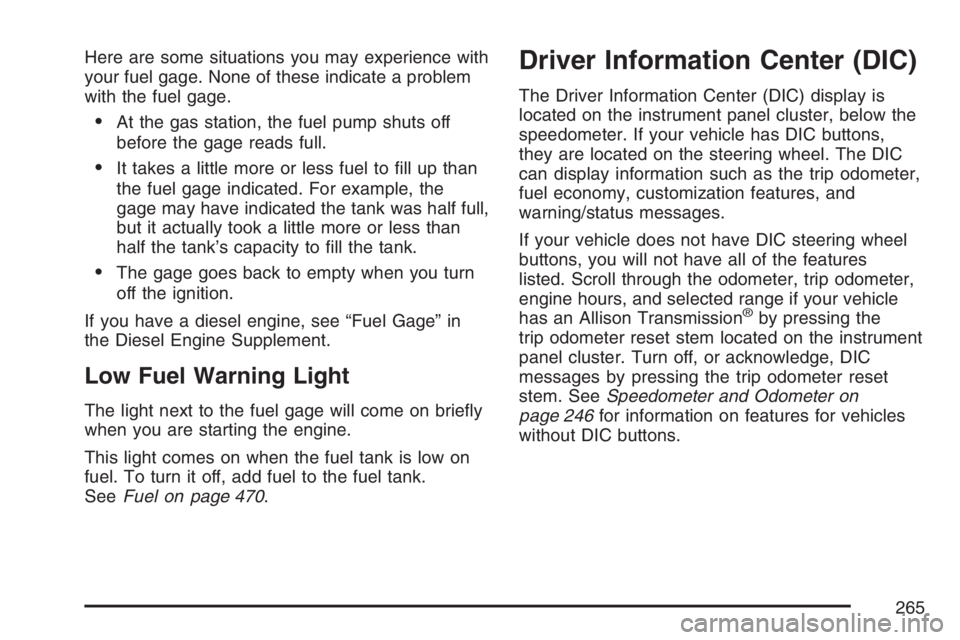
Here are some situations you may experience with
your fuel gage. None of these indicate a problem
with the fuel gage.
At the gas station, the fuel pump shuts off
before the gage reads full.
It takes a little more or less fuel to ll up than
the fuel gage indicated. For example, the
gage may have indicated the tank was half full,
but it actually took a little more or less than
half the tank’s capacity to ll the tank.
The gage goes back to empty when you turn
off the ignition.
If you have a diesel engine, see “Fuel Gage” in
the Diesel Engine Supplement.
Low Fuel Warning Light
The light next to the fuel gage will come on briey
when you are starting the engine.
This light comes on when the fuel tank is low on
fuel. To turn it off, add fuel to the fuel tank.
SeeFuel on page 470.
Driver Information Center (DIC)
The Driver Information Center (DIC) display is
located on the instrument panel cluster, below the
speedometer. If your vehicle has DIC buttons,
they are located on the steering wheel. The DIC
can display information such as the trip odometer,
fuel economy, customization features, and
warning/status messages.
If your vehicle does not have DIC steering wheel
buttons, you will not have all of the features
listed. Scroll through the odometer, trip odometer,
engine hours, and selected range if your vehicle
has an Allison Transmission
®by pressing the
trip odometer reset stem located on the instrument
panel cluster. Turn off, or acknowledge, DIC
messages by pressing the trip odometer reset
stem. SeeSpeedometer and Odometer on
page 246for information on features for vehicles
without DIC buttons.
265
Page 266 of 674
If your vehicle has an Allison Transmission®and
the shift lever is in the MANUAL MODE (M)
position, the DIC will display the current gear
range. The DIC will also display the gear range as
it is shifted up or down. For example, if the gear
range is currently set to 6, the DIC will display
(6)54321. When thegear range is shifted down
one time, the DIC will display 6 (5)4321. See
Automatic Transmission Operation on page 140for
more information.
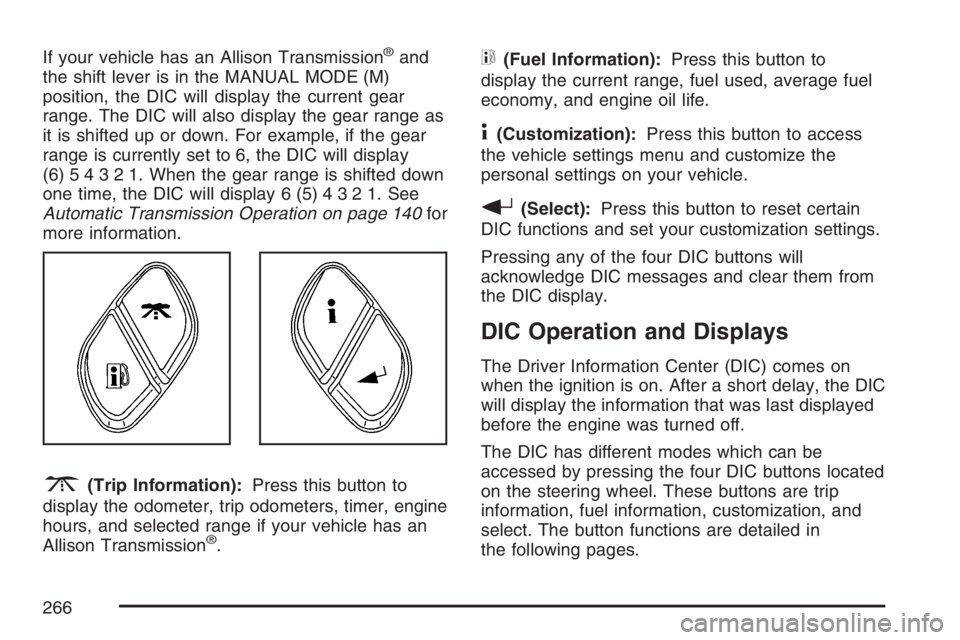
3(Trip Information):Press this button to
display the odometer, trip odometers, timer, engine
hours, and selected range if your vehicle has an
Allison Transmission
®.
t(Fuel Information):Press this button to
display the current range, fuel used, average fuel
economy, and engine oil life.
4(Customization):Press this button to access
the vehicle settings menu and customize the
personal settings on your vehicle.
r(Select):Press this button to reset certain
DIC functions and set your customization settings.
Pressing any of the four DIC buttons will
acknowledge DIC messages and clear them from
the DIC display.
DIC Operation and Displays
The Driver Information Center (DIC) comes on
when the ignition is on. After a short delay, the DIC
will display the information that was last displayed
before the engine was turned off.
The DIC has different modes which can be
accessed by pressing the four DIC buttons located
on the steering wheel. These buttons are trip
information, fuel information, customization, and
select. The button functions are detailed in
the following pages.
266
Page 267 of 674
Trip Information Button
3
(Trip Information):Press the trip
information button to scroll through the
ODOMETER, TRIP A, TRIP B, TIMER, ENGINE
HOURS, and SELECTED RANGE.
Odometer:Press the trip information button until
ODOMETER appears on the display. This
mode shows the total distance the vehicle has
been driven in either miles or kilometers. Pressing
the reset stem located on the instrument cluster
with the vehicle off will also display the odometer.
Trip A:Press the trip information button until
TRIP A appears on the display. This mode shows
the current distance traveled since the last
reset for TRIP A in either miles or kilometers.
Trip B:Press the trip information button
until TRIP B appears on the display. This mode
shows the current distance traveled since the last
reset for TRIP B in either miles or kilometers.
To reset TRIP A or TRIP B information, press and
hold the select button for one second while in
one of the trip modes. This will reset the
information for TRIP A or TRIP B.You can also reset TRIP A or TRIP B while they
are displayed by pressing the reset stem on
the cluster. If you press and hold the reset stem or
the select button for four seconds, the display
will show the distance traveled since the last
ignition cycle for TRIP A or TRIP B.
SeeTrip Odometer on page 246for more
information.
Timer:The DIC can be used as a timer. Press
the select button while TIMER is displayed to start
the timer. The display will show the amount of
time that has passed since the timer was
last reset, not including time the ignition is off.
Time will continue to be counted as long as
the ignition is on, even if another display is being
shown on the DIC. The timer will record up to
99 hours, 59 minutes and 59 seconds (99:59:59)
after which the display will roll back to zero.
To stop the counting of time, press the select
button briey while TIMER is displayed.
To reset the timer to zero, press and hold the
select button while TIMER is displayed.
267
Page 268 of 674
Engine Hours:Press the trip information button
until ENGINE HOURS appears on the display.
This mode shows the total number of hours
the engine has run. Pressing and holding the reset
stem located on the instrument cluster for about
four seconds will also display the engine hour
information after the odometer is displayed when
the vehicle is off.
Selected Range:If your vehicle has an Allison
Transmission
®and the vehicle is in the MANUAL
MODE (M) position, press the trip information
button until SELECTED RANGE: M# appears on
the display. The DIC will display the current
gear range. For example, if the gear range is set
to 6, the DIC will display SELECTED RANGE: M6.
SeeAutomatic Transmission Operation on
page 140for more information.
Fuel Information Button
t
(Fuel Information):Press the fuel information
button to scroll through the range, fuel used,
average fuel economy, and the engine oil
life system.Fuel Range:Press the fuel information button
until RANGE appears on the display. This
mode shows the remaining distance you can drive
without refueling. It is based on fuel economy
and the fuel remaining in the fuel tank. The display
will show LOW if the fuel level is low.
The fuel economy data used to determine fuel
range is an average of recent driving conditions.
As your driving conditions change, this data is
gradually updated. Fuel range cannot be reset.
Fuel Used:Press the fuel information button until
FUEL USED appears on the display. This mode
shows the number of gallons or liters of fuel used
since the last reset of this menu item. To reset
the fuel used information, press and hold the select
button for one second while FUEL USED is
displayed.
Average Fuel Economy:Press the fuel
information button until AVG ECON appears on
the display. This mode shows how many miles per
gallon (MPG) or liters per 100 kilometers
(L/100 km) your vehicle is getting based on
current and past driving conditions.
268
Page 269 of 674
Press and hold the select button for one second
while AVG ECON is displayed to reset the average
fuel economy. Average fuel economy will then
be calculated starting from that point. If the
average fuel economy is not reset, it will be
continually updated each time you drive.
Engine Oil Life System:Press the fuel
information button until ENGINE OIL LIFE appears
on the display. The engine oil life system shows
an estimate of the oil’s remaining useful life. It will
show 100% when the system is reset after an
oil change. It will alert you to change your oil on a
schedule consistent with your driving conditions.
Always reset the engine oil life system after an oil
change. To reset the engine oil life system, see
Engine Oil Life System (Gasoline Engine) on
page 489.
In addition to the engine oil life system monitoring
the oil life, additional maintenance is recommended
in the Maintenance Schedule in this manual. See
Engine Oil (Gasoline Engine) on page 486and
Scheduled Maintenance (Gasoline Engine) on
page 617.Customization Button
4
(Customization):Press the customization
button to access the VEHICLE SETTINGS menu
and customize the settings to your vehicle.
SeeDIC Vehicle Customization on page 282for
more information.
Select Button
r
(Select):Press the select button to reset
certain DIC functions and set your customization
settings. For example, this button will reset
the trip odometers and enables you to scroll
through and select the language in which the DIC
information will appear.
269