headlamp GMC SIERRA CLASSIC 2007 Owner's Manual
[x] Cancel search | Manufacturer: GMC, Model Year: 2007, Model line: SIERRA CLASSIC, Model: GMC SIERRA CLASSIC 2007Pages: 674, PDF Size: 3.5 MB
Page 286 of 674
The amount of time you choose will be the
amount of time that the headlamps stay on after
you turn off the vehicle. If you choose off, the
headlamps will turn off as soon as you turn off the
vehicle.
Choose one of the available options and press the
customization button while it is displayed on the
DIC to select it and move on to the next feature.
Perimeter Lights
Press the customization button until PERIMETER
LIGHTS appears in the display. To select your
preference for perimeter lighting, press the select
button while PERIMETER LIGHTS is displayed
on the DIC. Pressing the select button will
scroll through the following choices:
PERIMETER LIGHTS: ON (default):The
headlamps and back-up lamps will come on for
40 seconds, if it is dark enough outside, when you
unlock the vehicle with the Remote Keyless
Entry (RKE) transmitter.PERIMETER LIGHTS: OFF:The perimeter lights
will not come on when you unlock the vehicle
with the RKE transmitter.
Choose one of the available options and press the
customization button while it is displayed on the
DIC to select it and move on to the next feature.
Easy Exit Seat
Press the customization button until EASY EXIT
SEAT appears in the display. To select your
preference for seat position exit, press the select
button while EASY EXIT SEAT is displayed
on the DIC. Pressing the select button will scroll
through the following choices:
EASY EXIT SEAT: OFF (default):No seat exit
recall will occur.
EASY EXIT SEAT: ON:The driver’s seat will
move to the exit position when the key is removed
from the ignition.
Choose one of the available options and press the
customization button while it is displayed on the
DIC to select it and move on to the next feature.
For more information on seat position exit,
seeMemory Seat and Mirrors on page 12.
286
Page 287 of 674
Curb View
Press the customization button until CURB VIEW
appears in the display. To select your preference
for curb view, press the select button while CURB
VIEW is displayed on the DIC. Pressing the select
button will scroll through the following choices:
CURB VIEW: OFF (default):Neither outside
mirror will be tilted down when the vehicle
is shifted into REVERSE (R).
CURB VIEW: PASSENGER:The passenger’s
outside mirror will be tilted down when the vehicle
is shifted into REVERSE (R).
CURB VIEW: DRIVER:The driver’s outside
mirror will be tilted down when the vehicle
is shifted into REVERSE (R).
CURB VIEW: BOTH:The driver’s and
passenger’s outside mirror will be tilted down
when the vehicle is shifted into REVERSE (R).
Choose one of the available options and press the
customization button while it is displayed on the
DIC to select it and move on to the next feature.
For more information on tilt mirror in reverse,
seeOutside Curb View Assist Mirrors on
page 187.
Alarm Warning
Press the customization button until ALARM
WARNING appears in the display. To select your
preference for alarm warning, press the select
button while ALARM WARNING is displayed on
the DIC. Pressing the select button will scroll
through the following choices:
ALARM WARNING: BOTH (default):The
headlamps will ash and the horn will chirp when
the alarm is active.
ALARM WARNING: OFF:There will be no alarm
warning on activation.
ALARM WARNING: HORN:The horn will chirp
when the alarm is active.
ALARM WARNING: LAMPS:The headlamps will
ash when the alarm is active.
Choose one of the available options and press the
customization button while your choice is displayed
on the DIC to select it and move on to the next
feature. For more information on alarm warning
type, seeContent Theft-Deterrent on page 131.
287
Page 382 of 674
Driving Uphill
Once you decide you can safely drive up the hill,
you need to take some special steps.
Use a low gear and get a rm grip on the
steering wheel.
Get a smooth start up the hill and try to
maintain your speed. Do not use more power
than you need, because you do not want
your wheels to start spinning or sliding.
Try to drive straight up the hill if at all possible.
If the path twists and turns, you might want to
nd another route.
{CAUTION:
Turning or driving across steep hills can
be dangerous. You could lose traction,
slide sideways, and possibly roll over.
You could be seriously injured or killed.
When driving up hills, always try to go
straight up.
Ease up on your speed as you approach the
top of the hill.
Attach a ag to the vehicle to make you more
visible to approaching traffic on trails or hills.
Sound the horn as you approach the top of the
hill to let opposing traffic know you are there.
Use your headlamps even during the day.
They make you more visible to oncoming traffic.
{CAUTION:
Driving to the top (crest) of a hill at full
speed can cause an accident. There could
be a drop-off, embankment, cliff, or even
another vehicle. You could be seriously
injured or killed. As you near the top of a
hill, slow down and stay alert.
382
Page 391 of 674
After Off-Road Driving
Remove any brush or debris that has collected
on the underbody, chassis, or under the hood.
These accumulations can be a re hazard.
After operation in mud or sand, have the brake
linings cleaned and checked. These substances
can cause glazing and uneven braking. Check the
body structure, steering, suspension, wheels,
tires, and exhaust system for damage. Also, check
the fuel lines and cooling system for any leakage.
Your vehicle will require more frequent service
due to off-road use. Refer to the Maintenance
Schedule for additional information.
Driving at Night
Night driving is more dangerous than day driving.
One reason is that some drivers are likely to
be impaired — by alcohol or drugs, with night
vision problems, or by fatigue.
Here are some tips on night driving.
Drive defensively.
Do not drink and drive.
Adjust the inside rearview mirror to reduce the
glare from headlamps behind you.
Since you cannot see as well, you may need
to slow down and keep more space between
you and other vehicles.
Slow down, especially on higher speed roads.
Your vehicle’s headlamps can light up only so
much road ahead.
In remote areas, watch for animals.
If you are tired, pull off the road in a safe
place and rest.
No one can see as well at night as in the daytime.
But as we get older these differences increase.
A 50-year-old driver may require at least twice as
much light to see the same thing at night as a
20-year-old.
What you do in the daytime can also affect your
night vision. For example, if you spend the
day in bright sunshine you are wise to wear
sunglasses. Your eyes will have less trouble
adjusting to night. But if you are driving, do not
wear sunglasses at night. They may cut down on
glare from headlamps, but they also make a
lot of things invisible.
391
Page 392 of 674
You can be temporarily blinded by approaching
headlamps. It can take a second or two, or
even several seconds, for your eyes to re-adjust
to the dark. When you are faced with severe glare,
as from a driver who does not lower the high
beams, or a vehicle with misaimed headlamps,
slow down a little. Avoid staring directly into
the approaching headlamps.
Keep the windshield and all the glass on your
vehicle clean — inside and out. Glare at night is
made much worse by dirt on the glass. Even
the inside of the glass can build up a lm caused
by dust. Dirty glass makes lights dazzle and
ash more than clean glass would, making the
pupils of your eyes contract repeatedly.
Remember that the headlamps light up far less of a
roadway when you are in a turn or curve. Keep your
eyes moving; that way, it is easier to pick out dimly
lighted objects. Just as the headlamps should be
checked regularly for proper aim, so should your
eyes be examined regularly. Some drivers suffer
from night blindness — the inability to see in dim
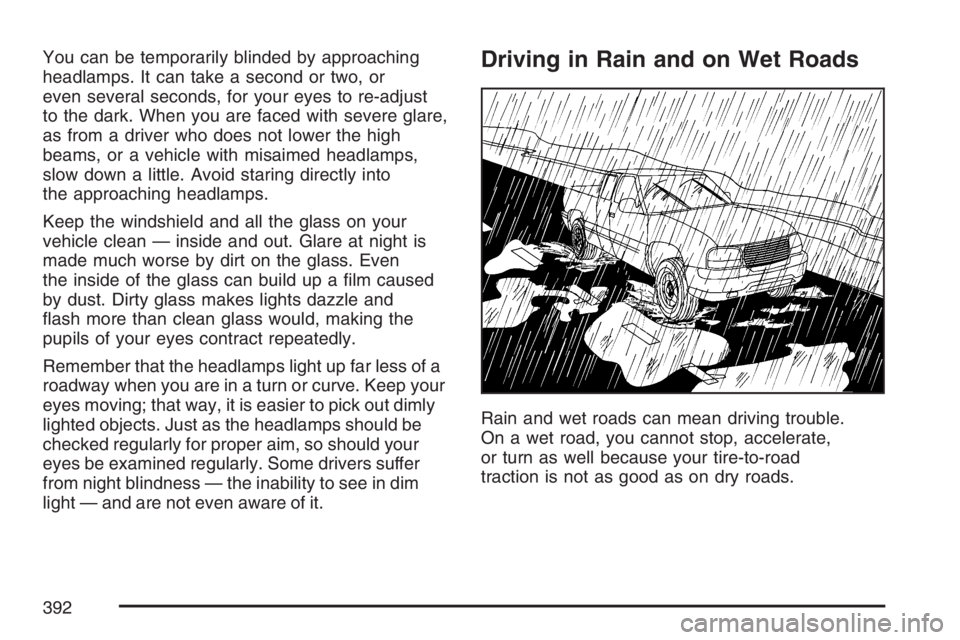
light — and are not even aware of it.Driving in Rain and on Wet Roads
Rain and wet roads can mean driving trouble.
On a wet road, you cannot stop, accelerate,
or turn as well because your tire-to-road
traction is not as good as on dry roads.
392
Page 395 of 674
Driving Through Flowing Water
{CAUTION:
Flowing or rushing water creates strong
forces. If you try to drive through owing
water, as you might at a low water
crossing, your vehicle can be carried
away. As little as six inches of owing
water can carry away a smaller vehicle.
If this happens, you and other vehicle
occupants could drown. Do not ignore
police warning signs, and otherwise be
very cautious about trying to drive
through owing water.
Some Other Rainy Weather Tips
Turn on your low-beam headlamps — not just
your parking lamps — to help make you more
visible to others.
Besides slowing down, allow some extra
following distance. And be especially
careful when you pass another vehicle.
Allow yourself more clear room ahead, and
be prepared to have your view restricted
by road spray.
Have good tires with proper tread depth.
SeeTires on page 543.
395
Page 406 of 674
You will need a well-charged battery to restart the
vehicle, and possibly for signaling later on with
your headlamps. Let the heater run for a while.
Then, shut the engine off and close the window
almost all the way to preserve the heat. Start
the engine again and repeat this only when you
feel really uncomfortable from the cold. But do it as
little as possible. Preserve the fuel as long as
you can. To help keep warm, you can get out of
the vehicle and do some fairly vigorous exercises
every half hour or so until help comes.If Your Vehicle is Stuck in Sand,
Mud, Ice, or Snow
In order to free your vehicle when it is stuck,
you will need to spin the wheels, but you do not
want to spin your wheels too fast. The method
known as rocking can help you get out when you
are stuck, but you must use caution.
{CAUTION:
If you let your vehicle’s tires spin at high
speed, they can explode, and you or others
could be injured. And, the transmission or
other parts of the vehicle can overheat.
That could cause an engine compartment
re or other damage. When you are stuck,
spin the wheels as little as possible. Do not
spin the wheels above 35 mph (55 km/h) as
shown on the speedometer.
406
Page 457 of 674
Heavy-DutyTrailer Wiring Harness
Package
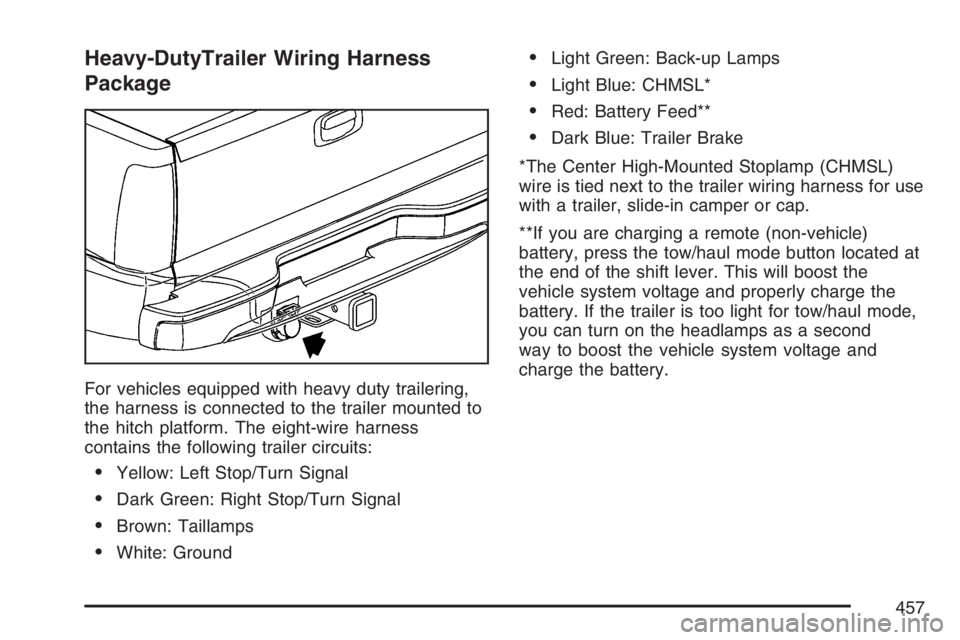
For vehicles equipped with heavy duty trailering,
the harness is connected to the trailer mounted to
the hitch platform. The eight-wire harness
contains the following trailer circuits:
Yellow: Left Stop/Turn Signal
Dark Green: Right Stop/Turn Signal
Brown: Taillamps
White: Ground
Light Green: Back-up Lamps
Light Blue: CHMSL*
Red: Battery Feed**
Dark Blue: Trailer Brake
*The Center High-Mounted Stoplamp (CHMSL)
wire is tied next to the trailer wiring harness for use
with a trailer, slide-in camper or cap.
**If you are charging a remote (non-vehicle)
battery, press the tow/haul mode button located at
the end of the shift lever. This will boost the
vehicle system voltage and properly charge the
battery. If the trailer is too light for tow/haul mode,
you can turn on the headlamps as a second
way to boost the vehicle system voltage and
charge the battery.
457
Page 466 of 674
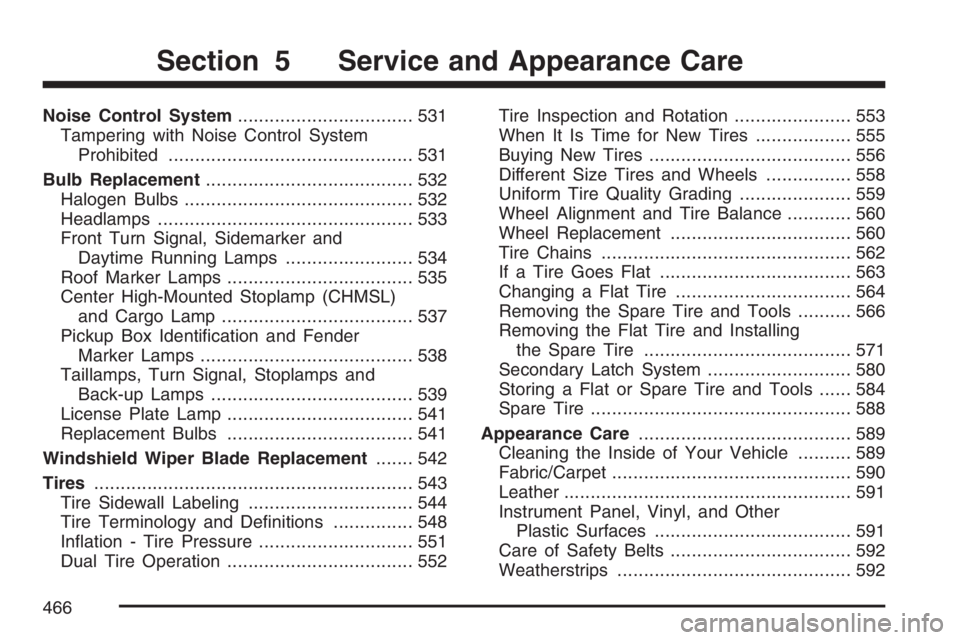
Noise Control System................................. 531
Tampering with Noise Control System
Prohibited.............................................. 531
Bulb Replacement....................................... 532
Halogen Bulbs........................................... 532
Headlamps................................................ 533
Front Turn Signal, Sidemarker and
Daytime Running Lamps........................ 534
Roof Marker Lamps................................... 535
Center High-Mounted Stoplamp (CHMSL)
and Cargo Lamp.................................... 537
Pickup Box Identication and Fender
Marker Lamps........................................ 538
Taillamps, Turn Signal, Stoplamps and
Back-up Lamps...................................... 539
License Plate Lamp................................... 541
Replacement Bulbs................................... 541
Windshield Wiper Blade Replacement....... 542
Tires............................................................ 543
Tire Sidewall Labeling............................... 544
Tire Terminology and Denitions............... 548
Ination - Tire Pressure............................. 551
Dual Tire Operation................................... 552Tire Inspection and Rotation...................... 553
When It Is Time for New Tires.................. 555
Buying New Tires...................................... 556
Different Size Tires and Wheels................ 558
Uniform Tire Quality Grading..................... 559
Wheel Alignment and Tire Balance............ 560
Wheel Replacement.................................. 560
Tire Chains............................................... 562
If a Tire Goes Flat.................................... 563
Changing a Flat Tire................................. 564
Removing the Spare Tire and Tools.......... 566
Removing the Flat Tire and Installing
the Spare Tire....................................... 571
Secondary Latch System........................... 580
Storing a Flat or Spare Tire and Tools...... 584
Spare Tire................................................. 588
Appearance Care........................................ 589
Cleaning the Inside of Your Vehicle.......... 589
Fabric/Carpet............................................. 590
Leather...................................................... 591
Instrument Panel, Vinyl, and Other
Plastic Surfaces..................................... 591
Care of Safety Belts.................................. 592
Weatherstrips............................................ 592
Section 5 Service and Appearance Care
466
Page 533 of 674

Headlamps
To replace a headlamp bulb, do the following:
1. Open the hood. SeeHood Release on
page 479for more information.
2. Remove the two pins on the top of the
headlamp assembly. To remove the pins, turn
the outer pin outward and pull it straight up.
To remove the inner pin, turn it in and
pull it straight up.A. Low-Beam Headlamp
B. High-Beam Headlamp
3. Pull the headlamp assembly out.
4. Unplug the electrical connector.
5. Turn the old bulb counterclockwise and
remove it from the headlamp assembly.
6. Install the new bulb into the assembly and
turn it clockwise until it is tight.
7. Plug in the electrical connector.
8. Reinstall the headlamp assembly.
9. Reinstall and tighten the two pins.
533