rear axle GMC SIERRA CLASSIC 2007 Owners Manual
[x] Cancel search | Manufacturer: GMC, Model Year: 2007, Model line: SIERRA CLASSIC, Model: GMC SIERRA CLASSIC 2007Pages: 674, PDF Size: 3.5 MB
Page 2 of 674
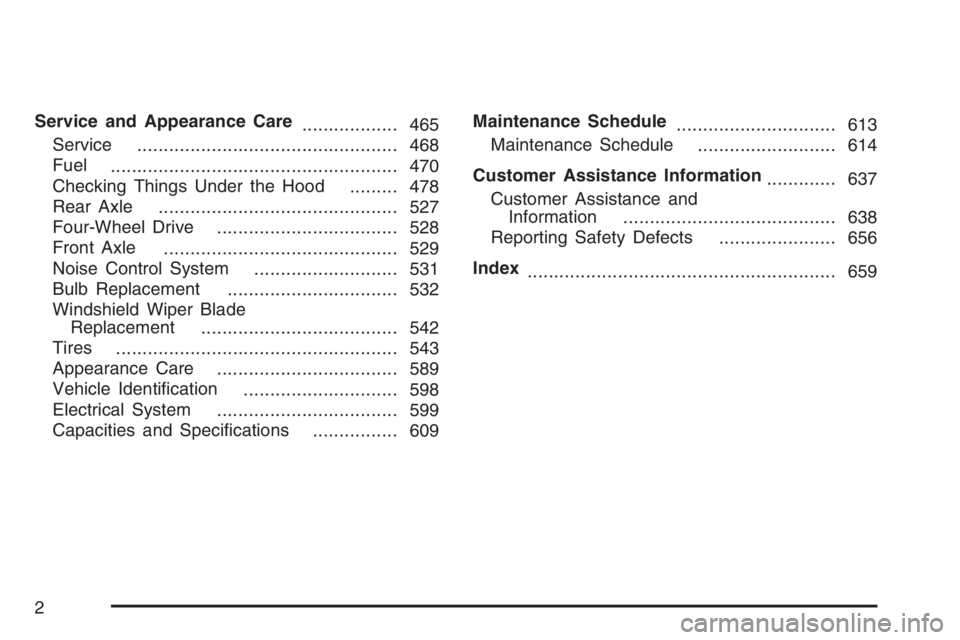
Service and Appearance Care
.................. 465
Service
................................................. 468
Fuel
...................................................... 470
Checking Things Under the Hood
......... 478
Rear Axle
............................................. 527
Four-Wheel Drive
.................................. 528
Front Axle
............................................ 529
Noise Control System
........................... 531
Bulb Replacement
................................ 532
Windshield Wiper Blade
Replacement
..................................... 542
Tires
..................................................... 543
Appearance Care
.................................. 589
Vehicle Identication
............................. 598
Electrical System
.................................. 599
Capacities and Specications
................ 609Maintenance Schedule
.............................. 613
Maintenance Schedule
.......................... 614
Customer Assistance Information
............. 637
Customer Assistance and
Information
........................................ 638
Reporting Safety Defects
...................... 656
Index
.......................................................... 659
2
Page 158 of 674
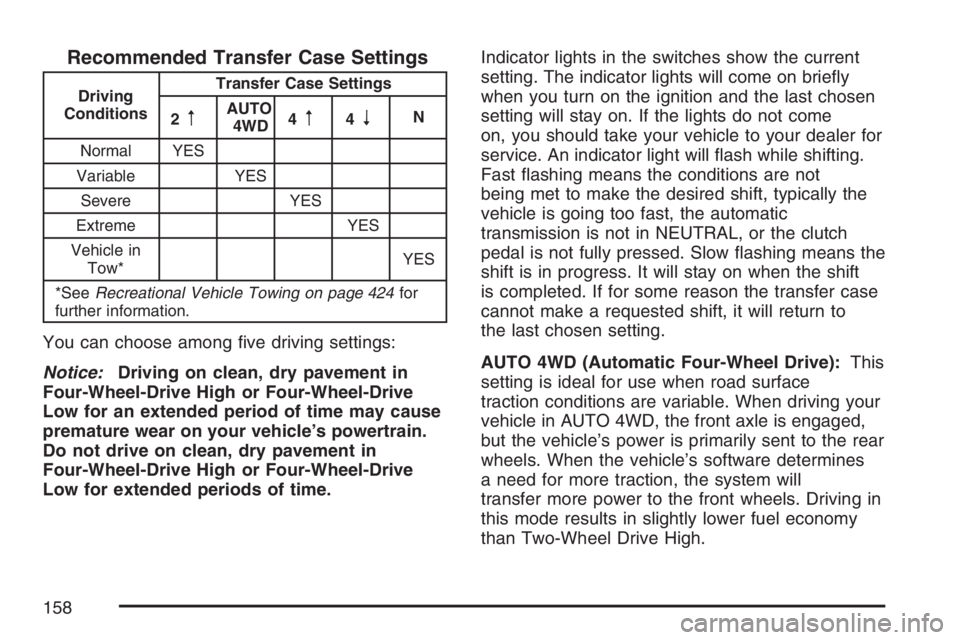
Recommended Transfer Case Settings
Driving
ConditionsTransfer Case Settings
2
mAUTO
4WD4m4nN
Normal YES
Variable YES
Severe YES
Extreme YES
Vehicle in
Tow*YES
*SeeRecreational Vehicle Towing on page 424for
further information.
You can choose among ve driving settings:
Notice:Driving on clean, dry pavement in
Four-Wheel-Drive High or Four-Wheel-Drive
Low for an extended period of time may cause
premature wear on your vehicle’s powertrain.
Do not drive on clean, dry pavement in
Four-Wheel-Drive High or Four-Wheel-Drive
Low for extended periods of time.Indicator lights in the switches show the current
setting. The indicator lights will come on briey
when you turn on the ignition and the last chosen
setting will stay on. If the lights do not come
on, you should take your vehicle to your dealer for
service. An indicator light will ash while shifting.
Fast ashing means the conditions are not
being met to make the desired shift, typically the
vehicle is going too fast, the automatic
transmission is not in NEUTRAL, or the clutch
pedal is not fully pressed. Slow ashing means the
shift is in progress. It will stay on when the shift
is completed. If for some reason the transfer case
cannot make a requested shift, it will return to
the last chosen setting.
AUTO 4WD (Automatic Four-Wheel Drive):This
setting is ideal for use when road surface
traction conditions are variable. When driving your
vehicle in AUTO 4WD, the front axle is engaged,
but the vehicle’s power is primarily sent to the rear
wheels. When the vehicle’s software determines
a need for more traction, the system will
transfer more power to the front wheels. Driving in
this mode results in slightly lower fuel economy
than Two-Wheel Drive High.
158
Page 355 of 674
Your Driving, the Road, and
Your Vehicle............................................ 356
Defensive Driving...................................... 356
Drunken Driving........................................ 357
Control of a Vehicle.................................. 360
Braking...................................................... 360
Anti-Lock Brake System (ABS).................. 361
Braking in Emergencies............................. 363
Traction Assist System (TAS).................... 363
Manual Selectable Ride............................. 365
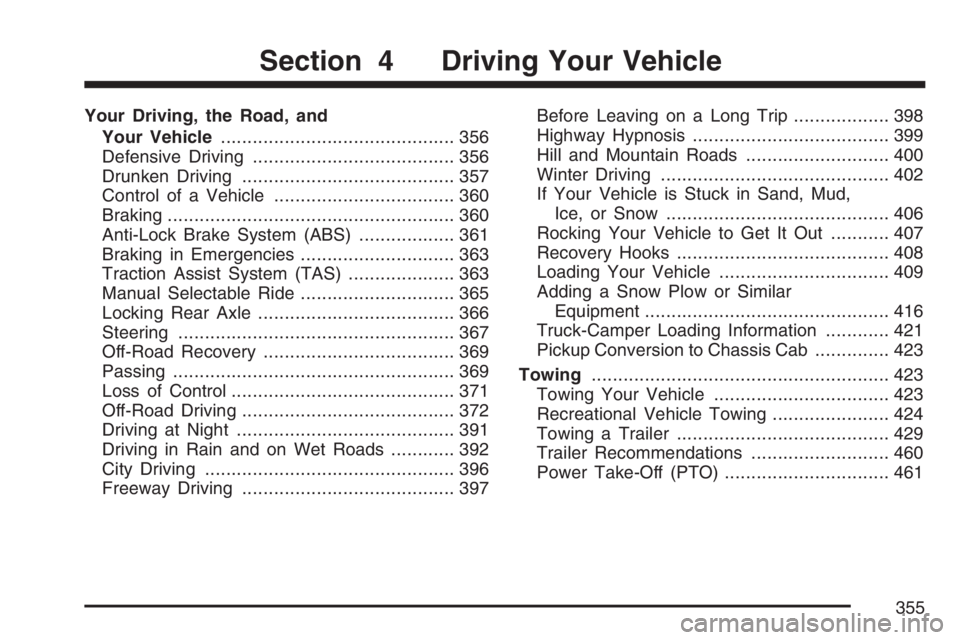
Locking Rear Axle..................................... 366
Steering.................................................... 367
Off-Road Recovery.................................... 369
Passing..................................................... 369
Loss of Control.......................................... 371
Off-Road Driving........................................ 372
Driving at Night......................................... 391
Driving in Rain and on Wet Roads............ 392
City Driving............................................... 396
Freeway Driving........................................ 397Before Leaving on a Long Trip.................. 398
Highway Hypnosis..................................... 399
Hill and Mountain Roads........................... 400
Winter Driving........................................... 402
If Your Vehicle is Stuck in Sand, Mud,
Ice, or Snow.......................................... 406
Rocking Your Vehicle to Get It Out........... 407
Recovery Hooks........................................ 408
Loading Your Vehicle................................ 409
Adding a Snow Plow or Similar
Equipment.............................................. 416
Truck-Camper Loading Information............ 421
Pickup Conversion to Chassis Cab.............. 423
Towing........................................................ 423
Towing Your Vehicle ................................. 423
Recreational Vehicle Towing...................... 424
Towing a Trailer........................................ 429
Trailer Recommendations.......................... 460
Power Take-Off (PTO)............................... 461
Section 4 Driving Your Vehicle
355
Page 366 of 674
It is recommended to use this system as follows:
For superior ride comfort in an unloaded vehicle
the button should be out. The indicator light will
not be lit. This button position indicates
NORMAL levels of ride control or damping.
For superior ride comfort when trailering, fully
loaded, driving off-road, or when personal
preferences demand more control, the button
should be pressed in with the indicator light lit.
This switch position indicates FIRM levels of
ride control or damping.
The following guide can also be used to help
determine the best setting.
NORMAL:The indicator light will not be lit when
the system is in this setting. Use for normal
city and highway driving. This setting provides a
smooth, soft ride when the vehicle is unloaded.
FIRM (Unloaded):Press the button to activate
this setting, the indicator light will be lit. Use
this setting when road conditions or personal
preference demand more control. This setting
provides more “feel” or response to the road
conditions.FIRM (Loaded):Press the button to activate
this setting, the indicator light will be lit. Use this
setting to minimize trailer inputs to the vehicle
or when the vehicle is fully loaded. This setting is
also appropriate for off-road driving.
You can select a setting at any time based on
road and trailering conditions to provide the best
ride and handling. Select a new setting whenever
driving conditions change.
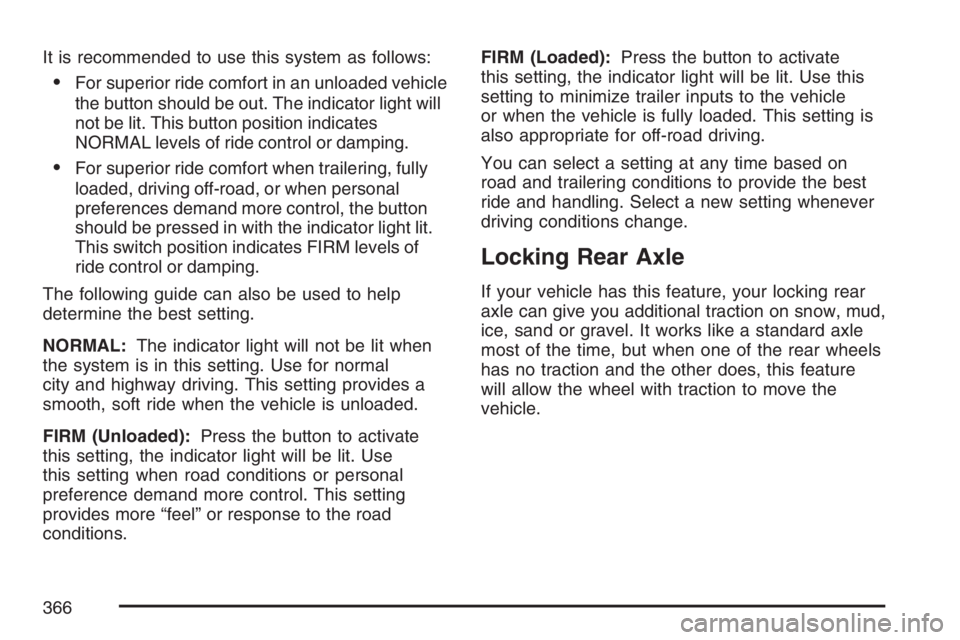
Locking Rear Axle
If your vehicle has this feature, your locking rear
axle can give you additional traction on snow, mud,
ice, sand or gravel. It works like a standard axle
most of the time, but when one of the rear wheels
has no traction and the other does, this feature
will allow the wheel with traction to move the
vehicle.
366
Page 376 of 674
Loading Your Vehicle for Off-Road
Driving
{CAUTION:
Cargo on the load oor piled higher
than the seatbacks can be thrown
forward during a sudden stop. You or
your passengers could be injured.
Keep cargo below the top of the
seatbacks.
Unsecured cargo on the load oor can
be tossed about when driving over
rough terrain. You or your passengers
can be struck by ying objects.
Secure the cargo properly.
Heavy loads on the roof raise the
vehicle’s center of gravity, making it
more likely to roll over. You can be
seriously or fatally injured if the
vehicle rolls over. Put heavy loads
inside the cargo area, not on the roof.
Keep cargo in the cargo area as far
forward and low as possible.There are some important things to remember
about how to load your vehicle.
The heaviest things should be on the load
oor and forward of the rear axle. Put
heavier items as far forward as you can.
Be sure the load is secured properly, so
driving on the off-road terrain does not
toss things around.
You will nd other important information in this
manual. SeeLoading Your Vehicle on page 409
andTires on page 543.
376
Page 409 of 674
Loading Your Vehicle
It is very important to know how much weight your
vehicle can carry. This weight is called the
vehicle capacity weight and includes the weight of
all occupants, cargo, and all nonfactory-installed
options. Two labels on your vehicle show how
much weight it was designed to carry, the Tire and
Loading Information label and the Certication/Tire
label.
{CAUTION:
Do not load your vehicle any heavier than
the Gross Vehicle Weight Rating (GVWR),
or either the maximum front or rear Gross
Axle Weight Rating (GAWR). If you do,
parts on your vehicle can break, and it
can change the way your vehicle handles.
These could cause you to lose control
and crash. Also, overloading can shorten
the life of your vehicle.
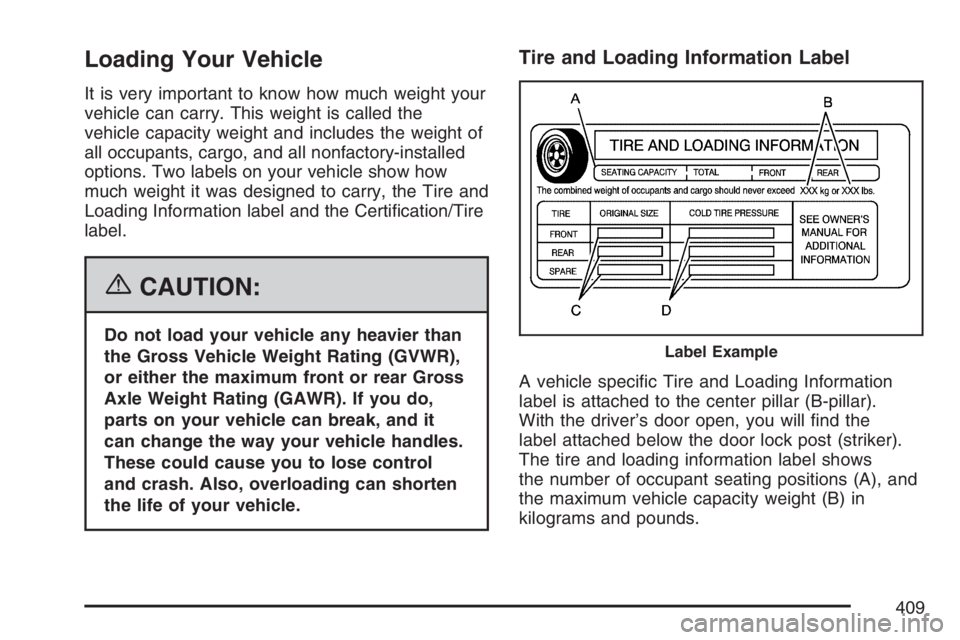
Tire and Loading Information Label
A vehicle specic Tire and Loading Information
label is attached to the center pillar (B-pillar).
With the driver’s door open, you will nd the
label attached below the door lock post (striker).
The tire and loading information label shows
the number of occupant seating positions (A), and
the maximum vehicle capacity weight (B) in
kilograms and pounds.
Label Example
409
Page 410 of 674
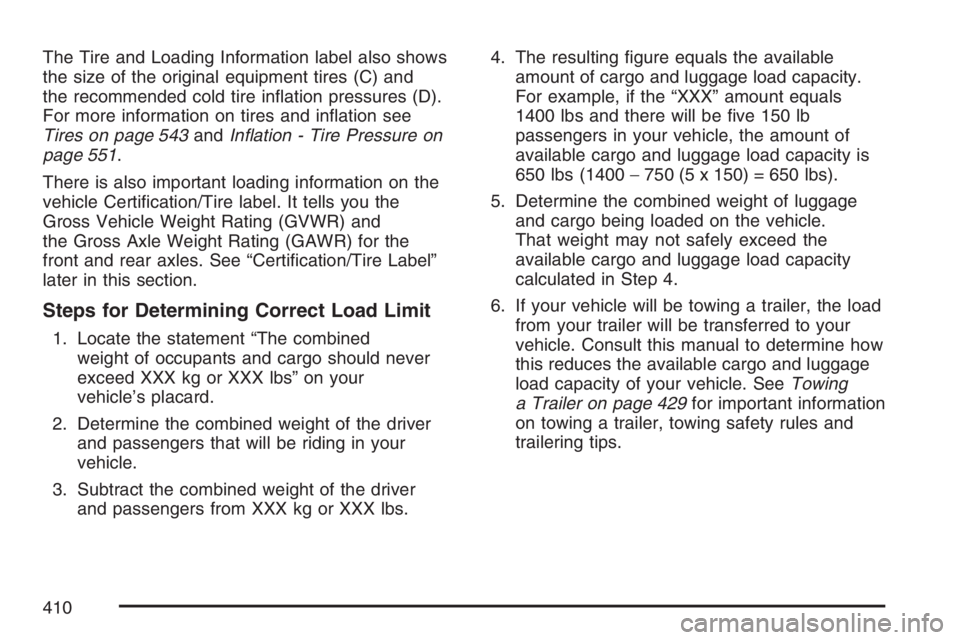
The Tire and Loading Information label also shows
the size of the original equipment tires (C) and
the recommended cold tire ination pressures (D).
For more information on tires and ination see
Tires on page 543andInation - Tire Pressure on
page 551.
There is also important loading information on the
vehicle Certication/Tire label. It tells you the
Gross Vehicle Weight Rating (GVWR) and
the Gross Axle Weight Rating (GAWR) for the
front and rear axles. See “Certication/Tire Label”
later in this section.
Steps for Determining Correct Load Limit
1. Locate the statement “The combined
weight of occupants and cargo should never
exceed XXX kg or XXX lbs” on your
vehicle’s placard.
2. Determine the combined weight of the driver
and passengers that will be riding in your
vehicle.
3. Subtract the combined weight of the driver
and passengers from XXX kg or XXX lbs.4. The resulting gure equals the available
amount of cargo and luggage load capacity.
For example, if the “XXX” amount equals
1400 lbs and there will be ve 150 lb
passengers in your vehicle, the amount of
available cargo and luggage load capacity is
650 lbs (1400−750 (5 x 150) = 650 lbs).
5. Determine the combined weight of luggage
and cargo being loaded on the vehicle.
That weight may not safely exceed the
available cargo and luggage load capacity
calculated in Step 4.
6. If your vehicle will be towing a trailer, the load
from your trailer will be transferred to your
vehicle. Consult this manual to determine how
this reduces the available cargo and luggage
load capacity of your vehicle. SeeTowing
a Trailer on page 429for important information
on towing a trailer, towing safety rules and
trailering tips.
410
Page 412 of 674
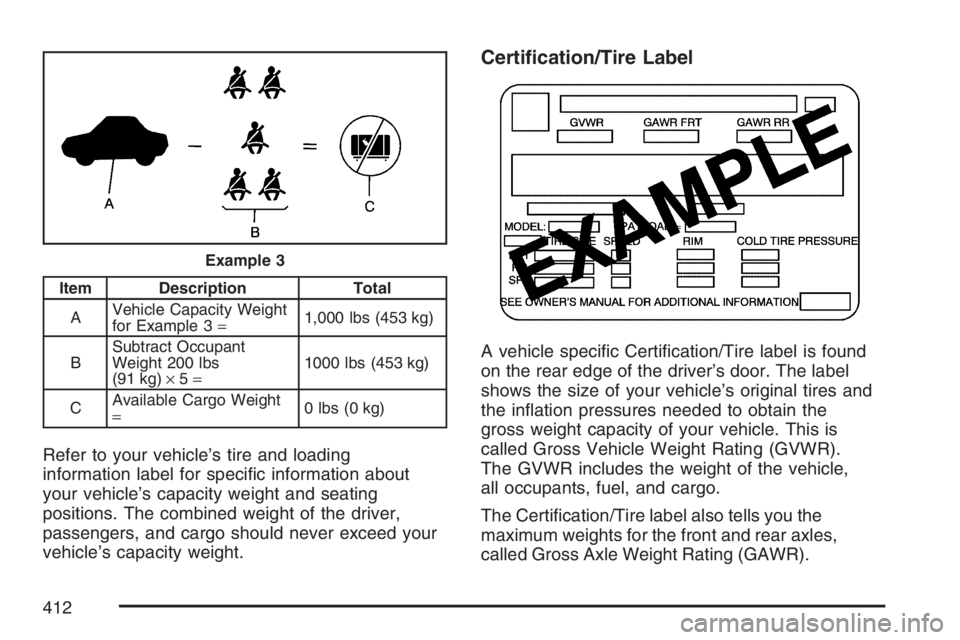
Item Description Total
AVehicle Capacity Weight
for Example 3=1,000 lbs (453 kg)
BSubtract Occupant
Weight 200 lbs
(91 kg)×5=1000 lbs (453 kg)
CAvailable Cargo Weight
=0 lbs (0 kg)
Refer to your vehicle’s tire and loading
information label for specic information about
your vehicle’s capacity weight and seating
positions. The combined weight of the driver,
passengers, and cargo should never exceed your
vehicle’s capacity weight.
Certication/Tire Label
A vehicle specic Certication/Tire label is found
on the rear edge of the driver’s door. The label
shows the size of your vehicle’s original tires and
the ination pressures needed to obtain the
gross weight capacity of your vehicle. This is
called Gross Vehicle Weight Rating (GVWR).
The GVWR includes the weight of the vehicle,
all occupants, fuel, and cargo.
The Certication/Tire label also tells you the
maximum weights for the front and rear axles,
called Gross Axle Weight Rating (GAWR).
Example 3
412
Page 413 of 674
To nd out the actual loads on your front and rear
axles, you need to go to a weigh station and weigh
your vehicle. Your dealer can help you with this.
Be sure to spread out your load equally on both
sides of the centerline.
Never exceed the GVWR for your vehicle, or the
GAWR for either the front or rear axle.
The Certication/Tire label also contains important
information about your Front Axle Reserve
Capacity. See “What is front axle reserve capacity,
and how do I calculate it?” underAdding a Snow
Plow or Similar Equipment on page 416.
{CAUTION:
In the case of a sudden stop or collision,
things carried in the bed of your truck
could shift forward and come into the
passenger area, injuring you and others.
If you put things in the bed of your truck,
you should make sure they are properly
secured.
{CAUTION:
Do not load your vehicle any heavier than
the Gross Vehicle Weight Rating (GVWR),
or either the maximum front or rear Gross
Axle Weight Rating (GAWR). If you do,
parts on your vehicle can break, and it
can change the way your vehicle handles.
These could cause you to lose control
and crash. Also, overloading can shorten
the life of your vehicle.
Notice:Overloading your vehicle may cause
damage. Repairs would not be covered by your
warranty. Do not overload your vehicle.
Using heavier suspension components to get
added durability might not change your weight
ratings. Ask your dealer to help you load
your vehicle the right way.
413
Page 415 of 674
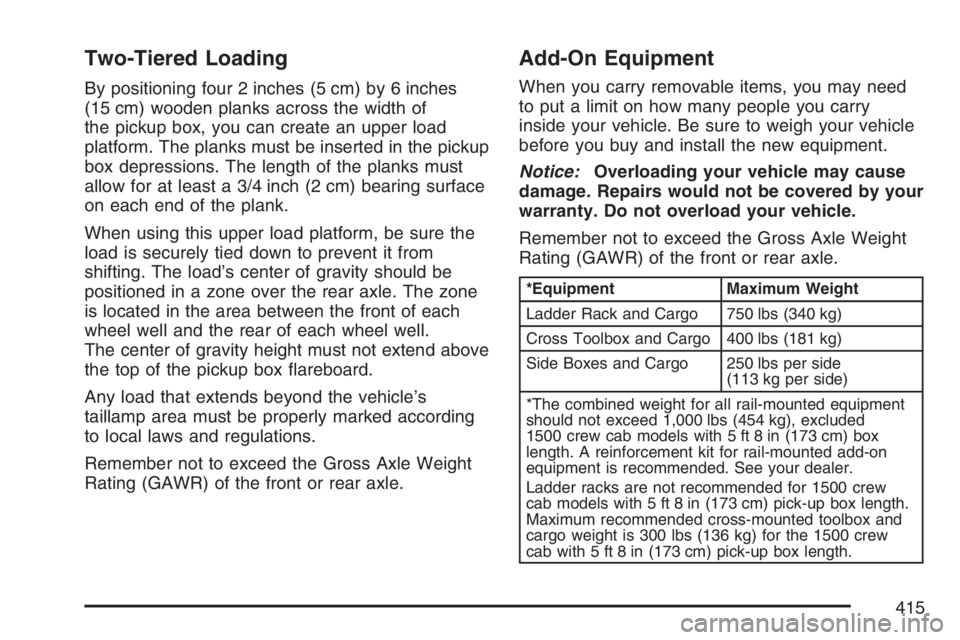
Two-Tiered Loading
By positioning four 2 inches (5 cm) by 6 inches
(15 cm) wooden planks across the width of
the pickup box, you can create an upper load
platform. The planks must be inserted in the pickup
box depressions. The length of the planks must
allow for at least a 3/4 inch (2 cm) bearing surface
on each end of the plank.
When using this upper load platform, be sure the
load is securely tied down to prevent it from
shifting. The load’s center of gravity should be
positioned in a zone over the rear axle. The zone
is located in the area between the front of each
wheel well and the rear of each wheel well.
The center of gravity height must not extend above
the top of the pickup box areboard.
Any load that extends beyond the vehicle’s
taillamp area must be properly marked according
to local laws and regulations.
Remember not to exceed the Gross Axle Weight
Rating (GAWR) of the front or rear axle.
Add-On Equipment
When you carry removable items, you may need
to put a limit on how many people you carry
inside your vehicle. Be sure to weigh your vehicle
before you buy and install the new equipment.
Notice:Overloading your vehicle may cause
damage. Repairs would not be covered by your
warranty. Do not overload your vehicle.
Remember not to exceed the Gross Axle Weight
Rating (GAWR) of the front or rear axle.
*Equipment Maximum Weight
Ladder Rack and Cargo 750 lbs (340 kg)
Cross Toolbox and Cargo 400 lbs (181 kg)
Side Boxes and Cargo 250 lbs per side
(113 kg per side)
*The combined weight for all rail-mounted equipment
should not exceed 1,000 lbs (454 kg), excluded
1500 crew cab models with 5 ft 8 in (173 cm) box
length. A reinforcement kit for rail-mounted add-on
equipment is recommended. See your dealer.
Ladder racks are not recommended for 1500 crew
cab models with 5 ft 8 in (173 cm) pick-up box length.
Maximum recommended cross-mounted toolbox and
cargo weight is 300 lbs (136 kg) for the 1500 crew
cab with 5 ft 8 in (173 cm) pick-up box length.
415