CD player GMC SIERRA DENALI 2003 User Guide
[x] Cancel search | Manufacturer: GMC, Model Year: 2003, Model line: SIERRA DENALI, Model: GMC SIERRA DENALI 2003Pages: 428, PDF Size: 20.35 MB
Page 203 of 428
PROG (Program): The front passengers must be
listening to something different for each of these
functions to work:
Press this button to go to the preset radio stations
When a cassette tape is playing, press this button
When a CD is playing in the radio, press this button
set
on the pushbuttons on the main radio.
to go to the other side
of the tape.
to go back to the beginning of the CD.
When a CD is playing in the CD changer, press this
button to select a disc.
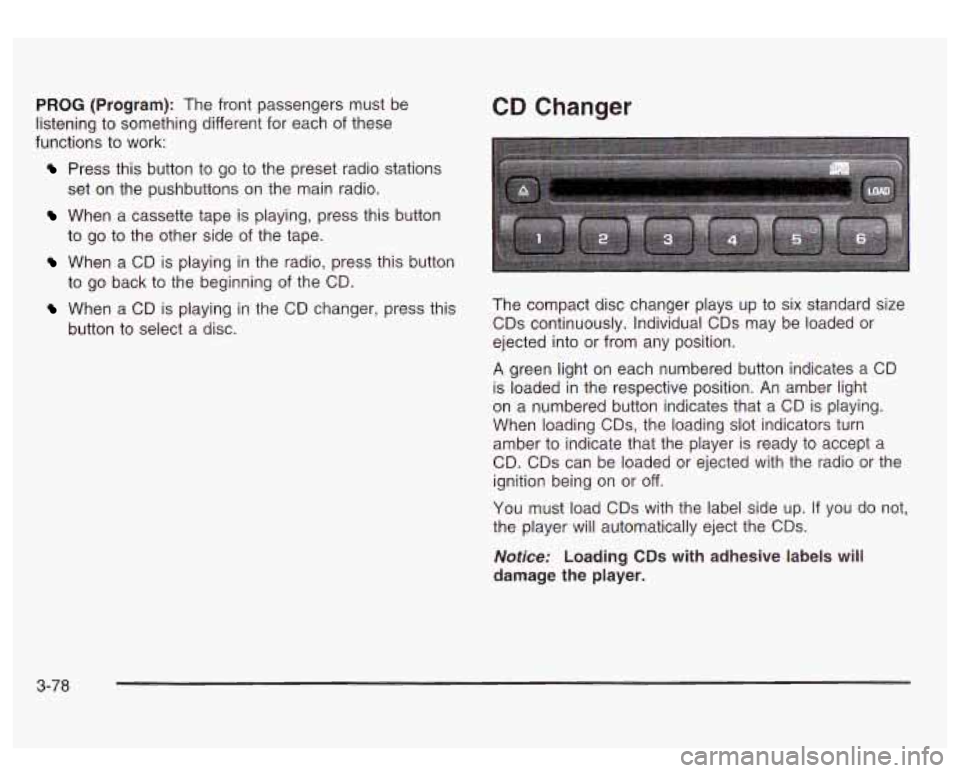
CD Changer
The compact disc changer plays up to six standard size
CDs continuously. Individual CDs may be loaded or
ejected into or from any position.
A green light on each numbered button indicates a CD
is loaded in the respective position. An amber light
on a numbered button indicates that a CD is playing.
When loading
CDs, the loading slot indicators turn
amber to indicate that the player is ready to accept a
CD. CDs can be loaded or ejected with the radio or the
ignition being on or
off.
You must load CDs with the label side up. If you do not,
the player will automatically eject the CDs.
Notice: Loading CDs with adhesive labels will
damage the player.
3-78
Page 204 of 428
To load a CD, perform the following steps:
1. Press the LOAD button. Available positions will
blink amber.
2. Select a position by pressing the desired numbered
button with the amber blinking light. If a button is
not pressed within five seconds, the changer will go
to the lowest available position.
amber. An internal door will open allowing a single
CD to be inserted into the changer. After
approximately
10 seconds the changer will be ready
to play.
3. Load the CD when the loading slot indicators turn
To load two or more CDs, perform the
following steps:
1. Press and hold the LOAD button. The first CD will
be loaded into the lowest numbered empty position.
2. Load a single CD when the loading slot indicators
turn amber. After about
10 seconds the changer will
cycle to the next available position.
the desired positions. If you do not wish to load all
of the positions, you can cancel the load all
function by pressing a button with a green flashing
indicator light or wait
20 seconds for the changer
to time out.
3. Repeat Step 2 until all CDs are loaded into all of
To eject a single CD, perform the following
steps:
1. Press the eject button (upward pointing arrow). The
buttons with loaded CDs will blink amber.
2. Press one of the amber blinking buttons to select
the location of the CD you want to eject. The
changer will move to that location and eject the CD.
If you do not remove the CD from the player
within
10 seconds, it will be reloaded. If the eject
button is pressed and a numbered location button is
not pressed within five seconds, the current or last played CD will be ejected.
To eject all CDs, press and hold the eject button.
There are two ways to play a CD. Perform
one of the following:
With the radio on, press the desired numbered
button with a green indicator light on the CD
changer.
changer will go to its last played position.
Press the TAPE DISC button on the radio. The CD
9-79
Page 205 of 428
CD Functions
1 PREV (Previous): Press this pushbutton to go to the
previous track
if the current track has been playing
for less than eight seconds. If pressed when the current
track has been playing for more than eight seconds,
it will go to the beginning of the current track. If you hold
or press this pushbutton more than once, the player
will continue moving back through the CD.
2 NEXT: Press this pushbutton to go to the next track.
If you hold this pushbutton or press it more than
once, the player will continue moving forward through
the CD.
3 REV (Reverse): Press and hold this pushbutton to
reverse quickly through a track. Release it to resume
playing.
4 FWD (Forward): Press and hold this pushbutton to
advance quickly through a track. Release it to resume
playing.
5 Q: Press this pushbutton to select a CD. The CD
number and track number will be displayed.
6 RDM (Random): Press this button to hear the tracks
in random, rather than sequential, order. RDM ALL
will appear on the radio display, which will randomly play
all of the loaded CDs. Press and hold this button until
you hear a beep and the radio will display RDM ONE, which
will randomly play the tracks on the current
CD. Press this button again
to turn off random play,
RDM
OFF will appear on the radio display.
4 SEEK b : Press the right or the left SEEK arrow to
go to the next or to the previous track on the CD.
BAND: Press BAND
to listen to the radio when a CD is
playing.
TAPE DISC: Press this button
if you have a CD loaded
in the changer and the radio is turned on,
to play a
CD. Press this button
to switch between playing a tape
and the CD changer
if all are loaded.
Compact Disc Changer Errors
CHK CD (Check): If this message appears on the
display, it could be for one of the following reasons:
You are driving on a very rough road. The CD
should play when the road gets smoother.
A CD is upside down.
It is dirty, scratched or wet.
0 It is very humid. If so, wait about an hour and try
The CD player is very hot.
again.
If any error
occurs repeatedly or if an error cannot be
corrected, contact your dealership.
3-80
Page 208 of 428
Care of Your Cassette Tape Player
A tape player that is not cleaned regularly can cause
reduced sound quality, ruined cassettes or a damaged
mechanism. Cassette tapes should be stored in their
cases away from contaminants, direct sunlight and
extreme heat.
If they aren’t, they may not operate
properly or may cause failure of the tape player.
Your tape player should be cleaned regularly after every
50 hours of use. Your radio may display CLN to
indicate that you have used your tape player for
50 hours without resetting the tape clean timer. If this
message appears on the display, your cassette
tape player needs to be cleaned. It will still play tapes,
but you should clean it as soon as possible to
prevent damage to your tapes and player.
If you notice
a reduction in sound quality, try a known good
cassette to see
if the tape or the tape player is at fault.
If this other cassette has
no improvement in sound
quality, clean the tape player.
For best results, use a scrubbing action, non-abrasive
cleaning cassette with pads which scrub the tape
head as the hubs of the cleaner cassette turn. The
recommended cleaning cassette is available through
your dealership.
The cut tape detection feature of your cassette tape
player may identify the cleaning cassette as a damaged
tape, in error. To prevent the cleaning cassette from
being ejected, use the following steps:
1. Turn the ignition on.
2. Turn the radio off.
3. Press and hold the TAPE AUX button for five
seconds. The tape symbol
on the display will
flash for two seconds.
4. Insert the scrubbing action cleaning cassette.
5. Eject the cleaning cassette after the manufacturer’s
recommended cleaning time.
After the cleaning cassette is ejected, the cut tape
detection feature will be active again.
You may also choose a non-scrubbing action, wet-type
cleaner which uses a cassette with a fabric belt to
clean the tape head. This type of cleaning cassette will
not eject on its own. A non-scrubbing action cleaner
may not clean as thoroughly as the scrubbing type
cleaner. The use of a non-scrubbing action, dry-type
cleaning cassette is not recommended.
After you clean the player, press and hold the EJECT
button for five seconds to reset the CLN indicator.
The radio will display
- or CLEANED to show the
indicator was reset.
Cassettes are subject to wear and the sound quality
may degrade over time. Always make sure the cassette
tape is in good condition before you have your tape
player serviced.
3-83
Page 209 of 428
Care of Your CDs
Handle discs carefully. Store them in their original cases
or other protective cases and away from direct sunlight
and dust.
If the surface of a disc is soiled, dampen
a clean, soft cloth in a mild, neutral detergent solution
and clean it, wiping from the center to the edge.
Be sure never to touch the side without writing when
handling discs. Pick up discs by grasping the outer
edges or the edge of the hole and the outer edge.
Care of Your CD Player
The use of CD lens cleaner discs is not advised, due to
the risk of contaminating the lens of the CD optics
with lubricants internal to the CD mechanism.
Fixed Mast Antenna
The fixed mast antenna can withstand most car washes
without being damaged.
If the mast should ever
become slightly bent, you can straighten it out by hand.
If the mast is badly bent, as it might be by vandals,
you should replace
it.
XMTM Satellite Radio Antenna
System
Your XMTM Satellite Radio antenna is located on the
roof of your vehicle. Keep this antenna clear of
snow and ice build up for clear radio reception.
DAB Radio Antenna System
Your DAB antenna is located on the roof of your
vehicle. Keep this antenna clear of snow and ice build
up for clear radio reception.
If your vehicle
is purchased in Canada and driven into
the United States the DAB radio antenna system
will not function. DAB radio reception is available in
Canada only.
Check occasionally to be sure the mast
is still tightened
to the cowl.
If tightening is required, tighten by hand.
then with a wrench one quarter turn.
3-84
Page 385 of 428
Part B: Owner Checks and Services
Listed in this part are owner checks and services
which should be performed at the intervals specified to
help ensure the safety, dependability and emission
control performance of your vehicle.
Be sure any necessary repairs are completed at once.
Whenever any fluids or lubricants are added to your
vehicle, make sure they are the proper ones, as shown
in Part
D.
At Each Fuel Fill
It is important for you or a service station attendant to
perform these underhood checks at each fuel fill.
Engine Oil Level Check
Check the engine oil level and add the proper oil if
necessary. See Engine Oil on page 5-13 for further
details.
Engine Coolant Level Check Windshield Washer Fluid Level Check
Check
the windshield washer fluid level in the windshield
washer tank and add the proper fluid
if necessary.
See
Windshield Washer Fluid on page 5-38 for further
details.
At Least Once a Month
Tire Inflation Check
Make sure tries are inflated to the correct pressures.
Don’t forget to check your spare tire. See
Tires on
page 5-61
for further details.
Cassette Tape Player Service
Clean cassette tape player. Cleaning should be done
every
50 hours of tape play. See Audio System(s)
on page 3-61
for further details.
Check the engine coolant level and add
DEX-COOL@
coolant mixture if necessary. See Engine Coolant
on page
5-24 for further details.
6-1 0
Page 410 of 428
Accessory Power Outlets ................................. 3-16
Adding Washer Fluid
....................................... 5-38
Additional Program Information
........................... 7-8
Additives, Fuel ................................................. 5-6
Add-on Electrical Equipment
............................ 5-95
Add-on Equipment .......................................... 4-48
Off Light ..................................................... 3-28
Passenger Status Indicator
........................... 3-30
Readiness Light
.......................................... 3-27
Air Bag Systems
............................................. 1-57
Bag-Equipped Vehicle
............................... 1-72
Passenger Sensing System
........................... 1-68
Adjusting the Speakers
(Balance/Fade)
.............. 3-66
Air Bag
Adding Equipment to Your Air
Air Bag
Off Switch ....................................... 1-64
How Does an Air Bag Restrain?
.................... 1-62
Servicing Your Air Bag-Equipped Vehicle
......... 1-72
What Makes an
Air Bag inflate? .................... 1-61
What Will You See After an
Air Bag Inflates?
...................................... 1-62
When Should an Air Bag Inflate?
................... 1-61
Where Are the Air Bags?
.............................. 1-59
Air Cleaner/FiIter, Engine
................................. 5-1 9
All Overseas Locations ...................................... 7-4
All-Wheel Drive
............................................... 5-49
All-Wheel Drive (AWD) System
......................... 2-21
Aluminum or Chrome-Plated Wheels
.................. 5-90
AM ............................................................ 3-82
Antenna, Fixed Mast
....................................... 3-84
Anti-lock Brake System
..................................... 4-7
Appearance Care
............................................ 5-86
Care of Safety Belts
.................................... 5-88
Antenna,
XMTM Satellite
Radio System ............... 3-84
Anti-Lock Brake, System Warning
Light .............. 3-35
Chemical Paint Spotting
............................... 5-91
Cleaning the Inside of Your Vehicle
................ 5-86
Cleaning the Outside of Your Vehicle
.............. 5-88
Finish Damage
............................................ 5-91
GM Vehicle Care/Appearance Materials .......... 5-92
Sheet Metal Damage
................................... 5-91
Underbody Maintenance
............................... 5-91
Weatherstrips
.............................................. 5-88
Ashtrays
........................................................ 3-17
Audio System(s)
............................................. 3-61
Audio Systems
Audio Steering Wheel Controls
...................... 3-81
Care of Your Cassette Tape Player
................ 3-83
Care of Your CD Player
............................... 3-84
Care of Your CDs
........................................ 3-84
CD Changer
............................................... 3-78
DAB Radio Antenna System
.......................... 3-84
Fixed Mast Antenna
..................................... 3-84
Radio with Cassette and CD
......................... 3-62
Rear Seat Audio (RSA)
................................ 3-76
Setting the Time
.......................................... 3-61
Theft-Deterrent Feature
................................ 3-81
Understanding Radio Reception
..................... 3-82
1
Page 411 of 428
Audio Systems (cont.)
XMTM Satellite Radio Antenna System ............ 3-84
Automatic Headlamp System
............................ 3-1 2
Operation ................................................... 2-1 8
System Check
......................................... 6-12
Automatic
Transmission
Fluid
.......................................................... 5-21
Automatic Transmission Check
.......................... 6-1 1
Automatic Transmission Shift Lock Control
B
Backing Up .................................................... 4-57
Battery
.......................................................... 5-42
Battery Replacement
......................................... 2-5
Battery Run-Down Protection ............................ 3-1 6
BATTERY NOT CHARGING
............................. 3-54
Battery Warning Light
...................................... 3-33
Before Leaving on a Long Trip
......................... 4-35
Body Lubrication Service
.................................. 6-1 1
Brake Parking
...................................................... 2-22
System Inspection
....................................... 6-1 5
System Warning Light .................................. 3-34
Brake Adjustment
............................................ 5-42
Brake Fluid
.................................................... 5-39
Brake Pedal Travel
......................................... 5-42
Brake Wear
.................................... ....... 5-41
Brakes
.......................................................... 5-39
Braking ........................................................... 4-6 Braking
in Emergencies
..................................... 4-8
Break-In, New Vehicle
..................................... 2-15
Bulb Replacement
........................................... 5-52
Center High-Mounted Stoplamp (CHMSL) and
Cargo Lamp
............................................ 5-56
Front Turn Signal, Sidemarker and Daytime
Running Lamps
........................................ 5-53
Halogen Bulbs
............................................ 5-52
Headlamps
................................................. 5-52
Pickup Box Identification and Fender
Marker Lamps
......................................... 5-58
Replacement Bulbs
...................................... 5-59
Roof Marker Lamps
..................................... 5-54
Buying New Tires
........................................... 5-64
Taillamps
.................................................... 5-58
C
California Fuel .................................................. 5-6
Canada
........................................................... 7-4
Canadian Owners
................................................ ii
Canadian Roadside Assistance ........................... 7-7
Capacities and Specifications
.......................... 5-1 04
Car Washes for QUADRASTEERTM Equipped Vehicles
..................................................... 4-13
Carbon Monoxide
..................... 4-38, 4-51, 2-8, 2-26
Care of
Safety Belts
................................ ..... 5-88
Care
of Your
Cassette Tape Player
................................... 3-83
2
Page 412 of 428
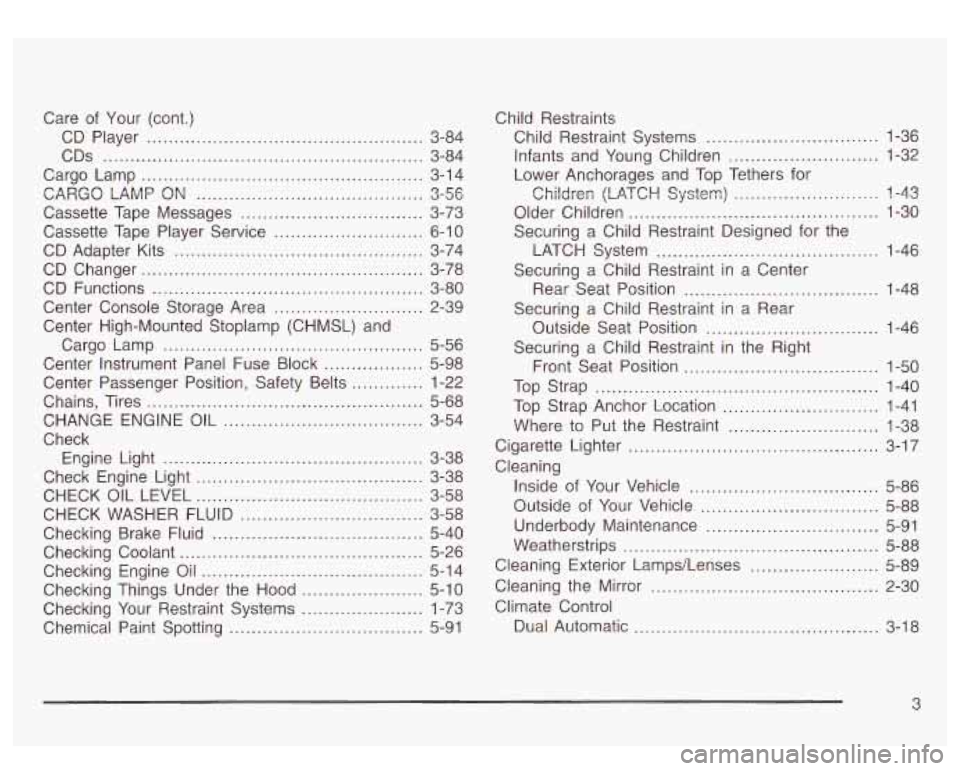
Care of Your (cont.)
CD Player
................................ ... 3-84
CDS
.......................................................... 3-84
Cargo Lamp
............................. ... 3-14
CARGO LAMP
ON ....................... ... 3-56
Cassette Tape Messages
................................. 3-73
Cassette Tape Player Service
........................... 6-10
CD Adapter Kits
............................................. 3-74
CD Changer
................................................... 3-78
CD Functions
................................................. 3-80
Center Console Storage Area
........................... 2-39
Center High-Mounted Stoplamp (CHMSL) and
Center Instrument Panel Fuse Block
.................. 5-98
Center Passenger Position, Safety Belts
............. 1-22
Chains, Tires .................................................. 5-68
Check Cargo Lamp
............................................... 5-56
CHANGE ENGINE OIL .................................... 3-54
Engine Light
.................................... ... 3-38
Check Engine Light
.......................... ... 3-38
CHECK OIL LEVEL
..................................... 3-58
CHECK WASHER FLUID
................................. 3-58
Checking Brake Fluid
...................................... 5-40
Checking Coolant ............................................ 5-26
Checking Engine Oil
........................................ 5-14
Checking Things Under the Hood
...................... 5-10
Checking Your Restraint Systems ...................... 1-73
Chemical Paint Spotting
................................... 5-91 Child Restraints
Child Restraint Systems
............................... 1-36
Infants and Young Children
........................... 1-32
Lower Anchorages and Top Tethers for
Children
(LATCH System) .......................... 1-43
Older Children ............................................. 1-30
Securing a Child Restraint Designed for the
Securing a Child Restraint in a Center
Securing a Child Restraint in a Rear
Securing a Child Restraint in the Right
LATCH System
........................................ 1-46
Rear Seat Position
................................... 1-48
Outside Seat Position
............................ 1-46
Front Seat Position
................................... 1-50
Top Strap ................................................... 1-40
Top Strap Anchor Location
............................ 1-41
Cigarette Lighter
............................................. 3-17
Where
to Put the Restraint
........................... 1-38
Cleaning Inside of Your Vehicle
.................................. 5-86
Outside
of Your Vehicle ................................ 5-88
Underbody Maintenance
............................... 5-91
Weatherstrips
.............................................. 5-88
Cleaning Exterior Lamps/Lenses
....................... 5-89
Cleaning the Mirror
......................................... 2-30
Climate Control Dual Automatic
..... . 3-18
Page 420 of 428
Payload ...................................................... 4-47
Personalization Button
..................................... 3-47
Pickup Conversion to Chassis Cab
.................... 4-50
Playing a Cassette Tape
.................................. 3-72
Playing a Compact Disc
................................... 3-74
Power
Playing
the Radio
........................................... 3-63
Accessory Outlets
........................................ 3-1 6
Electrical System
......................................... 5-95
Lumbar Controls
........................................... 1-3
Seat
............................................................ 1-2
Steering Fluid
............................................. 5-37
Windows
.................................................... 2-1 1
Power Steering ................................................ 4-9
Programming the HomeLink@ Transmitter
........... 2-35
Puddle Lamps
................................................ 3-13
Door Locks
.................................................. 2-7
Q
QUADRASTEERTM ......................................... 4-10
Questions and Answers About Safety Belts
......... 1-12 Radios (cont.)
CD Changer
............................................... 3-78
Rear Seat Audio
.......................................... 3-76
Theft-Deterrent
............................................ 3-81
Understanding Reception
.............................. 3-82
Rear Axle
...................................................... 5-50
Locking
........................................................ 4-8
Rear Doors
...................................................... 2-8
Rear Safety Belt Comfort Guides
...................... 1-27
Rear Seat Audio
............................................. 3-76
Rear Seat Audio Controls
................................. 3-77
Rear Seat Operation
......................................... 1-7
Rear Seat Outside Passenger Positions
............. 1-24
Rear Seat Passengers, Safety Belts
.................. 1-24
Rear Seat Top Strap Anchors
........................... 1-42
Rear Window Defogger
.................................... 3-22
DAB
Radio Antenna System
.......................... 3-84
Radio with Cassette and CD
......................... 3-62
Setting the Time
.......................................... 3-61
RDS and DAB Messages
................................. 3-68
Rearview Mirror, Automatic Dimming with
Onstar@, Compass and Temperature
Disdav
............................................. ...... 2-28 Id ..........................................
R
Reclining Seatbacks 1-4
Recreational Vehicle Towing
............................. 4-45
............................. Radio Messages 3-69
Radios 3-61 REDUCED BRAKE POWER
3-57
REDUCED ENGINE POWER 3-54 .............................................
........................... ..........................................................
Care of Your Cassette Tape Player ................ 3-83 Remote Alarm .................................................. 2-4
Care of Your CD Player
............................... 3-84 kxr~ote Keyless EntV System ............................ 2-3
Care of Your CDs
........................................ 3-84 Remote Keyless Entry System, Operation ............ 2-4
11