engine GMC SIERRA DENALI 2003 User Guide
[x] Cancel search | Manufacturer: GMC, Model Year: 2003, Model line: SIERRA DENALI, Model: GMC SIERRA DENALI 2003Pages: 428, PDF Size: 20.35 MB
Page 101 of 428
DRIVE (D) can be used when towing a trailer, carrying a
heavy load, driving on steep hills or for off-road
driving. You may want to shift the transmission to
THIRD
(3) or, if necessary, a lower gear selection if the
transmission shifts too often.
THIRD
(3): This position is also used for normal driving,
however it offers more power and lower fuel economy
than DRIVE (D).
SECOND
(2): This position gives you more power but
lower fuel economy. You can use SECOND
(2) on
hills. It can help control your speed as you go down
steep mountain roads, but then you would also want to
use your brakes occasionally.
If you manually select SECOND
(2), the transmission
will drive in second gear. You may use this feature
for reducing the speed of the rear wheels when you are
trying to start your vehicle from a stop on slippery
road surfaces. FIRST
(1): This position
gives you even more power
(but lower fuel economy) than SECOND
(2). You
can use it on very steep hills, or in deep snow or mud.
If the shift lever is put in FIRST (1) while the vehicle
is moving forward, the transmission won’t shift into first
gear until the vehicle is going slowly enough.
Notice: If your rear wheels won’t turn, don’t try to
drive. This might happen
if you were stuck in
very deep sand or mud or were up against a solid
object. You could damage your transmission.
Also, if you stop when going uphill, don’t hold your
vehicle there with only the accelerator pedal.
This could overheat and damage the transmission.
Use your brakes or shift into PARK (P) to hold
your vehicle in position on a hill.
On cold days, approximately
32°F (OOC) or colder, your
transmission is designed to shift differently until the
engine reaches normal operating temperature. This is
intended to improve heater performance.
2-20
Page 102 of 428
Tow/HauI Mode
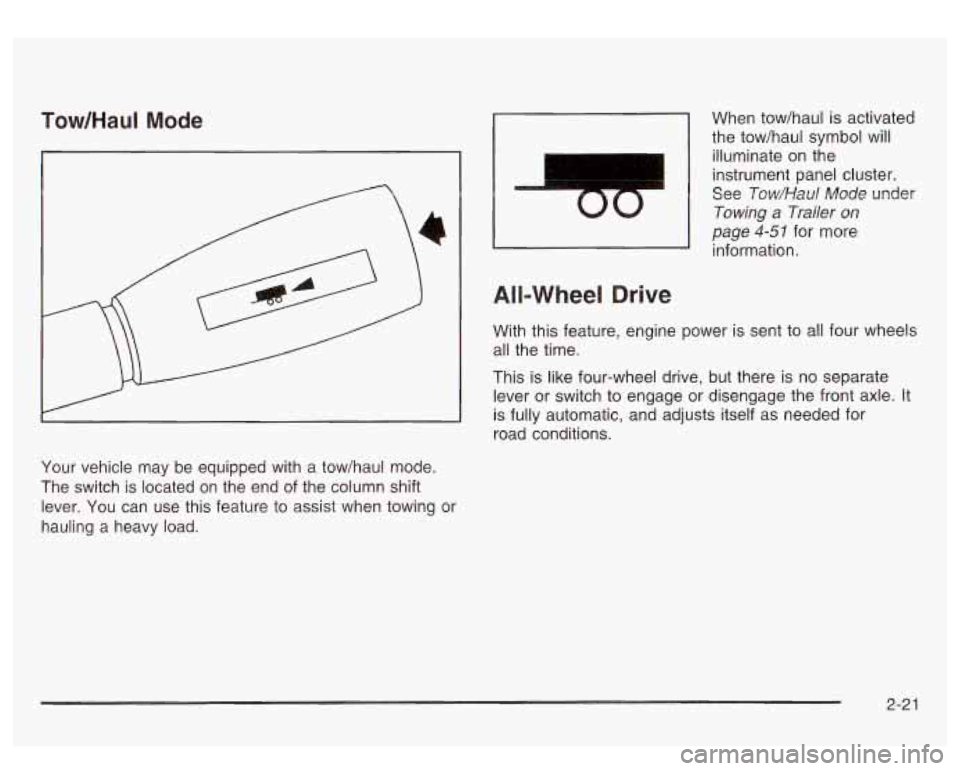
Your vehicle may be equipped with a tow/haul mode.
The switch is located on the end of the column shift
lever. You can use this feature to assist when towing or
hauling a heavy load.
I
00
When tow/haul is activated
the tow/haul symbol will
illuminate
on the
instrument panel cluster.
See
Tow/Haul Mode under
Towing a Trailer on
page 4-51 for more
information.
All-Wheel Drive
With this feature, engine power is sent to all four wheels
all the time.
This is like four-wheel drive, but there is
no separate
lever or switch to engage or disengage the front axle. It
is fully automatic, and adjusts itself as needed for
road conditions.
2-2 1
Page 104 of 428
Shifting Into Park (P)
It can be dangerous to get out of your vehicle
if the shift lever is not fully
in PARK (P) with
the parking brake firmly set. Your vehicle can
roll. If you have left the engine running, the
vehicle can move suddenly. You or others
could be injured. To be sure your vehicle won’t
move, even when you’re
on fairly level ground,
use the steps that follow.
With four-wheel
drive, if your transfer case
is in NEUTRAL,
your vehicle will be free to roll, even if your
shift lever is in PARK (P).
So, be sure the
transfer case is
in a drive gear - not in
NEUTRAL. If you’re pulling a trailer, see
“Towing a Trailer’’
in the Index.
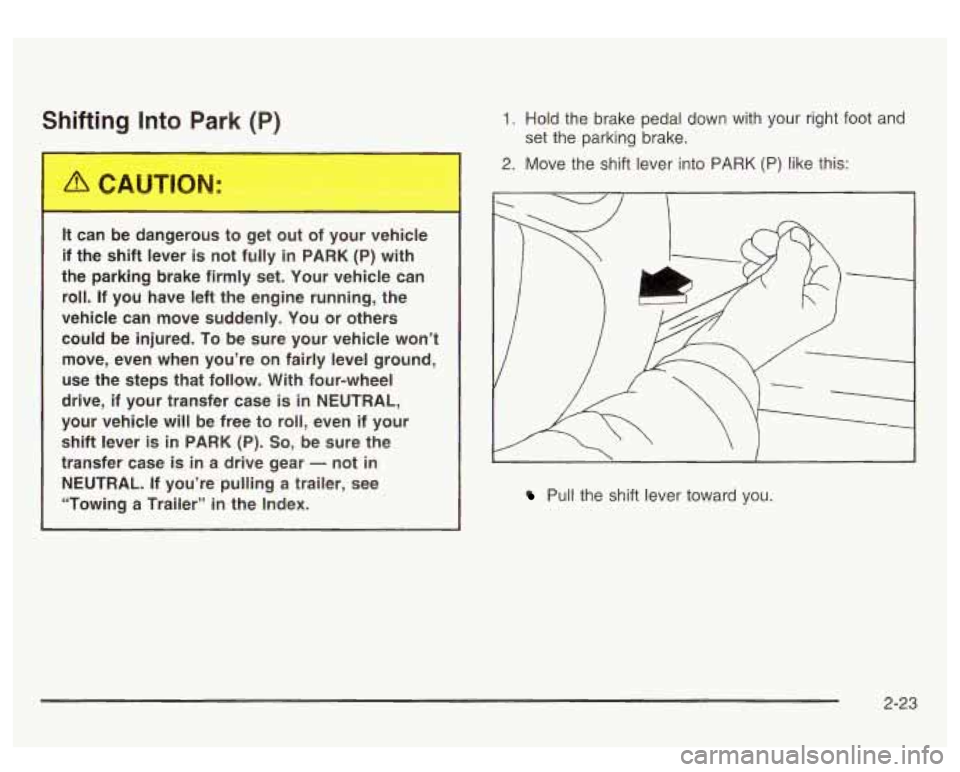
1. Hold the brake pedal down with your right foot and
2. Move the shift lever into PARK (P) like this:
set
the parking brake.
/ 1
I.
Pull the shift lever toward you.
2-23
Page 105 of 428
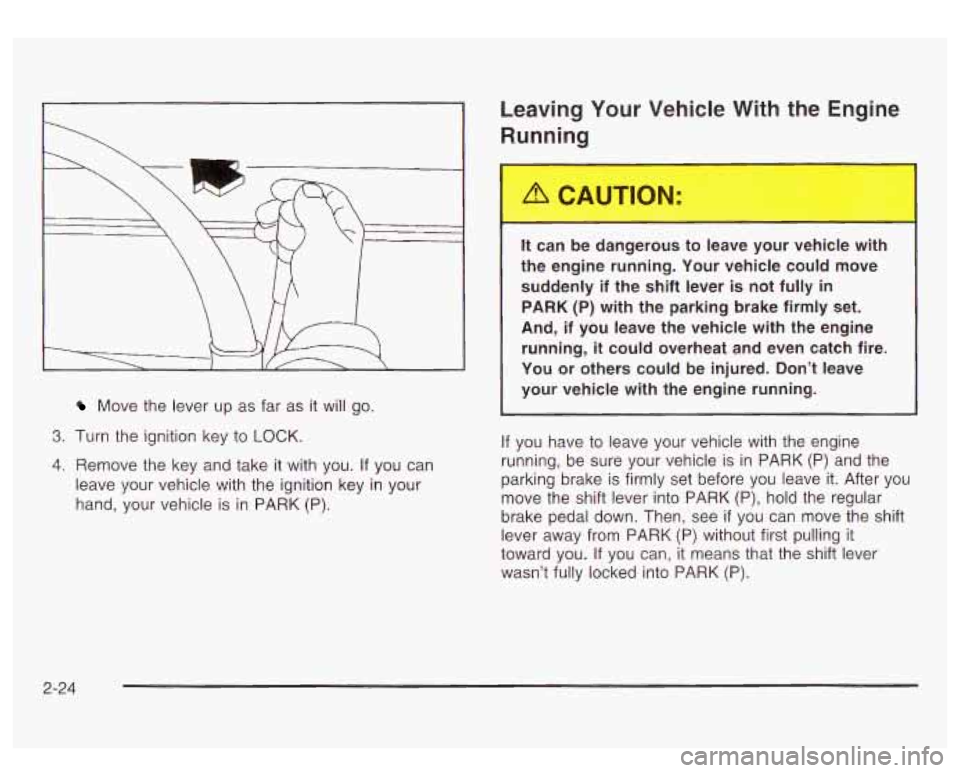
Move the lever up as far as it will go.
3. Turn the ignition key to LOCK.
4. Remove the key and take it with you. If you can
leave your vehicle with the ignition key in your
hand, your vehicle is
in PARK (P).
Leaving Your Vehicle With the Engine
Running
It can be dangerous to leave your vehicle with
the engine running. Your vehicle could move
suddenly if the shift lever is not fully
in
PARK (P) with the parking brake firmly set.
And, if you leave the vehicle with the engine
running,
it could overheat and even catch fire.
You or others could be injured. Don’t leave
your vehicle with the engine running.
If you have to leave your vehicle with the engine
running, be sure your vehicle is in PARK
(P) and the
parking brake
is firmly set before you leave it. After you
move the shift lever into PARK
(P), hold the regular
brake pedal down. Then, see
if you can move the shift
lever away from PARK
(P) without first pulling it
toward you.
If you can, it means that the shift lever
wasn’t fully locked into PARK (P).
2-24
Page 107 of 428
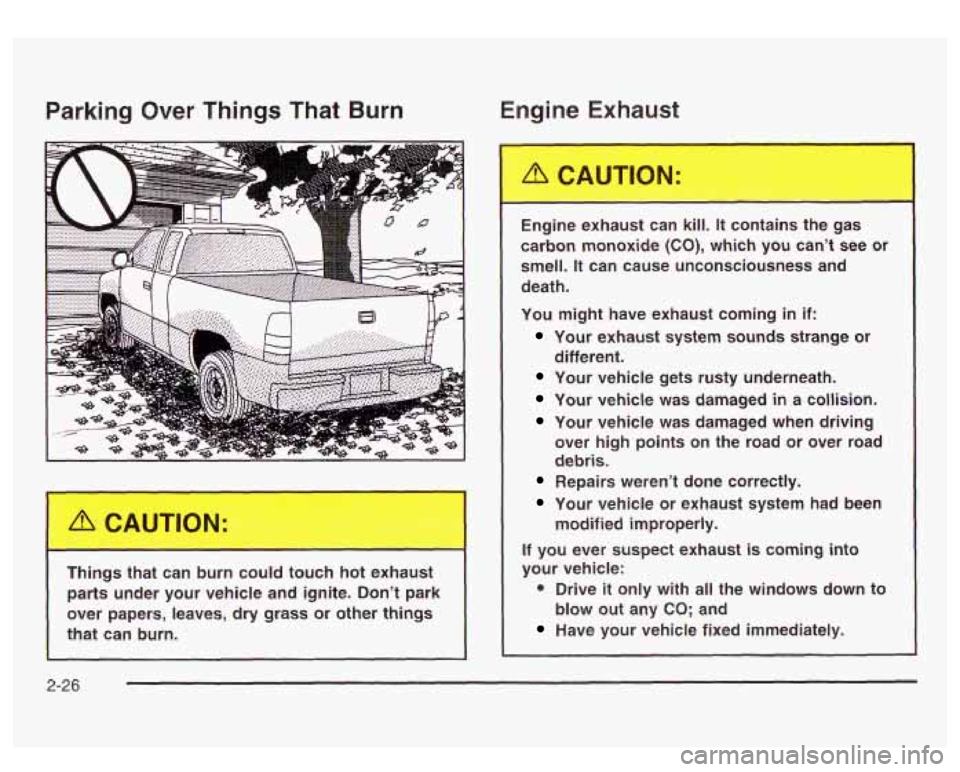
Parking Over Things That Burn En - ‘ne Ex’- - - is1
Things that can burn could touch hot exhaust parts under your vehicle and ignite. Don’t park
over papers, leaves, dry grass or other
things
that can burn. Engine exhaust can kill.
It contains the gas
carbon monoxide
(CO), which you can’t see or
smell.
It can cause unconsciousness and
death.
You might have exhaust coming
in if:
Your exhaust system sounds strange or
Your vehicle gets rusty underneath.
Your vehicle was damaged in a collision.
Your vehicle was damaged when driving over high points on the road or over road
debris.
different.
Repairs weren’t done correctly.
Your vehicle or exhaust system had
been
modified improperly.
If you ever suspect exhaust is coming into
your vehicle:
0 Drive it only with all the windows down to
Have your vehicle fixed immediately.
blow out any
CO; and
2-26
Page 108 of 428
Running Your Engine While You
Are Parked
It’s better not to park with the engine running. But if you
ever have
to, here are some things to know.
Idling the engine with the climate control
system
off could allow dangerous exhaust into
your vehicle. See the earlier Caution under
“Engine Exhaust.’’
Also, idling in a closed-in place can let deadly
carbon monoxide (CO) into your vehicle even if
the fan is at the highest setting. One place
this
can happen is a garage. Exhaust - with
CO
- can come in easily. NEVER park in a
garage with the engine running.
Another closed-in place can be
a blizzard. See
“Winter Driving’’ in the Index.
It can be d,,,gersus to b-. dt of your vehicle
if the shift lever
is not fully in PARK (P) with
the parking brake firmly set. Your vehicle can
roll. Don’t leave your vehicle when the engine
is running unless you have to. If you’ve left the
engine running, the vehicle can move suddenly. You or others could be injured.
To
be sure your vehicle won’t move, even when
you’re on fairly level ground, always set your parking brake and move the shift lever to
PARK (P).
Follow the proper steps to be sure your vehicle won’t
move. See
Shifting Into Park (P) on page 2-23.
If you’re pulling a trailer, see Towing a Trailer on
page 4-5 1.
2-27
Page 117 of 428
Be sure that people and objects are clear of the garage
door or gate operator you are programming. When
programming a garage door, it is advised to park outside
of the garage.
It is recommended that a new battery be installed in
your hand-held transmitter for quicker and more
accurate transmission of the radio frequency.
Your vehicle’s engine should be turned
off while
programming the transmitter. Follow these steps to
program up to three channels:
1. Press and hold down the two outside buttons,
releasing only when the indicator light begins to
flash, after
20 seconds. Do not hold down the
buttons for longer than 30 seconds and do not
repeat this step to program a second and/or third
transmitter to the remaining two HomeLink@ buttons.
2. Position the end of your hand-held transmitter about
1 to 3 inches (3 to 8 cm) away from the HomeLink@
buttons while keeping the indicator light in view.
3. Simultaneously press and hold both the desired
button on HomeLink@ and the hand-held transmitter
button.
Do not release the buttons until Step 4
has been completed.
Some entry gates and garage door openers may
require you to substitute Step 3 with the procedure
noted in “Gate Operator and Canadian
Programming” later in this section.
4. The indicator light will flash slowly at first and then
rapidly after HomeLink@ successfully receives the
frequency signal from the hand-held transmitter.
Release both buttons.
5. Press and hold the newly-trained HomeLink@ button
and observe the indicator light.
If the indicator light stays on constantly,
programming is complete and your device should
activate when the HomeLink@ button is pressed and
released.
To program the remaining two HomeLink@ buttons,
begin with Step
2 under “Programming HomeLink@.”
Do not repeat Step 1 as this will erase all of the
programmed channels.
If the indicator light blinks rapidly for two seconds
and then turns to a constant light, continue with
Steps 6 through
8 following to complete the
programming of a rolling-code equipped device
(most commonly, a garage door opener).
6. At the garage door opener receiver (motor-head
unit) in the garage, locate the “Learn” or “Smart”
button. This can usually be found where the hanging
antenna wire is attached to the motor-head unit.
7. Firmly press and release the “Learn” or “Smart”
button. The name and color of the button may
vary by manufacturer.
You
will have 30 seconds to start Step 8.
2-36
Page 126 of 428
Section 3 Instrument Panel
I~s~Pu~~~IP Panel OWWV~~W ............................... 3.2
Hazard Warning Flashers
................................ 3.3
Other Warning Devices ................................... 3.4
Horn
............................................................. 3.4
Tilt Wheel
..................................................... 3.4
Turn SignaVMultifunction Lever
......................... 3.5
Exterior Lamps
............................................. 3.11
Interior Lamps
.............................................. 3.15
Accessory Power Outlets
............................... 3.16
Ashtrays and Cigarette Lighter
........................ 3.17
Climate Controls
............................................ 3.18
Dual Automatic Climate Control System
........... 3.18
Warning Lights, Gages and Indicators
............. 3.24
Instrument Panel Cluster
................................ 3.25
Speedometer and Odometer
........................... 3.26
Tachometer
................................................ -3-26
Safety Belt Reminder Light
............................. 3.26
Air Bag Readiness Light
................................ 3-27
Passenger Air Bag Status Indicator
................. 3.30
Battery Warning Light
.................................... 3.33
Brake System Warning Light
.......................... 3.34
Anti-Lock Brake System Warning Light
............. 3.35
Air
Bag
Off Light .......................................... 3-28
Voltmeter Gage
............................................ 3-33
Engine Coolant Temperature Gage
..... ..... 3.36 Transmission Temperature
Gage
..................... 3.36
Malfunction Indicator Lamp
............................. 3.38
Oil Pressure Gage
........................................ 3-40
Cruise Control Light
...................................... 3.41
Tow/Haul Mode Light
.................................... 3-41
Fuel Gage
................................................... 3.42
Driver Information Center (DIC)
....................... 3.43
DIC Operation and Displays
........................... 3.43
DIC Warnings and Messages
......................... 3.53
Audio System(s)
............................................. 3.61
Setting the Time
...................... .......... 3.6 1
Radio with Cassette and CD ..... .............. 3.62
Rear Seat Audio (RSA)
............................. 3.76
CD Changer
................................................ 3-78
Theft-Deterrent Feature
................................. -3-81
Audio Steering Wheel Controls
....................... 3.81
Understanding Radio Reception
...................... 3-82
Care of Your Cassette Tape Player
................ -3-83
Care of Your CDs
......................................... 3.84
Care of Your CD Player
................................ 3.84
Fixed Mast Antenna
...................................... 3.84
XMTM Satellite Radio Antenna System
............. 3.84
DAB Radio Antenna System
........................... 3.84
Low Fuel Warning Light
................................. 3-42
Page 145 of 428
2. Set the driver’s and passenger’s temperature.
To find your comfort setting, start with a
74°F
(23°C) temperature setting and allow about
20 minutes for the system to regulate. Turn the
driver’s or passenger’s side temperature knob
to adjust the temperature setting as necessary. If
you choose the temperature setting of
60°F
(15°C) the system will remain at the maximum
cooling setting. If you choose the temperature
setting of
90°F (32°C) the system will remain at the
maximum heat setting. Choosing either maximum
setting will not cause the vehicle to heat or cool any
faster.
Be careful not
to cover the sensor located on the
top of the instrument panel near the windshield.
This sensor regulates air temperature based on sun
load, and also turns on your headlamps.
To avoid blowing cold air in cold weather, the
system will delay turning on the fan until warm air
is available. The length of delay depends on
the engine coolant temperature. Pressing the fan switch will override this delay and change the fan
to
a selected speed.
Manual Operation
To change the current setting, select one of the
following:
A 8f? v (Fan): This button allows you to manually
adjust the fan speed. Press the up arrow
to increase fan
speed and the down arrow
to decrease fan speed.
4d (Mode): Press this button to manually change the
direction of the airflow in your vehicle; keep pressing the
button until the desired mode appears on the display.
If you press the mode button
to select an air delivery
mode, the display will change
to show you the selected
air mode delivery. The display will then show the
current status of the system. When the system is turned
off, the display will go blank after displaying the
current status
of the system.
f;’ (Vent): This mode directs air to the instrument
panel vents.
+2 (Bi-Level): This mode directs half of the air to the
instrument panel vents, then directs the remaining air
to
the floor vents. A little air is directed toward the
windshield and the side window vents. Cooler air is
directed
to the upper vents and warmer air to the floor
vents.
3-20
Page 146 of 428
(ri (Floor): This mode directs most of the air to the
floor vents. Some air also comes out of the defroster and
side window vents. Use this mode to send air to the
rear of the vehicle. Keep the area under the front seats
free of objects that could obstruct airflow to the rear
of the vehicle. The recirculation button cannot be
selected in the floor mode.
(Recirculation): Press this button to turn the
recirculation mode on or
off. The recirculation mode is
used to limit the amount of outside air entering your
vehicle. This is helpful when you are trying to prevent
outside odors and/or dust from entering your vehicle, or
to help cool the air inside of your vehicle more quickly.
When this mode is on, inside air will recirculate
throughout your vehicle. When this button is pressed,
an indicator light in the button will also come on to
let you know that it is activated.
If you select recirculation while in defrost, defog, or
floor, the light on the button will flash and go out to let
you know this is not allowed. This is to prevent
windshield fogging.
If the weather is cold and damp, the system may cause
the windows to fog while using the recirculation
mode.
If the windows do start to fog, select defog or
front defrost mode
a NC (Air Conditioning): Press this button to
manually turn the air-conditioning system on or
off.
When the system is selected, or in AUTO mode
the system will automatically begin to cool and
dehumidify the air inside
of your vehicle.
If you select air conditioning off while in front defrost, or
defog mode the air conditioning
off symbol will flash
to let you know this is not allowed.
You may notice a slight change in engine performance
when the air-conditioning compressor shuts
off and
turns
on again. This is normal.
%k (Air Conditioning Off): When you turn the air
conditioning
off, this symbol will appear on the display.
When the air conditioning is selected or in AUTO
mode, the system will run the air conditioning
automatically.
3-2 1