door lock GMC SIERRA DENALI 2015 Owner's Guide
[x] Cancel search | Manufacturer: GMC, Model Year: 2015, Model line: SIERRA DENALI, Model: GMC SIERRA DENALI 2015Pages: 439, PDF Size: 4.68 MB
Page 208 of 439
Black plate (29,1)GMC 2015i Sierra Denali Owner Manual (GMNA-Localizing-U.S./Canada/
Mexico-8431500) - 2015 - crc - 6/20/14
Driving and Operating 9-29Warning (Continued) vehicle. Possible heater cord
and thermostat damage could
occur. .
While in use, do not let the
heater cord touch vehicle
parts or sharp edges. Never
close the hood on the
heater cord. .
Before starting the vehicle,
unplug the cord, reattach the
cover to the plug, and
securely fasten the cord.
Keep the cord away from any
moving parts.
4. Before starting the engine, be
sure to unplug and store the
cord as it was before to keep it
away from moving engine parts.
If you do not, it could be
damaged. The length of time the heater should
remain plugged in depends on
several factors. Ask a dealer in the
area where you will be parking the
vehicle for the best advice on this.
Retained Accessory
Power (RAP) The following vehicle accessories
can be used for up to 10 minutes
after the engine is turned off: .
Audio System .
Power Windows .
OnStar System (if equipped) .
Sunroof (if equipped)
These features work when the key
is in ON/RUN or ACC/
ACCESSORY. Once the key is
turned from ON/RUN to LOCK/OFF,
the windows and sunroof continue
to work up to 10 minutes or until any
door is opened. The radio continues
to work for up to 10 minutes or until
the driver door is opened. Accessory Power Outlets (APOs)
The vehicle may have APOs in
several locations. See Power
Outlets on page 5-5 .
The APOs in the console or center
seat position are powered by RAP.
They will continue to work for up to
10 minutes after the key is turned
from ON/RUN to LOCK/OFF, or until
the driver door is opened.
The APOs on the center stack come
from the factory powered directly
from the vehicle battery, and supply
accessory power at all times,
regardless of ignition key position.
If electronic items are left plugged
into these APOs for long periods of
time with the vehicle off, the vehicle
battery could be drained. The
vehicle may not start if the battery is
allowed to drain for an extended
period of time.
Page 245 of 439
Black plate (66,1)GMC 2015i Sierra Denali Owner Manual (GMNA-Localizing-U.S./Canada/
Mexico-8431500) - 2015 - crc - 6/20/14
9-66 Driving and Operating
Filling the Tank If the vehicle has a diesel engine,
see the Duramax diesel supplement
for more information.
{ WarningFuel vapors and fuel fires burn
violently and can cause injury or
death. .
To help avoid injuries to you
and others, read and follow
all the instructions on the fuel
pump island. .
Turn off the engine when
refueling. .
Keep sparks, flames, and
smoking materials away
from fuel. .
Do not leave the fuel pump
unattended. .
Do not reenter the vehicle
while pumping fuel.
(Continued) Warning (Continued) .
Keep children away from the
fuel pump and never let
children pump fuel. .
Fuel can spray out if the fuel
cap is opened too quickly.
This spray can happen if the
tank is nearly full, and is
more likely in hot weather.
Open the fuel cap slowly and
wait for any hiss noise to stop
then unscrew the cap all
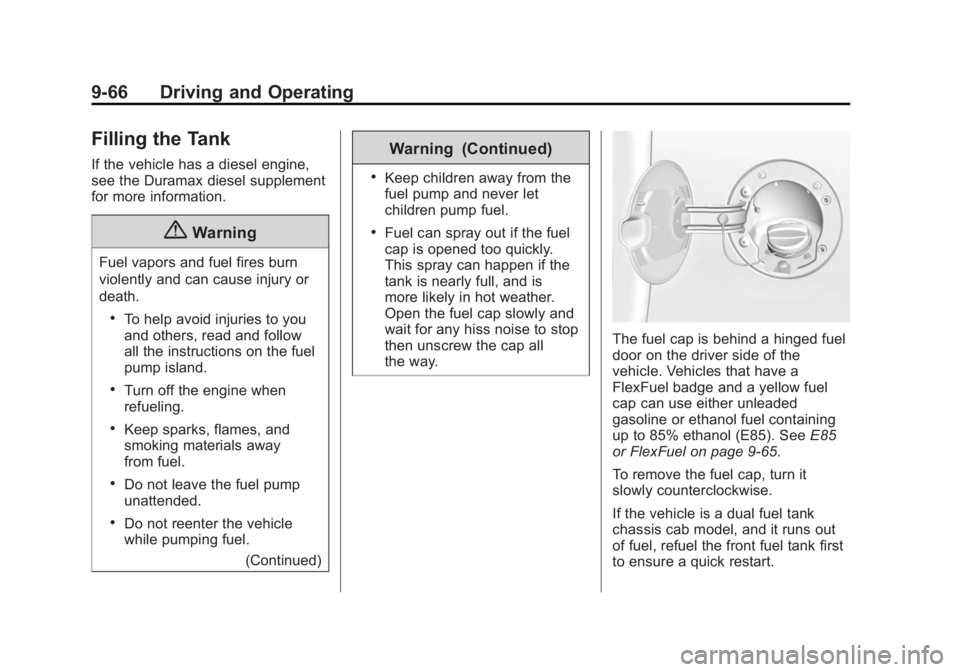
the way. The fuel cap is behind a hinged fuel
door on the driver side of the
vehicle. Vehicles that have a
FlexFuel badge and a yellow fuel
cap can use either unleaded
gasoline or ethanol fuel containing
up to 85% ethanol (E85). See E85
or FlexFuel on page 9-65 .
To remove the fuel cap, turn it
slowly counterclockwise.
If the vehicle is a dual fuel tank
chassis cab model, and it runs out
of fuel, refuel the front fuel tank first
to ensure a quick restart.
Page 316 of 439
Black plate (45,1)GMC 2015i Sierra Denali Owner Manual (GMNA-Localizing-U.S./Canada/
Mexico-8431500) - 2015 - crc - 6/20/14
Vehicle Care 10-45Micro
Relays Usage
64 Trailer Parking
Lamps
65 Run/Crank
66 Upfitter 1
67 Fuel Pump 2
68 Air Conditioning
Control
69 Starter Mini Relays Usage
70 Rear Window
Defogger
71 Engine Control
Module
Solid State
Relay Usage
72 Cooling Fan Clutch Instrument Panel Fuse
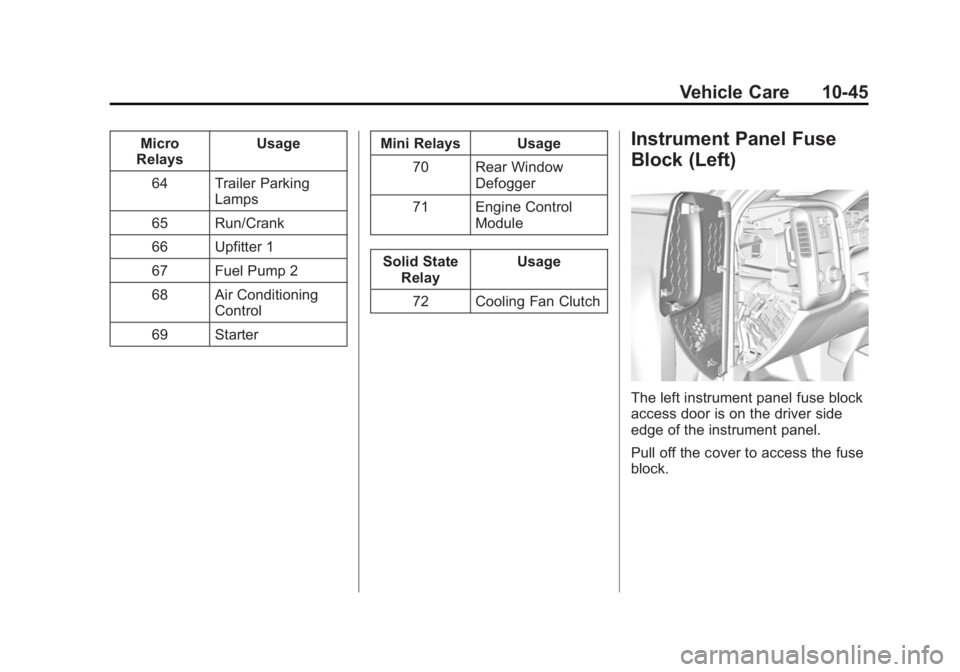
Block (Left)
The left instrument panel fuse block
access door is on the driver side
edge of the instrument panel.
Pull off the cover to access the fuse
block.
Page 319 of 439
Black plate (48,1)GMC 2015i Sierra Denali Owner Manual (GMNA-Localizing-U.S./Canada/
Mexico-8431500) - 2015 - crc - 6/20/14
10-48 Vehicle Care
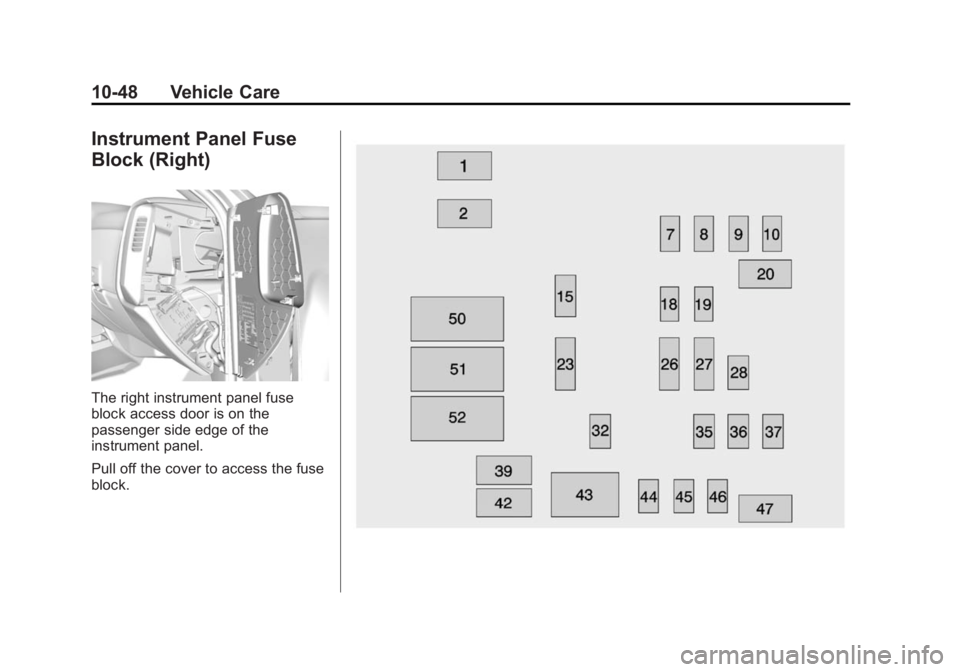
Instrument Panel Fuse
Block (Right)
The right instrument panel fuse
block access door is on the
passenger side edge of the
instrument panel.
Pull off the cover to access the fuse
block.
Page 372 of 439
Black plate (101,1)GMC 2015i Sierra Denali Owner Manual (GMNA-Localizing-U.S./Canada/
Mexico-8431500) - 2015 - crc - 6/20/14
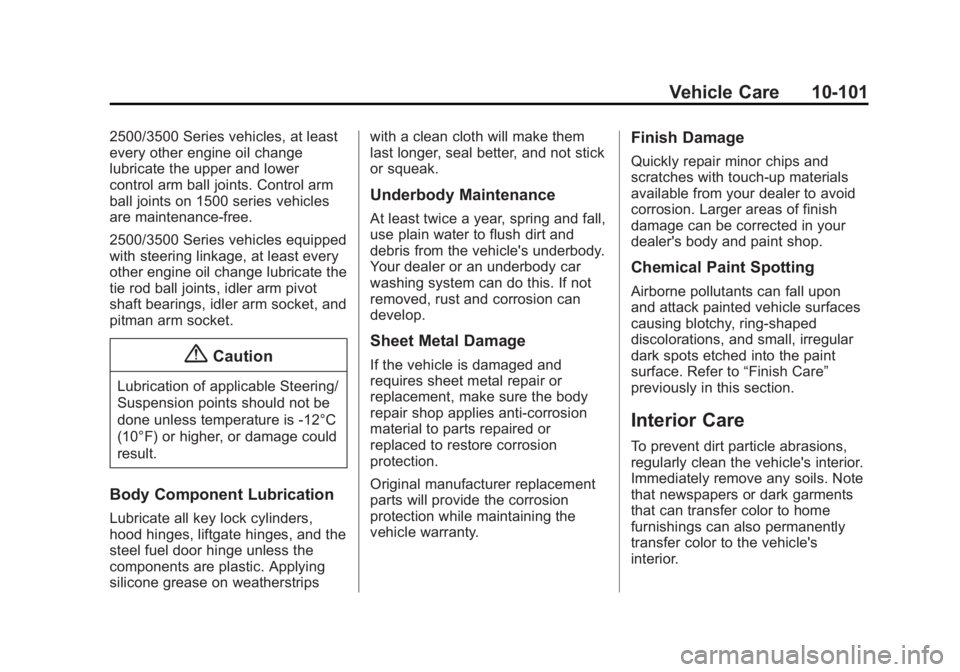
Vehicle Care 10-1012500/3500 Series vehicles, at least
every other engine oil change
lubricate the upper and lower
control arm ball joints. Control arm
ball joints on 1500 series vehicles
are maintenance-free.
2500/3500 Series vehicles equipped
with steering linkage, at least every
other engine oil change lubricate the
tie rod ball joints, idler arm pivot
shaft bearings, idler arm socket, and
pitman arm socket.
{ CautionLubrication of applicable Steering/
Suspension points should not be
done unless temperature is -12°C
(10°F) or higher, or damage could
result.
Body Component Lubrication
Lubricate all key lock cylinders,
hood hinges, liftgate hinges, and the
steel fuel door hinge unless the
components are plastic. Applying
silicone grease on weatherstrips with a clean cloth will make them
last longer, seal better, and not stick
or squeak.
Underbody Maintenance At least twice a year, spring and fall,
use plain water to flush dirt and
debris from the vehicle's underbody.
Your dealer or an underbody car
washing system can do this. If not
removed, rust and corrosion can
develop.
Sheet Metal Damage If the vehicle is damaged and
requires sheet metal repair or
replacement, make sure the body
repair shop applies anti-corrosion
material to parts repaired or
replaced to restore corrosion
protection.
Original manufacturer replacement
parts will provide the corrosion
protection while maintaining the
vehicle warranty. Finish Damage Quickly repair minor chips and
scratches with touch-up materials
available from your dealer to avoid
corrosion. Larger areas of finish
damage can be corrected in your
dealer's body and paint shop.
Chemical Paint Spotting Airborne pollutants can fall upon
and attack painted vehicle surfaces
causing blotchy, ring-shaped
discolorations, and small, irregular
dark spots etched into the paint
surface. Refer to “ Finish Care ”
previously in this section.
Interior Care To prevent dirt particle abrasions,
regularly clean the vehicle's interior.
Immediately remove any soils. Note
that newspapers or dark garments
that can transfer color to home
furnishings can also permanently
transfer color to the vehicle's
interior.
Page 391 of 439
Black plate (14,1)GMC 2015i Sierra Denali Owner Manual (GMNA-Localizing-U.S./Canada/
Mexico-8431500) - 2015 - crc - 6/20/14
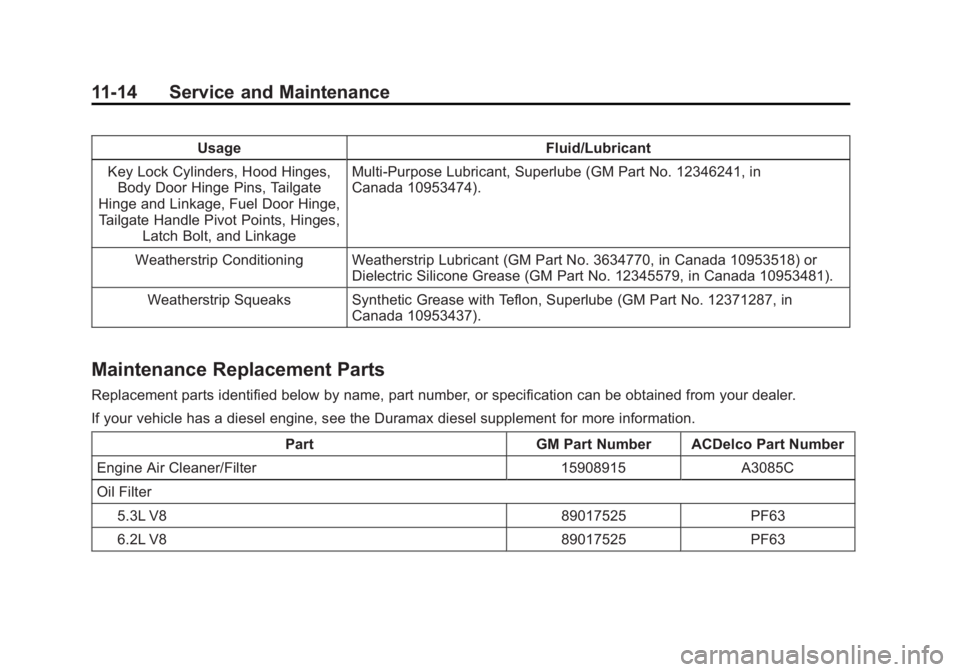
11-14 Service and Maintenance Usage Fluid/Lubricant
Key Lock Cylinders, Hood Hinges,
Body Door Hinge Pins, Tailgate
Hinge and Linkage, Fuel Door Hinge,
Tailgate Handle Pivot Points, Hinges,
Latch Bolt, and Linkage Multi-Purpose Lubricant, Superlube (GM Part No. 12346241, in
Canada 10953474).
Weatherstrip Conditioning Weatherstrip Lubricant (GM Part No. 3634770, in Canada 10953518) or
Dielectric Silicone Grease (GM Part No. 12345579, in Canada 10953481).
Weatherstrip Squeaks Synthetic Grease with Teflon, Superlube (GM Part No. 12371287, in
Canada 10953437).
Maintenance Replacement Parts Replacement parts identified below by name, part number, or specification can be obtained from your dealer.
If your vehicle has a diesel engine, see the Duramax diesel supplement for more information.
Part GM Part Number ACDelco Part Number
Engine Air Cleaner/Filter 15908915 A3085C
Oil Filter
5.3L V8 89017525 PF63
6.2L V8 89017525 PF63
Page 411 of 439
Black plate (12,1)GMC 2015i Sierra Denali Owner Manual (GMNA-Localizing-U.S./Canada/
Mexico-8431500) - 2015 - crc - 6/20/14
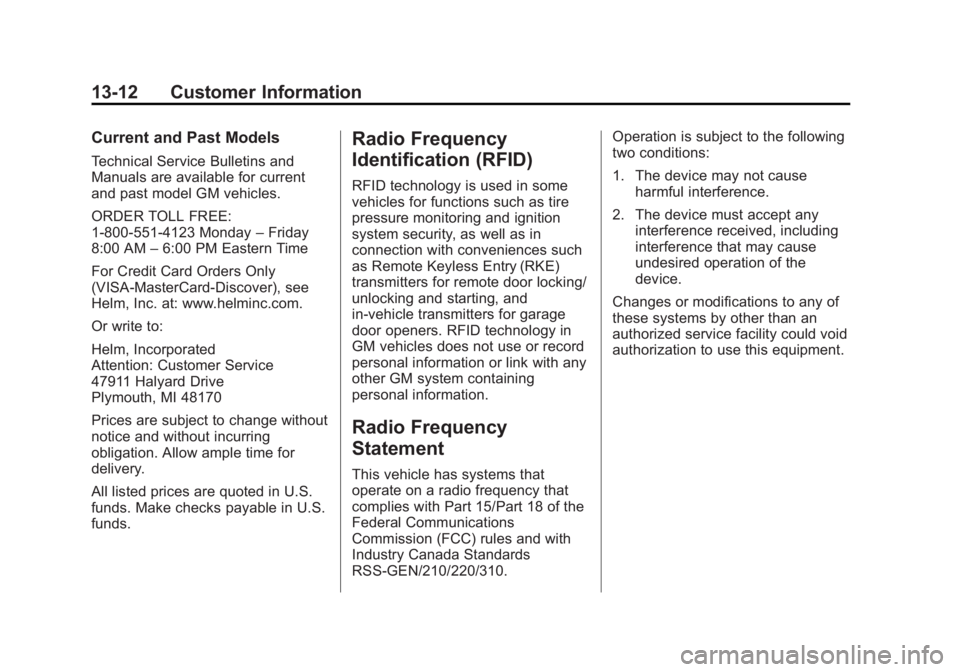
13-12 Customer Information Current and Past Models Technical Service Bulletins and
Manuals are available for current
and past model GM vehicles.
ORDER TOLL FREE:
1-800-551-4123 Monday – Friday
8:00 AM – 6:00 PM Eastern Time
For Credit Card Orders Only
(VISA-MasterCard-Discover), see
Helm, Inc. at: www.helminc.com.
Or write to:
Helm, Incorporated
Attention: Customer Service
47911 Halyard Drive
Plymouth, MI 48170
Prices are subject to change without
notice and without incurring
obligation. Allow ample time for
delivery.
All listed prices are quoted in U.S.
funds. Make checks payable in U.S.
funds. Radio Frequency
Identification (RFID) RFID technology is used in some
vehicles for functions such as tire
pressure monitoring and ignition
system security, as well as in
connection with conveniences such
as Remote Keyless Entry (RKE)
transmitters for remote door locking/
unlocking and starting, and
in-vehicle transmitters for garage
door openers. RFID technology in
GM vehicles does not use or record
personal information or link with any
other GM system containing
personal information.
Radio Frequency
Statement This vehicle has systems that
operate on a radio frequency that
complies with Part 15/Part 18 of the
Federal Communications
Commission (FCC) rules and with
Industry Canada Standards
RSS-GEN/210/220/310. Operation is subject to the following
two conditions:
1. The device may not cause
harmful interference.
2. The device must accept any
interference received, including
interference that may cause
undesired operation of the
device.
Changes or modifications to any of
these systems by other than an
authorized service facility could void
authorization to use this equipment.
Page 418 of 439
Black plate (3,1)GMC 2015i Sierra Denali Owner Manual (GMNA-Localizing-U.S./Canada/
Mexico-8431500) - 2015 - crc - 6/20/14
OnStar 14-3
Security OnStar provides services including
Stolen Vehicle Assistance, Remote
Ignition Block, and Roadside
Assistance, if equipped. OnStar can
unlock the vehicle doors remotely,
if equipped with automatic door
locks, and can help police locate the
vehicle if it is stolen.
Navigation OnStar navigation requires a
specific OnStar subscription plan.
Press
Q to receive directions or
have them sent to the vehicle
navigation screen, if equipped.
Destinations can also be forwarded
to the vehicle from MapQuest.com.
Turn-by-Turn Navigation
1. Press
Q to connect to a live
Advisor.
2. Request directions.
3. Directions are downloaded to the
vehicle. 4. Follow the voice-guided
commands.
Using Voice Commands
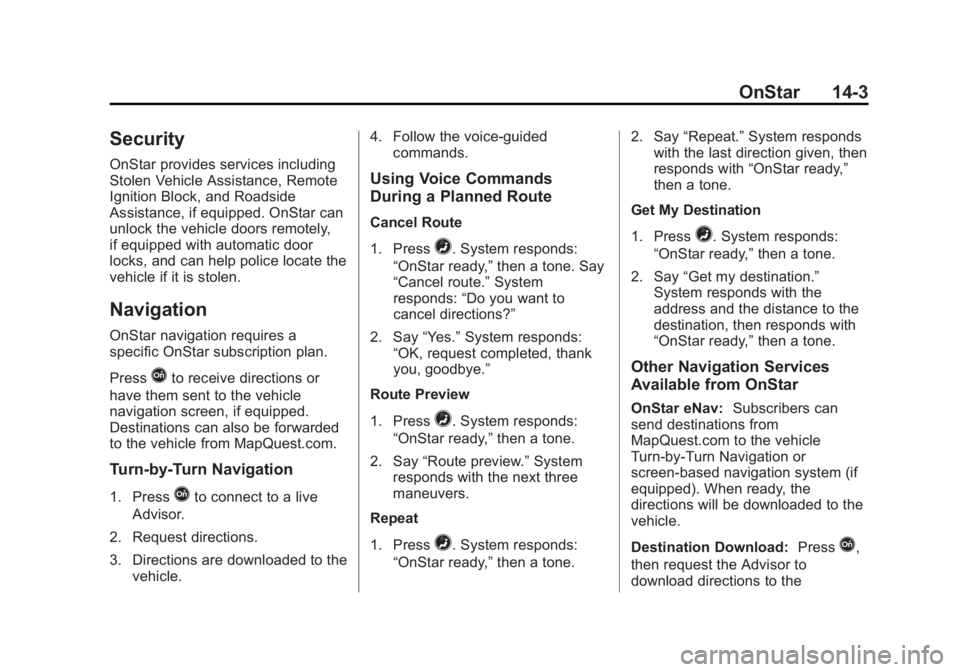
During a Planned Route Cancel Route
1. Press
= . System responds:
“ OnStar ready, ” then a tone. Say
“ Cancel route. ” System
responds: “ Do you want to
cancel directions? ”
2. Say “ Yes. ” System responds:
“ OK, request completed, thank
you, goodbye. ”
Route Preview
1. Press
= . System responds:
“ OnStar ready, ” then a tone.
2. Say “ Route preview. ” System
responds with the next three
maneuvers.
Repeat
1. Press
= . System responds:
“ OnStar ready, ” then a tone. 2. Say “ Repeat. ” System responds
with the last direction given, then
responds with “ OnStar ready, ”
then a tone.
Get My Destination
1. Press
= . System responds:
“ OnStar ready, ” then a tone.
2. Say “ Get my destination. ”
System responds with the
address and the distance to the
destination, then responds with
“ OnStar ready, ” then a tone.
Other Navigation Services
Available from OnStar OnStar eNav: Subscribers can
send destinations from
MapQuest.com to the vehicle
Turn-by-Turn Navigation or
screen-based navigation system (if
equipped). When ready, the
directions will be downloaded to the
vehicle.
Destination Download: Press
Q ,
then request the Advisor to
download directions to the
Page 419 of 439
Black plate (4,1)GMC 2015i Sierra Denali Owner Manual (GMNA-Localizing-U.S./Canada/
Mexico-8431500) - 2015 - crc - 6/20/14
14-4 OnStar navigation system in the vehicle (if
equipped). After the call ends, press
the “ Go ” button on the navigation
screen to begin driving directions.
If directions are downloaded to the
navigation system, the route can
only be canceled through the
navigation system.
Destinations can also be
downloaded on the go. For
information about eNav or
Destination Download, see
www.onstar.com (U.S.) or
www.onstar.ca (Canada).
Connections The required specific Onstar
subscription plan includes the
services that follow to help
customers stay connected.
For coverage maps, see
www.onstar.com (U.S.) or
www.onstar.ca (Canada). WiFi Connectivity (If Equipped)
The vehicle has a WiFi hotspot that
provides a high-speed, wireless
Internet connection to connect
multiple mobile devices (data plan
required).
1. To retrieve WiFi hotspot
information, press
= and select
or say “ WiFi settings. ”
2. The WiFi settings will display the
WiFi network name/SSID,
passphrase, and level of
encryption.
3. To change the SSID or
passphrase, press
Q or call
1-888-4-ONSTAR to connect
with an Advisor.
OnStar RemoteLink ®
Mobile App
(If Equipped)
Download the OnStar RemoteLink
mobile app to select Apple ®
,
Android ™ , and BlackBerry ®
or
Windows 7 or 8 mobile devices.
From the mobile device, check the
vehicle ’ s fuel level, oil life, or tire pressure (if the vehicle is equipped
with the tire pressure monitoring
system); or activate remote horn
and lights. Also remote start the
vehicle (if factory equipped) or
unlock the doors from anywhere
with a wireless connection (if
equipped with automatic locks).
With a required specific OnStar
subscription plan, a destination can
be sent to the vehicle. For OnStar
RemoteLink information and
compatibility, see www.onstar.com
(U.S.) or www.onstar.ca (Canada).
OnStar RemoteLink ®
Key Fob
Services
This feature is included for five
years and allows for remote door
lock/unlock (if equipped with
automatic locks), remote start (if
factory equipped), or activation of
horn and lights from anywhere with
a wireless signal. Download the app
and start using it any time during the
trial period to get started.
Page 421 of 439
Black plate (6,1)GMC 2015i Sierra Denali Owner Manual (GMNA-Localizing-U.S./Canada/
Mexico-8431500) - 2015 - crc - 6/20/14
14-6 OnStar
Vehicle Diagnostics OnStar Vehicle Diagnostics can
perform a vehicle check every
month. It will check the engine,
transmission, antilock brakes, and
other major vehicle systems. It also
checks the tire pressures, if the
vehicle is equipped with the Tire
Pressure Monitoring System. If an
On-Demand Diagnostics check is
needed, press
Q , and an Advisor
can run a check.
OnStar Additional
Information Transferring Service Press
Q to request account transfer
eligibility information. The Advisor
can assist in canceling or removing
account information.
Selling/Transferring the
Vehicle Call 1-888-4-ONSTAR immediately
to terminate your OnStar services if
the vehicle is disposed of, sold,
transferred, or if the lease ends.
Reactivation for Subsequent
Owners
Press
Q and follow the prompts to
speak to an Advisor as soon as
possible. The Advisor will update
vehicle records and explain the
OnStar service options available. How OnStar Service Works Automatic Crash Response,
Emergency Services, Crisis Assist,
Stolen Vehicle Assistance, Vehicle
Diagnostics, Remote Door Unlock,
Roadside Assistance, Turn-by-Turn
Navigation, and Hands-Free Calling
are available on most vehicles. Not
all OnStar services are available
everywhere or on all vehicles. For
more information, a full description
of OnStar services, system
limitations, and OnStar terms and
conditions: .
Call 1-888-4-ONSTAR
(1-888-466-7827). .
See www.onstar.com (U.S.). .
See www.onstar.ca (Canada). .
Call TTY 1-877-248-2080. .
Press
Q to speak with an
Advisor.
OnStar services cannot work unless
the vehicle is in a place where
OnStar has an agreement with a
wireless service provider for service