wheel GMC SIERRA DENALI 2015 Owner's Guide
[x] Cancel search | Manufacturer: GMC, Model Year: 2015, Model line: SIERRA DENALI, Model: GMC SIERRA DENALI 2015Pages: 439, PDF Size: 4.68 MB
Page 152 of 439
Black plate (43,1)GMC 2015i Sierra Denali Owner Manual (GMNA-Localizing-U.S./Canada/
Mexico-8431500) - 2015 - crc - 6/20/14
Instruments and Controls 5-43Personalization Menus
The following list of menu items may
be available: .
Time and Date .
Language (Language) .
Valet Mode .
Teen Driver .
Radio .
Vehicle .
Bluetooth .
Voice .
Display .
Rear Camera .
Return to Factory Settings .
Software Information
Detailed information for each menu
follows.
Time and Date
Manually set the time and date. See
Clock on page 5-4 . Language (Language) Select Language, then select from
the available language(s).
The selected language will display
on the system, and voice
recognition will reflect the selected
language.
Valet Mode (If Equipped) This will lock the infotainment
system and steering wheel controls.
It may also limit top speed, power,
and access to vehicle storage
locations (if equipped).
To enable valet mode:
1. Enter a four-digit code on the
keypad.
2. Press Enter to go to the
confirmation screen.
3. Re-enter the four-digit code.
Press LOCK or UNLOCK to lock or
unlock the system. Press Back to go
back to the previous menu. Teen Driver (If Equipped) Press and the following may
display: .
View Report Card .
Manage Settings .
Change PIN .
Key Registration .
Clear All Teen Keys/PIN
View Report Card
This allows the driver ’ s driving
habits to be viewed. See “ Teen
Driver ” in “ Settings ” in the
infotainment manual.
Manage Settings
Press and the following may
display: .
Audio Volume Limit .
Teen Driver Speed Limiter .
Teen Driver Speed Warning
Page 155 of 439
Black plate (46,1)GMC 2015i Sierra Denali Owner Manual (GMNA-Localizing-U.S./Canada/
Mexico-8431500) - 2015 - crc - 6/20/14
5-46 Instruments and Controls Park Assist
If equipped, this allows the feature
to be turned on or off. See
Assistance Systems for Parking or
Backing on page 9-56 .
Select Off, On, or On with Towbar
Attached.
Comfort and Convenience Select the Comfort and
Convenience menu and the
following may display: .
Auto Memory Recall .
Easy Exit Options .
Chime Volume .
Reverse Tilt Mirror .
Auto Mirror Folding
Auto Memory Recall
This allows the feature to be turned
on or off. See Memory Seats on
page 3-5 .
Select On or Off. Easy Exit Options
This allows the feature to be turned
on or off. See Memory Seats on
page 3-5 .
Select On or Off.
Chime Volume
This allows the selection of the
chime volume level.
Press + or − to adjust the volume.
Reverse Tilt Mirror
When on, the driver and/or
passenger mirrors will tilt downward
when the vehicle is shifted to
R (Reverse) to improve visibility of
the ground near the rear wheels.
Select Off, On - Driver and
Passenger, On - Driver, or On -
Passenger.
Auto Mirror Folding
When on, the outside rearview
mirrors will automatically fold or
unfold when the Remote Keyless
Entry (RKE) transmitter
Q or
Kbutton is pressed and held. Select Off or On.
Lighting Select the Lighting menu and the
following may display: .
Vehicle Locator Lights .
Exit Lighting
Vehicle Locator Lights
This feature will flash the exterior
lights when
K on the Remote
Keyless Entry (RKE) transmitter is
pressed to locate the vehicle.
Select On or Off.
Exit Lighting
This allows the selection of how
long the exterior lamps stay on
when leaving the vehicle when it is
dark outside.
Select Off, 30 Seconds, 60
Seconds, or 120 Seconds.
Page 162 of 439
Black plate (1,1)GMC 2015i Sierra Denali Owner Manual (GMNA-Localizing-U.S./Canada/
Mexico-8431500) - 2015 - crc - 6/20/14
Lighting 6-1
Lighting Exterior Lighting Exterior Lamp Controls . . . . . . . . 6-1
Exterior Lamps Off
Reminder . . . . . . . . . . . . . . . . . . . . 6-2
Headlamp High/Low-Beam
Changer . . . . . . . . . . . . . . . . . . . . . 6-2
Flash-to-Pass . . . . . . . . . . . . . . . . . 6-2
Daytime Running
Lamps (DRL) . . . . . . . . . . . . . . . . 6-3
Automatic Headlamp
System . . . . . . . . . . . . . . . . . . . . . . 6-3
Hazard Warning Flashers . . . . . 6-4
Turn and Lane-Change
Signals . . . . . . . . . . . . . . . . . . . . . . 6-4
Fog Lamps . . . . . . . . . . . . . . . . . . . . 6-5
Auxiliary
Roof-Mounted Lamp . . . . . . . . . 6-5
Interior Lighting Instrument Panel Illumination
Control . . . . . . . . . . . . . . . . . . . . . . 6-6
Cargo Lamp . . . . . . . . . . . . . . . . . . 6-6
Dome Lamps . . . . . . . . . . . . . . . . . 6-7
Reading Lamps . . . . . . . . . . . . . . . 6-7 Lighting Features Entry Lighting . . . . . . . . . . . . . . . . . 6-8
Exit Lighting . . . . . . . . . . . . . . . . . . . 6-8
Battery Load Management . . . . 6-8
Battery Power Protection . . . . . . 6-9
Exterior Lighting Exterior Lamp Controls
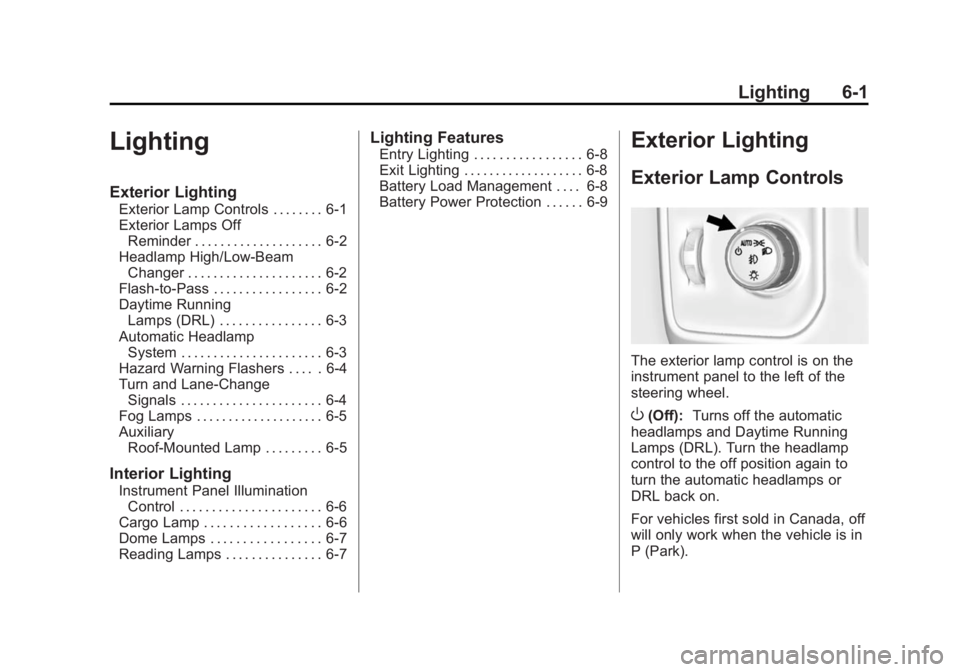
The exterior lamp control is on the
instrument panel to the left of the
steering wheel.
O (Off): Turns off the automatic
headlamps and Daytime Running
Lamps (DRL). Turn the headlamp
control to the off position again to
turn the automatic headlamps or
DRL back on.
For vehicles first sold in Canada, off
will only work when the vehicle is in
P (Park).
Page 167 of 439
Black plate (6,1)GMC 2015i Sierra Denali Owner Manual (GMNA-Localizing-U.S./Canada/
Mexico-8431500) - 2015 - crc - 6/20/14
6-6 Lighting When the wiring is connected to an
auxiliary roof-mounted lamp,
pressing the bottom of the button
will activate the lamp and illuminate
an indicator light at the bottom of
this button. Pressing the top of the
button will turn off the roof-mounted
lamp and indicator.
The emergency roof lamp circuit is
fused at 30 amps, so the total
current draw of the attached lamps
should be less than this value. The
attachment points for the roof lamp
circuits are two blunt cut wires
above the overhead console: a dark
green with blue stripe switched
power wire and a black ground wire.
For information on roof-mounted
emergency lamp installation, see
www.gmupfitter.com or contact your
dealer.
If the vehicle has this button, the
vehicle may have the snow plow
prep package. See Add-On
Electrical Equipment on page 9-88 .Interior Lighting Instrument Panel
Illumination Control
This feature controls the brightness
of the steering wheel and instrument
panel lights. The instrument panel
illumination control is next to the
exterior lamp control.
D (Instrument Panel
Illumination): Move the
thumbwheel up or down to brighten
or dim the lights. Cargo Lamp
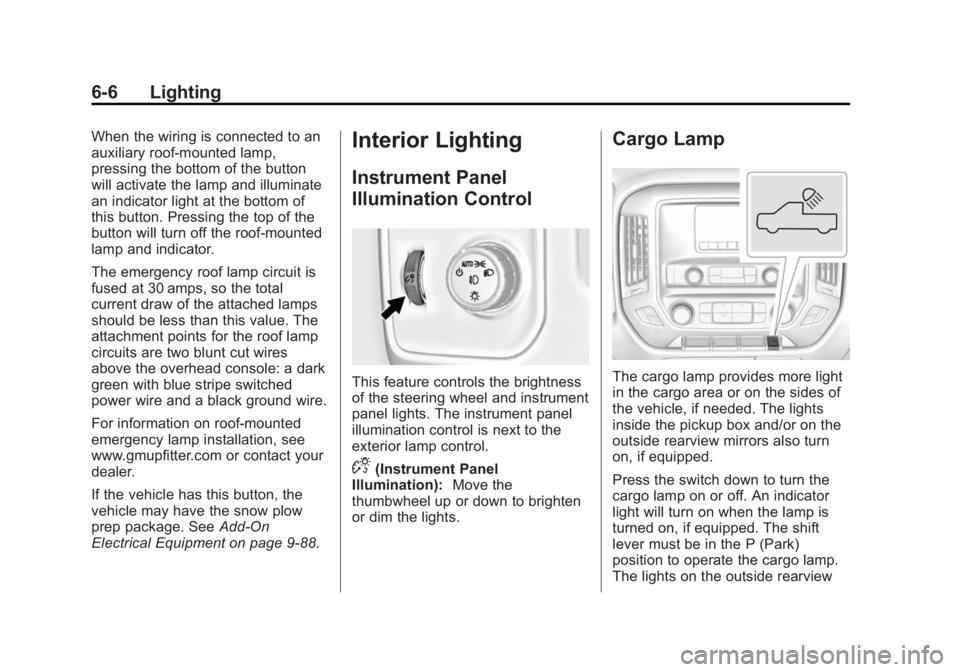
The cargo lamp provides more light
in the cargo area or on the sides of
the vehicle, if needed. The lights
inside the pickup box and/or on the
outside rearview mirrors also turn
on, if equipped.
Press the switch down to turn the
cargo lamp on or off. An indicator
light will turn on when the lamp is
turned on, if equipped. The shift
lever must be in the P (Park)
position to operate the cargo lamp.
The lights on the outside rearview
Page 177 of 439
Black plate (4,1)GMC 2015i Sierra Denali Owner Manual (GMNA-Localizing-U.S./Canada/
Mexico-8431500) - 2015 - crc - 6/20/14
8-4 Climate Controls Caution (Continued)not be covered by the vehicle
warranty. Do not clear the inside
rear window with sharp objects.
Heated Mirror: If equipped with
heated outside rearview mirrors, the
mirrors heat to help clear fog or frost
from the surface of the mirror when
the rear window defog button is
pressed. See Heated Mirrors on
page 2-17 .
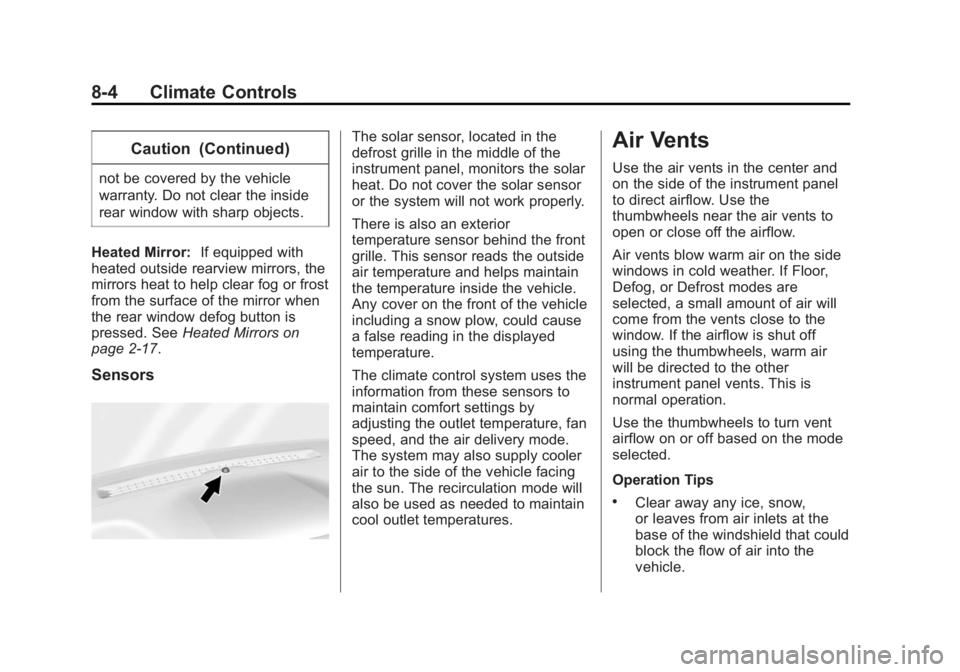
Sensors The solar sensor, located in the
defrost grille in the middle of the
instrument panel, monitors the solar
heat. Do not cover the solar sensor
or the system will not work properly.
There is also an exterior
temperature sensor behind the front
grille. This sensor reads the outside
air temperature and helps maintain
the temperature inside the vehicle.
Any cover on the front of the vehicle
including a snow plow, could cause
a false reading in the displayed
temperature.
The climate control system uses the
information from these sensors to
maintain comfort settings by
adjusting the outlet temperature, fan
speed, and the air delivery mode.
The system may also supply cooler
air to the side of the vehicle facing
the sun. The recirculation mode will
also be used as needed to maintain
cool outlet temperatures. Air Vents Use the air vents in the center and
on the side of the instrument panel
to direct airflow. Use the
thumbwheels near the air vents to
open or close off the airflow.
Air vents blow warm air on the side
windows in cold weather. If Floor,
Defog, or Defrost modes are
selected, a small amount of air will
come from the vents close to the
window. If the airflow is shut off
using the thumbwheels, warm air
will be directed to the other
instrument panel vents. This is
normal operation.
Use the thumbwheels to turn vent
airflow on or off based on the mode
selected.
Operation Tips .
Clear away any ice, snow,
or leaves from air inlets at the
base of the windshield that could
block the flow of air into the
vehicle.
Page 180 of 439
Black plate (1,1)GMC 2015i Sierra Denali Owner Manual (GMNA-Localizing-U.S./Canada/
Mexico-8431500) - 2015 - crc - 6/20/14
Driving and Operating 9-1
Driving and
Operating Driving Information Distracted Driving . . . . . . . . . . . . . 9-2
Defensive Driving . . . . . . . . . . . . . 9-3
Drunk Driving . . . . . . . . . . . . . . . . . 9-3
Control of a Vehicle . . . . . . . . . . . 9-3
Braking . . . . . . . . . . . . . . . . . . . . . . . 9-3
Steering . . . . . . . . . . . . . . . . . . . . . . . 9-4
Off-Road Recovery . . . . . . . . . . . . 9-5
Loss of Control . . . . . . . . . . . . . . . . 9-5
Off-Road Driving . . . . . . . . . . . . . . 9-6
Driving on Wet Roads . . . . . . . . 9-11
Hill and Mountain Roads . . . . . 9-11
Winter Driving . . . . . . . . . . . . . . . 9-12
If the Vehicle Is Stuck . . . . . . . . 9-14
Vehicle Load Limits . . . . . . . . . . 9-15
Truck-Camper Loading
Information . . . . . . . . . . . . . . . . . 9-21
Starting and Operating New Vehicle Break-In . . . . . . . . 9-23
Adjustable Throttle and Brake
Pedal . . . . . . . . . . . . . . . . . . . . . . . 9-23
Ignition Positions . . . . . . . . . . . . 9-24
Starting the Engine . . . . . . . . . . 9-26 Fast Idle System . . . . . . . . . . . . . 9-27
Engine Heater . . . . . . . . . . . . . . . 9-28
Retained Accessory
Power (RAP) . . . . . . . . . . . . . . . 9-29
Shifting Into Park . . . . . . . . . . . . 9-30
Shifting out of Park . . . . . . . . . . 9-31
Parking over Things
That Burn . . . . . . . . . . . . . . . . . . 9-32
Active Fuel Management ®
. . . 9-32
Engine Exhaust Engine Exhaust . . . . . . . . . . . . . . 9-32
Running the Vehicle While
Parked . . . . . . . . . . . . . . . . . . . . . 9-33
Automatic Transmission Automatic Transmission . . . . . 9-33
Manual Mode . . . . . . . . . . . . . . . . 9-36
Tow/Haul Mode . . . . . . . . . . . . . . 9-39
Drive Systems Four-Wheel Drive . . . . . . . . . . . . 9-40
Brakes Antilock Brake
System (ABS) . . . . . . . . . . . . . . 9-46
Parking Brake . . . . . . . . . . . . . . . 9-47
Brake Assist . . . . . . . . . . . . . . . . . 9-48
Hill Start Assist (HSA) . . . . . . . 9-48 Ride Control Systems Traction Control/Electronic
Stability Control . . . . . . . . . . . . 9-49
Hill Descent
Control (HDC) . . . . . . . . . . . . . . 9-51
Locking Rear Axle . . . . . . . . . . . 9-52
Cruise Control Cruise Control . . . . . . . . . . . . . . . 9-52
Driver Assistance Systems Driver Assistance
Systems . . . . . . . . . . . . . . . . . . . . 9-55
Assistance Systems for
Parking or Backing . . . . . . . . . 9-56
Assistance Systems for
Driving . . . . . . . . . . . . . . . . . . . . . 9-59
Forward Collision Alert (FCA)
System . . . . . . . . . . . . . . . . . . . . . 9-59
Lane Departure
Warning (LDW) . . . . . . . . . . . . . 9-61
Fuel Fuel . . . . . . . . . . . . . . . . . . . . . . . . . 9-63
California Fuel
Requirements . . . . . . . . . . . . . . 9-64
Fuels in Foreign Countries . . . 9-64
Fuel Additives . . . . . . . . . . . . . . . 9-64
Page 181 of 439
Black plate (2,1)GMC 2015i Sierra Denali Owner Manual (GMNA-Localizing-U.S./Canada/
Mexico-8431500) - 2015 - crc - 6/20/14
9-2 Driving and Operating E85 or FlexFuel . . . . . . . . . . . . . . 9-65
Filling the Tank . . . . . . . . . . . . . . 9-66
Filling a Portable Fuel
Container . . . . . . . . . . . . . . . . . . . 9-67
Trailer Towing General Towing
Information . . . . . . . . . . . . . . . . . 9-68
Driving Characteristics and
Towing Tips . . . . . . . . . . . . . . . . 9-68
Trailer Towing . . . . . . . . . . . . . . . . 9-71
Towing Equipment . . . . . . . . . . . 9-78
Trailer Sway
Control (TSC) . . . . . . . . . . . . . . 9-87
Conversions and Add-Ons Add-On Electrical
Equipment . . . . . . . . . . . . . . . . . 9-88
Adding a Snow Plow or
Similar Equipment . . . . . . . . . . 9-88
Pickup Conversion to
Chassis Cab . . . . . . . . . . . . . . . 9-92 Driving Information Distracted Driving Distraction comes in many forms
and can take your focus from the
task of driving. Exercise good
judgment and do not let other
activities divert your attention away
from the road. Many local
governments have enacted laws
regarding driver distraction. Become
familiar with the local laws in
your area.
To avoid distracted driving, always
keep your eyes on the road, hands
on the wheel, and mind on the drive. .
Do not use a phone in
demanding driving situations.
Use a hands-free method to
place or receive necessary
phone calls. .
Watch the road. Do not read,
take notes, or look up
information on phones or other
electronic devices. .
Designate a front seat
passenger to handle potential
distractions. .
Become familiar with vehicle
features before driving, such as
programming favorite radio
stations and adjusting climate
control and seat settings.
Program all trip information into
any navigation device prior to
driving. .
Wait until the vehicle is parked
to retrieve items that have fallen
to the floor. .
Stop or park the vehicle to tend
to children. .
Keep pets in an appropriate
carrier or restraint. .
Avoid stressful conversations
while driving, whether with a
passenger or on a cell phone.
Page 183 of 439
Black plate (4,1)GMC 2015i Sierra Denali Owner Manual (GMNA-Localizing-U.S./Canada/
Mexico-8431500) - 2015 - crc - 6/20/14
9-4 Driving and Operating If the engine ever stops while the
vehicle is being driven, brake
normally but do not pump the
brakes. Doing so could make the
pedal harder to push down. If the
engine stops, there will be some
power brake assist but it will be
used when the brake is applied.
Once the power assist is used up, it
can take longer to stop and the
brake pedal will be harder to push.
Steering Electric Power Steering (1500
Series) If the vehicle has electric power
steering, it does not have power
steering fluid. Regular maintenance
is not required.
If power steering assist is lost due
to a system malfunction, the vehicle
can be steered, but may require
increased effort. See your dealer if
there is a problem. If the steering wheel is turned until it
reaches the end of its travel, and is
held in that position for an extended
period of time, power steering assist
may be reduced.
If the steering assist is used for an
extended period of time, power
assist may be reduced.
Normal use of the power steering
assist should return when the
system cools down.
See specific vehicle steering
messages under Steering System
Messages on page 5-38 .
Hydraulic Power Steering
(2500/3500 Series) If the vehicle has hydraulic power
steering, it may require
maintenance. See Power Steering
Fluid (1500 Series) on page 10-24
or Power Steering Fluid (2500/3500
Series) on page 10-24 . If power steering assist is lost
because the engine stops or a
system malfunctions, the vehicle
can be steered but may require
increased effort.
See your dealer if there is a
problem.
{ CautionIf the steering wheel is turned
until it reaches the end of its
travel, and is held in that position
for more than 15 seconds,
damage may occur to the power
steering system and there may be
loss of power steering assist.
Curve Tips .
Take curves at a reasonable
speed. .
Reduce speed before entering a
curve. .
Maintain a reasonable steady
speed through the curve.
Page 184 of 439
Black plate (5,1)GMC 2015i Sierra Denali Owner Manual (GMNA-Localizing-U.S./Canada/
Mexico-8431500) - 2015 - crc - 6/20/14
Driving and Operating 9-5.
Wait until the vehicle is out of
the curve before accelerating
gently into the straightaway.
Steering in Emergencies .
There are some situations when
steering around a problem may
be more effective than braking. .
Holding both sides of the
steering wheel allows you to turn
180 degrees without removing
a hand. .
Antilock Brake System (ABS)
allows steering while braking. Off-Road Recovery
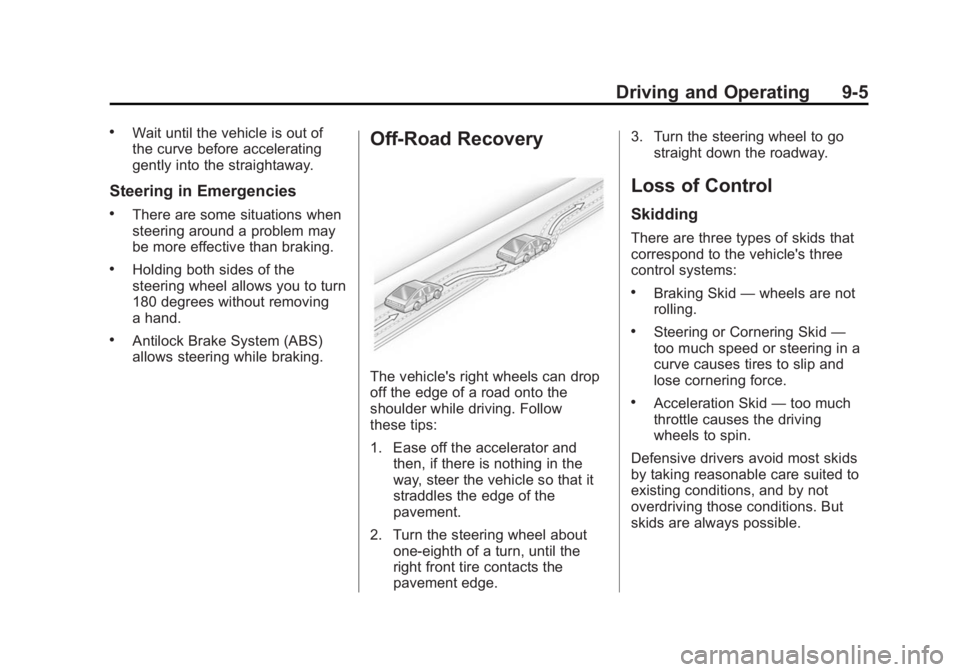
The vehicle's right wheels can drop
off the edge of a road onto the
shoulder while driving. Follow
these tips:
1. Ease off the accelerator and
then, if there is nothing in the
way, steer the vehicle so that it
straddles the edge of the
pavement.
2. Turn the steering wheel about
one-eighth of a turn, until the
right front tire contacts the
pavement edge. 3. Turn the steering wheel to go
straight down the roadway.
Loss of Control Skidding There are three types of skids that
correspond to the vehicle's three
control systems: .
Braking Skid — wheels are not
rolling. .
Steering or Cornering Skid —
too much speed or steering in a
curve causes tires to slip and
lose cornering force. .
Acceleration Skid — too much
throttle causes the driving
wheels to spin.
Defensive drivers avoid most skids
by taking reasonable care suited to
existing conditions, and by not
overdriving those conditions. But
skids are always possible.
Page 185 of 439
Black plate (6,1)GMC 2015i Sierra Denali Owner Manual (GMNA-Localizing-U.S./Canada/
Mexico-8431500) - 2015 - crc - 6/20/14
9-6 Driving and Operating If the vehicle starts to slide, follow
these suggestions: .
Ease your foot off the
accelerator pedal and steer the
way you want the vehicle to go.
The vehicle may straighten out.
Be ready for a second skid if it
occurs. .
Slow down and adjust your
driving according to weather
conditions. Stopping distance
can be longer and vehicle
control can be affected when
traction is reduced by water,
snow, ice, gravel, or other
material on the road. Learn to
recognize warning clues — such
as enough water, ice, or packed
snow on the road to make a
mirrored surface — and slow
down when you have any doubt. .
Try to avoid sudden steering,
acceleration, or braking,
including reducing vehicle speed
by shifting to a lower gear. Any
sudden changes could cause
the tires to slide. Remember: Antilock brakes help
avoid only the braking skid.
Off-Road Driving Four-wheel-drive vehicles can be
used for off-road driving. Vehicles
without four-wheel drive and
vehicles not equipped with All
Terrain (AT) or On-Off Road (OOR)
tires must not be driven off-road
except on a level, solid surface. For
contact information about the
original equipment tires, see the
warranty manual.
One of the best ways for successful
off-road driving is to control the
speed.
{ Warning
When driving off-road, bouncing
and quick changes in direction
can easily throw you out of
position. This could cause you to
lose control and crash. You and
your passengers should always
wear safety belts. Before Driving Off-Road .
Have all necessary maintenance
and service work completed. .
Fuel the vehicle, fill fluid levels,
and check inflation pressure in
all tires, including the spare,
if equipped. .
Read all the information about
four-wheel-drive vehicles in this
manual. .
Remove any underbody air
deflector, if equipped. Re-attach
the air deflector after off-road
driving. .
See Hill Descent Control (HDC)
on page 9-51 .
Know the local laws that apply to
off-road driving.
To gain more ground clearance if
needed, it may be necessary to
remove the front fascia lower air
dam. However, driving without the
air dam reduces fuel economy.