engine GMC SIERRA DENALI 2019 Owners Manual
[x] Cancel search | Manufacturer: GMC, Model Year: 2019, Model line: SIERRA DENALI, Model: GMC SIERRA DENALI 2019Pages: 472, PDF Size: 8.98 MB
Page 326 of 472
GMC Sierra/Sierra Denali Owner Manual (GMNA-Localizing-U.S./Canada/
Mexico-1500-11698638) - 2019 - crc - 5/15/18
Vehicle Care 325
Automatic Transmission
Fluid When to Check and Change
Automatic Transmission Fluid It is usually not necessary to check
the transmission fluid level. The only
reason for fluid loss is a
transmission leak or overheated
transmission. This vehicle is not
equipped with a transmission fluid
level dipstick. There is a special
procedure for checking and
changing the transmission fluid in
these vehicles. Because this
procedure is difficult, this should be
done at the dealer. Contact the
dealer for additional information or
the procedure can be found in the
service manual. See Publication
Ordering Information 0 442 .
Caution
Use of the incorrect automatic
transmission fluid may damage
the vehicle, and the damage may
(Continued) Caution (Continued) not be covered by the vehicle
warranty. Always use the correct
automatic transmission fluid. See
Recommended Fluids and
Lubricants 0 425 .
Change the fluid and filter at the
scheduled maintenance intervals
listed in Maintenance Schedule
0 415 . Be sure to use the
transmission fluid listed in
Recommended Fluids and
Lubricants 0 425 .
Engine Air Filter Life
System When to Change the Engine
Air Filter
When the “ Replace at Next Oil
Change ” message displays, the
engine air filter should be replaced
at the time of the next engine oil
change. When the “ Replace Engine
Air Filter Now ” message displays,
the engine air filter should be replaced as soon as possible. Reset
the engine air filter life system after
the engine air filter is replaced. See
your dealer for service and to reset
the system.
If equipped, this feature provides an
indication of when to change the
engine air filter. It is based on
driving conditions, which can cause
when to change to vary greatly. It is
possible an air filter change may not
be indicated for up to four years.
How to Reset the Engine Air
Filter Life System To reset:
1. Place the vehicle in P (Park).
2. Display the Air Filter Life on the
DIC.
See Driver Information Center
(DIC) (Midlevel and Uplevel)
0 160 or Driver Information
Center (DIC) (Base Level)
0 159 .
3. Press
T to move to the Reset/
Disable display area. Select
Reset then press
V .
Page 327 of 472
GMC Sierra/Sierra Denali Owner Manual (GMNA-Localizing-U.S./Canada/
Mexico-1500-11698638) - 2019 - crc - 5/15/18
326 Vehicle Care 4. Press to confirm to reset.
5. If the vehicle is not equipped
with DIC buttons, depress the
thumbwheel or trip odometer
reset stem for several seconds
to reset the air filter life system.
Engine Air Cleaner/Filter If the vehicle has a diesel engine,
see “ Engine Air Cleaner/Filter ” in
the Duramax diesel supplement for
the correct inspection and
replacement procedures.
The engine air cleaner/filter is on
the driver side of the engine
compartment. See Engine
Compartment Overview 0 316 .
When to Inspect the Engine Air
Cleaner/Filter For intervals on changing and
inspecting the engine air filter, see
Maintenance Schedule 0 415 .
If equipped with the engine air filter
life system, see Engine Air Filter
Life System 0 325 . If driving in very dusty areas, follow
the engine air filter inspecting and
changing intervals. See
Maintenance Schedule 0 415 .
How to Inspect the Engine Air
Cleaner/Filter Do not start the engine or have the
engine running with the engine air
cleaner/filter housing open. Before
removing the engine air cleaner/
filter, make sure that the engine air
cleaner/filter housing and nearby
components are free of dirt and
debris. Remove the engine air
cleaner/filter. Lightly tap and shake
the engine air cleaner/filter (away
from the vehicle), to release loose
dust and dirt. Inspect the engine air
cleaner/filter for damage, and
replace if damaged. Do not clean
the engine air cleaner/filter or
components with water or
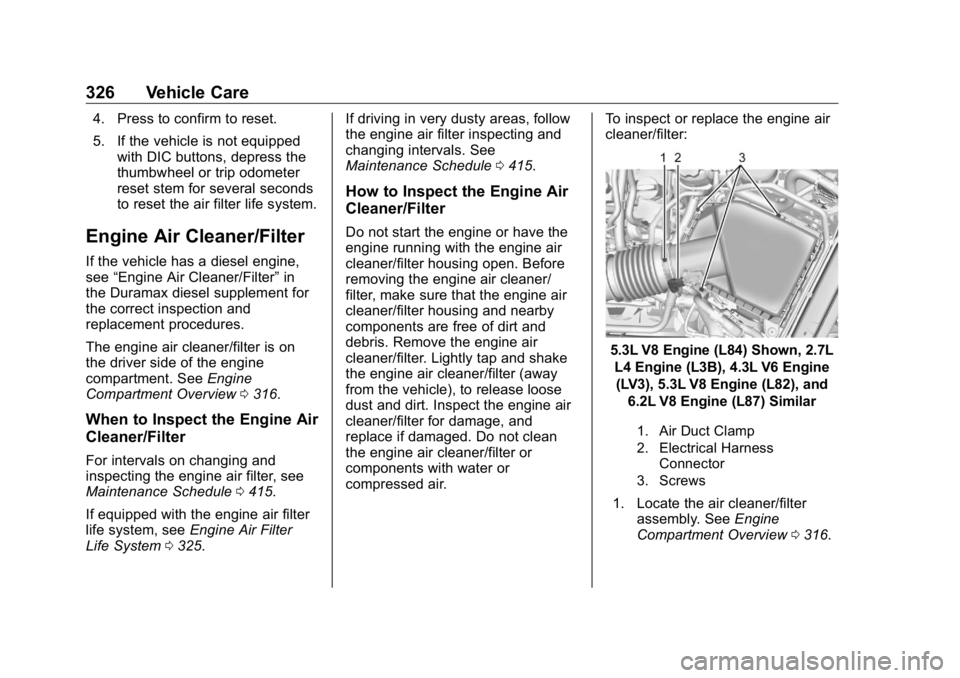
compressed air. To inspect or replace the engine air
cleaner/filter:
5.3L V8 Engine (L84) Shown, 2.7L
L4 Engine (L3B), 4.3L V6 Engine
(LV3), 5.3L V8 Engine (L82), and
6.2L V8 Engine (L87) Similar
1. Air Duct Clamp
2. Electrical Harness
Connector
3. Screws
1. Locate the air cleaner/filter
assembly. See Engine
Compartment Overview 0 316 .
Page 328 of 472
GMC Sierra/Sierra Denali Owner Manual (GMNA-Localizing-U.S./Canada/
Mexico-1500-11698638) - 2019 - crc - 5/15/18
Vehicle Care 3272. Disconnect the outlet duct by
loosening the air duct
clamp (1).
3. Disconnect the electrical
harness connector (2) from the
cover.
4. Remove the three screws on
top of the cover of the housing,
then slide and lift the cover.
5. Remove the engine air cleaner/
filter from the housing. Take
care to dislodge as little dirt as
possible.
6. Clean the engine air cleaner/
filter sealing surfaces and the
housing.
7. Inspect or replace the engine
air cleaner/filter.
8. Reverse Steps 2 through 4 to
reinstall the filter cover
housing. { WarningOperating the engine with the air
cleaner/filter off can cause you or
others to be burned. Use caution
when working on the engine. Do
not start the engine or drive the
vehicle with the air cleaner/filter
off, as flames may be present if
the engine backfires.
CautionIf the air cleaner/filter is off, dirt
can easily get into the engine,
which could damage it. Always
have the air cleaner/filter in place
when driving.
Cooling System If the vehicle has the Duramax
diesel engine, see the Duramax
diesel supplement.
The cooling system allows the
engine to maintain the correct
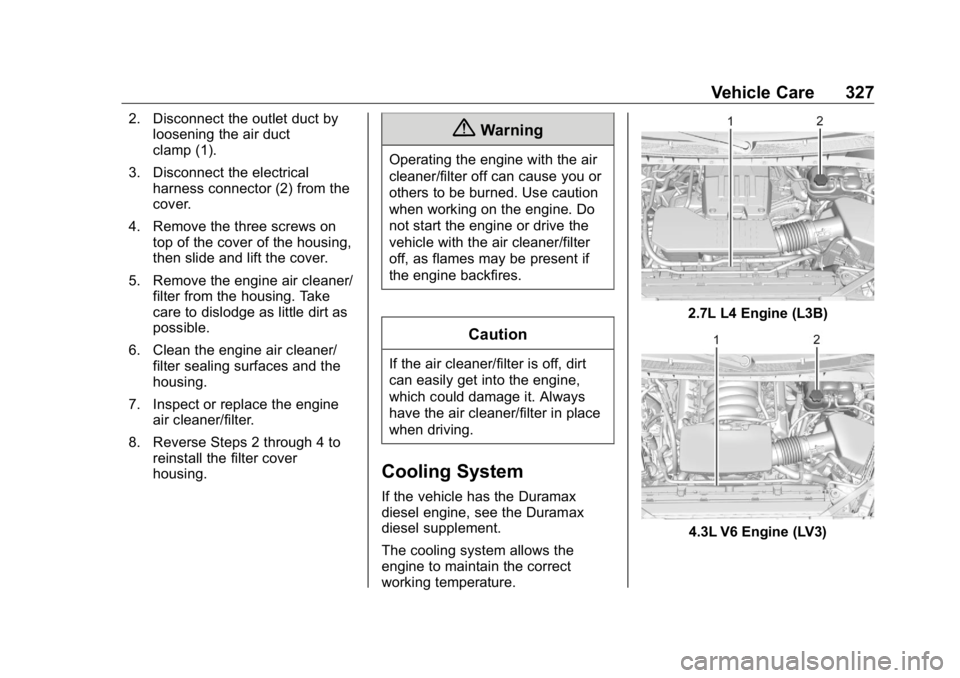
working temperature. 2.7L L4 Engine (L3B)
4.3L V6 Engine (LV3)
Page 329 of 472
GMC Sierra/Sierra Denali Owner Manual (GMNA-Localizing-U.S./Canada/
Mexico-1500-11698638) - 2019 - crc - 5/15/18
328 Vehicle Care
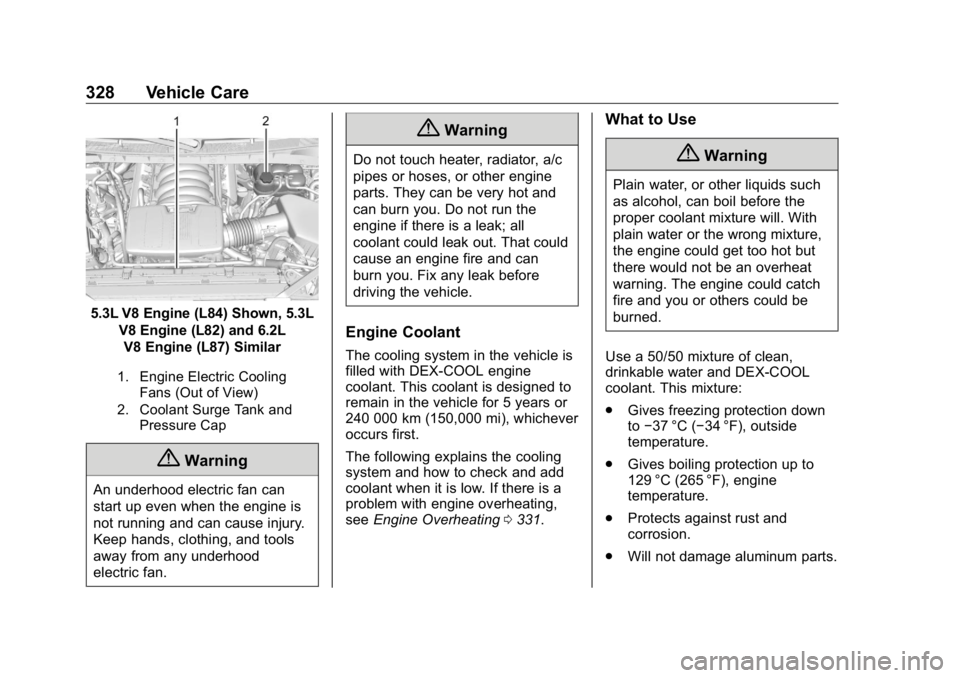
5.3L V8 Engine (L84) Shown, 5.3L
V8 Engine (L82) and 6.2L
V8 Engine (L87) Similar
1. Engine Electric Cooling
Fans (Out of View)
2. Coolant Surge Tank and
Pressure Cap
{ Warning
An underhood electric fan can
start up even when the engine is
not running and can cause injury.
Keep hands, clothing, and tools
away from any underhood
electric fan. { WarningDo not touch heater, radiator, a/c
pipes or hoses, or other engine
parts. They can be very hot and
can burn you. Do not run the
engine if there is a leak; all
coolant could leak out. That could
cause an engine fire and can
burn you. Fix any leak before
driving the vehicle.
Engine Coolant The cooling system in the vehicle is
filled with DEX-COOL engine
coolant. This coolant is designed to
remain in the vehicle for 5 years or
240 000 km (150,000 mi), whichever
occurs first.
The following explains the cooling
system and how to check and add
coolant when it is low. If there is a
problem with engine overheating,
see Engine Overheating 0 331 . What to Use
{ WarningPlain water, or other liquids such
as alcohol, can boil before the
proper coolant mixture will. With
plain water or the wrong mixture,
the engine could get too hot but
there would not be an overheat
warning. The engine could catch
fire and you or others could be
burned.
Use a 50/50 mixture of clean,
drinkable water and DEX-COOL
coolant. This mixture:
.
Gives freezing protection down
to − 37 °C ( − 34 °F), outside
temperature.
.
Gives boiling protection up to
129 °C (265 °F), engine
temperature.
.
Protects against rust and
corrosion.
.
Will not damage aluminum parts.
Page 330 of 472
GMC Sierra/Sierra Denali Owner Manual (GMNA-Localizing-U.S./Canada/
Mexico-1500-11698638) - 2019 - crc - 5/15/18
Vehicle Care 329.
Helps keep the proper engine
temperature.
CautionDo not use anything other than a
mix of DEX-COOL coolant that
meets GM Standard
GMW3420 and clean, drinkable
water. Anything else can cause
damage to the engine cooling
system and the vehicle, which
would not be covered by the
vehicle warranty.
Never dispose of engine coolant by
putting it in the trash, or by pouring
it on the ground, or into sewers,
streams, or bodies of water. Have
the coolant changed by an
authorized service center, familiar
with legal requirements regarding
used coolant disposal. This will help
protect the environment and your
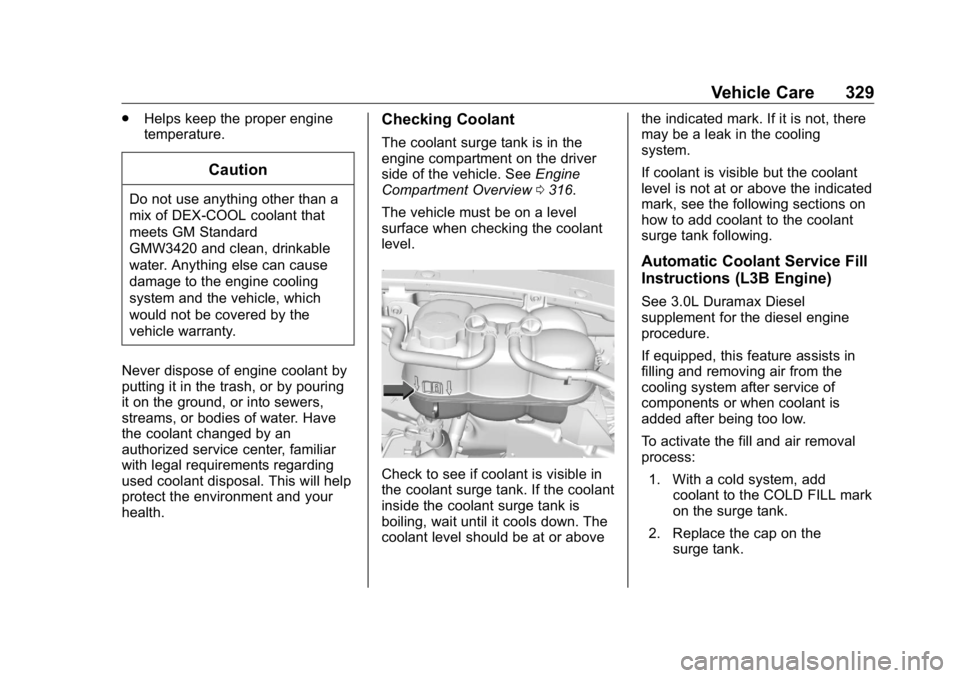
health. Checking Coolant The coolant surge tank is in the
engine compartment on the driver
side of the vehicle. See Engine
Compartment Overview 0 316 .
The vehicle must be on a level
surface when checking the coolant
level.
Check to see if coolant is visible in
the coolant surge tank. If the coolant
inside the coolant surge tank is
boiling, wait until it cools down. The
coolant level should be at or above the indicated mark. If it is not, there
may be a leak in the cooling
system.
If coolant is visible but the coolant
level is not at or above the indicated
mark, see the following sections on
how to add coolant to the coolant
surge tank following.
Automatic Coolant Service Fill
Instructions (L3B Engine) See 3.0L Duramax Diesel
supplement for the diesel engine
procedure.
If equipped, this feature assists in
filling and removing air from the
cooling system after service of
components or when coolant is
added after being too low.
To activate the fill and air removal
process:
1. With a cold system, add
coolant to the COLD FILL mark
on the surge tank.
2. Replace the cap on the
surge tank.
Page 331 of 472
GMC Sierra/Sierra Denali Owner Manual (GMNA-Localizing-U.S./Canada/
Mexico-1500-11698638) - 2019 - crc - 5/15/18
330 Vehicle Care 3. Connect the vehicle to a
battery charger.
4. Turn the ignition on for Key
Access vehicles or to Service
Only for Keyless Access
vehicles.
See Ignition Positions (Key
Access) 0 217 or Ignition
Positions (Keyless Access)
0 219 .
5. Turn off the air conditioning.
6. Set the parking brake.
7. At the same time, press the
accelerator and the brake for
automatic transmission
vehicles for two seconds, then
release.
At the end of the cycle, check the
coolant level in the surge tank and
add coolant if it is low. Turn off the
vehicle, allow the Electronic Control
Module (ECM) to go to sleep, about
2 minutes, and repeat Steps 3-7.
Listen for pump activation and
movement of the control valves
while watching the level of the
coolant in the surge tank. If the tank empties, turn the ignition off,
carefully remove the surge tank cap,
refill to the COLD FILL mark, and
repeat Steps 3-6. The fill and air
removal process will run for
approximately 10 minutes.
How to Add Coolant to the
Coolant Surge Tank for
Gasoline Engines Except L3B If the vehicle has a diesel engine,
see “ Cooling System ” in the
Duramax diesel supplement for the
proper coolant fill procedure.
{ WarningSpilling coolant on hot engine
parts can burn you. Coolant
contains ethylene glycol and it will
burn if the engine parts are hot
enough. { WarningPlain water, or other liquids such
as alcohol, can boil before the
proper coolant mixture will. With
plain water or the wrong mixture,
the engine could get too hot but
there would not be an overheat
warning. The engine could catch
fire and you or others could be
burned.
{ WarningSteam and scalding liquids from a
hot cooling system are under
pressure. Turning the pressure
cap, even a little, can cause them
to come out at high speed and
you could be burned. Never turn
the cap when the cooling system,
including the pressure cap, is hot.
Wait for the cooling system and
pressure cap to cool.
Page 332 of 472
GMC Sierra/Sierra Denali Owner Manual (GMNA-Localizing-U.S./Canada/
Mexico-1500-11698638) - 2019 - crc - 5/15/18
Vehicle Care 331CautionFailure to follow the specific
coolant fill procedure could cause
the engine to overheat and could
cause system damage. If coolant
is not visible in the surge tank,
contact your dealer.
If no coolant is visible in the surge
tank, add coolant.
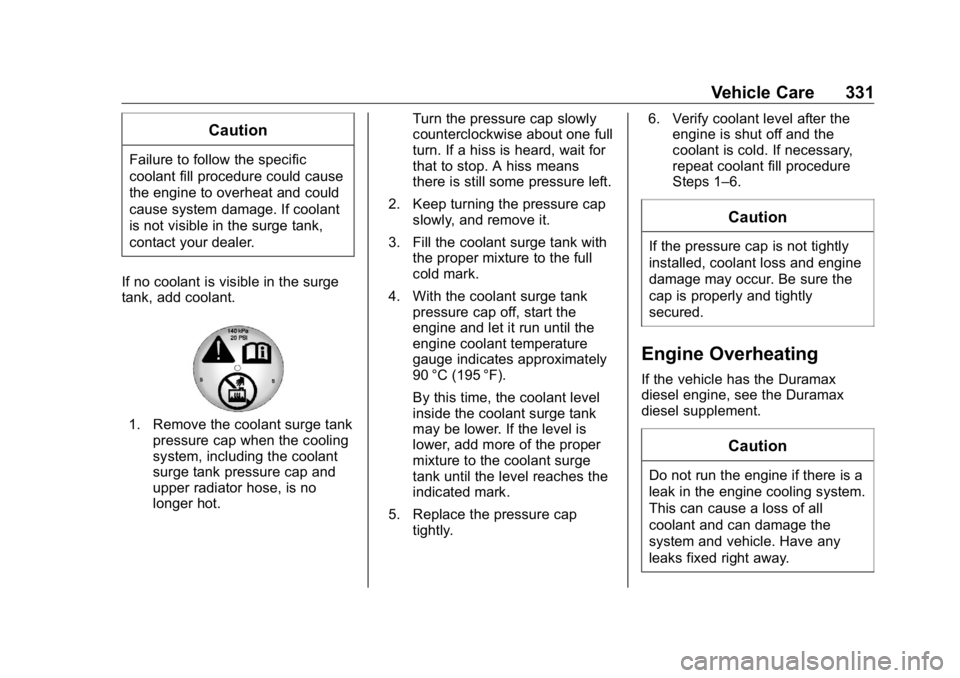
1. Remove the coolant surge tank
pressure cap when the cooling
system, including the coolant
surge tank pressure cap and
upper radiator hose, is no
longer hot. Turn the pressure cap slowly
counterclockwise about one full
turn. If a hiss is heard, wait for
that to stop. A hiss means
there is still some pressure left.
2. Keep turning the pressure cap
slowly, and remove it.
3. Fill the coolant surge tank with
the proper mixture to the full
cold mark.
4. With the coolant surge tank
pressure cap off, start the
engine and let it run until the
engine coolant temperature
gauge indicates approximately
90 °C (195 °F).
By this time, the coolant level
inside the coolant surge tank
may be lower. If the level is
lower, add more of the proper
mixture to the coolant surge
tank until the level reaches the
indicated mark.
5. Replace the pressure cap
tightly. 6. Verify coolant level after the
engine is shut off and the
coolant is cold. If necessary,
repeat coolant fill procedure
Steps 1 – 6.
CautionIf the pressure cap is not tightly
installed, coolant loss and engine
damage may occur. Be sure the
cap is properly and tightly
secured.
Engine Overheating If the vehicle has the Duramax
diesel engine, see the Duramax
diesel supplement.
Caution
Do not run the engine if there is a
leak in the engine cooling system.
This can cause a loss of all
coolant and can damage the
system and vehicle. Have any
leaks fixed right away.
Page 333 of 472
GMC Sierra/Sierra Denali Owner Manual (GMNA-Localizing-U.S./Canada/
Mexico-1500-11698638) - 2019 - crc - 5/15/18
332 Vehicle Care The vehicle has several indicators
to warn of engine overheating.
There is a coolant temperature
gauge in the vehicle's instrument
cluster. See Engine Coolant
Temperature Gauge 0 145 .
In addition, there are ENGINE
OVERHEATED STOP ENGINE,
ENGINE OVERHEATED IDLE
ENGINE, and ENGINE POWER IS
REDUCED messages in the Driver
Information Center (DIC).
If the decision is made not to lift the
hood when this warning appears,
get service help right away. See
Roadside Assistance Program
0 437 .
If the decision is made to lift the
hood, make sure the vehicle is
parked on a level surface.
2.7L L4, 4.3L V6, 5.3L V8, and 6.2L
V8 Engines
Check to see if the engine cooling
fans are running. If the engine is
overheating, the fans should be running. If they are not, do not
continue to run the engine and have
the vehicle serviced.
If Steam is Coming from the
Engine Compartment
{ WarningSteam and scalding liquids from a
hot cooling system are under
pressure. Turning the pressure
cap, even a little, can cause them
to come out at high speed and
you could be burned. Never turn
the cap when the cooling system,
including the pressure cap, is hot.
Wait for the cooling system and
pressure cap to cool.
If No Steam is Coming from
the Engine Compartment
The ENGINE OVERHEATED STOP
ENGINE or the ENGINE
OVERHEATED IDLE ENGINE
message, along with a low coolant
condition, can indicate a serious
problem. The 2.7L engine will shut down
automatically if the ENGINE
OVERHEATED STOP ENGINE
message displays.
If there is an engine overheat
warning, but no steam is seen or
heard, the problem may not be too
serious. Sometimes the engine can
get a little too hot when the vehicle:
.
Climbs a long hill on a hot day.
.
Stops after high-speed driving.
.
Idles for long periods in traffic.
.
Tows a trailer; see Trailer Towing
0 281 .
If the ENGINE OVERHEATED
STOP ENGINE or the ENGINE
OVERHEATED IDLE ENGINE
message appears with no sign of
steam, try this for a minute or so:
1. Turn the air conditioning off.
2. Turn the heater on to the
highest temperature and to the
highest fan speed. Open the
windows as necessary.
Page 334 of 472
GMC Sierra/Sierra Denali Owner Manual (GMNA-Localizing-U.S./Canada/
Mexico-1500-11698638) - 2019 - crc - 5/15/18
Vehicle Care 3333. When it is safe to do so, pull off
the road, shift to P (Park) or
N (Neutral) and let the
engine idle.
If the temperature overheat gauge is
no longer in the overheat zone or an
overheat warning no longer
displays, the vehicle can be driven.
Continue to drive the vehicle slowly
for about 10 minutes. Keep a safe
vehicle distance from the vehicle in
front. If the warning does not come
back on, continue to drive normally
and have the cooling system
checked for proper fill and function.
If the warning continues, pull over,
stop, and park the vehicle
right away.
If there is still no sign of steam and
the vehicle is equipped with an
engine driven cooling fan, push
down the accelerator until the
engine speed is about twice as fast
as normal idle speed for at least
five minutes while the vehicle is
parked. If the warning is still there,
turn off the engine and get everyone
out of the vehicle until it cools down. If there is no sign of steam, idle the
engine for five minutes while
parked. If the warning is still
displayed, turn off the engine until it
cools down.
Overheated Engine
Protection
Operating Mode If an overheated engine condition
exists and the ENGINE POWER IS
REDUCED message displays, an
overheat protection mode which
alternates firing groups of cylinders
helps to prevent engine damage. In
this mode, a loss in power and
engine performance will be noticed.
This operating mode allows the
vehicle to be driven to a safe place
in an emergency. Driving extended
distances and/or towing a trailer in
the overheat protection mode
should be avoided. CautionAfter driving in the overheated
engine protection operating
mode, the engine oil will be
severely degraded. Any repairs
performed before the engine is
cool may cause engine damage.
Allow the engine to cool before
attempting any repair. Repair the
cause of coolant loss, change the
oil, and reset the oil life system.
See Engine Oil 0 321 .
Engine Fan The vehicle has electric cooling
fan(s). The fans may be heard
spinning at low speed during most
everyday driving. The fans may turn
off if no cooling is required. Under
heavy vehicle loading, trailer towing,
high outside temperatures,
or operation of the air conditioning
system, the fans may change to
high speed and an increase in fan
noise may be heard. This is normal
and indicates that the cooling
system is functioning properly. The
Page 335 of 472
GMC Sierra/Sierra Denali Owner Manual (GMNA-Localizing-U.S./Canada/
Mexico-1500-11698638) - 2019 - crc - 5/15/18
334 Vehicle Care fans will change to low speed when
additional cooling is no longer
required.
The electric engine cooling fans
may run after the engine has been
turned off. This is normal and no
service is required.
Washer Fluid What to Use When windshield washer fluid needs
to be added, be sure to read the
manufacturer's instructions before
use. Use a fluid that has sufficient
protection against freezing in an
area where the temperature may fall
below freezing.
Adding Washer Fluid The vehicle has a low washer fluid
message on the DIC that comes on
when the washer fluid is low. The
message is displayed for
15 seconds at the start of each
ignition cycle. When the WASHER
FLUID LOW ADD FLUID message displays, washer fluid will need to
be added to the windshield washer
fluid reservoir.
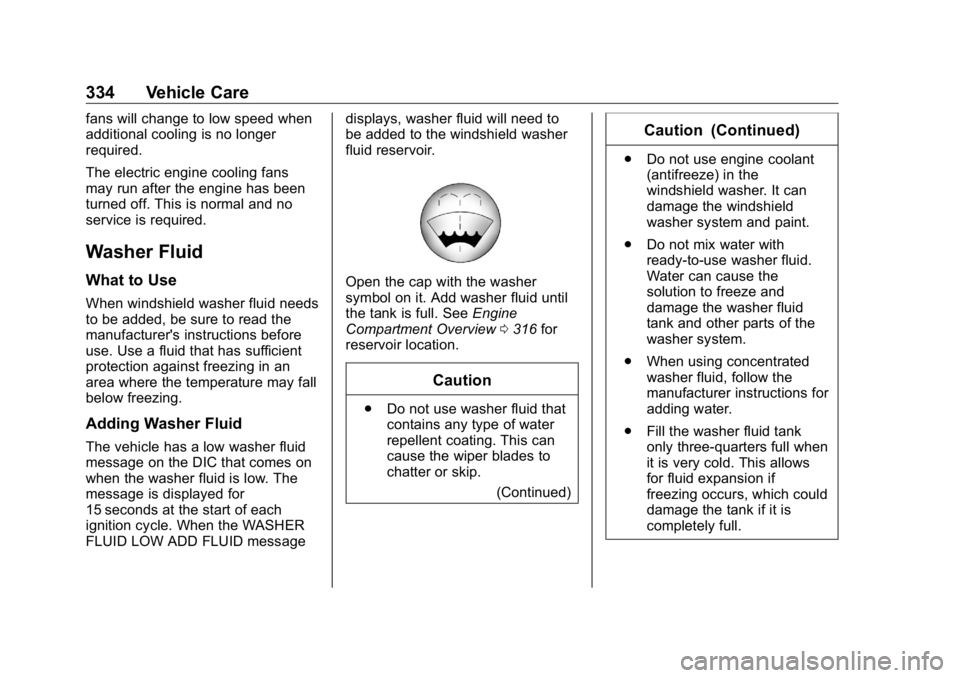
Open the cap with the washer
symbol on it. Add washer fluid until
the tank is full. See Engine
Compartment Overview 0 316 for
reservoir location.
Caution.
Do not use washer fluid that
contains any type of water
repellent coating. This can
cause the wiper blades to
chatter or skip.
(Continued) Caution (Continued) .
Do not use engine coolant
(antifreeze) in the
windshield washer. It can
damage the windshield
washer system and paint.
.
Do not mix water with
ready-to-use washer fluid.
Water can cause the
solution to freeze and
damage the washer fluid
tank and other parts of the
washer system.
.
When using concentrated
washer fluid, follow the
manufacturer instructions for
adding water.
.
Fill the washer fluid tank
only three-quarters full when
it is very cold. This allows
for fluid expansion if
freezing occurs, which could
damage the tank if it is
completely full.