display GMC SIERRA DENALI 2019 Service Manual
[x] Cancel search | Manufacturer: GMC, Model Year: 2019, Model line: SIERRA DENALI, Model: GMC SIERRA DENALI 2019Pages: 472, PDF Size: 8.98 MB
Page 165 of 472
GMC Sierra/Sierra Denali Owner Manual (GMNA-Localizing-U.S./Canada/
Mexico-1500-11698638) - 2019 - crc - 5/15/18
164 Instruments and Controls
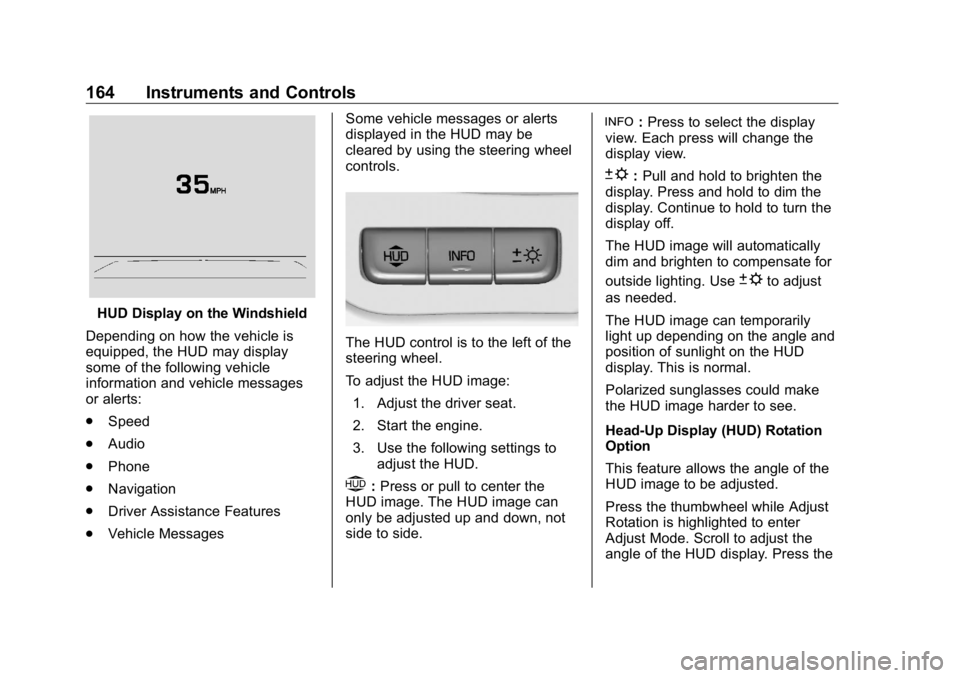
HUD Display on the Windshield
Depending on how the vehicle is
equipped, the HUD may display
some of the following vehicle
information and vehicle messages
or alerts:
.
Speed
.
Audio
.
Phone
.
Navigation
.
Driver Assistance Features
.
Vehicle Messages Some vehicle messages or alerts
displayed in the HUD may be
cleared by using the steering wheel
controls.
The HUD control is to the left of the
steering wheel.
To adjust the HUD image:
1. Adjust the driver seat.
2. Start the engine.
3. Use the following settings to
adjust the HUD.
$ : Press or pull to center the
HUD image. The HUD image can
only be adjusted up and down, not
side to side. ! : Press to select the display
view. Each press will change the
display view.
D : Pull and hold to brighten the
display. Press and hold to dim the
display. Continue to hold to turn the
display off.
The HUD image will automatically
dim and brighten to compensate for
outside lighting. Use
D to adjust
as needed.
The HUD image can temporarily
light up depending on the angle and
position of sunlight on the HUD
display. This is normal.
Polarized sunglasses could make
the HUD image harder to see.
Head-Up Display (HUD) Rotation
Option
This feature allows the angle of the
HUD image to be adjusted.
Press the thumbwheel while Adjust
Rotation is highlighted to enter
Adjust Mode. Scroll to adjust the
angle of the HUD display. Press the
Page 166 of 472
GMC Sierra/Sierra Denali Owner Manual (GMNA-Localizing-U.S./Canada/
Mexico-1500-11698638) - 2019 - crc - 5/15/18
Instruments and Controls 165thumbwheel to confirm and save the
setting. This feature may only be
available in P (Park).
Speed Limit Style Adjustment
The speed limit style can be
changed to a speed limit bar or
speed limit sign from the Options
menu. Press the thumbwheel while
Speed Limit Style is highlighted to
change the speed sign style or to
turn it off.
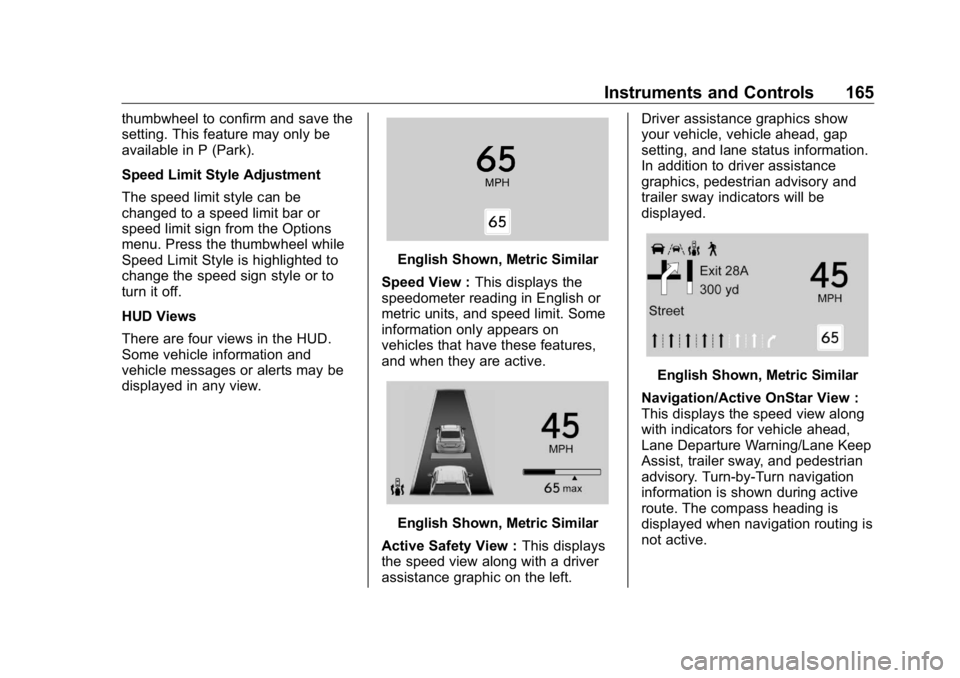
HUD Views
There are four views in the HUD.
Some vehicle information and
vehicle messages or alerts may be
displayed in any view. English Shown, Metric Similar
Speed View : This displays the
speedometer reading in English or
metric units, and speed limit. Some
information only appears on
vehicles that have these features,
and when they are active.
English Shown, Metric Similar
Active Safety View : This displays
the speed view along with a driver
assistance graphic on the left. Driver assistance graphics show
your vehicle, vehicle ahead, gap
setting, and lane status information.
In addition to driver assistance
graphics, pedestrian advisory and
trailer sway indicators will be
displayed.
English Shown, Metric Similar
Navigation/Active OnStar View :
This displays the speed view along
with indicators for vehicle ahead,
Lane Departure Warning/Lane Keep
Assist, trailer sway, and pedestrian
advisory. Turn-by-Turn navigation
information is shown during active
route. The compass heading is
displayed when navigation routing is
not active.
Page 167 of 472
GMC Sierra/Sierra Denali Owner Manual (GMNA-Localizing-U.S./Canada/
Mexico-1500-11698638) - 2019 - crc - 5/15/18
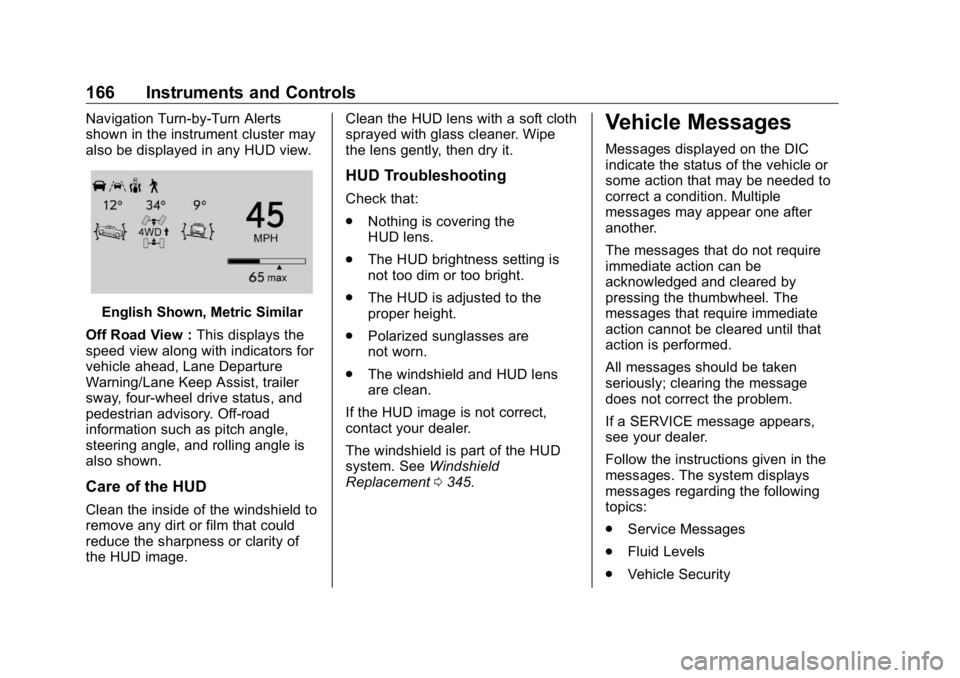
166 Instruments and Controls Navigation Turn-by-Turn Alerts
shown in the instrument cluster may
also be displayed in any HUD view.
English Shown, Metric Similar
Off Road View : This displays the
speed view along with indicators for
vehicle ahead, Lane Departure
Warning/Lane Keep Assist, trailer
sway, four-wheel drive status, and
pedestrian advisory. Off-road
information such as pitch angle,
steering angle, and rolling angle is
also shown.
Care of the HUD
Clean the inside of the windshield to
remove any dirt or film that could
reduce the sharpness or clarity of
the HUD image. Clean the HUD lens with a soft cloth
sprayed with glass cleaner. Wipe
the lens gently, then dry it.
HUD Troubleshooting Check that:
.
Nothing is covering the
HUD lens.
.
The HUD brightness setting is
not too dim or too bright.
.
The HUD is adjusted to the
proper height.
.
Polarized sunglasses are
not worn.
.
The windshield and HUD lens
are clean.
If the HUD image is not correct,
contact your dealer.
The windshield is part of the HUD
system. See Windshield
Replacement 0 345 .Vehicle Messages Messages displayed on the DIC
indicate the status of the vehicle or
some action that may be needed to
correct a condition. Multiple
messages may appear one after
another.
The messages that do not require
immediate action can be
acknowledged and cleared by
pressing the thumbwheel. The
messages that require immediate
action cannot be cleared until that
action is performed.
All messages should be taken
seriously; clearing the message
does not correct the problem.
If a SERVICE message appears,
see your dealer.
Follow the instructions given in the
messages. The system displays
messages regarding the following
topics:
.
Service Messages
.
Fluid Levels
.
Vehicle Security
Page 168 of 472
GMC Sierra/Sierra Denali Owner Manual (GMNA-Localizing-U.S./Canada/
Mexico-1500-11698638) - 2019 - crc - 5/15/18
Instruments and Controls 167.
Brakes
.
Steering
.
Ride Control Systems
.
Driver Assistance Systems
.
Cruise Control
.
Lighting and Bulb Replacement
.
Wiper/Washer Systems
.
Doors and Windows
.
Seat Belts
.
Airbag Systems
.
Engine and Transmission
.
Tire Pressure
.
Battery
Engine Power Messages ENGINE POWER IS REDUCED
This message displays when the
vehicle's propulsion power is
reduced. Reduced propulsion power
can affect the vehicle's ability to
accelerate. If this message is on,
but there is no observed reduction
in performance, proceed to your
destination. The performance may be reduced the next time the vehicle
is driven. The vehicle may be driven
while this message is on, but
maximum acceleration and speed
may be reduced. Anytime this
message stays on, or displays
repeatedly, the vehicle should be
taken to your dealer for service as
soon as possible.
Vehicle Speed Messages SPEED LIMITED TO
XXX KM/H (MPH) This message shows that the
vehicle speed has been limited to
the speed displayed. The limited
speed is a protection for various
propulsion and vehicle systems,
such as lubrication, thermal,
suspension, Teen Driver if
equipped, or tires. Vehicle
Personalization The following are all possible
vehicle personalization features.
Depending on the vehicle, some
may not be available.
For System, Apps, and Personal
features and functions, see
“ Settings ” in the infotainment
manual.
To access the vehicle
personalization menu:
1. Touch the SETTINGS icon on
the Home Page of the
infotainment display.
2. Touch Vehicle to display a list
of available options.
3. Touch to select the desired
feature setting.
4. Touch
9 or
R to turn a feature
off or on.
5. Touch
z to go to the top level
of the Settings menu.
Page 169 of 472
GMC Sierra/Sierra Denali Owner Manual (GMNA-Localizing-U.S./Canada/
Mexico-1500-11698638) - 2019 - crc - 5/15/18
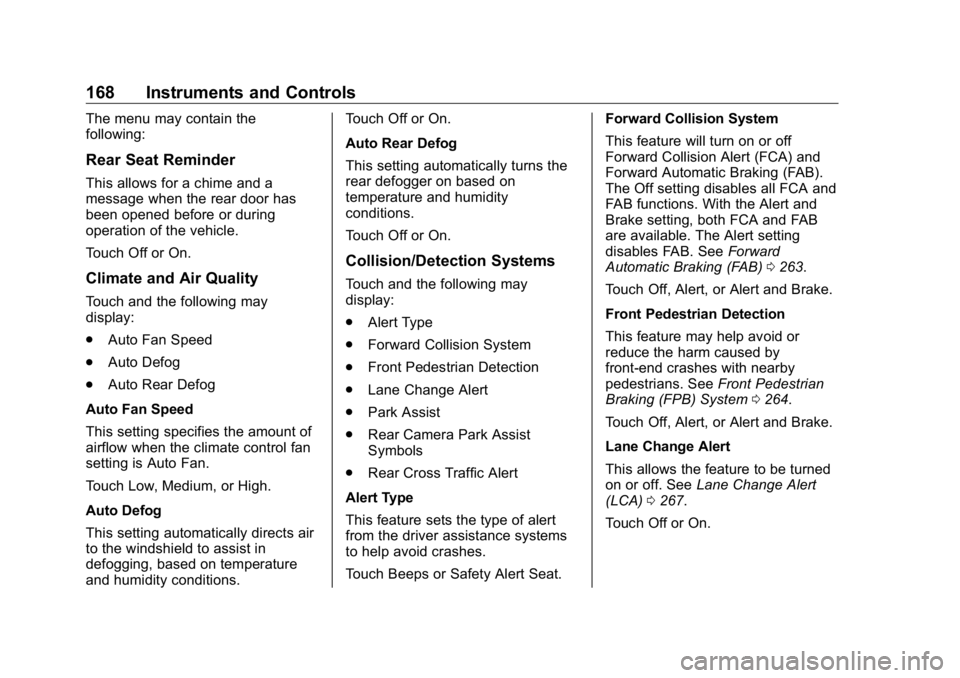
168 Instruments and Controls The menu may contain the
following:
Rear Seat Reminder This allows for a chime and a
message when the rear door has
been opened before or during
operation of the vehicle.
Touch Off or On.
Climate and Air Quality Touch and the following may
display:
.
Auto Fan Speed
.
Auto Defog
.
Auto Rear Defog
Auto Fan Speed
This setting specifies the amount of
airflow when the climate control fan
setting is Auto Fan.
Touch Low, Medium, or High.
Auto Defog
This setting automatically directs air
to the windshield to assist in
defogging, based on temperature
and humidity conditions. Touch Off or On.
Auto Rear Defog
This setting automatically turns the
rear defogger on based on
temperature and humidity
conditions.
Touch Off or On.
Collision/Detection Systems Touch and the following may
display:
.
Alert Type
.
Forward Collision System
.
Front Pedestrian Detection
.
Lane Change Alert
.
Park Assist
.
Rear Camera Park Assist
Symbols
.
Rear Cross Traffic Alert
Alert Type
This feature sets the type of alert
from the driver assistance systems
to help avoid crashes.
Touch Beeps or Safety Alert Seat. Forward Collision System
This feature will turn on or off
Forward Collision Alert (FCA) and
Forward Automatic Braking (FAB).
The Off setting disables all FCA and
FAB functions. With the Alert and
Brake setting, both FCA and FAB
are available. The Alert setting
disables FAB. See Forward
Automatic Braking (FAB) 0 263 .
Touch Off, Alert, or Alert and Brake.
Front Pedestrian Detection
This feature may help avoid or
reduce the harm caused by
front-end crashes with nearby
pedestrians. See Front Pedestrian
Braking (FPB) System 0 264 .
Touch Off, Alert, or Alert and Brake.
Lane Change Alert
This allows the feature to be turned
on or off. See Lane Change Alert
(LCA) 0 267 .
Touch Off or On.
Page 170 of 472
GMC Sierra/Sierra Denali Owner Manual (GMNA-Localizing-U.S./Canada/
Mexico-1500-11698638) - 2019 - crc - 5/15/18
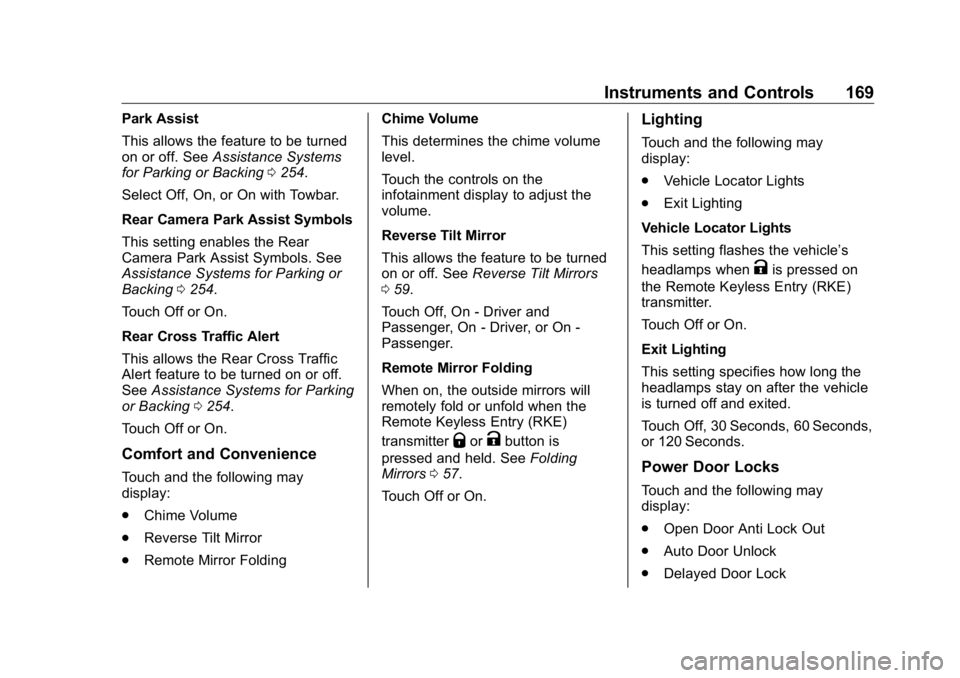
Instruments and Controls 169Park Assist
This allows the feature to be turned
on or off. See Assistance Systems
for Parking or Backing 0 254 .
Select Off, On, or On with Towbar.
Rear Camera Park Assist Symbols
This setting enables the Rear
Camera Park Assist Symbols. See
Assistance Systems for Parking or
Backing 0 254 .
Touch Off or On.
Rear Cross Traffic Alert
This allows the Rear Cross Traffic
Alert feature to be turned on or off.
See Assistance Systems for Parking
or Backing 0 254 .
Touch Off or On.
Comfort and Convenience
Touch and the following may
display:
.
Chime Volume
.
Reverse Tilt Mirror
.
Remote Mirror Folding Chime Volume
This determines the chime volume
level.
Touch the controls on the
infotainment display to adjust the
volume.
Reverse Tilt Mirror
This allows the feature to be turned
on or off. See Reverse Tilt Mirrors
0 59 .
Touch Off, On - Driver and
Passenger, On - Driver, or On -
Passenger.
Remote Mirror Folding
When on, the outside mirrors will
remotely fold or unfold when the
Remote Keyless Entry (RKE)
transmitter
Q or
K button is
pressed and held. See Folding
Mirrors 0 57 .
Touch Off or On. Lighting Touch and the following may
display:
.
Vehicle Locator Lights
.
Exit Lighting
Vehicle Locator Lights
This setting flashes the vehicle ’ s
headlamps when
K is pressed on
the Remote Keyless Entry (RKE)
transmitter.
Touch Off or On.
Exit Lighting
This setting specifies how long the
headlamps stay on after the vehicle
is turned off and exited.
Touch Off, 30 Seconds, 60 Seconds,
or 120 Seconds.
Power Door Locks
Touch and the following may
display:
.
Open Door Anti Lock Out
.
Auto Door Unlock
.
Delayed Door Lock
Page 171 of 472
GMC Sierra/Sierra Denali Owner Manual (GMNA-Localizing-U.S./Canada/
Mexico-1500-11698638) - 2019 - crc - 5/15/18
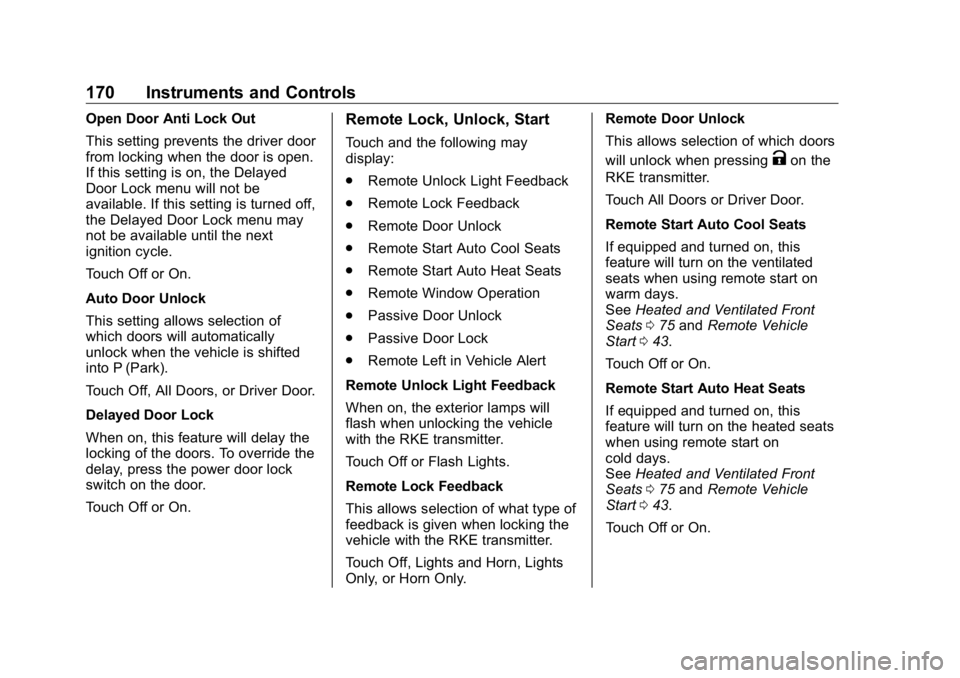
170 Instruments and Controls Open Door Anti Lock Out
This setting prevents the driver door
from locking when the door is open.
If this setting is on, the Delayed
Door Lock menu will not be
available. If this setting is turned off,
the Delayed Door Lock menu may
not be available until the next
ignition cycle.
Touch Off or On.
Auto Door Unlock
This setting allows selection of
which doors will automatically
unlock when the vehicle is shifted
into P (Park).
Touch Off, All Doors, or Driver Door.
Delayed Door Lock
When on, this feature will delay the
locking of the doors. To override the
delay, press the power door lock
switch on the door.
Touch Off or On. Remote Lock, Unlock, Start Touch and the following may
display:
.
Remote Unlock Light Feedback
.
Remote Lock Feedback
.
Remote Door Unlock
.
Remote Start Auto Cool Seats
.
Remote Start Auto Heat Seats
.
Remote Window Operation
.
Passive Door Unlock
.
Passive Door Lock
.
Remote Left in Vehicle Alert
Remote Unlock Light Feedback
When on, the exterior lamps will
flash when unlocking the vehicle
with the RKE transmitter.
Touch Off or Flash Lights.
Remote Lock Feedback
This allows selection of what type of
feedback is given when locking the
vehicle with the RKE transmitter.
Touch Off, Lights and Horn, Lights
Only, or Horn Only. Remote Door Unlock
This allows selection of which doors
will unlock when pressing
K on the
RKE transmitter.
Touch All Doors or Driver Door.
Remote Start Auto Cool Seats
If equipped and turned on, this
feature will turn on the ventilated
seats when using remote start on
warm days.
See Heated and Ventilated Front
Seats 0 75 and Remote Vehicle
Start 0 43 .
Touch Off or On.
Remote Start Auto Heat Seats
If equipped and turned on, this
feature will turn on the heated seats
when using remote start on
cold days.
See Heated and Ventilated Front
Seats 0 75 and Remote Vehicle
Start 0 43 .
Touch Off or On.
Page 172 of 472
GMC Sierra/Sierra Denali Owner Manual (GMNA-Localizing-U.S./Canada/
Mexico-1500-11698638) - 2019 - crc - 5/15/18
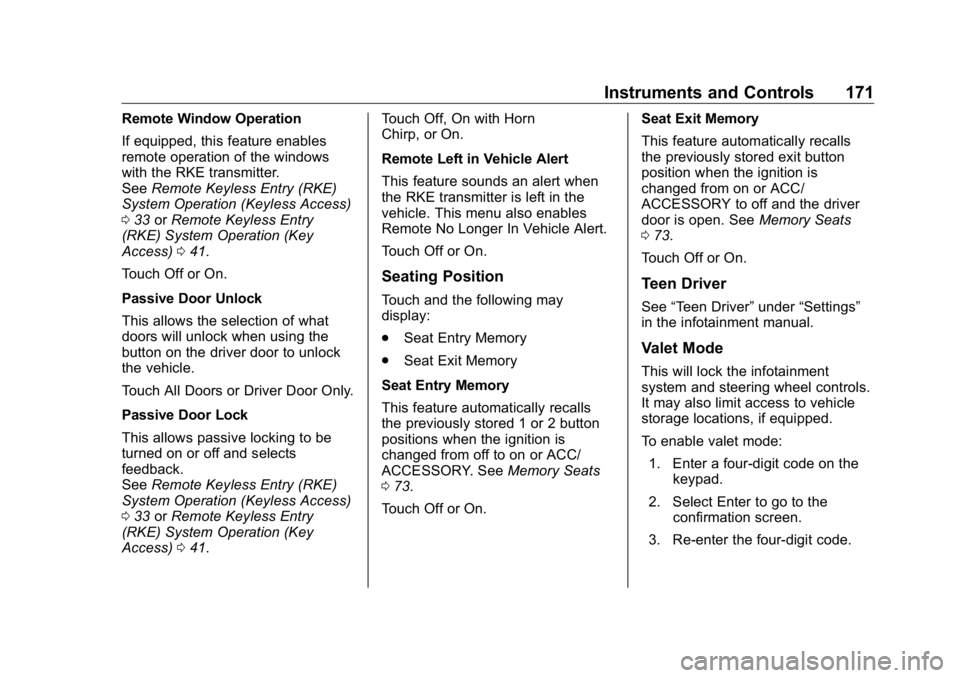
Instruments and Controls 171Remote Window Operation
If equipped, this feature enables
remote operation of the windows
with the RKE transmitter.
See Remote Keyless Entry (RKE)
System Operation (Keyless Access)
0 33 or Remote Keyless Entry
(RKE) System Operation (Key
Access) 0 41 .
Touch Off or On.
Passive Door Unlock
This allows the selection of what
doors will unlock when using the
button on the driver door to unlock
the vehicle.
Touch All Doors or Driver Door Only.
Passive Door Lock
This allows passive locking to be
turned on or off and selects
feedback.
See Remote Keyless Entry (RKE)
System Operation (Keyless Access)
0 33 or Remote Keyless Entry
(RKE) System Operation (Key
Access) 0 41 . Touch Off, On with Horn
Chirp, or On.
Remote Left in Vehicle Alert
This feature sounds an alert when
the RKE transmitter is left in the
vehicle. This menu also enables
Remote No Longer In Vehicle Alert.
Touch Off or On.
Seating Position Touch and the following may
display:
.
Seat Entry Memory
.
Seat Exit Memory
Seat Entry Memory
This feature automatically recalls
the previously stored 1 or 2 button
positions when the ignition is
changed from off to on or ACC/
ACCESSORY. See Memory Seats
0 73 .
Touch Off or On. Seat Exit Memory
This feature automatically recalls
the previously stored exit button
position when the ignition is
changed from on or ACC/
ACCESSORY to off and the driver
door is open. See Memory Seats
0 73 .
Touch Off or On.
Teen Driver See “ Teen Driver ” under “ Settings ”
in the infotainment manual.
Valet Mode This will lock the infotainment
system and steering wheel controls.
It may also limit access to vehicle
storage locations, if equipped.
To enable valet mode:
1. Enter a four-digit code on the
keypad.
2. Select Enter to go to the
confirmation screen.
3. Re-enter the four-digit code.
Page 186 of 472
GMC Sierra/Sierra Denali Owner Manual (GMNA-Localizing-U.S./Canada/
Mexico-1500-11698638) - 2019 - crc - 5/15/18
Lighting 185The exterior lamps and dome lamp
remain on for a set amount of time,
then automatically turn off.
The exterior lamps turn off
immediately by turning the exterior
lamp control off.
This feature can be changed. See
Vehicle Personalization 0 167 .
Battery Load
Management The vehicle has Electric Power
Management (EPM), which
estimates the battery's temperature
and state of charge. It then adjusts
the voltage for best performance
and extended life of the battery.
When the battery's state of charge
is low, the voltage is raised slightly
to quickly bring the charge back up.
When the state of charge is high,
the voltage is lowered slightly to
prevent overcharging. The voltmeter
gauge or the voltage display on the
Driver Information Center (DIC),
if equipped, may show the voltage moving up or down. This is normal.
If there is a problem, an alert will be
displayed.
The battery can be discharged at
idle if the electrical loads are very
high. This is true for all vehicles.
This is because the generator
(alternator) may not be spinning fast
enough at idle to produce all the
power that is needed for very high
electrical loads.
A high electrical load occurs when
several of the following are on, such
as: headlamps, high beams, fog
lamps, rear window defogger,
climate control fan at high speed,
heated seats, engine cooling fans,
trailer loads, and loads plugged into
accessory power outlets.
EPM works to prevent excessive
discharge of the battery. It does this
by balancing the generator's output
and the vehicle's electrical needs.
It can increase engine idle speed to
generate more power, whenever
needed. It can temporarily reduce
the power demands of some
accessories. Normally, these actions occur in
steps or levels, without being
noticeable. In rare cases at the
highest levels of corrective action,
this action may be noticeable to the
driver. If so, a DIC message might
be displayed and it is recommended
that the driver reduce the electrical
loads as much as possible.
Battery Power Protection This feature shuts off the dome and
reading lamps, if they are left on for
more than 10 minutes after the
ignition is turned off. The cargo
lamp shuts off after 20 minutes. This
prevents the battery from
running down.
Exterior Lighting Battery
Saver The exterior lamps turn off about
10 minutes after the ignition is
turned off, if the parking lamps or
headlamps have been manually left
on. This protects against draining
the battery. To restart the 10-minute
Page 192 of 472
GMC Sierra/Sierra Denali Owner Manual (GMNA-Localizing-U.S./Canada/
Mexico-1500-11698638) - 2019 - crc - 5/15/18
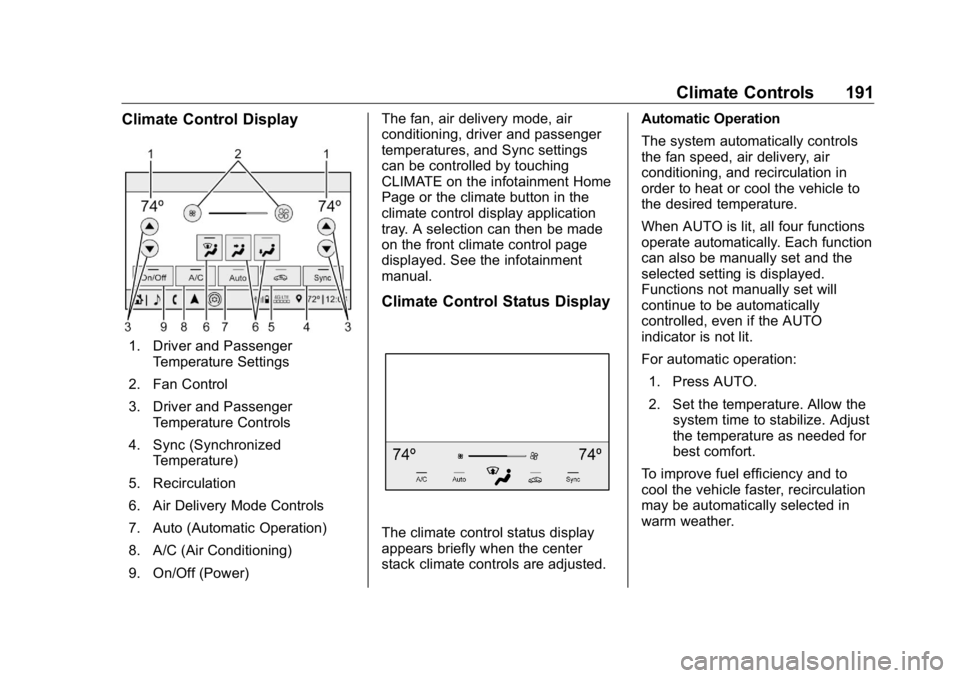
Climate Controls 191Climate Control Display
1. Driver and Passenger
Temperature Settings
2. Fan Control
3. Driver and Passenger
Temperature Controls
4. Sync (Synchronized
Temperature)
5. Recirculation
6. Air Delivery Mode Controls
7. Auto (Automatic Operation)
8. A/C (Air Conditioning)
9. On/Off (Power) The fan, air delivery mode, air
conditioning, driver and passenger
temperatures, and Sync settings
can be controlled by touching
CLIMATE on the infotainment Home
Page or the climate button in the
climate control display application
tray. A selection can then be made
on the front climate control page
displayed. See the infotainment
manual.
Climate Control Status Display
The climate control status display
appears briefly when the center
stack climate controls are adjusted. Automatic Operation
The system automatically controls
the fan speed, air delivery, air
conditioning, and recirculation in
order to heat or cool the vehicle to
the desired temperature.
When AUTO is lit, all four functions
operate automatically. Each function
can also be manually set and the
selected setting is displayed.
Functions not manually set will
continue to be automatically
controlled, even if the AUTO
indicator is not lit.
For automatic operation:
1. Press AUTO.
2. Set the temperature. Allow the
system time to stabilize. Adjust
the temperature as needed for
best comfort.
To improve fuel efficiency and to
cool the vehicle faster, recirculation
may be automatically selected in
warm weather.