battery replacement GMC SIERRA DENALI 2019 Owners Manual
[x] Cancel search | Manufacturer: GMC, Model Year: 2019, Model line: SIERRA DENALI, Model: GMC SIERRA DENALI 2019Pages: 472, PDF Size: 8.98 MB
Page 34 of 472
GMC Sierra/Sierra Denali Owner Manual (GMNA-Localizing-U.S./Canada/
Mexico-1500-11698638) - 2019 - crc - 5/15/18
Keys, Doors, and Windows 33learned and all previously
known keys will no longer work
with the vehicle.
6. To learn a second key, turn the
ignition off, insert the second
key to be learned, and turn the
ignition on.
After two keys are learned, the
remaining keys can be learned by
following the procedure in
“ Programming with Two
Recognized Keys. ”
The key has a bar-coded key tag
that the dealer or qualified locksmith
can use to make new keys. Store
this information in a safe place, not
in the vehicle.
See your dealer if a replacement
key or additional key is needed.
If it becomes difficult to turn a key,
inspect the key blade for debris.
Periodically clean with a brush
or pick.
If locked out of the vehicle, see
Roadside Assistance Program
0 437 . With an active OnStar or connected
service plan, an OnStar Advisor
may remotely unlock the vehicle.
See OnStar Overview 0 447 .
Remote Keyless Entry
(RKE) System See Radio Frequency Statement
0 443 .
If there is a decrease in the Remote
Keyless Entry (RKE) operating
range:
.
Check the distance. The
transmitter may be too far from
the vehicle.
.
Check the location. Other
vehicles or objects may be
blocking the signal.
.
Check the transmitter's battery.
See “ Battery Replacement ” later
in this section.
.
If the transmitter is still not
working correctly, see your
dealer or a qualified technician
for service. Remote Keyless Entry
(RKE) System Operation
(Keyless Access) The Keyless Access system allows
for vehicle entry when the
transmitter is within 1 m (3 ft). See
“ Keyless Access Operation ” later in
this section.
The RKE transmitter functions may
work up to 60 m (197 ft) away from
the vehicle.
Other conditions can affect the
performance of the transmitter. See
Remote Keyless Entry (RKE)
System 0 33 .
Page 38 of 472
GMC Sierra/Sierra Denali Owner Manual (GMNA-Localizing-U.S./Canada/
Mexico-1500-11698638) - 2019 - crc - 5/15/18
Keys, Doors, and Windows 37Key Access
To access a vehicle with a dead
transmitter battery, see Door Locks
0 44 .
Programming Transmitters to
the Vehicle Only RKE transmitters programmed
to the vehicle will work. If a
transmitter is lost or stolen, a
replacement can be purchased and
programmed through your dealer.
The vehicle can be reprogrammed
so that lost or stolen transmitters no
longer work. Each vehicle can have
up to eight transmitters matched
to it.
Programming with Recognized
Transmitters
A new transmitter can be
programmed to the vehicle when
there are two recognized
transmitters. To program, the vehicle must be off
and all transmitters, both currently
recognized and new, must be
with you.
1. Remove the key from a
recognized transmitter.
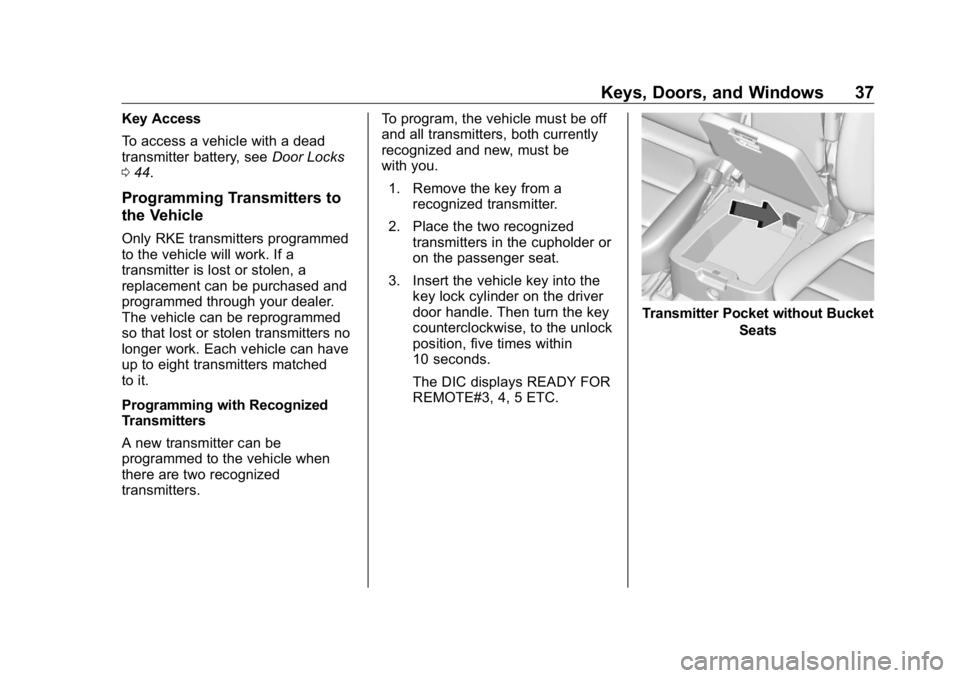
2. Place the two recognized
transmitters in the cupholder or
on the passenger seat.
3. Insert the vehicle key into the
key lock cylinder on the driver
door handle. Then turn the key
counterclockwise, to the unlock
position, five times within
10 seconds.
The DIC displays READY FOR
REMOTE#3, 4, 5 ETC. Transmitter Pocket without Bucket
Seats
Page 41 of 472
GMC Sierra/Sierra Denali Owner Manual (GMNA-Localizing-U.S./Canada/
Mexico-1500-11698638) - 2019 - crc - 5/15/18
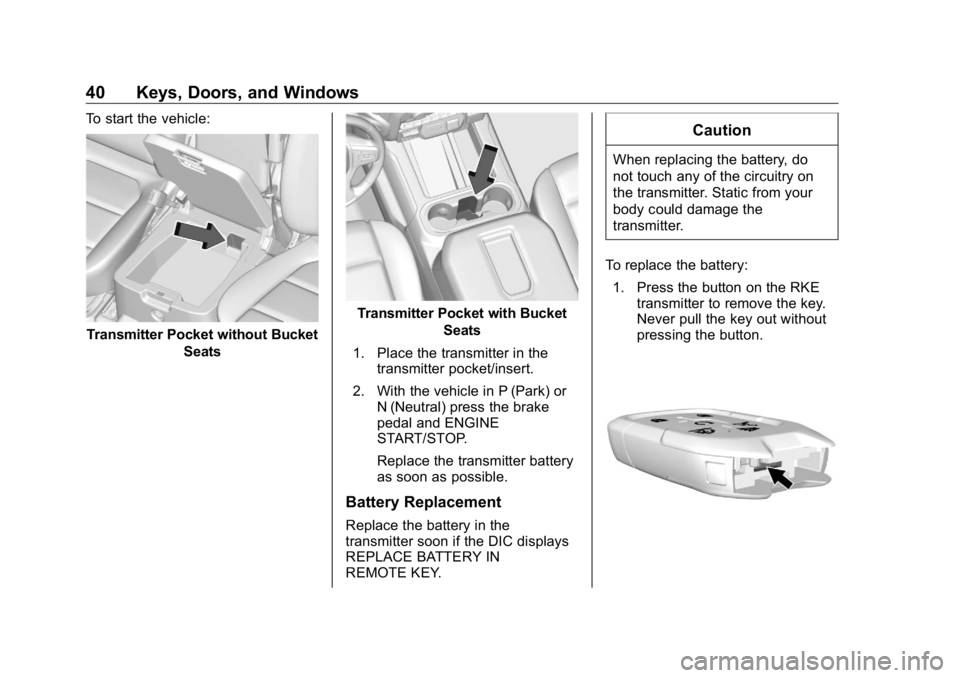
40 Keys, Doors, and Windows To start the vehicle:
Transmitter Pocket without Bucket
Seats Transmitter Pocket with Bucket
Seats
1. Place the transmitter in the
transmitter pocket/insert.
2. With the vehicle in P (Park) or
N (Neutral) press the brake
pedal and ENGINE
START/STOP.
Replace the transmitter battery
as soon as possible.
Battery Replacement
Replace the battery in the
transmitter soon if the DIC displays
REPLACE BATTERY IN
REMOTE KEY. CautionWhen replacing the battery, do
not touch any of the circuitry on
the transmitter. Static from your
body could damage the
transmitter.
To replace the battery:
1. Press the button on the RKE
transmitter to remove the key.
Never pull the key out without
pressing the button.
Page 43 of 472
GMC Sierra/Sierra Denali Owner Manual (GMNA-Localizing-U.S./Canada/
Mexico-1500-11698638) - 2019 - crc - 5/15/18
42 Keys, Doors, and Windows If enabled, the turn signal lamps
flash twice to indicate unlocking has
occurred. If enabled, the exterior
lamps may turn on. See Vehicle
Personalization 0 167 .
Pressing
K on the RKE transmitter
disarms the alarm system. See
Vehicle Alarm System 0 54 .
If equipped with remote mirror
folding, pressing and holding
K for
one second will unfold the mirrors,
if enabled. See Vehicle
Personalization 0 167 .
Press and hold
K to remotely open
the windows, if enabled. See
Vehicle Personalization 0 167 .
x : Press twice quickly to release
the tailgate, if equipped.
7 : Press and release to initiate the
vehicle locator. The turn signal
lamps flash and the horn sounds
three times.
Press and hold
7 for more than
three seconds to activate the panic
alarm. The turn signal lamps flash
and the horn sounds repeatedly for 30 seconds. The alarm turns off
when the ignition is turned on or
7is pressed again. The ignition must
be off for the panic alarm to work.
Programming Transmitters to
the Vehicle Only RKE transmitters programmed
to this vehicle will work. If a
transmitter is lost or stolen, a
replacement can be purchased and
programmed through your dealer.
Each vehicle can have up to
eight transmitters programmed to it.
See your dealer for transmitter
programming.
Battery Replacement Replace the battery in the
transmitter soon if the REPLACE
BATTERY IN REMOTE KEY
displays in the Driver Information
Center (DIC). CautionWhen replacing the battery, do
not touch any of the circuitry on
the transmitter. Static from your
body could damage the
transmitter.
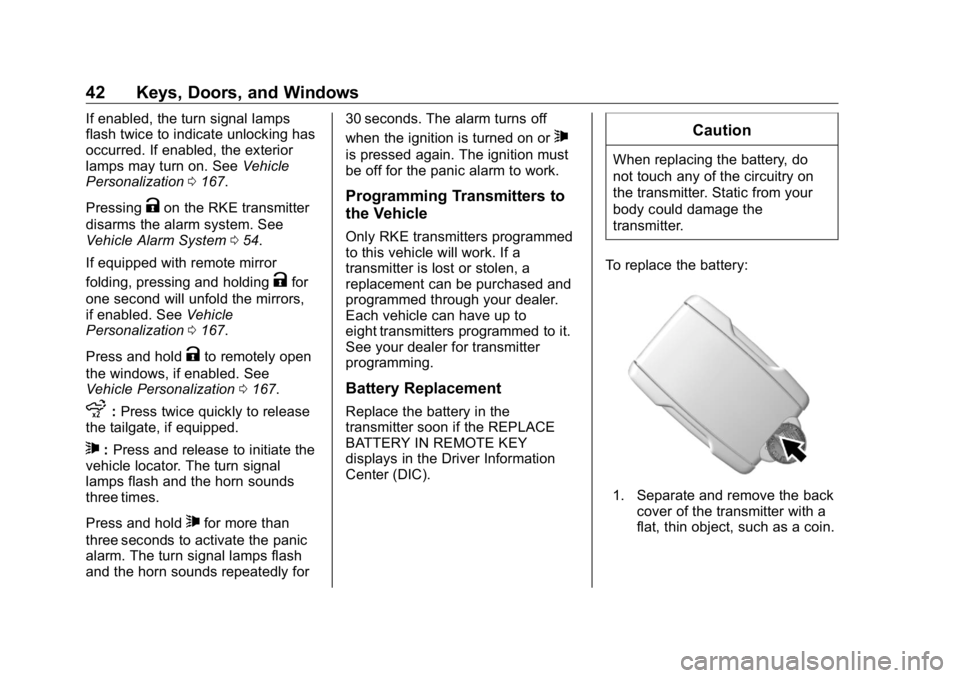
To replace the battery:
1. Separate and remove the back
cover of the transmitter with a
flat, thin object, such as a coin.
Page 150 of 472
GMC Sierra/Sierra Denali Owner Manual (GMNA-Localizing-U.S./Canada/
Mexico-1500-11698638) - 2019 - crc - 5/15/18
Instruments and Controls 149If the light stays on, or comes on
while driving, there may be a
problem with the electrical charging
system. Have it checked by your
dealer. Driving while this light is on
could drain the battery.
When this light comes on, or is
flashing, the Driver Information
Center (DIC) also displays a
message.
If a short distance must be driven
with the light on, be sure to turn off
all accessories, such as the radio
and air conditioner.
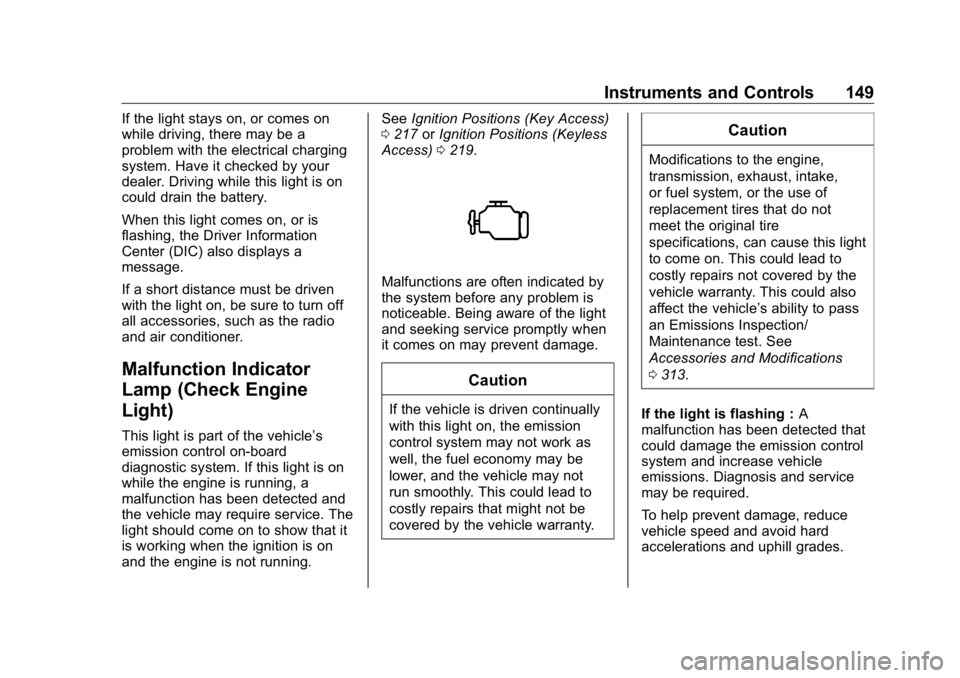
Malfunction Indicator
Lamp (Check Engine
Light) This light is part of the vehicle ’ s
emission control on-board
diagnostic system. If this light is on
while the engine is running, a
malfunction has been detected and
the vehicle may require service. The
light should come on to show that it
is working when the ignition is on
and the engine is not running. See Ignition Positions (Key Access)
0 217 or Ignition Positions (Keyless
Access) 0 219 .
Malfunctions are often indicated by
the system before any problem is
noticeable. Being aware of the light
and seeking service promptly when
it comes on may prevent damage.
CautionIf the vehicle is driven continually
with this light on, the emission
control system may not work as
well, the fuel economy may be
lower, and the vehicle may not
run smoothly. This could lead to
costly repairs that might not be
covered by the vehicle warranty. CautionModifications to the engine,
transmission, exhaust, intake,
or fuel system, or the use of
replacement tires that do not
meet the original tire
specifications, can cause this light
to come on. This could lead to
costly repairs not covered by the
vehicle warranty. This could also
affect the vehicle ’ s ability to pass
an Emissions Inspection/
Maintenance test. See
Accessories and Modifications
0 313 .
If the light is flashing : A
malfunction has been detected that
could damage the emission control
system and increase vehicle
emissions. Diagnosis and service
may be required.
To help prevent damage, reduce
vehicle speed and avoid hard
accelerations and uphill grades.
Page 168 of 472
GMC Sierra/Sierra Denali Owner Manual (GMNA-Localizing-U.S./Canada/
Mexico-1500-11698638) - 2019 - crc - 5/15/18
Instruments and Controls 167.
Brakes
.
Steering
.
Ride Control Systems
.
Driver Assistance Systems
.
Cruise Control
.
Lighting and Bulb Replacement
.
Wiper/Washer Systems
.
Doors and Windows
.
Seat Belts
.
Airbag Systems
.
Engine and Transmission
.
Tire Pressure
.
Battery
Engine Power Messages ENGINE POWER IS REDUCED
This message displays when the
vehicle's propulsion power is
reduced. Reduced propulsion power
can affect the vehicle's ability to
accelerate. If this message is on,
but there is no observed reduction
in performance, proceed to your
destination. The performance may be reduced the next time the vehicle
is driven. The vehicle may be driven
while this message is on, but
maximum acceleration and speed
may be reduced. Anytime this
message stays on, or displays
repeatedly, the vehicle should be
taken to your dealer for service as
soon as possible.
Vehicle Speed Messages SPEED LIMITED TO
XXX KM/H (MPH) This message shows that the
vehicle speed has been limited to
the speed displayed. The limited
speed is a protection for various
propulsion and vehicle systems,
such as lubrication, thermal,
suspension, Teen Driver if
equipped, or tires. Vehicle
Personalization The following are all possible
vehicle personalization features.
Depending on the vehicle, some
may not be available.
For System, Apps, and Personal
features and functions, see
“ Settings ” in the infotainment
manual.
To access the vehicle
personalization menu:
1. Touch the SETTINGS icon on
the Home Page of the
infotainment display.
2. Touch Vehicle to display a list
of available options.
3. Touch to select the desired
feature setting.
4. Touch
9 or
R to turn a feature
off or on.
5. Touch
z to go to the top level
of the Settings menu.
Page 224 of 472
GMC Sierra/Sierra Denali Owner Manual (GMNA-Localizing-U.S./Canada/
Mexico-1500-11698638) - 2019 - crc - 5/16/18
Driving and Operating 223.
The vehicle battery has recently
been disconnected.
.
Minimum vehicle speed has not
been reached since the last
Auto Stop.
.
The accelerator pedal is
pressed.
.
The engine or transmission is
not at the required operating
temperature.
.
The outside temperature is not
in the required operating range.
.
The vehicle is in any gear other
than D (Drive).
.
Tow/Haul Mode or other driver
modes have been selected.
.
The vehicle is on a steep hill or
grade.
.
The driver door has been
opened or the driver seat belt
has been unbuckled.
.
The hood has been opened.
.
The Auto Stop has reached the
maximum allowed time. Auto Stop Disable Switch
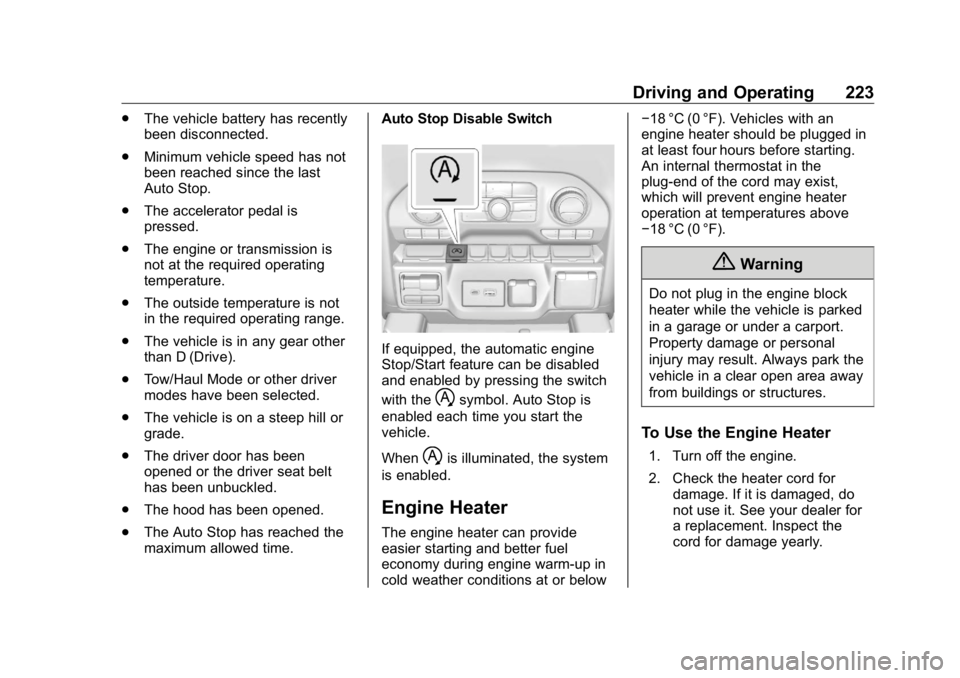
If equipped, the automatic engine
Stop/Start feature can be disabled
and enabled by pressing the switch
with the
h symbol. Auto Stop is
enabled each time you start the
vehicle.
When
h is illuminated, the system
is enabled.
Engine Heater The engine heater can provide
easier starting and better fuel
economy during engine warm-up in
cold weather conditions at or below − 18 °C (0 °F). Vehicles with an
engine heater should be plugged in
at least four hours before starting.
An internal thermostat in the
plug-end of the cord may exist,
which will prevent engine heater
operation at temperatures above
− 18 °C (0 °F).
{ WarningDo not plug in the engine block
heater while the vehicle is parked
in a garage or under a carport.
Property damage or personal
injury may result. Always park the
vehicle in a clear open area away
from buildings or structures.
To Use the Engine Heater 1. Turn off the engine.
2. Check the heater cord for
damage. If it is damaged, do
not use it. See your dealer for
a replacement. Inspect the
cord for damage yearly.
Page 312 of 472
GMC Sierra/Sierra Denali Owner Manual (GMNA-Localizing-U.S./Canada/
Mexico-1500-11698638) - 2019 - crc - 5/15/18
Vehicle Care 311
Vehicle Care General Information General Information . . . . . . . . . . 312
California Proposition
65 Warning . . . . . . . . . . . . . . . . . 313
California Perchlorate
Materials Requirements . . . . . 313
Accessories and
Modifications . . . . . . . . . . . . . . . . 313
Vehicle Checks Doing Your Own
Service Work . . . . . . . . . . . . . . . 314
Hood . . . . . . . . . . . . . . . . . . . . . . . . . 314
Engine Compartment
Overview . . . . . . . . . . . . . . . . . . . . 316
Engine Oil . . . . . . . . . . . . . . . . . . . . 321
Engine Oil Life System . . . . . . . 323
Automatic Transmission
Fluid . . . . . . . . . . . . . . . . . . . . . . . . 325
Engine Air Filter Life
System . . . . . . . . . . . . . . . . . . . . . . 325
Engine Air Cleaner/Filter . . . . . . 326
Cooling System . . . . . . . . . . . . . . 327
Engine Overheating . . . . . . . . . . 331
Overheated Engine Protection
Operating Mode . . . . . . . . . . . . . 333
Engine Fan . . . . . . . . . . . . . . . . . . . 333 Washer Fluid . . . . . . . . . . . . . . . . . 334
Brakes . . . . . . . . . . . . . . . . . . . . . . . 335
Brake Pad Life System . . . . . . . 335
Brake Fluid . . . . . . . . . . . . . . . . . . . 336
Battery - North America . . . . . . 337
Four-Wheel Drive . . . . . . . . . . . . . 340
Front Axle . . . . . . . . . . . . . . . . . . . . 340
Rear Axle . . . . . . . . . . . . . . . . . . . . 341
Noise Control System . . . . . . . . 342
Starter Switch Check . . . . . . . . . 343
Ignition Transmission Lock
Check . . . . . . . . . . . . . . . . . . . . . . . 343
Park Brake and P (Park)
Mechanism Check . . . . . . . . . . 343
Wiper Blade Replacement . . . . 344
Windshield Replacement . . . . . 345
Gas Strut(s) . . . . . . . . . . . . . . . . . . 345
Headlamp Aiming Headlamp Aiming . . . . . . . . . . . . 346
Bulb Replacement Bulb Replacement . . . . . . . . . . . . 346
Halogen Bulbs . . . . . . . . . . . . . . . . 346
LED Lighting . . . . . . . . . . . . . . . . . 347
Headlamps, Front Turn Signal,
Sidemarker, and Parking
Lamps . . . . . . . . . . . . . . . . . . . . . . 347
Taillamps, Turn Signal,
Stoplamps, and Back-Up
Lamps . . . . . . . . . . . . . . . . . . . . . . 347 Center High-Mounted
Stoplamp (CHMSL) and
Cargo Lamp . . . . . . . . . . . . . . . . . 348
License Plate Lamp . . . . . . . . . . 349
Electrical System Electrical System Overload . . . 349
Fuses and Circuit Breakers . . . 350
Engine Compartment Fuse
Block . . . . . . . . . . . . . . . . . . . . . . . . 350
Instrument Panel Fuse Block
(Right) . . . . . . . . . . . . . . . . . . . . . . 354
Instrument Panel Fuse
Block (Left) . . . . . . . . . . . . . . . . . 356
Wheels and Tires Tires . . . . . . . . . . . . . . . . . . . . . . . . . . 358
All-Season Tires . . . . . . . . . . . . . . 359
Winter Tires . . . . . . . . . . . . . . . . . . 359
Low-Profile Tires . . . . . . . . . . . . . 360
All-Terrain Tires . . . . . . . . . . . . . . . 360
Tire Sidewall Labeling . . . . . . . . 360
Tire Designations . . . . . . . . . . . . . 363
Tire Terminology and
Definitions . . . . . . . . . . . . . . . . . . 364
Tire Pressure . . . . . . . . . . . . . . . . . 367
Tire Pressure for High-Speed
Operation . . . . . . . . . . . . . . . . . . . 368
Tire Pressure Monitor
System . . . . . . . . . . . . . . . . . . . . . . 369
Page 338 of 472
GMC Sierra/Sierra Denali Owner Manual (GMNA-Localizing-U.S./Canada/
Mexico-1500-11698638) - 2019 - crc - 5/15/18
Vehicle Care 337.
A fluid leak in the brake
hydraulic system. Have the
brake hydraulic system fixed.
With a leak, the brakes will not
work well.
Always clean the brake fluid
reservoir cap and the area around
the cap before removing it.
Do not top off the brake fluid.
Adding fluid does not correct a leak.
If fluid is added when the linings are
worn, there will be too much fluid
when new brake linings are
installed. Add or remove fluid, as
necessary, only when work is done
on the brake hydraulic system.
{ Warning
If too much brake fluid is added, it
can spill on the engine and burn,
if the engine is hot enough. You
or others could be burned, and
the vehicle could be damaged.
Add brake fluid only when work is
done on the brake hydraulic
system. When the brake fluid falls to a low
level, the brake warning light comes
on. See Brake System Warning
Light 0 151 .
Brake fluid absorbs water over time
which degrades the effectiveness of
the brake fluid. Replace brake fluid
at the specified intervals to prevent
increased stopping distance. See
Maintenance Schedule 0 415 .
What to Add
Use only GM approved DOT 4
brake fluid from a clean, sealed
container. See Recommended
Fluids and Lubricants 0 425 .
{ Warning
The wrong or contaminated brake
fluid could result in damage to the
brake system. This could result in
the loss of braking leading to a
possible injury. Always use the
proper GM approved brake fluid. CautionIf brake fluid is spilled on the
vehicle's painted surfaces, the
paint finish can be damaged.
Immediately wash off any painted
surface.
Battery - North America The original equipment battery is
maintenance free. Do not remove
the cap and do not add fluid.
Refer to the replacement number
shown on the original battery label
when a new battery is needed. See
Engine Compartment Overview
0 316 for battery location.
Stop/Start System
Vehicles equipped with a 2.7L L3B,
3.0L LM2, 5.3L L84 or 6.2L L87 are
equipped with a Stop/Start system
to shut off the engine to help
conserve fuel. See Stop/Start
System 0 222 .
Page 340 of 472
GMC Sierra/Sierra Denali Owner Manual (GMNA-Localizing-U.S./Canada/
Mexico-1500-11698638) - 2019 - crc - 5/15/18
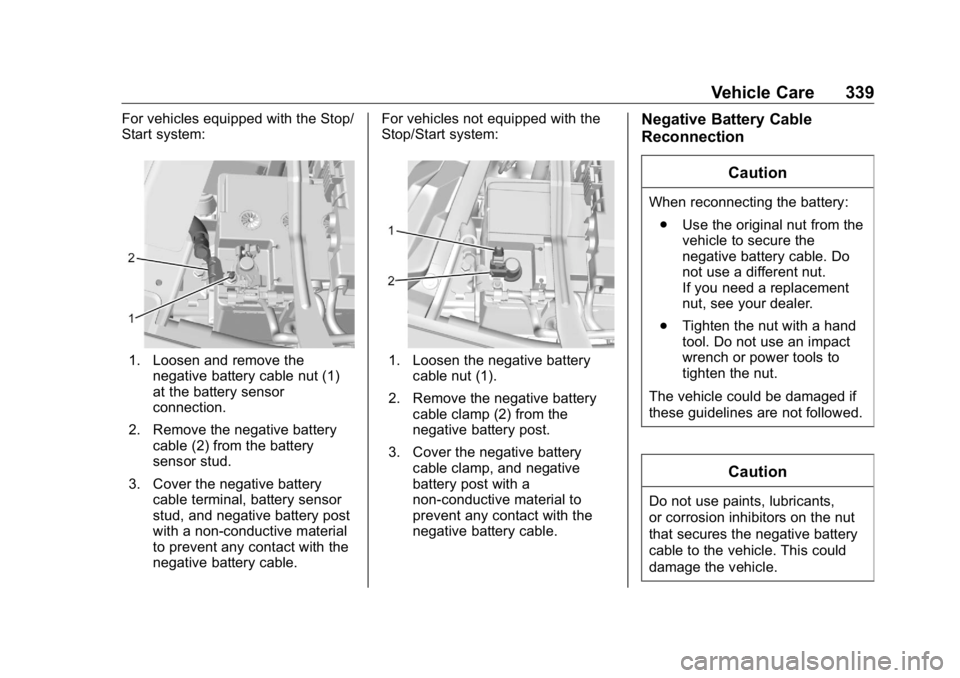
Vehicle Care 339For vehicles equipped with the Stop/
Start system:
1. Loosen and remove the
negative battery cable nut (1)
at the battery sensor
connection.
2. Remove the negative battery
cable (2) from the battery
sensor stud.
3. Cover the negative battery
cable terminal, battery sensor
stud, and negative battery post
with a non-conductive material
to prevent any contact with the
negative battery cable. For vehicles not equipped with the
Stop/Start system:
1. Loosen the negative battery
cable nut (1).
2. Remove the negative battery
cable clamp (2) from the
negative battery post.
3. Cover the negative battery
cable clamp, and negative
battery post with a
non-conductive material to
prevent any contact with the
negative battery cable. Negative Battery Cable
Reconnection
CautionWhen reconnecting the battery:
.
Use the original nut from the
vehicle to secure the
negative battery cable. Do
not use a different nut.
If you need a replacement
nut, see your dealer.
.
Tighten the nut with a hand
tool. Do not use an impact
wrench or power tools to
tighten the nut.
The vehicle could be damaged if
these guidelines are not followed.
Caution
Do not use paints, lubricants,
or corrosion inhibitors on the nut
that secures the negative battery
cable to the vehicle. This could
damage the vehicle.