headlamp GMC SIERRA DENALI 2019 Owners Manual
[x] Cancel search | Manufacturer: GMC, Model Year: 2019, Model line: SIERRA DENALI, Model: GMC SIERRA DENALI 2019Pages: 472, PDF Size: 8.98 MB
Page 8 of 472

GMC Sierra/Sierra Denali Owner Manual (GMNA-Localizing-U.S./Canada/
Mexico-1500-11698638) - 2019 - crc - 5/15/18
In Brief 71. Tow/Haul Mode (On Some
Models). See Driver Mode
Control 0 246 .
Automatic Transfer Case
Control (If Equipped). See
Four-Wheel Drive 0 235 .
Driver Mode Control 0 246 (If
Equipped).
2. Air Vents 0 194 .
3. Head-Up Display (HUD) 0 163
(If Equipped).
4. Turn Signal Lever. See Turn
and Lane-Change Signals
0 181 .
Windshield Wiper/Washer
0 131 .
5. Instrument Cluster 0 138 .
6. Shift Lever. See Automatic
Transmission 0 229 .
Range Selection Mode. See
Manual Mode 0 232 .
7. Light Sensor. See Automatic
Headlamp System 0 179 .
8. Infotainment 0 187 . 9. Climate Control Systems 0 188
(If Equipped).
Dual Automatic Climate Control
System 0 190 (If Equipped).
10. Heated and Ventilated Front
Seats 0 75 (If Equipped).
11.
X Park Assist Switch (If
Equipped). See Assistance
Systems for Parking or Backing
0 254 .
g Traction Control/Electronic
Stability Control 0 243 .
| Hazard Warning Flashers
0 180 .
A Lane Keep Assist (LKA)
0 269 (If Equipped).
5 Hill Descent Control Switch
(If Equipped). See Hill Descent
Control (HDC) 0 245 .
j Power Assist Steps 0 52 (If
Equipped).
5 Power Release Tailgate
(If Equipped). See Tailgate
0 47 . DC/AC Switch. See Power
Outlets 0 132 .
h Auto Stop Disable Switch
(If Equipped). See Stop/Start
System 0 222 .
L Express Window Down
Button (If Equipped). See
Power Windows 0 63 .
Tow/Haul Mode (On Some
Models). See Driver Mode
Control 0 246 .
12. Power Outlet (Alternating
Current) (If Equipped). See
Power Outlets 0 132 .
13. Power Outlets 0 132 .
14. USB Port. See the infotainment
manual.
15. Wireless Charging 0 135 (If
Equipped).
16. Trailer Brake Control Panel (If
Equipped). See “ Integrated
Trailer Brake Control System ”
under Towing Equipment
0 285 .
Page 16 of 472
GMC Sierra/Sierra Denali Owner Manual (GMNA-Localizing-U.S./Canada/
Mexico-1500-11698638) - 2019 - crc - 5/15/18
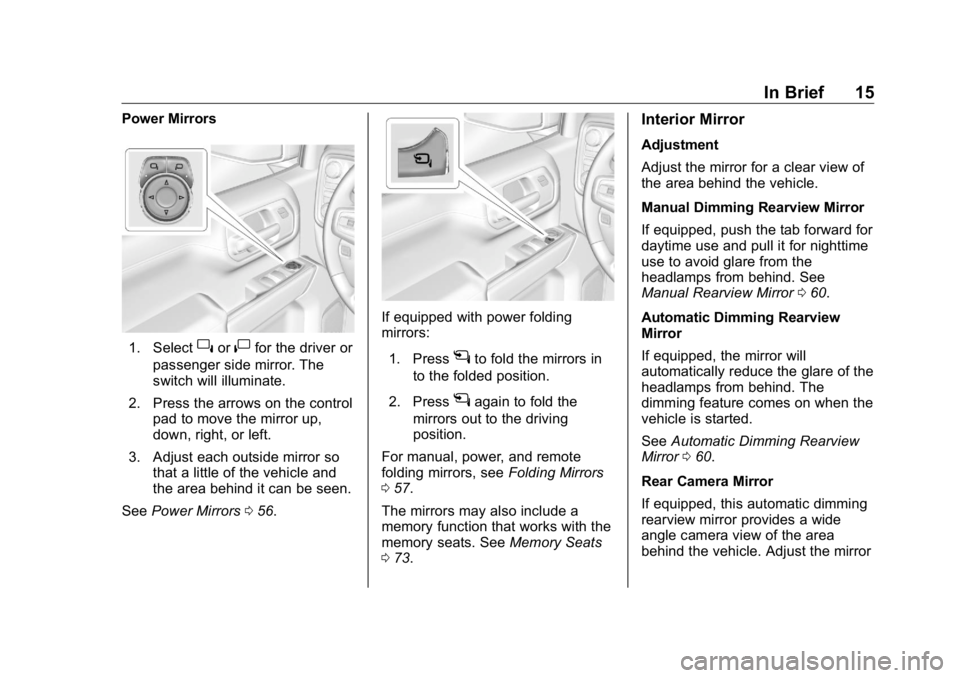
In Brief 15Power Mirrors
1. Select
} or
| for the driver or
passenger side mirror. The
switch will illuminate.
2. Press the arrows on the control
pad to move the mirror up,
down, right, or left.
3. Adjust each outside mirror so
that a little of the vehicle and
the area behind it can be seen.
See Power Mirrors 0 56 . If equipped with power folding
mirrors:
1. Press
g to fold the mirrors in
to the folded position.
2. Press
g again to fold the
mirrors out to the driving
position.
For manual, power, and remote
folding mirrors, see Folding Mirrors
0 57 .
The mirrors may also include a
memory function that works with the
memory seats. See Memory Seats
0 73 . Interior Mirror Adjustment
Adjust the mirror for a clear view of
the area behind the vehicle.
Manual Dimming Rearview Mirror
If equipped, push the tab forward for
daytime use and pull it for nighttime
use to avoid glare from the
headlamps from behind. See
Manual Rearview Mirror 0 60 .
Automatic Dimming Rearview
Mirror
If equipped, the mirror will
automatically reduce the glare of the
headlamps from behind. The
dimming feature comes on when the
vehicle is started.
See Automatic Dimming Rearview
Mirror 0 60 .
Rear Camera Mirror
If equipped, this automatic dimming
rearview mirror provides a wide
angle camera view of the area
behind the vehicle. Adjust the mirror
Page 18 of 472
GMC Sierra/Sierra Denali Owner Manual (GMNA-Localizing-U.S./Canada/
Mexico-1500-11698638) - 2019 - crc - 5/15/18
In Brief 17and the indicator light will turn off.
The dome lamps will come on when
doors are opened.
+ ON/OFF : Press to turn the dome
lamps on manually. Press again to
turn the dome lamps off.
Reading Lamps
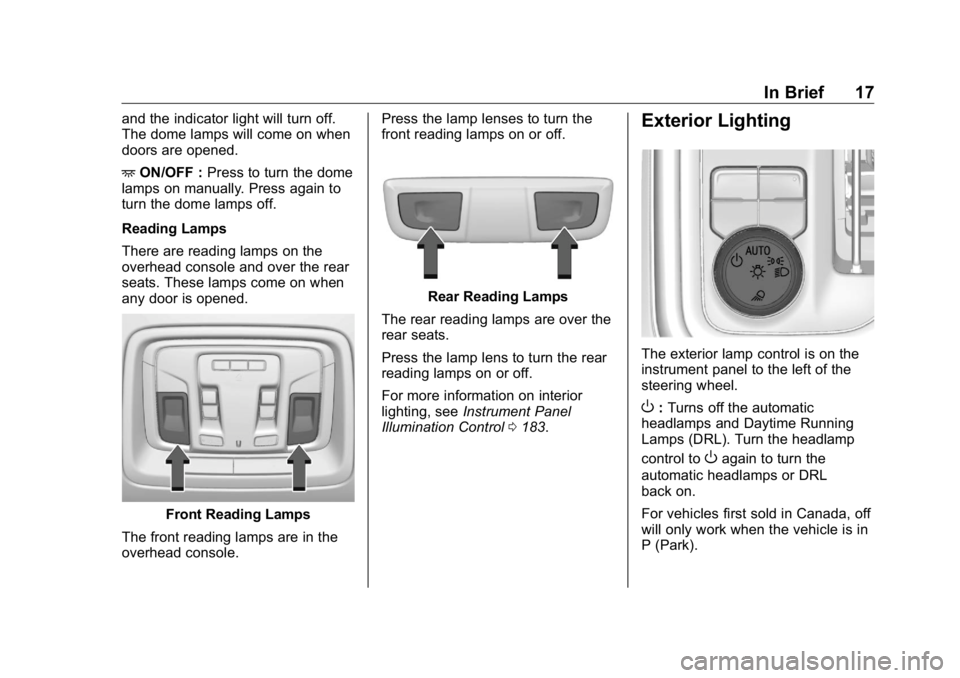
There are reading lamps on the
overhead console and over the rear
seats. These lamps come on when
any door is opened.
Front Reading Lamps
The front reading lamps are in the
overhead console. Press the lamp lenses to turn the
front reading lamps on or off.
Rear Reading Lamps
The rear reading lamps are over the
rear seats.
Press the lamp lens to turn the rear
reading lamps on or off.
For more information on interior
lighting, see Instrument Panel
Illumination Control 0 183 .Exterior Lighting
The exterior lamp control is on the
instrument panel to the left of the
steering wheel.
O : Turns off the automatic
headlamps and Daytime Running
Lamps (DRL). Turn the headlamp
control to
O again to turn the
automatic headlamps or DRL
back on.
For vehicles first sold in Canada, off
will only work when the vehicle is in
P (Park).
Page 19 of 472
GMC Sierra/Sierra Denali Owner Manual (GMNA-Localizing-U.S./Canada/
Mexico-1500-11698638) - 2019 - crc - 5/15/18
18 In Brief AUTO : Automatically turns on the
headlamps, parking lamps,
taillamps, instrument panel lights,
roof marker lamps (if equipped),
front/rear sidemarker lamps, and
license plate lamps.
; : Turns on the parking lamps
including all lamps, except the
headlamps and fog lamps,
if equipped.
5 : Turns on the headlamps
together with the parking lamps,
taillamps, instrument panel lights,
roof marker lamps (if equipped),
front/rear sidemarker lamps, and
license plate lamps.
See:
.
Exterior Lamp Controls 0 176 .
.
Daytime Running Lamps (DRL)
0 179 .
.
Fog Lamps 0 181 .
.
Task Lighting 0 182 . Windshield Wiper/Washer
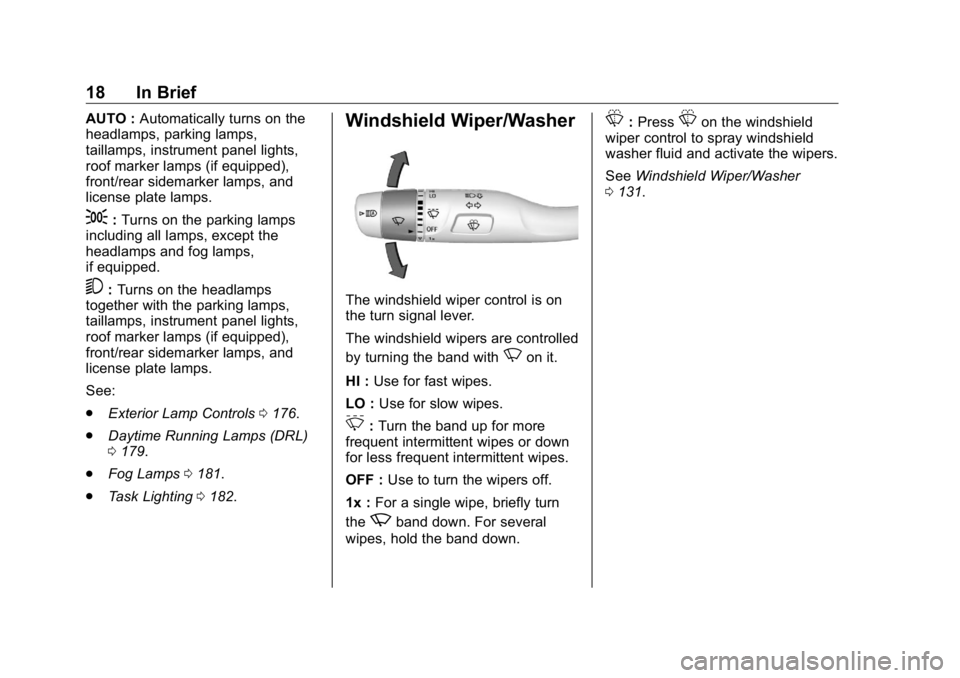
The windshield wiper control is on
the turn signal lever.
The windshield wipers are controlled
by turning the band with
N on it.
HI : Use for fast wipes.
LO : Use for slow wipes.
3 : Turn the band up for more
frequent intermittent wipes or down
for less frequent intermittent wipes.
OFF : Use to turn the wipers off.
1x : For a single wipe, briefly turn
the
z band down. For several
wipes, hold the band down. L : Press
L on the windshield
wiper control to spray windshield
washer fluid and activate the wipers.
See Windshield Wiper/Washer
0 131 .
Page 59 of 472
GMC Sierra/Sierra Denali Owner Manual (GMNA-Localizing-U.S./Canada/
Mexico-1500-11698638) - 2019 - crc - 5/15/18
58 Keys, Doors, and Windows See Remote Keyless Entry (RKE)
System Operation (Keyless Access)
0 33 or Remote Keyless Entry
(RKE) System Operation (Key
Access) 0 41 .
This feature can be turned on or off.
See Vehicle Personalization 0 167 .
Task Lighting
If equipped, task lighting projects
light from the outside mirrors to the
sides of the vehicle. See Task
Lighting 0 182 .
Advanced Trailering Vision
System Side Cameras
If equipped, the Advanced Trailering
Vision System side cameras are on
the bottom of the outside mirrors. To
locate for cleaning, see “ Surround
Vision (360 Degrees) ” under
Assistance Systems for Parking or
Backing 0 254 .
Lane Change Alert (LCA)
The vehicle may have LCA. See
Lane Change Alert (LCA) 0 267 . Side Blind Zone Alert
The vehicle may have Side Blind
Zone Alert. See Side Blind Zone
Alert (SBZA) 0 267 .
Heated Mirrors If equipped with heated mirrors:
1 REAR : Press to heat the
outside mirrors.
See “ Rear Window Defogger ” under
Dual Automatic Climate Control
System 0 190 .
Automatic Dimming
Mirror If equipped, the driver outside mirror
automatically adjusts for the glare of
the headlamps from behind. This
feature comes on when the vehicle
is started. Blind Spot Mirrors If equipped, there is a small convex
mirror built into the upper and outer
corner of the driver outside mirror.
It can show objects that may be in
the vehicle's blind zone.
Page 61 of 472
GMC Sierra/Sierra Denali Owner Manual (GMNA-Localizing-U.S./Canada/
Mexico-1500-11698638) - 2019 - crc - 5/15/18
60 Keys, Doors, and Windows
Interior Mirrors Interior Rearview Mirrors Adjust the rearview mirror for a clear
view of the area behind your
vehicle.
Do not spray glass cleaner directly
on the mirror. Use a soft towel
dampened with water.
Manual Rearview Mirror If equipped, push the tab forward for
daytime use and pull it rearward for
nighttime use to avoid glare from
the headlamps from behind.
Automatic Dimming
Rearview Mirror If equipped, the mirror will
automatically reduce the glare of the
headlamps from behind. The
dimming feature comes on each
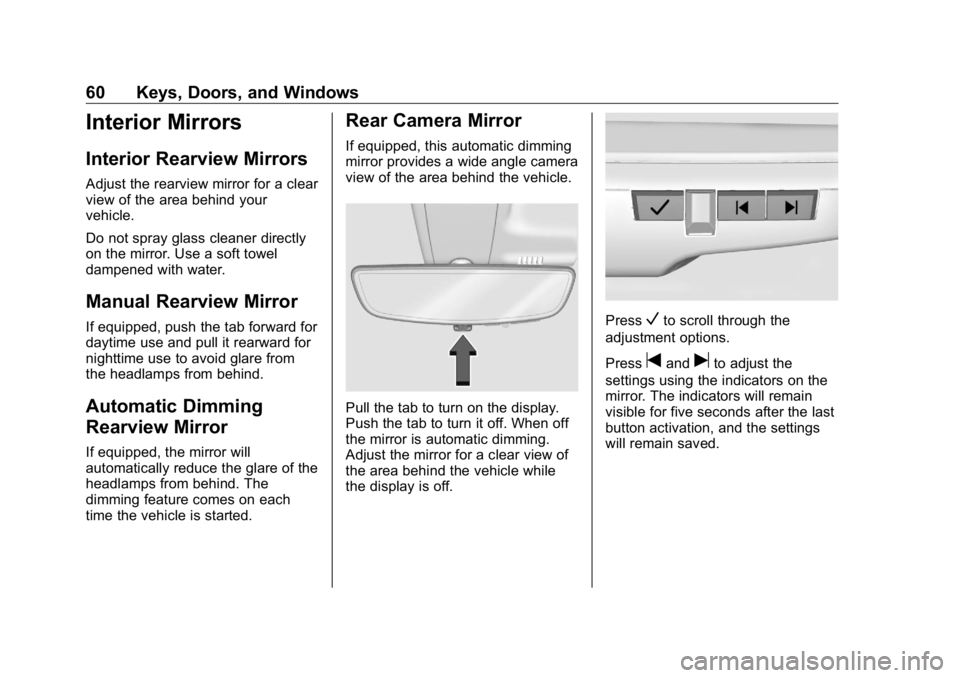
time the vehicle is started. Rear Camera Mirror If equipped, this automatic dimming
mirror provides a wide angle camera
view of the area behind the vehicle.
Pull the tab to turn on the display.
Push the tab to turn it off. When off
the mirror is automatic dimming.
Adjust the mirror for a clear view of
the area behind the vehicle while
the display is off. Press
V to scroll through the
adjustment options.
Press
t and
u to adjust the
settings using the indicators on the
mirror. The indicators will remain
visible for five seconds after the last
button activation, and the settings
will remain saved.
Page 63 of 472
GMC Sierra/Sierra Denali Owner Manual (GMNA-Localizing-U.S./Canada/
Mexico-1500-11698638) - 2019 - crc - 5/15/18
62 Keys, Doors, and Windows Troubleshooting
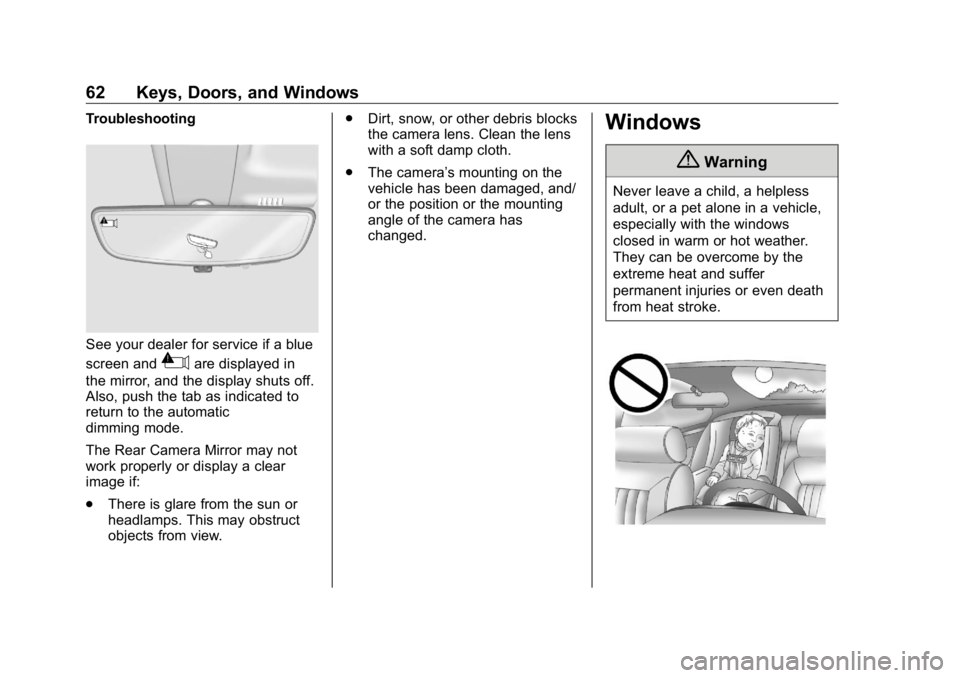
See your dealer for service if a blue
screen and
3 are displayed in
the mirror, and the display shuts off.
Also, push the tab as indicated to
return to the automatic
dimming mode.
The Rear Camera Mirror may not
work properly or display a clear
image if:
.
There is glare from the sun or
headlamps. This may obstruct
objects from view. .
Dirt, snow, or other debris blocks
the camera lens. Clean the lens
with a soft damp cloth.
.
The camera ’ s mounting on the
vehicle has been damaged, and/
or the position or the mounting
angle of the camera has
changed.
Windows
{ WarningNever leave a child, a helpless
adult, or a pet alone in a vehicle,
especially with the windows
closed in warm or hot weather.
They can be overcome by the
extreme heat and suffer
permanent injuries or even death
from heat stroke.
Page 159 of 472
GMC Sierra/Sierra Denali Owner Manual (GMNA-Localizing-U.S./Canada/
Mexico-1500-11698638) - 2019 - crc - 5/15/18
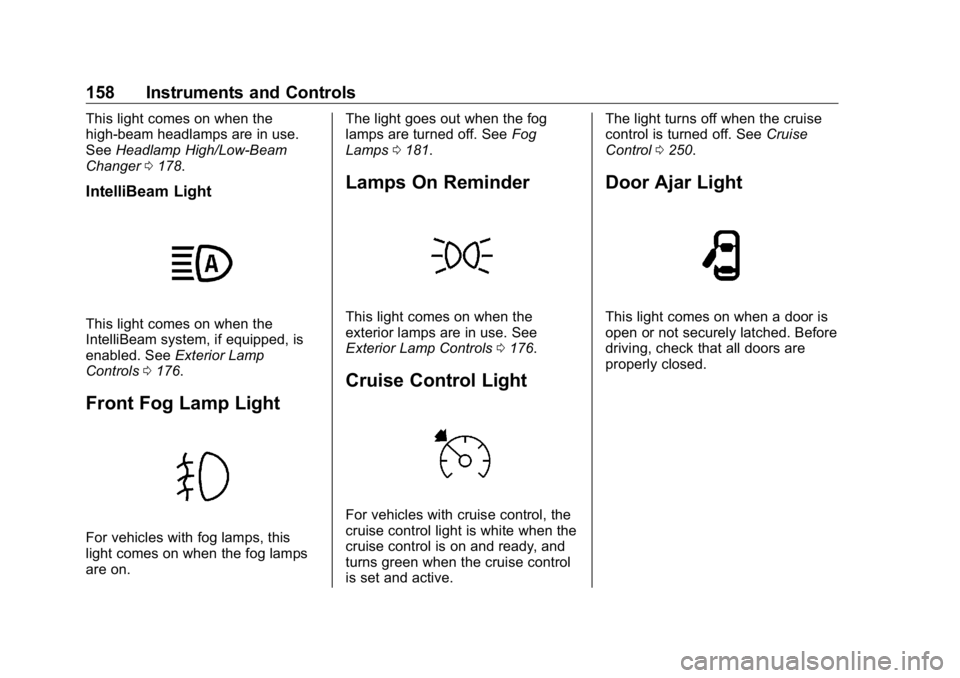
158 Instruments and Controls This light comes on when the
high-beam headlamps are in use.
See Headlamp High/Low-Beam
Changer 0 178 .
IntelliBeam Light
This light comes on when the
IntelliBeam system, if equipped, is
enabled. See Exterior Lamp
Controls 0 176 .
Front Fog Lamp Light
For vehicles with fog lamps, this
light comes on when the fog lamps
are on. The light goes out when the fog
lamps are turned off. See Fog
Lamps 0 181 .
Lamps On Reminder
This light comes on when the
exterior lamps are in use. See
Exterior Lamp Controls 0 176 .
Cruise Control Light
For vehicles with cruise control, the
cruise control light is white when the
cruise control is on and ready, and
turns green when the cruise control
is set and active. The light turns off when the cruise
control is turned off. See Cruise
Control 0 250 .
Door Ajar Light
This light comes on when a door is
open or not securely latched. Before
driving, check that all doors are
properly closed.
Page 170 of 472
GMC Sierra/Sierra Denali Owner Manual (GMNA-Localizing-U.S./Canada/
Mexico-1500-11698638) - 2019 - crc - 5/15/18
Instruments and Controls 169Park Assist
This allows the feature to be turned
on or off. See Assistance Systems
for Parking or Backing 0 254 .
Select Off, On, or On with Towbar.
Rear Camera Park Assist Symbols
This setting enables the Rear
Camera Park Assist Symbols. See
Assistance Systems for Parking or
Backing 0 254 .
Touch Off or On.
Rear Cross Traffic Alert
This allows the Rear Cross Traffic
Alert feature to be turned on or off.
See Assistance Systems for Parking
or Backing 0 254 .
Touch Off or On.
Comfort and Convenience
Touch and the following may
display:
.
Chime Volume
.
Reverse Tilt Mirror
.
Remote Mirror Folding Chime Volume
This determines the chime volume
level.
Touch the controls on the
infotainment display to adjust the
volume.
Reverse Tilt Mirror
This allows the feature to be turned
on or off. See Reverse Tilt Mirrors
0 59 .
Touch Off, On - Driver and
Passenger, On - Driver, or On -
Passenger.
Remote Mirror Folding
When on, the outside mirrors will
remotely fold or unfold when the
Remote Keyless Entry (RKE)
transmitter
Q or
K button is
pressed and held. See Folding
Mirrors 0 57 .
Touch Off or On. Lighting Touch and the following may
display:
.
Vehicle Locator Lights
.
Exit Lighting
Vehicle Locator Lights
This setting flashes the vehicle ’ s
headlamps when
K is pressed on
the Remote Keyless Entry (RKE)
transmitter.
Touch Off or On.
Exit Lighting
This setting specifies how long the
headlamps stay on after the vehicle
is turned off and exited.
Touch Off, 30 Seconds, 60 Seconds,
or 120 Seconds.
Power Door Locks
Touch and the following may
display:
.
Open Door Anti Lock Out
.
Auto Door Unlock
.
Delayed Door Lock
Page 177 of 472
GMC Sierra/Sierra Denali Owner Manual (GMNA-Localizing-U.S./Canada/
Mexico-1500-11698638) - 2019 - crc - 5/15/18
176 Lighting
Lighting Exterior Lighting Exterior Lamp Controls . . . . . . . 176
Exterior Lamps Off
Reminder . . . . . . . . . . . . . . . . . . . 178
Headlamp High/Low-Beam
Changer . . . . . . . . . . . . . . . . . . . . 178
Flash-to-Pass . . . . . . . . . . . . . . . . 179
Daytime Running
Lamps (DRL) . . . . . . . . . . . . . . . 179
Automatic Headlamp
System . . . . . . . . . . . . . . . . . . . . . . 179
Hazard Warning Flashers . . . . . 180
Turn and Lane-Change
Signals . . . . . . . . . . . . . . . . . . . . . . 181
Fog Lamps . . . . . . . . . . . . . . . . . . . 181
Task Lighting . . . . . . . . . . . . . . . . . 182
Exterior Cargo Lamps . . . . . . . . 182
Interior Lighting Instrument Panel Illumination
Control . . . . . . . . . . . . . . . . . . . . . . 183
Dome Lamps . . . . . . . . . . . . . . . . . 183
Reading Lamps . . . . . . . . . . . . . . 184
Lighting Features
Entry Lighting . . . . . . . . . . . . . . . . 184
Exit Lighting . . . . . . . . . . . . . . . . . . 184 Battery Load Management . . . 185
Battery Power Protection . . . . . 185
Exterior Lighting Battery
Saver . . . . . . . . . . . . . . . . . . . . . . . 185
Exterior Lighting Exterior Lamp Controls
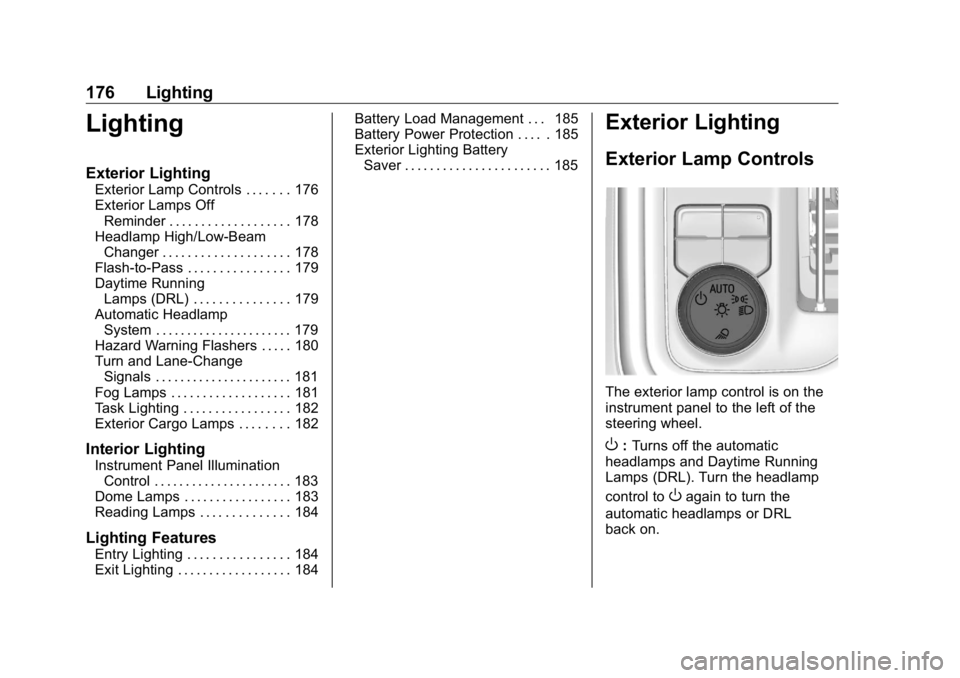
The exterior lamp control is on the
instrument panel to the left of the
steering wheel.
O : Turns off the automatic
headlamps and Daytime Running
Lamps (DRL). Turn the headlamp
control to
O again to turn the
automatic headlamps or DRL
back on.