brake light GMC SIERRA DENALI 2020 Owner's Manual
[x] Cancel search | Manufacturer: GMC, Model Year: 2020, Model line: SIERRA DENALI, Model: GMC SIERRA DENALI 2020Pages: 501, PDF Size: 7.61 MB
Page 238 of 501
GMC Sierra/Sierra Denali Owner Manual (GMNA-Localizing-U.S./Canada/
Mexico-13337776) - 2020 - CRC - 8/27/19
Driving and Operating 237
The button for TCS and StabiliTrak/
ESC is on the center stack.
Caution
Do not repeatedly brake or
accelerate heavily when TCS is
off. The vehicle driveline could be
damaged.
To turn off only TCS, press and
release
g. The traction off lighti
displays in the instrument cluster.
The appropriate message will
display in the DIC. To turn TCS on
again, press and release
g. The
traction off light
idisplayed in the
instrument cluster will turn off.
If TCS is limiting wheel spin when
g
is pressed, the system will not turn
off until the wheels stop spinning.
To turn off both TCS and StabiliTrak/
ESC, press and hold
guntil the
traction off light
iand the
StabiliTrak/ESC OFF light
gcome
on and stay on in the instrument cluster, then release. The
appropriate message will display in
the DIC.
To turn TCS and StabiliTrak/ESC on
again, press and release
g. The
traction off light
iand the
StabiliTrak/ESC OFF light
gin the
instrument cluster turn off.
StabiliTrak/ESC will automatically
turn on if the vehicle exceeds
56 km/h (35 mph). Traction control
will remain off.
The vehicle has a Trailer Sway
Control (TSC) feature and a Hill
Start Assist (HSA) feature. See
Trailer Sway Control (TSC) 0308 or
Hill Start Assist (HSA) 0235.
Adding accessories can affect the
vehicle performance. See
Accessories and Modifications
0 329.
Hill Descent
Control (HDC)
If equipped, Hill Descent Control
(HDC) sets and maintains vehicle
speed while driving down steep
grades in a forward or reverse gear.
The HDC switch is on the center
stack, below the climate controls.
Press
5to enable or disable HDC.
Vehicle speed must be below
50 km/h (31 mph).
When enabled, the HDC light
displays on the instrument cluster.
A blinking HDC light indicates the
system is actively applying the
brakes to maintain vehicle speed.
HDC can maintain vehicle speeds
between 1 and 22 km/h (1 and
14 mph) on grades greater than or
equal to 10%.
Page 241 of 501
GMC Sierra/Sierra Denali Owner Manual (GMNA-Localizing-U.S./Canada/
Mexico-13337776) - 2020 - CRC - 8/27/19
240 Driving and Operating
StabiliTrak/Electronic Stability
Control (ESC), the Antilock Brake
System (ABS), and the Traction
Control System (TCS) will change
for optimal off-road performance.
Use this mode for public off-road
recreational driving. SeeOff-Road
Driving 0191.
When selected, the Off-Road Mode
indicator light displays in the
instrument cluster.
_Tow/Haul Mode : This feature
assists when pulling a heavy trailer
or a heavy load. See Tow/Haul
Mode 0227.
Tow/Haul Mode is designed to be
most effective when the vehicle and
trailer combined weight is at least
75% of the vehicle’s Gross
Combined Weight Rating (GCWR).
See “Weight of the Trailer” under
Trailer Towing 0292.
Tow/Haul Mode is most useful when
pulling a heavy trailer or a heavy
load under the following conditions:
. Through rolling terrain
. In stop-and-go traffic .
In busy parking lots where
improved low speed control of
the vehicle is desired
Operating the vehicle in Tow/Haul
Mode when lightly loaded or with no
trailer at all will not cause damage.
However, there is no benefit to
selecting Tow/Haul Mode when the
vehicle is unloaded. Such a
selection when unloaded may result
in unpleasant engine and
transmission driving characteristics,
heavy or light steering, and reduced
fuel economy.
When selected, the Tow/Haul Mode
light will display in the instrument
cluster.
If the vehicle is turned off with Tow/
Haul Mode active and then restarted
within four hours or less, Tow/Haul
will remain active. Otherwise the
vehicle will start in Normal Mode.
gTerrain Mode : Use for finer
control during low speed, off-road
driving. When using this mode it will
mimic the characteristics of
four-wheel-drive low (4
n) without
the torque capabilities. Use when:
.
Traveling on very rough roads at
very low speeds, such as a
two-track or heavily rutted road.
. Traveling slowly in grassy fields.
. Pulling a boat out of the water
on a trailer.
. Using the vehicle for public
off-road recreational driving. See
Off-Road Driving 0191 and
Hill and Mountain Roads 0197.
When in Terrain Mode, the vehicle
will shift automatically but may hold
a lower gear longer to maximize
engine torque. The steering will
change to provide more precise
control. A unique pedal map,
transmission shift pattern, and rpm
control are utilized to give better
control at lower speeds and over
rough terrain. When the vehicle
comes to a stop, Vehicle Hold is
engaged. TCS will be optimized for
maximum torque transfer across
axles, and Active Braking During Lift
Throttle will be engaged.
Page 242 of 501
GMC Sierra/Sierra Denali Owner Manual (GMNA-Localizing-U.S./Canada/
Mexico-13337776) - 2020 - CRC - 8/27/19
Driving and Operating 241
Active Braking During Lift Throttle:
.Automatically applies light
braking, similar to heavy engine
braking of four-wheel-drive low.
. Applies light braking in D (Drive)
until the vehicle is at idle
speeds. In Manual L1 and
Manual L2, moderate braking
may stop the vehicle.
. Reduces trailer braking. Terrain Mode
Drive Select Expected Vehicle Behavior Ideal Terrain
Drive (L3-Lx) Minor deceleration when off
throttle and mild ability to
modulate throttle; mimics
performance of 4
nwithout
torque multiplication. Grassy fields,
mild two tracks,
rutted roads,
large rolling hills,
L2 Moderate deceleration when
off throttle and moderate
ability to modulate throttle;
will bring vehicle to a stop in
most cases. Mild rock crawling,
heavy ruts,
short, steeper grades,
L1 Significant deceleration when
off throttle and significant
ability to modulate throttle;
will bring vehicle to a stop in
most cases. Rock crawling downhill
Active Braking During Lift Throttle
will reduce the back and forth
between the accelerator and brake
pedals. Vehicle Hold Features:
.
When the vehicle comes to a
stop on an incline grade in
forward gear or on a decline
grade in reverse gear, Vehicle
Hold is engaged until the
accelerator pedal is pressed.
Page 243 of 501
GMC Sierra/Sierra Denali Owner Manual (GMNA-Localizing-U.S./Canada/
Mexico-13337776) - 2020 - CRC - 8/27/19
242 Driving and Operating
.When the vehicle is in forward
gear on a decline, the vehicle is
allowed to creep down the hill
when the brake pedal is
released without pressing the
accelerator pedal. The vehicle
will also creep forward on flat
ground.
. If the driver seat belt is removed
and the driver door is opened
while the vehicle is being held,
EPB will be engaged.
. EPB will engage if the vehicle is
held for an extended period.
Terrain Mode is only available on
vehicles equipped with the single
speed transfer case.
Terrain Mode can only be
active when:
. Vehicle speed is less than
80 km/h (50 mph).
. The transfer case is in 4
m.
Frequent use of this mode may
cause brake wear due to the light
braking. The vehicle will automatically exit
the mode if the brakes get too hot.
Terrain Mode can be turned back on
after the brakes have cooled.
When Terrain Mode is selected:
.
Auto Engine Start/Stop will be
disabled.
. The Terrain Mode indicator
displays on the instrument
cluster.
Limited-Slip Differential
If equipped, the limited-slip
differential can give more traction on
snow, mud, ice, sand, or gravel.
It works like a standard axle most of
the time, but when traction is low,
this feature allows the drive wheel
with the most traction to move the
vehicle. For vehicles with the
limited-slip differential, driven under
severe conditions, the rear axle fluid
should be changed. See
Maintenance Schedule 0441.
Locking Rear Axle
Vehicles with a locking rear axle can
give more traction on snow, mud,
ice, sand, or gravel. It works like a
standard axle most of the time, but
when traction is low, this feature will
allow the rear wheel with the most
traction to move the vehicle.
Page 246 of 501
GMC Sierra/Sierra Denali Owner Manual (GMNA-Localizing-U.S./Canada/
Mexico-13337776) - 2020 - CRC - 8/27/19
Driving and Operating 245
It assists in maintaining driver
selected speed when driving on
downhill grades by using the engine
and transmission to slow the
vehicle.
For other forms of descent control,
seeHill Descent Control (HDC)
0 237, Automatic Transmission
0 221, and Tow/Haul Mode 0227.
Ending Cruise Control
There are four ways to end cruise
control:
. Step lightly on the brake pedal.
. Press
*.
. Shift the transmission to
N (Neutral).
. To turn off cruise control,
press
5.
Erasing Speed Memory
The cruise control set speed is
erased from memory if
5is pressed
or the ignition is turned off.
Adaptive Cruise Control
(1500 Series)
If equipped, Adaptive Cruise Control
(ACC) allows the cruise control set
speed and following gap to be
selected. Read this entire section
before using this system. The
following gap is the following time
between your vehicle and a vehicle
detected directly ahead in your path,
moving in the same direction. If no
vehicle is detected in your path,
ACC works like regular cruise
control. ACC uses a windshield
mounted front camera sensor.
If a vehicle is detected in your path,
ACC can apply acceleration or
limited, moderate braking to
maintain the selected following gap.
To disengage ACC, apply the brake.
If ACC is controlling the vehicle
speed when the Traction Control
System (TCS) or StabiliTrak/
Electronic Stability Control (ESC)
system activates, ACC may
automatically disengage. See
Traction Control/Electronic Stability
Control 0235. When road
conditions allow ACC to be safely used, ACC can be turned back on.
Disabling the TCS or StabiliTrak/
ESC system will disengage and
prevent engagement of ACC.
ACC can reduce the need for you to
frequently brake and accelerate,
especially when used on
expressways, freeways, and
interstate highways. When used on
other roads, you may need to take
over the control of braking or
acceleration more often.
{Warning
ACC has limited braking ability
and may not have time to slow
the vehicle down enough to avoid
a collision with another vehicle
you are following. This can occur
when vehicles suddenly slow or
stop ahead, or enter your lane.
Also see
“Alerting the Driver” later
in this section. Complete attention
is always required while driving
and you should be ready to take
action and apply the brakes. See
Defensive Driving 0187.
Page 251 of 501
GMC Sierra/Sierra Denali Owner Manual (GMNA-Localizing-U.S./Canada/
Mexico-13337776) - 2020 - CRC - 8/27/19
250 Driving and Operating
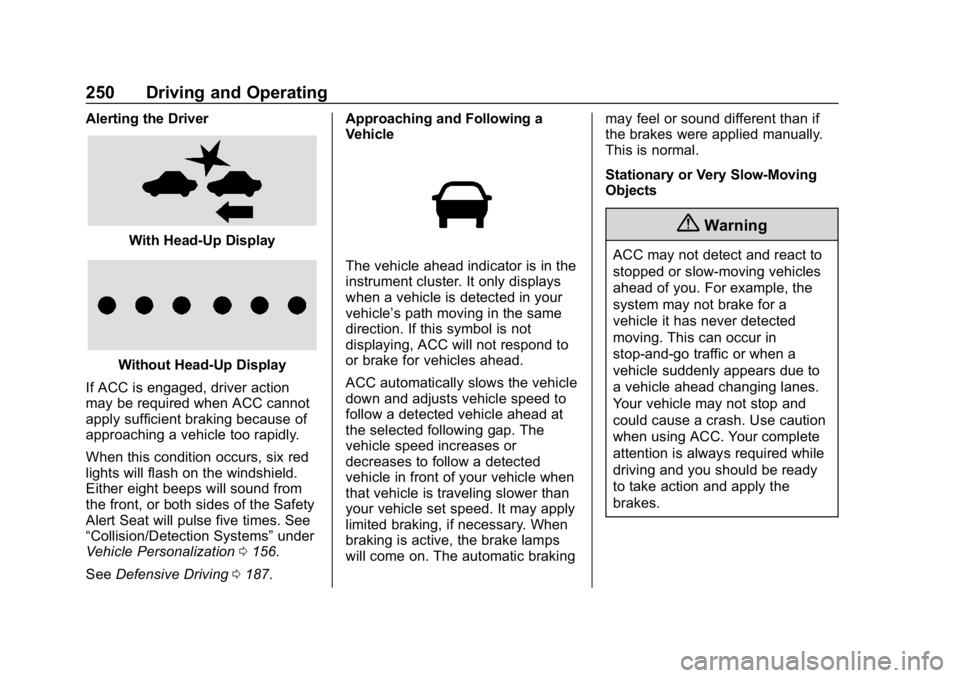
Alerting the Driver
With Head-Up Display
Without Head-Up Display
If ACC is engaged, driver action
may be required when ACC cannot
apply sufficient braking because of
approaching a vehicle too rapidly.
When this condition occurs, six red
lights will flash on the windshield.
Either eight beeps will sound from
the front, or both sides of the Safety
Alert Seat will pulse five times. See
“Collision/Detection Systems” under
Vehicle Personalization 0156.
See Defensive Driving 0187. Approaching and Following a
Vehicle
The vehicle ahead indicator is in the
instrument cluster. It only displays
when a vehicle is detected in your
vehicle’s path moving in the same
direction. If this symbol is not
displaying, ACC will not respond to
or brake for vehicles ahead.
ACC automatically slows the vehicle
down and adjusts vehicle speed to
follow a detected vehicle ahead at
the selected following gap. The
vehicle speed increases or
decreases to follow a detected
vehicle in front of your vehicle when
that vehicle is traveling slower than
your vehicle set speed. It may apply
limited braking, if necessary. When
braking is active, the brake lamps
will come on. The automatic braking
may feel or sound different than if
the brakes were applied manually.
This is normal.
Stationary or Very Slow-Moving
Objects
{Warning
ACC may not detect and react to
stopped or slow-moving vehicles
ahead of you. For example, the
system may not brake for a
vehicle it has never detected
moving. This can occur in
stop-and-go traffic or when a
vehicle suddenly appears due to
a vehicle ahead changing lanes.
Your vehicle may not stop and
could cause a crash. Use caution
when using ACC. Your complete
attention is always required while
driving and you should be ready
to take action and apply the
brakes.
Page 253 of 501
GMC Sierra/Sierra Denali Owner Manual (GMNA-Localizing-U.S./Canada/
Mexico-13337776) - 2020 - CRC - 8/27/19
252 Driving and Operating
If stopped for more than
two minutes or if the driver door is
opened and the driver seat belt is
unbuckled, the ACC automatically
applies the Electric Parking Brake
(EPB) to hold the vehicle. The EPB
status light will turn on. SeeElectric
Parking Brake 0233.
A DIC warning message may
display indicating to shift to P (Park)
before exiting the vehicle. See
Vehicle Messages 0155.
{Warning
If ACC has stopped the vehicle,
and if ACC is disengaged, turned
off, or canceled, the vehicle will
no longer be held at a stop. The
vehicle can move. When ACC is
holding the vehicle at a stop,
always be prepared to manually
apply the brakes.
{Warning
Leaving the vehicle without
placing it in P (Park) can be
dangerous. Do not leave the
vehicle while it is being held at a
stop by ACC. Always place the
vehicle in P (Park) and turn off
the ignition before leaving the
vehicle.
ACC Override
If using the accelerator pedal while
ACC is active, the ACC indicator
turns blue on the instrument cluster
indicating ACC braking will not
occur. ACC will resume operation
when the accelerator pedal is not
being pressed.
{Warning
The ACC will not automatically
apply the brakes if your foot is
resting on the accelerator pedal.
You could crash into a vehicle
ahead of you. Curves in the Road
{Warning
On curves, ACC may not detect a
vehicle ahead in your lane. You
could be startled if the vehicle
accelerates up to the set speed,
especially when following a
vehicle exiting or entering exit
ramps. You could lose control of
the vehicle or crash. Do not use
ACC while driving on an entrance
or exit ramp. Always be ready to
use the brakes if necessary.
{Warning
On curves, ACC may respond to
a vehicle in another lane, or may
not have time to react to a vehicle
in your lane. You could crash into
a vehicle ahead of you, or lose
control of your vehicle. Give extra
attention in curves and be ready
(Continued)
Page 255 of 501
GMC Sierra/Sierra Denali Owner Manual (GMNA-Localizing-U.S./Canada/
Mexico-13337776) - 2020 - CRC - 8/27/19
254 Driving and Operating
Driving in Narrow Lanes
Vehicles in adjacent traffic lanes or
roadside objects may be incorrectly
detected when located along the
roadway.
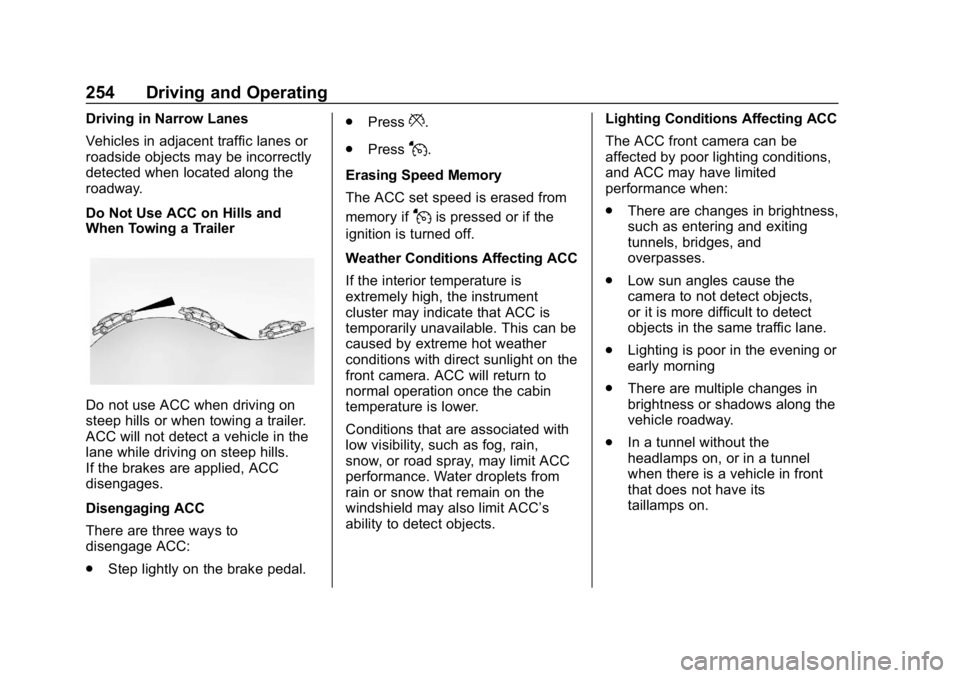
Do Not Use ACC on Hills and
When Towing a Trailer
Do not use ACC when driving on
steep hills or when towing a trailer.
ACC will not detect a vehicle in the
lane while driving on steep hills.
If the brakes are applied, ACC
disengages.
Disengaging ACC
There are three ways to
disengage ACC:
.Step lightly on the brake pedal. .
Press
*.
. Press
J.
Erasing Speed Memory
The ACC set speed is erased from
memory if
Jis pressed or if the
ignition is turned off.
Weather Conditions Affecting ACC
If the interior temperature is
extremely high, the instrument
cluster may indicate that ACC is
temporarily unavailable. This can be
caused by extreme hot weather
conditions with direct sunlight on the
front camera. ACC will return to
normal operation once the cabin
temperature is lower.
Conditions that are associated with
low visibility, such as fog, rain,
snow, or road spray, may limit ACC
performance. Water droplets from
rain or snow that remain on the
windshield may also limit ACC’s
ability to detect objects. Lighting Conditions Affecting ACC
The ACC front camera can be
affected by poor lighting conditions,
and ACC may have limited
performance when:
.
There are changes in brightness,
such as entering and exiting
tunnels, bridges, and
overpasses.
. Low sun angles cause the
camera to not detect objects,
or it is more difficult to detect
objects in the same traffic lane.
. Lighting is poor in the evening or
early morning
. There are multiple changes in
brightness or shadows along the
vehicle roadway.
. In a tunnel without the
headlamps on, or in a tunnel
when there is a vehicle in front
that does not have its
taillamps on.
Page 269 of 501
GMC Sierra/Sierra Denali Owner Manual (GMNA-Localizing-U.S./Canada/
Mexico-13337776) - 2020 - CRC - 8/27/19
268 Driving and Operating
Front and Rear Park Assist can be
turned Off, On, or On with Towbar.
See“Park Assist” underVehicle
Personalization 0156. If Park Assist
is turned off through vehicle
personalization, the Park Assist
button will be disabled. To turn Park
Assist on again, select On in vehicle
personalization. The On with Towbar
setting allows Park Assist to work
properly with a trailer hitch. Some
larger trailer hitches may not be
compatible.
Turn off Park Assist when towing a
trailer.
To turn the RPA symbols on or off,
see “Rear Camera Park Assist
Symbols” underVehicle
Personalization 0156.
Assistance Systems for
Driving
If equipped, when driving the
vehicle in a forward gear, Forward
Collision Alert (FCA), Lane
Departure Warning (LDW), Lane
Keep Assist (LKA), Side Blind Zone
Alert (SBZA), Lane Change Alert (LCA), Automatic Emergency
Braking (AEB), and/or the Front
Pedestrian Braking (FPB) System
can help to avoid a crash or reduce
crash damage.
Forward Collision Alert
(FCA) System
If equipped, the FCA system may
help to avoid or reduce the harm
caused by front-end crashes. When
approaching a vehicle ahead too
quickly, FCA provides a red flashing
alert on the windshield and rapidly
beeps or pulses the driver seat.
FCA also lights an amber visual
alert if following another vehicle
much too closely.
FCA detects vehicles within a
distance of approximately 60 m
(197 ft) and operates at speeds
above 8 km/h (5 mph).
{Warning
FCA is a warning system and
does not apply the brakes. When
approaching a slower-moving or
stopped vehicle ahead too rapidly,
or when following a vehicle too
closely, FCA may not provide a
warning with enough time to help
avoid a crash. It also may not
provide any warning at all. FCA
does not warn of pedestrians,
animals, signs, guardrails,
bridges, construction barrels,
or other objects. Be ready to take
action and apply the brakes. See
Defensive Driving
0187.
FCA can be disabled through
vehicle personalization. See
“Collision/Detection Systems” under
Vehicle Personalization 0156.
Page 275 of 501
GMC Sierra/Sierra Denali Owner Manual (GMNA-Localizing-U.S./Canada/
Mexico-13337776) - 2020 - CRC - 8/27/19
274 Driving and Operating
of the accelerator pedal will also
release Automatic Braking and
the EPB.
{Warning
FPB may alert or automatically
brake the vehicle suddenly in
situations where it is unexpected
and undesired. It could falsely
alert or brake for objects similar in
shape or size to pedestrians,
including shadows. This is normal
operation and the vehicle does
not need service. To override
Automatic Braking, firmly press
the accelerator pedal, if it is safe
to do so.
Automatic Braking can be disabled
through vehicle personalization. See
“Front Pedestrian Detection” in
“Collision/Detection Systems” under
Vehicle Personalization 0156.
{Warning
Using the Front Pedestrian
Braking system while towing a
trailer could cause you to lose
control of the vehicle and crash.
Turn the system to Alert or Off
when towing a trailer.
Cleaning the System
If FPB does not seem to operate
properly, cleaning the outside of the
windshield in front of the rearview
mirror may correct the issue.
Side Blind Zone
Alert (SBZA)
If equipped, the SBZA system is a
lane-changing aid that assists
drivers with avoiding crashes that
occur with moving vehicles in the
side blind zone (or spot) areas.
When the vehicle is in a forward
gear, the left or right side mirror
display will light up if a moving
vehicle is detected in that blind
zone. If the turn signal is activated and a vehicle is also detected on
the same side, the display will flash
as an extra warning not to change
lanes. Since this system is part of
the Lane Change Alert (LCA)
system, read the entire LCA section
before using this feature.
Lane Change Alert (LCA)
If equipped, the LCA system is a
lane-changing aid that assists
drivers with avoiding lane change
crashes that occur with moving
vehicles in the side blind zone (or
spot) areas or with vehicles rapidly
approaching these areas from
behind. The LCA warning display
will light up in the corresponding
outside side mirror and will flash if
the turn signal is on.
{Warning
LCA does not alert the driver to
vehicles outside of the system
detection zones, pedestrians,
bicyclists, or animals. It may not
(Continued)