door lock GMC SONOMA 2003 Owner's Manual
[x] Cancel search | Manufacturer: GMC, Model Year: 2003, Model line: SONOMA, Model: GMC SONOMA 2003Pages: 424, PDF Size: 2.45 MB
Page 1 of 424

Seats and Restraint Systems........................... 1-1
Front Seats
............................................... 1-3
Rear Seats
............................................... 1-9
Safety Belts
.............................................1-10
Child Restraints
.......................................1-30
Air Bag System
.......................................1-54
Restraint System Check
............................1-64
Features and Controls..................................... 2-1
Keys
........................................................ 2-3
Doors and Locks
....................................... 2-8
Windows
.................................................2-14
Theft-Deterrent Systems
............................2-17
Starting and Operating Your Vehicle
...........2-20
Mirrors
....................................................2-39
Storage Areas
.........................................2-41
Sunroof
..................................................2-52
Vehicle Personalization
.............................2-54
Instrument Panel............................................. 3-1
Instrument Panel Overview
.......................... 3-2
Climate Controls
......................................3-17
Warning Lights, Gages and Indicators
.........3-20
Audio System(s)
.......................................3-36
Driving Your Vehicle....................................... 4-1
Your Driving, the Road, and Your Vehicle
..... 4-2
Towing
...................................................4-42Service and Appearance Care.......................... 5-1
Service
..................................................... 5-3
Fuel
......................................................... 5-4
Checking Things Under the Hood
................. 5-8
Rear Axle
...............................................5-47
Four-Wheel Drive
.....................................5-48
Front Axle
...............................................5-49
Bulb Replacement
....................................5-50
Windshield Wiper Blade Replacement
.........5-56
Tires
......................................................5-58
Appearance Care
.....................................5-79
Vehicle Identification
.................................5-87
Electrical System
......................................5-88
Capacities and Specifications
.....................5-94
Normal Maintenance Replacement Parts
......5-96
Maintenance Schedule..................................... 6-1
Maintenance Schedule
................................ 6-2
Customer Assistance Information.................... 7-1
Customer Assistance Information
.................. 7-2
Reporting Safety Defects
............................ 7-8
Index................................................................ 1
2003 GMC Sonoma Owner ManualM
2003 - Sonoma Owner Manual
Page 22 of 424
Driver Position
This part describes the driver’s restraint system.
Lap-Shoulder Belt
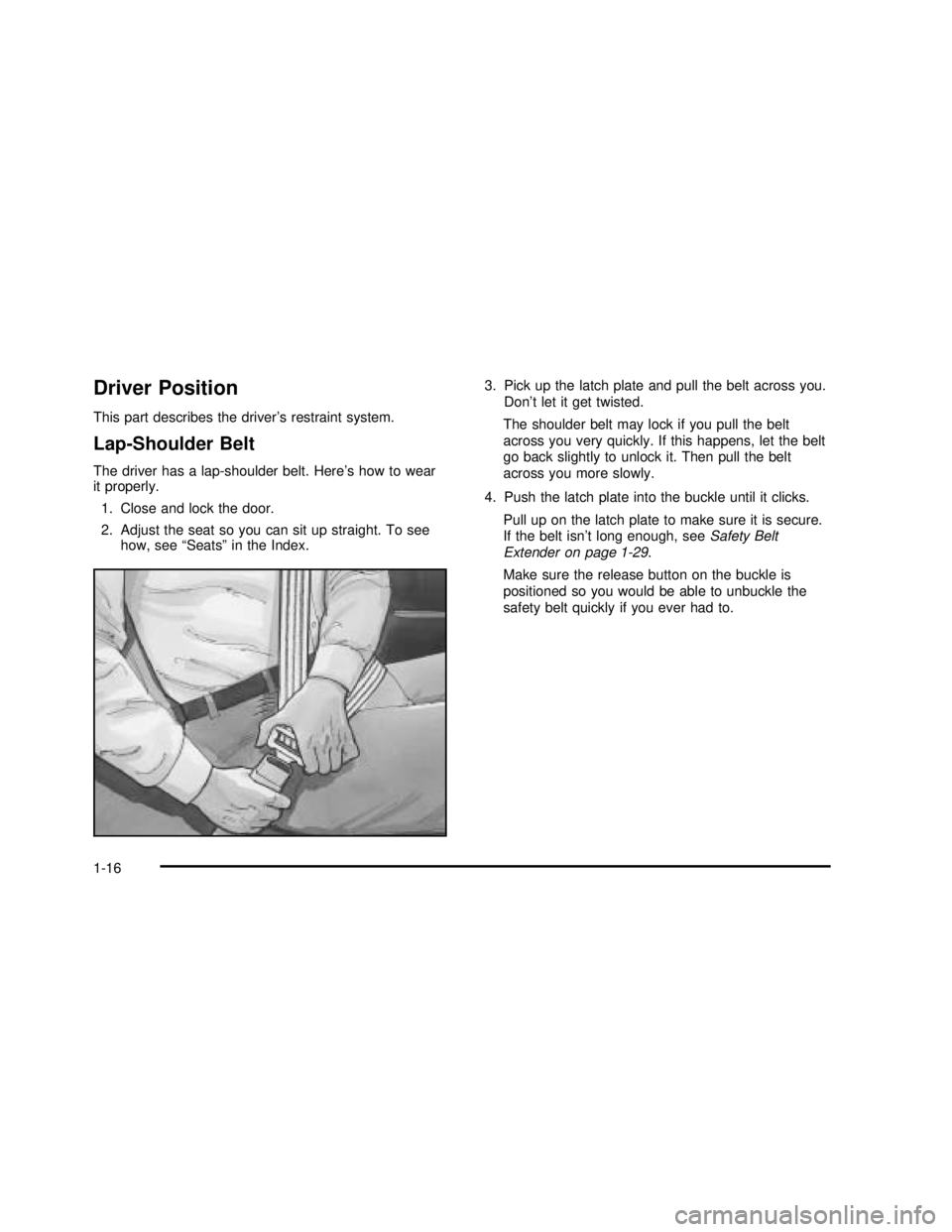
The driver has a lap-shoulder belt. Here’s how to wear
it properly.
1. Close and lock the door.
2. Adjust the seat so you can sit up straight. To see
how, see“Seats”in the Index.3. Pick up the latch plate and pull the belt across you.
Don’t let it get twisted.
The shoulder belt may lock if you pull the belt
across you very quickly. If this happens, let the belt
go back slightly to unlock it. Then pull the belt
across you more slowly.
4. Push the latch plate into the buckle until it clicks.
Pull up on the latch plate to make sure it is secure.
If the belt isn’t long enough, seeSafety Belt
Extender on page 1-29.
Make sure the release button on the buckle is
positioned so you would be able to unbuckle the
safety belt quickly if you ever had to.
1-16
2003 - Sonoma OM
Page 73 of 424

Keys...............................................................2-3
Remote Keyless Entry System.........................2-4
Remote Keyless Entry System Operation...........2-5
Doors and Locks.............................................2-8
Door Locks....................................................2-8
Power Door Locks..........................................2-9
Programmable Automatic Door Locks................2-9
Rear Door Security Locks..............................2-11
Lockout Protection........................................2-11
Leaving Your Vehicle....................................2-11
Third Door...................................................2-12
Tailgate.......................................................2-12
Windows........................................................2-14
Manual Windows..........................................2-15
Power Windows............................................2-15
Swing-Out Windows......................................2-16
Sliding Rear Window.....................................2-16
Sun Visors...................................................2-16
Theft-Deterrent Systems..................................2-17
Content Theft-Deterrent.................................2-17
Passlock
®....................................................2-19Starting and Operating Your Vehicle................2-20
New Vehicle Break-In....................................2-20
Ignition Positions..........................................2-20
Starting Your Engine.....................................2-22
Engine Coolant Heater..................................2-24
Automatic Transmission Operation...................2-25
Manual Transmission Operation......................2-28
Four-Wheel Drive..........................................2-29
Parking Brake..............................................2-32
Shifting Into Park (P).....................................2-33
Shifting Out of Park (P).................................2-35
Parking Your Vehicle.....................................2-36
Parking Over Things That Burn.......................2-36
Engine Exhaust............................................2-37
Running Your Engine While You Are Parked. . . .2-38
Mirrors...........................................................2-39
Manual Rearview Mirror.................................2-39
Automatic Dimming Rearview Mirror................2-39
Outside Manual Mirror...................................2-39
Outside Power Mirrors...................................2-40
Outside Convex Mirror...................................2-40
Outside Heated Mirrors..................................2-41
Section 2Features and Controls
2-1
2003 - Sonoma OM
Page 76 of 424
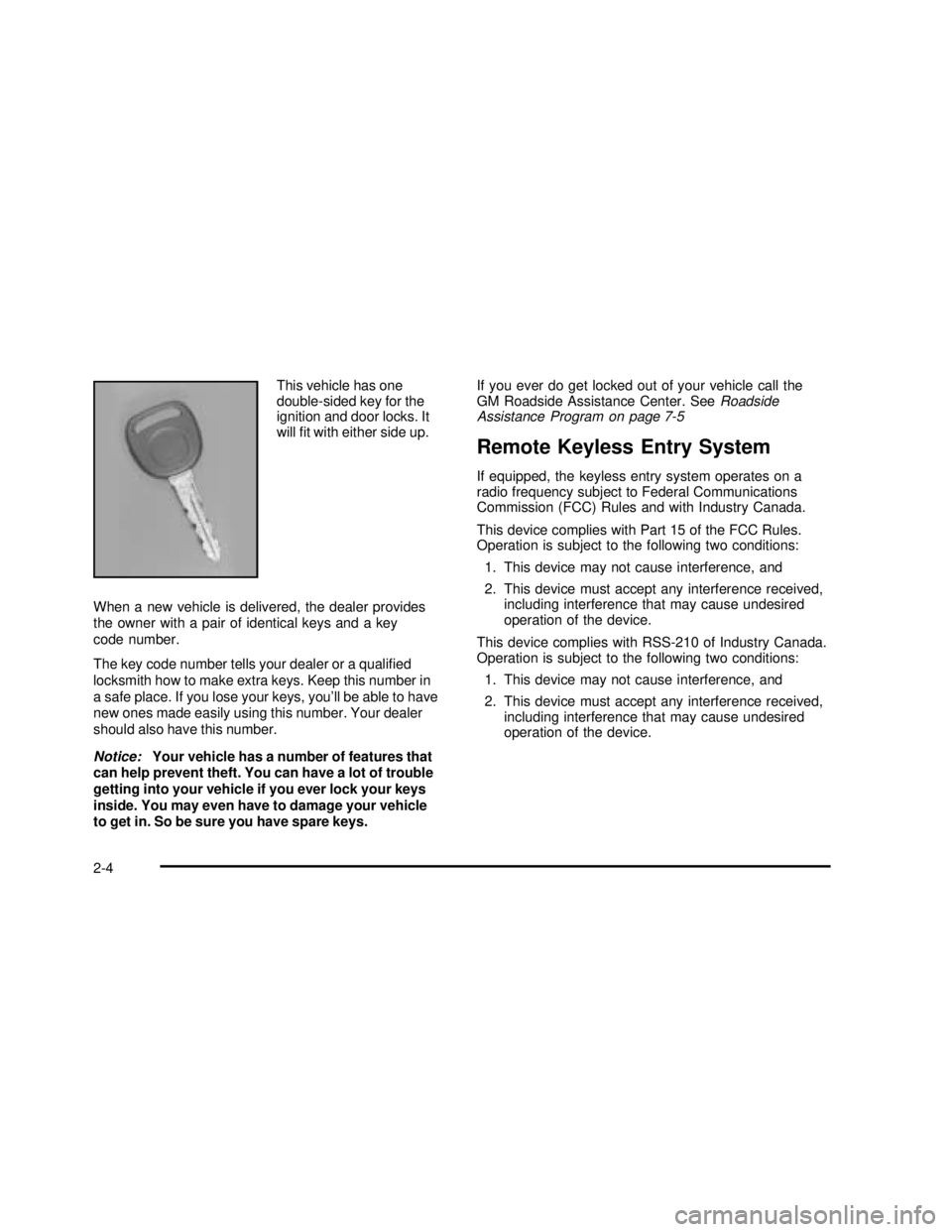
This vehicle has one
double-sided key for the
ignition and door locks. It
will fit with either side up.
When a new vehicle is delivered, the dealer provides
the owner with a pair of identical keys and a key
code number.
The key code number tells your dealer or a qualified
locksmith how to make extra keys. Keep this number in
a safe place. If you lose your keys, you’ll be able to have
new ones made easily using this number. Your dealer
should also have this number.
Notice:Your vehicle has a number of features that
can help prevent theft. You can have a lot of trouble
getting into your vehicle if you ever lock your keys
inside. You may even have to damage your vehicle
to get in. So be sure you have spare keys.If you ever do get locked out of your vehicle call the
GM Roadside Assistance Center. SeeRoadside
Assistance Program on page 7-5
Remote Keyless Entry System
If equipped, the keyless entry system operates on a
radio frequency subject to Federal Communications
Commission (FCC) Rules and with Industry Canada.
This device complies with Part 15 of the FCC Rules.
Operation is subject to the following two conditions:
1. This device may not cause interference, and
2. This device must accept any interference received,
including interference that may cause undesired
operation of the device.
This device complies with RSS-210 of Industry Canada.
Operation is subject to the following two conditions:
1. This device may not cause interference, and
2. This device must accept any interference received,
including interference that may cause undesired
operation of the device.
2-4
2003 - Sonoma OM
Page 77 of 424

Changes or modifications to this system by other than
an authorized service facility could void authorization
to use this equipment.
At times you may notice a decrease in range. This is
normal for any remote keyless entry system. If the
transmitter does not work or if you have to stand closer
to your vehicle for the transmitter to work, try this:
•Check the distance. You may be too far from your
vehicle. You may need to stand closer during
rainy or snowy weather.
•Check the location. Other vehicles or objects may be
blocking the signal. Take a few steps to the left or
right, hold the transmitter higher, and try again.
•Check to determine if battery replacement is
necessary. See“Battery Replacement”under
Remote Keyless Entry System Operation
on page 2-5.
•If you are still having trouble, see your dealer or
a qualified technician for service.
Remote Keyless Entry System
Operation
If your vehicle has this feature, you can lock and unlock
your doors from about 3 feet (1 m) up to 30 feet (9 m)
away using the remote keyless entry transmitter supplied
with your vehicle.
UNLOCK:When you
press UNLOCK, the
driver’s door will unlock
automatically, the parking
lamps willflash and the
interior lights will go on.
If you press UNLOCK again within three seconds, the
remaining doors will unlock, the parking lamps willflash
and the interior lights will go on.
LOCK:Press LOCK to lock all the doors. Press LOCK
again within three seconds and the horn will chirp.
2-5
2003 - Sonoma OM
Page 79 of 424
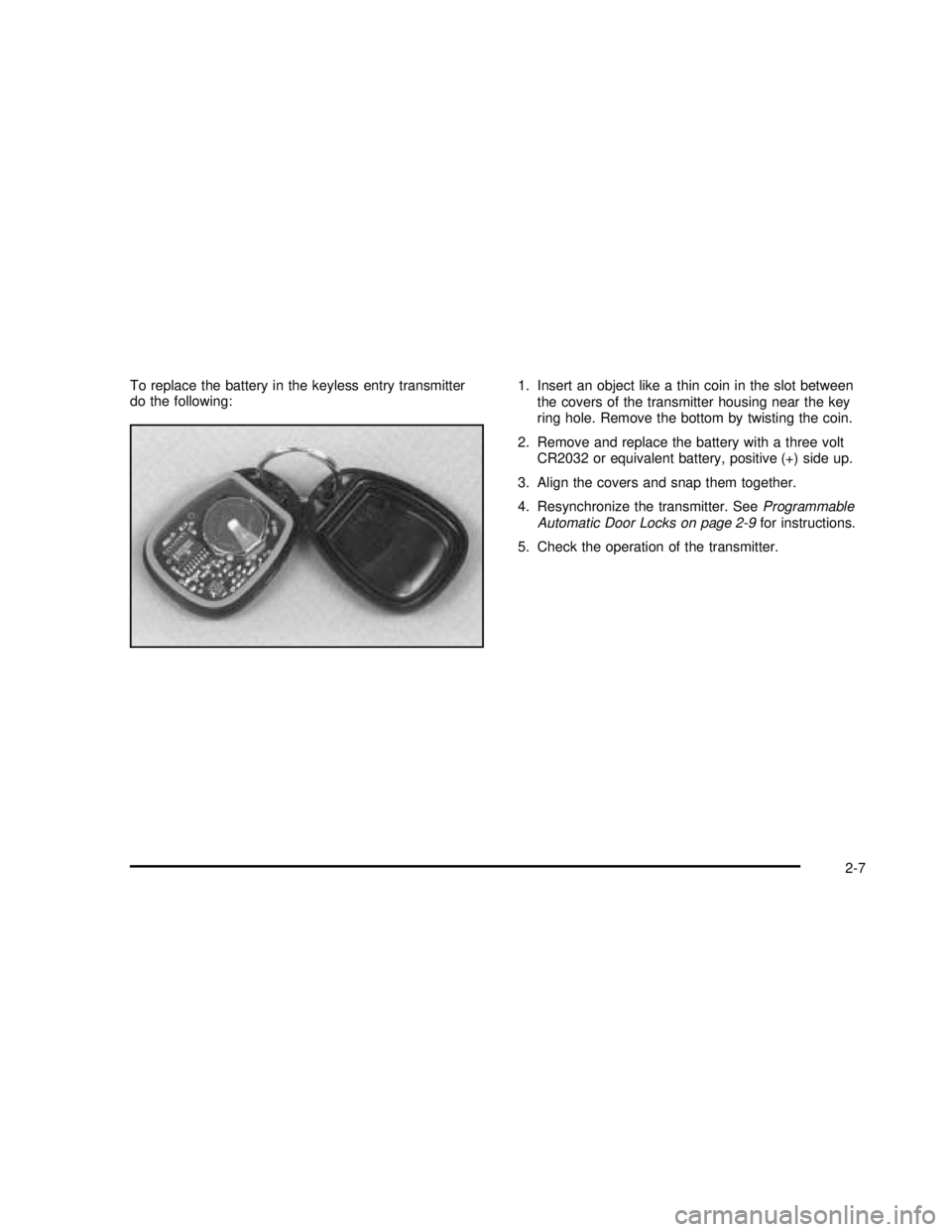
To replace the battery in the keyless entry transmitter
do the following:1. Insert an object like a thin coin in the slot between
the covers of the transmitter housing near the key
ring hole. Remove the bottom by twisting the coin.
2. Remove and replace the battery with a three volt
CR2032 or equivalent battery, positive (+) side up.
3. Align the covers and snap them together.
4. Resynchronize the transmitter. SeeProgrammable
Automatic Door Locks on page 2-9for instructions.
5. Check the operation of the transmitter.
2-7
2003 - Sonoma OM
Page 80 of 424
Doors and Locks
Door Locks
{CAUTION:
Unlocked doors can be dangerous.
Passengers — especially children — can
easily open the doors and fall out of a
moving vehicle. When a door is locked, the
handle won’t open it. You increase the
chance of being thrown out of the vehicle
in a crash if the doors aren’t locked.
So, wear safety belts properly and lock the
doors whenever you drive.
Young children who get into unlocked
vehicles may be unable to get out. A child
can be overcome by extreme heat and can
suffer permanent injuries or even death
from heat stroke. Always lock your vehicle
whenever you leave it.
Outsiders can easily enter through an
unlocked door when you slow down or
stop your vehicle. Locking your doors can
help prevent this from happening.There are several ways to lock and unlock your vehicle:
•You can use the keyless entry system, if your
vehicle has this feature.
•You can use your key to unlock your door from the
outside.
•You can use the power lock switch (if equipped) to
lock or unlock the doors.
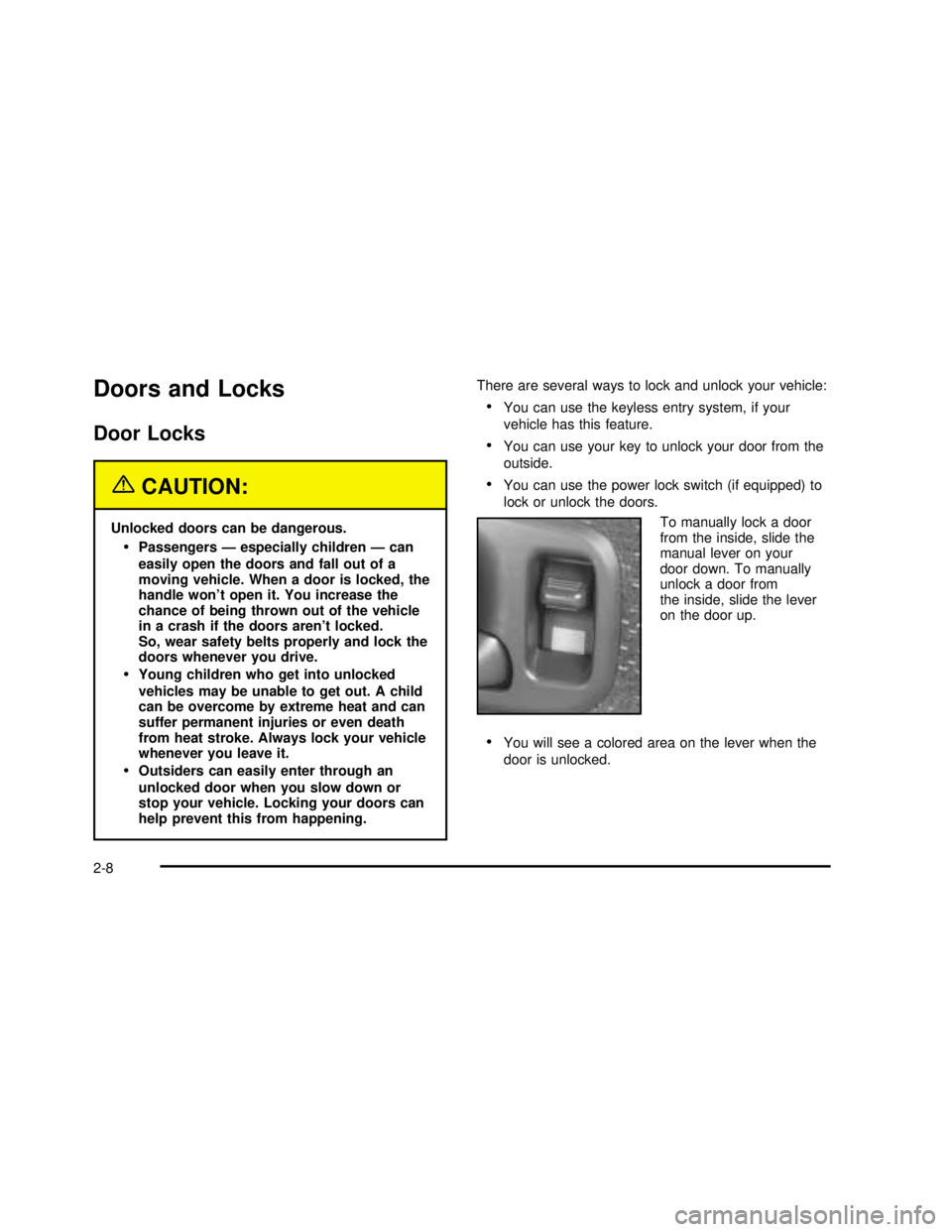
To manually lock a door
from the inside, slide the
manual lever on your
door down. To manually
unlock a door from
the inside, slide the lever
on the door up.
•You will see a colored area on the lever when the
door is unlocked.
2-8
2003 - Sonoma OM
Page 81 of 424
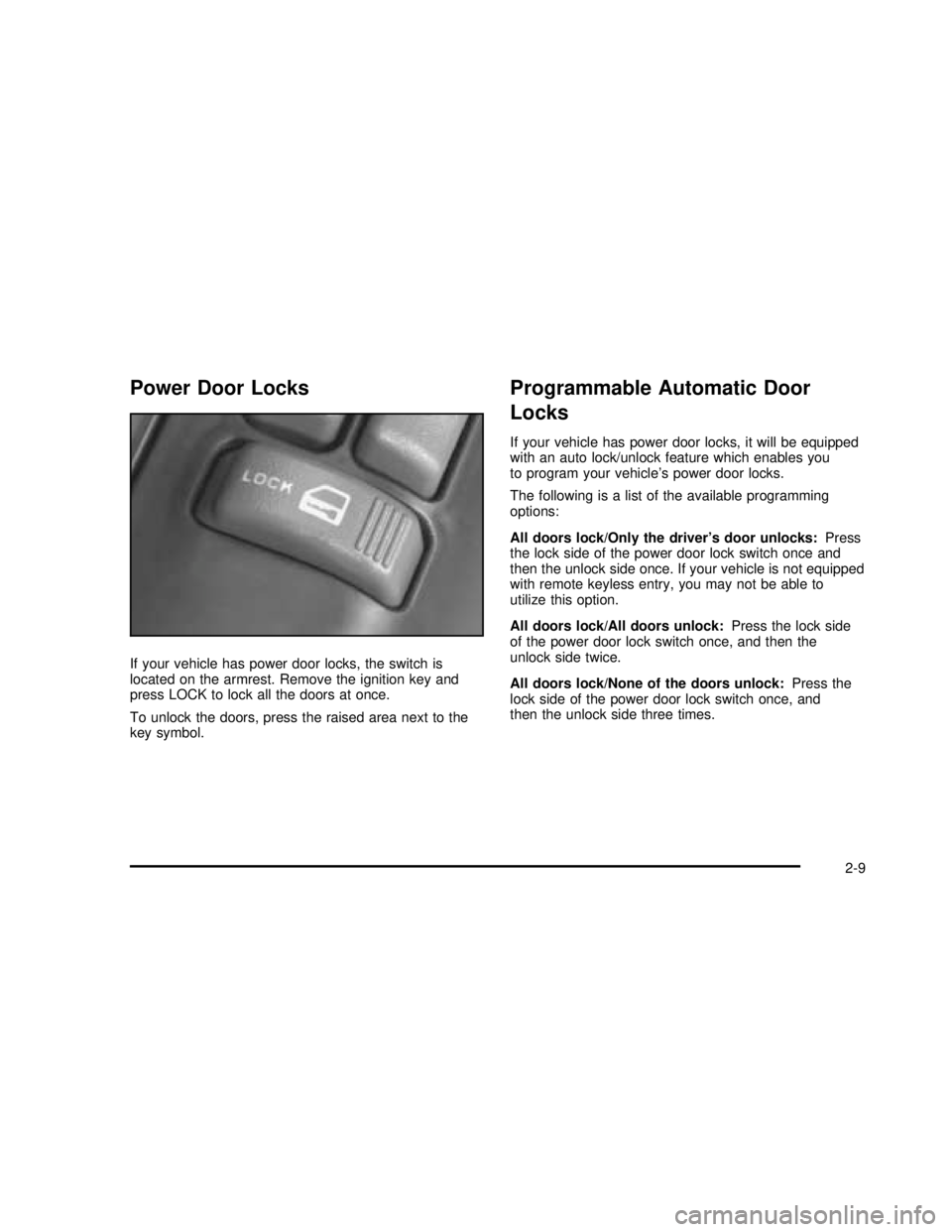
Power Door Locks
If your vehicle has power door locks, the switch is
located on the armrest. Remove the ignition key and
press LOCK to lock all the doors at once.
To unlock the doors, press the raised area next to the
key symbol.
Programmable Automatic Door
Locks
If your vehicle has power door locks, it will be equipped
with an auto lock/unlock feature which enables you
to program your vehicle’s power door locks.
The following is a list of the available programming
options:
All doors lock/Only the driver’s door unlocks:Press
the lock side of the power door lock switch once and
then the unlock side once. If your vehicle is not equipped
with remote keyless entry, you may not be able to
utilize this option.
All doors lock/All doors unlock:Press the lock side
of the power door lock switch once, and then the
unlock side twice.
All doors lock/None of the doors unlock:Press the
lock side of the power door lock switch once, and
then the unlock side three times.
2-9
2003 - Sonoma OM
Page 82 of 424

No doors lock/None of the doors unlock:Press the
lock side of the power door lock switch twice. This
turns off the automatic lock feature. This is the factory
setting.
For more information, see your dealer.
If your vehicle has an automatic transmission it will be
programmed to have all the doors lock automatically
when the shift lever is moved out of PARK (P). All the
doors will unlock when the shift lever is moved back into
PARK (P).
On a manual transmission, all doors will lock when the
vehicle speed is greater than 15 mph (24 km/h).
The doors will unlock when the key is removed from the
ignition.
The following instructions detail how to program your
door locks. Choose one of the programming options
before entering the programming mode.To enter the program mode, do the following:
1. Begin with the ignition in OFF. Then pull the turn
signal/multifunction lever all the way toward you
and hold it while you perform the next step.
2. Turn your key to RUN and OFF twice. Then, with
the key in OFF, release the turn signal/multifunction
lever. Once you do this, you will hear the lock
switch lock and unlock.
3. You are now ready to program the automatic door
locks. Select one of the previous four programming
options and follow the instructions. You will have
30 seconds to begin programming. If you exceed
the 30 second limit, the locks will automatically lock
and unlock to indicate you have left the program
mode. If this occurs, repeat the procedure beginning
with Step 1. You can exit the program mode any
time by turning the ignition to RUN. The locks
will automatically lock and unlock to indicate you
are leaving the program mode. If the lock/unlock
switches are not pressed while in the programming
mode, the auto lock/unlock setting will not be
modified.
2-10
2003 - Sonoma OM
Page 83 of 424

Rear Door Security Locks
If you have the Crew Cab®model, your vehicle may be
equipped with rear door security locks. With this
feature, you can lock the rear doors so they can’tbe
opened from the inside by passengers.
The security lock lever is
located on the inside edge
of each rear door.
To use the security locks, do the following:
1. Open one of the rear doors.
2. Slide the lever up to the lock symbol to engage
the lock.
3. Close the door.
4. Repeat these steps on the opposite rear door.If you want to open the rear door when the security lock
is on, unlock the door and open the door from the
outside. To return the rear doors to normal use,
disengage the locks by sliding the lever to the unlock
symbol.
Lockout Protection
This feature protects you from locking your key in the
vehicle when the key is in the ignition and a door
is open.
If the power door lock switch is pressed when a door is
open and the key is in the ignition, all of the doors
will lock and then the driver’s door will unlock.
Leaving Your Vehicle
If you are leaving the vehicle, take your keys, open your
door and set the locks from inside. Then get out and
close the door.
2-11
2003 - Sonoma OM