manual transmission GMC SONOMA 2003 Owner's Manual
[x] Cancel search | Manufacturer: GMC, Model Year: 2003, Model line: SONOMA, Model: GMC SONOMA 2003Pages: 424, PDF Size: 2.45 MB
Page 73 of 424

Keys...............................................................2-3
Remote Keyless Entry System.........................2-4
Remote Keyless Entry System Operation...........2-5
Doors and Locks.............................................2-8
Door Locks....................................................2-8
Power Door Locks..........................................2-9
Programmable Automatic Door Locks................2-9
Rear Door Security Locks..............................2-11
Lockout Protection........................................2-11
Leaving Your Vehicle....................................2-11
Third Door...................................................2-12
Tailgate.......................................................2-12
Windows........................................................2-14
Manual Windows..........................................2-15
Power Windows............................................2-15
Swing-Out Windows......................................2-16
Sliding Rear Window.....................................2-16
Sun Visors...................................................2-16
Theft-Deterrent Systems..................................2-17
Content Theft-Deterrent.................................2-17
Passlock
®....................................................2-19Starting and Operating Your Vehicle................2-20
New Vehicle Break-In....................................2-20
Ignition Positions..........................................2-20
Starting Your Engine.....................................2-22
Engine Coolant Heater..................................2-24
Automatic Transmission Operation...................2-25
Manual Transmission Operation......................2-28
Four-Wheel Drive..........................................2-29
Parking Brake..............................................2-32
Shifting Into Park (P).....................................2-33
Shifting Out of Park (P).................................2-35
Parking Your Vehicle.....................................2-36
Parking Over Things That Burn.......................2-36
Engine Exhaust............................................2-37
Running Your Engine While You Are Parked. . . .2-38
Mirrors...........................................................2-39
Manual Rearview Mirror.................................2-39
Automatic Dimming Rearview Mirror................2-39
Outside Manual Mirror...................................2-39
Outside Power Mirrors...................................2-40
Outside Convex Mirror...................................2-40
Outside Heated Mirrors..................................2-41
Section 2Features and Controls
2-1
2003 - Sonoma OM
Page 82 of 424

No doors lock/None of the doors unlock:Press the
lock side of the power door lock switch twice. This
turns off the automatic lock feature. This is the factory
setting.
For more information, see your dealer.
If your vehicle has an automatic transmission it will be
programmed to have all the doors lock automatically
when the shift lever is moved out of PARK (P). All the
doors will unlock when the shift lever is moved back into
PARK (P).
On a manual transmission, all doors will lock when the
vehicle speed is greater than 15 mph (24 km/h).
The doors will unlock when the key is removed from the
ignition.
The following instructions detail how to program your
door locks. Choose one of the programming options
before entering the programming mode.To enter the program mode, do the following:
1. Begin with the ignition in OFF. Then pull the turn
signal/multifunction lever all the way toward you
and hold it while you perform the next step.
2. Turn your key to RUN and OFF twice. Then, with
the key in OFF, release the turn signal/multifunction
lever. Once you do this, you will hear the lock
switch lock and unlock.
3. You are now ready to program the automatic door
locks. Select one of the previous four programming
options and follow the instructions. You will have
30 seconds to begin programming. If you exceed
the 30 second limit, the locks will automatically lock
and unlock to indicate you have left the program
mode. If this occurs, repeat the procedure beginning
with Step 1. You can exit the program mode any
time by turning the ignition to RUN. The locks
will automatically lock and unlock to indicate you
are leaving the program mode. If the lock/unlock
switches are not pressed while in the programming
mode, the auto lock/unlock setting will not be
modified.
2-10
2003 - Sonoma OM
Page 93 of 424
{CAUTION:
On manual transmission vehicles, turning the
key to LOCK will lock the steering column and
result in a loss of ability to steer the vehicle.
This could cause a collision. If you need to
turn the engine off while the vehicle is moving,
turn the key only to OFF. Don’t press the key
release button while the vehicle is moving.
Notice:If your key seems stuck in LOCK and you
can’t turn it, be sure you are using the correct key;
if so, is it all the way in? If it is, then turn the steering
wheel left and right while you turn the key hard. Turn
the key only with your hand. Using a tool to force it
could break the key or the ignition switch. If none of
this works, then your vehicle needs service.
B (LOCK):This position locks your ignition, steering
wheel and transmission. It’s a theft-deterrent feature.
You will only be able to remove your key when the
ignition is turned to LOCK.C (OFF):This position lets you turn off the engine but
still turn the steering wheel. Use OFF if you must
have your vehicle in motion while the engine is off
(for example, if your vehicle is being towed).
D (RUN):This is the position for driving.
E (START):This position starts your engine.
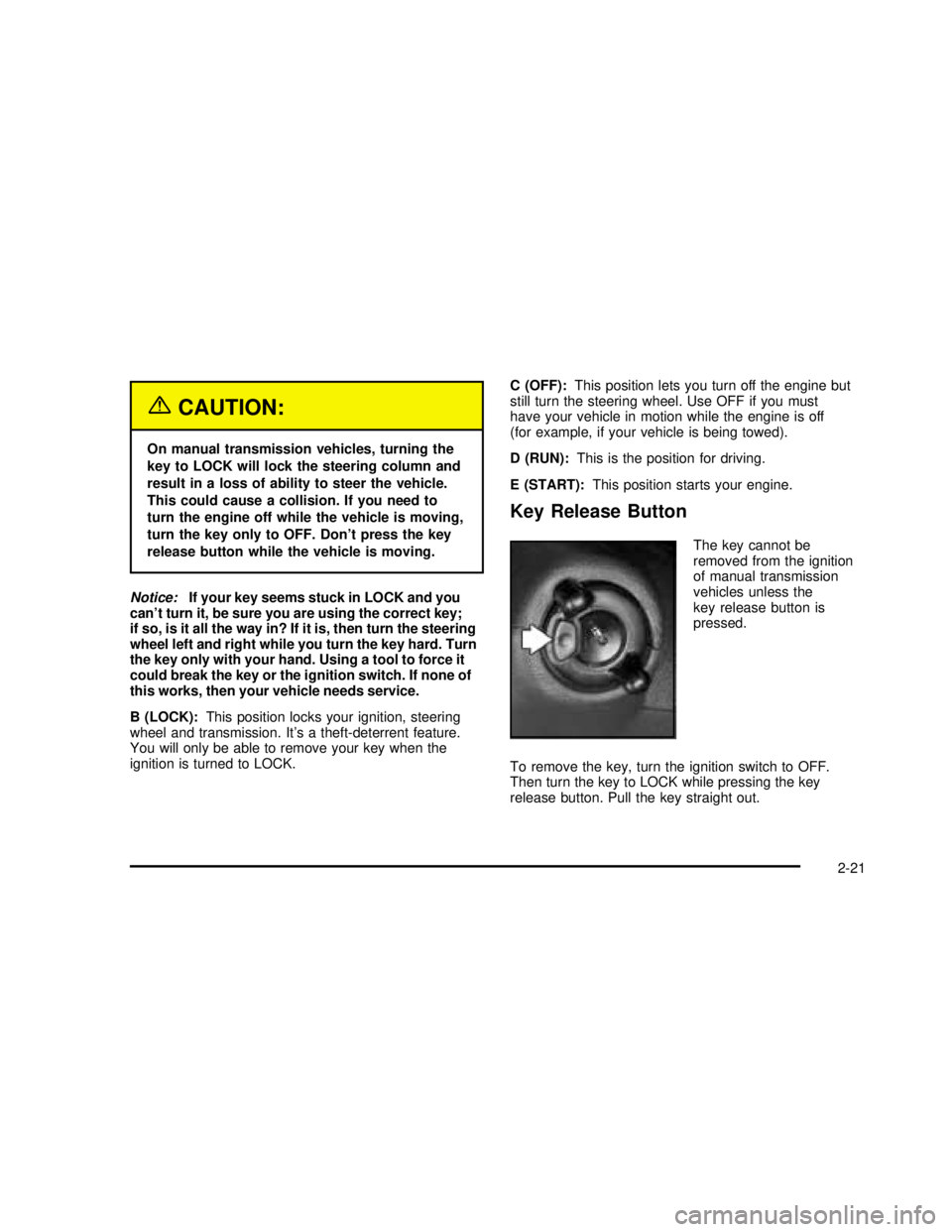
Key Release Button
The key cannot be
removed from the ignition
of manual transmission
vehicles unless the
key release button is
pressed.
To remove the key, turn the ignition switch to OFF.
Then turn the key to LOCK while pressing the key
release button. Pull the key straight out.
2-21
2003 - Sonoma OM
Page 94 of 424

Retained Accessory Power (RAP)
Your vehicle is equipped with a Retained Accessory
Power (RAP) feature which will allow certain features of
your vehicle to continue to work for up to 20 minutes
after the ignition key is turned to OFF.
Your radio, power windows, sunroof and overhead
console will work when the ignition key is in RUN or
ACCESSORY. Once the key is turned from RUN
to OFF, these features will continue to work for up to
20 minutes or until a door is opened.
Starting Your Engine
Automatic Transmission
Move your shift lever to PARK (P) or NEUTRAL (N). Your
engine won’t start in any other position–that’s a safety
feature. To restart when you’re already moving, use
NEUTRAL (N) only.
Notice:Don’t try to shift to PARK (P) if your
vehicle is moving. If you do, you could damage the
transmission. Shift to PARK (P) only when your
vehicle is stopped.
Manual Transmission
The gear selector should be in neutral and the parking
brake engaged. Hold the clutch pedal to thefloor
and start the engine. Your vehicle won’t start if the clutch
pedal is not all the way down–that’s a safety feature.
Starting Your VORTEC™2200 L4
Engine
1. With your foot off the accelerator pedal, turn your
ignition key to START. When the engine starts, let
go of the key. The idle speed will go down as
your engine gets warm.
Notice:Holding your key in START for longer than
15 seconds at a time will cause your battery to
be drained much sooner. And the excessive heat
can damage your starter motor. Wait about 15
seconds between each try to help avoid draining
your battery or damaging your starter.
2. If it doesn’t start, wait about 15 seconds and try
again to start the engine by turning the ignition
key to START. Wait about 15 seconds between
each try.
When your engine has run about 10 seconds to
warm up, your vehicle is ready to be driven. Don’t
“race”your engine when it’s cold.
If the weather is below freezing (32°For0°C), let
the engine run for a few minutes to warm up.
2-22
2003 - Sonoma OM
Page 100 of 424

Manual Transmission Operation
Five-Speed
This is your shift pattern.
Here’s how to operate your transmission:
FIRST (1):Press the clutch pedal and shift into
FIRST (1). Then, slowly let up on the clutch pedal as
you slowly press down on the accelerator pedal.
You can shift into FIRST (1) when you’re going less
than 20 mph (30 km/h). If you’ve come to a complete
stop and it’s hard to shift into FIRST (1), put the
shift lever in NEUTRAL and let up on the clutch.
Press the clutch pedal back down. Then shift into
FIRST (1).SECOND (2):Press the clutch pedal as you let up on
the accelerator pedal and shift into SECOND (2).
Then, slowly let up on the clutch pedal as you press the
accelerator pedal.
THIRD, FOURTH AND FIFTH (3, 4 and 5):Shift into
THIRD (3), FOURTH (4) and FIFTH (5) the same
way you do for SECOND (2). Slowly let up on the clutch
pedal as you press the accelerator pedal.
To stop, let up on the accelerator pedal and press the
brake pedal. Just before the vehicle stops, press
the clutch pedal and the brake pedal, and shift to
NEUTRAL.
NEUTRAL:Use this position when you start or idle
your engine.
REVERSE (R):To back up, press the clutch pedal.
After the vehicle stops, shift into REVERSE (R).
For vehicles equipped with the
VORTEC™4300 V6 engine, you must wait six seconds
before shifting into REVERSE (R). Slowly let up on
the clutch pedal as you press the accelerator pedal.
Notice:Shifting to REVERSE (R) while your vehicle
is moving forward could damage your transmission.
Shift to REVERSE (R) only after your vehicle is
stopped.
Use REVERSE (R), along with the parking brake, for
parking your vehicle.
2-28
2003 - Sonoma OM
Page 101 of 424

Up-Shift Light
If you have a manual
transmission, you have a
SHIFT light.
This light will show you when to shift to the next higher
gear for best fuel economy.
When this light comes on, you can shift to the next
higher gear if weather, road and traffic conditions let you.
For the best fuel economy, accelerate slowly and shift
when the light comes on.
While you accelerate, it is normal for the light to go on
and off if you quickly change the position of the
accelerator. Ignore the SHIFT light when you downshift.
If your vehicle has four-wheel-drive and is equipped
with a manual transmission, disregard the SHIFT light
when the transfer case is in 4LO.
Shift Speeds
{CAUTION:
If you skip a gear when you downshift, you
could lose control of your vehicle. You could
injure yourself or others. Don’t shift down
more than one gear at a time when you
downshift.
Four-Wheel Drive
If your vehicle has four-wheel-drive, you can send your
engine’s driving power to all four wheels for extra
traction. To get the most satisfaction out of
four-wheel-drive, you must be familiar with its operation.
Read the part that follows before using four-wheel-drive.
SeeOff-Road Recovery on page 4-10.
You should use two-wheel high (2HI) for most normal
driving conditions.
Notice:Driving in the 4-WHEEL HIGH (4HI) or
4-WHEEL LOW (4LO) positions for a long time on
dry or wet pavement could shorten the life of
your vehicle’s drivetrain.
2-29
2003 - Sonoma OM
Page 103 of 424

Shifting from 2HI or 4HI to 4LO
To shift from 2HI or 4HI to 4LO, the vehicle must be
stopped or moving less than 3 mph (4.8 km/h) with the
transmission in NEUTRAL (N) in vehicles equipped
with an automatic transmission or the clutch pedal
engaged in vehicles equipped with a manual
transmission. The preferred method for shifting into 4LO
is to have your vehicle moving 1 to 2 mph
(1.6 to 3.2 km/h). Press and release the 4LO button.
You must wait for the 4LO indicator light to stopflashing
and remain illuminated before shifting your transmission
into gear or releasing the clutch pedal.
If the 4LO button is pressed when your vehicle is in
gear and/or moving, the 4LO indicator light willflash for
30 seconds and not complete the shift unless your
vehicle is moving slower than 3 mph (4.8 km/h) and the
transmission is in NEUTRAL (N) or the clutch pedal
engaged.
On automatic transmission equipped vehicles, if your
transfer case does not shift into 4LO, your transmission
indicator switch may require adjustment. With your
transmission in NEUTRAL (N), press and release the
4LO button. While the 4LO indicator light isflashing, shift
your transmission into PARK (P). Wait until the 4LO
indicator light remains illuminated before shifting
your transmission into gear. This will get you into 4LO,
but you should take your vehicle in for service to
restore normal operation.
Shifting from 4LO to 4HI or 2HI
To shift from 4LO to 4HI or 2HI, your vehicle must be
stopped or moving less than 3 mph (4.8 km/h) with
the transmission in NEUTRAL (N) or the clutch pedal
engaged. The preferred method for shifting out of 4LO
is to have your vehicle moving 1 to 2 mph
(1.6 to 3.2 km/h). Press and release the 4HI button.
You must wait for the 4HI indicator light to stopflashing
and remain illuminated before shifting your transmission
into gear or releasing the clutch pedal.
If the 4HI button is pressed when your vehicle is in gear
and/or moving, the 4HI indicator light willflash for
30 seconds but not complete the shift unless the vehicle
is moving slower than 3 mph (4.8 km/h) and the
transmission is in NEUTRAL (N) or the clutch pedal
engaged.
On automatic transmission equipped vehicles, if your
transfer case does not shift into 4HI, your transmission
indicator switch may require adjustment. With your
transmission in NEUTRAL (N), press and release the
4HI button. While the 4HI indicator light isflashing, shift
your transmission into PARK (P). Wait until the 4HI
indicator light remains illuminated before shifting your
transmission into gear. This will get you into 4HI, but you
should take your vehicle in for service to restore
normal operation.
2-31
2003 - Sonoma OM
Page 108 of 424

Parking Your Vehicle
If you have a manual transmission, before you get out
of your vehicle, move the shift lever into REVERSE (R),
andfirmly apply the parking brake. Once the shift
lever has been placed into REVERSE (R) with the clutch
pedal pressed in, you can turn the ignition key to
OFF, remove the key and release the clutch.
If you are parking on a hill, or if your vehicle is pulling a
trailer, seeTowing a Trailer on page 4-51.
Parking Over Things That Burn
{CAUTION:
Things that can burn could touch hot exhaust
parts under your vehicle and ignite. Don’t park
over papers, leaves, dry grass or other things
that can burn.
2-36
2003 - Sonoma OM
Page 127 of 424

Use this memory function to save your seat cushion and
seatback settings by using the following procedure:
1. Adjust the driver’s seat to a safe and comfortable
driving position.
2. Press the SET button and then press and hold
button 1 (for Driver 1) for three seconds. A chime
will sound to let you know that the position has been
stored.
A second seating can be programmed by repeating
the procedure with a second driver and pressing
button 2 for three seconds.
When your vehicle is in PARK (P) for an automatic
transmission or the parking brake is engaged for
a manual transmission, press and release the numbered
memory button you just stored. The seat will move to
the set position. You will hear one chime.
Pressing the UNLOCK button of a keyless entry
transmitter will adjust the seat to the corresponding
stored memory position. You will hear one chime.Repeat Steps 1 and 2 to readjust the seat. The
transmitter need not be reprogrammed unless it needs
to correspond to the other numbered memory button.
If there is a third driver, use the seat adjuster switch to
adjust the seat.
Pressing any of the seat adjuster switches, the SET
button or pressing the desired memory button twice will
cause the seat to stop moving.
If you press the numbered button to adjust the seat and
start the vehicle while the seat is still adjusting,
adjustment will pause while the ignition is in START.
Adjustment will resume after the ignition is in RUN.
Setting the seat memory function for a particular driver
will also personalize the radio station presets that have
been selected. Each time the driver sets this function, the
respective radio station presets will also be retained.
2-55
2003 - Sonoma OM
Page 138 of 424

Passing Another Vehicle While Using
Cruise Control
Use the accelerator pedal to increase your speed.
When you take your foot off the pedal, your vehicle will
slow down to the cruise control speed you set earlier.
Using Cruise Control on Hills
How well your cruise control will work on hills depends
upon your speed, load and the steepness of the
hills. When going up steep hills, you may want to step
on the accelerator pedal to maintain your speed.
When going downhill, you may have to brake or shift to
a lower gear to keep your speed down. Of course,
applying the brake takes you out of cruise control. Many
driversnd this to be too much trouble and don’t use
cruise control on steep hills.
Ending Cruise Control
There are two ways to turn off the cruise control:
Step lightly on the brake pedal or push the clutch
pedal, if you have a manual transmission.
If you have an automatic transmission and you
apply your brakes, the cruise control will shut off.
Move the cruise switch to OFF.
Erasing Speed Memory
When you turn off the cruise control or the ignition, your
cruise control set speed memory is erased.
Exterior Lamps
The control on the driver’s side of the instrument panel
operates the exterior lamps.
The exterior lamp control has three positions:
9(Off):Turn the exterior lamps control all the way
counterclockwise to turn off the lamps and put the
system in automatic headlamp mode.
3-10
2003 - Sonoma OM