light GMC SONOMA 2004 User Guide
[x] Cancel search | Manufacturer: GMC, Model Year: 2004, Model line: SONOMA, Model: GMC SONOMA 2004Pages: 412, PDF Size: 4.16 MB
Page 74 of 412
Sliding Rear Window
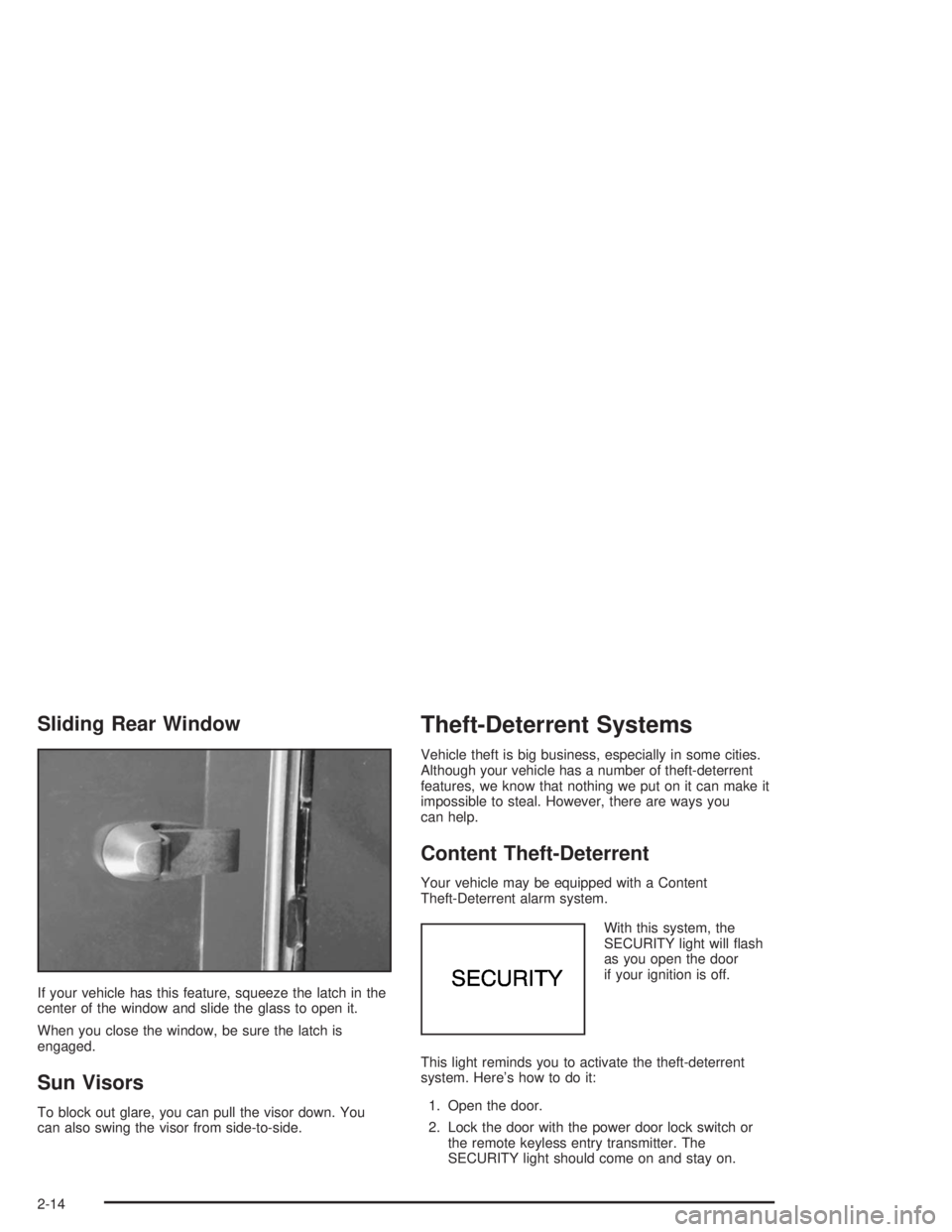
If your vehicle has this feature, squeeze the latch in the
center of the window and slide the glass to open it.
When you close the window, be sure the latch is
engaged.
Sun Visors
To block out glare, you can pull the visor down. You
can also swing the visor from side-to-side.
Theft-Deterrent Systems
Vehicle theft is big business, especially in some cities.
Although your vehicle has a number of theft-deterrent
features, we know that nothing we put on it can make it
impossible to steal. However, there are ways you
can help.
Content Theft-Deterrent
Your vehicle may be equipped with a Content
Theft-Deterrent alarm system.
With this system, the
SECURITY light will flash
as you open the door
if your ignition is off.
This light reminds you to activate the theft-deterrent
system. Here’s how to do it:
1. Open the door.
2. Lock the door with the power door lock switch or
the remote keyless entry transmitter. The
SECURITY light should come on and stay on.
2-14
Page 75 of 412
3. Close all doors. The SECURITY light should go off
after approximately 30 seconds. The alarm is not
armed until the SECURITY light goes off.
If a door is opened without the key or the remote
keyless entry transmitter, the alarm will go off. Your
vehicle’s headlamps will flash and the horn will sound for
110 seconds, then will turn off to save the battery
power.
Remember, the theft-deterrent system won’t activate if
you lock the doors with a key or use the manual
door lock. It activates only if you use a power door lock
switch with the door open, or with the remote keyless
entry transmitter. You should also remember that
you can start your vehicle with the correct ignition key if
the alarm has been set off.
Here’s how to avoid setting off the alarm by accident:
•If you don’t want to activate the theft-deterrent
system, the vehicle should be locked with the door
keyafterthe doors are closed.
•Always unlock a door with a key, or use the remote
keyless entry transmitter. Unlocking a door any
other way will set off the alarm.
If you set off the alarm by accident, unlock any door
with the key. You can also turn off the alarm by pressing
UNLOCK on the remote keyless entry transmitter.
The alarm won’t stop if you try to unlock a door any
other way.
Testing the Alarm
The alarm can be tested by following these steps:
1. From inside the vehicle, lower the driver’s window
and open the driver’s door.
2. Activate the system by locking the doors with the
power door lock switch while the door is open, or
with the remote keyless entry transmitter.
3. Get out of the vehicle, close the door and wait for
the SECURITY light to go out.
4. Then reach in through the window, unlock the door
with the manual door lock and open the door. This
should set off the alarm.
If the alarm does not sound when it should but the
vehicle’s headlamps flash, check to see if the horn
works. The horn fuse may be blown. To replace
the fuse, seeFuses and Circuit Breakers on page 5-95.
If the alarm does not sound or the vehicle’s headlamps
do not flash, the vehicle should be serviced by an
authorized service center.
2-15
Page 76 of 412
Passlock®
Your vehicle is equipped with the
Passlock®theft-deterrent system.
Passlock
®is a passive theft-deterrent system.
Passlock®enables fuel if the ignition lock cylinder is
turned with a valid key. If a correct key is not used or the
ignition lock cylinder is tampered with, fuel is disabled.
During normal operation, the SECURITY light will
go off approximately five seconds after the key is turned
to RUN.
If the engine stalls and the SECURITY light flashes,
wait about 10 minutes until the light stops flashing before
trying to restart the engine. Remember to release the
key from START as soon as the engine starts.
If the engine does not start after three tries, the vehicle
needs service.
If the engine is running and the SECURITY message
comes on, you will be able to restart the engine if
you turn the engine off. However, your
Passlock
®system is not working properly and must be
serviced by your dealer. Your vehicle is not protected
by Passlock
®at this time. You may also want to check
the fuse. SeeFuses and Circuit Breakers on page 5-95.
See your dealer for service.
In an emergency, call the GM Roadside Assistance
Center. SeeRoadside Assistance Program on page 7-6.
Starting and Operating Your
Vehicle
New Vehicle Break-In
Notice:Your vehicle does not need an elaborate
“break-in.” But it will perform better in the long run
if you follow these guidelines:
Keep your speed at 55 mph (88 km/h) or less for
the rst 500 miles (805 km).
Do not drive at any one speed — fast or
slow — for the rst 500 miles (805 km). Do not
make full-throttle starts.
Avoid making hard stops for the rst 200 miles
(322 km) or so. During this time your new
brake linings are not yet broken in. Hard stops
with new linings can mean premature wear
and earlier replacement. Follow this breaking-in
guideline every time you get new brake
linings.
Do not tow a trailer during break-in. SeeTowing
a Trailer on page 4-55for more information.
2-16
Page 83 of 412
Transfer Case
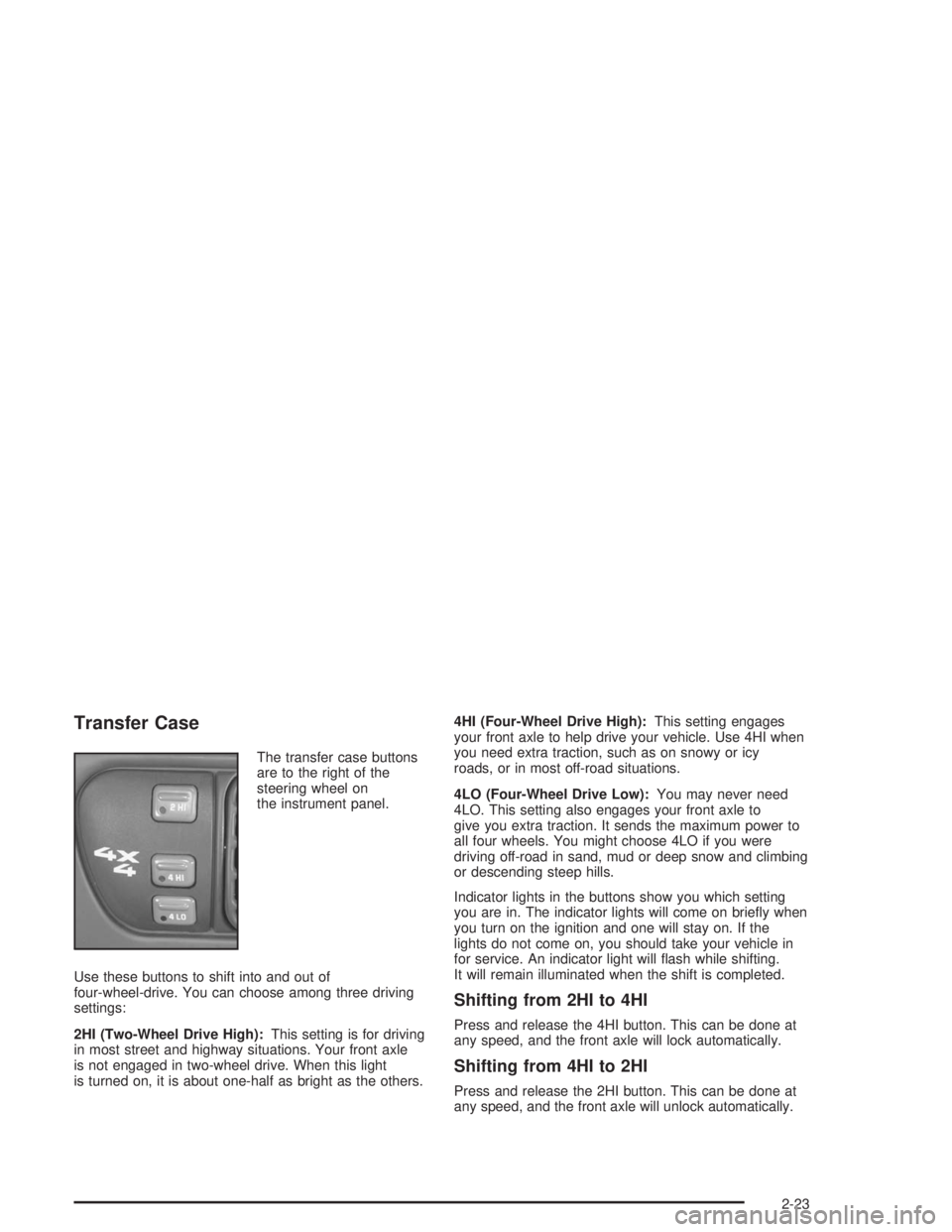
The transfer case buttons
are to the right of the
steering wheel on
the instrument panel.
Use these buttons to shift into and out of
four-wheel-drive. You can choose among three driving
settings:
2HI (Two-Wheel Drive High):This setting is for driving
in most street and highway situations. Your front axle
is not engaged in two-wheel drive. When this light
is turned on, it is about one-half as bright as the others.4HI (Four-Wheel Drive High):This setting engages
your front axle to help drive your vehicle. Use 4HI when
you need extra traction, such as on snowy or icy
roads, or in most off-road situations.
4LO (Four-Wheel Drive Low):You may never need
4LO. This setting also engages your front axle to
give you extra traction. It sends the maximum power to
all four wheels. You might choose 4LO if you were
driving off-road in sand, mud or deep snow and climbing
or descending steep hills.
Indicator lights in the buttons show you which setting
you are in. The indicator lights will come on briefly when
you turn on the ignition and one will stay on. If the
lights do not come on, you should take your vehicle in
for service. An indicator light will flash while shifting.
It will remain illuminated when the shift is completed.
Shifting from 2HI to 4HI
Press and release the 4HI button. This can be done at
any speed, and the front axle will lock automatically.
Shifting from 4HI to 2HI
Press and release the 2HI button. This can be done at
any speed, and the front axle will unlock automatically.
2-23
Page 84 of 412
Shifting from 2HI or 4HI to 4LO
To shift from 2HI or 4HI to 4LO, the vehicle must be
stopped or moving less than 3 mph (4.8 km/h) with the
transmission in NEUTRAL (N). The preferred method
for shifting into 4LO is to have your vehicle moving 1 to
2 mph (1.6 to 3.2 km/h). Press and release the 4LO
button. You must wait for the 4LO indicator light to stop
flashing and remain illuminated before shifting your
transmission into gear.
If the 4LO button is pressed when your vehicle is in
gear and/or moving, the 4LO indicator light will flash for
30 seconds and not complete the shift unless your
vehicle is moving slower than 3 mph (4.8 km/h) and the
transmission is in NEUTRAL (N) or the clutch pedal
engaged.
If your transfer case does not shift into 4LO, your
transmission indicator switch may require adjustment.
With your transmission in NEUTRAL (N), press and
release the 4LO button. While the 4LO indicator light is
flashing, shift your transmission into PARK (P). Wait
until the 4LO indicator light remains illuminated before
shifting your transmission into gear. This will get
you into 4LO, but you should take your vehicle in for
service to restore normal operation.
Shifting from 4LO to 4HI or 2HI
To shift from 4LO to 4HI or 2HI, your vehicle must be
stopped or moving less than 3 mph (4.8 km/h) with
the transmission in NEUTRAL (N). The preferred method
for shifting out of 4LO is to have your vehicle moving
1 to 2 mph (1.6 to 3.2 km/h). Press and release the 4HI
button. You must wait for the 4HI indicator light to
stop flashing and remain illuminated before shifting your
transmission into gear.
If the 4HI button is pressed when your vehicle is in gear
and/or moving, the 4HI indicator light will flash for
30 seconds but not complete the shift unless the vehicle
is moving slower than 3 mph (4.8 km/h) and the
transmission is in NEUTRAL (N) or the clutch pedal
engaged.
If your transfer case does not shift into 4HI, your
transmission indicator switch may require adjustment.
With your transmission in NEUTRAL (N), press and
release the 4HI button. While the 4HI indicator light is
flashing, shift your transmission into PARK (P). Wait until
the 4HI indicator light remains illuminated before
shifting your transmission into gear. This will get you
into 4HI, but you should take your vehicle in for service
to restore normal operation.
2-24
Page 85 of 412
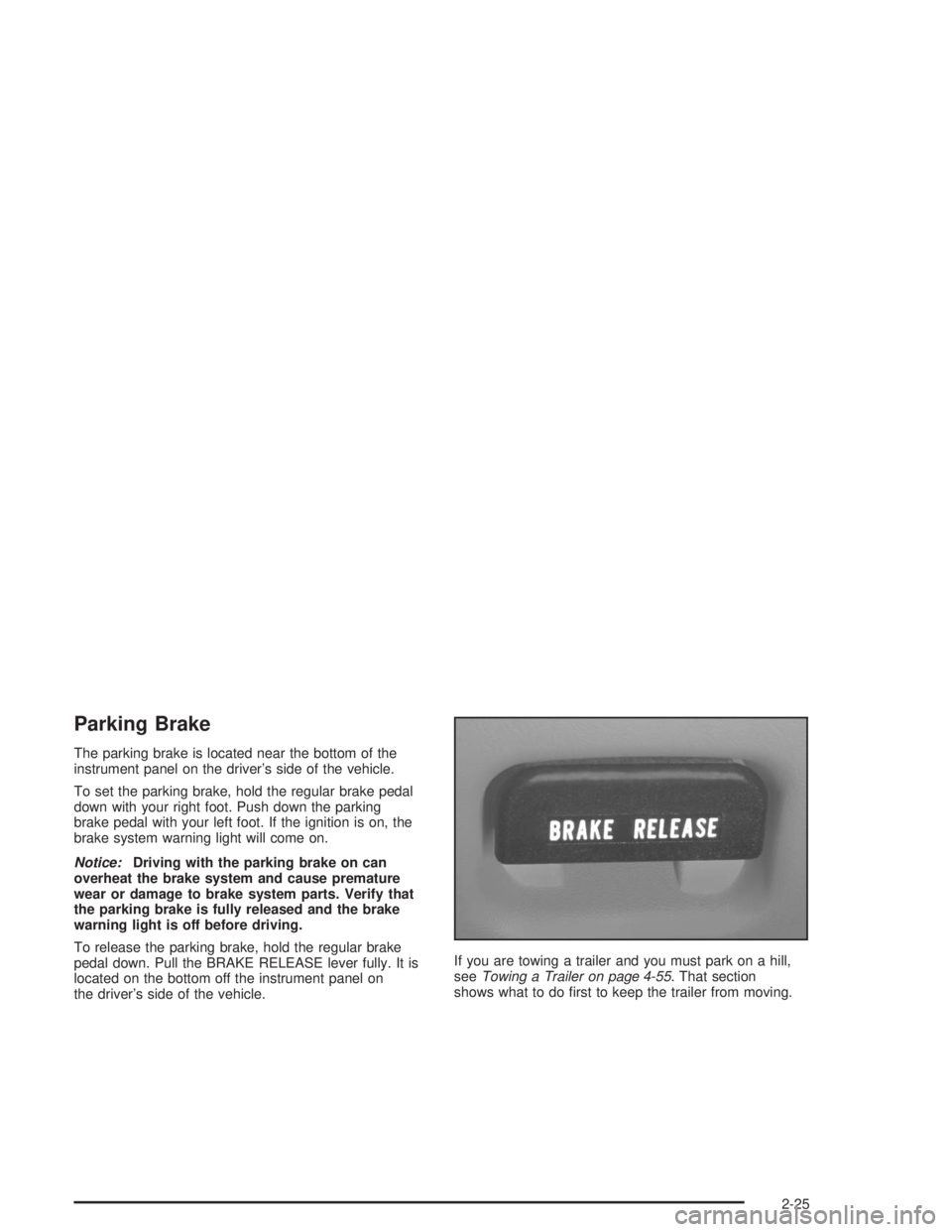
Parking Brake
The parking brake is located near the bottom of the
instrument panel on the driver’s side of the vehicle.
To set the parking brake, hold the regular brake pedal
down with your right foot. Push down the parking
brake pedal with your left foot. If the ignition is on, the
brake system warning light will come on.
Notice:Driving with the parking brake on can
overheat the brake system and cause premature
wear or damage to brake system parts. Verify that
the parking brake is fully released and the brake
warning light is off before driving.
To release the parking brake, hold the regular brake
pedal down. Pull the BRAKE RELEASE lever fully. It is
located on the bottom off the instrument panel on
the driver’s side of the vehicle.If you are towing a trailer and you must park on a hill,
seeTowing a Trailer on page 4-55. That section
shows what to do first to keep the trailer from moving.
2-25
Page 91 of 412
Mirrors
Manual Rearview Mirror
Pull the tab under the mirror toward you to reduce the
glare from headlamps behind you after dark. Push
the tab away from you for normal daytime operation.
Automatic Dimming Rearview Mirror
If your vehicle has this feature, the mirror automatically
changes to reduce glare from headlamps behind
you. A photocell on the back of the mirror senses when
it is becoming dark outside. Another photocell built
into the mirror surface senses when headlamps
are behind you.
At night, when the glare is too high, the mirror will
gradually darken to reduce glare. This change may take
a few seconds. The mirror will return to its clear
daytime state when the vehicle is put into REVERSE (R)
or when the glare is reduced.
AUTO (Automatic Dimming):This button is located at
the base of the mirror. Use it to turn on the automatic
feature. The button has an indicator light to show it is on.
OFF:Press this button to turn the automatic
feature off.
Time Delay
The automatic mirror has a time delay feature which
prevents unnecessary switching from the night back to
the day position. This delay prevents rapid changing
of the mirror as you drive under lights and through traffic.
Cleaning the Photocells
Use a cotton swab and glass cleaner to clean the
photocells and mirror face when necessary.
Cleaning the Mirror
When cleaning the mirror, use a paper towel or similar
material dampened with glass cleaner. Do not spray
glass cleaner directly on the mirror as that may cause
the liquid cleaner to enter the mirror housing.
Outside Manual Mirror
Adjust your outside mirrors so you can see a little of the
side of your vehicle and the area beside and behind
your vehicle from a comfortable driving position.
You can also fold the mirrors in before entering a car
wash. Pull the mirrors in toward the vehicle. Push
the mirrors back out when finished.
2-31
Page 93 of 412
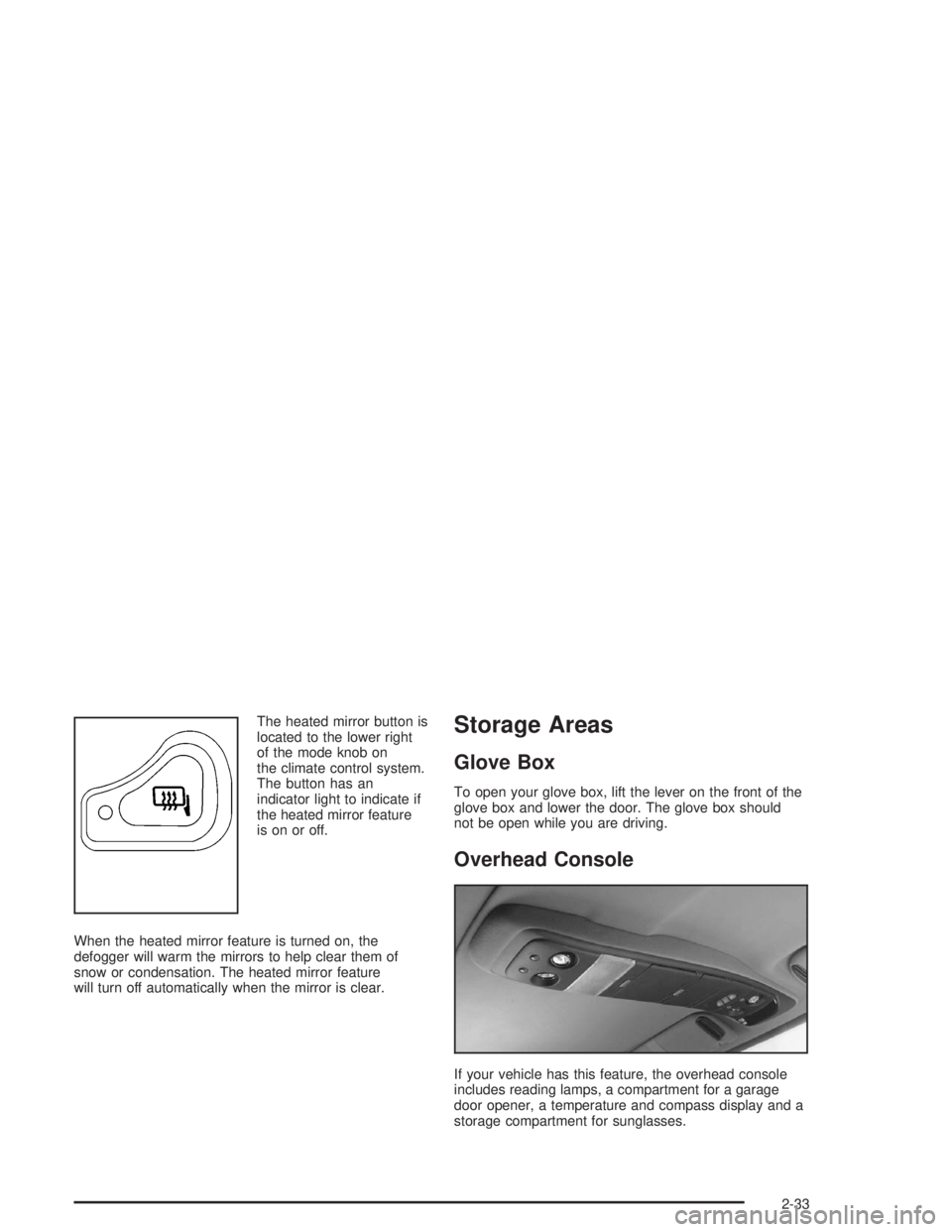
The heated mirror button is
located to the lower right
of the mode knob on
the climate control system.
The button has an
indicator light to indicate if
the heated mirror feature
is on or off.
When the heated mirror feature is turned on, the
defogger will warm the mirrors to help clear them of
snow or condensation. The heated mirror feature
will turn off automatically when the mirror is clear.Storage Areas
Glove Box
To open your glove box, lift the lever on the front of the
glove box and lower the door. The glove box should
not be open while you are driving.
Overhead Console
If your vehicle has this feature, the overhead console
includes reading lamps, a compartment for a garage
door opener, a temperature and compass display and a
storage compartment for sunglasses.
2-33
Page 95 of 412
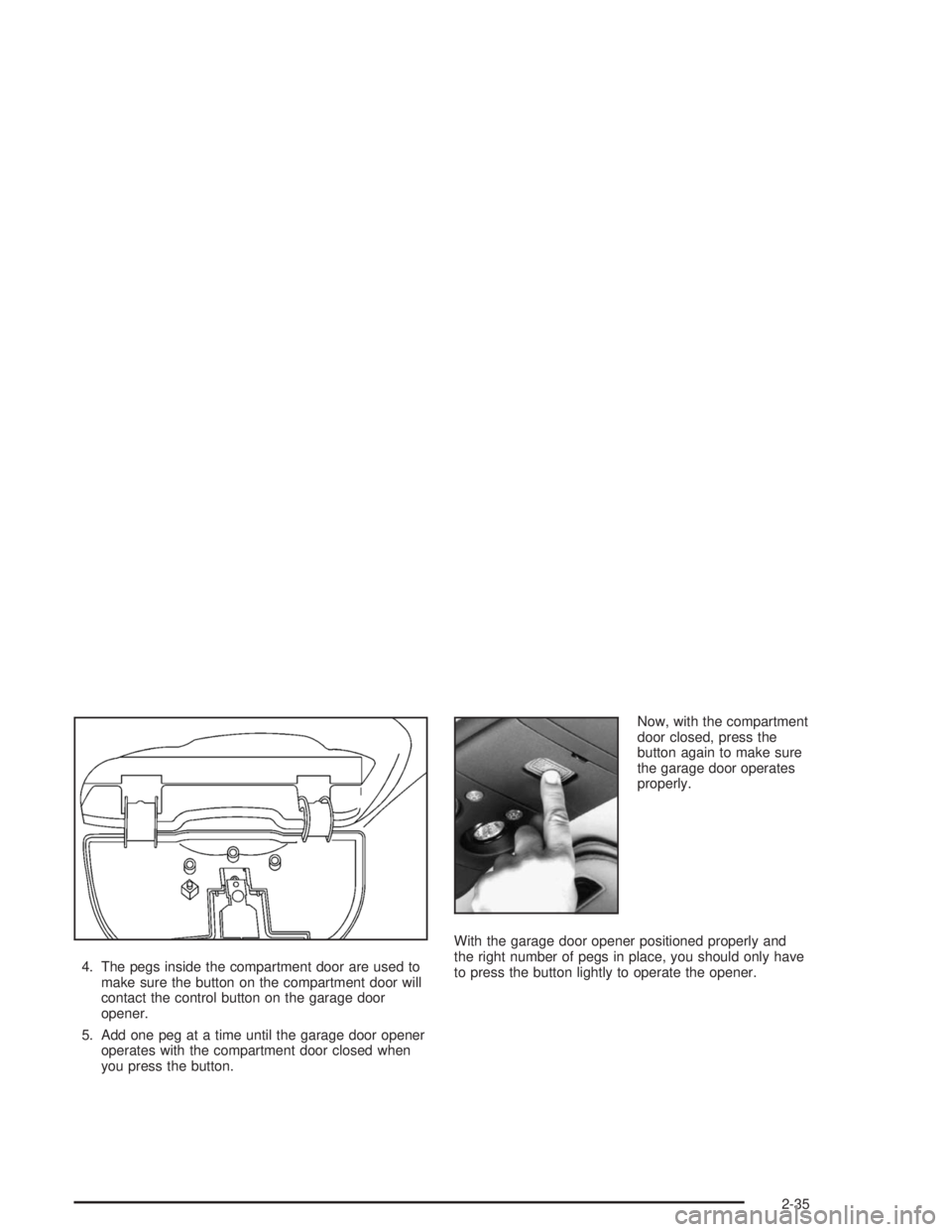
4. The pegs inside the compartment door are used to
make sure the button on the compartment door will
contact the control button on the garage door
opener.
5. Add one peg at a time until the garage door opener
operates with the compartment door closed when
you press the button.Now, with the compartment
door closed, press the
button again to make sure
the garage door operates
properly.
With the garage door opener positioned properly and
the right number of pegs in place, you should only have
to press the button lightly to operate the opener.
2-35
Page 105 of 412
Instrument Panel Overview...............................3-2
Hazard Warning Flashers................................3-4
Other Warning Devices...................................3-5
Horn.............................................................3-5
Tilt Wheel.....................................................3-5
Turn Signal/Multifunction Lever.........................3-6
Exterior Lamps.............................................3-11
Interior Lamps..............................................3-15
Accessory Power Outlets...............................3-16
Ashtrays and Cigarette Lighter........................3-17
Climate Controls............................................3-18
Climate Control System.................................3-18
Outlet Adjustment.........................................3-20
Warning Lights, Gages and Indicators.............3-21
Instrument Panel Cluster................................3-22
Speedometer and Odometer...........................3-24
Trip Odometer..............................................3-24
Tachometer.................................................3-24
Safety Belt Reminder Light.............................3-24
Air Bag Readiness Light................................3-25
Charging System Light..................................3-26
Voltmeter Gage............................................3-26
Brake System Warning Light..........................3-27
Anti-Lock Brake System Warning Light.............3-28
Engine Coolant Temperature Gage..................3-28Malfunction Indicator Lamp.............................3-29
Oil Pressure Gage........................................3-32
Security Light...............................................3-33
Service Four-Wheel Drive Warning Light..........3-33
Check Gages Warning Light...........................3-34
Fuel Gage...................................................3-34
Low Fuel Warning Light.................................3-35
Audio System(s).............................................3-35
Setting the Time for Radios without Radio
Data Systems (RDS)..................................3-35
Setting the Time for Radios with Radio
Data Systems (RDS)..................................3-36
AM-FM Radio...............................................3-36
Radio with CD..............................................3-39
Radio with Cassette and CD..........................3-49
Radio with Six-Disc CD.................................3-59
Theft-Deterrent Feature (Non-RDS Radios).......3-73
Theft-Deterrent Feature (RDS Radios).............3-73
Understanding Radio Reception......................3-74
Care of Your Cassette Tape Player.................3-74
Care of Your CDs.........................................3-75
Care of Your CD Player................................3-76
Fixed Mast Antenna......................................3-76
XM™ Satellite Radio Antenna System
(48 Contiguous US States).........................3-76
Section 3 Instrument Panel
3-1