warning GMC TERRAIN 2011 Repair Manual
[x] Cancel search | Manufacturer: GMC, Model Year: 2011, Model line: TERRAIN, Model: GMC TERRAIN 2011Pages: 426, PDF Size: 5.58 MB
Page 135 of 426

Black plate (17,1)GMC Terrain Owner Manual - 2011
Instruments and Controls 5-17
If the StabiliTrak system is off, the
system does not assist in controlling
the vehicle. Turn on the TCS and
the StabiliTrak system and the
warning light turns off.
Check the DIC for applicable
messages. SeeRide Control
System Messages on page 5‑27 for
more information.
See Traction Control System (TCS)
on page 9‑39 andStabiliTrak
®
System on page 9‑41 for more
information.
Traction Control System
(TCS)/StabiliTrak®Light
The StabiliTrak system or the
Traction Control System (TCS)
indicator/warning light come on
briefly when the engine is started. If the light does not come on, have
the vehicle serviced by the dealer.
If the system is working normally,
the indicator light turns off.
If the light is on and not flashing, the
TCS, and potentially the StabiliTrak
system have been disabled. A DIC
message may display. Check the
DIC messages to determine which
feature(s) is no longer functioning
and whether the vehicle requires
service.
If the indicator/warning light is on
and flashing, the TCS and/or the
StabiliTrak system is actively
working.
See
StabiliTrak
®System on
page 9‑41 andTraction Control
System (TCS) on page 9‑39 for
more information.
Tire Pressure Light
For vehicles with the Tire Pressure
Monitor System (TPMS), this light
comes on briefly when the engine
is started. It provides information
about tire pressures and the TPMS.
When the Light is On Steady
This indicates that one or more
of the tires are significantly
underinflated.
A tire pressure message can
accompany the light. See Tire
Messages on page 5‑28 for more
information. Stop as soon as
possible, and inflate the tires to the
pressure value shown on the Tire
and Loading Information label. See
Tire Pressure on page 10‑51 for
more information.
Page 136 of 426
Black plate (18,1)GMC Terrain Owner Manual - 2011
5-18 Instruments and Controls
When the Light Flashes First and
Then is On Steady
This indicates that there may be a
problem with the TPMS. The light
flashes for about a minute and
stays on steady for the remainder of
the ignition cycle. This sequence
repeats with every ignition cycle.
SeeTire Pressure Monitor
Operation on page 10‑54 for
more information.
Engine Oil Pressure Light
{WARNING
Do not keep driving if the oil
pressure is low. The engine can
become so hot that it catches fire.
Someone could be burned. Check
the oil as soon as possible and
have the vehicle serviced. Notice:
Lack of proper engine
oil maintenance can damage the
engine. The repairs would not be
covered by the vehicle warranty.
Always follow the maintenance
schedule for changing engine oil.
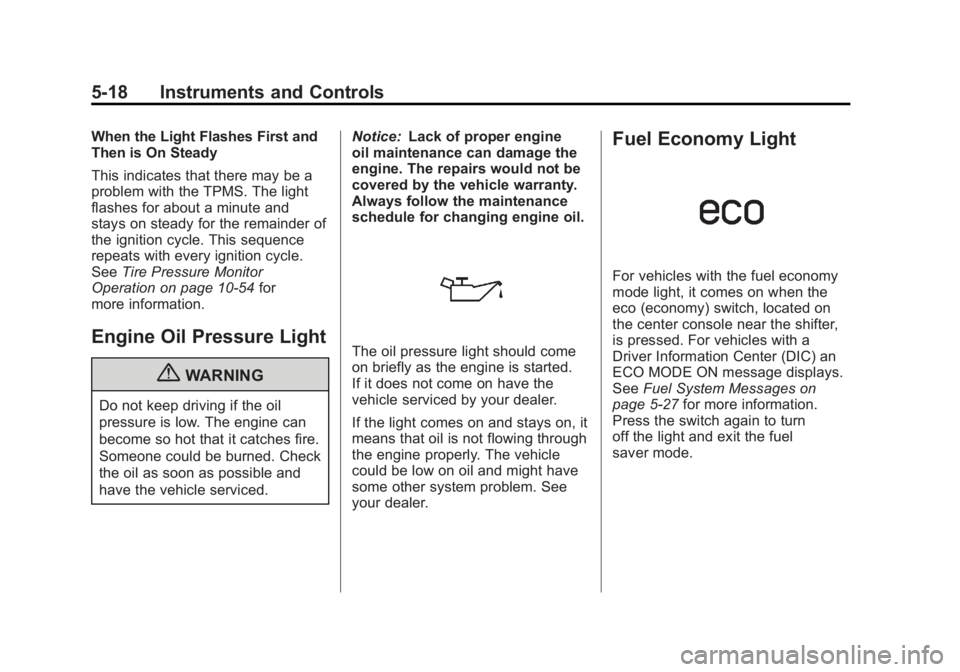
The oil pressure light should come
on briefly as the engine is started.
If it does not come on have the
vehicle serviced by your dealer.
If the light comes on and stays on, it
means that oil is not flowing through
the engine properly. The vehicle
could be low on oil and might have
some other system problem. See
your dealer.
Fuel Economy Light
For vehicles with the fuel economy
mode light, it comes on when the
eco (economy) switch, located on
the center console near the shifter,
is pressed. For vehicles with a
Driver Information Center (DIC) an
ECO MODE ON message displays.
See Fuel System Messages on
page 5‑27 for more information.
Press the switch again to turn
off the light and exit the fuel
saver mode.
Page 137 of 426
Black plate (19,1)GMC Terrain Owner Manual - 2011
Instruments and Controls 5-19
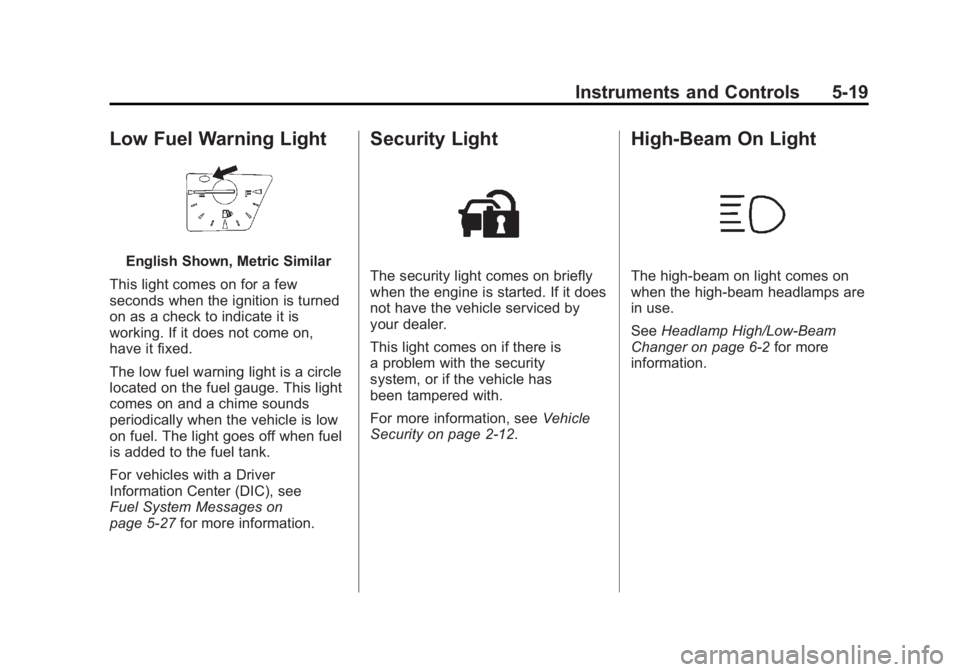
Low Fuel Warning Light
English Shown, Metric Similar
This light comes on for a few
seconds when the ignition is turned
on as a check to indicate it is
working. If it does not come on,
have it fixed.
The low fuel warning light is a circle
located on the fuel gauge. This light
comes on and a chime sounds
periodically when the vehicle is low
on fuel. The light goes off when fuel
is added to the fuel tank.
For vehicles with a Driver
Information Center (DIC), see
Fuel System Messages on
page 5‑27 for more information.
Security Light
The security light comes on briefly
when the engine is started. If it does
not have the vehicle serviced by
your dealer.
This light comes on if there is
a problem with the security
system, or if the vehicle has
been tampered with.
For more information, see Vehicle
Security on page 2‑12.
High-Beam On Light
The high-beam on light comes on
when the high-beam headlamps are
in use.
See Headlamp High/Low-Beam
Changer on page 6‑2 for more
information.
Page 138 of 426

Black plate (20,1)GMC Terrain Owner Manual - 2011
5-20 Instruments and Controls
Front Fog Lamp Light
The front fog lamp light comes on
when the fog lamps are in use.
The light goes out when the fog
lamps are turned off. SeeFog
Lamps on page 6‑4 for more
information.
Lamps On Reminder
For vehicles with the lamps on
reminder light, it comes on when the
lights are in use.
Cruise Control Light
The cruise control light is white
whenever the cruise control is set,
and turns green when the cruise
control is active.
The light turns off when the cruise
control is turned off. See Cruise
Control on page 9‑42 for more
information.
Information Displays
Driver Information
Center (DIC)
The vehicle may have a Driver
Information Center (DIC). It displays
information about the vehicle and
warning messages if there is a
system problem detected. DIC
messages display in the center of
the instrument panel cluster. See
Vehicle Messages on page 5‑24 for
more information.
The vehicle may also have features
that can be customized through the
controls on the radio. See Vehicle
Personalization on page 5‑30 for
more information.
DIC Operation and Displays
Use the DIC buttons located in the
center of the instrument panel to
access different displays. The DIC
displays trip, fuel, vehicle system
information, and warning messages.
Page 145 of 426

Black plate (27,1)GMC Terrain Owner Manual - 2011
Instruments and Controls 5-27
Fuel System Messages
ECO MODE ON
On some models, this message
displays when the fuel economy
mode has been turned on by
pressing the eco button near the
shift lever. SeeFuel Economy Mode
on page 9‑36 for more information.
FUEL LEVEL LOW
This message displays when the
vehicle is low on fuel. Refuel as
soon as possible.
TIGHTEN GAS CAP
This message displays when the
fuel cap is not on tight. Tighten the
fuel cap.
Key and Lock Messages
REPLACE BATTERY IN
REMOTE KEY
This message displays when the
battery in the Remote Keyless Entry
(RKE) transmitter needs to be
replaced.
Object Detection System
Messages
PARK ASSIST OFF
This message is displayed when the
park assist system has been turned
off. SeeUltrasonic Parking Assist
on page 9‑45.
SERVICE PARK ASSIST
This message is displayed if there
is a problem with the park assist
system. Take the vehicle to your
dealer for service.
Ride Control System
Messages
ALL WHEEL DRIVE OFF
If your vehicle has the All-Wheel
Drive (AWD) system, this message
displays when the rear drive system
is overheating. This message turns
off when the rear drive system cools
down. If the warning message stays
on for a while, you need to reset
the warning message. To reset the warning message, turn the ignition
off and then back on again. If the
message stays on, see your dealer
right away. See
All-Wheel Drive on
page 9‑37 for more information.
SERVICE ALL WHEEL DRIVE
If your vehicle has the All-Wheel
Drive (AWD) system, this message
displays if a problem occurs with
this system. If this message
appears, stop as soon as possible
and turn off the vehicle. Restart the
vehicle and check for the message
on the DIC display. If the message
is still displayed or appears again
when you begin driving, the AWD
system needs service. See your
dealer.
SERVICE TRACTION
CONTROL
This message displays when there
is a problem with the Traction
Control System (TCS). See
Traction Control System (TCS) on
page 9‑39.
Page 147 of 426
Black plate (29,1)GMC Terrain Owner Manual - 2011
Instruments and Controls 5-29
TIRE LEARNING ACTIVE
This message displays when the
system is learning new tires. See
Tire Pressure Monitor Operation on
page 10‑54for more information.
TIRE LOW ADD AIR TO TIRE
This message displays when the
pressure in one or more of the tires
is low.
This message also displays LEFT
FRONT, RIGHT FRONT, LEFT
REAR, or RIGHT REAR to indicate
the location of the low tire.
The low tire pressure warning
light will also come on. See Tire
Pressure Light on page 5‑17.
If a tire pressure message appears
on the DIC, stop as soon as you
can. Inflate the tires by adding air
until the tire pressure is equal to
the values shown on the Tire and
Loading Information label. See Tires
on page 10‑45, Vehicle Load Limits
on page 9‑21, and Tire Pressure on
page 10‑51. You can receive more than one tire
pressure message at a time. The
DIC also shows the tire pressure
values. See
Driver Information
Center (DIC) on page 5‑20.
Transmission Messages
SERVICE TRANSMISSION
This message displays if there is a
problem with the transmission. See
your dealer.
SHIFT TO PARK
This message displays when the
transmission needs to be shifted to
P (Park). This may appear when
attempting to remove the key if the
vehicle is not in P (Park).
TRANSMISSION HOT —IDLE
ENGINE
This message displays and a chime
sounds if the transmission fluid in
the vehicle gets hot. Driving with the
transmission fluid temperature high
can cause damage to the vehicle.
Stop the vehicle and let it idle to allow the transmission to cool. This
message clears when the fluid
temperature reaches a safe level.
Vehicle Reminder
Messages
ICE POSSIBLE DRIVE
WITH CARE
This message is displayed when ice
conditions are possible.
TURN WIPER CONTROL TO
INTERMITTENT FIRST
This message is displayed when
attempting to adjust the intermittent
wiper speed without intermittent
selected on the wiper control. See
Windshield Wiper/Washer on
page 5‑3.
Page 153 of 426
Black plate (1,1)GMC Terrain Owner Manual - 2011
Lighting 6-1
Lighting
Exterior Lighting
Exterior Lamp Controls . . . . . . . . 6-1
Headlamp High/Low-BeamChanger . . . . . . . . . . . . . . . . . . . . . 6-2
Flash-to-Pass . . . . . . . . . . . . . . . . . 6-2
Daytime Running Lamps (DRL) . . . . . . . . . . . . . . . . 6-2
Automatic Headlamp System . . . . . . . . . . . . . . . . . . . . . . 6-3
Hazard Warning Flashers . . . . . 6-3
Turn and Lane-Change Signals . . . . . . . . . . . . . . . . . . . . . . 6-3
Fog Lamps . . . . . . . . . . . . . . . . . . . . 6-4
Interior Lighting
Instrument Panel Illumination Control . . . . . . . . . . . . . . . . . . . . . . 6-4
Dome Lamps . . . . . . . . . . . . . . . . . 6-4
Reading Lamps . . . . . . . . . . . . . . . 6-5
Lighting Features
Entry Lighting . . . . . . . . . . . . . . . . . 6-5
Battery Load Management . . . . 6-5
Exterior Lighting
Exterior Lamp Controls
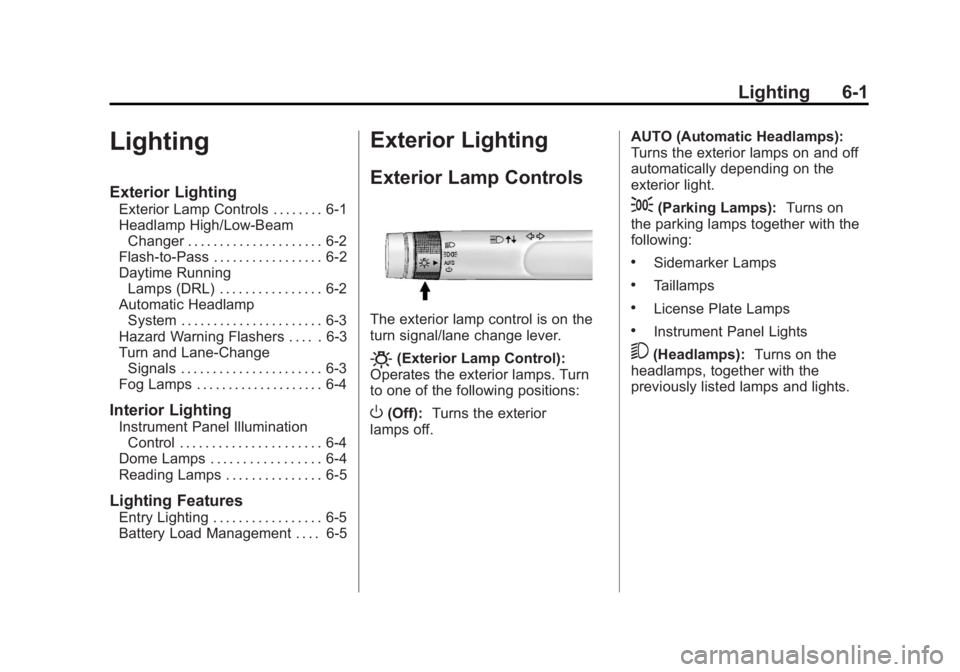
The exterior lamp control is on the
turn signal/lane change lever.
O(Exterior Lamp Control):
Operates the exterior lamps. Turn
to one of the following positions:
O(Off): Turns the exterior
lamps off. AUTO (Automatic Headlamps):
Turns the exterior lamps on and off
automatically depending on the
exterior light.
;(Parking Lamps):
Turns on
the parking lamps together with the
following:
.Sidemarker Lamps
.Taillamps
.License Plate Lamps
.Instrument Panel Lights
5(Headlamps): Turns on the
headlamps, together with the
previously listed lamps and lights.
Page 155 of 426

Black plate (3,1)GMC Terrain Owner Manual - 2011
Lighting 6-3
Automatic Headlamp
System
When it is dark enough outside, the
headlamps come on automatically.
Do not cover the light sensor on
top of the instrument panel or the
headlamps will come on when they
are not needed.
The system may also turn on the
headlamps when driving through a
parking garage or tunnel.
Hazard Warning Flashers
|(Hazard Warning Flasher):
Press this button, on the center of
the instrument panel, to make the
front and rear turn signal lamps
flash on and off. This warns others
that you are having trouble.
Press
|again to turn the
flashers off.
Turn and Lane-Change
Signals
An arrow on the instrument panel
cluster will flash in the direction of
the turn or lane change.
Move the lever all the way up or
down to signal a turn.
Raise or lower the lever until the
arrow starts to flash to signal a lane
change. Hold it there until the lane
change is complete.
The lever returns to its starting
position when it is released.
Page 159 of 426
Black plate (1,1)GMC Terrain Owner Manual - 2011
Infotainment System 7-1
Infotainment
System
Introduction
Infotainment . . . . . . . . . . . . . . . . . . . 7-1
Theft-Deterrent Feature . . . . . . . 7-2
Overview (Radio with CD) . . . . . 7-3
Overview (Radio with CD/DVD/MEM) . . . . . . . . . . . . . . . . . . 7-5
Operation . . . . . . . . . . . . . . . . . . . . . 7-7
Radio
AM-FM Radio . . . . . . . . . . . . . . . . 7-11
Satellite Radio . . . . . . . . . . . . . . . 7-14
Radio Reception . . . . . . . . . . . . . 7-18
Multi-Band Antenna . . . . . . . . . . 7-18
Audio Players
CD Player . . . . . . . . . . . . . . . . . . . 7-19
CD/DVD Player . . . . . . . . . . . . . . 7-21
Mass Storage Media (MEM) . . . . . . . . . . . . . . . 7-24
Auxiliary Devices (Radio
with CD) . . . . . . . . . . . . . . . . . . . . 7-28
Auxiliary Devices (Radio with CD/DVD/MEM) . . . . . . . . . . . . . 7-31
Rear Seat Infotainment
Rear Seat Entertainment(RSE) System . . . . . . . . . . . . . . 7-33
Rear Seat Audio (RSA) System . . . . . . . . . . . . . . . . . . . . . 7-43
Phone
Bluetooth (Overview) . . . . . . . . 7-45
Bluetooth (InfotainmentControls) . . . . . . . . . . . . . . . . . . . 7-46
Bluetooth (Voice Recognition) . . . . . . . . . . . . . . . 7-51
Introduction
Infotainment
Read the following pages to
become familiar with the audio
system's features.
{WARNING
Taking your eyes off the road for
extended periods could cause a
crash resulting in injury or death
to you or others. Do not give
extended attention to
entertainment tasks while driving.
This system provides access to
many audio and non‐audio listings.
To minimize taking your eyes off the
road while driving, do the following
while the vehicle is parked:
.Become familiar with the
operation and controls of the
audio system.
Page 203 of 426
Black plate (45,1)GMC Terrain Owner Manual - 2011
Infotainment System 7-45
Phone
Bluetooth (Overview)
For vehicles equipped with
Bluetooth capability, the system can
interact with many cell phones,
allowing:
.Placement and receipt of calls in
a hands-free mode.
.Sharing of the cell phone’s
address book or contact list with
the vehicle.
To minimize driver distraction,
before driving, and with the vehicle
parked:
.Become familiar with the
features of the cell phone.
Organize the phone book and
contact lists clearly and delete
duplicate or rarely used entries.
If possible, program speed dial
or other shortcuts.
.Review the controls and
operation of the infotainment
system.
.Pair cell phone(s) to the vehicle.
The system may not work with
all cell phones. See “Pairing a
Phone” in this section for more
information.
.If the cell phone has voice
dialing capability, learn to use
that feature to access the
address book or contact list.
See “Voice Pass-Thru” in this
section for more information.
.See “Storing and Deleting Phone
Numbers” in this section for
more information.
{WARNING
When using a cell phone, it can
be distracting to look too long or
too often at the screen of the
phone or the infotainment
(navigation) system. Taking your
eyes off the road too long or
too often could cause a crash
resulting in injury or death. Focus
your attention on driving. Vehicles with a Bluetooth system
can use a Bluetooth‐capable cell
phone with a Hands‐Free Profile to
make and receive phone calls. The
infotainment system and voice
recognition are used to control the
system. The system can be used
while the ignition is in ON/RUN or
ACC/ACCESSORY. The range of
the Bluetooth system can be up to
9.1 m (30 ft). Not all phones support
all functions and not all phones work
with the Bluetooth system. See
www.gm.com/bluetooth for more
information about compatible
phones.
Bluetooth Controls
Use the buttons located on the
infotainment system and the
steering wheel to operate the
Bluetooth system.
Steering Wheel Controls
b/g(Push To Talk):
Press to
answer incoming calls, to confirm
system information, and to start
voice recognition.