phone GMC TERRAIN 2013 Owner's Guide
[x] Cancel search | Manufacturer: GMC, Model Year: 2013, Model line: TERRAIN, Model: GMC TERRAIN 2013Pages: 364, PDF Size: 5.26 MB
Page 346 of 364
Black plate (4,1)GMC Terrain/Terrain Denali Owner Manual - 2013 - crc 1st edition - 5/8/12
14-4 OnStar
Destinations can also be
downloaded on the go. For
information about eNav, Destination
Download, and coverage maps visit
www.onstar.com.
Connections
OnStar Hands-Free Calling allows
calls to be made and received from
the vehicle. The vehicle can also be
controlled from a cell phone through
the OnStar RemoteLink mobile app.
See www.onstar.com for
coverage maps.
Hands-Free Calling
1. Push=. System responds:
“OnStar ready.”
2. Say “Call.”System responds:
“Please say the name or number
to call.”
3. Say the entire number without pausing, including a “1”and the
area code. System responds:
“OK calling.”
Calling 911 Emergency
1. Press=. The system responds
“OnStar Ready,” followed by
a tone.
2. Say “Call.”The system responds
“Please say the name or number
to call.”
3. Say “911”without pausing. The
system responds “911.”
4. Say “Call.”The system responds
“OK, dialing 911.”
Retrieve My Number
1. Push=. System responds:
“OnStar ready.”
2. Say “My number.” System
responds: “Your OnStar
Hands-Free Calling number is.”
End a Call
Push=. System responds: “Call
ended.”
Store a Name Tag for Speed
Dialing
1. Push=. System responds:
“OnStar ready.”
2. Say “Store.” System responds:
“Please say the number you
would like to store.”
3. Say the entire number without pausing. System responds:
“Please say the name tag.”
4. Pick a name tag. System responds: “About to store
5. Say “Yes”or“No” to try again.
System responds: “OK, storing
Page 347 of 364
Black plate (5,1)GMC Terrain/Terrain Denali Owner Manual - 2013 - crc 1st edition - 5/8/12
OnStar 14-5
Place a Call Using a Stored
Number
1. Push=. System responds:
“OnStar ready.”
2. Say “Call
responds: “OK, calling
Verify Minutes and Expiration
Push=and say “Minutes” then
“Verify” to check how many minutes
remain and their expiration date.
OnStar Mobile App
Download the OnStar RemoteLink
mobile app to your iPhone or
Android smartphone to check
vehicle fuel level, oil life, or tire
pressure; to start the vehicle (if
equipped) or unlock it; or to connect
to an OnStar Advisor. For OnStar
RemoteLink information and
compatibility, see www.onstar.com.
Diagnostics
OnStar Vehicle Diagnostics will
perform a vehicle check every
month. It will check the engine,
transmission, antilock brakes, and
major vehicle systems. It also
checks the tire pressures, if the
vehicle is equipped with the Tire
Pressure Monitoring System. If a
diagnostics check is needed
between e-mails, push
|, and an
Advisor can run a check.
OnStar Additional
Information
Transferring Service
Push|to request account transfer
eligibility information. The Advisor
can assist in canceling or removing
account information. If OnStar
receives information that vehicle
ownership has changed, OnStar
may send a voice message to the
vehicle, requesting updated account
information.
Reactivation for Subsequent
Owners
Push|and follow the prompts to
speak to an Advisor as soon as
possible after acquiring the vehicle.
The Advisor will update vehicle
records and will explain the OnStar
service offers and options available.
Page 348 of 364
Black plate (6,1)GMC Terrain/Terrain Denali Owner Manual - 2013 - crc 1st edition - 5/8/12
14-6 OnStar
How OnStar Service Works
Automatic Crash Response,
Emergency Services, Crisis Assist,
Stolen Vehicle Assistance, Vehicle
Diagnostics, Remote Door Unlock,
Roadside Assistance, Turn-by-Turn
Navigation, and Hands-Free Calling
are available on most vehicles. Not
all OnStar services are available
everywhere or on all vehicles. For
more information, a full description
of OnStar services, system
limitations, and OnStar terms and
conditions, see www.onstar.com
(U.S.) or www.onstar.ca (Canada);
contact OnStar at 1-888-4ONSTAR
(1-888-466-7827) or TTY
1-877-248-2080; or push
|to
speak with an Advisor. OnStar
services require a vehicle electrical
system, wireless service, and GPS
satellite technologies to be available
and operating for features to
function properly. These systems
may not operate if the battery is
discharged or disconnected. OnStar service cannot work unless
your vehicle is in a place where
OnStar has an agreement with a
wireless service provider for service
in that area, and the wireless
service provider has coverage,
network capacity, reception, and
technology compatible with OnStar
service. Service involving location
information about the vehicle cannot
work unless GPS signals are
available, unobstructed, and
compatible with the OnStar
hardware. OnStar service may not
work if the OnStar equipment is not
properly installed or it has not been
properly maintained. If equipment or
software is added, connected,
or modified, OnStar service may not
work. Other problems beyond the
control of OnStar may prevent
service such as hills, tall buildings,
tunnels, weather, electrical system
design and architecture of the
vehicle, damage to the vehicle in a
crash, or wireless phone network
congestion or jamming.See
Radio Frequency Statement on
page 13‑21 for information
regarding Part 15 of the Federal
Communications Commission (FCC)
rules and Industry Canada
Standards RSS-GEN/210/220/310.
Services for People with
Disabilities
Advisors provide services to help
subscribers with physical disabilities
and medical conditions.
Push
|for help with:
.Locating a gas station with an
attendant to pump gas.
.Finding a hotel, restaurant, etc.,
that meets accessibility needs.
.Providing directions to the
closest hospital or pharmacy in
urgent situations.
TTY Users
OnStar has the ability to
communicate to the deaf,
hard-of-hearing, or speech-impaired
customers while in the vehicle. The
Page 355 of 364
Black plate (3,1)GMC Terrain/Terrain Denali Owner Manual - 2013 - crc 1st edition - 5/8/12
INDEX i-3
CoverCargo . . . . . . . . . . . . . . . . . . . . . . . . . . 4-2
Engine . . . . . . . . . . . . . . . . . . . . . . . . 10-8
Cruise Control . . . . . . . . . . . . . . . . . 9-35 Light . . . . . . . . . . . . . . . . . . . . . . . . . . 5-20
Messages . . . . . . . . . . . . . . . . . . . . 5-25
Cupholders . . . . . . . . . . . . . . . . . . . . . 4-1
Customer Assistance . . . . . . . . . . 13-6
Offices . . . . . . . . . . . . . . . . . . . . . . . . 13-5
Text Telephone (TTY)Users . . . . . . . . . . . . . . . . . . . . . . . 13-6
Customer Information Service PublicationsOrdering Information . . . . . . 13-17
Customer Satisfaction Procedure . . . . . . . . . . . . . . 13-2, 13-4
D
Damage Repair, Collision . . . . . 13-14
Danger, Warnings, and
Cautions . . . . . . . . . . . . . . . . . . . . . . . . iv
Data Recorders, Event . . . . . . . 13-19
Daytime Running Lamps (DRL) . . . . . . . . . . . . . . . . . . 6-2
Defensive Driving . . . . . . . . . . . . . . . 9-3 Diagnostics
OnStar
®. . . . . . . . . . . . . . . . . . . . . . 14-5
Distracted Driving . . . . . . . . . . . . . . . 9-2
Dome Lamps . . . . . . . . . . . . . . . . . . . 6-4
Door Ajar Messages . . . . . . . . . . . . . . . 5-25
Locks . . . . . . . . . . . . . . . . . . . . . . . . . . 2-6
Power Locks . . . . . . . . . . . . . . . . . . . 2-7
Drive Belt Routing, Engine . . . . . 12-4
Drive Systems All-Wheel Drive . . . . . . . 10-23, 9-29
Driver Information Center (DIC) . . . . . . . . . . . . . . . . . 5-21
Driving Characteristics andTowing Tips . . . . . . . . . . . . . . . . . 9-53
Defensive . . . . . . . . . . . . . . . . . . . . . . 9-3
Drunk . . . . . . . . . . . . . . . . . . . . . . . . . . 9-3
For Better Fuel Economy . . . . . 1-21
Highway Hypnosis . . . . . . . . . . . . 9-11
Hill and Mountain Roads . . . . . . 9-11
If the Vehicle is Stuck . . . . . . . . . 9-14
Loss of Control . . . . . . . . . . . . . . . . 9-5
Off-Road . . . . . . . . . . . . . . . . . . . . . . 9-6
Off-Road Recovery . . . . . . . . . . . . 9-5 Driving (cont'd)
Vehicle Load Limits . . . . . . . . . . . 9-14
Wet Roads . . . . . . . . . . . . . . . . . . . 9-10
Winter . . . . . . . . . . . . . . . . . . . . . . . . 9-12
E
E85 Fuel . . . . . . . . . . . . . . . . . . . . . . . 9-50
ECO Button . . . . . . . . . . . . . . . . . . . 9-29
Economy Mode
Fuel . . . . . . . . . . . . . . . . . . . . . . . . . . 9-29
Electrical Equipment,
Add-On . . . . . . . . . . . . . . . . . . . . . . 9-59
Electrical System Engine CompartmentFuse Block . . . . . . . . . . . . . . . . 10-32
Fuses . . . . . . . . . . . . . . . . . . . . . . 10-32
Instrument Panel Fuse
Block . . . . . . . . . . . . . . . . . . . . . . 10-35
Emergency OnStar
®. . . . . . . . . . . . . . . . . . . . . . 14-2
Engine Air Cleaner/Filter . . . . . . . . . . . 10-12
Check and Service EngineSoon Light . . . . . . . . . . . . . . . . . . 5-12
Compartment Overview . . . . . . . 10-5
Coolant . . . . . . . . . . . . . . . . . . . . . 10-15
Page 362 of 364
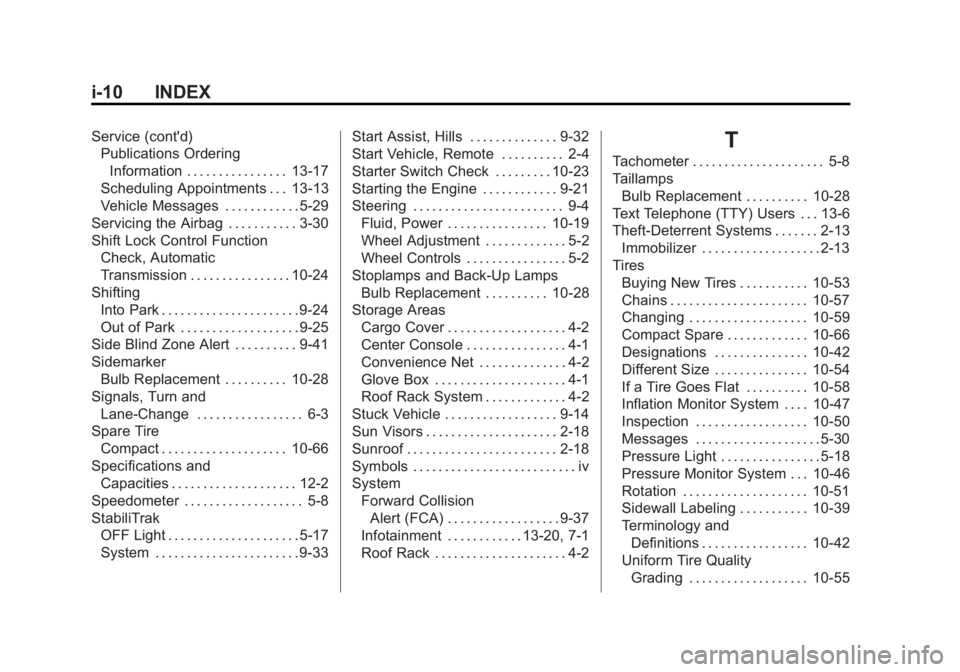
Black plate (10,1)GMC Terrain/Terrain Denali Owner Manual - 2013 - crc 1st edition - 5/8/12
i-10 INDEX
Service (cont'd)Publications Ordering
Information . . . . . . . . . . . . . . . . 13-17
Scheduling Appointments . . . 13-13
Vehicle Messages . . . . . . . . . . . . 5-29
Servicing the Airbag . . . . . . . . . . . 3-30
Shift Lock Control Function Check, Automatic
Transmission . . . . . . . . . . . . . . . . 10-24
Shifting Into Park . . . . . . . . . . . . . . . . . . . . . . 9-24
Out of Park . . . . . . . . . . . . . . . . . . . 9-25
Side Blind Zone Alert . . . . . . . . . . 9-41
Sidemarker Bulb Replacement . . . . . . . . . . 10-28
Signals, Turn and Lane-Change . . . . . . . . . . . . . . . . . 6-3
Spare Tire
Compact . . . . . . . . . . . . . . . . . . . . 10-66
Specifications and Capacities . . . . . . . . . . . . . . . . . . . . 12-2
Speedometer . . . . . . . . . . . . . . . . . . . 5-8
StabiliTrak OFF Light . . . . . . . . . . . . . . . . . . . . . 5-17
System . . . . . . . . . . . . . . . . . . . . . . . 9-33 Start Assist, Hills . . . . . . . . . . . . . . 9-32
Start Vehicle, Remote . . . . . . . . . . 2-4
Starter Switch Check . . . . . . . . . 10-23
Starting the Engine . . . . . . . . . . . . 9-21
Steering . . . . . . . . . . . . . . . . . . . . . . . . 9-4
Fluid, Power . . . . . . . . . . . . . . . . 10-19
Wheel Adjustment . . . . . . . . . . . . . 5-2
Wheel Controls . . . . . . . . . . . . . . . . 5-2
Stoplamps and Back-Up Lamps Bulb Replacement . . . . . . . . . . 10-28
Storage Areas
Cargo Cover . . . . . . . . . . . . . . . . . . . 4-2
Center Console . . . . . . . . . . . . . . . . 4-1
Convenience Net . . . . . . . . . . . . . . 4-2
Glove Box . . . . . . . . . . . . . . . . . . . . . 4-1
Roof Rack System . . . . . . . . . . . . . 4-2
Stuck Vehicle . . . . . . . . . . . . . . . . . . 9-14
Sun Visors . . . . . . . . . . . . . . . . . . . . . 2-18
Sunroof . . . . . . . . . . . . . . . . . . . . . . . . 2-18
Symbols . . . . . . . . . . . . . . . . . . . . . . . . . . iv
System Forward CollisionAlert (FCA) . . . . . . . . . . . . . . . . . . 9-37
Infotainment . . . . . . . . . . . . 13-20, 7-1
Roof Rack . . . . . . . . . . . . . . . . . . . . . 4-2T
Tachometer . . . . . . . . . . . . . . . . . . . . . 5-8
Taillamps Bulb Replacement . . . . . . . . . . 10-28
Text Telephone (TTY) Users . . . 13-6
Theft-Deterrent Systems . . . . . . . 2-13 Immobilizer . . . . . . . . . . . . . . . . . . . 2-13
Tires Buying New Tires . . . . . . . . . . . 10-53
Chains . . . . . . . . . . . . . . . . . . . . . . 10-57
Changing . . . . . . . . . . . . . . . . . . . 10-59
Compact Spare . . . . . . . . . . . . . 10-66
Designations . . . . . . . . . . . . . . . 10-42
Different Size . . . . . . . . . . . . . . . 10-54
If a Tire Goes Flat . . . . . . . . . . 10-58
Inflation Monitor System . . . . 10-47
Inspection . . . . . . . . . . . . . . . . . . 10-50
Messages . . . . . . . . . . . . . . . . . . . . 5-30
Pressure Light . . . . . . . . . . . . . . . . 5-18
Pressure Monitor System . . . 10-46
Rotation . . . . . . . . . . . . . . . . . . . . 10-51
Sidewall Labeling . . . . . . . . . . . 10-39
Terminology andDefinitions . . . . . . . . . . . . . . . . . 10-42
Uniform Tire Quality
Grading . . . . . . . . . . . . . . . . . . . 10-55