console GMC TERRAIN 2016 Owner's Manual
[x] Cancel search | Manufacturer: GMC, Model Year: 2016, Model line: TERRAIN, Model: GMC TERRAIN 2016Pages: 326, PDF Size: 4.66 MB
Page 14 of 326
GMC Terrain/Terrain Denali Owner Manual (GMNA-Localizing-U.S./Canada/
Mexico-9234776) - 2016 - crc - 10/12/15
In Brief 13
Passenger Sensing
System
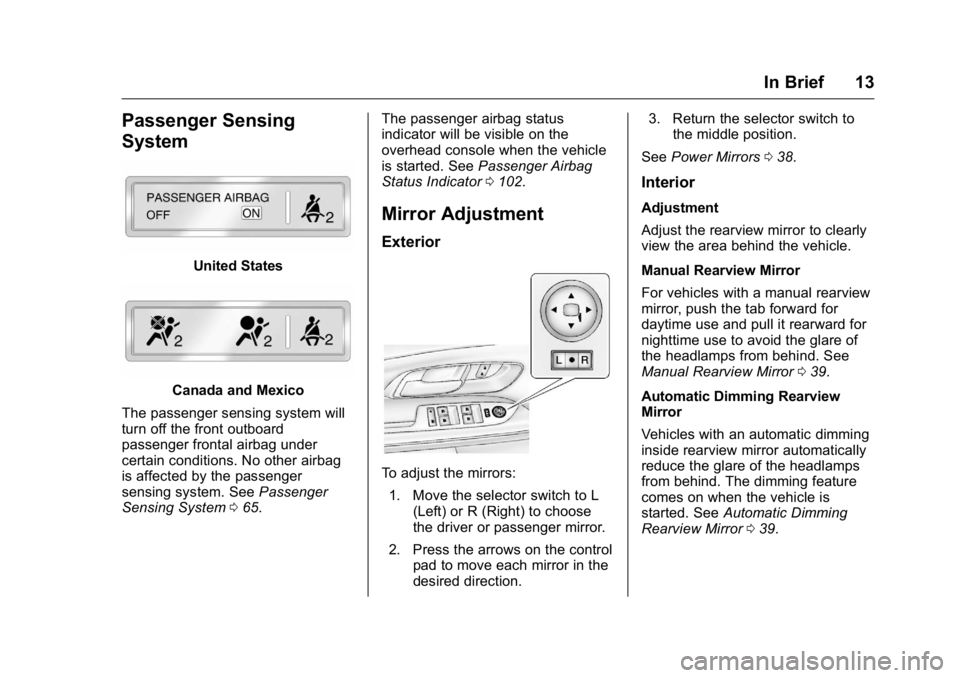
United States
Canada and Mexico
The passenger sensing system will
turn off the front outboard
passenger frontal airbag under
certain conditions. No other airbag
is affected by the passenger
sensing system. See Passenger
Sensing System 065. The passenger airbag status
indicator will be visible on the
overhead console when the vehicle
is started. See
Passenger Airbag
Status Indicator 0102.
Mirror Adjustment
Exterior
To adjust the mirrors:
1. Move the selector switch to L (Left) or R (Right) to choose
the driver or passenger mirror.
2. Press the arrows on the control pad to move each mirror in the
desired direction. 3. Return the selector switch to
the middle position.
See Power Mirrors 038.
Interior
Adjustment
Adjust the rearview mirror to clearly
view the area behind the vehicle.
Manual Rearview Mirror
For vehicles with a manual rearview
mirror, push the tab forward for
daytime use and pull it rearward for
nighttime use to avoid the glare of
the headlamps from behind. See
Manual Rearview Mirror 039.
Automatic Dimming Rearview
Mirror
Vehicles with an automatic dimming
inside rearview mirror automatically
reduce the glare of the headlamps
from behind. The dimming feature
comes on when the vehicle is
started. See Automatic Dimming
Rearview Mirror 039.
Page 15 of 326
GMC Terrain/Terrain Denali Owner Manual (GMNA-Localizing-U.S./Canada/
Mexico-9234776) - 2016 - crc - 10/12/15
14 In Brief
Steering Wheel
Adjustment
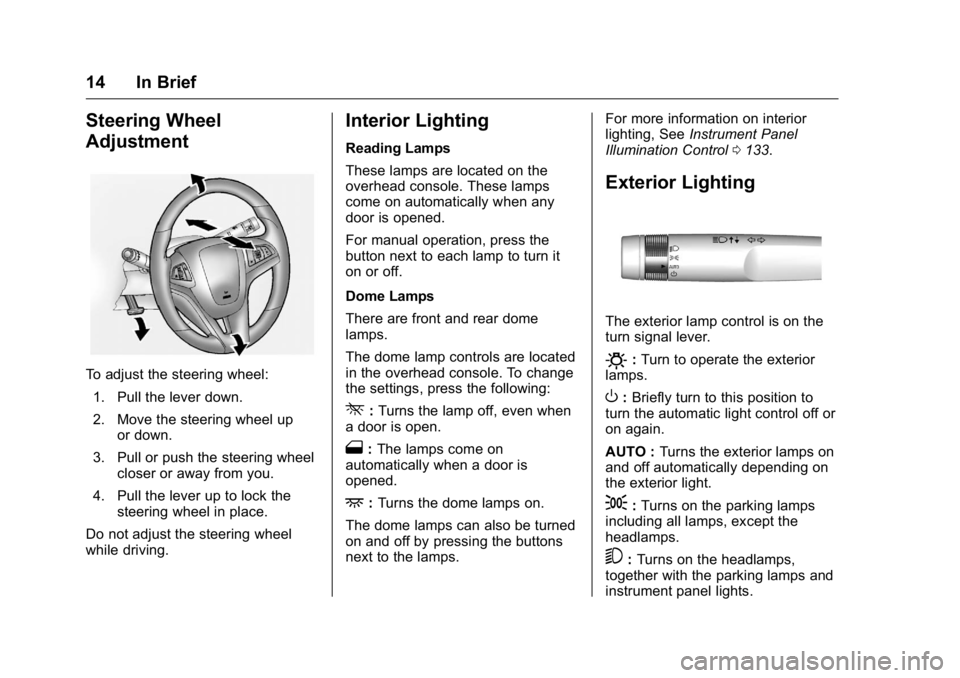
To adjust the steering wheel:1. Pull the lever down.
2. Move the steering wheel up or down.
3. Pull or push the steering wheel closer or away from you.
4. Pull the lever up to lock the steering wheel in place.
Do not adjust the steering wheel
while driving.
Interior Lighting
Reading Lamps
These lamps are located on the
overhead console. These lamps
come on automatically when any
door is opened.
For manual operation, press the
button next to each lamp to turn it
on or off.
Dome Lamps
There are front and rear dome
lamps.
The dome lamp controls are located
in the overhead console. To change
the settings, press the following:
*: Turns the lamp off, even when
a door is open.
1: The lamps come on
automatically when a door is
opened.
+: Turns the dome lamps on.
The dome lamps can also be turned
on and off by pressing the buttons
next to the lamps. For more information on interior
lighting, See
Instrument Panel
Illumination Control 0133.
Exterior Lighting
The exterior lamp control is on the
turn signal lever.
O:Turn to operate the exterior
lamps.
O: Briefly turn to this position to
turn the automatic light control off or
on again.
AUTO : Turns the exterior lamps on
and off automatically depending on
the exterior light.
;: Turns on the parking lamps
including all lamps, except the
headlamps.
5: Turns on the headlamps,
together with the parking lamps and
instrument panel lights.
Page 21 of 326
GMC Terrain/Terrain Denali Owner Manual (GMNA-Localizing-U.S./Canada/
Mexico-9234776) - 2016 - crc - 10/12/15
20 In Brief
Lane Departure
Warning (LDW)
If equipped, LDW may help avoid
unintentional lane departures at
speeds of 56 km/h (35 mph) or
greater. LDW uses a camera sensor
to detect the lane markings. The
LDW light,
@, is green if a lane
marking is detected. If the vehicle
departs the lane without using a turn
signal in that direction, the light will
change to amber and flash. In
addition, beeps will sound.
See Lane Departure Warning
(LDW) 0184.
Side Blind Zone
Alert (SBZA)
If equipped, SBZA will detect
moving vehicles in the next lane
over in the vehicle's side blind zone
area. When this happens, the SBZA
display will light up in the
corresponding outside side mirror
and will flash if the turn signal is on.
See Side Blind Zone Alert
(SBZA) 0182.
Rear Vision
Camera (RVC)
If equipped, RVC displays a view of
the area behind the vehicle, on the
infotainment system display, when
the vehicle is shifted into
R (Reverse).
See Rear Vision Camera
(RVC) 0177.
Rear Cross Traffic Alert
(RCTA) System
If equipped, the RCTA system uses
a triangle with an arrow displayed
on the RVC screen to warn of traffic
behind your vehicle that may cross
your vehicle's path while in
R (Reverse). In addition, beeps will
sound.
See “Rear Cross Traffic Alert
(RCTA)” underRear Vision Camera
(RVC) 0177.
Parking Assist
If equipped, Rear Parking Assist
(RPA) uses sensors on the rear
bumper to assist with parking and avoiding objects while in
R (Reverse). It operates at speeds
less than 8 km/h (5 mph) and uses
audible beeps to provide distance
and system information.
Keep the sensors on the vehicle's
rear bumper clean to ensure proper
operation.
See
Parking Assist 0179.
Power Outlets
The accessory power outlets can be
used to connect electrical
equipment, such as a cell phone or
MP3 player.
There are four accessory power
outlets: inside the open storage
area in front of the shift lever, inside
the center console storage, on the
rear of the center console storage,
and in the rear cargo compartment.
To use the outlets, remove the cover
and close when not in use.
See Power Outlets 096.
Page 22 of 326
GMC Terrain/Terrain Denali Owner Manual (GMNA-Localizing-U.S./Canada/
Mexico-9234776) - 2016 - crc - 10/12/15
In Brief 21
Universal Remote System
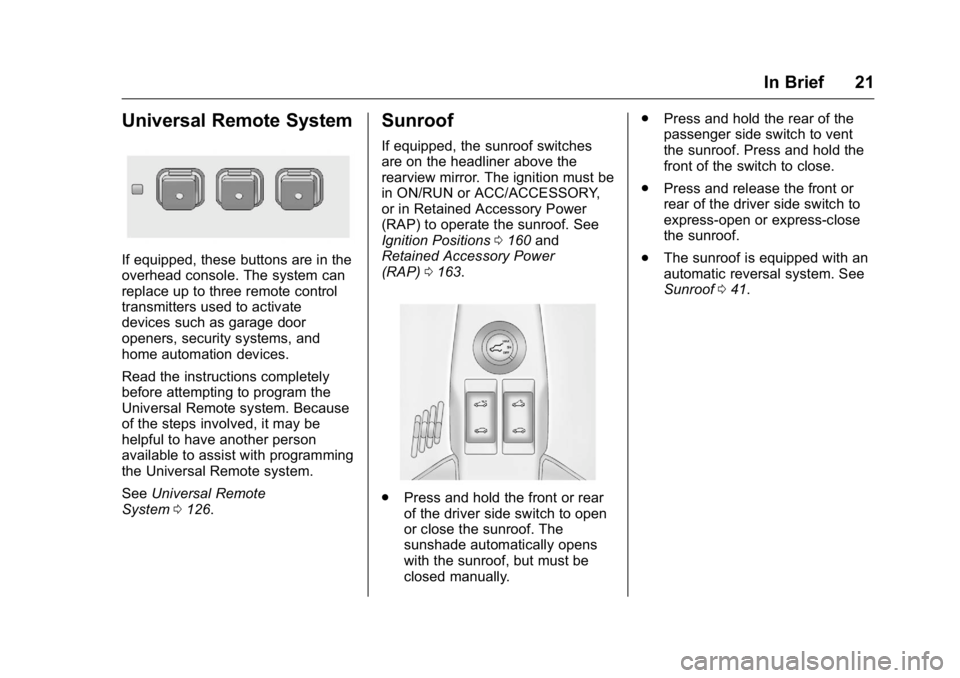
If equipped, these buttons are in the
overhead console. The system can
replace up to three remote control
transmitters used to activate
devices such as garage door
openers, security systems, and
home automation devices.
Read the instructions completely
before attempting to program the
Universal Remote system. Because
of the steps involved, it may be
helpful to have another person
available to assist with programming
the Universal Remote system.
SeeUniversal Remote
System 0126.
Sunroof
If equipped, the sunroof switches
are on the headliner above the
rearview mirror. The ignition must be
in ON/RUN or ACC/ACCESSORY,
or in Retained Accessory Power
(RAP) to operate the sunroof. See
Ignition Positions 0160 and
Retained Accessory Power
(RAP) 0163.
.
Press and hold the front or rear
of the driver side switch to open
or close the sunroof. The
sunshade automatically opens
with the sunroof, but must be
closed manually. .
Press and hold the rear of the
passenger side switch to vent
the sunroof. Press and hold the
front of the switch to close.
. Press and release the front or
rear of the driver side switch to
express-open or express-close
the sunroof.
. The sunroof is equipped with an
automatic reversal system. See
Sunroof 041.
Page 23 of 326
GMC Terrain/Terrain Denali Owner Manual (GMNA-Localizing-U.S./Canada/
Mexico-9234776) - 2016 - crc - 10/12/15
22 In Brief
Performance and
Maintenance
Traction Control/
Electronic Stability
Control
The traction control system limits
wheel spin. The system is on when
the vehicle is started.
The StabiliTrak system assists with
directional control of the vehicle in
difficult driving conditions. The
system is on when the vehicle is
started.
.To turn off traction control, press
and release
gon the console.
iilluminates and the
appropriate DIC message
displays. See Ride Control
System Messages 0117.
. Press and release
gagain to
turn traction control back on.
. To turn off both Traction Control
and StabiliTrak, press and hold
guntilgandiilluminate and the appropriate DIC message
displays. See
Ride Control
System Messages 0117.
. Press
gagain to turn on both
systems.
See Traction Control/Electronic
Stability Control 0172.
Tire Pressure Monitor
This vehicle may have a Tire
Pressure Monitor System (TPMS).
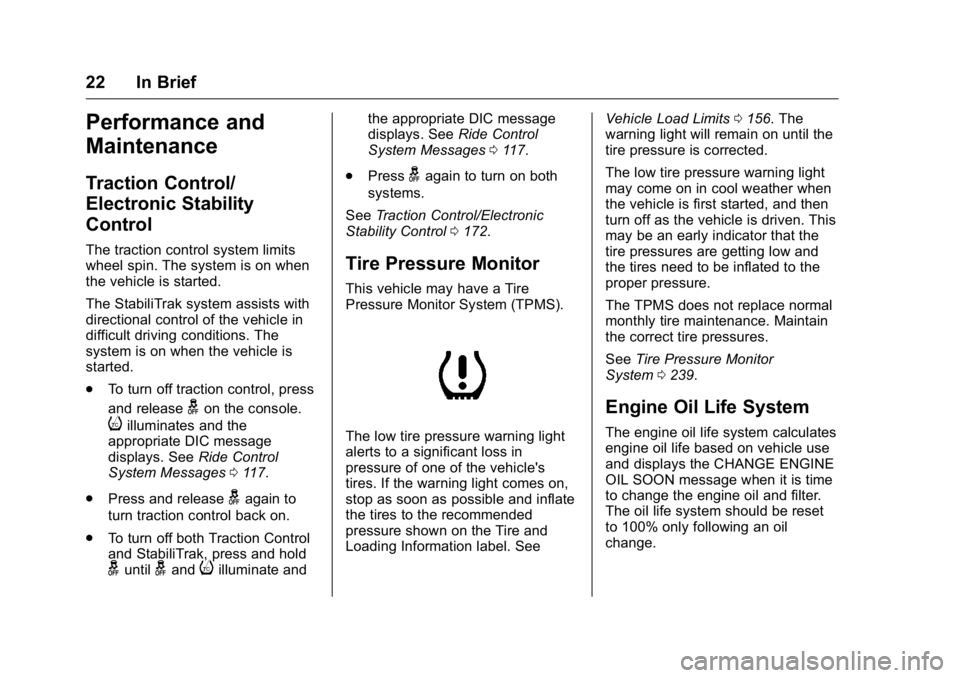
The low tire pressure warning light
alerts to a significant loss in
pressure of one of the vehicle's
tires. If the warning light comes on,
stop as soon as possible and inflate
the tires to the recommended
pressure shown on the Tire and
Loading Information label. See Vehicle Load Limits
0156. The
warning light will remain on until the
tire pressure is corrected.
The low tire pressure warning light
may come on in cool weather when
the vehicle is first started, and then
turn off as the vehicle is driven. This
may be an early indicator that the
tire pressures are getting low and
the tires need to be inflated to the
proper pressure.
The TPMS does not replace normal
monthly tire maintenance. Maintain
the correct tire pressures.
See Tire Pressure Monitor
System 0239.
Engine Oil Life System
The engine oil life system calculates
engine oil life based on vehicle use
and displays the CHANGE ENGINE
OIL SOON message when it is time
to change the engine oil and filter.
The oil life system should be reset
to 100% only following an oil
change.
Page 34 of 326

GMC Terrain/Terrain Denali Owner Manual (GMNA-Localizing-U.S./Canada/
Mexico-9234776) - 2016 - crc - 10/12/15
Keys, Doors, and Windows 33
To open the liftgate, press the touch
pad under the liftgate handle and
lift up.
Use the pull cup to lower and close
the liftgate. Do not press the touch
pad while closing the liftgate. This
may cause the liftgate to be
unlatched.
Always close the liftgate before
driving.
Power Liftgate
{Warning
You or others could be injured if
caught in the path of the power
liftgate. Make sure there is no one
in the way of the liftgate as it is
opening and closing.
If equipped, the power liftgate
switch is on the overhead console.
The vehicle must be in P (Park) to
operate. The taillamps flash when
the power liftgate moves.The three modes are:
MAX :
Opens to maximum height.
3/4 : Opens to a reduced height
that can be set by the vehicle
operator. Use this setting to prevent
the liftgate from opening into
overhead obstructions such as a
garage door or roof mounted cargo
during power operation. The liftgate
can still be fully opened manually.
OFF : Opens manually only.
Manual operation of a liftgate that
also has power operation requires
more effort than a standard manual
liftgate.
To open or close the liftgate, select
MAX or 3/4 mode and then:
. Press and hold
Yon the RKE
transmitter until the liftgate starts
moving. See Remote Keyless
Entry (RKE) System
Operation 026.
. Press the power liftgate switch
on the overhead console, with
the driver door unlocked.
Page 66 of 326
GMC Terrain/Terrain Denali Owner Manual (GMNA-Localizing-U.S./Canada/
Mexico-9234776) - 2016 - crc - 10/12/15
Seats and Restraints 65
Additional windshield breakage may
also occur from the front outboard
passenger airbag.
.Airbags are designed to inflate
only once. After an airbag
inflates, you will need some new
parts for the airbag system.
If you do not get them, the
airbag system will not be there
to help protect you in another
crash. A new system will include
airbag modules and possibly
other parts. The service manual
for the vehicle covers the need
to replace other parts.
. The vehicle has a crash sensing
and diagnostic module which
records information after a
crash. See Vehicle Data
Recording and Privacy 0302
and Event Data
Recorders 0303.
. Let only qualified technicians
work on the airbag systems.
Improper service can mean that
an airbag system will not work
properly. See your dealer for
service.Passenger Sensing
System
The vehicle has a passenger
sensing system for the front
outboard passenger position. The
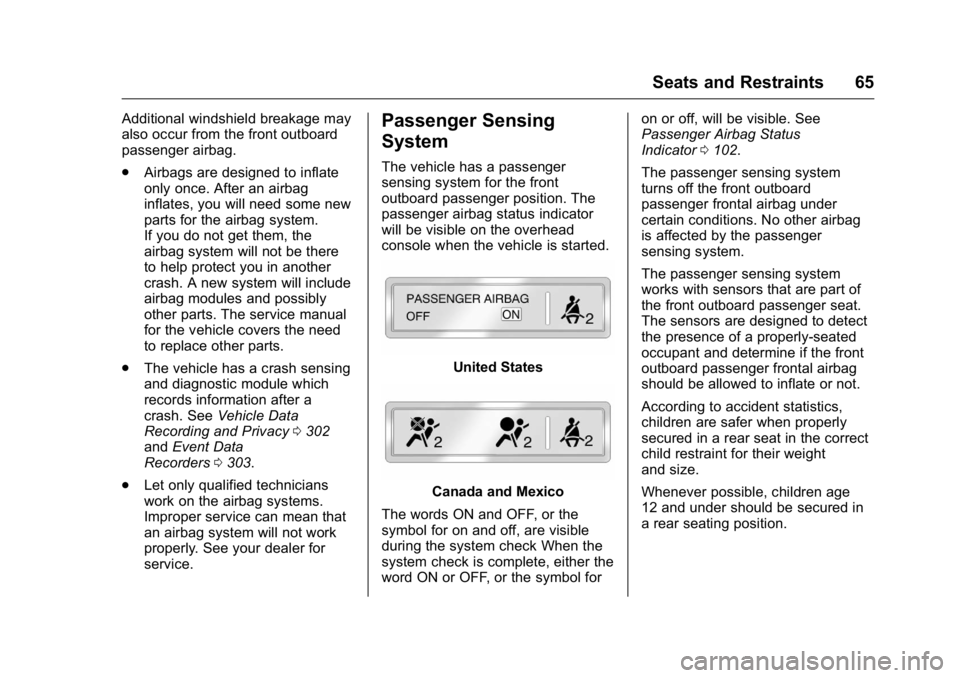
passenger airbag status indicator
will be visible on the overhead
console when the vehicle is started.
United States
Canada and Mexico
The words ON and OFF, or the
symbol for on and off, are visible
during the system check When the
system check is complete, either the
word ON or OFF, or the symbol for on or off, will be visible. See
Passenger Airbag Status
Indicator
0102.
The passenger sensing system
turns off the front outboard
passenger frontal airbag under
certain conditions. No other airbag
is affected by the passenger
sensing system.
The passenger sensing system
works with sensors that are part of
the front outboard passenger seat.
The sensors are designed to detect
the presence of a properly-seated
occupant and determine if the front
outboard passenger frontal airbag
should be allowed to inflate or not.
According to accident statistics,
children are safer when properly
secured in a rear seat in the correct
child restraint for their weight
and size.
Whenever possible, children age
12 and under should be secured in
a rear seating position.
Page 71 of 326
GMC Terrain/Terrain Denali Owner Manual (GMNA-Localizing-U.S./Canada/
Mexico-9234776) - 2016 - crc - 10/12/15
70 Seats and Restraints
modules, ceiling or pillar garnish
trim, overhead console, front
sensors, side impact sensors,
or airbag wiring.
Your dealer and the service manual
have information about the location
of the airbag sensors, sensing and
diagnostic module, and airbag
wiring.
In addition, the vehicle has a
passenger sensing system for the
front outboard passenger position,
which includes sensors that are part
of the passenger seat. The
passenger sensing system may not
operate properly if the original seat
trim is replaced with non-GM
covers, upholstery, or trim; or with
GM covers, upholstery, or trim
designed for a different vehicle. Any
object, such as an aftermarket seat
heater or a comfort-enhancing pad
or device, installed under or on top
of the seat fabric, could also
interfere with the operation of the
passenger sensing system. This
could either prevent proper
deployment of the passenger
airbag(s) or prevent the passenger
sensing system from properlyturning off the passenger airbag(s).
See
Passenger Sensing
System 065.
If the vehicle has rollover roof-rail
airbags, see Different Size Tires
and Wheels 0246 for additional
important information.
If you have to modify your vehicle
because you have a disability and
you have questions about whether
the modifications will affect the
vehicle's airbag system, or if you
have questions about whether the
airbag system will be affected if the
vehicle is modified for any other
reason, call Customer Assistance.
See Customer Assistance
Offices 0293.
Airbag System Check
The airbag system does not need
regularly scheduled maintenance or
replacement. Make sure the airbag
readiness light is working. See
Airbag Readiness Light 0101.
Caution
If an airbag covering is damaged,
opened, or broken, the airbag
may not work properly. Do not
open or break the airbag
coverings. If there are any
opened or broken airbag
coverings, have the airbag
covering and/or airbag module
replaced. For the location of the
airbags, see Where Are the
Airbags? 061. See your dealer
for service.
Replacing Airbag System
Parts after a Crash
{Warning
A crash can damage the airbag
systems in the vehicle.
A damaged airbag system may
not work properly and may not
protect you and your
passenger(s) in a crash, resulting
(Continued)
Page 90 of 326
GMC Terrain/Terrain Denali Owner Manual (GMNA-Localizing-U.S./Canada/
Mexico-9234776) - 2016 - crc - 10/12/15
Storage 89
Storage
Storage Compartments
Storage Compartments . . . . . . . . 89
Glove Box . . . . . . . . . . . . . . . . . . . . . 89
Cupholders . . . . . . . . . . . . . . . . . . . . 89
Center Console Storage . . . . . . . 89
Additional Storage Features
Cargo Cover . . . . . . . . . . . . . . . . . . . 90
Cargo Tie-Downs . . . . . . . . . . . . . . 90
Convenience Net . . . . . . . . . . . . . . 90
Roof Rack System
Roof Rack System . . . . . . . . . . . . . 91
Storage
Compartments
{Warning
Do not store heavy or sharp
objects in storage compartments.
In a crash, these objects may
cause the cover to open and
could result in injury.
Glove Box
Open the glove box by lifting up on
the lever.
Cupholders
Two cupholders are in the center
console. Cupholders may be located
in the second row seat armrest. To
access, pull the armrest down.
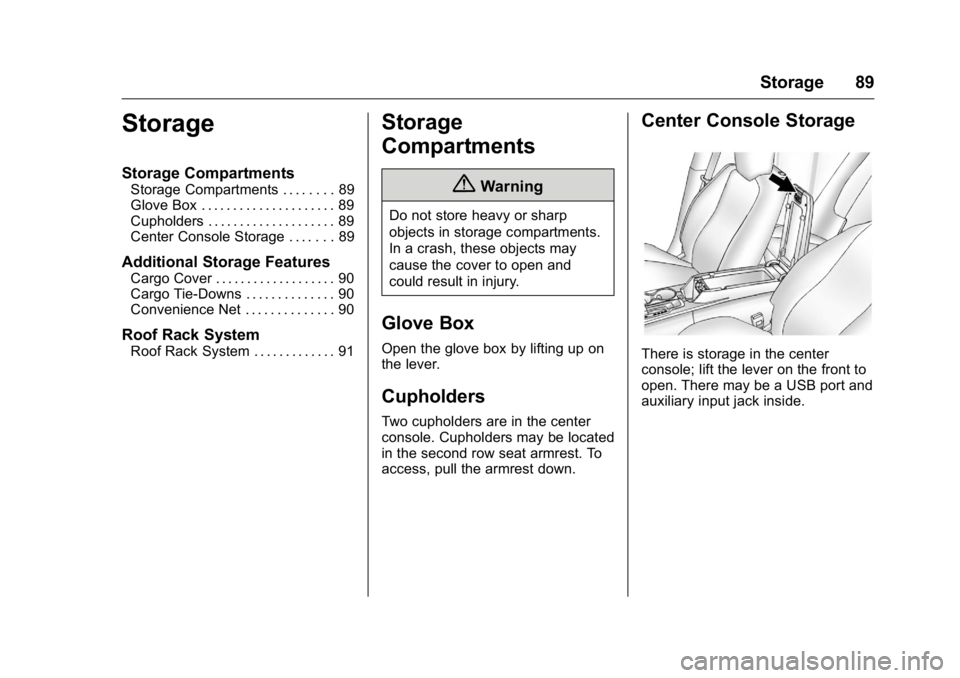
Center Console Storage
There is storage in the center
console; lift the lever on the front to
open. There may be a USB port and
auxiliary input jack inside.
Page 97 of 326
GMC Terrain/Terrain Denali Owner Manual (GMNA-Localizing-U.S./Canada/
Mexico-9234776) - 2016 - crc - 10/12/15
96 Instruments and Controls
To set the 12/24 hour format:1. Turn the infotainment system on.
2. Press the CONFIG button and select Time and Date, or press
the
Hbutton.
3. Highlight 12 hr/24 hr Format.
4. Press the MENU/SEL knob and select the 12 Hour or 24
Hour display format.
Setting the Clock Using the
Touchscreen
If Automatic Clock Update is
selected, Set Time and Set Date will
not be available.
To set the time and date:
1. Touch CONFIG.
2. Touch Time and Date.
3. Touch Set Time or Set Date.
4. Touch + or −to decrease or
increase the Hours and
Minutes, or Year, Month,
and Day.
5. Touch Back to return to the previous screen. 12/24 HR Format :
Touch 12 Hour
for standard time; touch 24 Hour for
military time.
Power Outlets
The accessory power outlets can be
used to connect electrical
equipment, such as a cell phone or
MP3 player.
There are four accessory power
outlets: inside the open storage
area in front of the shift lever, inside
the center console storage, on the
rear of the center console storage,
and in the rear cargo compartment.
To use the outlets, remove the cover
and close when not in use.
Caution
Leaving electrical equipment
plugged in for an extended period
of time while the vehicle is off will
drain the battery. Power is always
supplied to the rear cargo outlet.
Always unplug electrical
equipment when not in use and
(Continued)
Caution (Continued)
do not plug in equipment that
exceeds the maximum 20 ampere
rating.
Certain accessory plugs may not be
compatible with the accessory
power outlets and could overload
vehicle and adapter fuses. If a
problem is experienced, see your
dealer.
When adding electrical equipment,
be sure to follow the installation
instructions included with the
equipment. See Add-On Electrical
Equipment 0196.
Caution
Hanging heavy equipment from
the power outlet can cause
damage not covered by the
vehicle warranty. The power
outlets are designed for
accessory power plugs only, such
as cell phone charge cords.