switch GMC TERRAIN 2016 Owner's Manual
[x] Cancel search | Manufacturer: GMC, Model Year: 2016, Model line: TERRAIN, Model: GMC TERRAIN 2016Pages: 326, PDF Size: 4.66 MB
Page 10 of 326
GMC Terrain/Terrain Denali Owner Manual (GMNA-Localizing-U.S./Canada/
Mexico-9234776) - 2016 - crc - 10/12/15
In Brief 9
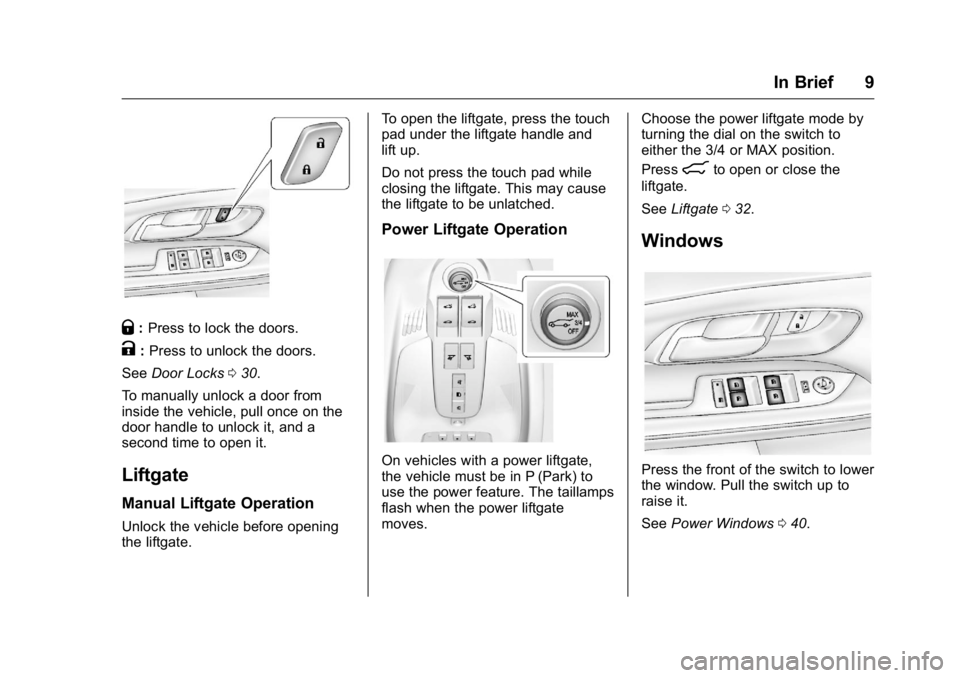
Q:Press to lock the doors.
K:Press to unlock the doors.
See Door Locks 030.
To manually unlock a door from
inside the vehicle, pull once on the
door handle to unlock it, and a
second time to open it.
Liftgate
Manual Liftgate Operation
Unlock the vehicle before opening
the liftgate. To open the liftgate, press the touch
pad under the liftgate handle and
lift up.
Do not press the touch pad while
closing the liftgate. This may cause
the liftgate to be unlatched.
Power Liftgate Operation
On vehicles with a power liftgate,
the vehicle must be in P (Park) to
use the power feature. The taillamps
flash when the power liftgate
moves.
Choose the power liftgate mode by
turning the dial on the switch to
either the 3/4 or MAX position.
Press
8to open or close the
liftgate.
See Liftgate 032.
Windows
Press the front of the switch to lower
the window. Pull the switch up to
raise it.
See Power Windows 040.
Page 11 of 326
GMC Terrain/Terrain Denali Owner Manual (GMNA-Localizing-U.S./Canada/
Mexico-9234776) - 2016 - crc - 10/12/15
10 In Brief
Seat Adjustment
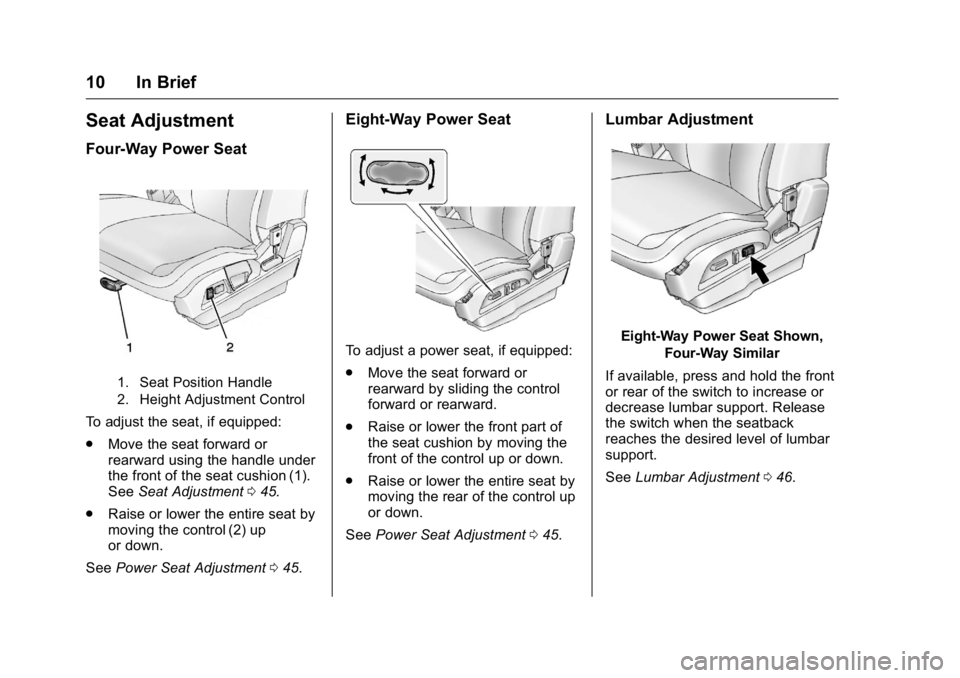
Four-Way Power Seat
1. Seat Position Handle
2. Height Adjustment Control
To adjust the seat, if equipped:
.Move the seat forward or
rearward using the handle under
the front of the seat cushion (1).
See Seat Adjustment 045.
. Raise or lower the entire seat by
moving the control (2) up
or down.
See Power Seat Adjustment 045.
Eight-Way Power Seat
To adjust a power seat, if equipped:
.
Move the seat forward or
rearward by sliding the control
forward or rearward.
. Raise or lower the front part of
the seat cushion by moving the
front of the control up or down.
. Raise or lower the entire seat by
moving the rear of the control up
or down.
See Power Seat Adjustment 045.
Lumbar Adjustment
Eight-Way Power Seat Shown,
Four-Way Similar
If available, press and hold the front
or rear of the switch to increase or
decrease lumbar support. Release
the switch when the seatback
reaches the desired level of lumbar
support.
See Lumbar Adjustment 046.
Page 14 of 326
GMC Terrain/Terrain Denali Owner Manual (GMNA-Localizing-U.S./Canada/
Mexico-9234776) - 2016 - crc - 10/12/15
In Brief 13
Passenger Sensing
System
United States
Canada and Mexico
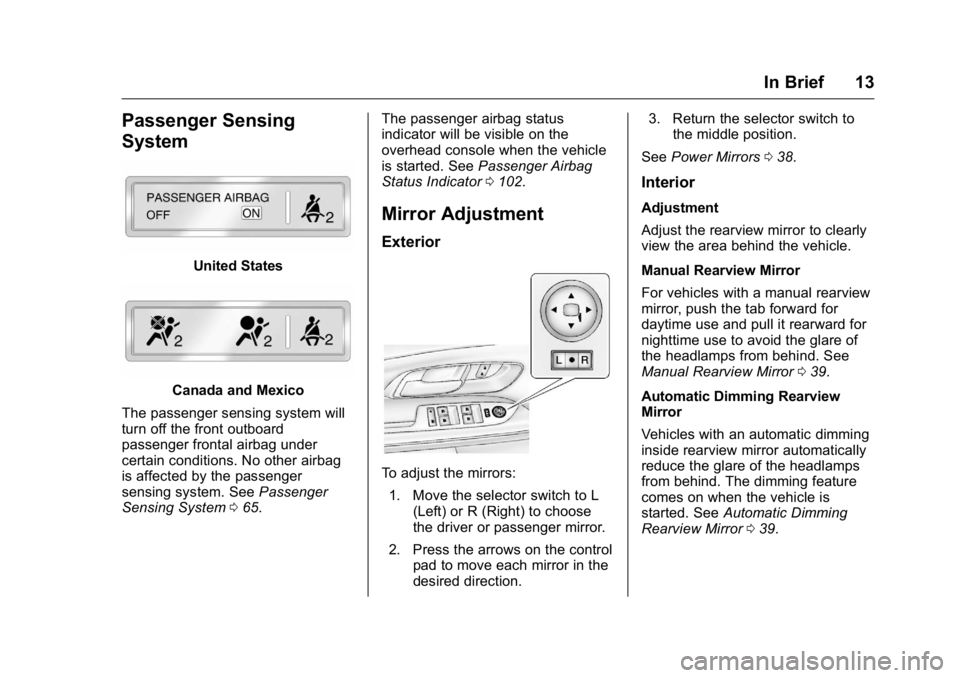
The passenger sensing system will
turn off the front outboard
passenger frontal airbag under
certain conditions. No other airbag
is affected by the passenger
sensing system. See Passenger
Sensing System 065. The passenger airbag status
indicator will be visible on the
overhead console when the vehicle
is started. See
Passenger Airbag
Status Indicator 0102.
Mirror Adjustment
Exterior
To adjust the mirrors:
1. Move the selector switch to L (Left) or R (Right) to choose
the driver or passenger mirror.
2. Press the arrows on the control pad to move each mirror in the
desired direction. 3. Return the selector switch to
the middle position.
See Power Mirrors 038.
Interior
Adjustment
Adjust the rearview mirror to clearly
view the area behind the vehicle.
Manual Rearview Mirror
For vehicles with a manual rearview
mirror, push the tab forward for
daytime use and pull it rearward for
nighttime use to avoid the glare of
the headlamps from behind. See
Manual Rearview Mirror 039.
Automatic Dimming Rearview
Mirror
Vehicles with an automatic dimming
inside rearview mirror automatically
reduce the glare of the headlamps
from behind. The dimming feature
comes on when the vehicle is
started. See Automatic Dimming
Rearview Mirror 039.
Page 22 of 326
GMC Terrain/Terrain Denali Owner Manual (GMNA-Localizing-U.S./Canada/
Mexico-9234776) - 2016 - crc - 10/12/15
In Brief 21
Universal Remote System
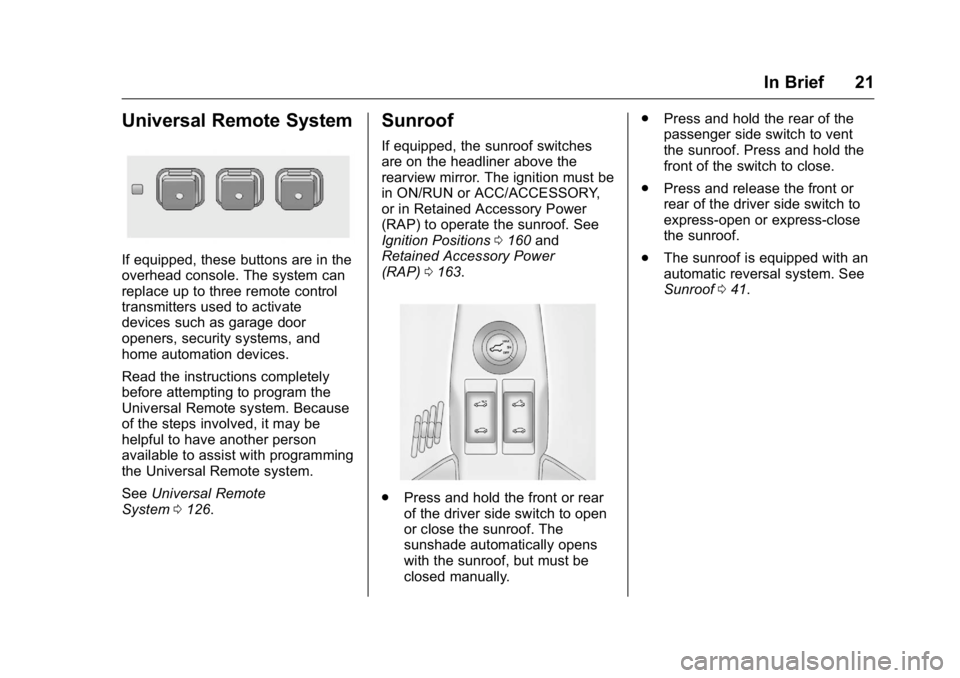
If equipped, these buttons are in the
overhead console. The system can
replace up to three remote control
transmitters used to activate
devices such as garage door
openers, security systems, and
home automation devices.
Read the instructions completely
before attempting to program the
Universal Remote system. Because
of the steps involved, it may be
helpful to have another person
available to assist with programming
the Universal Remote system.
SeeUniversal Remote
System 0126.
Sunroof
If equipped, the sunroof switches
are on the headliner above the
rearview mirror. The ignition must be
in ON/RUN or ACC/ACCESSORY,
or in Retained Accessory Power
(RAP) to operate the sunroof. See
Ignition Positions 0160 and
Retained Accessory Power
(RAP) 0163.
.
Press and hold the front or rear
of the driver side switch to open
or close the sunroof. The
sunshade automatically opens
with the sunroof, but must be
closed manually. .
Press and hold the rear of the
passenger side switch to vent
the sunroof. Press and hold the
front of the switch to close.
. Press and release the front or
rear of the driver side switch to
express-open or express-close
the sunroof.
. The sunroof is equipped with an
automatic reversal system. See
Sunroof 041.
Page 30 of 326
GMC Terrain/Terrain Denali Owner Manual (GMNA-Localizing-U.S./Canada/
Mexico-9234776) - 2016 - crc - 10/12/15
Keys, Doors, and Windows 29
If the vehicle has heated seats, they
may come on during a remote start.
SeeHeated Front Seats 050.
Laws in some local communities
may restrict the use of remote
starters. For example, some laws
require a person using remote start
to have the vehicle in view. Check
local regulations for any
requirements.
Other conditions can affect the
performance of the transmitter. See
Remote Keyless Entry (RKE)
System 026.
Starting the Engine Using Remote
Start
To start the engine using the remote
start feature:
1. Press and release
Qon the
RKE transmitter.
2. Immediately press and hold
/
for at least four seconds or until
the turn signal lamps flash. The
turn signal lamps flashing
confirms the request to remote
start the vehicle has been
received. The parking lamps will turn on
and remain on as long as the
engine is running. The
vehicle's doors will be locked.
3. The key must be inserted and turned to ON/RUN before
driving.
The engine will shut off after
10 minutes unless a time
extension is done or the key is
inserted and turned to
ON/RUN.
Extending Engine Run Time
For a 10-minute extension, after
30 seconds repeat Steps 1 and 2
while the engine is still running. The
remote start can be extended once.
When the remote start is extended,
the second 10 minutes will start
immediately.
For example, if the engine has been
running for five minutes, and
10 minutes are added, the engine
will run for a total of 15 minutes.
A maximum of two remote starts are
allowed between ignition cycles. The vehicle's ignition switch must
be turned to ON/RUN and then back
to LOCK/OFF using the key, before
the remote start procedure can be
used again.
Canceling a Remote Start
To shut off the engine:
.
Press and hold
/until the
parking lamps turn off.
. Turn on the hazard warning
flashers.
. Insert the key and turn it ON/
RUN and then back to
LOCK/OFF.
Conditions in Which Remote Start
Will Not Work
The remote vehicle start feature will
not operate if:
. The key is in the ignition.
. The hood is not closed.
. The hazard warning flashers
are on.
. There is an emission control
system malfunction.
Page 32 of 326
GMC Terrain/Terrain Denali Owner Manual (GMNA-Localizing-U.S./Canada/
Mexico-9234776) - 2016 - crc - 10/12/15
Keys, Doors, and Windows 31
Delayed Locking
This feature delays the locking of
the doors until five seconds after all
doors are closed.
When
Qis pressed on the power
door lock switch while the door is
open, a chime will sound three
times indicating delayed locking is
active.
The doors will lock automatically
five seconds after all doors are
closed. If a door is reopened before
that time, the five-second timer will
reset when all doors are closed
again.
Press
Qon the door lock switch
again or press
Qon the RKE
transmitter to lock the doors
immediately.
This feature can also be
programmed. See Vehicle
Personalization 0120.
Automatic Door Locks
The doors will lock automatically
when all doors are closed, the
ignition is on, and the shift lever is
moved out of P (Park).
To unlock the doors:
.
Press
Kon the power door lock
switch.
. Shift the transmission into
P (Park).
Automatic door locking cannot be
disabled. Automatic door unlocking
can be programmed. See Vehicle
Personalization 0120.
Lockout Protection
When locking is requested with the
driver door open and the key in the
ignition, all the doors will lock and
then the driver door will unlock.
This can be manually overridden by
pressing and holding
Qon the
power door lock switch.
Safety Locks
The rear door safety locks prevent
passengers from opening the rear
doors from inside the vehicle.
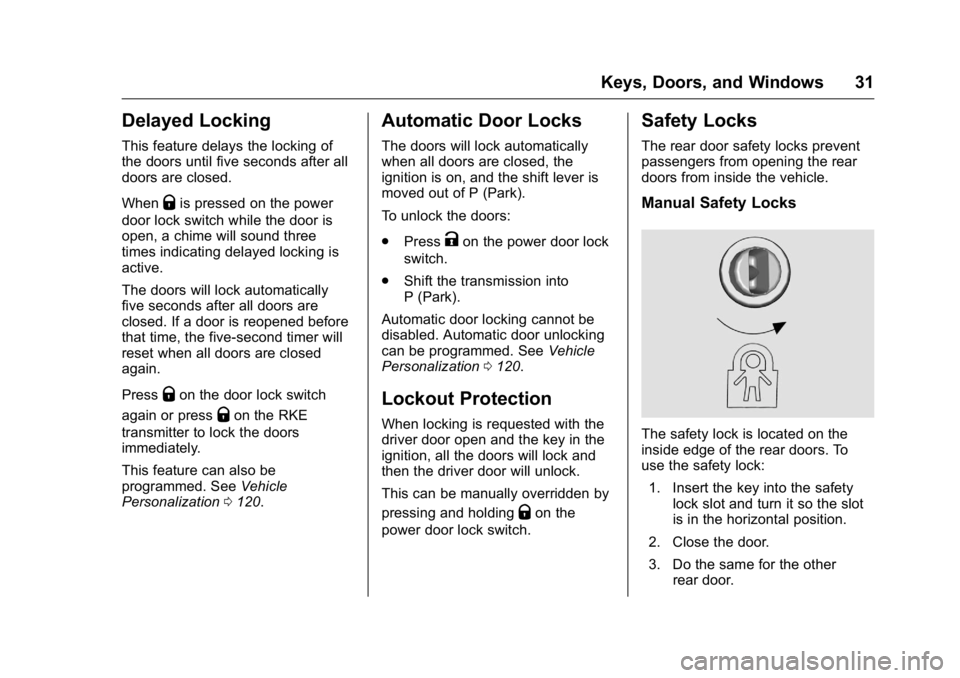
Manual Safety Locks
The safety lock is located on the
inside edge of the rear doors. To
use the safety lock:
1. Insert the key into the safety lock slot and turn it so the slot
is in the horizontal position.
2. Close the door.
3. Do the same for the other rear door.
Page 33 of 326
GMC Terrain/Terrain Denali Owner Manual (GMNA-Localizing-U.S./Canada/
Mexico-9234776) - 2016 - crc - 10/12/15
32 Keys, Doors, and Windows
To open a rear door when the safety
lock is on:1. Unlock the door by activating the inside handle, by using the
power door lock switch, or by
using the Remote Keyless
Entry (RKE) transmitter.
2. Open the door from the outside.
To cancel the safety lock: 1. Unlock the door and open it from the outside.
2. Insert the key into the safety lock slot and turn it so the slot
is in the vertical position. Do
the same for the other door.Doors
Liftgate
{Warning
Exhaust gases can enter the
vehicle if it is driven with the
liftgate or trunk/hatch open,
or with any objects that pass
through the seal between the
body and the trunk/hatch or
liftgate. Engine exhaust contains
carbon monoxide (CO) which
cannot be seen or smelled. It can
cause unconsciousness and even
death.
If the vehicle must be driven with
the liftgate or trunk/hatch open:
. Close all of the windows.
. Fully open the air outlets on
or under the instrument
panel.
. Adjust the climate control
system to a setting that
brings in only outside air
(Continued)
Warning (Continued)
and set the fan speed to the
highest setting. See
“Climate Control Systems”
in the Index.
. If the vehicle is equipped
with a power liftgate, disable
the power liftgate function.
See Engine Exhaust 0166.
Caution
To avoid damage to the liftgate or
liftgate glass, make sure the area
above and behind the liftgate is
clear before opening it.
Manual Liftgate
To unlock the liftgate, press the
power door lock switch or press
K
on the Remote Keyless Entry (RKE)
transmitter twice within
five seconds. See Remote Keyless
Entry (RKE) System Operation 026.
Page 34 of 326

GMC Terrain/Terrain Denali Owner Manual (GMNA-Localizing-U.S./Canada/
Mexico-9234776) - 2016 - crc - 10/12/15
Keys, Doors, and Windows 33
To open the liftgate, press the touch
pad under the liftgate handle and
lift up.
Use the pull cup to lower and close
the liftgate. Do not press the touch
pad while closing the liftgate. This
may cause the liftgate to be
unlatched.
Always close the liftgate before
driving.
Power Liftgate
{Warning
You or others could be injured if
caught in the path of the power
liftgate. Make sure there is no one
in the way of the liftgate as it is
opening and closing.
If equipped, the power liftgate
switch is on the overhead console.
The vehicle must be in P (Park) to
operate. The taillamps flash when
the power liftgate moves.The three modes are:
MAX :
Opens to maximum height.
3/4 : Opens to a reduced height
that can be set by the vehicle
operator. Use this setting to prevent
the liftgate from opening into
overhead obstructions such as a
garage door or roof mounted cargo
during power operation. The liftgate
can still be fully opened manually.
OFF : Opens manually only.
Manual operation of a liftgate that
also has power operation requires
more effort than a standard manual
liftgate.
To open or close the liftgate, select
MAX or 3/4 mode and then:
. Press and hold
Yon the RKE
transmitter until the liftgate starts
moving. See Remote Keyless
Entry (RKE) System
Operation 026.
. Press the power liftgate switch
on the overhead console, with
the driver door unlocked.
Page 35 of 326
GMC Terrain/Terrain Denali Owner Manual (GMNA-Localizing-U.S./Canada/
Mexico-9234776) - 2016 - crc - 10/12/15
34 Keys, Doors, and Windows
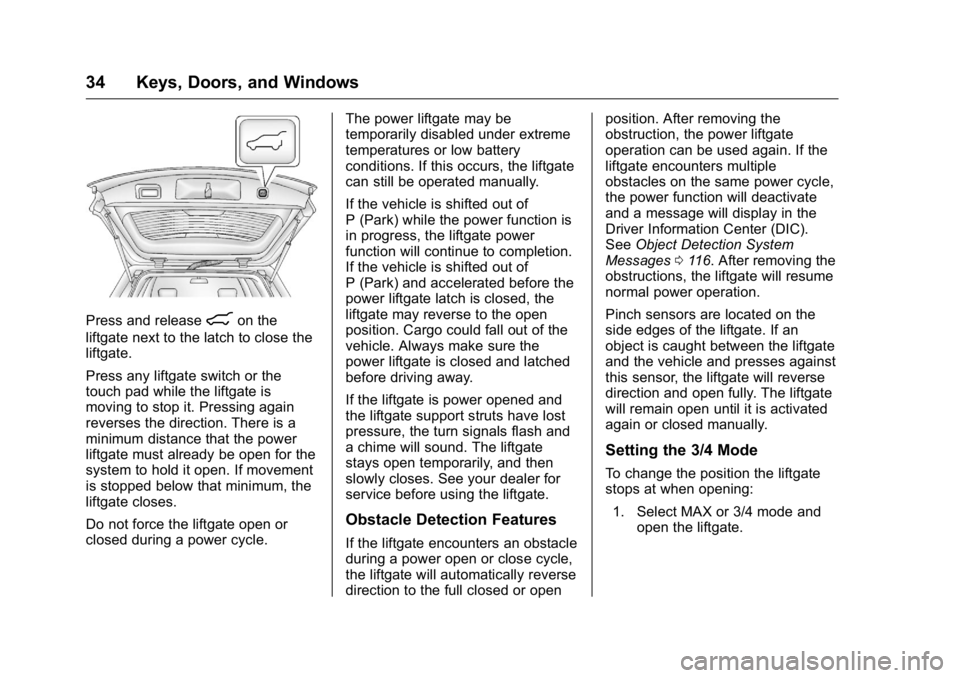
Press and release8on the
liftgate next to the latch to close the
liftgate.
Press any liftgate switch or the
touch pad while the liftgate is
moving to stop it. Pressing again
reverses the direction. There is a
minimum distance that the power
liftgate must already be open for the
system to hold it open. If movement
is stopped below that minimum, the
liftgate closes.
Do not force the liftgate open or
closed during a power cycle. The power liftgate may be
temporarily disabled under extreme
temperatures or low battery
conditions. If this occurs, the liftgate
can still be operated manually.
If the vehicle is shifted out of
P (Park) while the power function is
in progress, the liftgate power
function will continue to completion.
If the vehicle is shifted out of
P (Park) and accelerated before the
power liftgate latch is closed, the
liftgate may reverse to the open
position. Cargo could fall out of the
vehicle. Always make sure the
power liftgate is closed and latched
before driving away.
If the liftgate is power opened and
the liftgate support struts have lost
pressure, the turn signals flash and
a chime will sound. The liftgate
stays open temporarily, and then
slowly closes. See your dealer for
service before using the liftgate.
Obstacle Detection Features
If the liftgate encounters an obstacle
during a power open or close cycle,
the liftgate will automatically reverse
direction to the full closed or openposition. After removing the
obstruction, the power liftgate
operation can be used again. If the
liftgate encounters multiple
obstacles on the same power cycle,
the power function will deactivate
and a message will display in the
Driver Information Center (DIC).
See
Object Detection System
Messages 0116. After removing the
obstructions, the liftgate will resume
normal power operation.
Pinch sensors are located on the
side edges of the liftgate. If an
object is caught between the liftgate
and the vehicle and presses against
this sensor, the liftgate will reverse
direction and open fully. The liftgate
will remain open until it is activated
again or closed manually.
Setting the 3/4 Mode
To change the position the liftgate
stops at when opening:
1. Select MAX or 3/4 mode and open the liftgate.
Page 36 of 326
GMC Terrain/Terrain Denali Owner Manual (GMNA-Localizing-U.S./Canada/
Mexico-9234776) - 2016 - crc - 10/12/15
Keys, Doors, and Windows 35
2. Stop the liftgate movement atthe desired height by pressing
any liftgate switch. Manually
adjust the liftgate position if
needed.
3. Press and hold
8on the
liftgate next to the latch until
the turn signals flash and a
beep sounds to indicate that
the new setting is recorded.
When power opened with the 3/4
mode selected, the liftgate stops at
the new set position.
If there is no audible and visual
feedback when setting the
intermediate stop position, the
liftgate height is being set below the
3/4 open height minimum
(approximately 1.5 m or 5 ft). The
liftgate cannot be set below that
minimum and the new setting will
not be recorded.
Manual Operation of Power
Liftgate
To change the liftgate to manual
operation, turn the mode switch to
the OFF position.
With the power liftgate disabled and
all of the doors unlocked, the liftgate
can be manually opened and
closed. Manual operation of a
liftgate that also has power
operation requires more effort than
a standard manual liftgate.
Caution
To avoid damage to the liftgate,
do not use too much force when
closing it.
To open the liftgate, press the touch
pad under the liftgate handle and lift
up. To close the liftgate, use the pull
cup to lower the liftgate and close.
With the power liftgate disabled, the
liftgate electric latch will still power
latch once contact is made with the
striker. Always close the liftgate
before driving. If
Yon the RKE transmitter is
pressed while power operation is
disabled, the turn signals flash and
the liftgate will not move.
The liftgate has an electric latch.
If the battery is disconnected or has
low voltage, the liftgate will not
open. The liftgate will resume
operation when the battery is
reconnected and charged.