ECO mode GMC TERRAIN 2018 Owner's Guide
[x] Cancel search | Manufacturer: GMC, Model Year: 2018, Model line: TERRAIN, Model: GMC TERRAIN 2018Pages: 408, PDF Size: 5.95 MB
Page 188 of 408
GMC Terrain/Terrain Denali Owner Manual (GMNA-Localizing-U.S./Canada/
Mexico-10664916) - 2018 - crc - 9/15/17
Driving and Operating 187
If the vehicle must be turned off in
an emergency:1. Brake using a firm and steady pressure. Do not pump the
brakes repeatedly. This may
deplete power assist, requiring
increased brake pedal force.
2. Shift the vehicle to N (Neutral). This can be done while the
vehicle is moving. After shifting
to N (Neutral), firmly apply the
brakes and steer the vehicle to
a safe location.
3. Come to a complete stop, shift to P (Park), and turn the
ignition off. The vehicle must
be in P (Park) to turn the
ignition off.
4. Set the electric parking brake. See Electric Parking Brake
0 210.{Warning
Turning off the vehicle while
moving may cause loss of power
assist in the brake and steering
systems and disable the airbags.
While driving, only shut the
vehicle off in an emergency.
If the vehicle cannot be pulled over
and must be shut off while driving,
press and hold ENGINE START/
STOP for longer than two seconds,
or press twice in five seconds.
ACC/ACCESSORY (Amber
Indicator Light) : This mode allows
you to use some electrical
accessories when the engine is off.
With the ignition off, pressing the
button one time without the brake
pedal applied will place the ignition
system in ACC/ACCESSORY.
The ignition will switch from ACC/
ACCESSORY to OFF after
five minutes to prevent battery
rundown. ON/RUN/START (Green Indicator
Light) :
This mode is for starting
and driving. With the ignition off and
the brake pedal applied, pressing
the button once will turn the ignition
on. Once engine cranking begins,
release the button. Engine cranking
will continue until the engine starts.
See Starting the Engine 0188. The
ignition will then remain in on.
Service Mode
This power mode is available for
service and diagnostics, and to
verify the proper operation of the
malfunction indicator lamp as may
be required for emission inspection
purposes. With the vehicle off and
the brake pedal not applied,
pressing and holding ENGINE
START/STOP for more than
five seconds will place the vehicle in
Service Mode. The instruments and
audio systems will operate as they
do in ON/RUN, but the vehicle will
not be able to be driven. The engine
will not start in Service Mode. Press
ENGINE START/STOP again to turn
the vehicle off.
Page 217 of 408
GMC Terrain/Terrain Denali Owner Manual (GMNA-Localizing-U.S./Canada/
Mexico-10664916) - 2018 - crc - 9/15/17
216 Driving and Operating
Hill Descent
Control (HDC)
HDC can be used when driving
downhill. It sets and maintains
vehicle speed while descending a
very steep incline in a forward or
reverse gear.
The HDC switch is on the center
console.
Press
5to enable or disable HDC.
Vehicle speed must be below
50 km/h (31 mph).
The HDC light displays on the
instrument cluster when enabled.
HDC can maintain vehicle speeds
between 3 and 22 km/h (2 and
14 mph) on an incline greater than
or equal to a 10% grade. A blinking HDC light indicates the system is
actively applying the brakes to
maintain vehicle speed.
When HDC is activated, the initial
HDC speed is set to the current
driving speed. It can be increased or
decreased by pressing +RES or
–
SET on the steering wheel or by
applying the accelerator or brake
pedal. This adjusted speed
becomes the new set speed.
HDC will remain enabled between
22 and 60 km/h (14 and 37 mph);
however vehicle speed cannot be
set or maintained in this range.
It will automatically disable if the
vehicle speed is above 80 km/h
(50 mph) or above 60 km/h
(37 mph) for at least 30 seconds.
Press
5again to re-enable HDC.
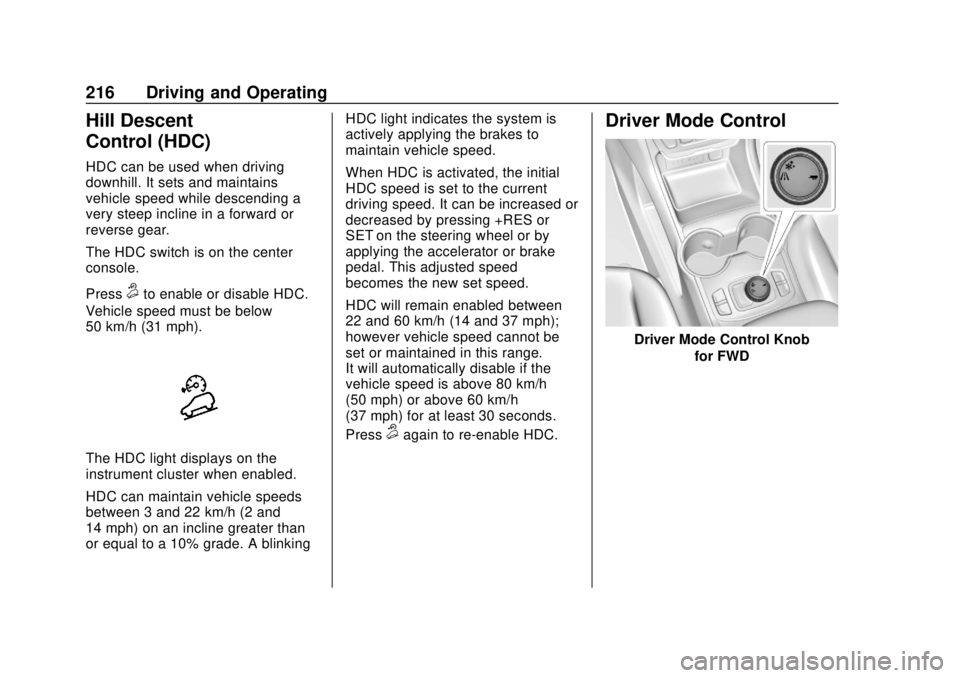
Driver Mode Control
Driver Mode Control Knob
for FWD
Page 218 of 408
GMC Terrain/Terrain Denali Owner Manual (GMNA-Localizing-U.S./Canada/
Mexico-10664916) - 2018 - crc - 9/15/17
Driving and Operating 217
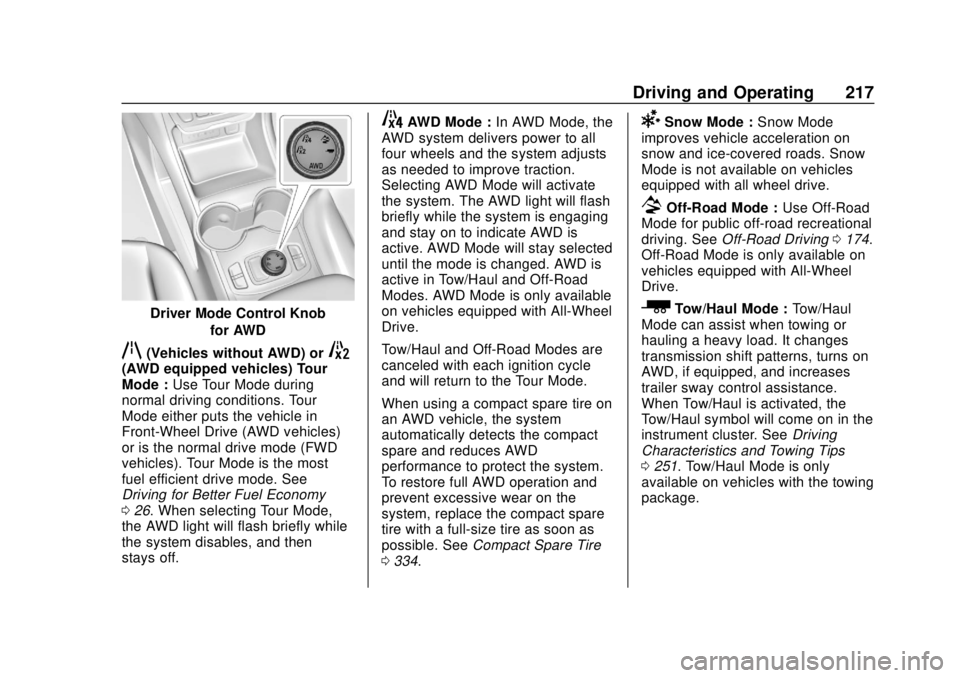
Driver Mode Control Knobfor AWD
q(Vehicles without AWD) or5(AWD equipped vehicles) Tour
Mode :Use Tour Mode during
normal driving conditions. Tour
Mode either puts the vehicle in
Front-Wheel Drive (AWD vehicles)
or is the normal drive mode (FWD
vehicles). Tour Mode is the most
fuel efficient drive mode. See
Driving for Better Fuel Economy
0 26. When selecting Tour Mode,
the AWD light will flash briefly while
the system disables, and then
stays off.
4AWD Mode : In AWD Mode, the
AWD system delivers power to all
four wheels and the system adjusts
as needed to improve traction.
Selecting AWD Mode will activate
the system. The AWD light will flash
briefly while the system is engaging
and stay on to indicate AWD is
active. AWD Mode will stay selected
until the mode is changed. AWD is
active in Tow/Haul and Off-Road
Modes. AWD Mode is only available
on vehicles equipped with All-Wheel
Drive.
Tow/Haul and Off-Road Modes are
canceled with each ignition cycle
and will return to the Tour Mode.
When using a compact spare tire on
an AWD vehicle, the system
automatically detects the compact
spare and reduces AWD
performance to protect the system.
To restore full AWD operation and
prevent excessive wear on the
system, replace the compact spare
tire with a full-size tire as soon as
possible. See Compact Spare Tire
0 334.6Snow Mode : Snow Mode
improves vehicle acceleration on
snow and ice-covered roads. Snow
Mode is not available on vehicles
equipped with all wheel drive.
7Off-Road Mode : Use Off-Road
Mode for public off-road recreational
driving. See Off-Road Driving 0174.
Off-Road Mode is only available on
vehicles equipped with All-Wheel
Drive.
_Tow/Haul Mode : Tow/Haul
Mode can assist when towing or
hauling a heavy load. It changes
transmission shift patterns, turns on
AWD, if equipped, and increases
trailer sway control assistance.
When Tow/Haul is activated, the
Tow/Haul symbol will come on in the
instrument cluster. See Driving
Characteristics and Towing Tips
0 251. Tow/Haul Mode is only
available on vehicles with the towing
package.
Page 246 of 408
GMC Terrain/Terrain Denali Owner Manual (GMNA-Localizing-U.S./Canada/
Mexico-10664916) - 2018 - crc - 9/15/17
Driving and Operating 245
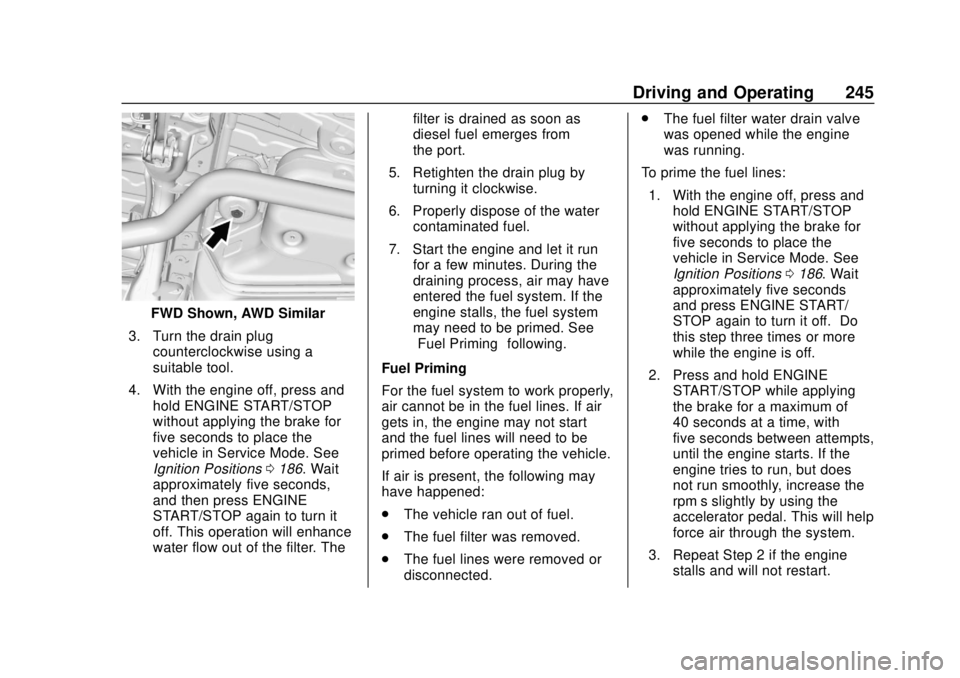
FWD Shown, AWD Similar
3. Turn the drain plug counterclockwise using a
suitable tool.
4. With the engine off, press and hold ENGINE START/STOP
without applying the brake for
five seconds to place the
vehicle in Service Mode. See
Ignition Positions 0186. Wait
approximately five seconds,
and then press ENGINE
START/STOP again to turn it
off. This operation will enhance
water flow out of the filter. The filter is drained as soon as
diesel fuel emerges from
the port.
5. Retighten the drain plug by turning it clockwise.
6. Properly dispose of the water contaminated fuel.
7. Start the engine and let it run for a few minutes. During the
draining process, air may have
entered the fuel system. If the
engine stalls, the fuel system
may need to be primed. See
“Fuel Priming” following.
Fuel Priming
For the fuel system to work properly,
air cannot be in the fuel lines. If air
gets in, the engine may not start
and the fuel lines will need to be
primed before operating the vehicle.
If air is present, the following may
have happened:
. The vehicle ran out of fuel.
. The fuel filter was removed.
. The fuel lines were removed or
disconnected. .
The fuel filter water drain valve
was opened while the engine
was running.
To prime the fuel lines: 1. With the engine off, press and hold ENGINE START/STOP
without applying the brake for
five seconds to place the
vehicle in Service Mode. See
Ignition Positions 0186. Wait
approximately five seconds
and press ENGINE START/
STOP again to turn it off. Do
this step three times or more
while the engine is off.
2. Press and hold ENGINE START/STOP while applying
the brake for a maximum of
40 seconds at a time, with
five seconds between attempts,
until the engine starts. If the
engine tries to run, but does
not run smoothly, increase the
rpm’s slightly by using the
accelerator pedal. This will help
force air through the system.
3. Repeat Step 2 if the engine stalls and will not restart.
Page 274 of 408
GMC Terrain/Terrain Denali Owner Manual (GMNA-Localizing-U.S./Canada/
Mexico-10664916) - 2018 - crc - 9/15/17
Vehicle Care 273
containing used engine oil. See the
manufacturer's warnings about the
use and disposal of oil products.
Used oil can be a threat to the
environment. If you change your
own oil, be sure to drain all the oil
from the filter before disposal. Never
dispose of oil by putting it in the
trash or pouring it on the ground,
into sewers, or into streams or
bodies of water. Recycle it by taking
it to a place that collects used oil.
Engine Oil Life System
When to Change Engine Oil
This vehicle has a computer system
that indicates when to change the
engine oil and filter. This is based
on a combination of factors which
include engine revolutions, engine
temperature, and miles driven.
Based on driving conditions, the
mileage at which an oil change is
indicated can vary considerably. For
the oil life system to work properly,
the system must be reset every time
the oil is changed.When the system has calculated
that oil life has been diminished, it
indicates that an oil change is
necessary. A CHANGE ENGINE
OIL SOON message comes on.
Change the oil as soon as possible
within the next 1 000 km (600 mi).
It is possible that, if driving under
the best conditions, the oil life
system may indicate that an oil
change is not necessary for up to a
year. The engine oil and filter must
be changed at least once a year
and, at this time, the system must
be reset. Your dealer has trained
service people who will perform this
work and reset the system. It is also
important to check the oil regularly
over the course of an oil drain
interval and keep it at the proper
level.
If the system is ever reset
accidentally, the oil must be
changed at 5 000 km (3,000 mi)
since the last oil change.
Remember to reset the oil life
system whenever the oil is changed.
How to Reset the Engine Oil
Life System
Reset the system whenever the
engine oil is changed so that the
system can calculate the next
engine oil change. To reset the
system:
1. Display REMAINING OIL LIFE on the DIC menu. See Driver
Information Center (DIC) 0136.
2. Press and hold
Vfor several
seconds while the Oil Life
display is active to reset the Oil
Life system.
3. REMAINING OIL LIFE 100% will be displayed when the oil
life system is successfully
reset.
The oil life system can also be reset
as follows: 1. Place the ignition in Service Mode. See Ignition Positions
0 186.
2. Display REMAINING OIL LIFE on the DIC menu. See Driver
Information Center (DIC) 0136.
Page 307 of 408
GMC Terrain/Terrain Denali Owner Manual (GMNA-Localizing-U.S./Canada/
Mexico-10664916) - 2018 - crc - 9/15/17
306 Vehicle Care
Number (TIN), an alphanumeric
designator which can also
identify the tire manufacturer,
production plant, brand, and
date of production.
GVWR
:Gross Vehicle Weight
Rating. See Vehicle Load Limits
0 181.
GAWR FRT
:Gross Axle Weight
Rating for the front axle. See
Vehicle Load Limits 0181.
GAWR RR
:Gross Axle Weight
Rating for the rear axle. See
Vehicle Load Limits 0181.
Intended Outboard Sidewall
:
The side of an asymmetrical tire
that must always face outward
when mounted on a vehicle.
Kilopascal (kPa)
:The metric
unit for air pressure.
Light Truck (LT-Metric) Tire
:A
tire used on light duty trucks and
some multipurpose passenger
vehicles. Load Index
:An assigned
number ranging from 1 to 279
that corresponds to the load
carrying capacity of a tire.
Maximum Inflation Pressure
:
The maximum air pressure to
which a cold tire can be inflated.
The maximum air pressure is
molded onto the sidewall.
Maximum Load Rating
:The
load rating for a tire at the
maximum permissible inflation
pressure for that tire.
Maximum Loaded Vehicle
Weight
:The sum of curb
weight, accessory weight,
vehicle capacity weight, and
production options weight.
Normal Occupant Weight
:The
number of occupants a vehicle
is designed to seat multiplied by
68 kg (150 lb). See Vehicle Load
Limits 0181.
Occupant Distribution
:
Designated seating positions. Outward Facing Sidewall
:The
side of an asymmetrical tire that
has a particular side that faces
outward when mounted on a
vehicle. The side of the tire that
contains a whitewall, bears
white lettering, or bears
manufacturer, brand, and/or
model name molding that is
higher or deeper than the same
moldings on the other sidewall
of the tire.
Passenger (P-Metric) Tire
:A
tire used on passenger cars and
some light duty trucks and
multipurpose vehicles.
Recommended Inflation
Pressure
:Vehicle
manufacturer's recommended
tire inflation pressure as shown
on the tire placard.
See Tire Pressure 0307 and
Vehicle Load Limits 0181.
Page 314 of 408
GMC Terrain/Terrain Denali Owner Manual (GMNA-Localizing-U.S./Canada/
Mexico-10664916) - 2018 - crc - 9/15/17
Vehicle Care 313
There are two minutes to match the
first tire/wheel position, and
five minutes overall to match all four
tire/wheel positions. If it takes
longer, the matching process stops
and must be restarted.
The TPMS sensor matching
process is:1. Set the parking brake.
2. Place the vehicle in Service Mode. See Ignition Positions
0 186.
3. Make sure the Tire Pressure info page option is turned on.
The info pages on the DIC can
be turned on and off through
the Options menu. See Driver
Information Center (DIC) 0136.
4. Use the DIC controls on the right side of the steering wheel
to scroll to the Tire Pressure
screen under the DIC
info page.
5. Press and hold
Vin the center
of the DIC controls. The horn sounds twice to
signal the receiver is in relearn
mode and the TIRE
LEARNING ACTIVE message
displays on the DIC display.
6. Start with the driver side front tire.
7. Place the relearn tool against the tire sidewall, near the valve
stem. Then press the button to
activate the TPMS sensor.
A horn chirp confirms that the
sensor identification code has
been matched to this tire and
wheel position.
8. Proceed to the passenger side front tire, and repeat the
procedure in Step 7.
9. Proceed to the passenger side rear tire, and repeat the
procedure in Step 7.
10. Proceed to the driver side rear tire, and repeat the procedure
in Step 7. The horn sounds two
times to indicate the sensor
identification code has been
matched to the driver side rear
tire, and the TPMS sensor matching process is no longer
active. The TIRE LEARNING
ACTIVE message on the DIC
display goes off.
11. Turn the vehicle off.
12. Set all four tires to the recommended air pressure
level as indicated on the Tire
and Loading Information label.
Tire Inspection
We recommend that the tires,
including the spare tire, if the
vehicle has one, be inspected
for signs of wear or damage at
least once a month.
Replace the tire if:
.The indicators at three or
more places around the tire
can be seen.
.There is cord or fabric
showing through the tire's
rubber.
Page 379 of 408
GMC Terrain/Terrain Denali Owner Manual (GMNA-Localizing-U.S./Canada/
Mexico-10664916) - 2018 - crc - 9/15/17
378 Customer Information
.Vehicle make, model, and
model year
. Vehicle Identification
Number (VIN)
. Insurance company and policy
number
. General description of the
damage to the other vehicle
Choose a reputable repair facility
that uses quality replacement parts.
See “Collision Parts” earlier in this
section.
If the airbag has inflated, see What
Will You See after an Airbag
Inflates? 081.
Managing the Vehicle Damage
Repair Process
In the event that the vehicle requires
damage repairs, GM recommends
that you take an active role in its
repair. If you have a pre-determined
repair facility of choice, take the
vehicle there, or have it towed there.
Specify to the facility that any
required replacement collision parts
be original equipment parts, either
new Genuine GM parts or recycled original GM parts. Remember,
recycled parts will not be covered by
the GM vehicle warranty.
Insurance pays the bill for the repair,
but you must live with the repair.
Depending on your policy limits,
your insurance company may
initially value the repair using
aftermarket parts. Discuss this with
the repair professional, and insist on
Genuine GM parts. Remember,
if the vehicle is leased, you may be
obligated to have the vehicle
repaired with Genuine GM parts,
even if your insurance coverage
does not pay the full cost.
If another party's insurance
company is paying for the repairs,
you are not obligated to accept a
repair valuation based on that
insurance company's collision policy
repair limits, as you have no
contractual limits with that company.
In such cases, you can have control
of the repair and parts choices as
long as the cost stays within
reasonable limits.
Service Publications
Ordering Information
Service Manuals
Service Manuals have the diagnosis
and repair information on the
engines, transmission, axle,
suspension, brakes, electrical,
steering, body, etc.
Owner Information
Owner publications are written
specifically for owners and intended
to provide basic operational
information about the vehicle. The
Owner
’s Manual includes the
Maintenance Schedule for all
models.
In-Portfolio: Includes a Portfolio,
Owner ’s Manual, and Warranty
Manual.
RETAIL SELL PRICE: $35.00 –
$40.00 (U.S.) plus handling and
shipping fees.
Without Pouch: Owner ’s
Manual only.
Page 380 of 408
GMC Terrain/Terrain Denali Owner Manual (GMNA-Localizing-U.S./Canada/
Mexico-10664916) - 2018 - crc - 9/15/17
Customer Information 379
RETAIL SELL PRICE:
$25.00 (U.S.) plus handling and
shipping fees.
Current and Past Models
Service and Owner publications are
available for many current and past
model year GM vehicles.
ORDER TOLL FREE:
1-800-551-4123 Monday–Friday
8:00 AM –6:00 PM Eastern Time
For Credit Card Orders Only
(VISA-MasterCard-Discover), see
Helm, Inc. at: www.helminc.com.
Or write to:
Helm, Incorporated
Attention: Customer Service
47911 Halyard Drive
Plymouth, MI 48170
Prices are subject to change without
notice and without incurring
obligation. Allow ample time for
delivery.
All listed prices are quoted in U.S.
funds. Make checks payable in U.S.
funds.
Radio Frequency
Statement
This vehicle has systems that
operate on a radio frequency that
complies with Part 15/Part 18 of the
Federal Communications
Commission (FCC) rules and with
Innovation, Science and Economic
Development (ISED) Canada's
RSP-100 / license-exempt RSS's /
ICES-001.
Operation is subject to the following
two conditions:
1. The device may not cause harmful interference.
2. The device must accept any interference received, including
interference that may cause
undesired operation of the
device.
Changes or modifications to any of
these systems by other than an
authorized service facility could void
authorization to use this equipment.
Reporting Safety
Defects
Reporting Safety Defects
to the United States
Government
If you believe that your vehicle
has a defect which could cause
a crash or could cause injury or
death, you should immediately
inform the National Highway
Traffic Safety Administration
(NHTSA) in addition to notifying
General Motors.
If NHTSA receives similar
complaints, it may open an
investigation, and if it finds that
a safety defect exists in a group
of vehicles, it may order a recall
and remedy campaign.
However, NHTSA cannot
become involved in individual
problems between you, your
dealer, or General Motors.
Page 398 of 408

GMC Terrain/Terrain Denali Owner Manual (GMNA-Localizing-U.S./Canada/
Mexico-10664916) - 2018 - crc - 9/15/17
Index 397
Climate Control Systems (cont'd)Heating . . . . . . . . . . . . . . . . . . . . . . . 160
Clock . . . . . . . . . . . . . . . . . . . . . . . . . . . 114
Cluster, Instrument . . . . . . . . . . . . . 119
Cold Weather Operation . . . . . . . . 242
Collision Damage Repair . . . . . . . 376
Compact Spare Tire . . . . . . . . . . . . 334
Compartments Storage . . . . . . . . . . . . . . . . . . . . . . . 106
Compass . . . . . . . . . . . . . . . . . . . . . . . 113
Compressor Kit, Tire Sealant . . . 322
Connections OnStar . . . . . . . . . . . . . . . . . . . . . . . 386
Control
Hill Descent . . . . . . . . . . . . . . . . . . 216
Traction and ElectronicStability . . . . . . . . . . . . . . . . . . . . . 213
Control Light
Hill Descent . . . . . . . . . . . . . . . . . . 131
Control of a Vehicle . . . . . . . . . . . . . 171
Convenience Net . . . . . . . . . . . . . . . 108
Convex Mirrors . . . . . . . . . . . . . . . . . . 49
Coolant Engine Temperature Gauge . . 124
Cooling . . . . . . . . . . . . . . . . . . . . 160, 162
Cooling System . . . . . . . . . . . . . . . . . 276
Courtesy Lamps . . . . . . . . . . . . . . . . 156 Courtesy Transportation
Program . . . . . . . . . . . . . . . . . . . . . . . 375
Cover Cargo . . . . . . . . . . . . . . . . . . . . . . . . . 107
Cruise Control . . . . . . . . . . . . . . . . . . 220 Light . . . . . . . . . . . . . . . . . . . . . . . . . . 136
Cupholders . . . . . . . . . . . . . . . . . . . . . 106
Customer Assistance . . . . . . . . . . . 372
Offices . . . . . . . . . . . . . . . . . . . . . . . . 371
Text Telephone (TTY)Users . . . . . . . . . . . . . . . . . . . . . . . 372
Customer Information Service PublicationsOrdering Information . . . . . . . . 378
Customer Satisfaction Procedure . . . . . . . . . . . . . . . . . . . . . 369
D
Damage Repair, Collision . . . . . . . 376
Danger, Warning, and Caution . . . . 3
Data Collection
Infotainment System . . . . . . . . . . 382
OnStar . . . . . . . . . . . . . . . . . . . . . . . 382
Data Recorders, Event . . . . . . . . . 381
Daytime Running Lamps (DRL) . . . . . . . . . . . . . . . . . . 153
Defensive Driving . . . . . . . . . . . . . . . 171
Delayed Locking . . . . . . . . . . . . . . . . . 39 Diagnostics
OnStar . . . . . . . . . . . . . . . . . . . . . . . 388
Diesel Exhaust Fluid . . . . . . . . 27, 198
Diesel Exhaust Fluid (DEF) Warning Light . . . . . . . . . . . . . . . . . 134
Diesel Particulate Filter . . . . . . . . . 197
Distracted Driving . . . . . . . . . . . . . . . 170
Dome Lamps . . . . . . . . . . . . . . . . . . . 156
Door Delayed Locking . . . . . . . . . . . . . . . . 39
Locks . . . . . . . . . . . . . . . . . . . . . . . . . . . 37
Power Locks . . . . . . . . . . . . . . . . . . . . 39
Drive Belt Routing, Engine . . . . . . 368
Drive Systems All-Wheel Drive . . . . . . . . . . 209, 285
Driver Assistance Systems . . . . . 222
Driver Behavior . . . . . . . . . . . . . . . . . 169
Driver Information
Center (DIC) . . . . . . . . . . . . . . . . . . 136
Driver Mode Control . . . . . . . . . . . . 216
Driving Assistance Systems . . . . . . . . . . 228
Characteristics andTowing Tips . . . . . . . . . . . . . . . . . 251
Defensive . . . . . . . . . . . . . . . . . . . . . 171
Drunk . . . . . . . . . . . . . . . . . . . . . . . . . 171
Environment . . . . . . . . . . . . . . . . . . 170
For Better Fuel Economy . . . . . . . 26